
Contents
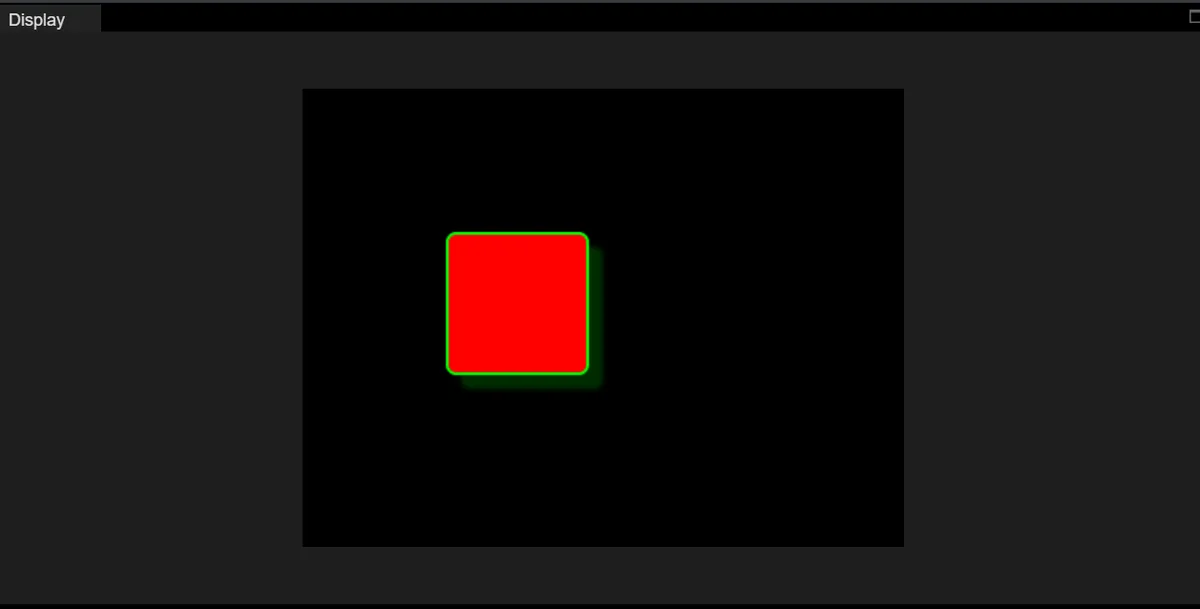
The following code implements a rectangular control with a custom visual style: after initializing LVGL, set the screen background to black, create a 100×100 pixel square object at the screen coordinate (100,100), configure styles such as red background, green border, and green semi-transparent shadow for this object, and finally load the screen to complete the rendering, and a red square with green border and shadow will be displayed on the screen in the end.
import display_driver
import lvgl as lv

lv.init()

#Get the currently active screen object
scr = lv.screen_active()
#Set the screen background color to black
scr.set_style_bg_color(lv.color_hex(0x000000), 0)

#Create the object
obj = lv.obj(scr)
#Set the object position and size
obj.set_pos(100, 100)   #Set the top-left coordinates of the object
obj.set_size(100, 100)  #Set the width and height of the object

#Create a style
style_obj = lv.style_t()
#Border and background
style_obj .set_pad_all(10)    #Set padding in all four directions
#style_obj  .set_pad_left(10)   #Set left padding
#style_obj .set_pad_right(10)  #Set right padding
#style_obj .set_pad_top(10)    #Set top padding
#style_obj  .set_pad_bottom(10) #Set bottom padding
style_obj .set_bg_opa(255)  #Set background opacity; 0 is fully transparent
style_obj .set_bg_color(lv.color_hex(0xFF0000))   #Set background color
style_obj .set_border_color(lv.color_hex(0x00FF00))   #Set border color
style_obj  .set_border_width(2)   #Set border width
style_obj .set_border_opa(255)   #Set border opacity; 0 is fully transparent
#Shadow style
style_obj .set_shadow_color(lv.color_hex(0x00FF00))#Set shadow color
style_obj .set_shadow_width(10)#Set shadow width (shadow spread range)
style_obj .set_shadow_opa(50)#Set shadow opacity
style_obj .set_shadow_offset_x(10)#Set shadow horizontal offset
style_obj .set_shadow_offset_y(10)#Set shadow horizontal offset
#Apply the style
obj.add_style(style_obj , lv.STATE.DEFAULT)

# Load the screen
lv.screen_load(scr)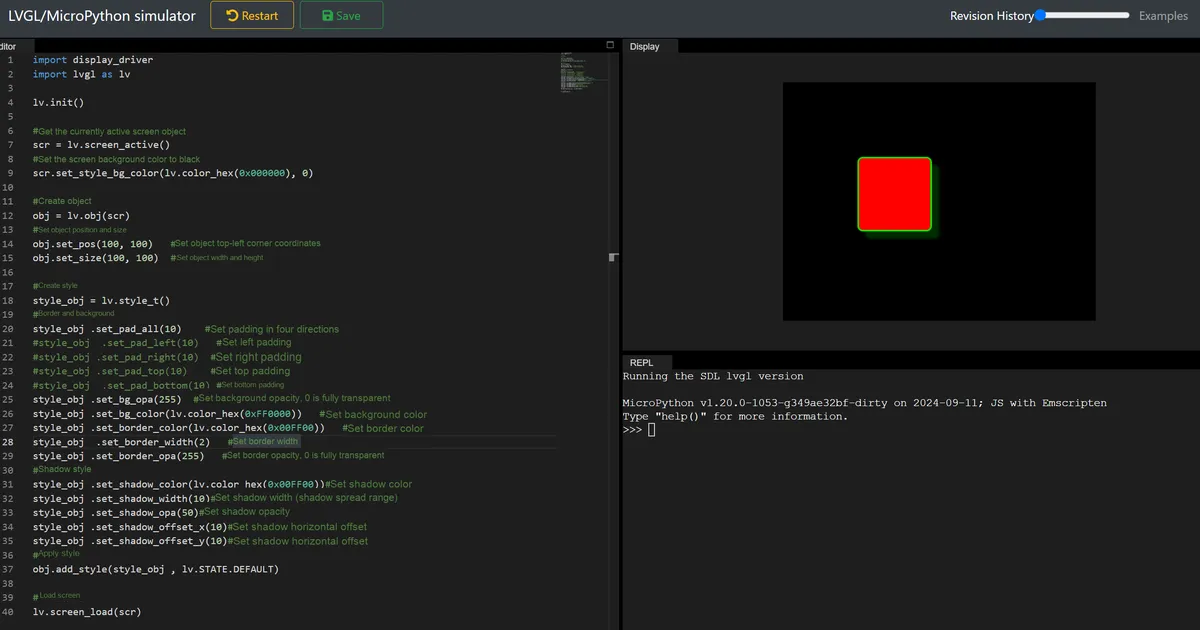
4.1 Modify the screen background color
#Set the screen background color to black
scr.set_style_bg_color(lv.color_hex(0x09999), 0)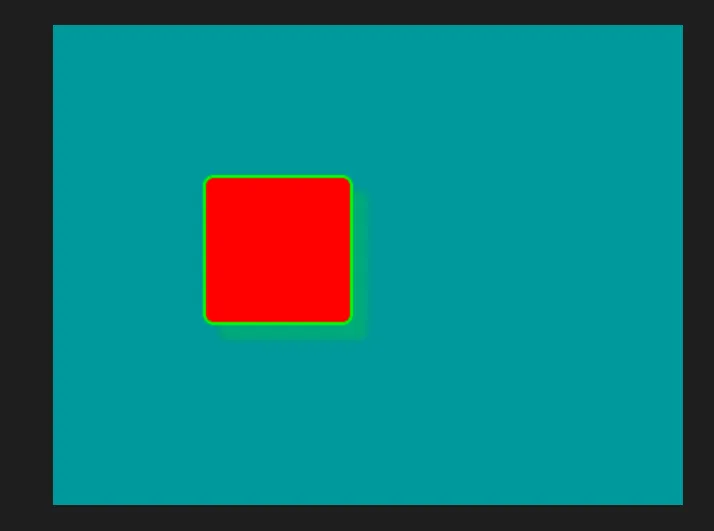
4.2 Modify the position and size of the object
#Set the object position and size
obj.set_pos(150, 150)   #Set the top-left coordinates of the object
obj.set_size(120, 120)  #Set the width and height of the object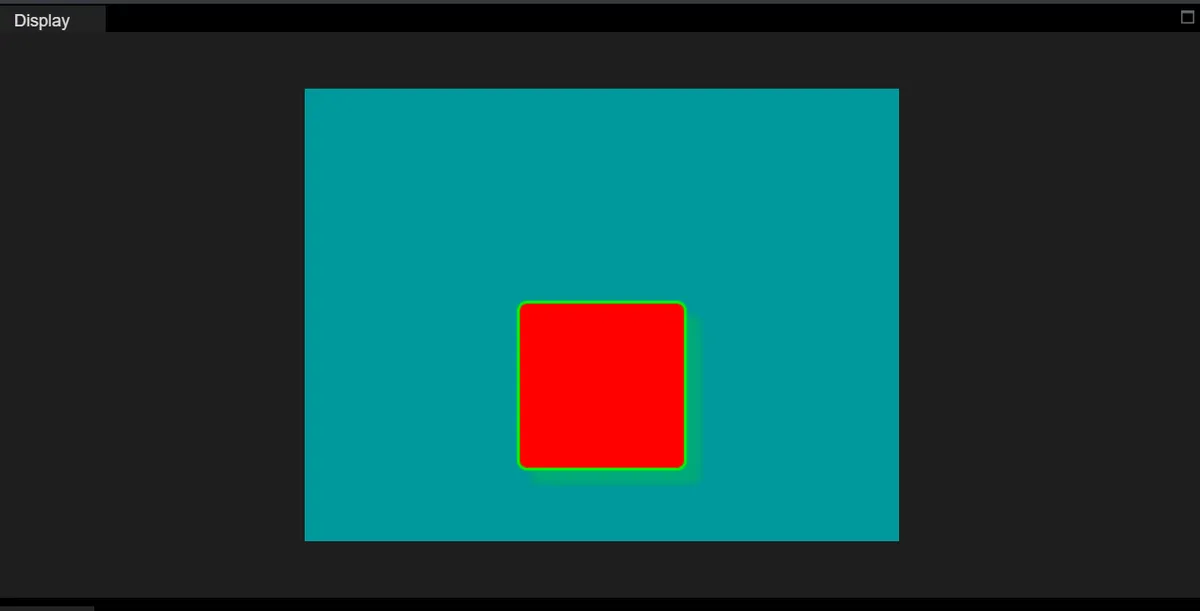
4.3 Modify Padding
Padding refers to the space between the "inner content area" and the "border" of a control, similar to the gap reserved between an item inside a box and the inner wall of the box. The larger the padding, the farther the content is from the border.
Next, we will add a Label object to the base object; the Label will be displayed inside the red square obj rather than directly on the screen. After that, we will try adjusting the padding and set the Label to be centered:
import display_driver
import lvgl as lv

lv.init()

#Get the currently active screen object
scr = lv.screen_active()
#Set the screen background color to black
scr.set_style_bg_color(lv.color_hex(0x009999), 0)

#Create the object
obj = lv.obj(scr)
#Set the object position and size
obj.set_pos(150, 150)   #Set the top-left coordinates of the object
obj.set_size(120, 120)  #Set the width and height of the object

#Create a style
style_obj = lv.style_t()
#Border and background
style_obj .set_pad_all(10)    #Set padding in all four directions
# style_obj  .set_pad_left(20)   #Set left padding
# style_obj .set_pad_right(5)  #Set right padding
# style_obj .set_pad_top(8)    #Set top padding
# style_obj  .set_pad_bottom(10) #Set bottom padding

style_obj .set_bg_opa(255)  #Set background opacity; 0 is fully transparent
style_obj .set_bg_color(lv.color_hex(0xFF0000))   #Set background color
style_obj .set_border_color(lv.color_hex(0x00FF00))   #Set border color
style_obj  .set_border_width(2)   #Set border width
style_obj .set_border_opa(255)   #Set border opacity; 0 is fully transparent
#Shadow style
style_obj .set_shadow_color(lv.color_hex(0x00FF00))#Set shadow color
style_obj .set_shadow_width(10)#Set shadow width (shadow spread range)
style_obj .set_shadow_opa(50)#Set shadow opacity
style_obj .set_shadow_offset_x(10)#Set shadow horizontal offset
style_obj .set_shadow_offset_y(10)#Set shadow horizontal offset
#Apply the style
obj.add_style(style_obj , lv.STATE.DEFAULT)

# 1. Create a Label widget with obj as the parent (the Label is displayed inside obj)
label = lv.label(obj)
# 2. Set the text displayed by the Label
label.set_text("Test Label")
# 3. Center the Label inside obj (using the blank area left by the padding)
label.center()
# 4. Optional: set the text color to white (clearer on a red background)
label.set_style_text_color(lv.color_hex(0x11111), lv.STATE.DEFAULT)

# Load the screen
lv.screen_load(scr)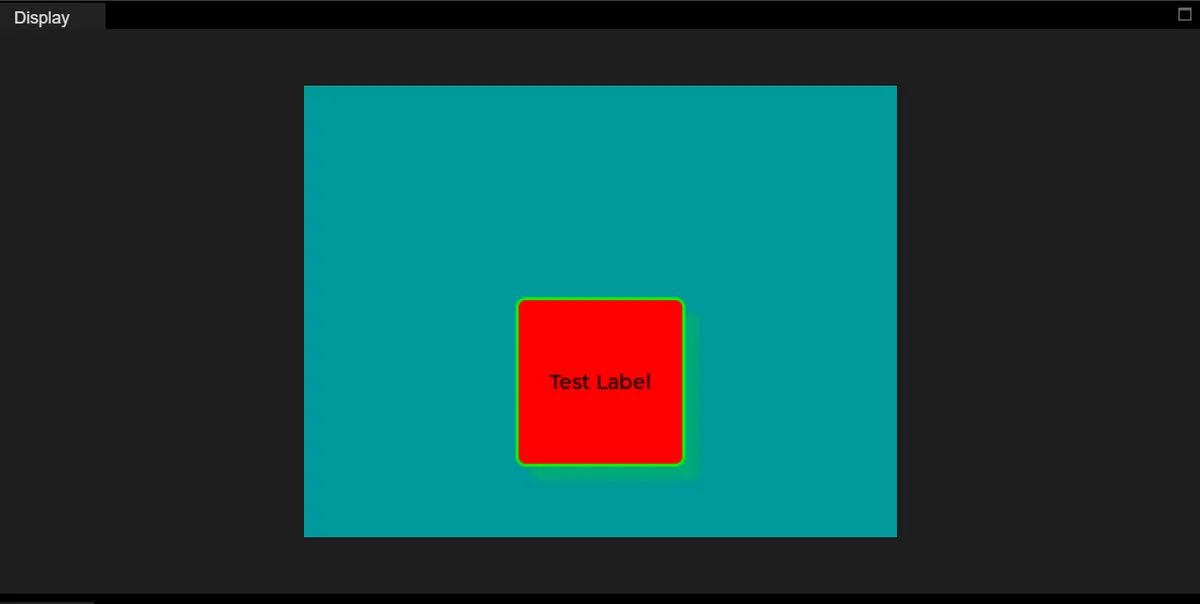
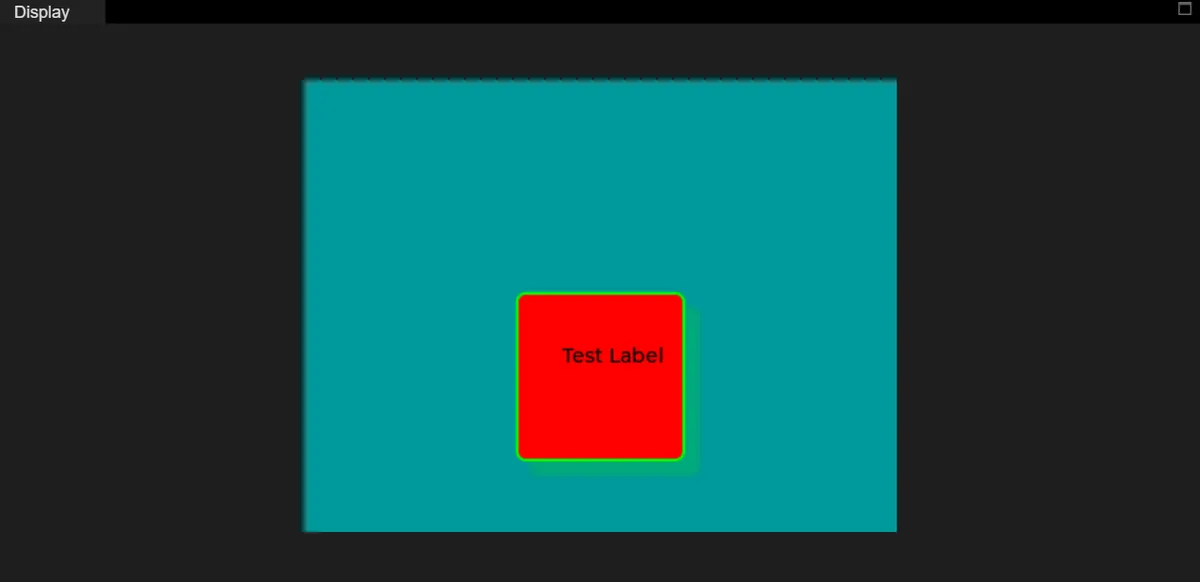
Next, let's modify the padding:
#Border and background
# style_obj .set_pad_all(10)    #Set padding in all four directions
style_obj  .set_pad_left(20)   #Set left padding
style_obj .set_pad_right(1)  #Set right padding
style_obj .set_pad_top(1)    #Set top padding
style_obj  .set_pad_bottom(30) #Set bottom padding
Displayed as follows:
4.4 Modify Transparency
style_obj .set_bg_opa(100) #Set background opacity; 0 is fully transparent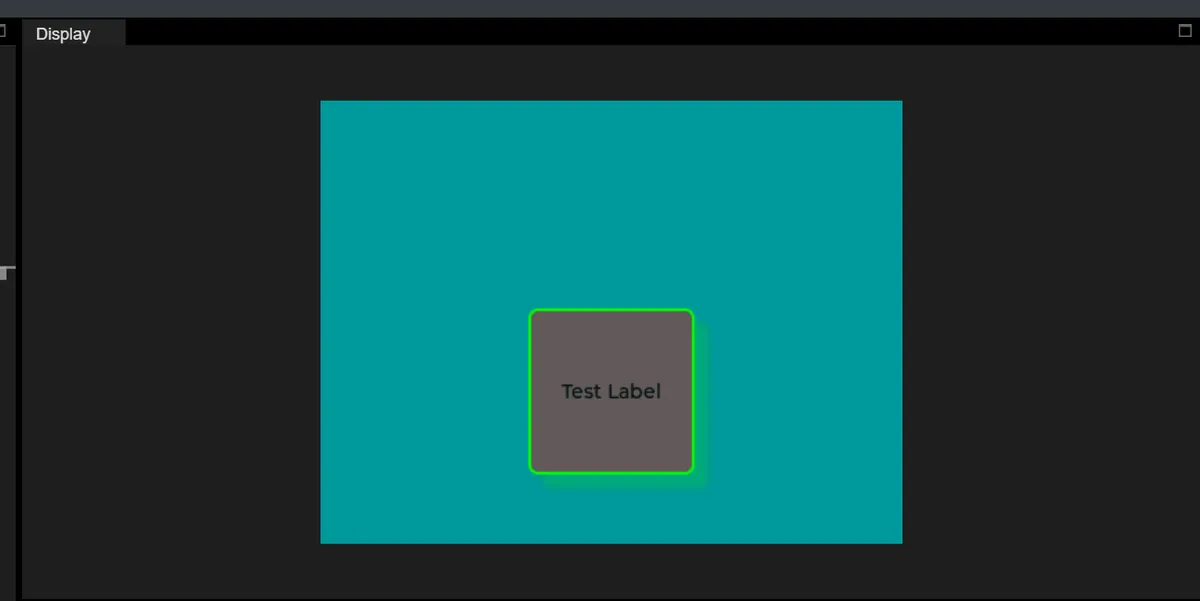
4.4 Modify Background Color
style_obj .set_bg_color(lv.color_hex(0x000000)) #Set background color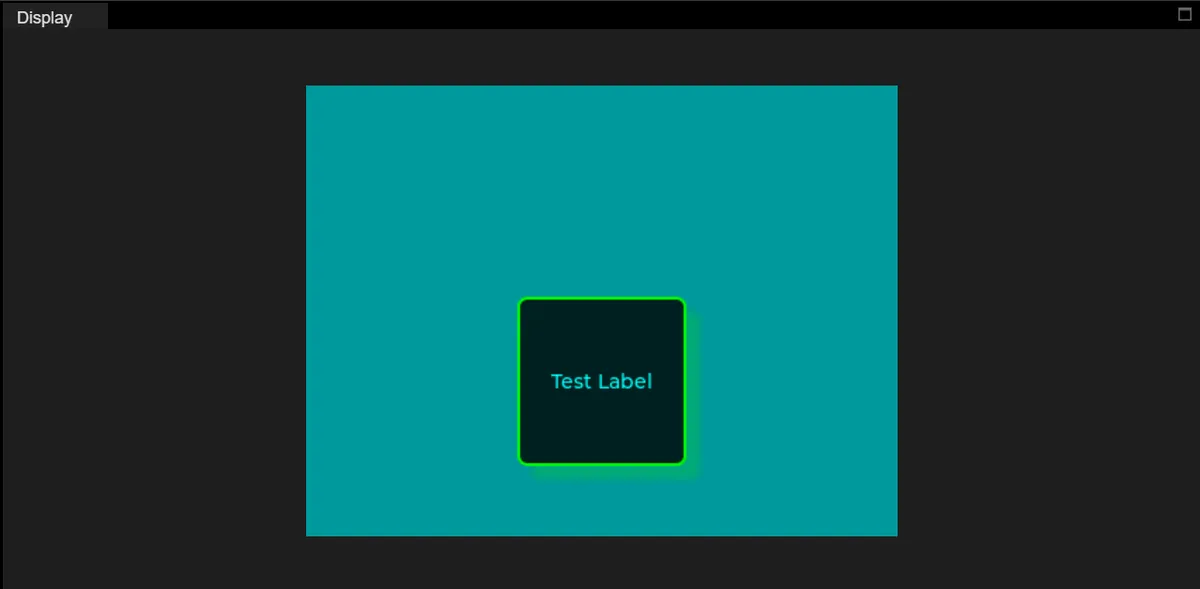
4.5 Modify Border Color
style_obj .set_border_color(lv.color_hex(0x00FFFF)) #Set border color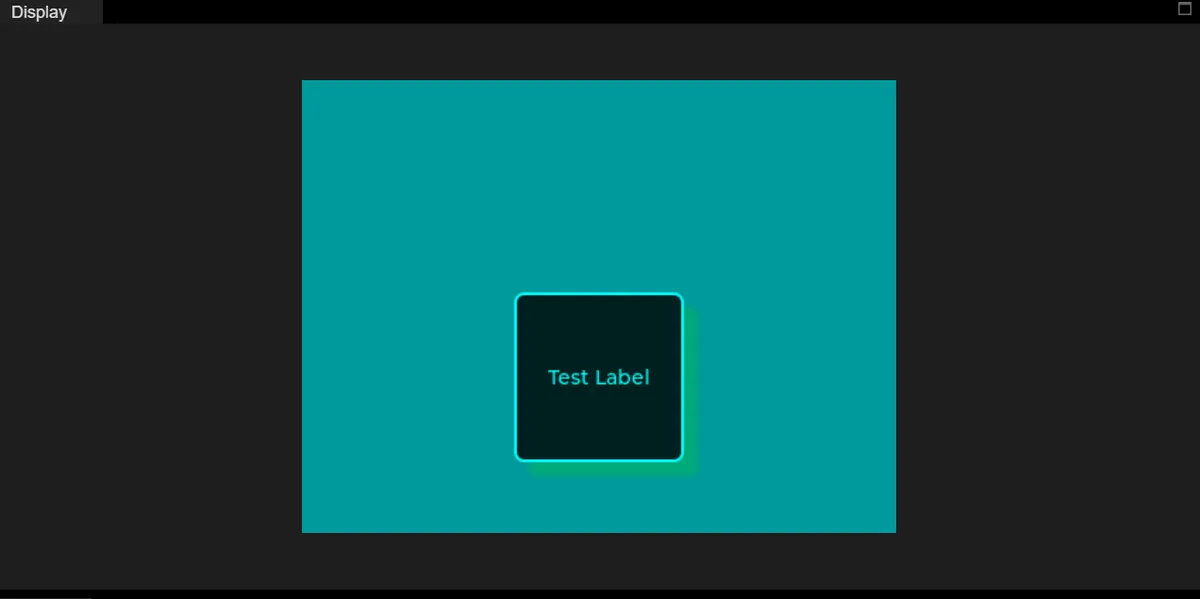
4.6 Modify Border Width
style_obj .set_border_width(5) #Set border width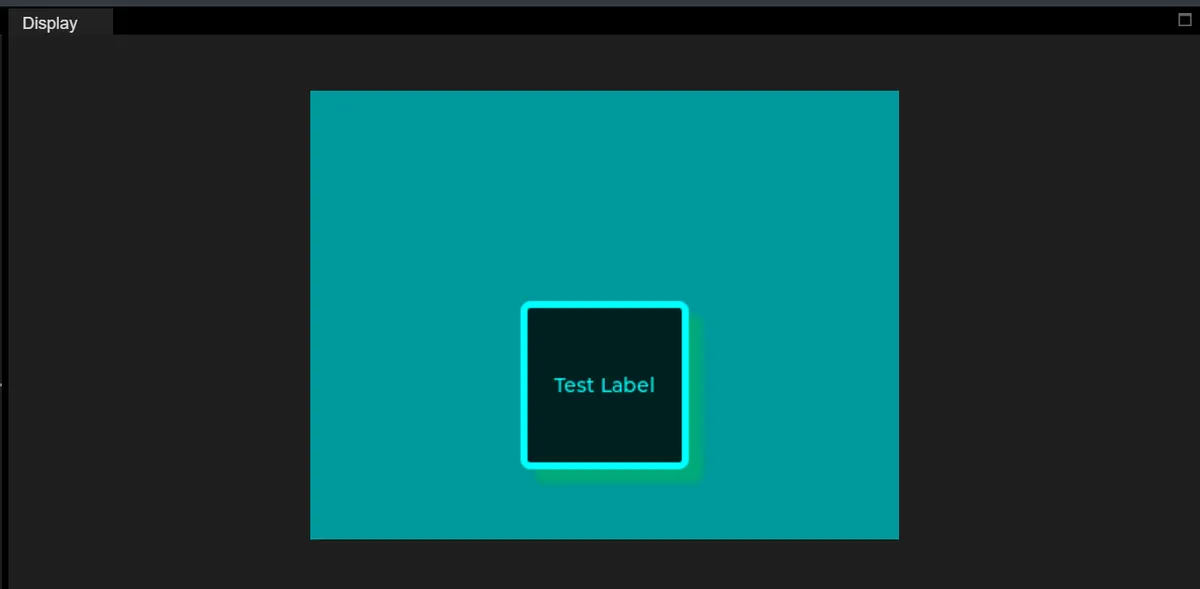
4.7 Modify Border Opacity
style_obj .set_border_opa(160) #Set border opacity; 0 is fully transparent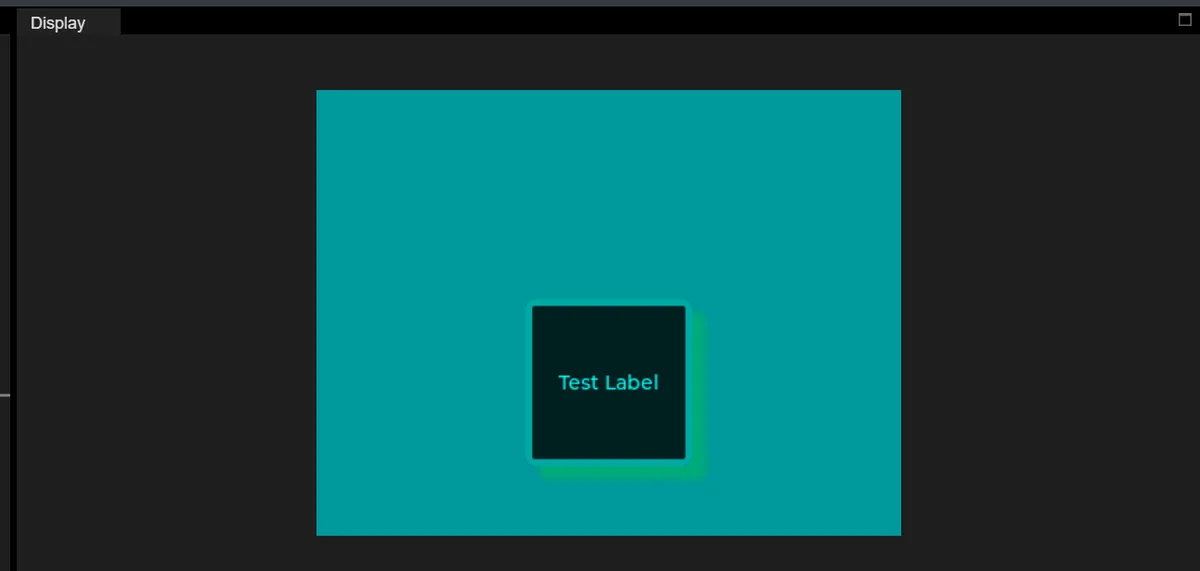
4.8 Modify Shadow Width, Opacity and Offset
import display_driver
import lvgl as lv

lv.init()

#Get the currently active screen object
scr = lv.screen_active()
#Set the screen background color to black
scr.set_style_bg_color(lv.color_hex(0x009999), 0)

#Create the object
obj = lv.obj(scr)
#Set the object position and size
obj.set_pos(100, 100)   #Set the top-left coordinates of the object
obj.set_size(100, 100)  #Set the width and height of the object

#Create a style
style_obj = lv.style_t()
#Border and background
style_obj .set_pad_all(10)    #Set padding in all four directions
#style_obj  .set_pad_left(10)   #Set left padding
#style_obj .set_pad_right(10)  #Set right padding
#style_obj .set_pad_top(10)    #Set top padding
#style_obj  .set_pad_bottom(10) #Set bottom padding
style_obj .set_bg_opa(255)  #Set background opacity; 0 is fully transparent
style_obj .set_bg_color(lv.color_hex(0xFF0000))   #Set background color
style_obj .set_border_color(lv.color_hex(0x00FF00))   #Set border color
style_obj  .set_border_width(2)   #Set border width
style_obj .set_border_opa(255)   #Set border opacity; 0 is fully transparent
#Shadow style
style_obj .set_shadow_color(lv.color_hex(0x00FF00))#Set shadow color
style_obj .set_shadow_width(100)#Set shadow width (shadow spread range)
style_obj .set_shadow_opa(250)#Set shadow opacity
style_obj .set_shadow_offset_x(50)#Set shadow horizontal offset
style_obj .set_shadow_offset_y(10)#Set shadow horizontal offset
#Apply the style
obj.add_style(style_obj , lv.STATE.DEFAULT)

# Load the screen
lv.screen_load(scr)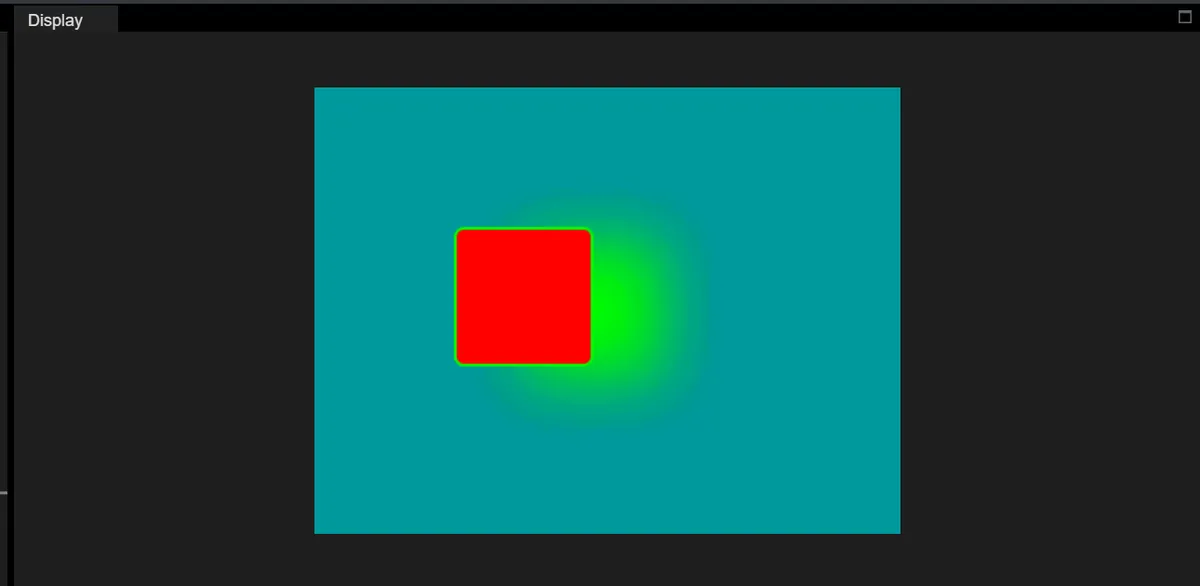
Version Record
Version Number | Modifier | Time | Content |
v1.0 | Li Zisheng | 2026/03/23 | Initialize the document. |