
Contents
| API name | Meaning | Input parameters | Return value |
|---|---|---|---|
| set_text | Set the text displayed by the dropdown list | str (text to display) | None |
| set_options | Set the dropdown list options (dynamic string) | str (options separated by newline character \n) | None |
| set_options_static | Set the dropdown list options (static string) | str (options separated by newline character \n) | None |
| add_option | Add a single option at the specified position | str (option text), int (insertion position index) | None |
| clear_options | Clear all options of the dropdown list | No parameters | None |
| set_selected | Set the default selected option of the dropdown list | int (index of the selected item, starting from 0) | None |
| set_dir | Set the expansion direction of the dropdown list | int (direction enum value, e.g., 0 = down, 1 = up) | None |
| set_symbol | Set the arrow symbol on the right side of the dropdown list | str (symbol identifier, e.g., "LV_SYMBOL_DOWN") | None |
| set_selected_highlight | Set whether the selected item is highlighted | bool (True = highlighted, False = not highlighted) | None |
| get_list | Get the underlying list container object of the dropdown list | No parameters | obj (list container object) |
| get_text | Get the text currently displayed by the dropdown list | No parameters | str (display text) |
| get_options | Get all options of the dropdown list (newline-separated) | No parameters | str (text of all options) |
| get_selected | Get the index of the currently selected item (core method) | No parameters | int (index of the selected item) |
| get_option_count | Get the total number of options in the dropdown list | No parameters | int (number of options) |
| get_selected_str | Write the selected item's text to the specified buffer | str (buffer), int (buffer size) | None |
| get_option_index | Get the corresponding index from the option text | str (option text to look up) | int (corresponding index, returns -1 if no match) |
| get_symbol | Get the text of the dropdown list's current arrow symbol | No parameters | str (symbol text) |
| get_selected_highlight | Get whether the selected item is highlighted | No parameters | bool (highlight state) |
| get_dir | Get the current expansion direction of the dropdown list | No parameters | int (direction enum value) |
| open | Manually expand the dropdown list | No parameters | None |
| close | Manually collapse the dropdown list | No parameters | None |
| is_open | Check whether the dropdown list is expanded | No parameters | bool (expanded state) |
| bind_value | Bind an observer for value changes (advanced feature) | NoneType (pass None for simplified testing) | None |
16.1 Simple Dropdown List
The following code implements an extremely minimalist drop-down list interaction function:
- First, initialize the LVGL environment and set the screen background to solid black, then create a drop-down list control and center it on the screen, and configure 4 selectable options for this drop-down list, namely "case 1" to "case 4"(separated by line breaks);
- Then an interactive callback function is defined. When the selected item of the drop-down list changes, this function will obtain the index value of the currently selected item and print it out (in the format of "choose ID: index value");
- Finally, bind this callback function to the "value change" event of the drop-down list, and refresh the screen to activate the entire drop-down list interface, so as to finally implement the core interaction logic of "select a drop-down list option → print the index of the selected item".
import display_driver
import lvgl as lv

# Initialize the environment
lv.init()
scr = lv.screen_active()
scr.set_style_bg_color(lv.color_hex(0x000000), 0)

# Create the dropdown widget
dropdown = lv.dropdown(scr)
#Center it
dropdown.center()
#A string separated by newline characters represents multiple options
dropdown.set_options("case 1\ncase 2\ncase 3\ncase 4")

#Interaction callback function
def dropdown_event_cd(e):
    #Get the index of the currently selected option
    selected_option = dropdown.get_selected()
    #Get the index of the currently selected option
    print(f"choose ID: {selected_option}")

#Register the interaction callback function. For more states see the "class EVENT" section of api.py
dropdown.add_event_cb(dropdown_event_cd, lv.EVENT.VALUE_CHANGED, None)

lv.screen_load(scr)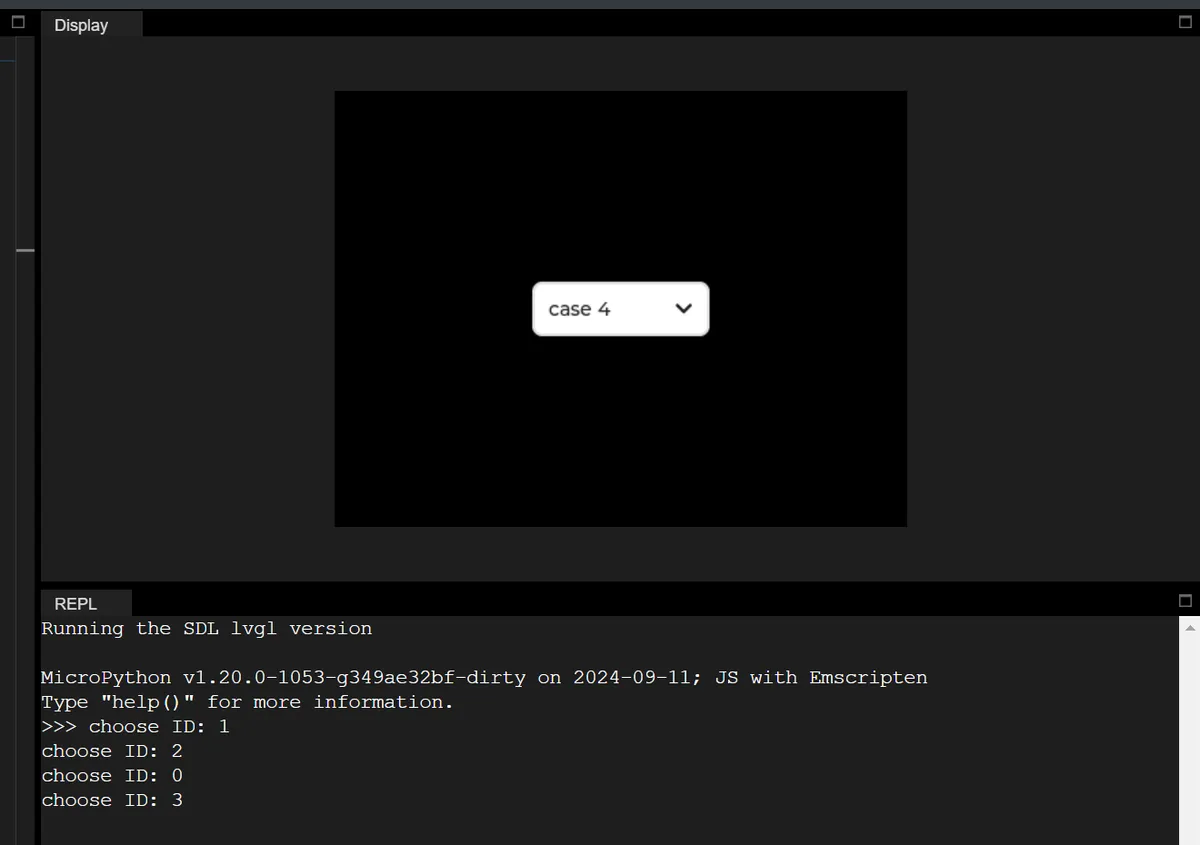
16.2 Get the Text of the Selected Item
In the following example, the basic interaction of the drop-down list is implemented, which not only obtains the index of the selected item, but also parses the corresponding text content:
import display_driver
import lvgl as lv

# Initialize the LVGL environment
lv.init()
scr = lv.screen_active()
scr.set_style_bg_color(lv.color_hex(0x000000), 0)

# Create the dropdown widget and center it
dropdown = lv.dropdown(scr)
dropdown.center()
# Set the dropdown options (business scenario: select a device model)
options = "Model A\nModel B\nModel C\nModel D"
dropdown.set_options(options)

# Interaction callback: get the index and text of the selected item
def dropdown_event_cb(e):
    # Get the index of the currently selected item
    selected_idx = dropdown.get_selected()
    # Get all options and split them by newline
    all_options = dropdown.get_options().split("\n")
    # Safely get the selected text (avoid index out of range)
    selected_text = all_options[selected_idx] if 0 <= selected_idx < len(all_options) else "Unknown"
    # Print the selected result (English output)
    print(f"Selected index: {selected_idx} | Selected text: {selected_text}")

# Bind the value-changed event: trigger the callback when the selected item changes
dropdown.add_event_cb(dropdown_event_cb, lv.EVENT.VALUE_CHANGED, None)

# Load the screen to make the interface take effect
lv.screen_load(scr)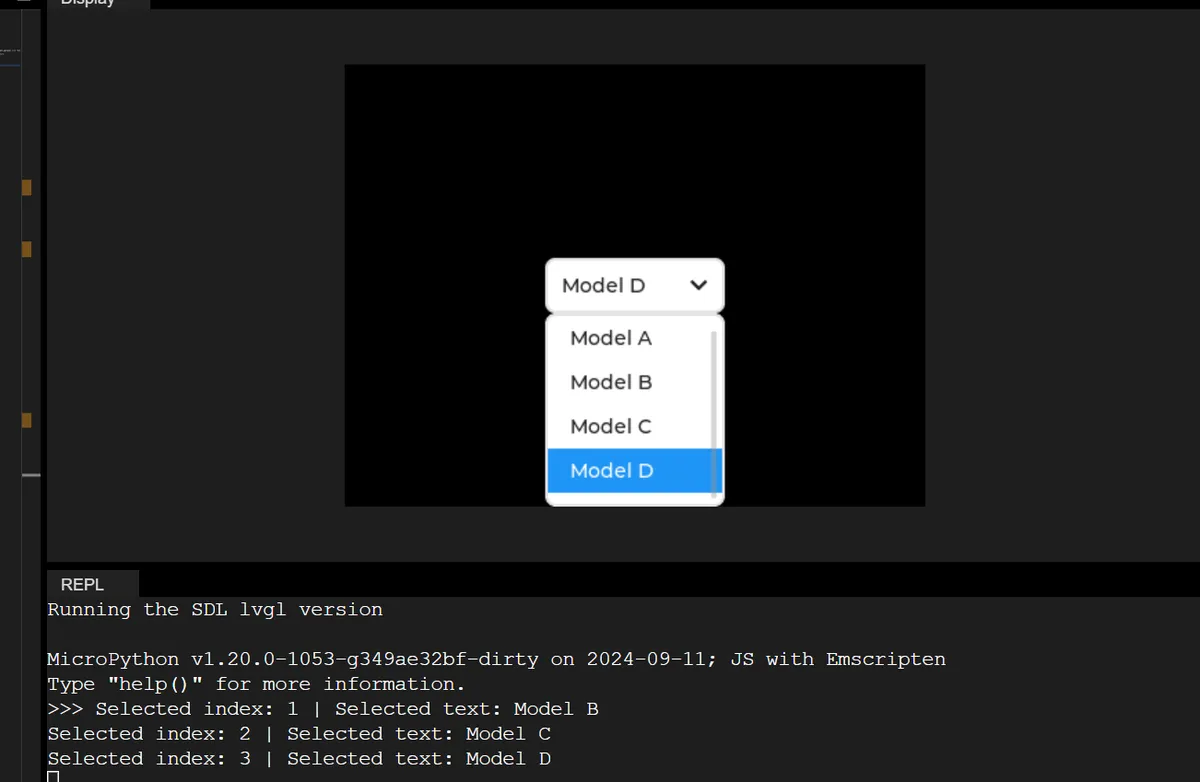
16.3 Dynamically Add and Remove Options
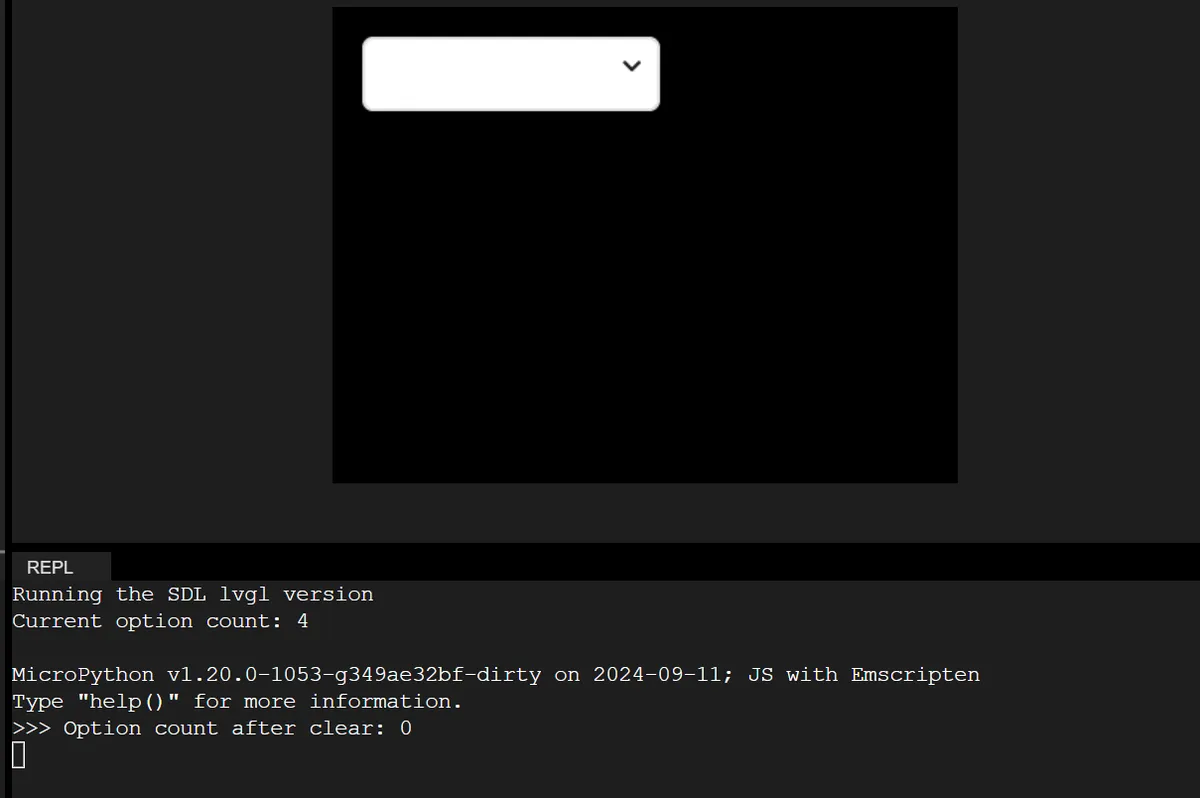
The following code demonstrates dynamically adding/clearing dropdown list options at runtime, which adapts to the scenario of "updating selectable configurations based on device status"(e. g., updating communication methods based on device connection status):
import display_driver
import lvgl as lv

# Initialize the LVGL environment
lv.init()
scr = lv.screen_active()
scr.set_style_bg_color(lv.color_hex(0x000000), 0)

# Create the dropdown widget, set a fixed size and position
dropdown = lv.dropdown(scr)
dropdown.set_pos(20, 20)
dropdown.set_size(200, 50)
# Initialize with empty options
dropdown.set_options("")

# Function: dynamically add options (simulate loading communication method configuration)
def add_options():
    # Add options at the specified index positions (WiFi/Bluetooth/Ethernet)
    dropdown.add_option("WiFi", 0)
    dropdown.add_option("Bluetooth", 1)
    dropdown.add_option("Ethernet", 2)
    # Print the current total number of options
    print(f"Current option count: {dropdown.get_option_count()}")

# Function: clear all options (simulate resetting the configuration)
def clear_all_options():
    dropdown.clear_options()
    # Print the total number of options after clearing
    print(f"Option count after clear: {dropdown.get_option_count()}")

# Call the function at initialization to add options
add_options()

# Interaction callback: clear all options when the last item (Ethernet) is selected
def dropdown_event_cb(e):
    if dropdown.get_selected() == 2:
        clear_all_options()

# Bind the value-changed event
dropdown.add_event_cb(dropdown_event_cb, lv.EVENT.VALUE_CHANGED, None)

# Load the screen
lv.screen_load(scr)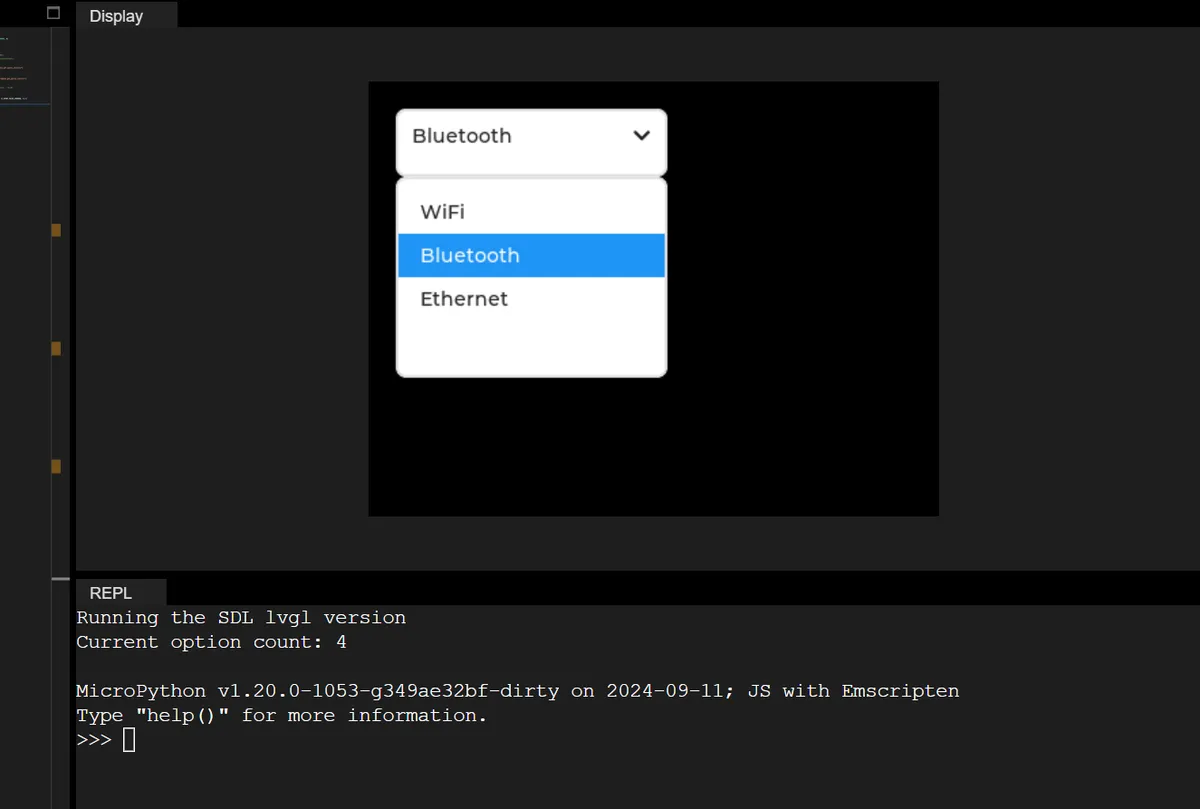
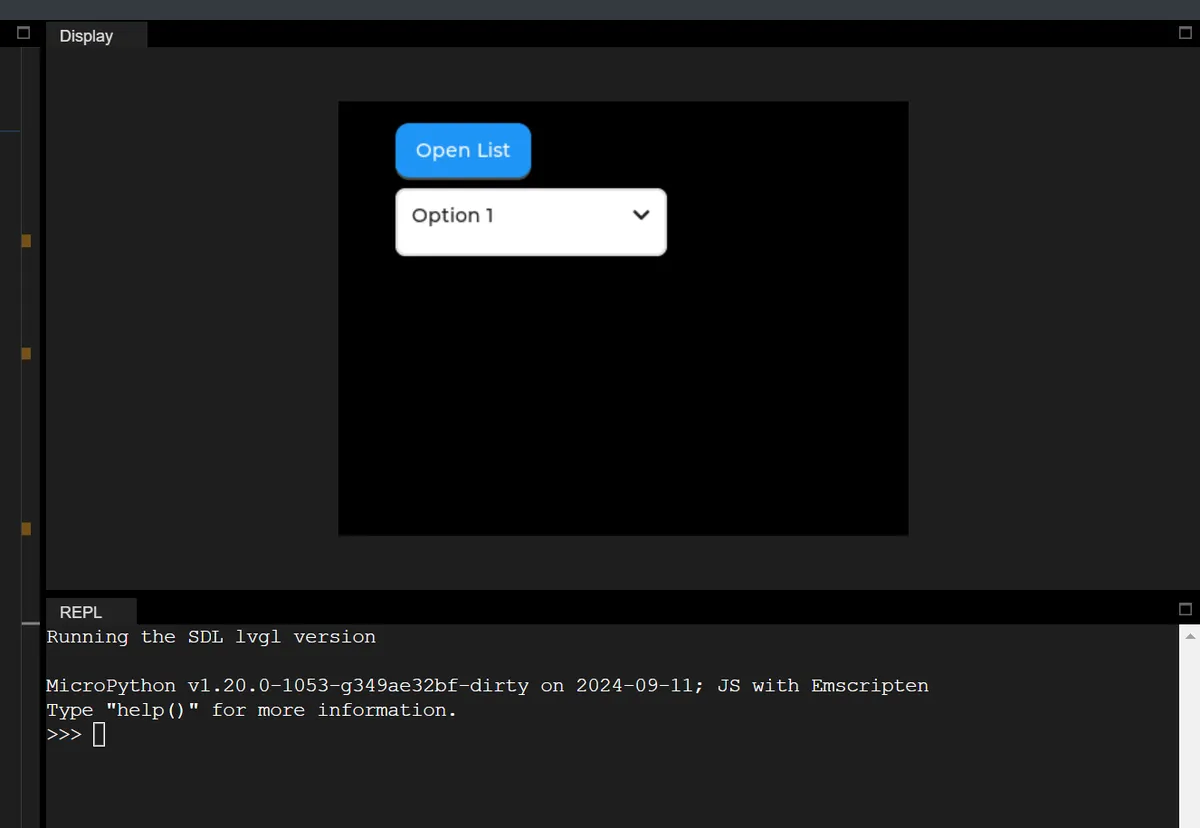
16.4 Expand/Collapse Dropdown List via Button Control
In the following example, the expand/collapse state of the drop-down list is manually controlled via a button control:
import display_driver
import lvgl as lv

# Initialize the LVGL environment
lv.init()
scr = lv.screen_active()
scr.set_style_bg_color(lv.color_hex(0x000000), 0)

# 1. Create the dropdown widget, set its position and size
dropdown = lv.dropdown(scr)
dropdown.set_pos(lv.pct(10), lv.pct(20))
dropdown.set_size(200, 50)
# Set the dropdown options
dropdown.set_options("Option 1\nOption 2\nOption 3")

# 2. Create a control button: used to expand/collapse the dropdown
btn_open = lv.button(scr)
btn_open.set_pos(lv.pct(10), lv.pct(5))
btn_open.set_size(100, 40)
# Add a text label to the button
btn_label = lv.label(btn_open)
btn_label.set_text("Open List")
btn_label.center()

# Button callback: toggle the dropdown's expanded/collapsed state
def btn_event_cb(e):
    if dropdown.is_open():
        # Collapse the dropdown
        dropdown.close()
        btn_label.set_text("Open List")
    else:
        # Expand the dropdown
        dropdown.open()
        btn_label.set_text("Close List")

# Bind the button click event
btn_open.add_event_cb(btn_event_cb, lv.EVENT.CLICKED, None)

# Dropdown callback: print the index of the selected item
def dropdown_event_cb(e):
    print(f"Selected option index: {dropdown.get_selected()}")

# Bind the dropdown value-changed event
dropdown.add_event_cb(dropdown_event_cb, lv.EVENT.VALUE_CHANGED, None)

# Load the screen
lv.screen_load(scr)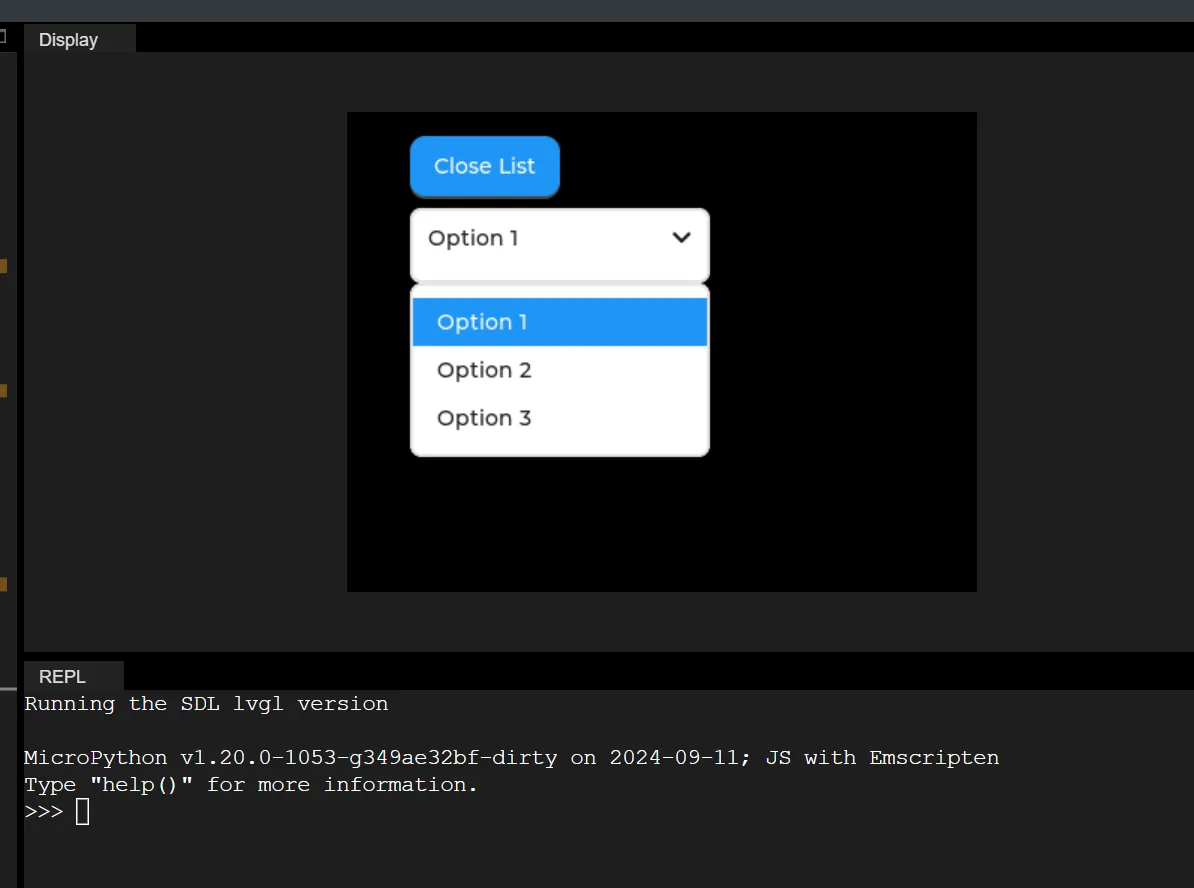
Version Record
Version Number | Modifier | Time | Content |
v1.0 | Li Zisheng | 2026/03/23 | Initialize the document. |