
Contents
| API name | Purpose | Input parameters | Return value | Notes |
|---|---|---|---|---|
| __init__ | Construct a keyboard widget, bound to the specified parent container | parent: lv.obj (e.g., the screen object scr) | lv.keyboard | Basic creation |
| set_textarea | Bind the keyboard to a Textarea to link input (core) | obj: lv.textarea (text box to bind) | None | Input content is automatically synchronized to the text box |
| get_textarea | Get the currently bound Textarea object | None | lv.textarea | Verify whether the binding is in effect |
| set_mode | Set the keyboard input mode | mode: int (enum value) 0=TEXT_LOWER (lowercase) 1=TEXT_UPPER (uppercase) 3=NUMBER (numbers) | None | Switch the input mode as needed |
| get_mode | Get the current keyboard mode | None | int | Return the mode enum value |
| set_popovers | Turn the special character pop-up layer on / off (e.g., punctuation, symbols) | antialias: bool (True = on) | None | Enhance special character input |
| set_map | Customize the keyboard key layout of the specified mode | 1. mode: int (mode) 2. map: list [str] (button text) 3. ctrl_map: None | None | Simplified: pass None for ctrl_map |
| get_selected_button | Get the ID of the currently selected button (returns 65535 if none selected) | None | int | Aids interaction logic |
| get_button_text | Get the button display text by button ID | btn_id: int (button ID, starting from 0) | str | Verify that the custom layout takes effect |
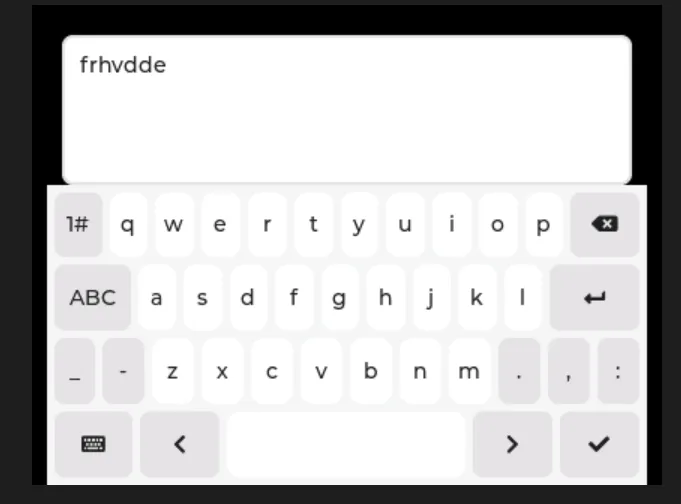
15.1 General Single Text Box Input Keyboard
import display_driver
import lvgl as lv

# Initialize the environment
lv.init()
scr = lv.screen_active()
scr.set_style_bg_color(lv.color_hex(0x000000), 0)

#Create a keyboard
keyboard = lv.keyboard(scr)
#Set the size
keyboard.set_size(400, 200)
#Align to bottom center
keyboard.align(lv.ALIGN.BOTTOM_MID, 0, 0)
# Create the input target (using textarea as an example)
textarea = lv.textarea(scr)
textarea.set_size(380, 100)
textarea.align(lv.ALIGN.TOP_MID, 0, 20)
textarea.set_placeholder_text("textarea...")  # Placeholder text
# Bind the keyboard to the input target; once bound, keyboard input goes directly into the textarea
keyboard.set_textarea(textarea)

# Load the screen
lv.screen_load(scr)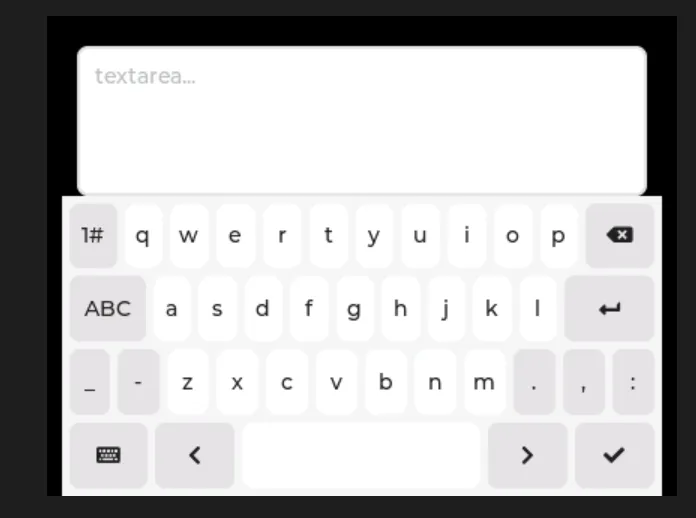
15.2 Plain Text Numeric Input Box with Keyboard Show/Hide Control
In the following code, we implement a minimal example of numeric input interaction that only retains the core functions of "plaintext numeric input + virtual numeric keypad":
- Numeric Input Restriction: The input box only allows the input of digits from 0 to 9, with a maximum of 6 digits, and non-numeric characters are strictly prohibited from being entered;
- Virtual Keyboard Linkage: When clicking the input box, a pure numeric virtual keyboard will pop up automatically, and the input content will be synchronized to the input box in real time;
- Keyboard Show/Hide Control : After finishing input, tap the "checkmark/Enter" key on the keyboard, and the keyboard will be hidden automatically (implemented by adjusting its position);
import display_driver
import lvgl as lv

lv.init()
scr = lv.screen_active()
scr.set_style_bg_color(lv.color_hex(0x000000), 0)
scr_h = scr.get_height()  # Get the screen height

# Create a plain-text numeric input box (core)
textarea = lv.textarea(scr)
textarea.set_size(380, 50)  # Fixed size
textarea.set_pos(10, 20)     # Fixed position
textarea.set_placeholder_text("Please enter the number.")
textarea.set_accepted_chars("0123456789")  # Digits only
textarea.set_one_line(True)                # Single line
textarea.set_max_length(6)                 # 6-digit limit

# Create a numeric keyboard (initially moved off screen)
kb = lv.keyboard(scr)
kb.set_size(400, 200)       # Fixed size
kb.set_pos(0, scr_h + 100)  # Initially hidden (off screen)
kb.set_mode(lv.keyboard.MODE.NUMBER)  # Digits-only mode

# Keyboard show/hide logic (minimal)
def show_kb(e):
    """Tap the input box: show the keyboard"""
    kb.set_textarea(textarea)
    # Move to the bottom of the screen
    kb.set_pos(0, scr_h - 350)

def hide_kb(e):
    """Confirm/Enter: hide the keyboard"""
    if e.get_code() == lv.EVENT.READY:
        # Move back off screen
        kb.set_pos(0, scr_h + 100)

# 5. Bind events
textarea.add_event_cb(show_kb, lv.EVENT.CLICKED, None)
kb.add_event_cb(hide_kb, lv.EVENT.READY, None)

# 6. Run
lv.screen_load(scr)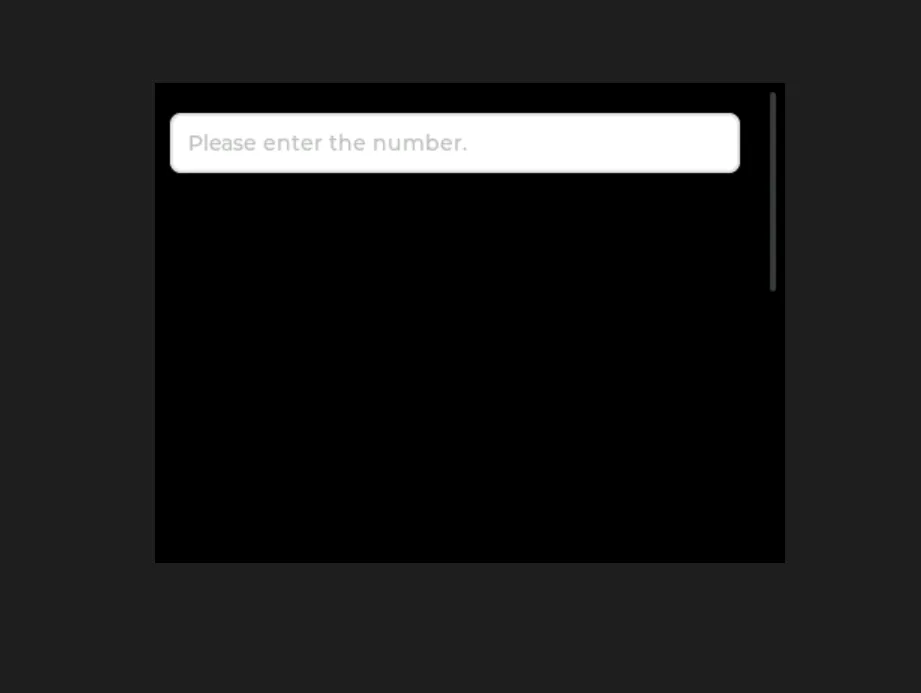
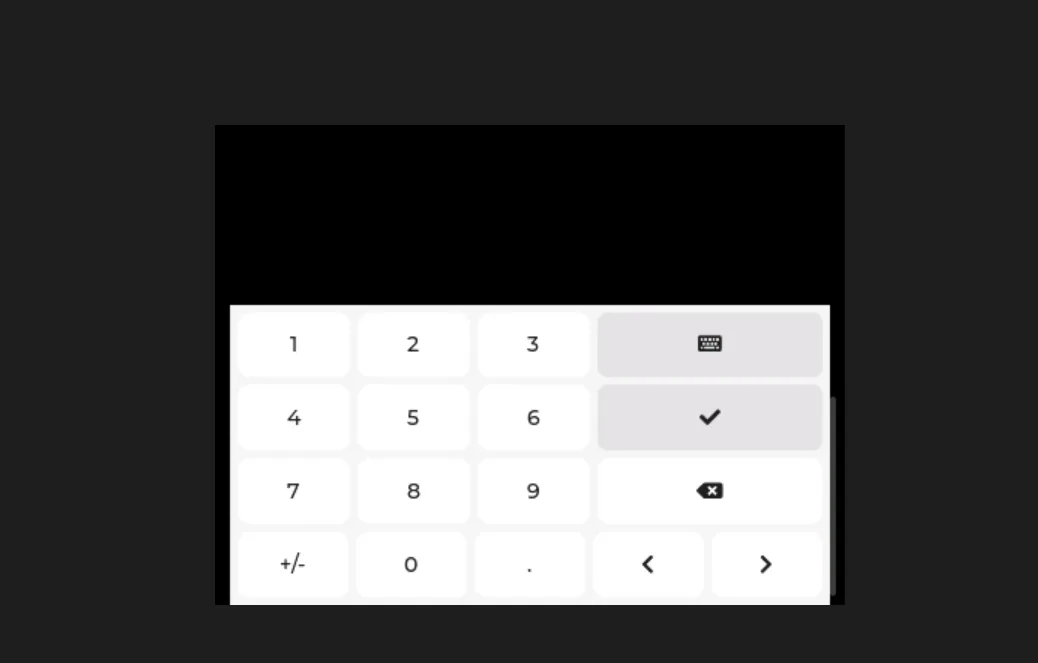
Tap the text box to bring up the keyboard, then tap the [checkmark] to dismiss the keyboard:
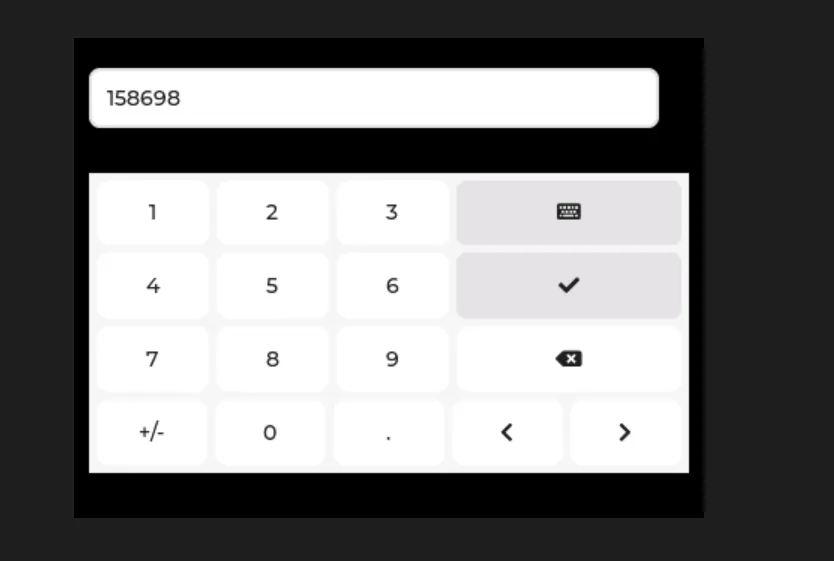
Pull down to view the keyboard:
15.3 Dual Text Boxes (Standard + Numeric) Sharing a Virtual Keyboard
The following code implements the function of sharing one virtual keyboard for both a regular text box and a numeric text box, with automatic switching of keyboard input modes:
- Dual Text Box Differentiation :
- Plain text box: no character limit, supports full input of letters, numbers, symbols and other characters;
- Numeric text box: Only digits 0-9 are allowed for input, with a maximum of 6 digits, and non-numeric characters are strictly prohibited;
- Shared Keyboard Switch:
- Click a normal text box → the keyboard switches to "lowercase text mode", binds to the text box and displays it;
- Click the numeric text box → the keyboard switches to "numeric-only mode", binds to this text box and displays it;
- Unified display and hiding logic: No matter which text box triggers the keyboard, clicking the "checkmark / Enter" key will hide the keyboard, ensuring a consistent interaction logic;
The code is as follows:
import display_driver
import lvgl as lv

# 1. Initialize the environment
lv.init()
scr = lv.screen_active()
scr.set_style_bg_color(lv.color_hex(0x000000), 0)
scr_h = scr.get_height()  # Get the screen height

# 2. Create two text boxes
# 2.1 Plain text box (no character limit)
text_normal = lv.textarea(scr)
text_normal.set_size(380, 50)
text_normal.set_pos(10, 20)
text_normal.set_placeholder_text("Normal text...")
text_normal.set_one_line(True)

# 2.2 Numeric text box (digits only, 6-character limit)
text_number = lv.textarea(scr)
text_number.set_size(380, 50)
text_number.set_pos(10, 90)
text_number.set_placeholder_text("Number only...")
text_number.set_accepted_chars("0123456789")
text_number.set_one_line(True)
text_number.set_max_length(6)

# 3. Create a shared virtual keyboard (initially hidden off-screen)
kb = lv.keyboard(scr)
kb.set_size(400, 200)
kb.set_pos(0, scr_h + 100)  # Initially off-screen

# 4. Keyboard show/hide + binding logic (core: switch the bound text box)
def show_kb_normal(e):
    """Tap the plain text box: bind + show the keyboard (default text mode)"""
    kb.set_textarea(text_normal)
    kb.set_mode(lv.keyboard.MODE.TEXT_LOWER)  # Plain text mode
    kb.set_pos(0, scr_h - 350)  # Move to the bottom of the screen

def show_kb_number(e):
    """Tap the numeric text box: bind + show the keyboard (numeric mode)"""
    kb.set_textarea(text_number)
    kb.set_mode(lv.keyboard.MODE.NUMBER)  # Digits-only mode
    kb.set_pos(0, scr_h - 300)  # Move to the bottom of the screen

def hide_kb(e):
    """Confirm/Enter: hide the keyboard"""
    if e.get_code() == lv.EVENT.READY:
        kb.set_pos(0, scr_h + 100)  # Move back off-screen

# 5. Bind events
text_normal.add_event_cb(show_kb_normal, lv.EVENT.CLICKED, None)
text_number.add_event_cb(show_kb_number, lv.EVENT.CLICKED, None)
kb.add_event_cb(hide_kb, lv.EVENT.READY, None)

# 6. Run
lv.screen_load(scr)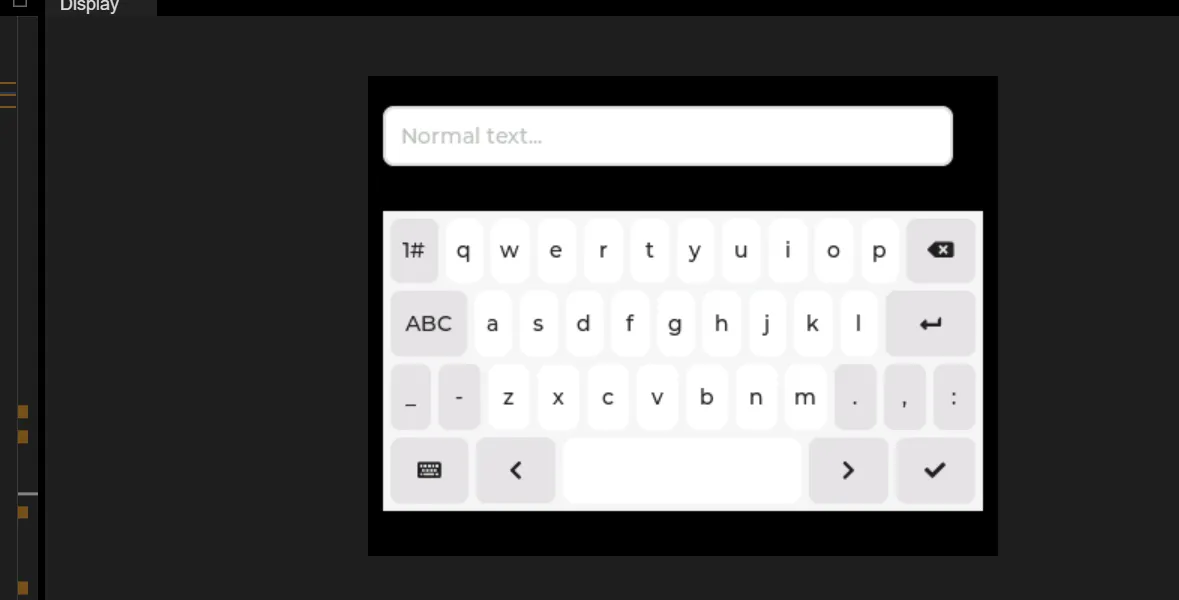
Tap the generic text box to bring up the full keyboard; tap the checkmark to dismiss the keyboard.
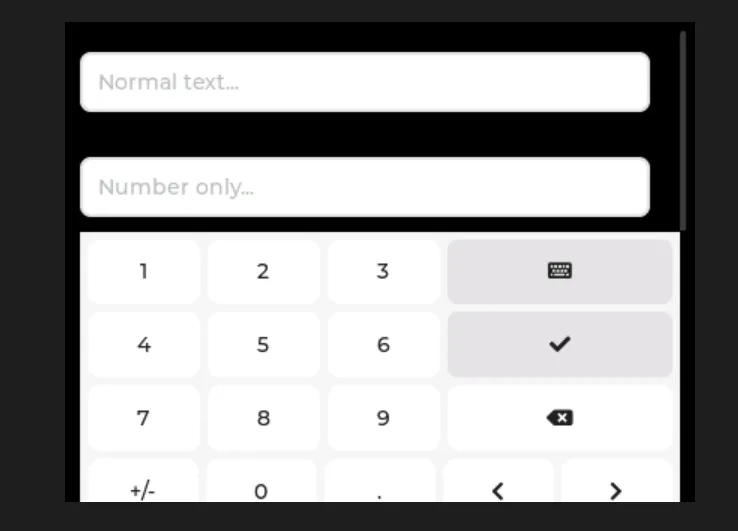
Tap the number box, and the number box will appear; tap the checkmark, and the keyboard will disappear.
Version Record
Version Number | Modifier | Time | Content |
v1.0 | Li Zisheng | 2026/03/23 | Initialize the document. |