
| API name | Purpose | Input parameters | Return value |
|---|---|---|---|
| __init__ | Construct a Textarea widget, bound to the specified parent container | parent: lv.obj type (parent container object) | lv.textarea |
| add_char | Add a single character (the argument is a character code / delay value, actually used for character input) | delay_ms: int (character code / delay in milliseconds) | None |
| add_text | Append text content to the text box | text: str (text to add) | None |
| delete_char | Delete the character to the left of the cursor | None | None |
| set_text | Set the complete content of the text box (overwrites the existing content) | text: str (target text) | None |
| get_text | Get all the current content of the text box | None | str |
| set_placeholder_text | Set the placeholder hint text displayed when the text box is empty | text: str (placeholder text) | None |
| get_placeholder_text | Get the placeholder hint text of the text box | None | str |
| set_cursor_pos | Set the cursor position (by character index, starting from 0) | index: int (cursor index position) | None |
| get_cursor_pos | Get the index position where the cursor is currently located | None | int |
| set_cursor_click_pos | Set whether the cursor is automatically positioned when the text box is clicked | antialias: bool (True = on, False = off) | None |
| get_cursor_click_pos | Get the on/off state of "click to position cursor" | None | bool |
| cursor_right | Move the cursor one character position to the right | None | None |
| cursor_left | Move the cursor one character position to the left | None | None |
| cursor_down | Move the cursor down one line (in multi-line mode) | None | None |
| cursor_up | Move the cursor up one line (in multi-line mode) | None | None |
| set_password_mode | Turn password input mode on / off (input content is masked) | antialias: bool (True = on, False = off) | None |
| set_password_bullet | Set the mask character in password mode (e.g., *, ●) | text: str (mask character, a single character recommended) | None |
| get_password_bullet | Get the mask character of the current password mode | None | str |
| set_password_show_time | Set how long a password character stays visible after input (in milliseconds; becomes masked after the timeout) | delay_ms: int (display duration, in ms) | None |
| get_password_show_time | Get the visible duration of password characters | None | int |
| set_one_line | Set whether the text box displays only a single line (False = multi-line allowed) | antialias: bool (True = single line, False = multi-line) | None |
| get_one_line | Get the single-line / multi-line display state of the text box | None | bool |
| set_accepted_chars | Set the set of characters the text box allows to be entered (characters outside it cannot be entered) | text: str (allowed characters, e.g., "0-9a-z") | None |
| get_accepted_chars | Get the set of characters currently allowed for input | None | str |
| set_max_length | Set the maximum character length the text box allows to be entered | delay_ms: int (maximum length value) | None |
| set_insert_replace | Set the replacement text in insert mode (replaces the selected content when typing) | text: str (replacement text) | None |
| set_text_selection | Turn the text selection function on / off (allows part of the text to be selected) | antialias: bool (True = on, False = off) | None |
| get_text_selection | Get the on/off state of the text selection function | None | bool |
| text_is_selected | Check whether any text is currently selected | None | bool |
| clear_selection | Clear the currently selected text (cancel the selection state) | None | None |
| get_current_char | Get the ASCII/Unicode code value of the character at the cursor position | None | int |
| get_label | Get the Label object (underlying widget) used internally by the text box to render text | None | lv.label |
14.1 Plain Text Box
import display_driver
import lvgl as lv

# Initialize the environment
lv.init()
scr = lv.screen_active()
scr.set_style_bg_color(lv.color_hex(0x000000), 0)

# Create a regular text box (multi-line input)
textarea1 = lv.textarea(scr)
textarea1.set_size(lv.pct(90), 100)
textarea1.set_pos(lv.pct(5), lv.pct(5))
textarea1.set_placeholder_text("Multi-line input...")
textarea1.set_max_length(100)  # Maximum 100 characters

# Load the screen
lv.screen_load(scr)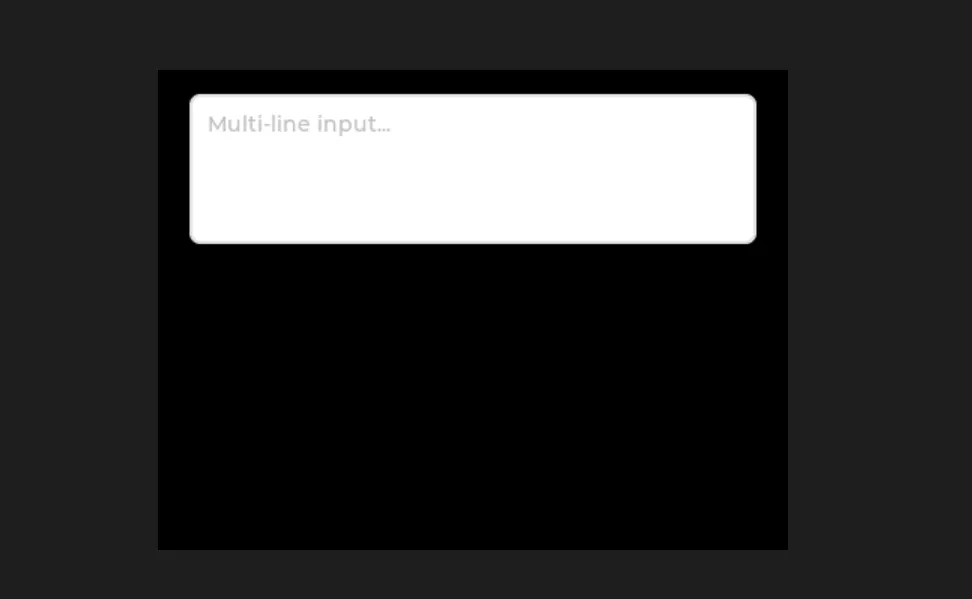
14.2 Password Box
import display_driver
import lvgl as lv

# Initialize the environment
lv.init()
scr = lv.screen_active()
scr.set_style_bg_color(lv.color_hex(0x000000), 0)

# Create a password box
password_area = lv.textarea(scr)
password_area.set_size(lv.pct(90), 50)
password_area.set_pos(lv.pct(5), lv.pct(35))
password_area.set_placeholder_text("Please enter the password.")
password_area.set_password_mode(True)
password_area.set_password_bullet("•")  # Password shown as dots
password_area.set_password_show_time(1000)  # Typed characters are shown for 1 second and then change to dots
password_area.set_max_length(20)  # Password maximum 20 characters

# Load the screen
lv.screen_load(scr)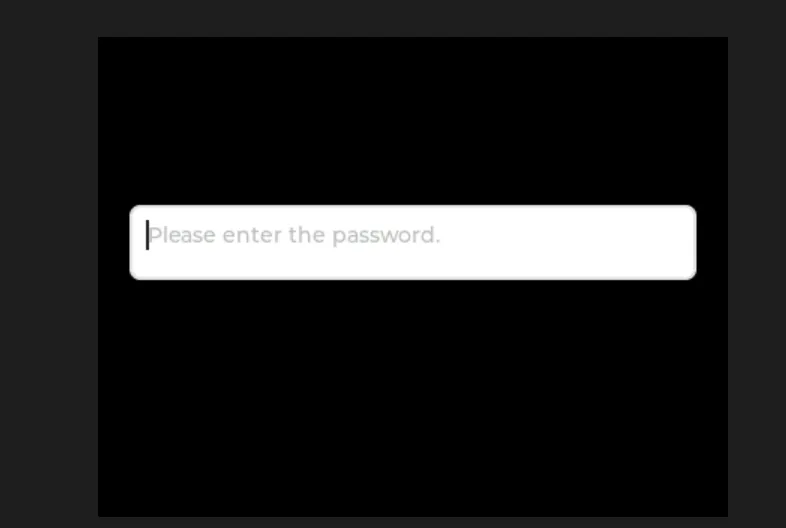
14.3 Text Box Allowing Numeric Input Only
import display_driver
import lvgl as lv

# Initialize the environment
lv.init()
scr = lv.screen_active()
scr.set_style_bg_color(lv.color_hex(0x000000), 0)

# Create a text box with a character limit (digits only)
number_area = lv.textarea(scr)
number_area.set_size(lv.pct(90), 50)
number_area.set_pos(lv.pct(5), lv.pct(55))
number_area.set_placeholder_text("Please enter a number")
number_area.set_one_line(True)  # Single-line mode
number_area.set_accepted_chars("0123456789")  # Only digit input allowed
number_area.set_max_length(10)  # Maximum 10 digits

# Load the screen
lv.screen_load(scr)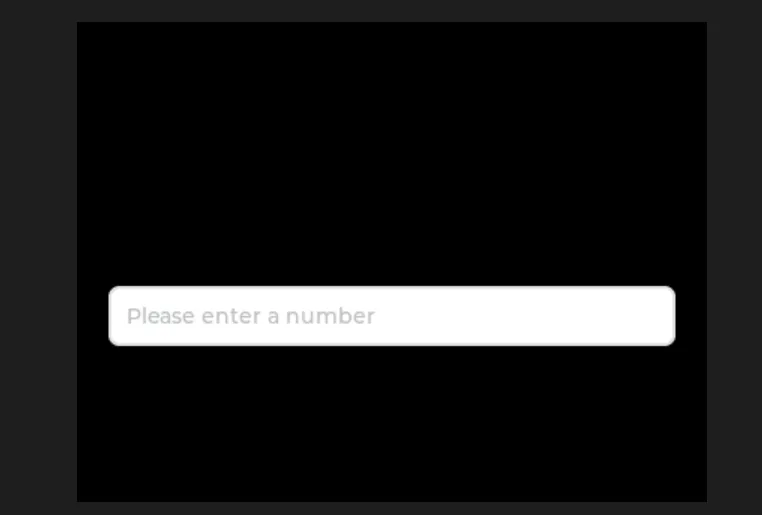
Version Record
Version Number | Modifier | Time | Content |
v1.0 | Li Zisheng | 2026/03/23 | Initialize the document. |