Contents
Abstract
Today we will show you how to get started quickly with the Grove Vision AI V2 image processing module. Together we will explore how to deploy AI models with SenseCraft and how to call these models through the XIAO ESP32C3, so you can easily implement intelligent vision functions!
For more great content, see:
Main Text
1. Hardware Introduction
First, let's take a quick look at the hardware we are going to use.
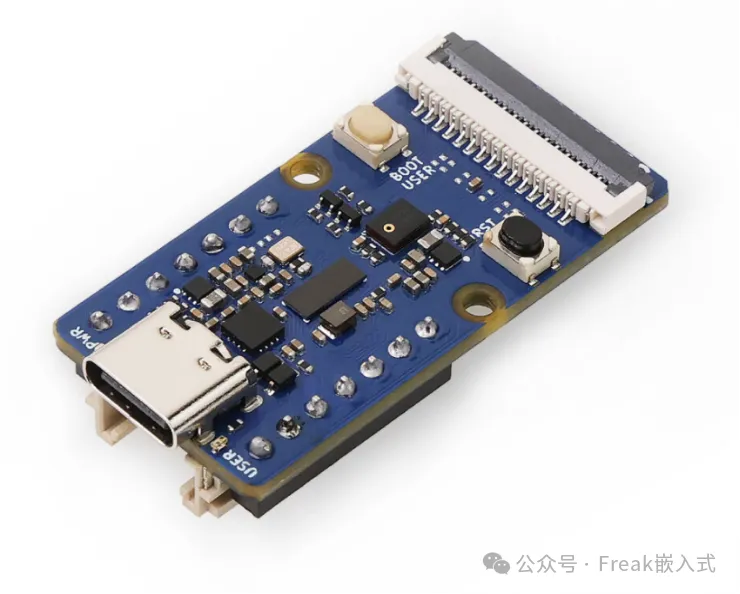
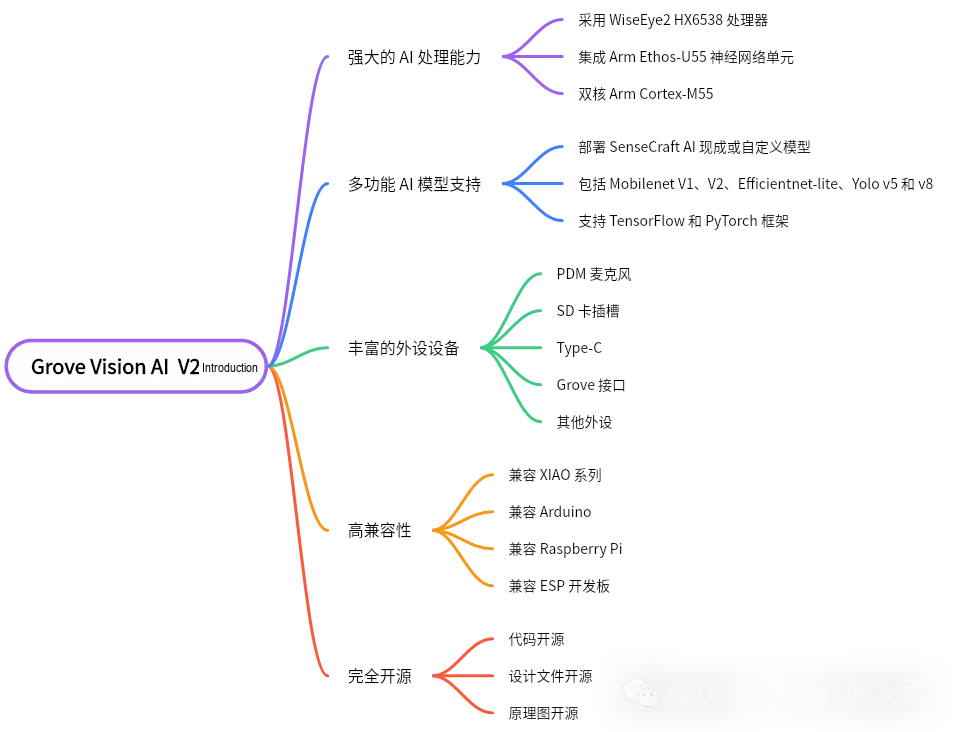
The vision processing module we use is the Grove Vision AI V2 image processing module, which has the following features:
Powerful AI processing capability: uses the WiseEye2 HX6538 processor, with a dual-core Arm Cortex-M55 and an integrated Arm Ethos-U55 neural network unit
Versatile AI model support: easily deploy ready-made or custom AI models from SenseCraft AI, including Mobilenet V1, V2, Efficientnet-lite, Yolo v5 and v8. Supports the TensorFlow and PyTorch frameworks
Rich peripherals: including a PDM microphone, SD card slot, Type-C, Grove interface and other peripherals
High compatibility: compatible with the XIAO series, Arduino, Raspberry Pi and ESP development boards, which makes further development easy
Fully open source: all code, design files and schematics are available for modification and use
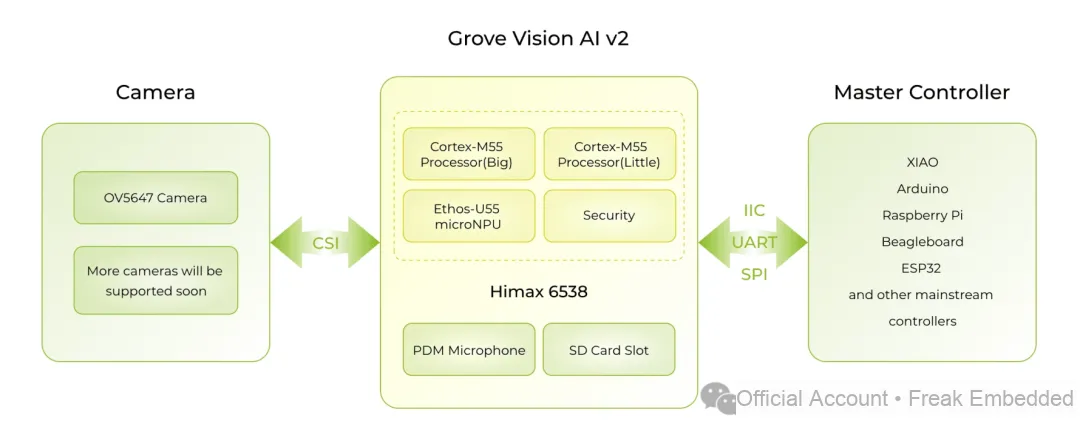
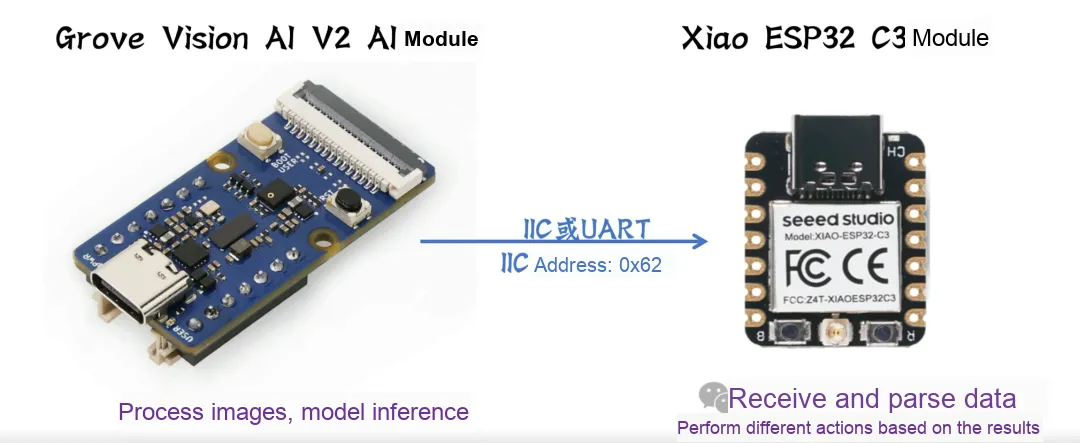
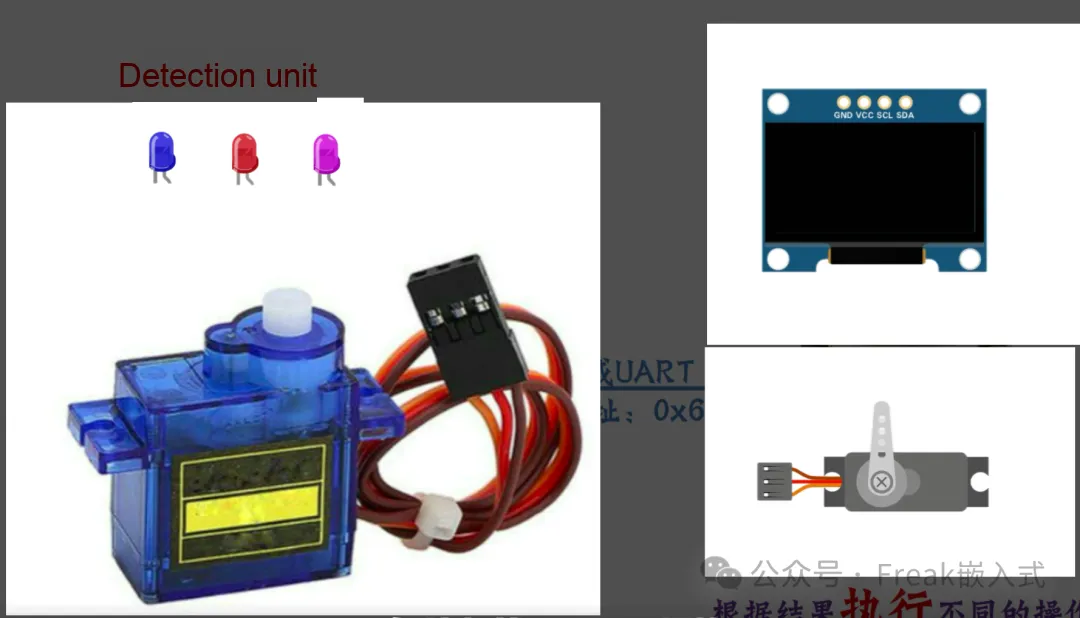
The Grove Vision AI module processes images locally and runs model inference, then sends the results to the XIAO via IIC or UART. The XIAO needs to receive and parse the data from the Grove Vision AI and perform the corresponding actions based on these results, such as controlling an LED, driving a motor, or triggering other peripherals. This makes the XIAO the execution unit of the system, responding to the detection results passed on by the Grove Vision AI.
2. Deploying Models with SenseCraft
2.1 Introduction to the SenseCraft Platform
Seeed SenseCraft Model Assistant (or SSCMA for short) is an open-source project focused on embedded AI. It optimizes excellent algorithms from OpenMMLab for real-world scenarios, making them more user-friendly to implement and giving faster and more accurate inference on embedded devices.
The following algorithm areas are currently supported:
Anomaly detection: In the real world, anomalous data is often hard to identify, and even when it can be identified, doing so is very costly. Anomaly detection algorithms collect normal data at low cost, and anything outside the normal data is treated as an anomaly
Computer vision: such as object detection, image classification, image segmentation and pose estimation. SSCMA optimizes these computer vision algorithms and achieves good running speed and accuracy on low-end devices
Specific scenarios: SSCMA provides customized scenarios for specific production environments, such as recognition of analog instruments, recognition of traditional digital meters, and audio classification
SenseCraft AI provides a seamless and user-friendly experience that helps users easily deploy a large number of publicly available AI models to their edge devices.

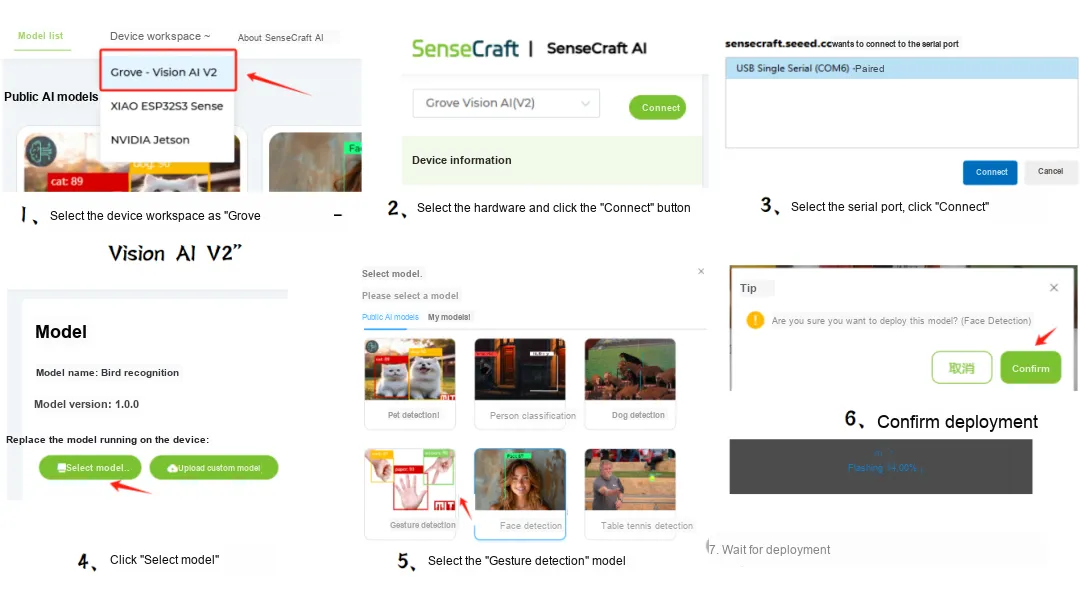
2.2 Deployment Process
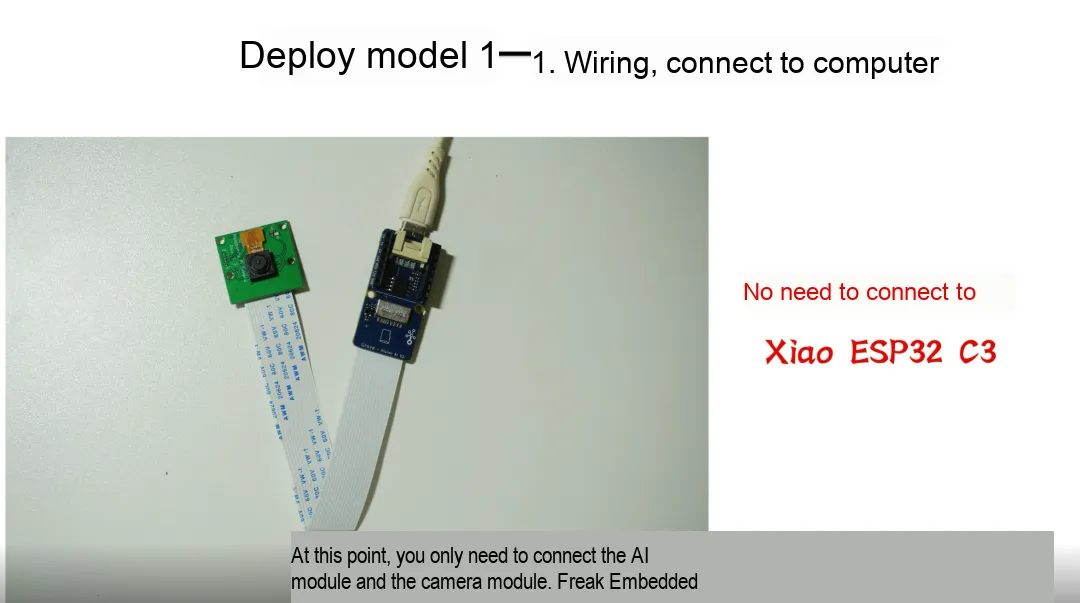
Connect the module to the computer with USB, then deploy on the SenseCraft website:
2.3 Previewing the Model Recognition Results
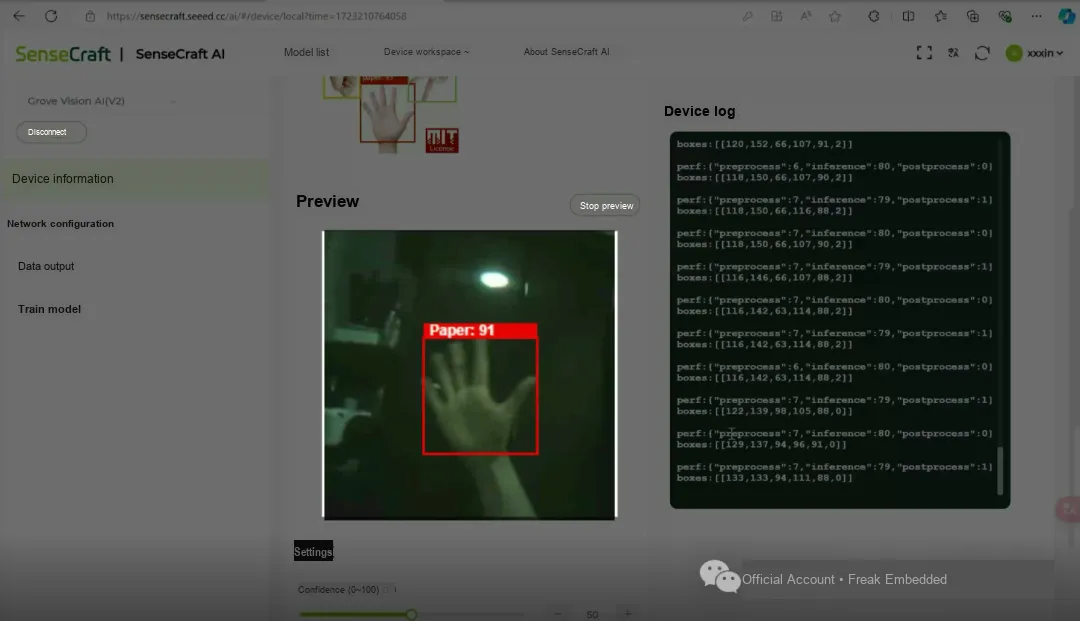
2.4 Advantages of the SenseCraft Platform
LowerAIthe entry barrier: SenseCraft's platform design simplifies the complexity of AI model development, so even beginners can get started quickly
Broad hardwarecompatibility: supports a variety of Seeed hardware products, so users can choose the device that suits their project needs
Edge computing: local inference reduces dependence on the network and improves the real-time performance and security of applications
2.5 Rock-Paper-Scissors Classification Model Test
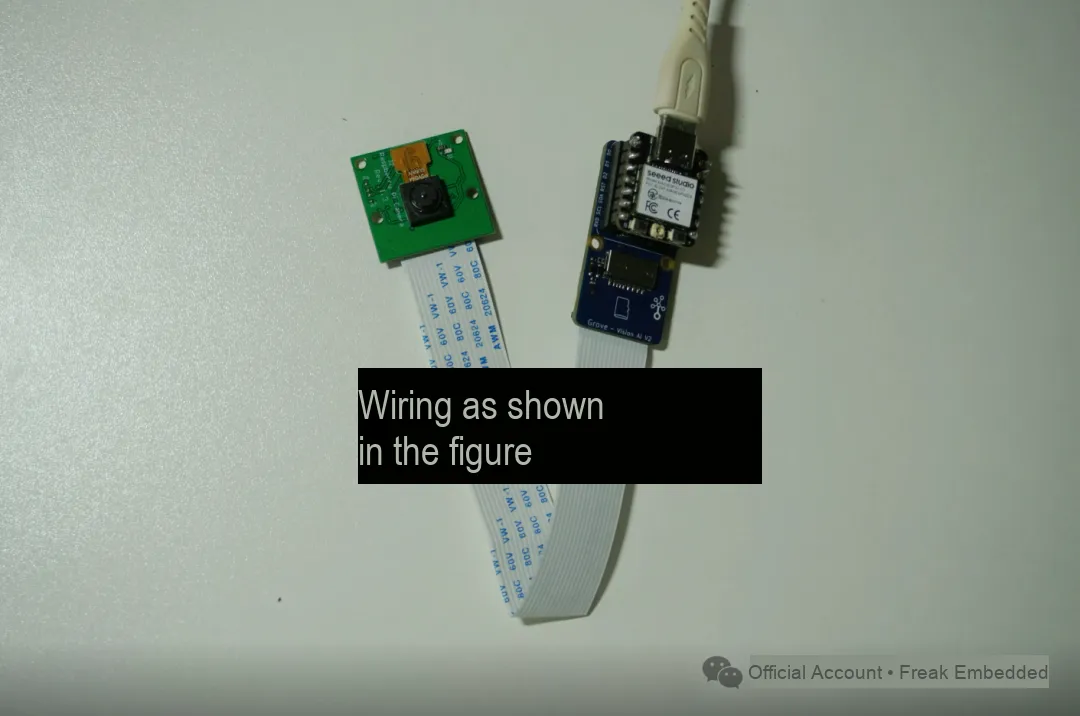
The Code
#include <Seeed_Arduino_SSCMA.h>
SSCMA AI;
void setup(){    AI.begin();    Serial.begin(9600);}
void loop(){    if (!AI.invoke())    {        Serial.println("invoke success");        Serial.print("perf: prepocess=");        Serial.print(AI.perf().prepocess);        Serial.print(", inference=");        Serial.print(AI.perf().inference);        Serial.print(", postpocess=");        Serial.println(AI.perf().postprocess);
        for (int i = 0; i < AI.boxes().size(); i++)        {            Serial.print("Box[");            Serial.print(i);            Serial.print("] target=");            Serial.print(AI.boxes()[i].target);            Serial.print(", score=");            Serial.print(AI.boxes()[i].score);            Serial.print(", x=");            Serial.print(AI.boxes()[i].x);            Serial.print(", y=");            Serial.print(AI.boxes()[i].y);            Serial.print(", w=");            Serial.print(AI.boxes()[i].w);            Serial.print(", h=");            Serial.println(AI.boxes()[i].h);        }        for (int i = 0; i < AI.classes().size(); i++)        {            Serial.print("Class[");            Serial.print(i);            Serial.print("] target=");            Serial.print(AI.classes()[i].target);            Serial.print(", score=");            Serial.println(AI.classes()[i].score);        }        for (int i = 0; i < AI.points().size(); i++)        {            Serial.print("Point[");            Serial.print(i);            Serial.print("] target=");            Serial.print(AI.points()[i].target);            Serial.print(", score=");            Serial.print(AI.points()[i].score);            Serial.print(", x=");            Serial.print(AI.points()[i].x);            Serial.print(", y=");            Serial.println(AI.points()[i].y);        }    }}
Next, let's do a simple analysis of the code:
First, import the library<Seeed_Arduino_SSCMA.h>
The main purpose of the SSCAM library is to handle the data stream of the Grove Vision AI, and it does not involve model inference or image processing.
Initialization:
SSCMA AI;: Create an SSCMA object namedAIfor communicating with the Grove Vision AI.void setup(): In thesetup()function, first useAI.begin()to initialize the Grove Vision AI module. Then, useSerial.begin(9600)to initialize serial communication so that results can be output to the serial monitor.Main loop:
AI.points(): Get all keypoint information in the inference results, and loop through to output the information of each keypoint, including target, score and position (x, y).AI.classes(): Get all classification information in the inference results, and loop through to output the information of each classification, including target and score.AI.boxes(): Get all detection boxes in the inference results, and loop through to output the information of each detection box, including target, score, position (x, y) and size (w, h).AI.perf(): Get the performance information of the inference process, including the time of preprocessing (prepocess), inference (inference) and postprocessing (postprocess).void loop():loop()function runs repeatedly, and is mainly used to keep calling the Grove Vision AI for inference and output the results.if (!AI.invoke()): CallAI.invoke()to run inference. If inference succeeds (that is,invoke()returnsfalse), start processing the inference results.Performance information output:
Detection box output:
Classification result output:
Keypoint output:
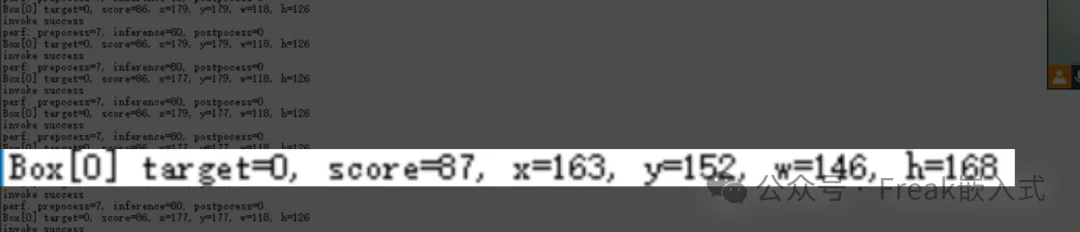
2.6 Analysis of the Serial Output Messages
invoke success: This line indicates that the AI.invoke() method call succeeded, meaning the image recognition process has completed.
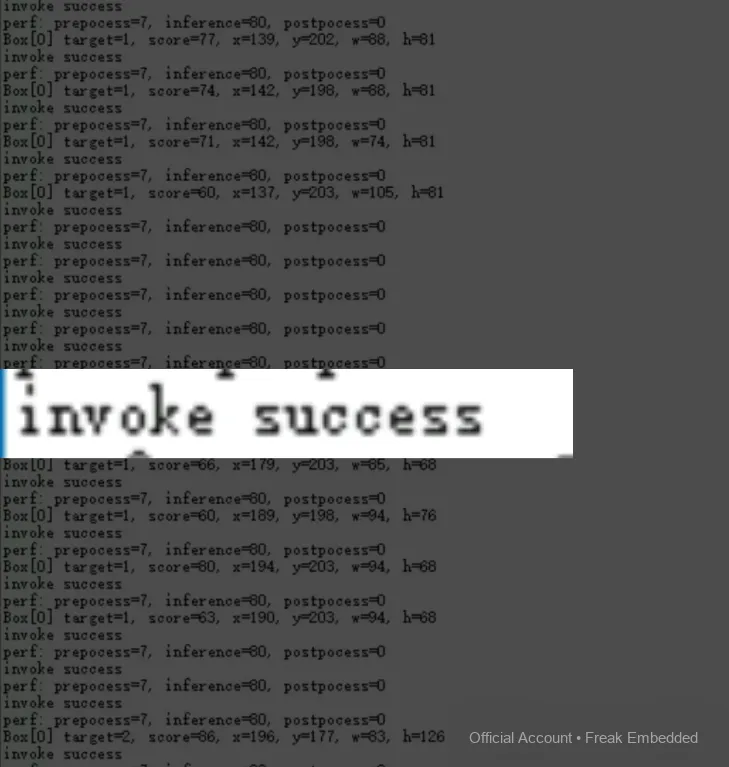
perf: prepocess=7, inference=80, postpocess=0: This line shows three key performance metrics of the recognition process:
prepocess: the time of the preprocessing stageinference: the time of the inference (that is, recognition) stagepostprocess: the time of the postprocessing stage.
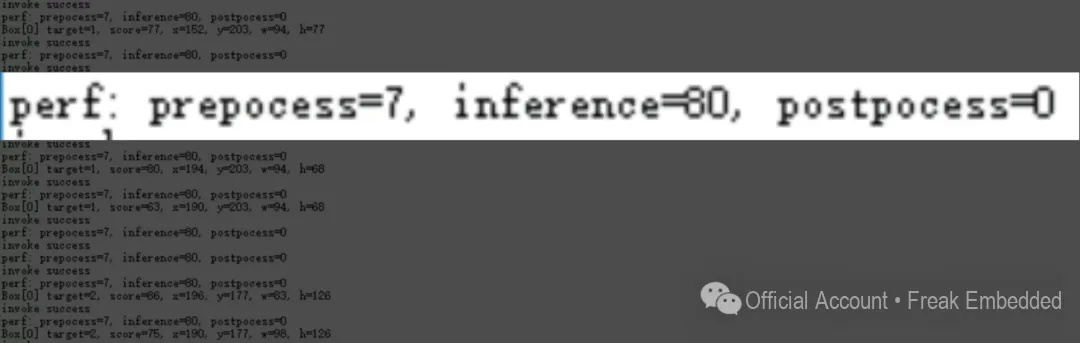
Box[0] target=1, score=81, x=209, y=161, w=63, h=114: This line shows the information of the first bounding box (box) detected:
target=1: the category of the detected targetscore=81: the confidence (score) of the detected targetx=209, y=161: the coordinates of the top-left corner of the bounding boxw=63, h=114: the width and height of the bounding box
Website links:
SenseCraft platform: https://sensecraft.seeed.cc/ai/#/model
Official website: https://wiki.seeedstudio.com/cn/grove_vision_ai_v2/