In Python multiprocessing programming, the Pool class is used to create a process pool that can execute multiple tasks in parallel. Through methods such as map and apply, functions and parameters are distributed to child processes, which improves CPU utilization, simplifies process management, and facilitates resource reuse. It is suitable for CPU-intensive scenarios.
For more information about us, you can refer to the cloud document: Freak Embedded Studio Cloud Docs, or visit our wiki:https://github.com/leezisheng/Doc/wik
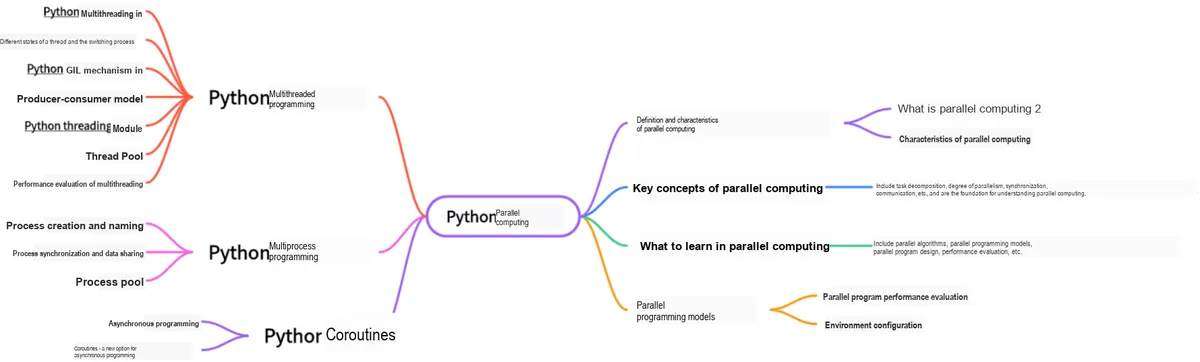
This document is a learning guide on parallel computing and Python concurrent programming, which covers the basic concepts of parallel computing, as well as the core knowledge points of Python multi-threaded programming, multi-process programming and coroutine programming:
Main Text
1. Basic Concept of Process Pool
Python process pool Pool is similar to the Python thread pool explained earlier. Although using multiprocessing can improve efficiency, creating processes consumes a large amount of computer resources (the resources occupied by creating a process Process are far greater than those occupied by creating a thread Thread). Threads are the smallest running units of a computer. If even threads require a thread pool, there is no reason for processes not to use a process pool, right?
The multiprocessing library provides the Pool class for implementing simple multi-process tasks. The Pool class allocates a specified number of processes for users to invoke. When a new request is submitted to the Pool, a new process will be created to execute the request if the pool is not yet full; if the pool is full, the request will be queued to wait until a process in the pool finishes running, after which new processes will be created to handle these pending requests.
The Pool class is defined as follows:
Pool([processes[, initializer[, initargs[, maxtasksperchild[, context]]]]])
(1) processes is the number of worker processes to use. If processes is None, the value returned by os.cpu_count() is used;
(2) initializer is a callable to be executed when each worker process starts, defaulting to None,
initargs is the argument tuple to pass to initializer;
(3) context can be used to specify the context of the started worker processes. Usually a process pool is created with the function multiprocessing.Pool() or the Pool() method of a context object. In both cases, context is set appropriately.
Note that only the process that created the process pool object can call its methods.
The main methods of the Pool class include:
apply ()— This function is used to pass variable parameters, and the main process will be blocked until the function finishes execution (it is not recommended to use, and will no longer appear after version 3.x). The function prototype is as follows:
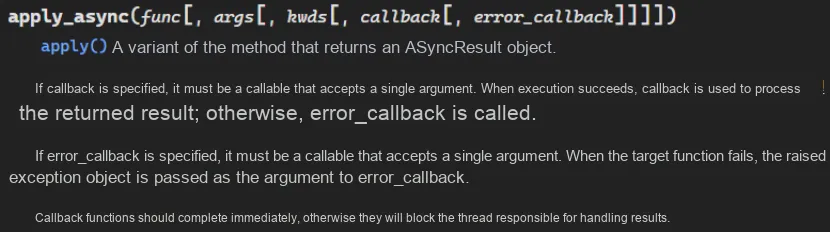
apply_async — has the same usage as apply, but it is non-blocking and supports callbacks after the result is returned. The function prototype is as follows:
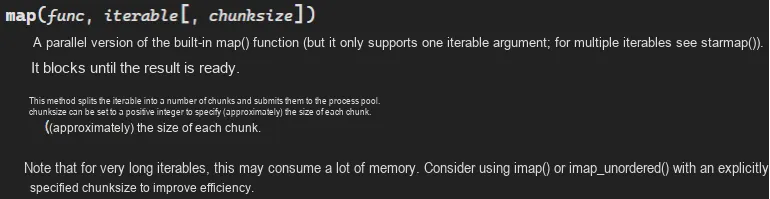
map ()— The map method in the Pool class, whose usage is basically consistent with that of the built-in map function; it will block the process until the result is returned, and its function prototype is as follows:
Note: Although the second parameter is an iterator, in practical use, the program will not run the subprocess until the entire queue is ready.
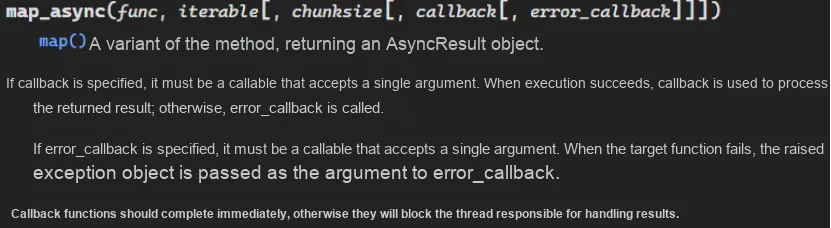
map_async ()— It has the same usage as map, but it is non-blocking. For related matters, please refer to apply_async, and its function prototype is as follows:
close ()— Closes the process pool so that it no longer accepts new tasks.
terminal ()— Terminates the worker process without processing any pending tasks.
join ()— The main process blocks and waits for the child process to exit. The join method must be used after close or terminate.
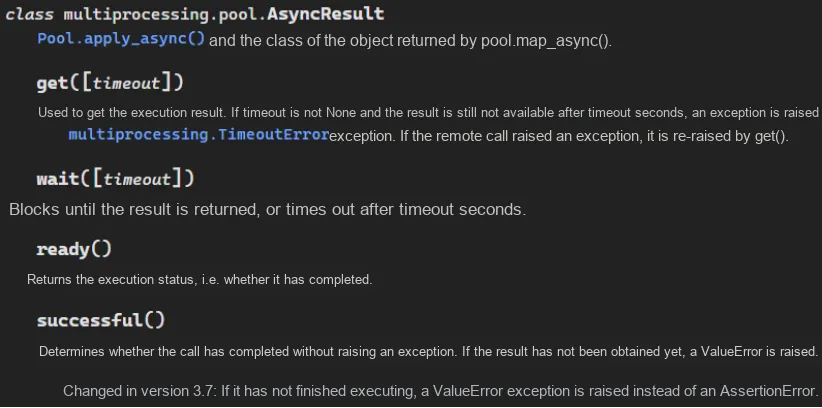
Meanwhile, the methods apply_async () and map_async () return an instance obj of AsyncResult. This instance has the following methods:
obj.get (): Returns the result, waiting for it to arrive if necessary. The timeout parameter is optional; if the result does not arrive within the specified time, an exception will be thrown. If an exception occurred during the remote operation, it will be re-thrown when this method is called;
obj.ready (): Returns True if the call has completed;
obj.successful (): If the call completes without raising an exception, returns True; if this method is called before the result is ready, an exception is raised;
obj.wait ([timeout]): Wait for the result to become available;
obj.terminate (): Immediately terminates all worker processes without performing any cleanup or ending any pending work. This function will be called automatically if p is garbage collected.
2. Synchronous invocation of the apply () method
In the following code, we create three processes in the process pool, and use the apply () method to execute synchronously work () function until this task is completed and we get res, and finally print the result in the main process. Synchronous means that when a process is executing a request, if the request takes some time to return information, the process will wait all the time and will not continue to execute until it receives the returned information.
import os,time
from multiprocessing import Pool

def work(n):
    print('%s run' %os.getpid())
    time.sleep(0.5)
    return n**2
if __name__ == '__main__':
    p=Pool(3)
    res_l=[]
    for i in range(10):
        res=p.apply(work,args=(i,))
        res_l.append(res)
    print(res_l)
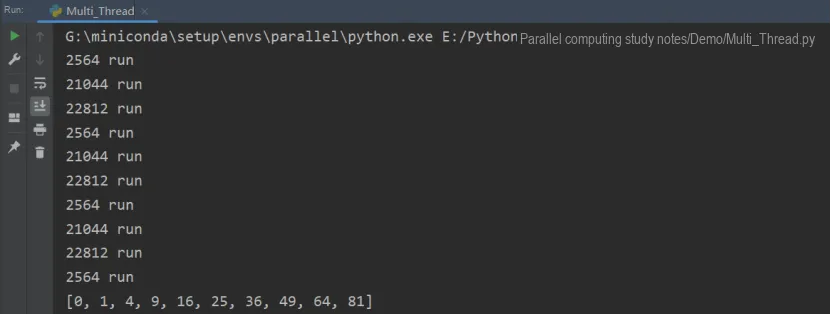
As can be seen, although the pool has three idle processes, the subsequent ten work functions are all executed serially in sequence without parallel computing.
3. Asynchronous invocation via the apply_async () method
In the following code, we create three processes in the process pool, and use the apply_async () method to asynchronously execute the work () function. After the result is returned, we put the result into a list, return the process, and then execute a new task. It should be noted that the three processes in the process pool will not be started or ended at the same time; instead, one process will be released immediately after it finishes execution, and this process will then receive a new task.
import os
import time
import random
from multiprocessing import Pool

def work(n):
    print('%s run' %os.getpid())
    time.sleep(random.random())
    return n**2

if __name__ == '__main__':
    p=Pool(3)
    res_l=[]

    for i in range(10):
        res=p.apply_async(work,args=(i,))
        res_l.append(res)
    p.close()
    p.join()
    for res in res_l:
        print(res.get())
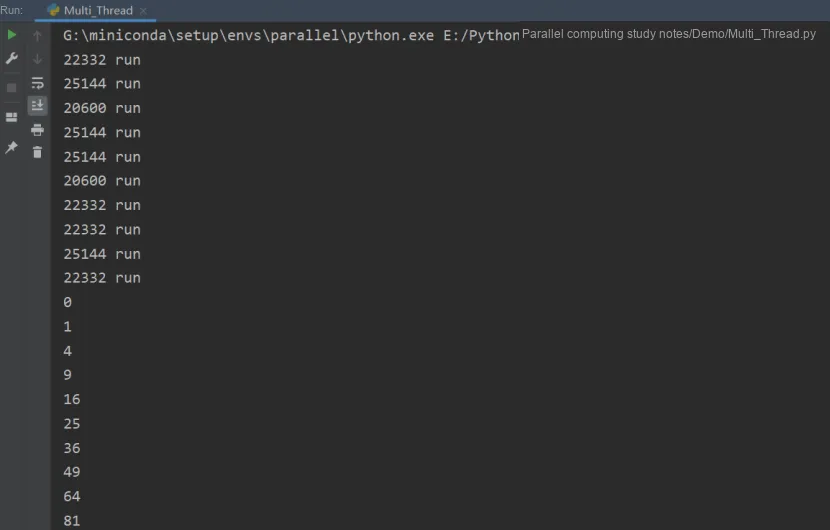
The following are the operation results:
Multiple work () functions can be seen executing in parallel.With 10 tasks and 3 processes, since the process pool is configured to allow a maximum of 3 concurrent processes, tasks 1,2 and 3 are executed simultaneously. As can be seen from the code output, after tasks 1,2 and 3 finish running, the for loop enters a blocked state, and only after one of tasks 1,2 and 3 completes will the for loop proceed to execute tasks 4,5 and 6, ensuring that no more than 3 tasks run at the same time (the process pool multiprocessing. Pool and the thread pool ThreadPoolExecutor follow the same principle).
Note here that for tasks submitted asynchronously via apply_async, the main process needs to call the join () method to wait for all tasks in the process pool to finish processing, after which you can use the get method to collect the results returned by apply_async. Asynchronous means that the process does not need to wait idly all the time; instead, it continues to execute subsequent operations regardless of the status of other processes. The system will notify the process to handle the result once a message is returned, which improves execution efficiency.
4. Invocation via the map method
The following example demonstrates how to execute a parallel application via a process pool. We create a process pool with 4 processes, then use the map () method to perform a simple calculation. map () blocks until the results are obtained, and this method executes each element of the iterable data as a task in the process pool.
import multiprocessing

def function_square(data):
    result = data*data
    return result

if __name__ == '__main__':
    inputs = list(range(100))
    pool = multiprocessing.Pool(processes=4)
    # The pool.map() method submits some independent tasks to the process pool
    pool_outputs = pool.map(function_square, inputs)
    pool.close()
    pool.join()
    # The calculation results are stored in pool_outputs().
    # Finally, print the results:
    print ('Pool    :', pool_outputs)
The following are the operation results:
5. callback callback function
In the following scenarios, we need to use a callback function: once any task in the process pool is completed, it immediately notifies the main process to process the task result, and the main process calls the callback function to process the result. We can put time-consuming (blocking) tasks into the process pool, and then specify a callback function (executed by the main process), so that when the main process executes the callback function, it omits the I/O process and directly obtains the result of the task.
Here we take the multi-process Progress Bar example for illustration. First, we need to use pip to install the tqdm library. tqdm is a Python Progress Bar library that can add a progress prompt in a Python long loop. Users only need to wrap any iterator with it, and it is a fast, highly scalable Progress Bar tool library.
tqdm The basic parameters of the object include:
desc ('str'): prefix passed to the progress bar
mininterval (float): minimum update interval [default: 0.1] seconds
set_postfix: set information
elapsed: time elapsed
remaining: time remaining
rate_fmt: rate
The sample code is as follows:
from tqdm import tqdm
from multiprocessing import Pool
import time
import os
# Create a progress bar object
# and set the progress to advance in steps of 10
pbar = tqdm(total=10)
# Set the description text of the progress bar, used to show a summary of the task
pbar.set_description('Sleep')
# Use the lambda operator to convert the progress bar update function into a callback object
update = lambda *args: pbar.update()

def work(n):
    print('%s run' %os.getpid())
    time.sleep(1)
    return n**2

if __name__ == '__main__':
    p=Pool(3)
    res_l=[]
    for i in range(10):
        # Update the progress bar in the callback function
        res=p.apply_async(work,args=(i,), callback=update)
        res_l.append(res)
    p.close()
    p.join()
    for res in res_l:
        print(res.get())
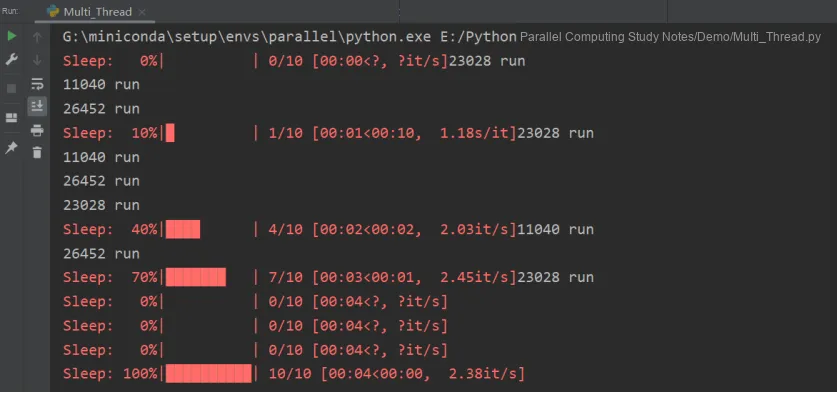
The following is the running result. As you can see, every time the process pool finishes processing a task, it will call tqdm 's update () method once, thereby realizing the display of the multi-process Progress Bar.