Contents
- Abstract:
- Original Link:
- Previous Recommendations:
- More exciting content can be found here:
- Document Acquisition:
- Body Text
- 1. Process Data Synchronization Based on Mutex Locks
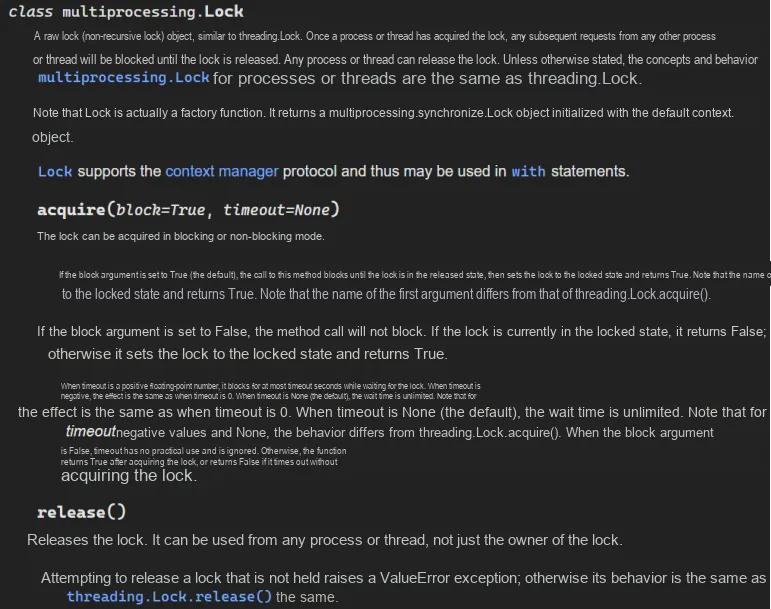
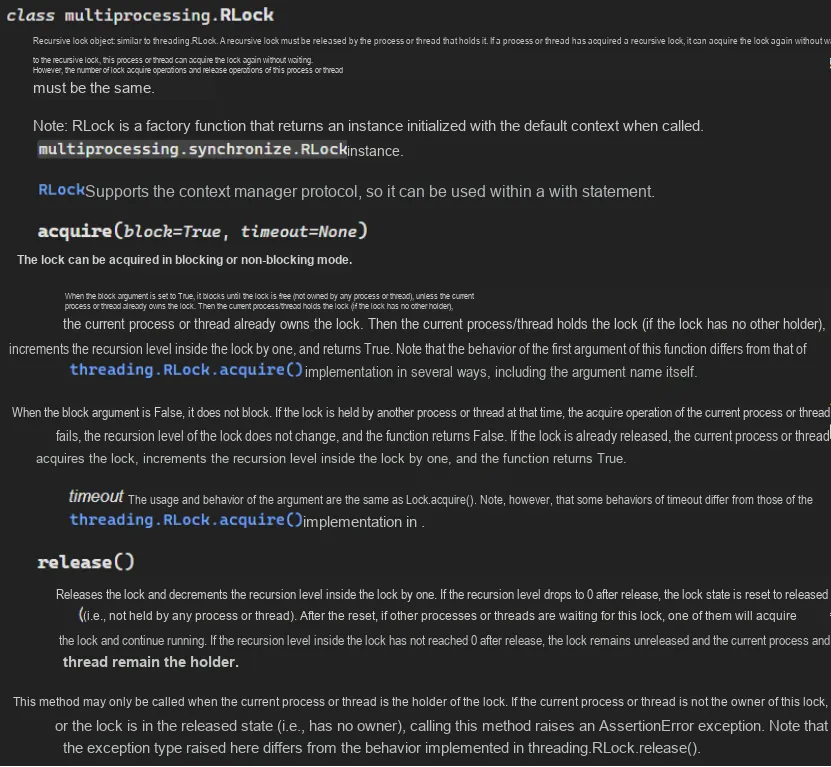
- 2. Process Data Synchronization Based on Recursion Lock
- 3. Process Data Synchronization Based on Semaphores
- 4. Process Data Synchronization Based on Condition Variables
- 5. Event-based Process Data Synchronization
- 6. Barrier-based process data synchronization
Abstract:
Multi-process synchronization mechanisms include mutexes, recursive locks, semaphores, condition variables, events, barriers, etc. : mutexes are used to protect shared resources, recursive locks support repeated locking by the same process, semaphores can control the number of resources accessed, condition variables are used for processes to wait for specific conditions, events are used for Inter-Process Communication and synchronization, and barriers are used for multiple processes to synchronize at specific points to ensure collaborative operation.

For more information about us, you can refer to the cloud document: Freak Embedded Studio Cloud Docs, or visit our wiki: https://github.com/leezisheng/Doc/wik
Original Link:
Previous Recommendations:
You who are learning embedded systems, don’t you even know Object Oriented yet? ?!
Master Python Parallel Computing in One Article: 00 Basic Concepts of Parallel Computing
More exciting content can be found here:
Speed Up Your Python: A Quick Guide to Python Parallel Computing
Understand the Debugging Principle of CM3 Microcontroller in One Article
The "Secret Martial Arts Manual" for Computer Science Competitions
Avnet ZUBoard 1CG Development Board — A New Choice for Deep learning
What? A motor drive module with customizable color schemes? !
What? Three brand-new expansion boards have just been released for the XIAO main controller!
A Step-by-Step Guide to Publishing Your Third-Party Library for Arduino
Master the Optoelectronic Design Competition in One Read: A Must-See for Electronics Enthusiasts!
Document Acquisition:
You can download the document via the following link:
https://github.com/leezisheng/Doc
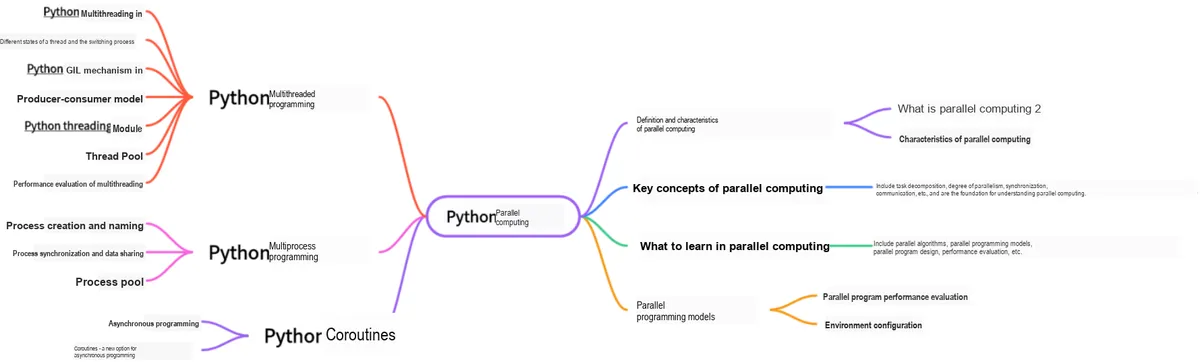
This document is a learning guide on parallel computing and Python concurrent programming, which covers the core knowledge points including the basic concepts of parallel computing, Python multi-threaded programming, multi-process programming and coroutine programming:
Body Text
Data is not shared between processes except through shared memory and shared processes, but they share the same file system, so accessing the same file or the same printing terminal poses no problem. However, sharing leads to competition, and the result of competition is disorder, which requires synchronization between processes to control.
Process synchronization primitives include: Lock, Event, Condition, Semaphore, Rlock, and Barrier. The relevant synchronization primitives are quite similar to those in the threading library.
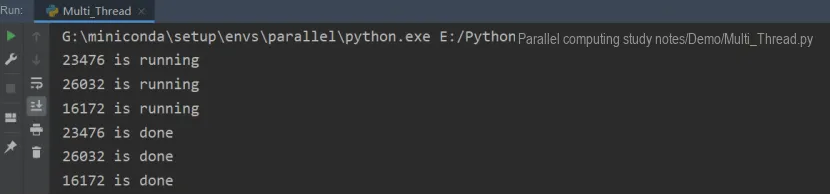
The following code shows that multiple processes share the same print terminal without synchronization. It runs concurrently with high efficiency, but the competition for the same print terminal leads to garbled print output.
from multiprocessing import Process
import os,time
def work():
    print('%s is running' %os.getpid())
    time.sleep(2)
    print('%s is done' %os.getpid())

if __name__ == '__main__':
    for i in range(3):
        p=Process(target=work)
        p.start()
The following is the running effect. It can be seen that the two statements that should have been output in turn by the three processes are now output out of order.
1. Process Data Synchronization Based on Mutex Locks
As shown below work function utilizes acquire () and release () to control the read and write permissions of shared data:
from multiprocessing import Process,Lock
import os,time
def work(lock):
    lock.acquire()
    print('%s is running' %os.getpid())
    time.sleep(2)
    print('%s is done' %os.getpid())
    lock.release()
if __name__ == '__main__':
    lock=Lock()
    for i in range(3):
        p=Process(target=work,args=(lock,))
        p.start()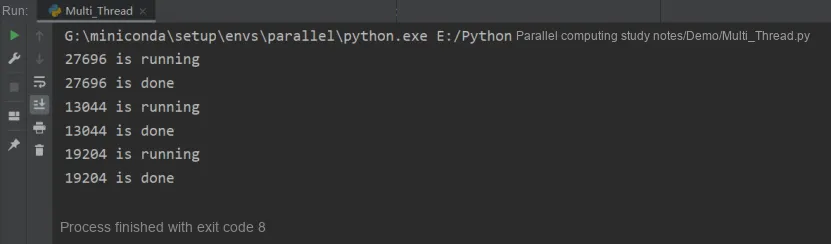
It can be seen that the output is in order; the locking implementation changes the execution from concurrent to serial, which sacrifices runtime efficiency but avoids race conditions.
2. Process Data Synchronization Based on Recursion Lock
The sample code is as follows:
from multiprocessing import Process,RLock
import multiprocessing
import time

mutex = RLock()

def test(mutex):
    if mutex.acquire():
        print("I am %s" % multiprocessing.current_process().name)
        if mutex.acquire():
            print("I am %s" % multiprocessing.current_process().name)
            mutex.release()
            time.sleep(1)
        mutex.release()

if __name__ == '__main__':
    for i in range(0, 10):
        p = Process(target=test,args=(mutex,))
        p.start()
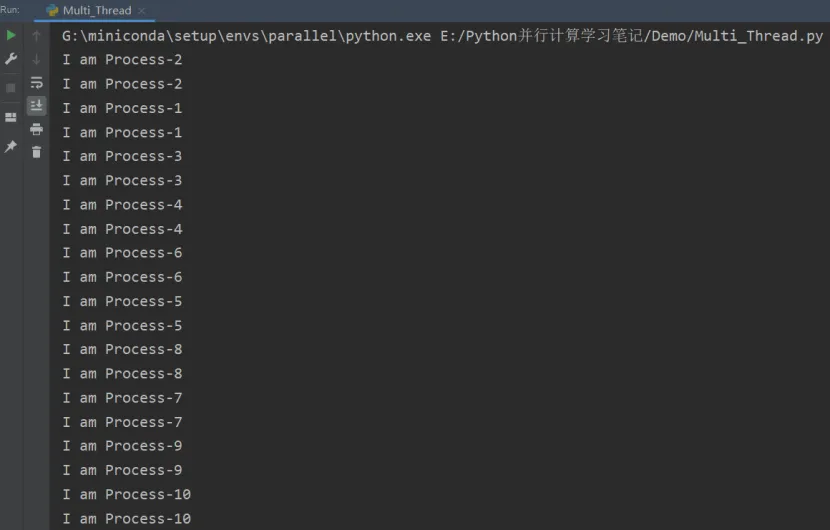
The output is as follows, and it can be seen that the output is normal:
3. Process Data Synchronization Based on Semaphores
The following is sample code, and we can see from the running results that the two print statements output sequentially.
from multiprocessing import Process,Semaphore
import multiprocessing
import time

# Create a semaphore; a semaphore is an internal counter
# used to indicate how many concurrent reads the current shared resource allows
semaphore = Semaphore(1)

def test(semaphore):
    # Test the semaphore that controls this resource.
    if semaphore.acquire():
        # If the semaphore value is positive, use of the resource is allowed. The thread decrements the semaphore by 1.
        print("I am %s,pid:%s" % (multiprocessing.current_process().name,multiprocessing.current_process().pid))
        print("%s am runing" % multiprocessing.current_process().name)
        semaphore.release()

if __name__ == '__main__':
    for i in range(0, 10):
        p = Process(target=test,args=(semaphore,))
        p.start()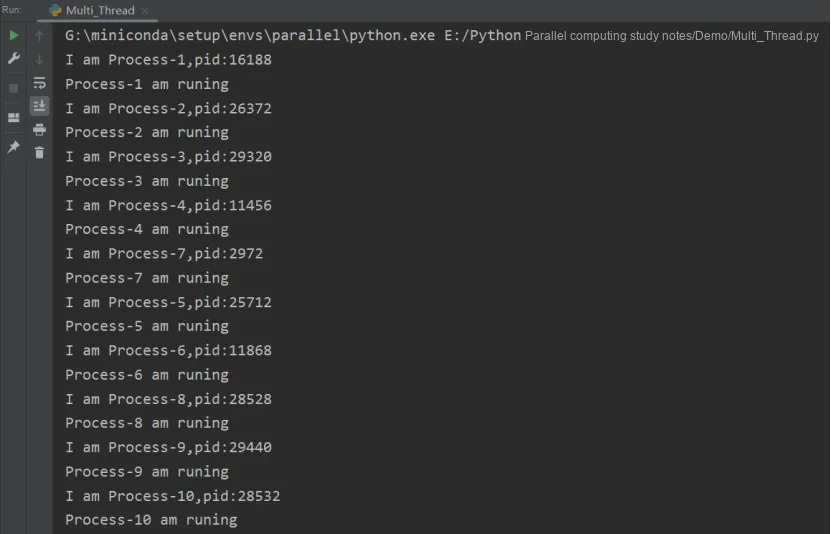
4. Process Data Synchronization Based on Condition Variables
Here, we take the producer-consumer model as an example. In the previous multithreading example of thread synchronization based on condition variables, we used global variables as the cache, and we do the same in this example.
Some students may ask: Didn't we say that data within processes is independent? That's correct. In multi-process programming, different processes cannot share data by default. However, Python provides several mechanisms to achieve data sharing between multiple processes, one of which is shared memory. Shared memory allows multiple processes to share a single storage region; when one process writes information into the shared memory, other processes can read it conveniently.In Python, you can use Value, Array to store data in shared memory, and you can also use the multiprocessing module's sharedctypes to customize shared-memory ctypes objects.
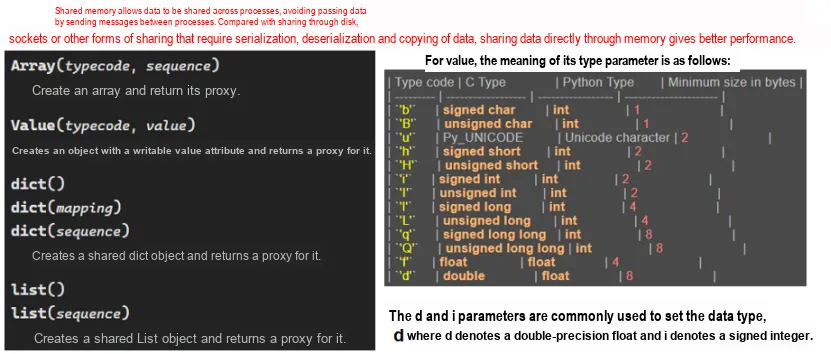
In the following example, the value object is used as a cache: as long as the cache is not full, the producer keeps producing data into it; as long as the cache is not empty, the consumer keeps taking data out of it (and then destroys the taken data).
When the buffer queue is not empty, the producer will notify the consumer; when the buffer queue is not full, the consumer will notify the producer.
from multiprocessing import Process,Condition,Value
import multiprocessing
import time

condition = Condition()
products = Value('i', 0)

# Producer process
def Producer(condition,products):
    while True:
        if condition.acquire():
        # The consumer modifies the shared resource by acquiring the lock
            if products.value < 10:
            # If the number of products is less than 10, keep producing, and notify consumers with the notify method
            # As long as the cache is not full, the producer keeps producing into the cache;
                products.value += 1;
                print("Producer(%s):deliver one, now products:%s" % (multiprocessing.current_process().name, products.value))
                # When the buffer queue is not empty, the producer will notify the consumers
                condition.notify()
            else:
            # If it is full, the producer enters a waiting state until it is woken up
                print("Producer(%s):already 10, stop deliver, now products:%s" %(multiprocessing.current_process().name, products.value))
                condition.wait()
            # Release the resource
            condition.release()
            time.sleep(1)

# Consumer process
def Consumer(condition,products):
    while True:
        if condition.acquire():
            if products.value > 1:
            # As long as the buffer is not empty, the consumer keeps taking items from it (then destroys them)
                products.value -= 1
                print("Consumer(%s):consume one, now products:%s" % (multiprocessing.current_process().name, products.value))
                # When the buffer queue is not full, the consumer will notify the producer.
                condition.notify()
            else:
            # The cache is empty, the consumer thread waits
                print("Consumer(%s):only 1, stop consume, products:%s" % (multiprocessing.current_process().name, products.value))
                condition.wait()
            # Release the resource
            condition.release()
            time.sleep(1)

if __name__ == '__main__':
    ProducerProcess = Process(target=Producer,args=(condition,products))
    ConsumerProcess = Process(target=Consumer, args=(condition, products))
    ProducerProcess.start()
    ConsumerProcess.start()
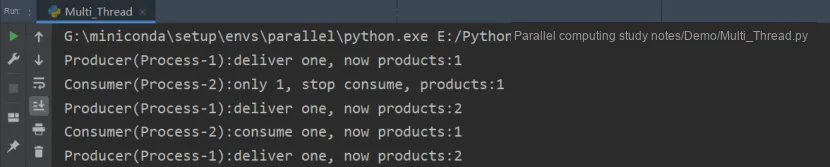
The following shows the running status, which indicates normal operation.
5. Event-based Process Data Synchronization
Sample code and execution result are shown below, which is similar to that in multi-threading scenarios.
from multiprocessing import Process,Event
import multiprocessing

event = Event()

def worker(event_obj, i):
    print('{i}号进程等待事件信号'.format(i=i))
    event_obj.wait()
    print('{i}号进程收到事件信号'.format(i=i))

if __name__ == '__main__':
    for i in range(5):
        p = Process(target=worker, args=(event, i))
        p.start()
    event.set()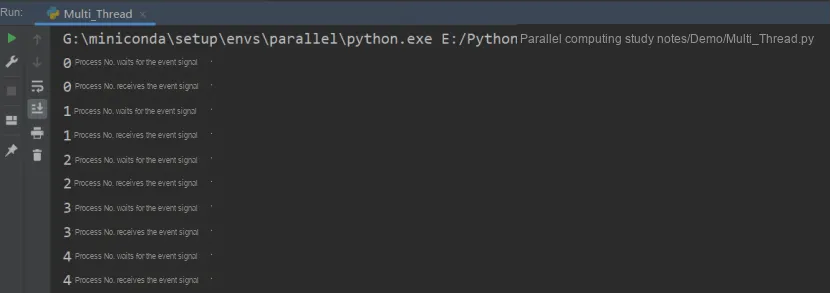
6. Barrier-based process data synchronization
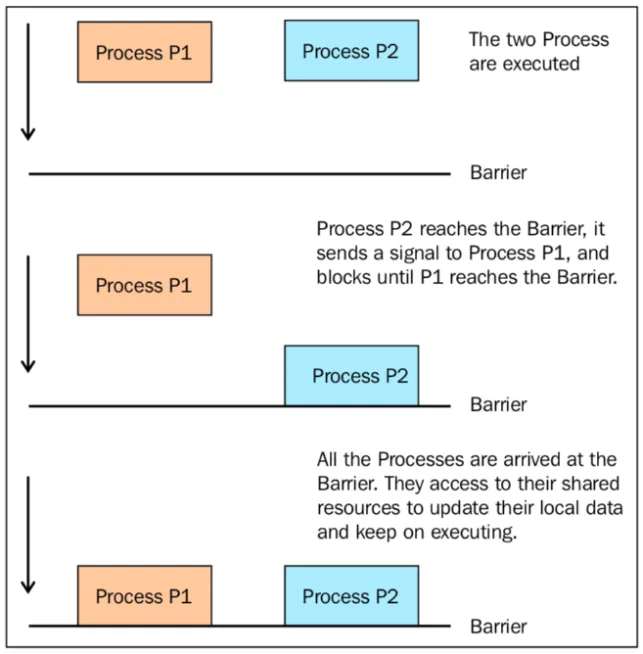
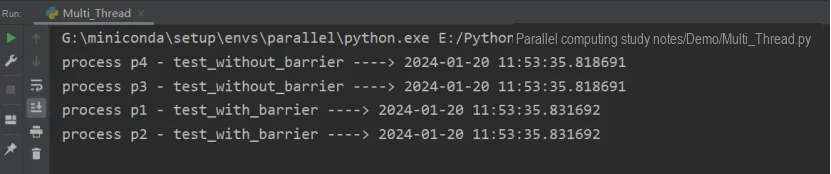
The following code demonstrates how to use the barrier () function to synchronize two processes. We have 4 processes, where processes 1 and 2 are managed by the barrier statement, while processes 3 and 4 have no synchronization policy.
import multiprocessing
from multiprocessing import Barrier, Lock, Process
import time
from datetime import datetime

def test_with_barrier(synchronizer, serializer):
    name = multiprocessing.current_process().name
    synchronizer.wait()
    now = time.time()
    time.sleep(1)
    with serializer:
        print("process %s ----> %s" % (name, datetime.fromtimestamp(now)))

def test_without_barrier():
    name = multiprocessing.current_process().name
    now = time.time()
    print("process %s ----> %s" % (name, datetime.fromtimestamp(now)))

if __name__ == '__main__':
    synchronizer = Barrier(2)
    serializer = Lock()
    Process(name='p1 - test_with_barrier', target=test_with_barrier, args=(synchronizer,serializer)).start()
    Process(name='p2 - test_with_barrier', target=test_with_barrier, args=(synchronizer,serializer)).start()
    Process(name='p3 - test_without_barrier', target=test_without_barrier).start()
    Process(name='p4 - test_without_barrier', target=test_without_barrier).start()
Run the code, and you will see that Process 1 and Process 2 print at the same time:
The following diagram illustrates how a barrier synchronizes two processes: