Contents
Abstract:
In Python, "parallelism" and "concurrency" are commonly used to describe the execution modes of programs, while "thread" and "process" are two common approaches to implementing parallelism and concurrency. A thread is the smallest execution unit within a process, and multiple threads can share the same process's Memory Space. A process is an instance of a program that is being executed on a computer, and each process has its own independent Memory Space and resources.
Original Link:
Previous Recommendations:
You who are learning embedded systems still don't know Object Oriented? ?!
More exciting content can be found here:
Speed Up Your Python: A Quick Guide to Python Parallel Computing
A Complete Guide to Debugging Principles of CM3 Microcontrollers
The "Secret Martial Arts Manual" for Computer Science Competitions
Avnet ZUBoard 1CG Development Board — A New Choice for Deep learning
Deploy SenseCraft Model to Grove Vision AI V2 Image Processing Module
Document and Code Access:
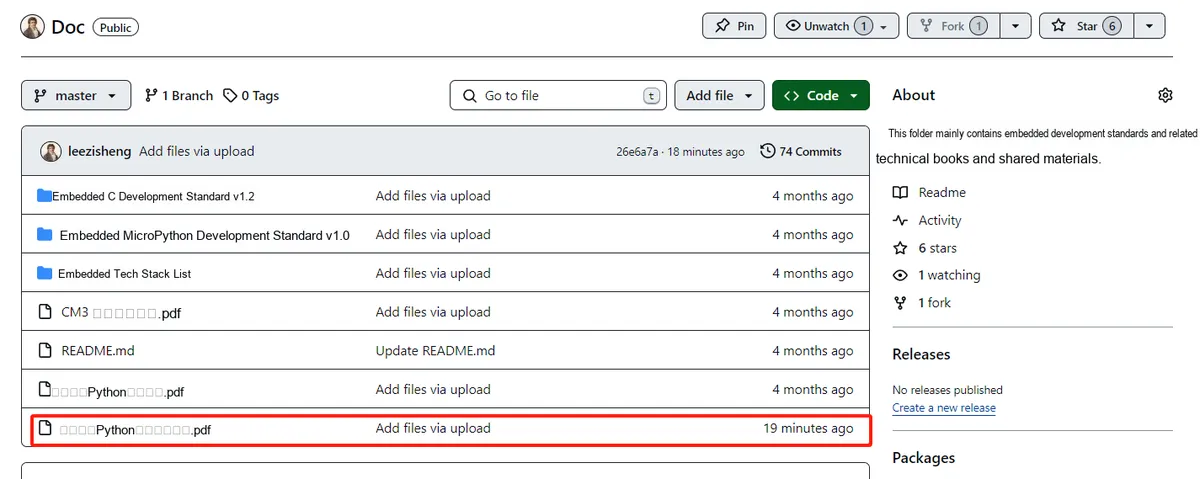
You can download the document via the following link:
https://github.com/leezisheng/Doc
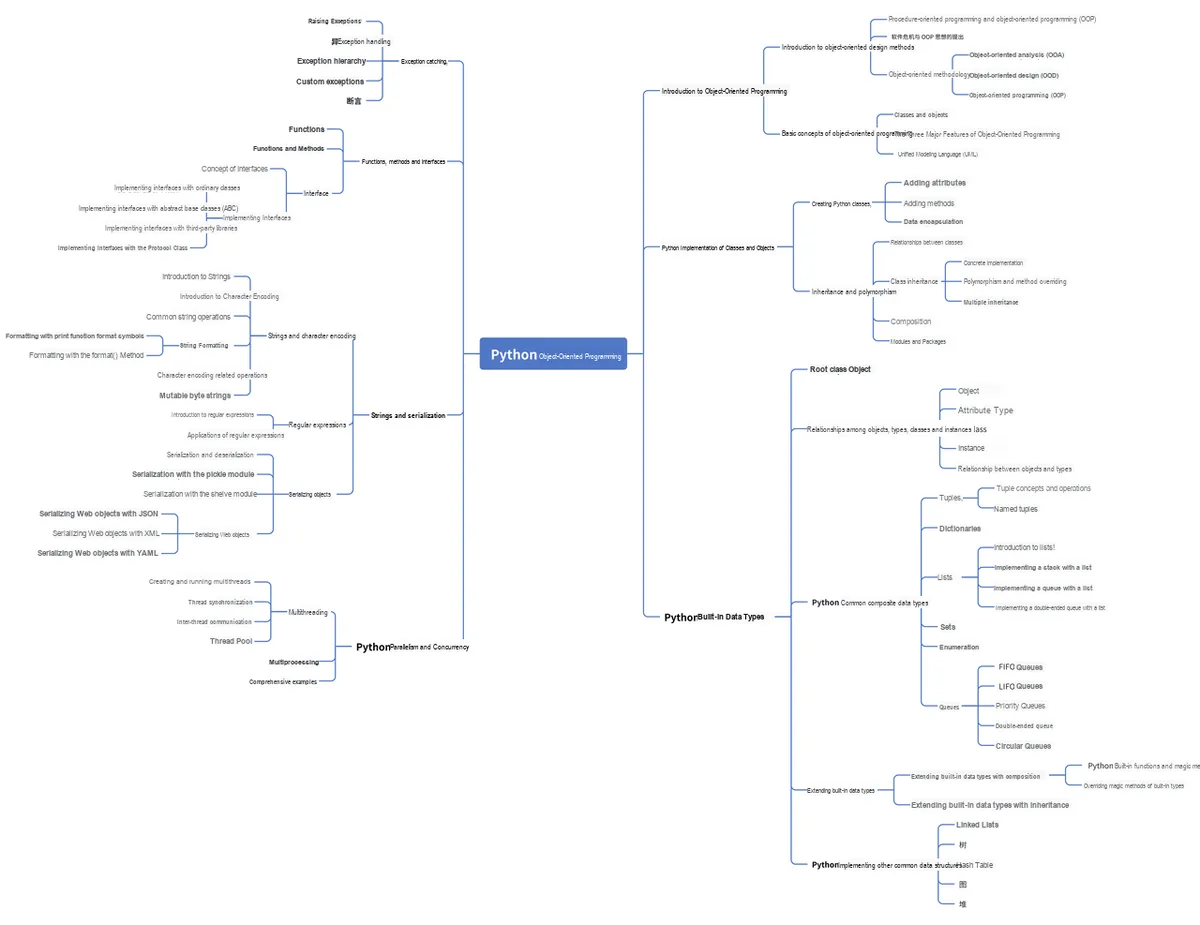
This document mainly introduces how to use Python for Object Oriented programming, and requires readers to have a basic understanding of Python syntax and microcontroller development. Compared with other blogs or books that explain Python Object Oriented programming, this document is more detailed and focuses on embedded host computer applications, taking the common serial port data transmission and reception, data processing, dynamic graph drawing and other functions between the host computer and the slave computer as application examples. Meanwhile, it uses the Sourcetrail code software to visualize the code for reading, so as to facilitate readers' understanding.
The link to obtain the relevant sample code is as follows:
https://github.com/leezisheng/Python-OOP-Demo
Body Text
Basic Concepts of Parallelism and Concurrency
In the above example simulating the sensor-host interaction, we can observe that our program always executes sequentially. For instance, when we use the serial port assistant to cooperate with the host MasterClass class: the host class sends commands, and we input analog data via the serial port assistant to send to the host side, yet there has been no involvement of the interaction between the MasterClass host class and the SensorClass sensor class — that is, the instance of SensorClass receiving the command sent by the instance of MasterClass, parsing it, and then executing the specified operation.This is because our previous code always adopted a single-threaded sequential execution approach. Meanwhile, in the implementation of the ReadSerial serial port reading method (the dev.readline () method) in SerialClass, the parent class of both SensorClass and MasterClass, a blocking method was used, meaning that when the sensor class is waiting for commands or the master class is waiting for data, it has to wait until data is received before proceeding to the next operation.
If the MasterClass host class and SensorClass sensor class are required to work alternately or simultaneously, it is necessary to use multithreading/multiprocessing in Python to implement parallel/concurrent multitasking.
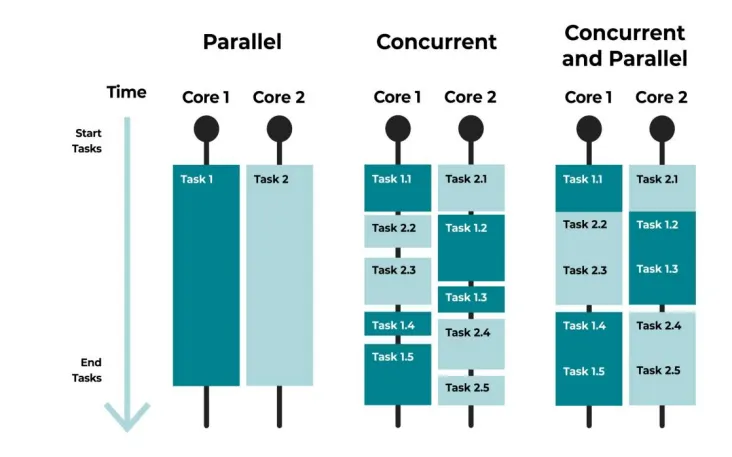
Concurrency means that an application can execute different tasks alternately, which requires a single processor to switch between different tasks multiple times per second. Parallelism, on the other hand, refers to multiple processors or multi-core processors processing multiple different tasks simultaneously. The difference between the two is illustrated in the following figure:
Multi-task switching or processing can be accomplished either by multiple processes or by multiple threads within a single process.
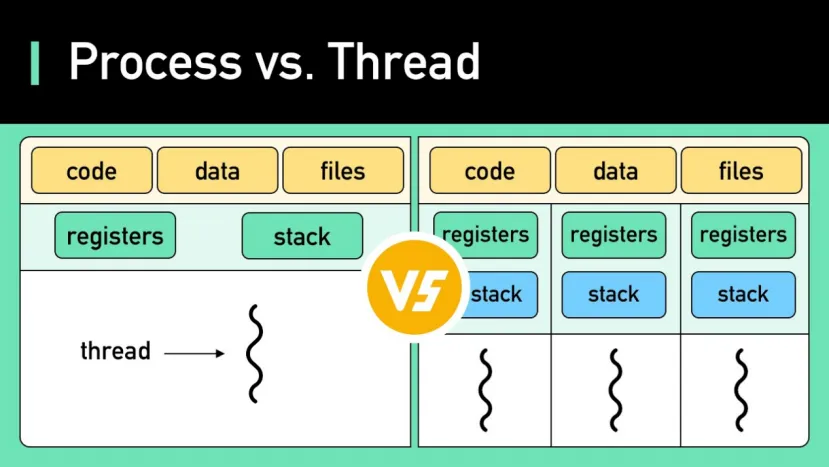
A process is the smallest unit for resource allocation. A program has at least one process, and each process has its own independent address space, memory, data stack, etc. , so processes consume a large amount of resources. Since the resources of processes are independent of each other, inter-process communication is inconvenient, and inter-process communication (IPC) must be used.
A thread is the smallest unit of program execution, and a process has at least one thread. Threads share the data in a process and use the same address space, so creating a thread is fast and incurs less overhead than creating a process. Threads under the same process share data such as global variables and Static Variables, making inter-thread communication very convenient, but this also brings about issues of data synchronization and mutual exclusion; how to properly handle synchronization and mutual exclusion is the key difficulty in writing multi-threaded programs.
The relationship between the two is shown in the following figure:
Before explaining multithreading and multiprocessing, let's first review some of the classes and their interrelationships that we have already implemented:
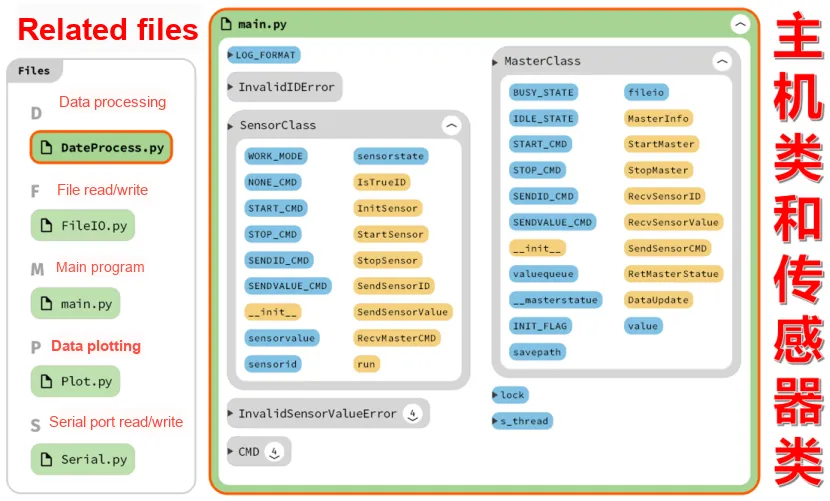
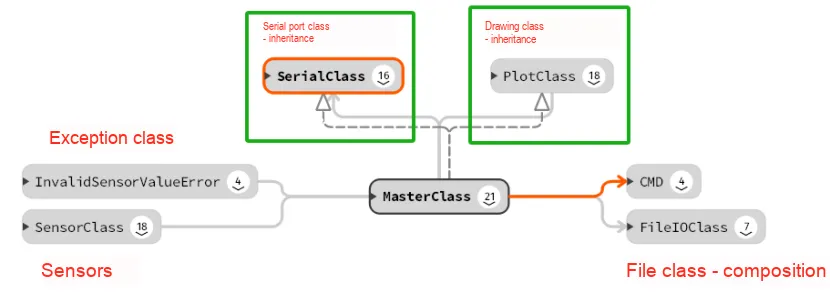
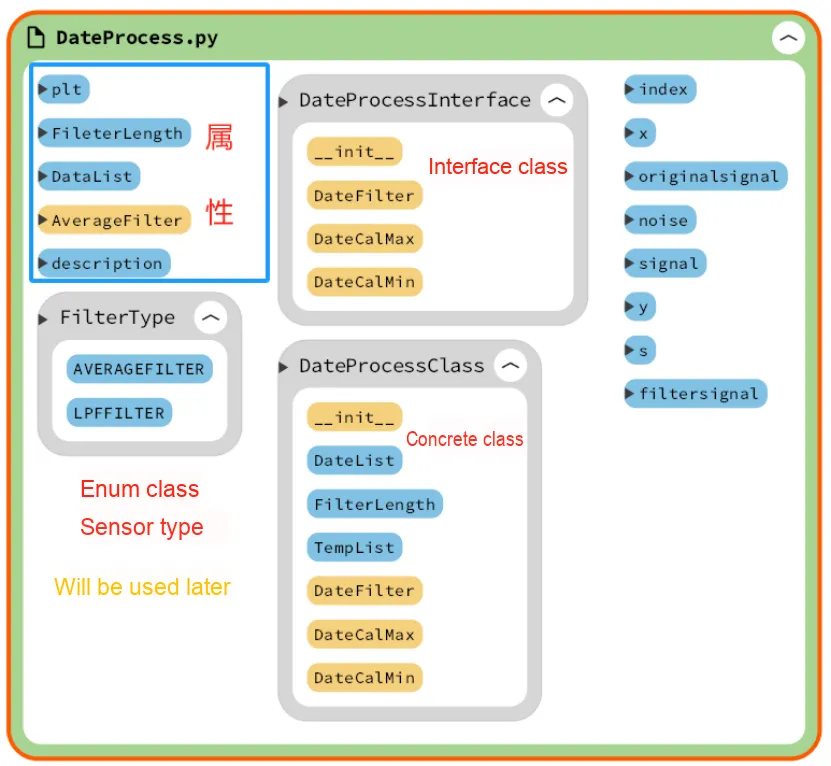
Among them, the DateProcess data processing class has not yet established a connection with the host class, which we will implement in the subsequent code.
Multithreading
The operating mechanism of multithreading is similar to starting and running multiple different programs simultaneously. Unlike processes, each independent process has an entry point for the program, a clear execution sequence, and an exit point. However, threads cannot execute independently; they must rely on an application to provide execution control.
Each thread has its own set of CPU registers, which is called the thread's context. The context reflects the state of the CPU registers when the thread was last executed. In the thread's context, the instruction pointer and stack pointer registers are particularly critical. Threads always run within the context of a process, and these addresses are used to identify memory locations in the address space of the process that owns the thread. In this way, threads can work together to achieve more efficient task processing.
Before using multithreading, we need to import the threading module in Python:
from threading import Thread
Creation and Execution of Multithreading
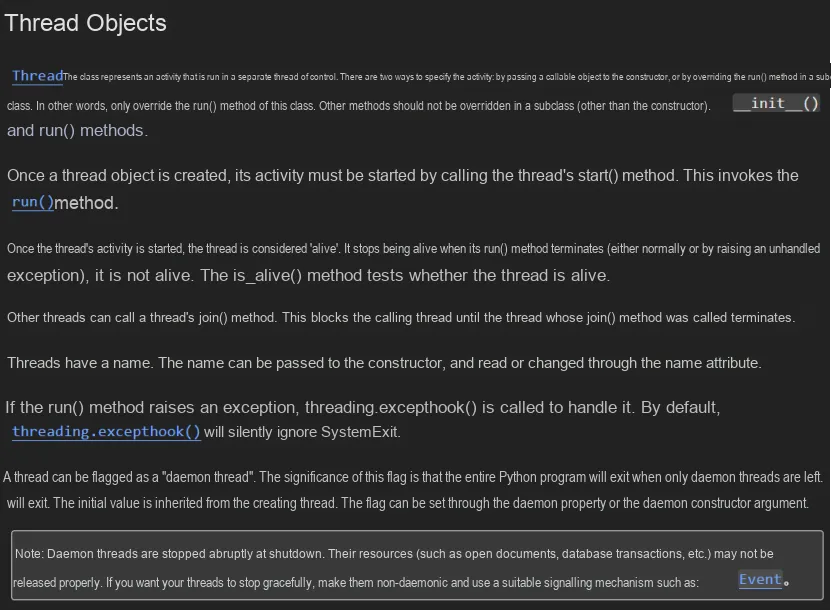

There are two ways to use threads in Python: function or wrapping thread objects with a class:
- Function method: Call the Thread function in the thread module to create a thread instance.
The syntax is as follows:
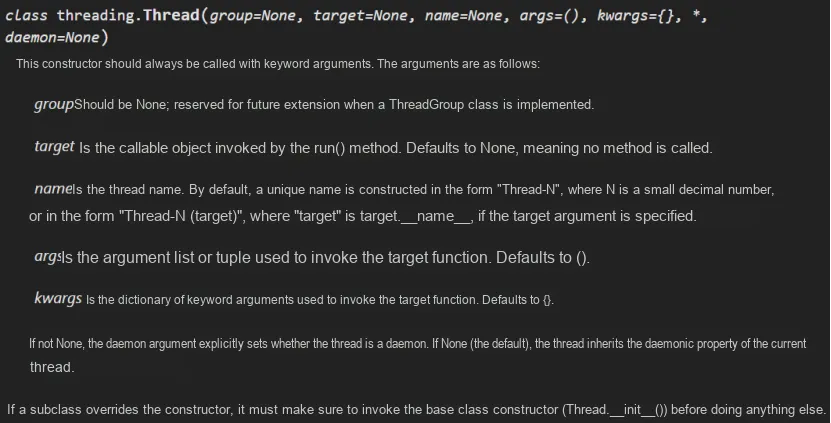
- Wrapping thread objects with classes: To create threads using the Threading module, you can directly inherit from threading.Thread, then override the __init__ method and the run method.
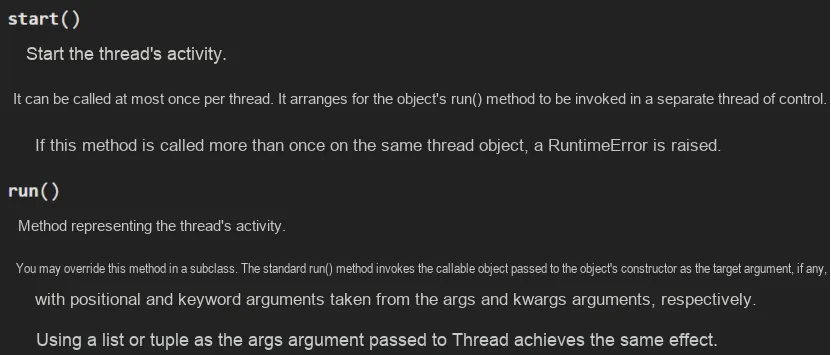
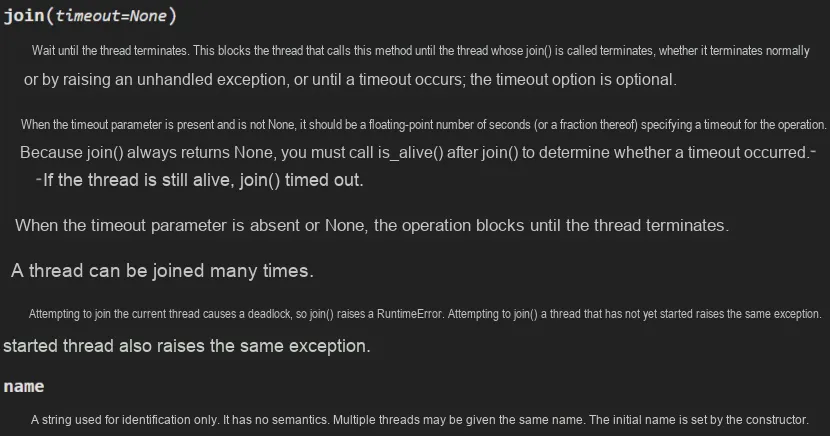
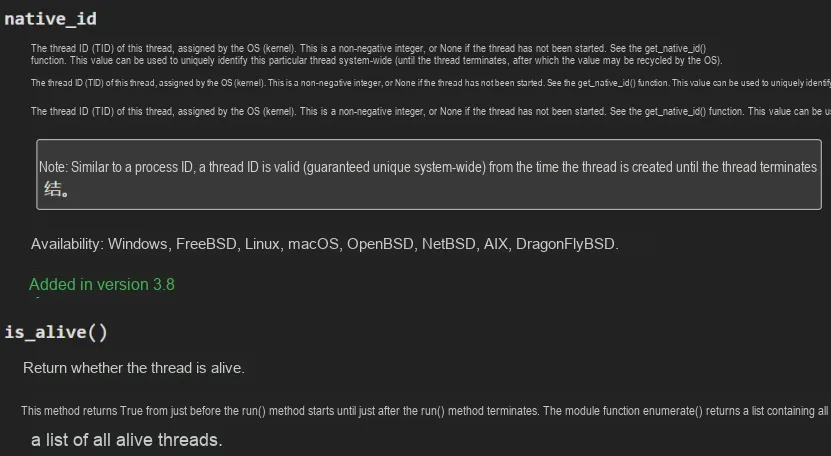
Here, we implement multi-threaded operation for the SensorClass sensor class. First, make it inherit from the Thread class, call the initialization method of Thread in the initialization method of SensorClass, and create a new run () method at the same time. In the run () method, first complete the initialization and startup of the sensor, then create a while loop. Each loop will generate a new data value (simulating the collected sensor data), and execute corresponding operations according to the received commands. The sample code is as follows:
class SensorClass(SerialClass,Thread):
    '''
        Sensor class, inherits from SerialClass\Thread
    '''

    ... ...

    # Class initialization
    def __init__(self,port:str = "COM11",id:int = 0,state:int = WORK_MODE["RESPOND_MODE"]):
        try:
            # Check whether the input port number is of type str
            if type(port) is not str:
                raise TypeError("InvalidPortError:",port)
            # Check whether the ID is between 0 and 99
            if id < 0 or id > 99:
                # After an exception is raised, the code after it will not be executed
                # This exception is raised when the type of an argument passed to a function or method is incorrect or the value of the argument is invalid.
                raise InvalidIDError("InvalidIDError:",id)

            # Call the parent class initialization method; the super() function connects the parent class and the child class
            super().__init__(port)
            self.sensorvalue = 0
            self.sensorid    = id
            self.sensorstate = state
            print("Sensor Init")
            logging.info("Sensor Init")
            # Thread initialization method
            Thread.__init__(self)
        except TypeError:
            # When an exception occurs, output the following statement to remind the user to re-enter the port number
            print("Input error com, Please try new com number")
        except InvalidIDError as e:
            # When an exception occurs, output the following statement to remind the user to re-enter the ID
            print("Input error ID, Please try id : 0~99")
            print(e.args)

    ... ...

    # Method that represents thread activity in multithreading
    # All code in the run method (or code called from within this method) runs in a separate thread.
    def run(self):
        # Declare global variable, mutex lock
        global lock

        # Initialize counter variable
        data_count = 0
        # Initialize the sensor
        self.InitSensor()
        # Start the sensor
        self.StartSensor()

        while True:
            # Generate data
            data_count  = data_count + 1
            # Original signal
            signal      = math.sin(data_count) * 10
            # Simulated noise
            noise       = random.uniform(0, 5)
            # Final data
            data        = int(signal + noise)

            # Acquire the mutex
            lock.acquire()

            # Receive command
            cmd = self.RecvMasterCMD()

            # Perform the corresponding operation according to the command
            if cmd == SensorClass.STOP_CMD:
                # If a stop command is received, stop the sensor
                self.StopSensor()
                # Output prompt message
                print("Sensor stop work !!!")
                return
            elif cmd == SensorClass.SENDID_CMD:
                # If a send-ID command is received, send the sensor ID number
                self.SendSensorID()
            elif cmd == SensorClass.SENDVALUE_CMD:
                # If a send-data command is received, send the data
                self.SendSensorValue(data)
            elif cmd == SensorClass.NONE_CMD:
                # If no command is received
                print("Not Recv cmd!!!")

            # Release the mutex
            lock.release()
            # Delay 0.5 s
            time.sleep(0.5)
At the same time, we need to modify the attributes in SerialClass, the parent class of SensorClass, so that it will not keep blocking during the data receiving process:
# Set the timeout
self.dev.timeout     = 0.5
In the main program, a mutex and a SensorClass object are created, and a new thread is started in the main thread to execute the run () method of the SensorClass object. In the main thread, the program continuously checks whether the new thread has exited the run () method; if not, it acquires the mutex, prints a message, then releases the mutex and delays for 0.5 seconds. After the new thread exits the run () method, the main thread outputs a debug message indicating that the multi-threaded operation has ended.
The sample code is as follows:
if __name__ == "__main__":
    # Create a mutex lock
    lock = Lock()
    # Initialize the thread
    s_thread = SensorClass(port = "COM11",id = 0,state = SensorClass.WORK_MODE["RESPOND_MODE"])
    # Start the thread; the start method runs it concurrently
    s_thread.start()
    # The run() method is just an ordinary method of the class and still runs in the main thread
    # s_thread.run()
    # The join method ensures the thread child thread finishes before the next thread can run
    # timeout is the timeout period; the thread is ended once it reaches the timeout
    # s_thread.join(timeout=5)

    # Check whether the s_thread thread has already exited the run method
    while s_thread.is_alive():
        # Acquire the mutex
        lock.acquire()
        # Print information
        print("Multi threaded work,This is the main thread for creating and running")
        # Release the mutex
        lock.release()
        # Delay 0.5 s
        time.sleep(0.5)

    # Multithreading finished, output debug information
    print("End of multi-threaded running")
Next, let's take a look at the operation result:
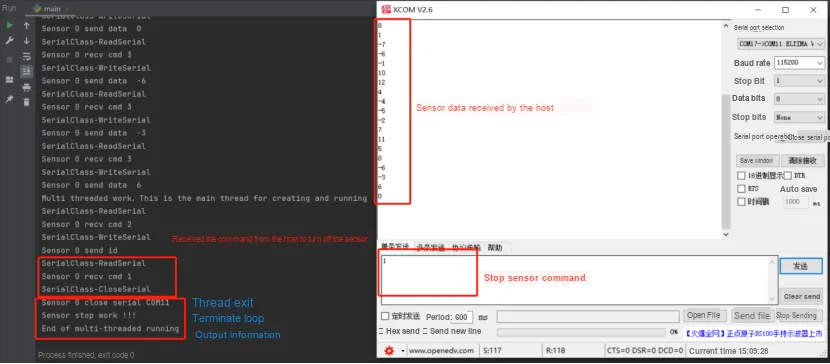
As can be seen, every program has a thread called the main thread, and the code executed from the very beginning runs within this thread. s_thread is a child thread created in the main thread, and a new thread will not start running until we call the thread's start () method. We can also use the join method to ensure that the next thread can only be executed after the child thread thread finishes executing.
Thread Synchronization
In a multi-threaded environment, unpredictable results may occur when multiple threads modify a certain data concurrently. Consider a scenario where there is a list with all elements initialized to 0: the thread named "set" is responsible for traversing the list from the end to the beginning and modifying each element to 1, while the thread named "print" is responsible for traversing the list from the start to the end and printing its contents.During the execution of these two threads, if the "set" thread is interrupted by the "print" thread while modifying the list, the printed result may show that some elements in the list are 0 while others are 1, which is the so-called data inconsistency problem.
To address this issue, we introduce the concept of locks. A lock has two states: locked and unlocked. When a thread, such as "set", needs to access shared data, it must first attempt to acquire the lock. If the lock has already been acquired by another thread, such as "print", the "set" thread will be blocked until the "print" thread releases the lock. This ensures that only one thread can access the shared data at any time. With this handling, when the list is printed, all elements will either be 0 or all be 1, thus avoiding the awkward situation of data inconsistency.
Python's Thread object provides two locking mechanisms, Lock and Rlock, to implement thread synchronization. Both of these objects offer the acquire and release methods. For data or shared resources that need to be accessed by only one thread at a time, such as the operation of printing information to the Console, we can place the relevant code between the acquire and release methods. In this way, we can ensure that the consistency and integrity of data are protected in a multi-threaded environment.
In the sample code, we create a mutex and pass it to the thread, ensuring that both threads can safely call the Printf function to output relevant information.
# Acquire the mutex
lock.acquire()
# Print information
print("Multi threaded work,This is the main thread for creating and running")
# Release the mutex
lock.release()
In addition to mutexes and recursive locks, threads also have other methods applied for thread synchronization, such as semaphores, events, barriers, etc. , which will not be elaborated in detail here.
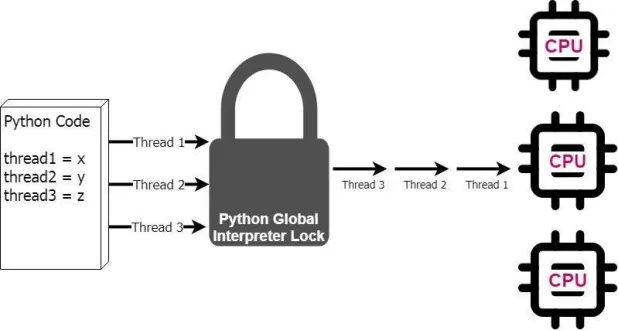
Actually, to effectively manage memory, perform garbage collection, and invoke machine code in libraries, Python has a mechanism called the Global Interpreter Lock (GIL). It cannot be disabled, which means that multithreading in Python is not true multithreading: while the Python interpreter can start multiple threads, only one of them is actually running within the interpreter at any given time.The GIL issue exists in most Python implementations that people use (such as CPython), and this problem has been resolved in some non-standard implementations, such as IronPython and Jython.
Inter-thread Communication
In addition to using thread synchronization methods such as mutex locks and recursion locks to ensure that shared memory will not be accessed by two threads at the same time, we can also use the Queue module to ensure that data requiring interaction between two threads is accessed safely. The Queue module provides synchronous, thread-safe queue classes, including the FIFO (First-In-First-Out) queue Queue, the LIFO (Last-In-First-Out) queue LifoQueue, and the priority queue PriorityQueue. All these queues implement lock primitives and can be directly used in multi-thread scenarios, and queues can be used to achieve synchronization between threads.
Thread Pool
The cost for a system to start a new thread is relatively high, as it requires interaction with the operating system. In this scenario, adopting a thread pool is an effective way to improve performance, and it should be given priority for use especially when a program needs to create a large number of threads with a short lifecycle. A thread pool pre-creates a large number of idle threads when the system starts, and the program only needs to submit a function to the thread pool, which will then start an idle thread to execute this function. After the function finishes executing, the thread will not terminate; instead, it returns to the thread pool to remain idle and wait for the execution of the next function.
Furthermore, thread pools also help to precisely control the number of concurrent threads in a system. If there are an excessive number of concurrent threads in the system, it may lead to a significant drop in system performance, and even cause the Python interpreter to crash. By setting the maximum thread count parameter, a thread pool can effectively prevent the number of concurrent threads from exceeding the system's tolerance, thereby ensuring the stable operation of the system.
Starting from Python 3.2, the standard library provides us with the concurrent.futures module, which offers two classes: ThreadPoolExecutor (thread pool) and ProcessPoolExecutor (process pool).
Compared with modules such as threading, this module returns a future object via submit, which is a promise-like object. Such objects are used for "call-and-answer" type interactions, where the processing can take place in another thread, and we can query it for the result at some point in the future.
Through it, you can obtain the execution status of a specific thread or the execution status and return value of a specific task.
① The main thread can obtain the status and return value of a specific thread (or task).
② When a thread finishes execution, the main thread can be notified immediately.

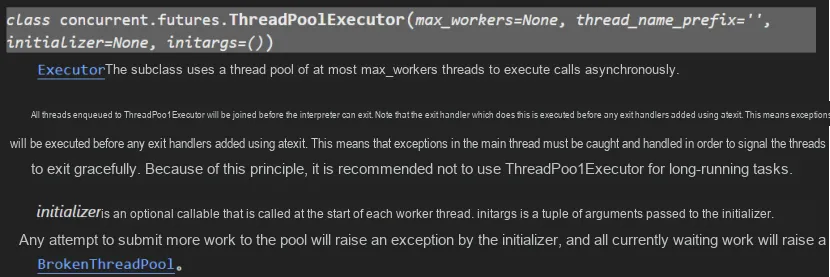
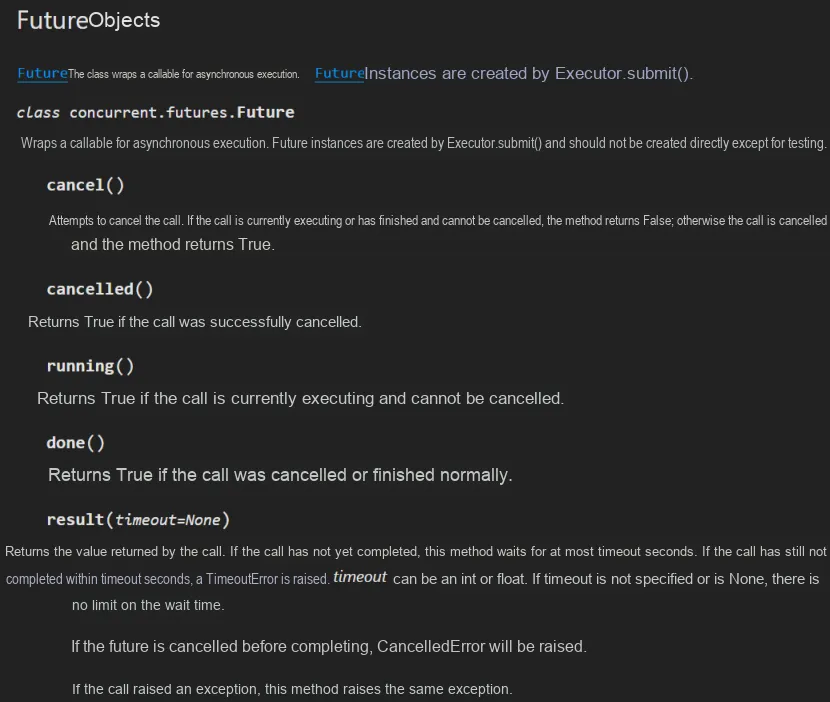
The steps to use a thread pool to execute thread tasks are as follows:
- Call the constructor of the ThreadPoolExecutor class to create a thread pool;
- Define an ordinary function as a thread task;
- Call the submit () method of the ThreadPoolExecutor object to submit thread tasks;
- Call the shutdown () method of the ThreadPoolExecutor object to shut down the thread pool.
multi-process
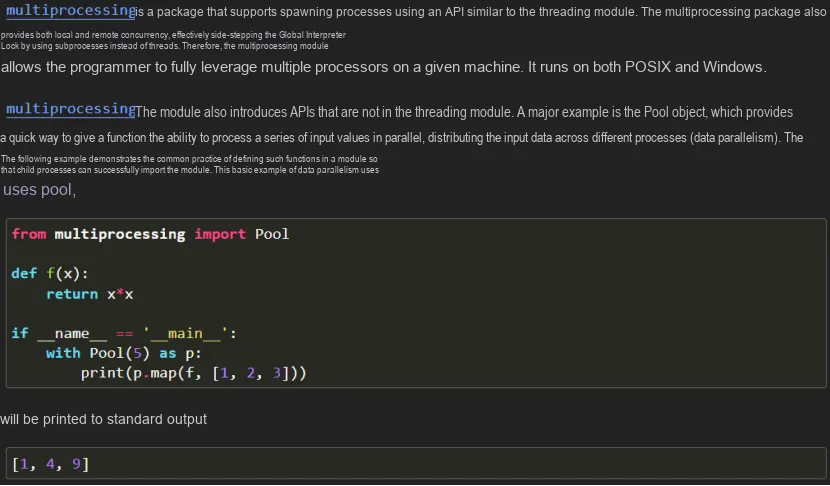
Compared with multithreading, multiprocessing has independent Memory Space and avoids the impact of the Global Interpreter Lock (GIL), so it is more suitable for CPU-intensive tasks. The multiprocessing module is implemented by spawning new operating system processes. On Windows machines, this operation is relatively expensive; on Linux, processes are implemented in the kernel in the same way as threads, so their overhead is limited by the Python interpreter running in each process.
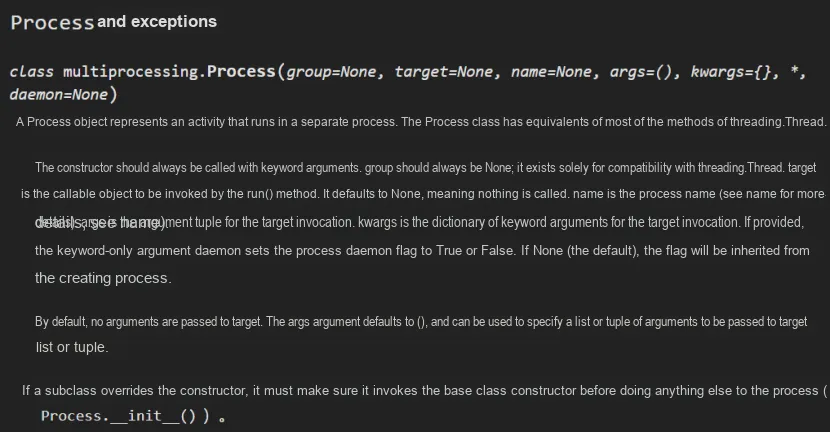
Multiprocessing in Python is implemented via the `multiprocessing` package, which is similar to `threading.Thread` in multithreading; you can use the `multiprocessing.Process` object to create a process object. The methods of this process object are similar to those of a thread object, including `start ()`, `run ()`, `join ()` and other methods. The implementation of multiprocessing in Python, similar to the aforementioned multithreading implementation, can also be done via class inheritance.