Contents
Abstract:
Python serialization and deserialization refer to the processes of converting Python objects into ByteFlow (serialization) for storage or transmission, and converting ByteFlow back into objects (deserialization). The pickle module and shelve module are built-in serialization tools in Python, which are used to serialize Python objects into binary data for storage or transmission.
Original Link:
Previous Recommendations:
You who are learning embedded systems still don't know Object Oriented? ?!
More exciting content can be found here:
Speed Up Your Python: A Quick Guide to Python Parallel Computing
A Complete Guide to Debugging Principles of CM3 Microcontrollers
The "Secret Martial Arts Manual" for Computer Science Competitions
Avnet ZUBoard 1CG Development Board — A New Choice for Deep learning
Deploy SenseCraft Model to Grove Vision AI V2 Image Processing Module
Document and Code Access:
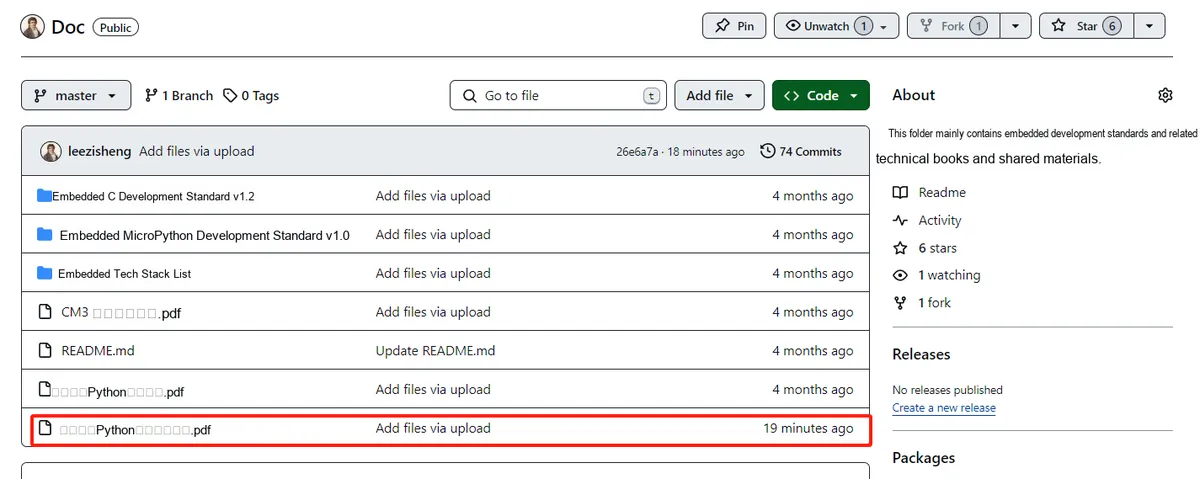
You can download the document via the following link:
https://github.com/leezisheng/Doc
This document mainly introduces how to use Python for Object Oriented programming, and requires readers to have a basic understanding of Python syntax and microcontroller development. Compared with other blogs or books that explain Python Object Oriented programming, this document is more detailed and focuses on embedded host computer applications, taking the common serial port data transmission and reception, data processing, dynamic graph drawing and other functions between the host computer and the slave computer as application examples. Meanwhile, it uses the Sourcetrail code software to visualize the code for reading, so as to facilitate readers' understanding.
The link to obtain the relevant sample code is as follows:
https://github.com/leezisheng/Python-OOP-Demo
Body Text
Serialization and Deserialization
It is clear that during the execution of a program, all variables are stored in memory. For instance, we have defined a dictionary named d that contains the following Attribute–Value Pairs: name, age, grade and score. While the program is running, we can modify the values of these variables at any time, for example, changing the value of name from 'Larry' to 'david'. However, once the program finishes executing, all the memory occupied by these variables will be reclaimed by the operating system.It is worth noting that if we modify variables during the program execution but fail to persist the modified data to disk, these variables will be reinitialized to their original state when the program is run again next time, that is name will still have the value 'Larry'. Therefore, to ensure the continuity and consistency of data, we need to write critical data to disk at an appropriate time so that we can restore to the correct state after the program restarts.
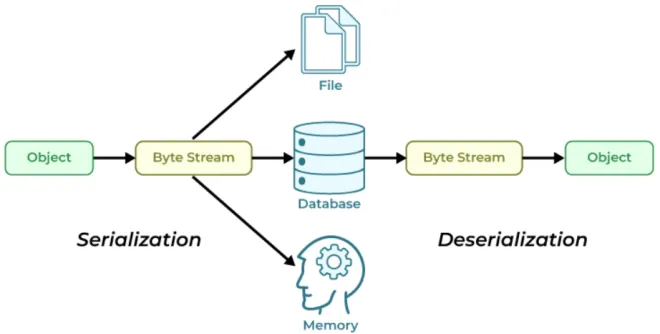
On the other hand, objects stored in memory are difficult to transmit and interact with over the network due to factors such as programming languages and network environments. Thus, a mechanism has emerged that enables mutual conversion between objects in memory and data formats (such as strings and bytes) that are easy to persist on a disk or interact over the network. This mechanism is called serialization and deserialization:
- Serialization: the process of converting non-persistable and non-transportable objects in memory into objects that can be easily persisted and transmitted, which is called pickling in Python, and also referred to as serialization, marshalling, flattening and so on in other programming languages, all referring to the same concept, after serialization, the serialized content can be written to a disk or transmitted to another machine over the network;
- Deserialization: The process of converting a persistent and transportable object into a non-persistent and non-transportable object, that is, reloading the content of a variable from a serialized object into memory, also known as unpickling.
In Python, there are three common methods for serializing objects: pickle, shelve, and JSON. The json module is often used for writing web interfaces, converting Python data into the universal JSON format to pass to other systems or Client; it can also be used to save Python data to local files. The pickle module implements a binary protocol for serializing and deserializing Python object structures.The shelve module can be regarded as an upgraded version of the pickle module. Since shelve uses the serialization protocol of pickle, it provides simpler and more convenient operation methods than pickle.
Serialization using the pickle module
The pickle module of Python directly stores objects in a special storage format in an Object Oriented way. It is necessary to convert an object (all the objects it holds exist as its attributes) into a byte sequence, so that it can be stored or transmitted when we need it.
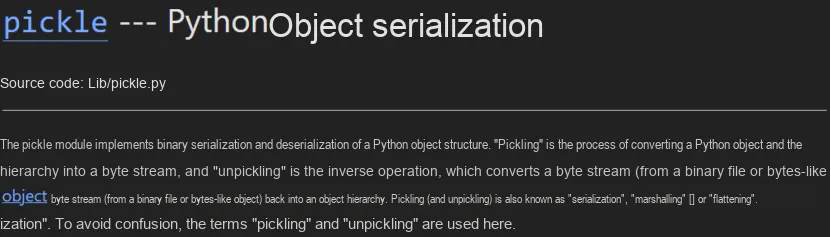
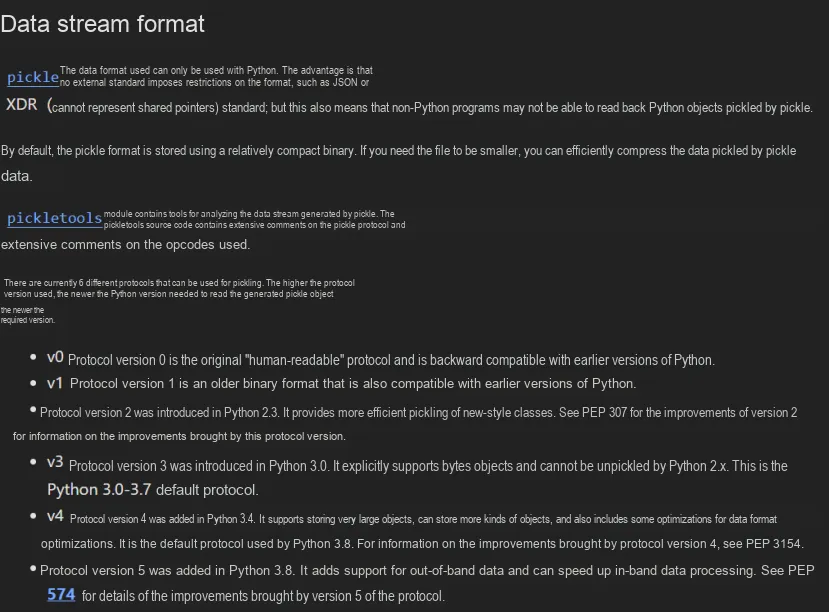
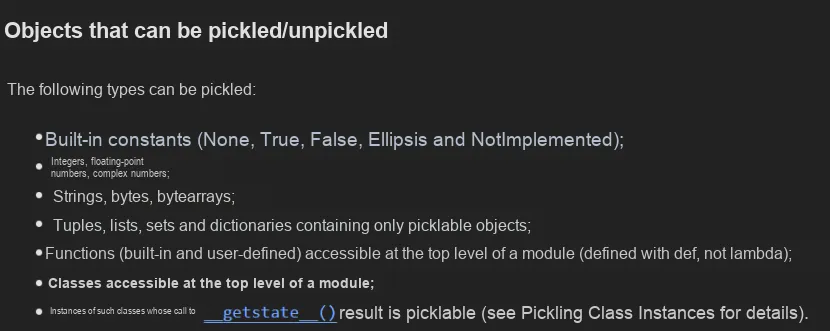
The pickle module provides the following methods for data serialization and deserialization:
Method | Function | Operation Object |
dump | The dump method accepts an object and a file-like object, and writes the serialized bytes to the file. The file object must have a write method, and this method must know how to handle the bytes argument (thus files opened in text output mode cannot be used). A file-like object, simply put, is an object similar to a file object, which should at least have both the read () and write () methods. | class file (file-like) object |
load | The load method reads a serialized object from a file-like object. This file-like object must have appropriate read and readline methods, both of which must return bytes type. The pickle module loads the object from these bytes, and the load method returns the fully reconstructed object. | |
dumps | Return the pickled object as a bytes object directly instead of writing it to a file. | bytes object |
loads | Reconstruct and return the object hierarchy of the serialized representation `data` of an object. `data` must be a bytes-like object. |
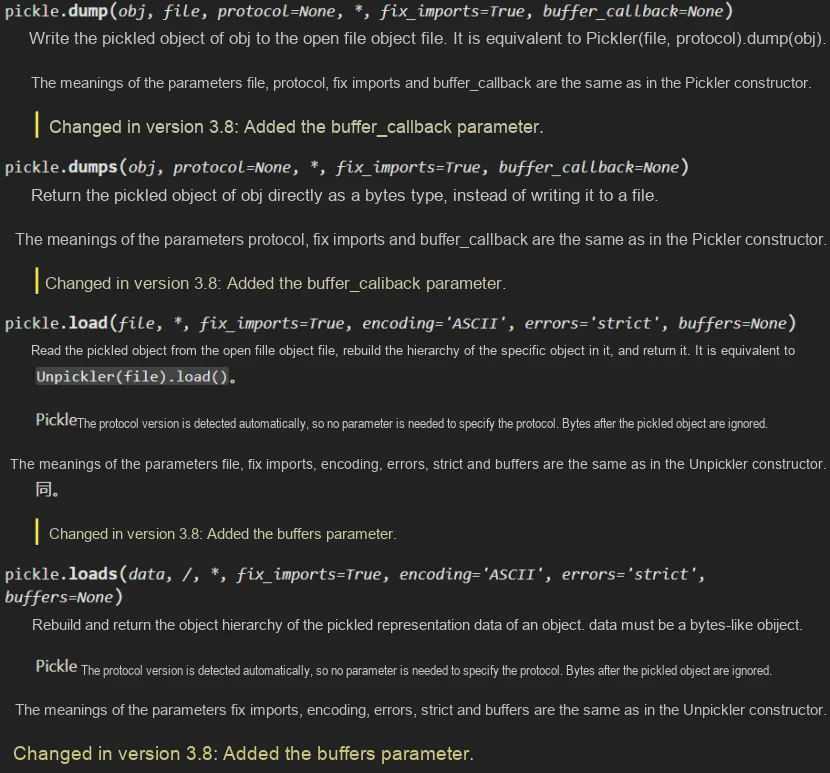
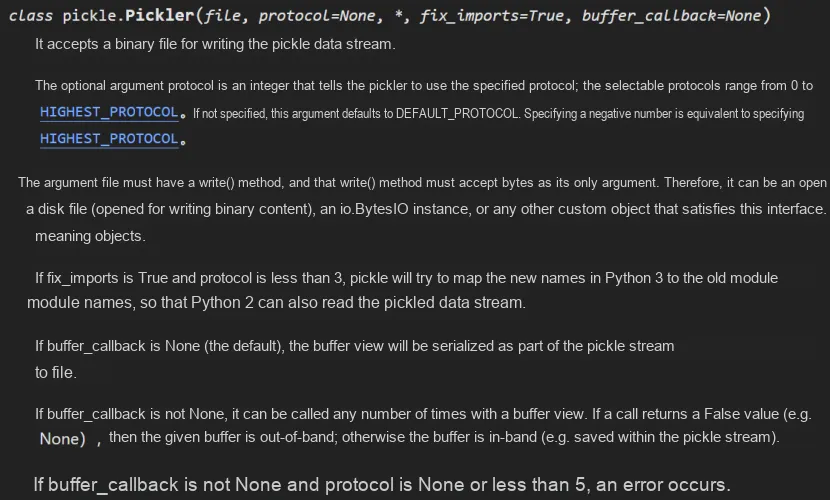
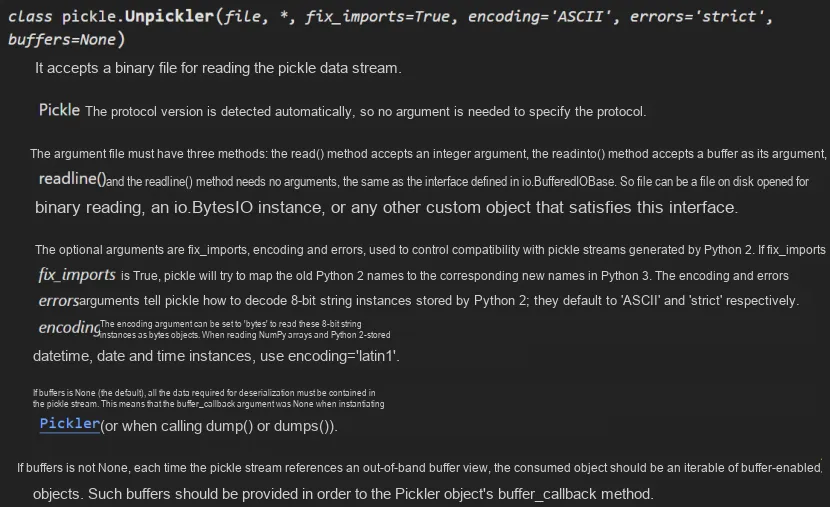
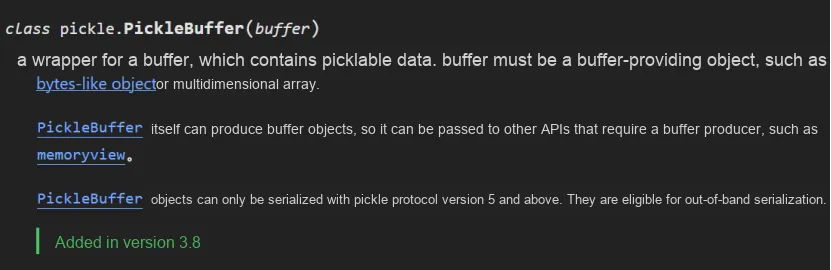
To serialize an object with a hierarchical structure, simply call the dumps () function. Similarly, to deserialize a data stream, you can call the loads () function. However, if you want more control over the serialization and deserialization processes, you can create Pickler or Unpickler objects respectively.
Now let's try to use the pickle module to implement the storage and loading of list objects, the sample code is as follows:
import pickle

# The list object to be serialized
some_data = ["a list", "containing", 5, "values including another list", ["inner", "list"]]

# Serialize the object, storing the list in a file
# Use the open() function to open a file named "pickled_list"
# Open the file in binary write mode 'wb'
with open("pickled_list", 'wb') as file:
    # Use the pickle.dump() method to serialize the some_data object and write it to the file
    pickle.dump(some_data, file)

# Deserialize the object, loading the list from the file
# Open the same file in binary read mode 'rb'
with open("pickled_list", 'rb') as file:
    # Use the pickle.load() method to deserialize the some_data object from the file
    loaded_data = pickle.load(file)

# Print the loaded list
print(loaded_data)
# Check whether the list files are the same
if loaded_data == some_data:
    print("反序列化后的列表与原始列表相同")
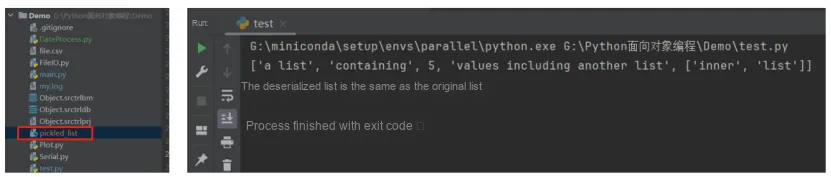
The running result is as follows: you can see that a new binary file named pickled_list has been generated, and meanwhile the deserialized list is identical to the original one:
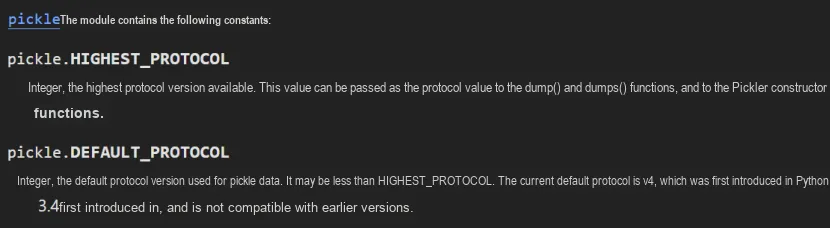
Both dump methods have an optional protocol parameter. If the objects we save and load are only intended for use by Python 3 programs, there is no need to specify this parameter. However, if the objects we store may need to be compatible with older versions of Python, then we can only use the relatively inefficient old protocol. To ensure data compatibility and security, we need to carefully consider the setting of this parameter when using it.
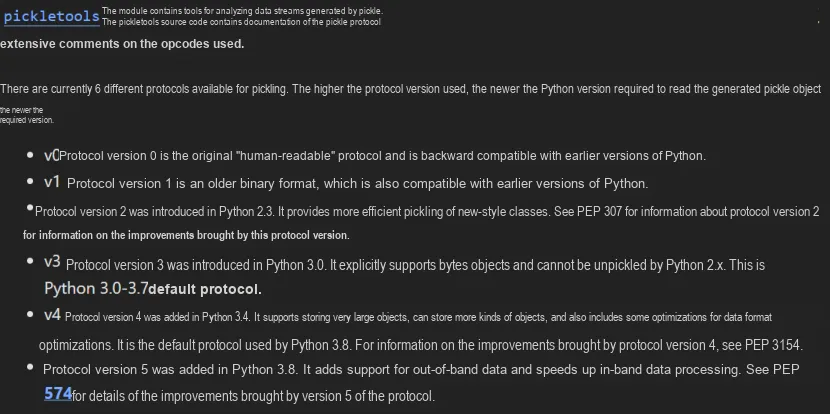
When data is deserialized, it is assumed that all source data is available. Modules, classes, and functions are automatically imported on demand. For applications where Python data is shared among interpreters on different machines, saving the data can be problematic, since all machines must have access to the same source code.
When pickle loads data, it has a side effect that it automatically loads the corresponding modules and constructs instance objects.
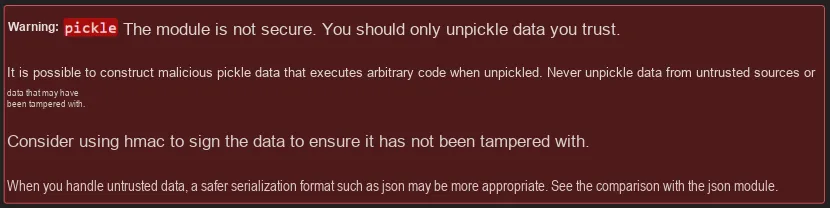
When using pickle, it should be noted that it is not a secure format; loading serialized objects from unknown or untrusted sources may introduce malicious code or viruses, so do not transmit pickle data to unknown interpreters over the Internet.
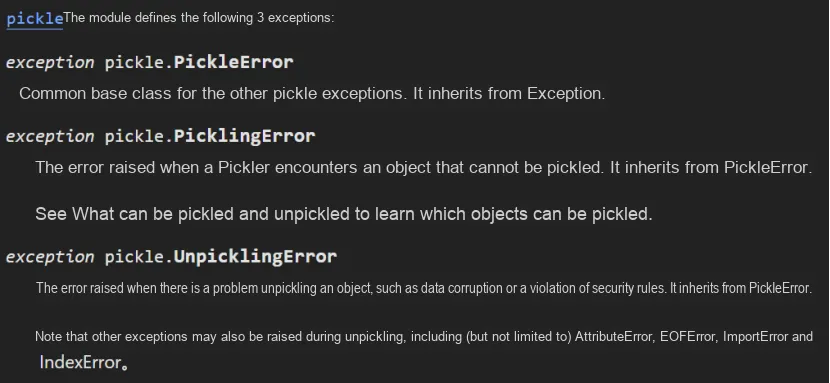
Meanwhile, the pickle module also has built-in exceptions related to failures in serialization and deserialization operations:
You can execute the dump or load method multiple times on an open file. Each call to dump will store a single object (along with all the objects it contains), and executing load will only load and return one object. Therefore, for a single file, there should be a corresponding load call each time dump is called to store an object.
Pickle is not an efficient encoding method for large-scale data structures such as binary arrays created with the array or numpy modules. If you need to move a large amount of array data, it is best to save it as array data blocks in a file first, or use more advanced standard encoding methods like HDF5 (which requires support from third-party libraries).
For the most common Python objects, pickle works perfectly well for serialization. Basic types such as integers, floating-point numbers, and strings can all be serialized, as can any container objects like lists or dictionaries. Beyond that, importantly, any object can be pickled as long as all of its attributes are pickleable.
However, it should be noted that objects with time-related attributes or those that depend on the state of external systems should not be serialized using the pickle module as much as possible. For example, open network sockets, open files, running threads, or database connections it is unreasonable to attempt to reload these objects at some point in the future, because much of the system state information associated with them may no longer exist.
When serializing objects with time-related properties, we can customize the storage and loading process for such transient data. User-defined classes can bypass these restrictions by implementing the __getstate__() and __setstate__() methods. If these two methods are defined, pickle.dump () will call __getstate__() to obtain the object to be serialized. Similarly, __setstate__() is invoked during deserialization.
In the following code, we define a class named UpdatedURL, which is used to periodically update the content of the specified URL:
- In the class's initialization method, pass in a URL parameter, and call the update () method to obtain the content and last update time of this URL. Then call the schedule () method to set a timer, which invokes the update () method once every hour (3600 seconds);
- The update () method uses the urlopen () function to open the specified URL, read the content therein, and record the current time as the last update time. Then it calls the schedule () method again to set the next timer;
- The schedule () method creates a Timer object, takes the update () method as a callback function, sets it as a daemon thread, and finally starts the timer.
It should be noted that this code uses functions or classes such as urlopen (), datetime.datetime.now () and Timer, so the corresponding modules need to be imported first for it to run properly.
The sample code is as follows:
from threading import Timer
import datetime
from urllib.request import urlopen
import pickle

class UpdatedURL:
    def __init__(self, url):
        self.url = url
        self.contents = ''
        self.last_updated = None
        self.update()
    def update(self):
        self.contents = urlopen(self.url).read()
        self.last_updated = datetime.datetime.now()
        self.schedule()
    def schedule(self):
        self.timer = Timer(3600, self.update)
        self.timer.daemon = True
        self.timer.start()

u = UpdatedURL("http://www.people.com.cn/")
url, contents and last_updated are all serializable, so let's try to serialize an instance of this class:
serialized = pickle.dumps(u)The running results are as follows:
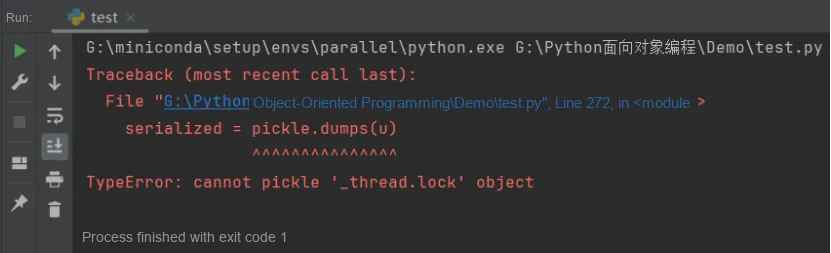
When the pickle module serializes an object, it first attempts to check whether the object has a __getstate__ method. If this method exists, pickle will store the return value of the __getstate__ method; otherwise, it will attempt to store the object's __dict__ attribute. __dict__ is a dictionary that maps all attribute names of the object to their corresponding values.
Next, we override the __getstate__ method of the UpdatedURL class to implement serialization for objects with time-related attributes. In this __getstate__ method, we first copy all attributes and their corresponding values of the class instance into a new dictionary object new_state. We then check whether new_state contains a key named 'timer', and if it does, we remove the key along with its corresponding value. Finally, we return this new dictionary object:
    def __getstate__(self):
        new_state = self.__dict__.copy()
        if 'timer' in new_state:
            del new_state['timer']
        return new_state
Now if you serialize this object, it will no longer fail, and can also be successfully loaded via loads. However, the reloaded object no longer has the timer attribute, so it will not be able to refresh content periodically as originally designed, and we need to create a new timer for the deserialized object.
Just as we can implement custom serialization by overriding the __getstate__ method, we can also implement custom deserialization by defining the __setstate__ method. This method takes only one parameter, which is the object returned by the __getstate__ method. If both methods are implemented, __getstate__ does not necessarily have to return a dictionary object, since __setstate__ can handle whatever object it returns.Here, we repair the __dict__ again by customizing the __setstate__ method.
   def __setstate__(self, data):
        self.__dict__ = data
        self.schedule()
Next, we use the load method to deserialize the serialized object:
u2 = pickle.loads(serialized)
# Use the hasattr() function to check whether the object has the corresponding attribute
print(hasattr(u2,'timer'))
print(u2.timer)
The output is as follows:
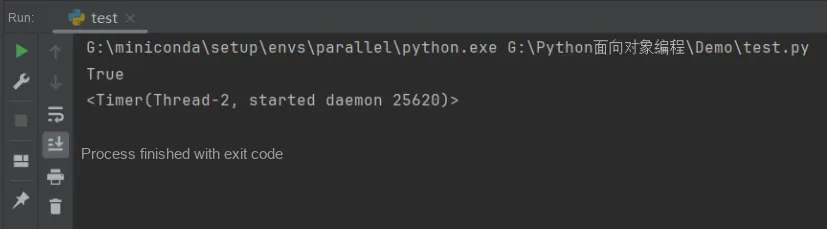
We can see that by overriding the __setstate__ method, we can implement custom deserialization operations and create a new timer for the deserialized object.
Serialization using the shelve module
The Shelve module is part of Python's standard library. It leverages Python's pickle module to serialize and deserialize Python objects and save them to disk files. Unlike the pickle module, however, it stores data in Attribute–Value Pairs, which is similar to a dictionary.
The shelve module is part of Python's standard library, so no additional installation is required. To use shelve, simply import it in your Python script. When saving data with shelve, a Shelve file is typically created; this file is essentially a database containing Attribute–Value Pairs, and usually has the file extensions. db, . shelf, or. dat.
In the following example, we will create a Shelve file and store data in it, and we can use keys to access and store the data.
import shelve

# Use the shelve.open() function to create or open a Shelve file
with shelve.open('mydata.db') as shelf:
    # Use shelf['key'] = value to write key-value pairs to the Shelve file
    shelf['name'] = 'Alice'
    shelf['age'] = 30
    shelf['scores'] = [95, 88, 72]

    # Use shelf['key'] to read data from the Shelve file
    # Assign it to the corresponding variable
    name = shelf['name']
    age = shelf['age']
    scores = shelf['scores']

print(f'Name: {name}')
print(f'Age: {age}')
print(f'Scores: {scores}')
The running results are as follows:
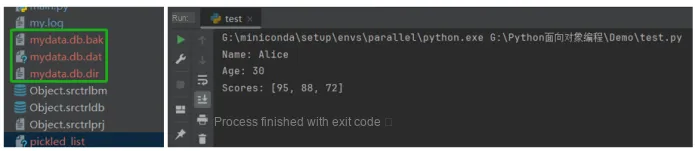
We can also update the data in a Shelve file just like we do with a dictionary. If you store a new value using an existing key, it will overwrite the old one. Similarly, you can also delete a key to remove the corresponding value.
with shelve.open('mydata.db', writeback=True) as shelf:
    # Update data
    shelf['name'] = 'Bob'
    # Delete data
    del shelf['age']
    name = shelf['name']
    print(name)
    try:
        age = shelf['age']
        print(age)
    except:
        print("No ages")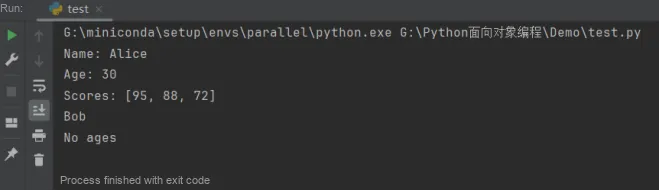
While the shelve module is extremely convenient, it also comes with certain limitations and precautions: shelve does not support multi-threaded write operations. If you need to write to a shelve file in a multi-threaded environment, you can consider using thread locks to protect file operations; meanwhile, the keys of a shelve file must be strings, while the values can be any serializable Python object. Additionally, shelve is typically suitable for small applications, configuration files, and simple database requirements, but it is not ideal for storing large volumes of data, as it requires loading the entire database into memory.
When using the pickle module and shelve module, it should be noted that since their unique serialization protocols are adopted, the serialized data can only be recognized by Python, so they can only be used within Python systems. In addition, Python 2.x and Python 3. x use different default serialization protocols, and if mutual compatibility is required, the protocol version needs to be specified via the protocol parameter during serialization.Besides the drawbacks mentioned above, the advantage of the pickle module and the shelve module over the json module is that they can directly serialize and deserialize custom data types without the need to write additional conversion functions or classes.