Contents
Abstract:
In Python, a string is a representation of text that uses Unicode encoding by default, which allows you to handle a wide range of character sets. Character encoding refers to the rules for converting characters into bytes, and common encodings include UTF-8, UTF-16 and ASCII.
Original Link:
Previous Recommendations:
You who are learning embedded systems, don’t you even know Object Oriented yet? ?!
More exciting content can be found here:
Speed Up Your Python: A Quick Guide to Python Parallel Computing
Understand the Debugging Principle of CM3 Microcontroller in One Article
The "Martial Arts Manual" for Computer Science Competitions
Avnet ZUBoard 1CG Development Board — A New Choice for Deep learning
Deploy SenseCraft Model to Grove Vision AI V2 Image Processing Module
Document and Code Access:
You can download the document via the following link:
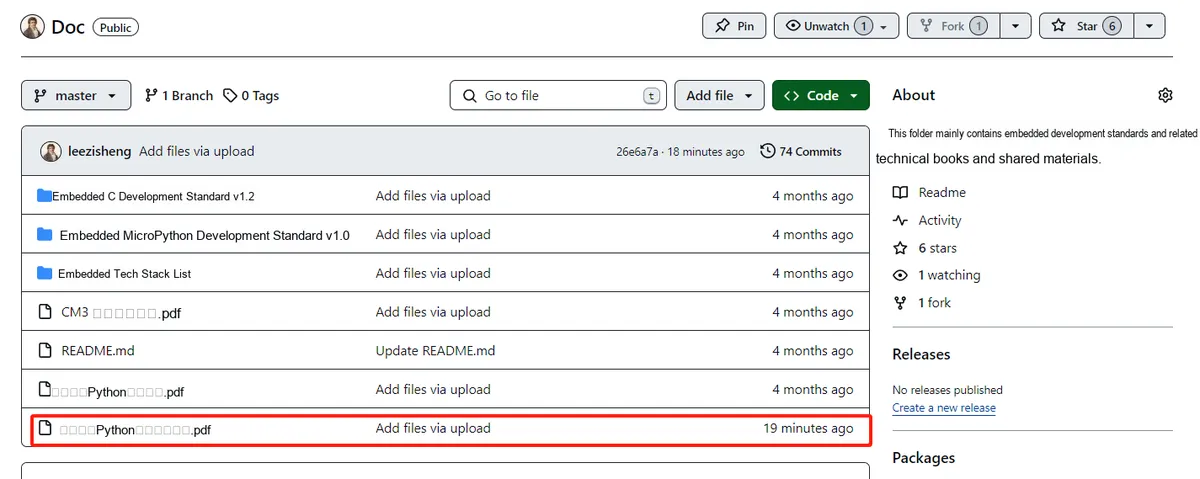
https://github.com/leezisheng/Doc
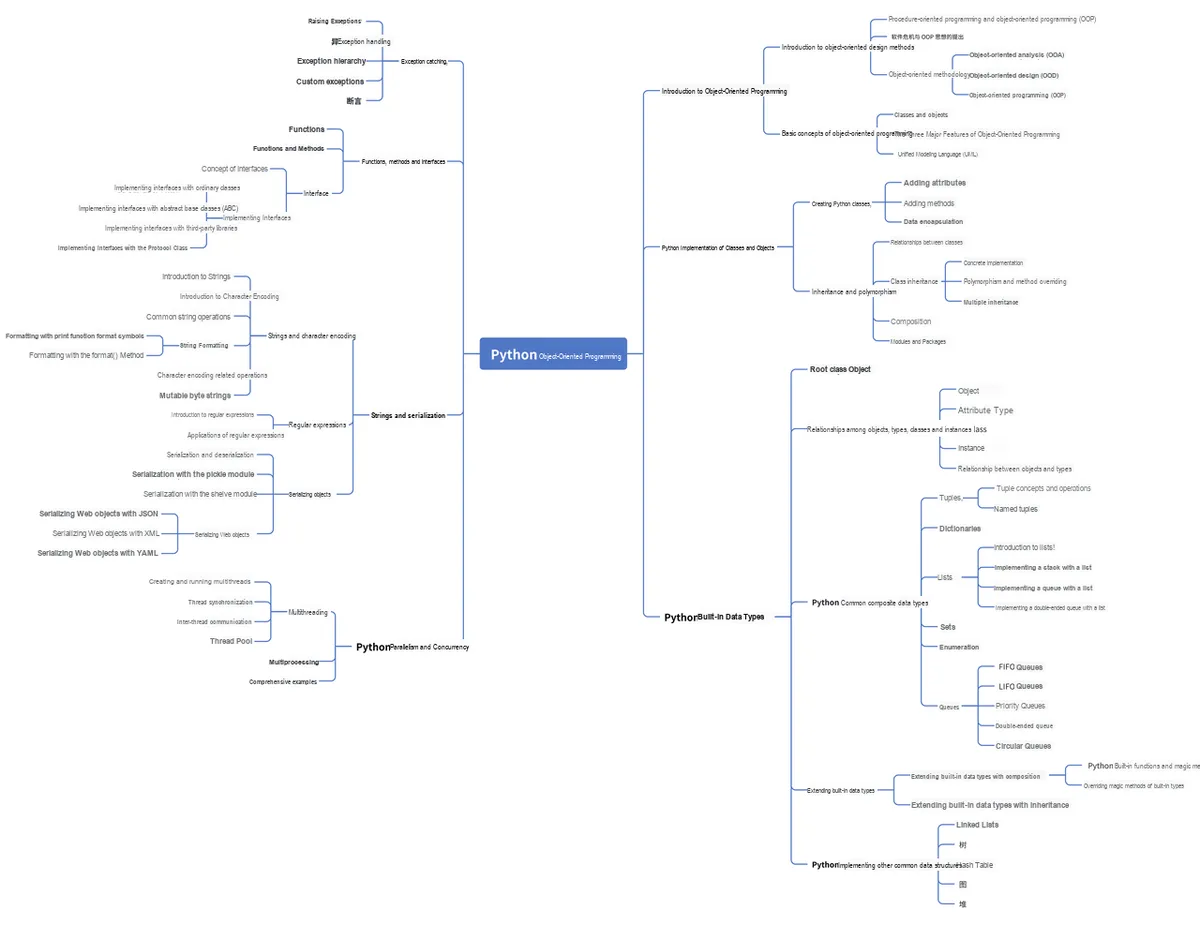
This document mainly introduces how to use Python for Object Oriented programming, and requires readers to have a basic understanding of Python syntax and microcontroller development. Compared with other blogs or books that explain Python Object Oriented programming, this document is more detailed and focuses on embedded host computer applications, taking the common serial port data transmission and reception, data processing, dynamic graph drawing and other functions between the host computer and the slave computer as application examples. Meanwhile, it uses the Sourcetrail code software to visualize the code for reading, so as to facilitate readers' understanding.
The link to obtain the relevant sample code is as follows:
https://github.com/leezisheng/Python-OOP-Demo
Body Text
Strings and Character Encoding
A string is a basic type in Python, representing an immutable sequence of characters (i. e., you cannot directly modify the character corresponding to a specific index of a string, and you need to convert it to a list for processing), and to some extent, a string can be regarded as a special type of tuple.
Strings in Python are all represented via Unicode, which is a character encoding standard. So what exactly is a character encoding standard? Actually, in computer science, all data processing and storage are based on the binary system. To process text information, it must first be converted into a numerical form to adapt to the computing logic of computers. In computer architecture, early designs adopted the 8-bit binary number, namely one byte, as the basic unit. The numerical form adapts to the computing logic of computers.In computer architecture, early designs adopted the 8-bit binary number, namely one byte, as the basic unit. Therefore, the maximum integer value that a single byte can represent is 255, which is the result of converting the binary number 11111111 into a decimal number. To represent larger integers, it is necessary to increase the number of bytes. For instance, the maximum integer value that two bytes can represent is 65535, while the maximum integer value that four bytes can represent reaches as high as 4294967295.
Given that the birthplace of computer technology is the US, early character encodings were mainly based on the ASCII standard, which only covered 127 characters, including uppercase and lowercase English letters, numbers, and some common symbols. However, for non-English characters such as Chinese, the single-byte encoding method is obviously insufficient to meet the demand. To this end, China has formulated the GB2312 encoding standard, which uses an encoding method of at least two bytes to represent Chinese characters and ensures compatibility with ASCII encoding.Around the world, diverse linguistic and cultural backgrounds have given rise to a variety of encoding standards, such as Shift_JIS in Japan and Euc-kr in South Korea. These disparate encoding standards may lead to garbled display in text environments where multiple languages are mixed. Unicode, also known as the Universal Coded Character Set, assigns a unified and unique binary code to each character in every language, so as to meet the requirements of cross-lingual and cross-platform text conversion and processing. From this perspective, we can regard a string as an immutable sequence of Unicode characters.
The Unicode Standard elaborates in detail how characters are represented in the form of code points. The value range of code points is limited to integers from 0 to 0x10FFFF, which theoretically covers approximately 1.1 million possible values, though the number of actually assigned values does not reach this scale. In the Unicode Standard and the discussion in this article, code points are expressed in the format U+265E, which refers to the character with the value 0x265e, whose decimal representation is 9822.
In addition, the Unicode Standard compiles numerous tables that list in detail a wide range of characters along with their corresponding code point information.
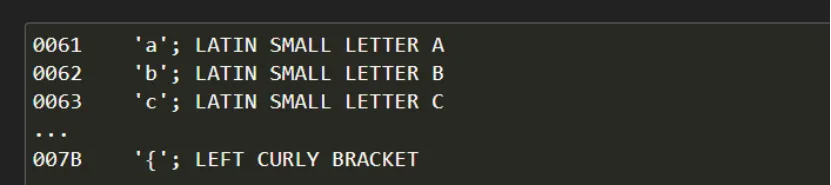
The preceding paragraph can be summed up as: a Unicode string is a sequence of code points, which are numbers ranging from 0 to 0x10FFFF, or 1,114,111 in decimal. This sequence needs to be represented in memory as a set of code units, which are mapped to 8-bit bytes. The rules for translating a Unicode string into a sequence of bytes are called a character encoding, or simply an encoding.
The first encoding that may come to mind is to use a 32-bit integer as the code unit, and then adopt the CPU's representation for 32-bit integers. The string "Python" in this representation might look as follows:

This notation is very straightforward, but it also has certain issues:
- (1) Not portable; different processors have different byte orders;
- (2) Extremely space-wasting: In most texts, the majority of code points are smaller than 127 or 255, so the byte 0x00 takes up a huge amount of space. The above string occupies 24 bytes, compared to the 6 bytes required for ASCII representation;
- (3) It is incompatible with existing C functions (such as strlen ()), so a new set of wide string functions needs to be adopted.
Therefore, this encoding is not widely used, and people have turned to other more efficient and convenient encodings, such as UTF-8. UTF-8 is one of the most commonly used encodings, and Python often defaults to using it. UTF stands for "Unicode Transformation Format", and the '8' indicates that the encoding uses 8-bit units.
UTF-8 encodes a Unicode character into 1 to 6 bytes depending on its numeric value: common English letters are encoded in 1 byte, Chinese characters usually take up 3 bytes, and only very rare characters are encoded in 4 to 6 bytes. If the text you need to transmit contains a large number of English characters, using UTF-8 encoding will save space.UTF-8 encoding has an additional advantage: ASCII encoding can actually be regarded as a part of UTF-8 encoding, so a large number of legacy software that only supports ASCII encoding can continue to work under UTF-8 encoding.
In practice, Unicode can be encoded using any of the following character encoding schemes:
- (1) UTF-8: UTF-8 is a variable-length encoding form of Unicode that transparently preserves the ASCII character code values. This form is used as the file code in the Solaris Unicode locale.
- (2) UTF-16: UTF-16 is a 16-bit encoding form of Unicode. In UTF-16, up to 65,535 characters are encoded as individual 16-bit values. Characters mapped to the range from 65,535 to 1,114,111 are encoded as pairs of 16-bit values (surrogates).
- (3) UTF-32: UTF-32 is a fixed-length 21-bit encoding form of Unicode, which is typically used in 32-bit containers or data types. This form is used as the process code (wide character code) in the Solaris Unicode locale.
Common String Operations
Starting from Python 3.0, the `str` type includes Unicode characters, which means that any string created using the syntaxes "unicode rocks!", 'unicode rocks!', or triple-quoted strings will be stored as Unicode.
It should be noted that Python does not support the single-character type, and a single character is also treated as a string in Python.
The str class has a large number of methods that make string operations much simpler. You can learn the usage of all these methods via the dir and help commands in the Python interpreter.
print(help(str))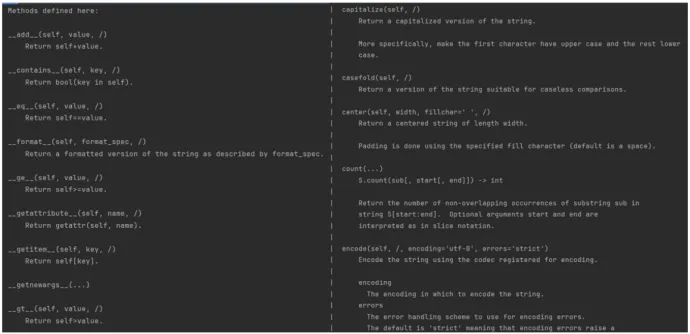
We will not elaborate on the application and operations of basic string methods here, and will only summarize them in a document in the following content. The focus of this chapter is to help you understand character encoding, serialized objects, and apply Regular Expression to parse strings and match arbitrary patterns. The table below lists the common methods of the str class and their functions.
Method | Function |
lower\upper | Returns the lowercase and uppercase formats of string S. For the methods highlighted in blue and red below, it should be noted that the input string will not be modified; instead, a brand new str instance is returned. |
title\capital | The former returns a format in which the first letter of all words in string S is capitalized and the other letters are lowercase, while the latter returns a new string with the first letter capitalized and all other letters lowercase. |
swapcase | swapcase () performs case conversion on all strings in S (uppercase -> lowercase, lowercase -> uppercase). |
istitle | Note that it does not strictly enforce the title format as defined in English grammar rules. For example, Leigh Hunt’s poem *The Glove and the Lions* should be considered a valid title, even though not every word in it is capitalized. Robert Service’s *The Cremation of Sam McGee* is also a valid title, despite containing a capital letter in the middle of the final word. |
isdecimal | Checks whether the string contains only decimal characters. Returns True if the string consists solely of decimal characters, and False otherwise. This method only exists in unicode objects. Note: To define a decimal string, simply add the prefix 'u' before the string. |
isdigit | Checks whether a string consists only of digits. It returns True if the string contains at least one character and all characters are digits, otherwise it returns False. |
Isnumeric | Checks whether the string consists only of digits. This method is only applicable to Unicode objects. It returns True if the string contains only numeric characters, otherwise it returns False. When using the isdigit, isdecimal and isnumeric methods, note that many Unicode characters are also recognized as numeric values, not just the 10 Arabic numerals we are accustomed to. Worse still, floating-point numbers formed with the decimal point we commonly use are not recognized as decimals in strings, so for '45.2', isdecimal () returns False. The real decimal point character in Unicode has the value 0660, so the proper form of 45.2 should be 45\u06602.Furthermore, these methods do not verify whether a string is a valid number, and all three of them will return True for "127.0.0.1". |
isalnum | Checks whether a string consists only of letters and numbers. It returns True if str contains at least one character and all characters are letters or numbers, otherwise it returns False. |
isalpha | Checks whether a string consists only of letters. It returns True if the string contains at least one character and all characters are letters, otherwise it returns False. |
Center (width[, fillchar]) | Centers the string, padding both sides with `fillchar` so that the total length of the resulting string equals `width`. The `fillchar` defaults to a space. If `width` is less than the length of the string, no padding is applied and the original string itself is returned directly (no new string object is created). |
ljust/rjust | ljust () pads the right side of the string S with fillchar to make the total length equal to width, while rjust () pads the left side instead. If fillchar is not specified, spaces are used by default. If width is less than or equal to the length of string S, no padding will be performed and the original string S will be returned directly (no new string object is created). |
zfill | Pad the left side of the string S with 0s to make its length equal to width. If there is a +/- sign before S, 0s will be padded after these two symbols, and the sign will also be counted towards the length. If width is less than or equal to the length of S, no padding will be performed, and S itself will be returned directly (no new string object will be created). |
Count(sub[, start[, end]]) | Returns the number of occurrences of the substring sub in the string S. You can specify the start position (start) to start counting from and the end position (end) to count up to; the index starts from 0, and the end boundary is not included. |
endswith/ startswith | endswith () checks whether the string S ends with the specified suffix, and returns the Boolean values True and False. The suffix parameter can be a tuple. You can also specify the start and end parameters to set the search boundaries. Similarly, startswith () is used to determine whether the string S starts with the specified prefix. |
find\ rfind\ index\ rindex | The find () method searches for the substring sub in the string S. If sub is found, it returns the index position of sub; otherwise, it returns "-1". You can specify the start and end positions to define the search range. index () is the same as find (), with the only difference being that it throws a ValueError when the substring is not found. rfind () returns the position of the rightmost substring found during the search; if only one substring is found or no substring is found, its behavior is equivalent to that of find (). |
Translate\ maketrans | str.maketrans () generates a character one-to-one mapping table, and then translate (table) is used to map each character in the string S. This method can be used to implement simple string encryption. Note that in maketrans (x[, y[, z]]), both x and y are strings and must be of equal length. |
partition(sep)/ rpartition(sep) | Search for the substring sep in the string S, split S at the position of sep, and finally return a tuple containing 3 elements: the part to the left of sep is the first element of the tuple, sep itself is the second element of the tuple, and the part to the right of sep is the third element of the tuple. partition (sep) splits the string starting from the first occurrence of sep on the left, while rpartition (sep) splits starting from the first occurrence of sep on the right. If sep cannot be found, the returned 3-element tuple will contain two empty elements: for partition (), the last two elements are empty, whereas for rpartition (), the first two elements are empty. The following string methods return strings or operate on strings. |
Split (sep=None, maxsplit=-1) Rsplit (sep=None, maxsplit=-1) Splitlines ([keepends]) | Both are used to split a string and generate a list. split () splits S based on sep, and maxsplit is used to specify the number of splits. If maxsplit is not specified or is given a value of "-1", it will search from left to right, and split once every time sep is encountered until the entire string is traversed. If sep is not specified or is set to None, the splitting algorithm will be adjusted: spaces will be used as delimiters, and consecutive whitespace characters will be compressed into a single space. rsplit () is the same as split (), except that it searches from right to left. The splitlines () method is specifically used to split strings at newline characters. Various newline delimiters can be specified, with common ones being \n, \r, and \r\n. If the keepends parameter is set to True, all newline characters will be retained in the result. |
join(iterable) | Concatenate the strings in the iterable using S. Note that all elements in the iterable must be of string type, otherwise an error will be raised. It takes a list of strings as a parameter and returns the string formed by concatenating all the strings in the list with the original string. |
strip\ lstrip\ rstrip | They respectively remove characters from both the left and right sides, the left side, and the right side. If chars is not specified or is set to None, whitespace characters (spaces, tabs, newlines) will be removed by default. The only point to note is that chars can be a sequence of multiple characters; during the removal process, any character that appears in this sequence will be removed. |
replace(old, new, count) | Replace old in str with new; if count is specified, the replacement will be performed no more than count times. |
expandtabs(N) | Replace the tab characters (\t) in string S with a specified number of spaces. The default value of N is 8. Note that expandtabs (8) does not directly replace each \t with exactly 8 spaces. For example, 'xyz\tab'. expandtabs () will replace \t with 5 spaces, since "xyz" occupies 3 character positions. Additionally, it does not replace newline characters (\n or \r). |
For details on how to use these methods, please refer to the following link:
https://pythonhowto.readthedocs.io/zh-cn/latest/string.html#
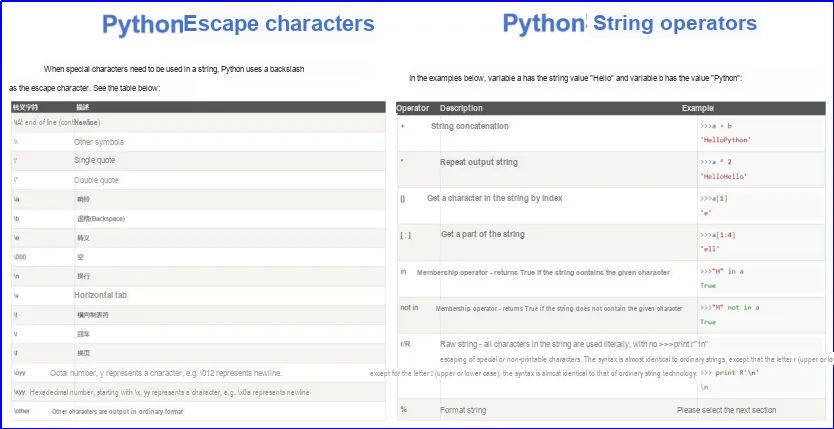
Meanwhile, let's review the Escape Characters and operators for strings here, and you can refer to the Runoob Tutorial for reference: