Contents
Abstract:
This paper mainly introduces how to realize the organization of multiple files when using Python Object Oriented programming, expounds the definition and application advantages of modules and packages, and explains how to import modules or classes in packages.
Original Link:
Recommended from previous issues:
You who study embedded systems still don't know Object Oriented? ?!
More exciting content is available here:
Speed Up Your Python: A Quick Guide to Python Parallel Computing
Understand the Debugging Principle of CM3 Microcontroller in One Article
The "Secret Martial Arts Manual" for Computer Science Competitions
Document and Code Acquisition:
You can download the document via the following link:
https://github.com/leezisheng/Doc
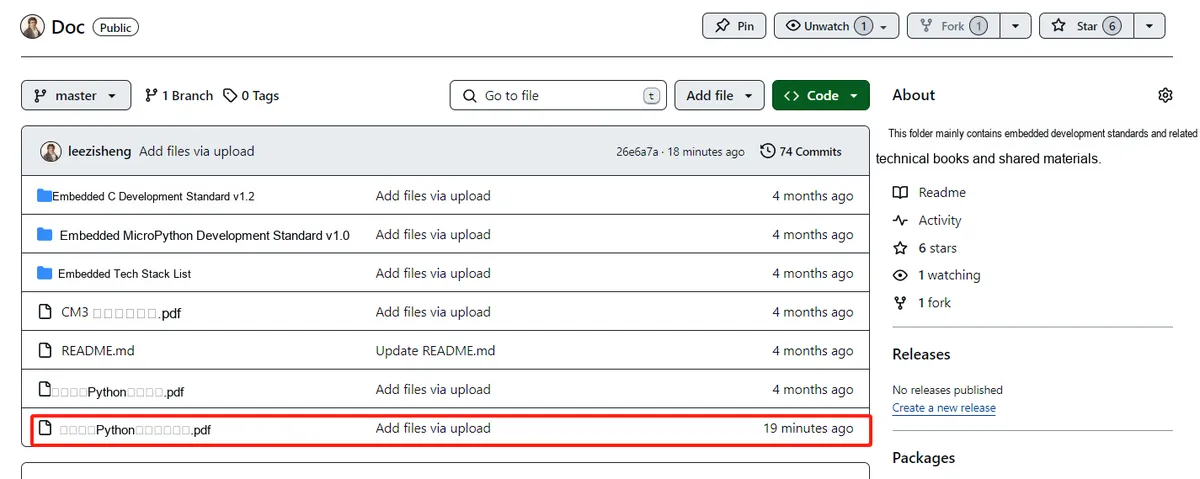
This document mainly introduces how to use Python for Object Oriented programming, and requires readers to have a basic understanding of Python syntax and microcontroller development. Compared with other blogs or books that explain Python Object Oriented programming, this document is more detailed and focuses on embedded host computer applications, taking the common serial port data transmission and reception, data processing, dynamic graph drawing of host computer and slave computer as application examples, and uses Sourcetrail code software for visual code reading to facilitate readers' understanding.
The link to obtain the relevant sample code is as follows:
https://github.com/leezisheng/Python-OOP-Demo
Body Text
Now that we know how to create classes and instantiate objects, and how to write code using composition and inheritance, the question arises: how should we organize them? For small programs, we can put all classes in a single file and then add a short snippet of code at the end of the file to make them interact. However, as the scale of a project grows, it becomes extremely difficult to locate the specific class we need to modify among the multitude of classes.
This is where modules come into play. A module is simply a Python file, nothing more. One of the files in our small program counts as a module, and two Python files mean two separate modules. If we have two files in the same directory, we can import a class from one module into the other for use.
For example, if we are developing a serial port host computer program, the organization of its various modules will most likely be as follows:
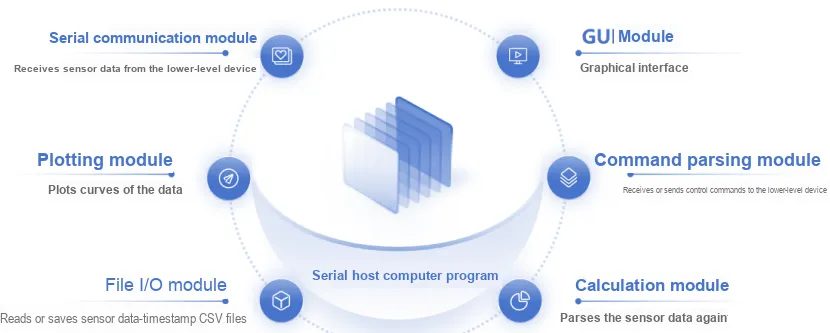
We can save different modules in separate Python files within a unified folder, then import them when creating main.py to control the alternating operation of different modules or data exchange between them. The import statement is used to import modules or specific classes and functions from a module. By storing functions, variables and classes in separate. py files, we can hide the details of code implementation, reorganize different Code Blocks, separate them from the main program, simplify the logic of the main program and improve its readability.
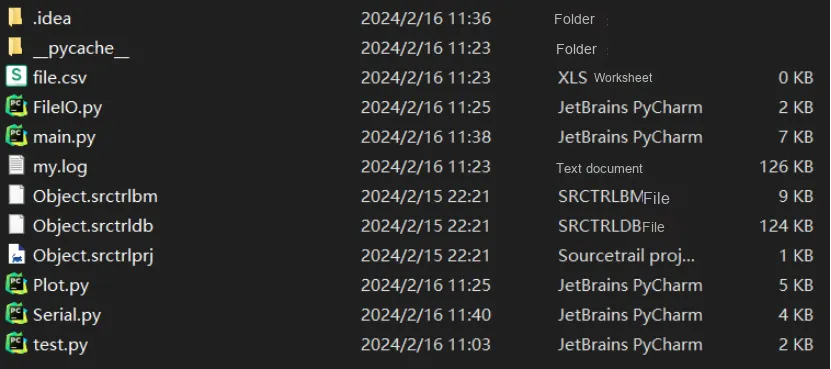
The following is our file organization:
File Name | Document Description |
Main.py | Defines the properties and methods of the sensor class and the host class Main program, which calls other modules |
FileIO.py | Defines the properties and methods of FileIOClass |
Plot.py | Defines the properties and methods of PlotClass |
Serial.py | Defines the properties and methods of SerialClass |
my.log | Program Log |
file.csv | Save sensor data |
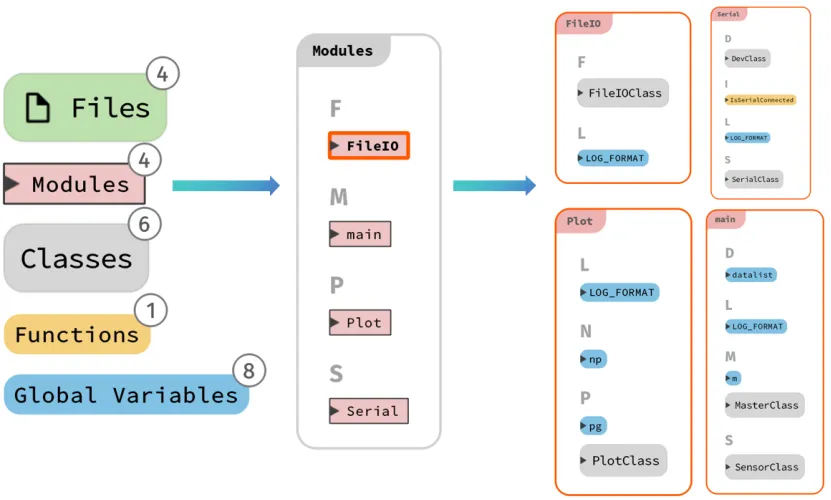
In the main file, we can import a custom module using the following statement:
# Import custom modules
from FileIO import FileIOClass
from Plot   import PlotClass
from Serial import SerialClass
As the number of modules in a project grows, we might be tempted to add another layer of abstraction to introduce some kind of nested hierarchy at the module level. However, we cannot nest modules inside other modules — after all, a file can only hold one file, and modules are nothing more than Python files.
However, files can be stored in a directory, and so can modules. A package is a collection of modules under a directory, and the name of the package is exactly the name of that directory. We only need to add a file named __init__.py (usually an empty file) in the directory to inform Python that this directory is a package.
Pay attention to the syntax when importing modules or classes between packages. In Python 3, there are two ways to import modules: absolute import and relative import:
- Absolute import specifies the complete path of the module, function or path that we want to import. The import statement uses the period operator to distinguish packages and modules.
- Relative import is basically a way to find classes, functions or modules that have a positional relative relationship with the current module, and it is commonly used to handle related modules under the same package.
For specific usage, please click: https://zhuanlan.zhihu.com/p/376426708
It should be noted here that the code at all module layers will be executed immediately upon import. Developers usually add some test code below the module. To prevent these test codes from being executed after the module is imported, you can make use of the __name__ attribute.
The __name__ attribute is a built-in attribute in Python that stores a string:
- If in the current file, name is main;
- If it is an imported file, name refers to the module name.
When you need to import a certain module but do not want some of its code to be executed directly, you can place that section of code inside the following statement:
# Module or class
if __name__=='__main__:
    # Test the code of the module/class in this file