Contents
Abstract:
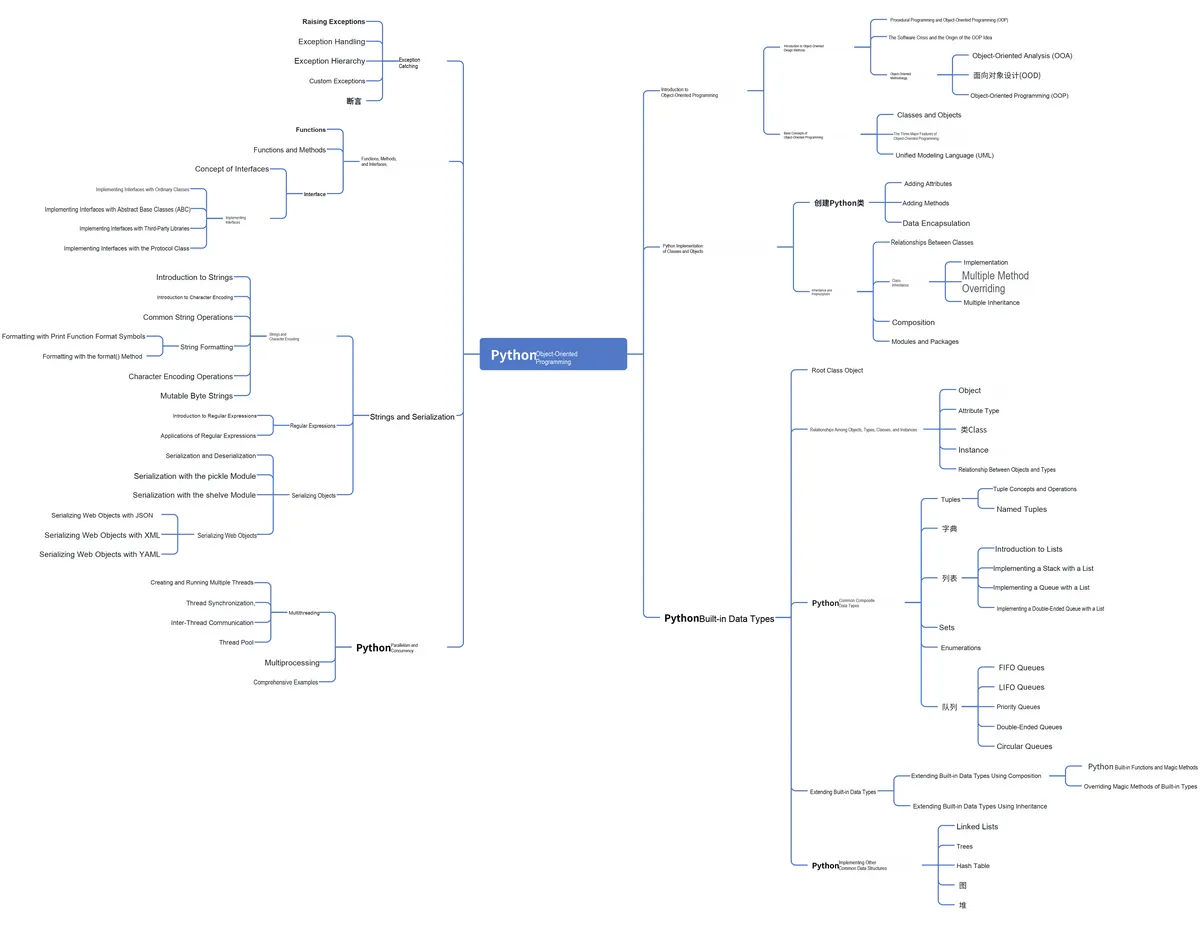
This article mainly introduces the usage scenarios, definition and features of exceptions, as well as the types and characteristics of errors when using Python Object Oriented programming, and provides practical examples to assist the explanation.
Original Link:
Recommended from previous issues:
You who study embedded systems still don't know Object Oriented? ?!
More exciting content is available here:
Speed Up Your Python: A Quick Guide to Python Parallel Computing
Understand the Debugging Principle of CM3 Microcontroller in One Article
The "Secret Martial Arts Manual" for Computer Science Competitions
Document and Code Acquisition:
You can download the document via the following link:
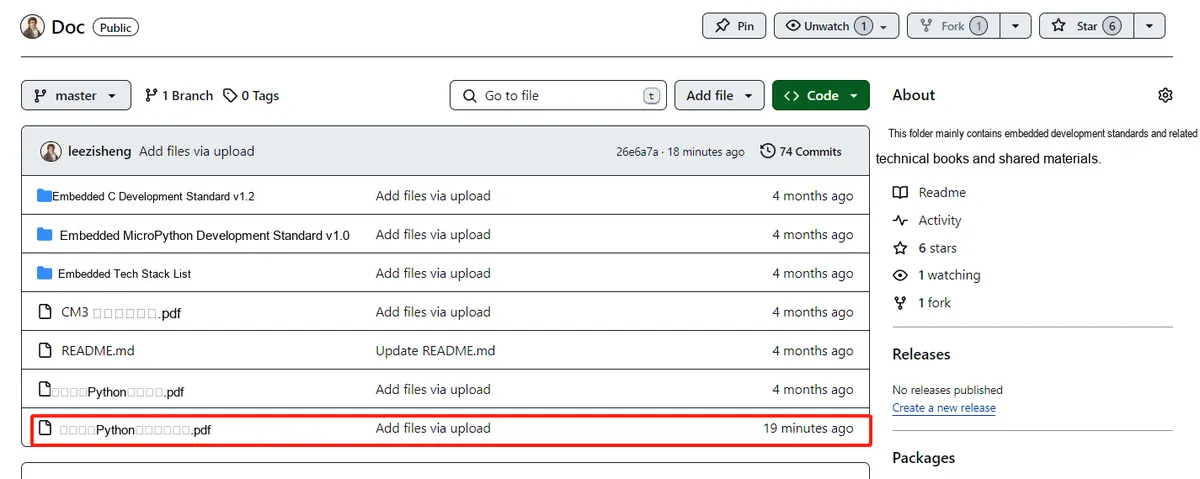
https://github.com/leezisheng/Doc
This document mainly introduces how to use Python for Object Oriented programming, and requires readers to have a basic understanding of Python syntax and microcontroller development. Compared with other blogs or books that explain Python Object Oriented programming, this document is more detailed and focuses on embedded host computer applications, taking the common serial port data transmission and reception, data processing, dynamic graph drawing of host computer and slave computer as application examples, and uses Sourcetrail code software for visual code reading to facilitate readers' understanding.
The link to obtain the relevant sample code is as follows:
https://github.com/leezisheng/Python-OOP-Demo
Body Text
Programs are fragile in most cases; only when all conditions meet the ideal state can the code consistently produce correct results. However, in practical applications, it is sometimes impossible to guarantee that all computations will yield correct outcomes. For example, in team collaboration, some passes 0 into the divisor parameter when calling the data division method/function we wrote, causing the program to crash, or accesses the 8th element in a list that only has a length of 5. In such cases, we need to hold a core viewpoint: treat everyone like a thief on guard, they are all rotten apples!!!If something goes wrong with your code, it is not the responsibility of the function/method caller — it must be your own responsibility. You must ensure that no matter what others pass in, your code will not malfunction; if you cannot handle it, throw an exception.
Next, I'll walk you through how to use exception handling to stop bad actors from passing the buck:
Actually, an exception is an event that occurs during the execution of a program and disrupts the normal flow of the program's instructions. Generally, an exception is raised when Python encounters a situation it cannot handle properly. For example, in the following program, we perform a division-by-zero operation:
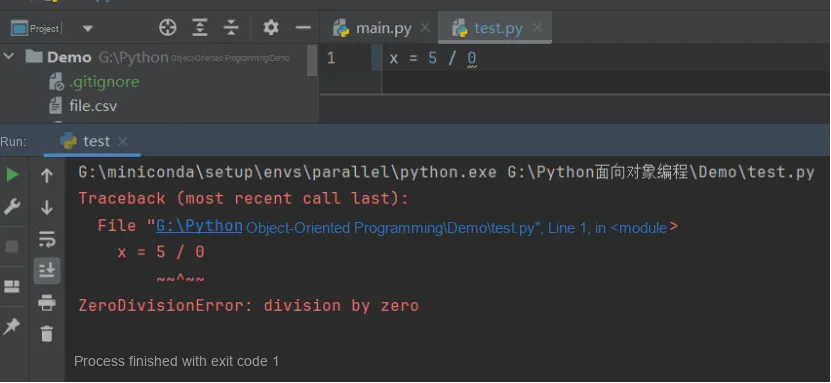
A ZeroDivisionError exception has occurred. This exception is raised when an attempt is made to divide by zero. When we encounter such an abnormal situation that prevents normal operation, we need to promptly throw, catch and handle the exception.
Errors in Python can be (at least) divided into two categories: syntax errors and exceptions.
- Syntax Error - A syntax error, also known as a parsing error, is the most common type of error encountered when learning Python. For example:
while True print('Hello world')
  File "<stdin>", line 1
    while True print('Hello world')
               ^^^^^
SyntaxError: invalid syntax
The parser will repeat the line containing the error and display an 'arrow' pointing to the token in that line where the error was detected. The error may be caused by a missing token before the token being pointed to. In this example, the error was detected on the function print (), because a colon (':') was missing before it. The filename and line number will also be printed so that you know where to look for the problem when the input comes from a script.
- Exceptions - Even if a statement or expression is syntactically correct, it may cause an error when an attempt is made to execute it. Errors detected during execution are called exceptions, and exceptions are not necessarily a serious consequence: we will soon learn how to handle exceptions in Python. Most exceptions are not handled by programs, however, and result in error messages as shown below:
10 * (1/0)
Traceback (most recent call last):
  File "<stdin>", line 1, in <module>
ZeroDivisionError: division by zero
4 + spam*3
Traceback (most recent call last):
  File "<stdin>", line 1, in <module>
NameError: name 'spam' is not defined
'2' + 2
Traceback (most recent call last):
  File "<stdin>", line 1, in <module>
TypeError: can only concatenate str (not "int") to str
The last line of the error message indicates what type of error the program has encountered. There are different types of exceptions, and the type name is printed as part of the error message: the exception types in the above examples are ZeroDivisionError, NameError, and TypeError in sequence. The string printed as the exception type is the name of the built-in exception that occurred. This holds true for all built-in exceptions, but not necessarily for user-defined exceptions (although this convention is very useful). Standard exception types are built-in identifiers (not reserved keywords).
The rest of this line describes the error details based on the exception type and the cause of the error.
The error message starts with a stack trace to show the context where the exception occurred. It generally lists the stack trace of the source code lines, but will not display the lines read from standard input.