Labs / Python OOP

The Most Beginner-Friendly Object Oriented Programming Tutorial Across the Network: 19 Python Implementation of Classes and Objects - Automatically Generating File Comments and function Comments with PyCharm

Author: Li Zisheng · Source: FreakStudio open documentation · License: CC BY 4.0

Contents

Abstract:

This article mainly introduces the method of automatically adding file comments when creating a new file in PyCharm, the IDE for Python, and also briefly presents the method of generating function comments in PyCharm.

FreakStudio's Blog

You who study embedded systems still don't know Object Oriented? ?!

The Most Beginner-Friendly Object Oriented Programming Tutorial on the Whole Network: 00 Introduction to Object Oriented Design Methodology

The Most Beginner-Friendly Object Oriented Programming Tutorial on the Whole Network: 01 Basic Concepts of Object Oriented Programming

The Most Beginner-Friendly Object Oriented Programming Tutorial on the Whole Network: 02 Python Implementation of Classes and Objects - Creating Classes with Python

The Most Beginner-Friendly Object Oriented Programming Tutorial on the Whole Network: 03 Python Implementation of Classes and Objects - Adding Attributes to Custom Classes

The Most Beginner-Friendly Object Oriented Programming Tutorial on the Whole Network: 04 Python Implementation of Classes and Objects – Adding Methods to Custom Classes

The Most Beginner-Friendly Object Oriented Programming Tutorial Across the Network: 05 Python Implementation of Classes and Objects - PyCharm Code Tab

The most beginner-friendly Object Oriented programming tutorial on the entire network: 06 Python implementation of classes and objects - data encapsulation of custom classes

The most beginner-friendly Object Oriented programming tutorial across the entire network: 07 Python implementation of classes and objects - type annotations

The Most Beginner-Friendly Object Oriented Programming Tutorial Across the Web: 08 Python Implementation of Classes and Objects - @property Decorator

The Most Beginner-Friendly Object Oriented Programming Tutorial on the Whole Network: 09 Python Implementation of Classes and Objects - Relationships Between Classes

The Most Beginner-Friendly Object Oriented Programming Tutorial Across the Network: 10 Python Implementation of Classes and Objects - Class Inheritance and Liskov Substitution Principle

The Most Beginner-Friendly Object Oriented Programming Tutorial on the Whole Network: 11 Python Implementation of Classes and Objects - Subclass Calling Parent Class Methods

The Most Beginner-Friendly Object Oriented Programming Tutorial on the Whole Internet: 12 Python Implementation of Classes and Objects - Using the logging Module in Python to Output Program Running Logs

The Best Beginner-Friendly Object Oriented Programming Tutorial Across the Network: 13 Python Implementation of Classes and Objects – Installation and Usage of Sourcetrail, a Visual Code Reading Tool

The Most Beginner-Friendly Object Oriented Programming Tutorial on the Whole Network: 14 Python Implementation of Classes and Objects – Static Methods and Class Methods of Classes

The most beginner-friendly Object Oriented programming tutorial across the network: 15 Python implementation of classes and objects - the __slots__ magic method

The Most Beginner-Friendly Object Oriented Programming Tutorial Across the Network: 16 Python Implementation of Classes and Objects - Polymorphism, Method Overriding and Open Closed Principle

The most beginner-friendly Object Oriented programming tutorial across the entire network: 17 Python implementation of classes and objects - duck typing and "file-like object"

The most beginner-friendly Object Oriented programming tutorial across the entire network: 18 Python implementation of classes and objects - multiple inheritance and serial port data curve plotting with PyQtGraph

More exciting content is available here:

Speed Up Your Python: A Quick Guide to Python Parallel Computing

Understand the Debugging Principle of CM3 Microcontroller in One Article

After half a month of dedicated work, the comprehensive summary of embedded technology stack is now released

The "Secret Martial Arts Manual" for Computer Science Competitions

Document and Code Acquisition:

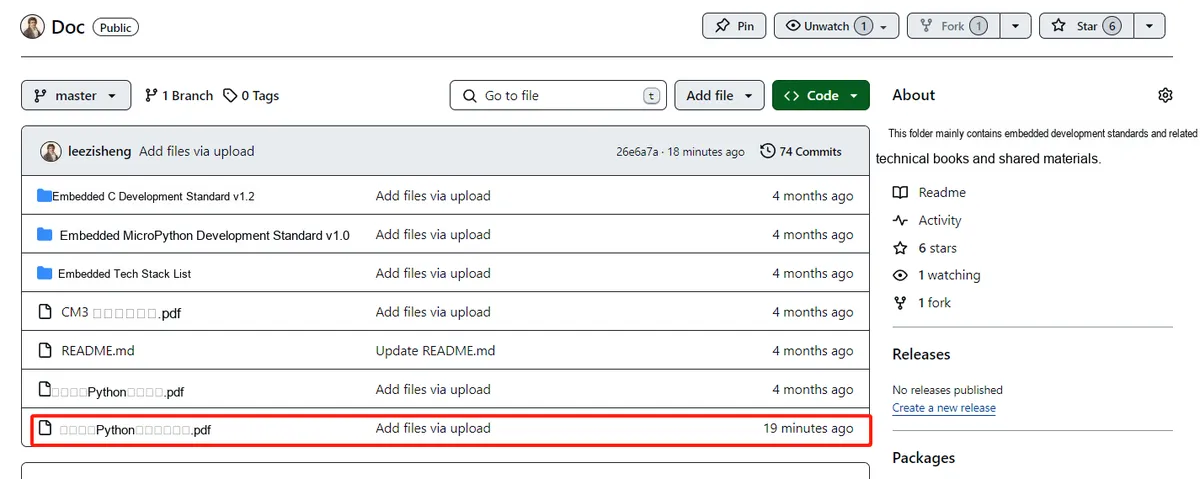
You can download the document via the following link:

https://github.com/leezisheng/Doc

1 0 19 1.1

This document mainly introduces how to use Python for Object Oriented programming, and requires readers to have a basic understanding of Python syntax and microcontroller development. Compared with other blogs or books that explain Python Object Oriented programming, this document is more detailed and focuses on embedded host computer applications, taking the common serial port data transmission and reception, data processing, dynamic graph drawing of host computer and slave computer as application examples, and uses Sourcetrail code software for visual code reading to facilitate readers' understanding.

The link to obtain the relevant sample code is as follows:

https://github.com/leezisheng/Python-OOP-Demo

Body Text

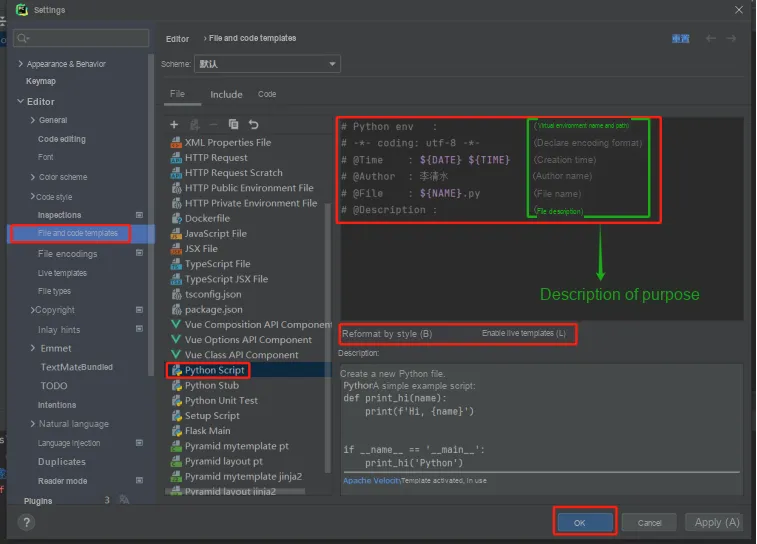
PyCharm provides a function to automatically generate file header comments when creating a new file, which can automatically generate necessary information such as the running environment, author, and date. It is easy to use and very simple to configure.

The Most Beginner-Friendly Object Oriented Programming Tutorial Across the Network: 19 Python Implementation of Classes and Objects - Automatically Generating File Comments and function Comments with PyCharm
# Python env   :               
# -*- coding: utf-8 -*-        
# @Time    : ${DATE} ${TIME}   
# @Author  : Li Qingshui
# @File    : ${NAME}.py        
# @Description :         

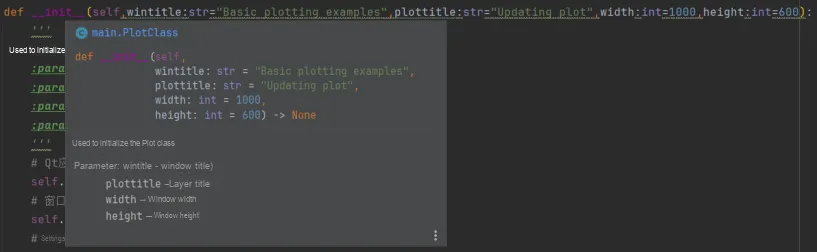
It can also automatically generate function comments, including parameters and return values. To use it, just directly enter three double quotes and press the Enter key when defining a function.

The Most Beginner-Friendly Object Oriented Programming Tutorial Across the Network: 19 Python Implementation of Classes and Objects - Automatically Generating File Comments and function Comments with PyCharm
347622978