Contents
Abstract:
This article introduces the definition, types and usage of code tags in the PyCharm IDE.
Source Link:
Previous Recommendations:
You who are learning embedded systems still don't know Object Oriented? ?!
More exciting content can be found here:
Speed Up Your Python: A Quick Guide to Python Parallel Computing
Understand the Debugging Principle of CM3 Microcontroller in One Article
The "Secret Martial Arts Manual" for Computer Science Competitions
Access to Documents and Code
You can access the following link to download the document:
https://github.com/leezisheng/Doc
This document mainly introduces how to use Python for Object Oriented programming, and requires readers to have a basic understanding of Python syntax and microcontroller development. Compared with other blogs or books that explain Python Object Oriented programming, this document is more detailed and focuses on embedded host computer applications. It takes the common serial port data transmission and reception, data processing, dynamic graph drawing and other functions between the host computer and the lower computer as application examples, and uses the Sourcetrail code software to visually read the code to facilitate readers' understanding.
The link to obtain the relevant sample code is as follows: https://github.com/leezisheng/Python-OOP-Demo
Body Text
In the comments for class methods in the previous article, you may have noticed that there is a line below each method that reads:
# TODO: open serial port method to be completedIn Pycharm, it looks like this:
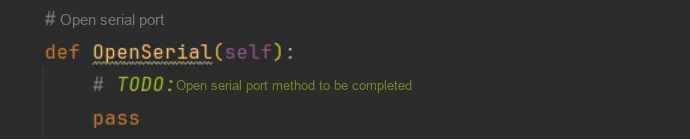
You may have encountered similar markers in other code, such as FIXME, NOTE, UNDONE, and so on. These are tags in comments, sometimes also referred to as "codetags" or "tokens". They are informally used markers in code writing, but in project development, they enable coders to achieve the functions of prompting, indexing and quick locating within the code. In most IDEs or text editors, comments starting with the tags mentioned above will also have special syntax highlighting.Code tags are essentially a special type of comments that are highlighted in the editor, indexed, and listed in the TODO tool window.
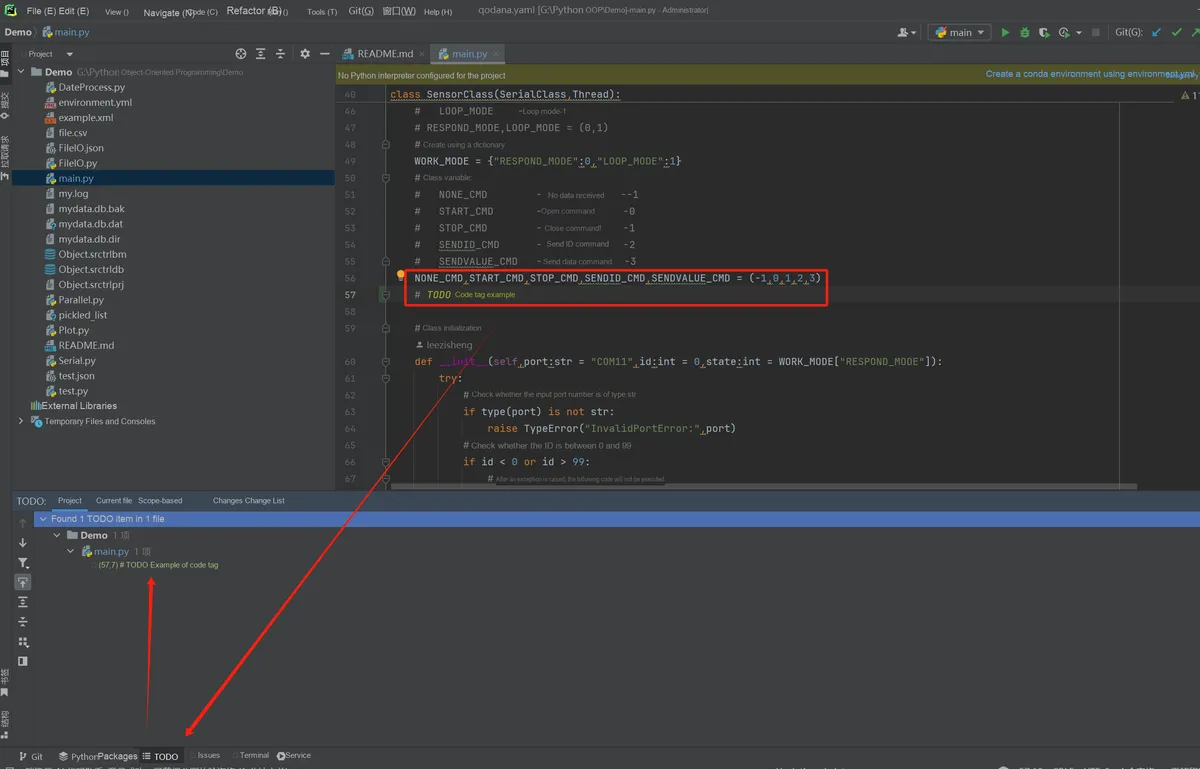
Among them, TODO indicates the code that is about to be written, and describes the tasks that need to be completed or the functions that need to be implemented.
The TODO format is as follows:
# TODO(name): Need implementationIn Pycharm, we can see all TODO-tagged functions in the bottom navigation bar:
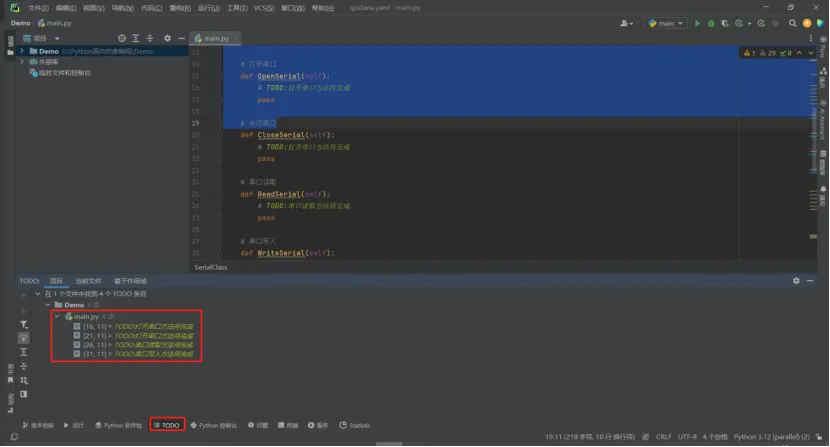
In addition to TODO, there is also the FIXME tag, which indicates a bug that needs to be fixed. By using code tags, when coding a project that contains multiple files, we can quickly find the methods/functions to be completed as well as the bugs to be fixed.