Contents
- I. Module Introduction
- II. Introduction to Major Chips
- 2.1 Chip Overview
- 2.2 Pin Definition
- 2.3 Functional Block Diagram
- 2.4 Performance Parameters
- 2.5 Reference Circuit
- 2.6 Chip Configuration
- 2.7 Communication Interfaces and Related Protocols
- 2.8 PCB Routing Precautions
- III. Circuit Engineering
- 3.1 Circuit Source Engineering
- 3.2 Module Usage Instructions
- 3.3 Application Experiment
- IV. Drivers
- 5. BOM & Recommended Alternative Parts
- VI. Revision History
- VII. Relevant Materials
- 7.1 Chip Datasheet
- 7.1 Unique Icons for PCB Silk Screen
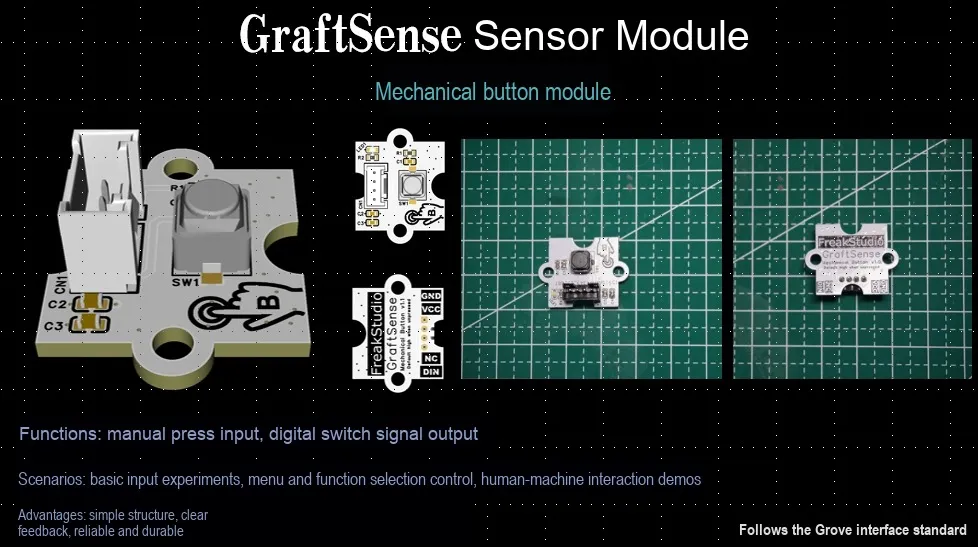
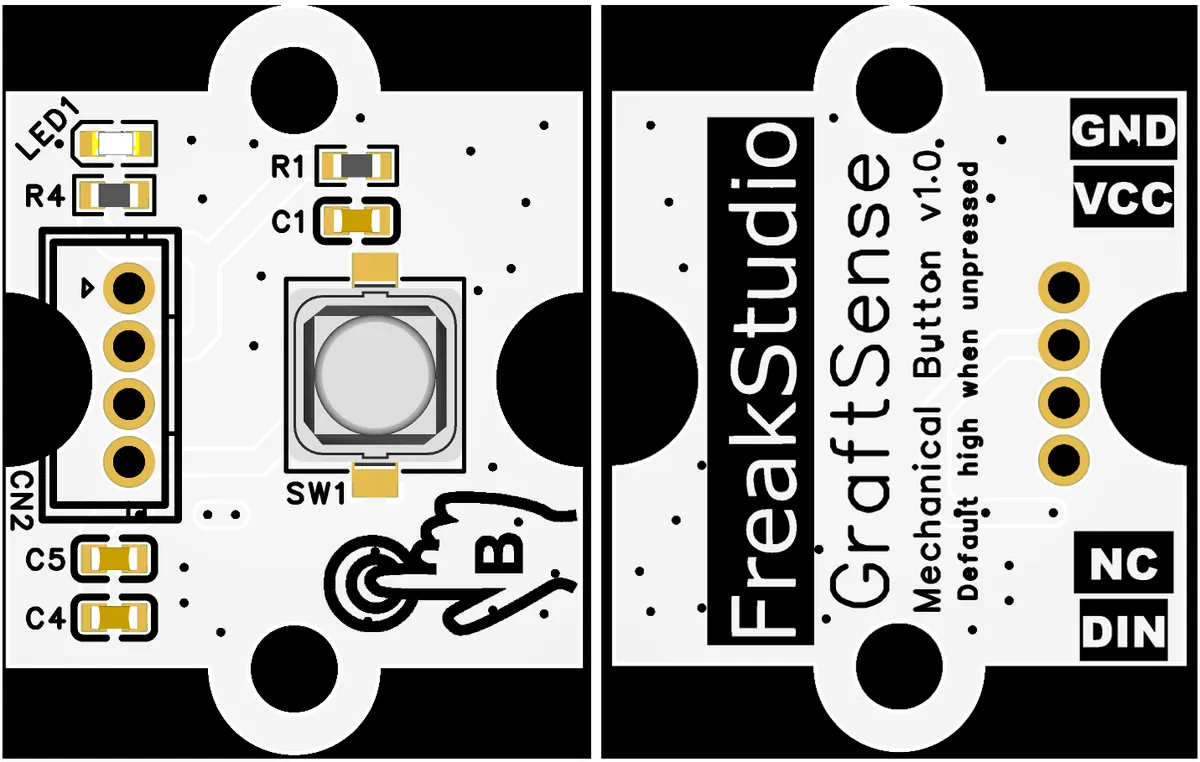
I. Module Introduction
The mechanical key module uses silent silicone keys (TS665WS), which makes the output pin (OUT) default to high level through a 10kΩ pull-up resistor, and pulls it low when pressed; with a 100nF capacitor for debouncing, it also integrates VCC power supply filtering (10μF + 100nF capacitors), and can be connected to the main control through GND, VCC, DIN pins, suitable for touch interaction scenarios such as function switching and event triggering.
II. Introduction to Major Chips
Mechanical key module adopts silent silicone keys (TS665WS).
2.1 Chip Overview
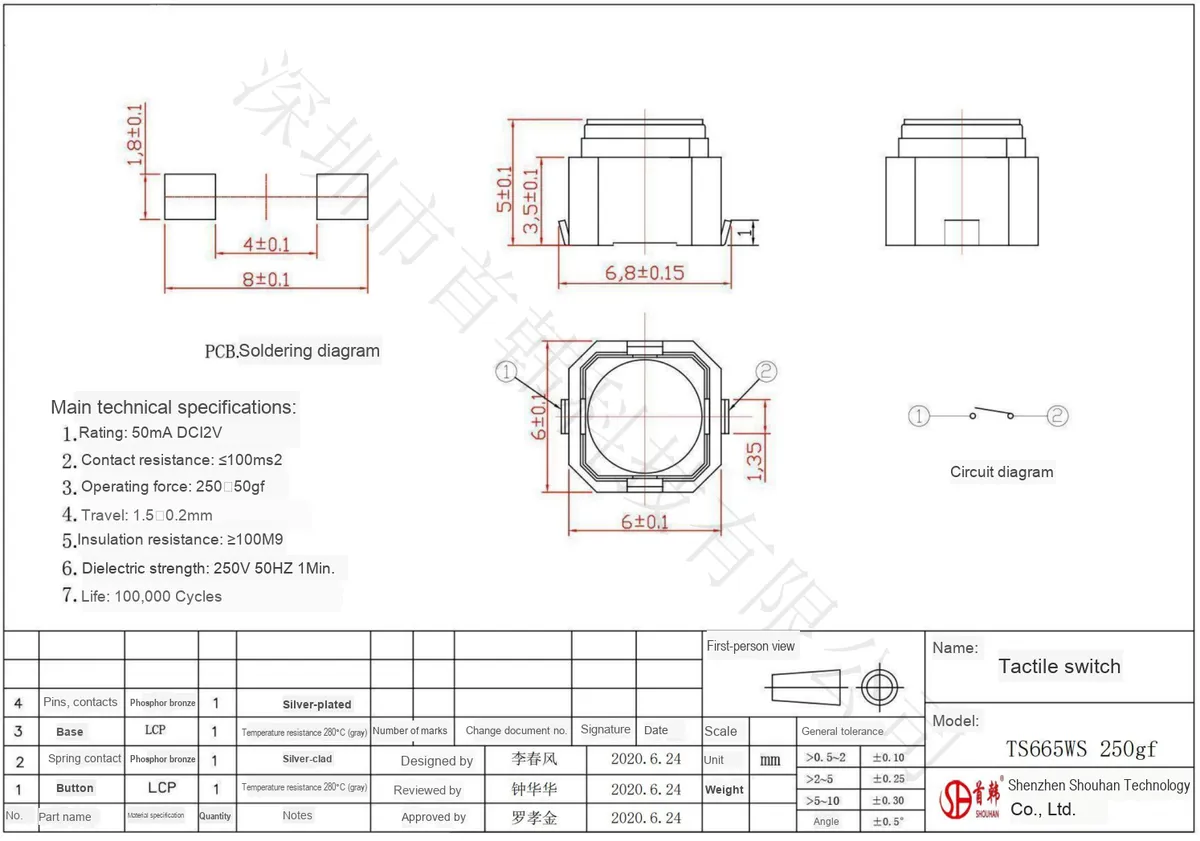
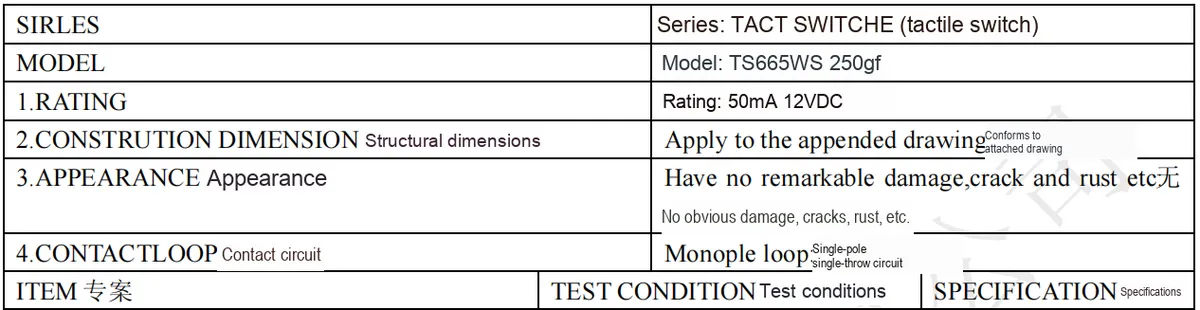
Silent silicone button (TS665WS) is a tact switch produced by Shenzhen Shouhan Technology, with the following core features:
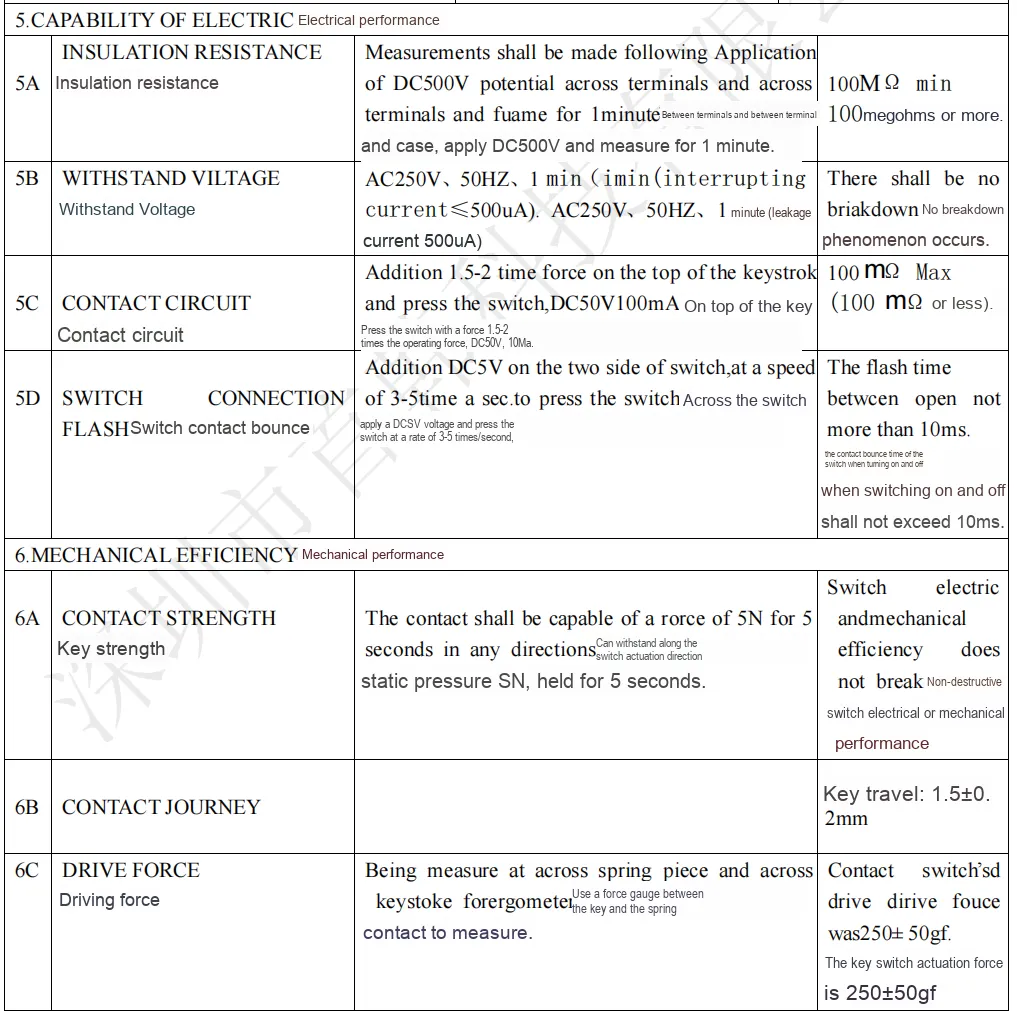
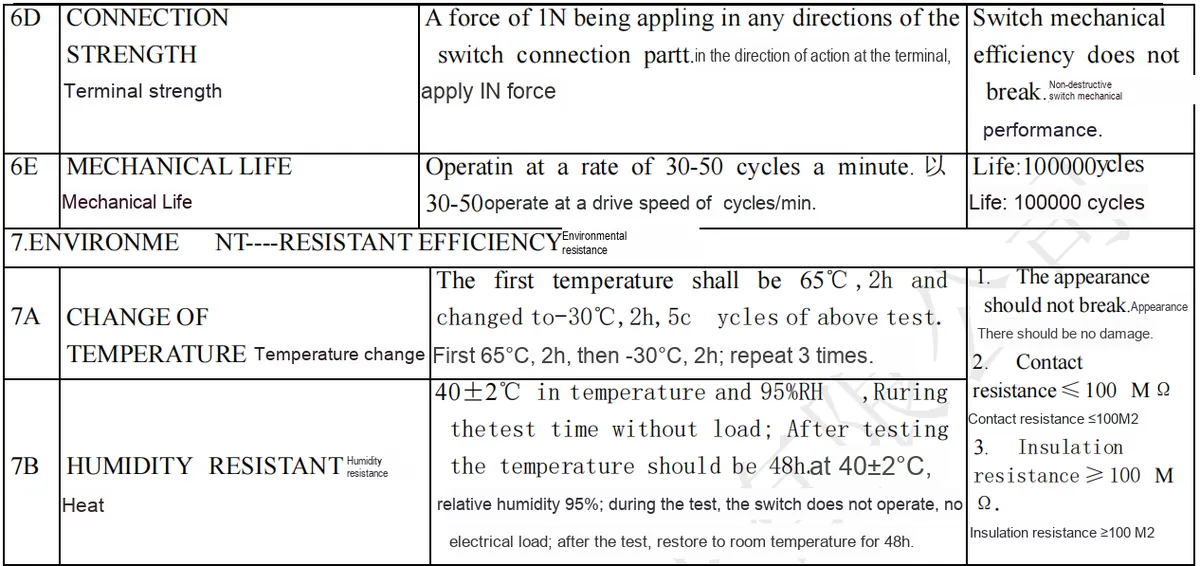
- Electrical Parameters: Rated: 50mA, DC 12V; Contact Resistance: ≤100mΩ; Insulation Resistance: ≥100MΩ; Dielectric Strength: 250V, 50Hz, 1min;
- Mechanical Parameters: Operating force: 250±50gf, travel: 1.5±0.2mm, service life: 100,000 cycles, no obvious mechanical noise when pressed ("silent" feature);
- Structure and Material: Adopting a
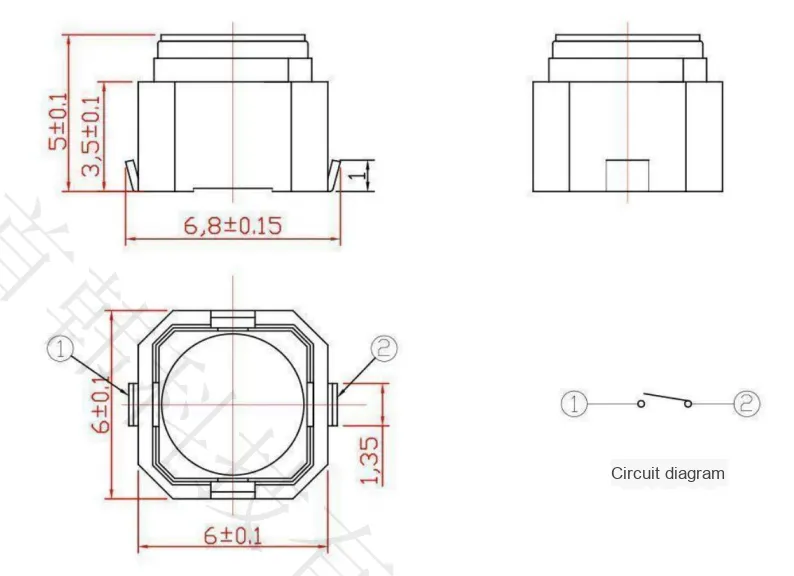
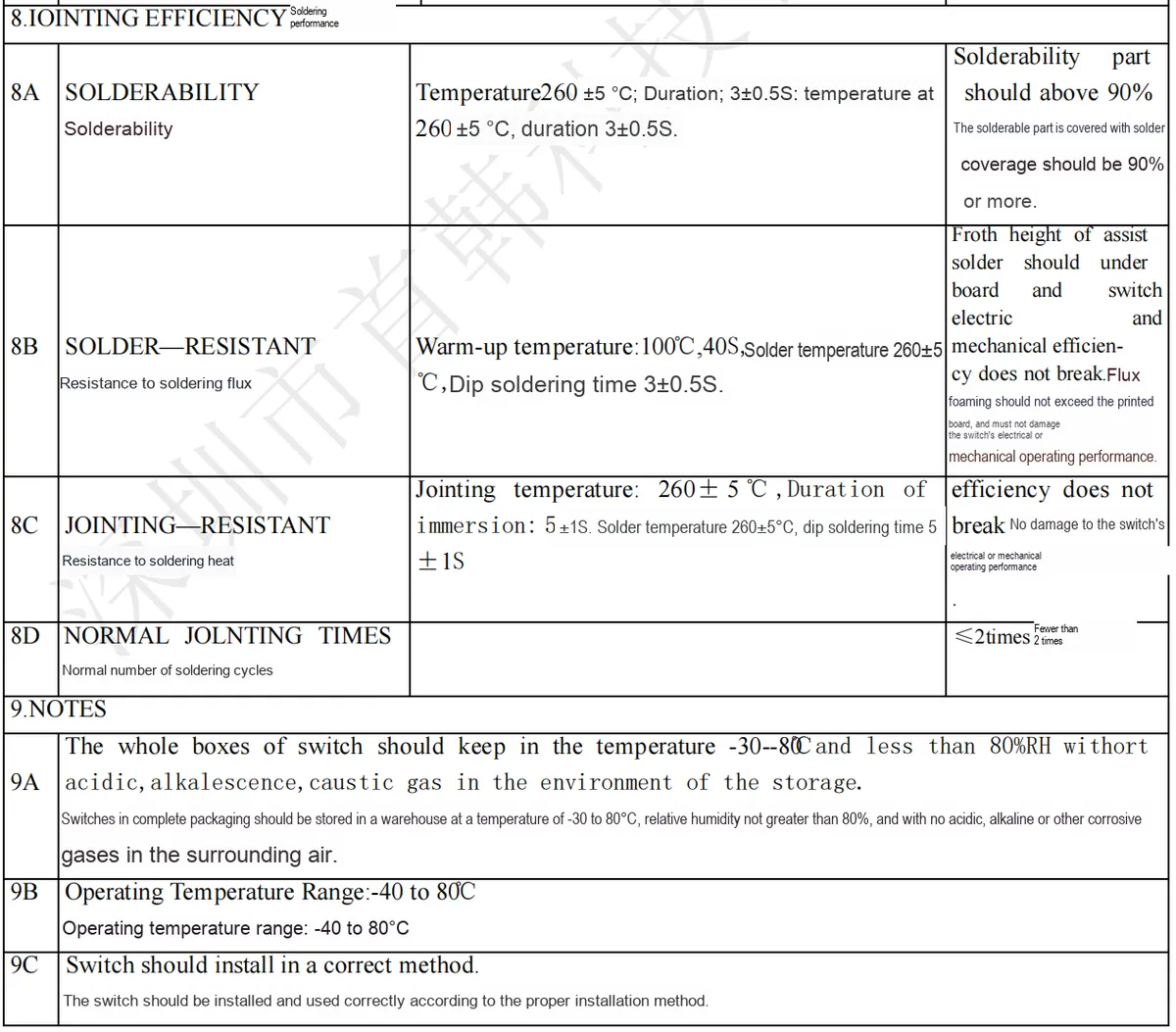
LCPbase (temperature resistance: 280℃, gray) + phosphor copper shrapnel (silver-plated), withPCBsoldering dimensions of approximately 8mm×6.8mm×5.4mm, it is suitable for silent triggering scenarios in embedded devices (such as medical instruments and smart homes).
2.2 Pin Definition
2.3 Functional Block Diagram
None.
2.4 Performance Parameters
2.5 Reference Circuit
None.
2.6 Chip Configuration
None.
2.7 Communication Interfaces and Related Protocols
None.
2.8 PCB Routing Precautions
None.
III. Circuit Engineering
3.1 Circuit Source Engineering
To obtain the source project of the circuit, please follow the official account [Freak Embedded]
3.2 Module Usage Instructions
The schematic diagram of this module is shown below:
SCH_Mechanical Button Module_v1.0_2025-09-14.pdf 1.7 MB
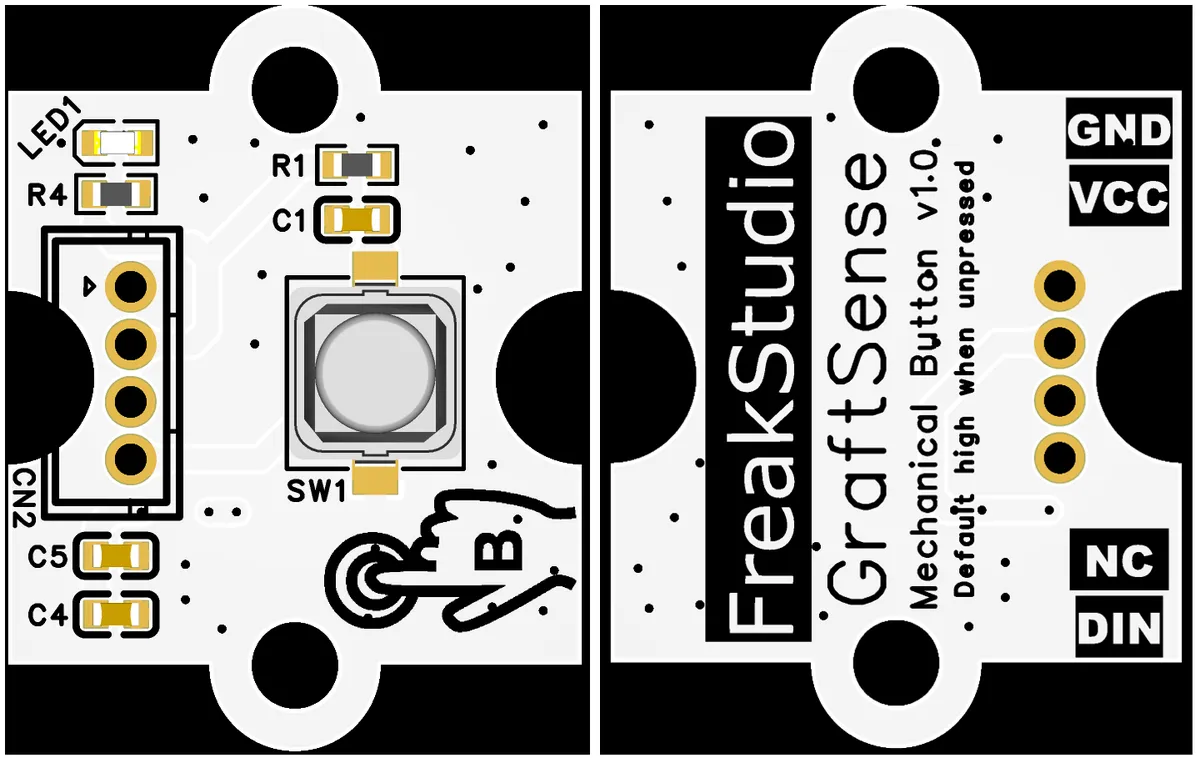
This module adopts digital output DIN: default high level (when the key is not pressed), and will be pulled down to low level after the key is pressed; it can be directly connected to the main control GPIO port to output a binary signal (high/low) corresponding to the key status, which is suitable for scenarios such as trigger detection and status indication.
3.3 Application Experiment
Here, we use the GraftPort-RP2040 development board for testing, and the pushbutton module uses the DIO interface to communicate with the main controller.
Here, we first use the HY2.0-4P cable to connect the module to the GraftPort-RP2040 development board's DIO0 interface:
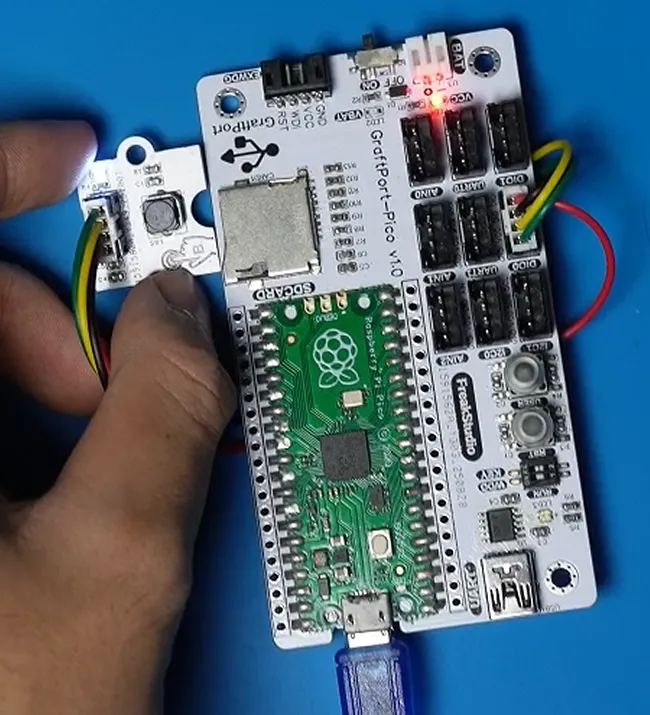
The module connections are shown in the following table:
Development Board Pins | Module Pins | Description |
Pin 6 |
| Level signal input pin after key press/release |
Pin 7 |
| - |
Here, we need to search for the relevant driver packages on uPyPI: https://upypi.net/zh/
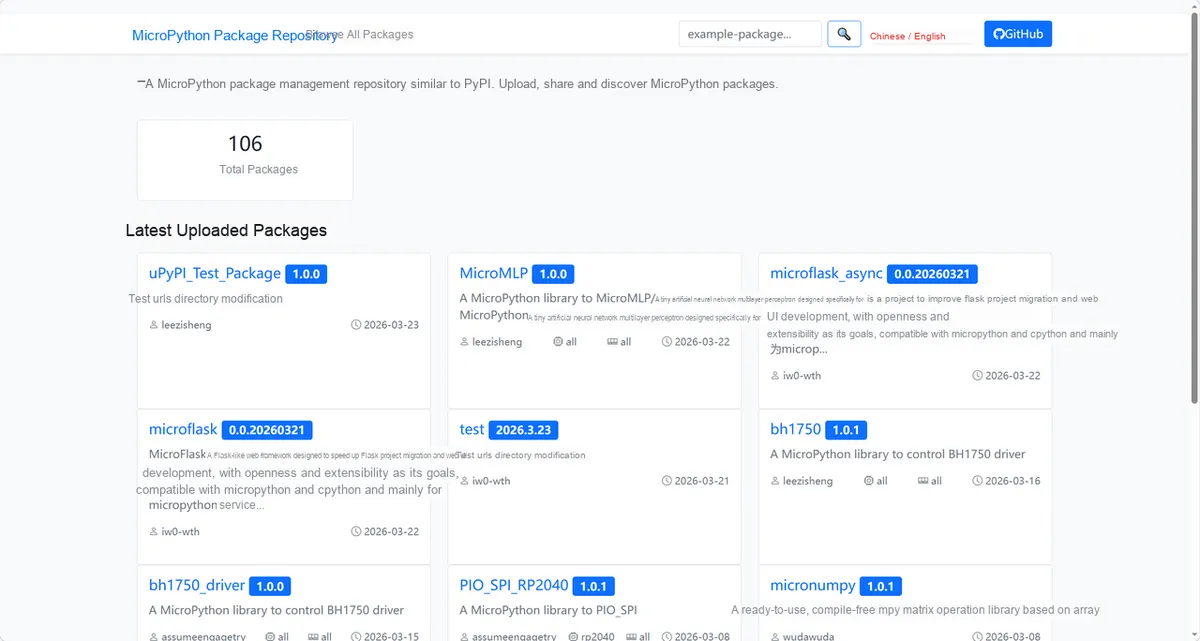
Enter button_driver to search, and the following will be displayed:
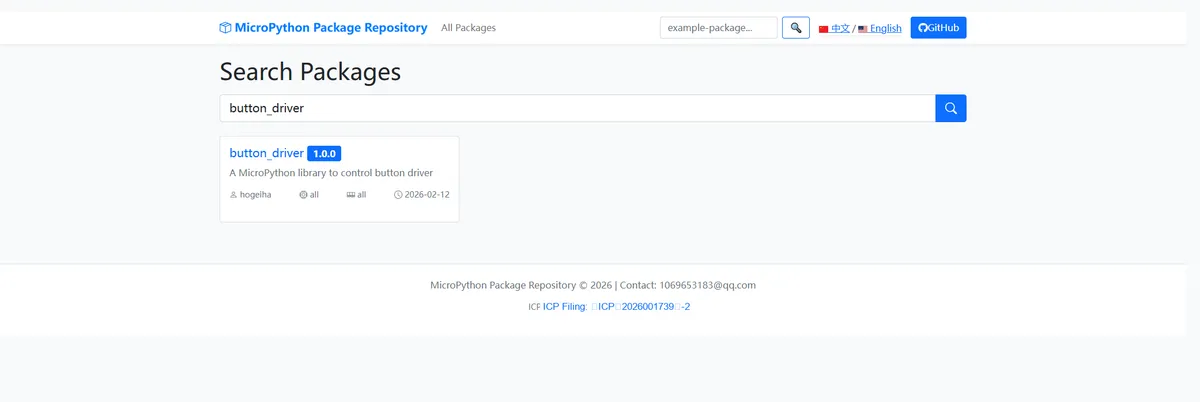
Click to copy the local installation command:
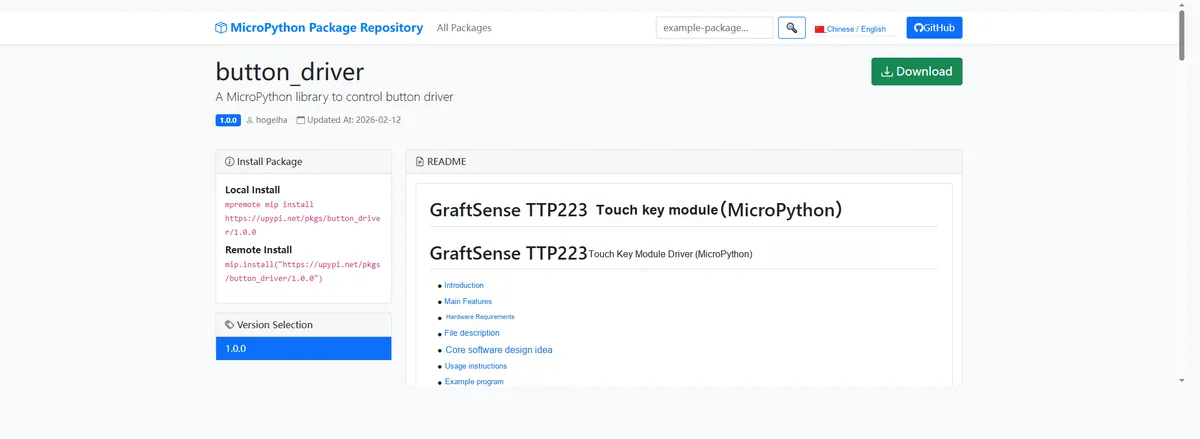
Here, we can import the module driver library code via the mip tool. Below are the usage commands for the mpremote tool:
mpremote mip install github:FreakStudioCN/GraftSense-Drivers-MicroPython/input/button_driverAfter importing the key module driver - MicroPython driver code, copy the following main.py code into our project:
# Python env   : MicroPython v1.23.0
# -*- coding: utf-8 -*-
# @Time    : 2025/8/28 AM 11:22
# @Author  : ben0i0d
# @File    : main.py
# @Description : Touch key driver test file

# ======================================== Import Modules =========================================

# Import time-related modules
import time
# Import the button driver module
from touchkey import TouchKey

# ======================================== Global Variables ============================================

# ======================================== Functions ============================================

def on_press():
    print("Button pressed")

def on_release():
    print("Button released")

# ======================================== Custom Classes ============================================

# ======================================== Initialization configuration ===========================================

# Power-on delay of 3 s
time.sleep(3)
print("FreakStudio:Testing Button")

# Create TouchKey object
button = TouchKey(pin_num=15, idle_state=TouchKey.high, debounce_time=50, press_callback=on_press, release_callback=on_release)

# ========================================  Main Program  ============================================

try:
    while True:
        state = button.get_state()
        print("Current button state:", "Pressed" if state else "Released")
        time.sleep(0.5)

except KeyboardInterrupt:
    print("Exit button test program")
Burn the code, open a terminal, and use the mpremote tool to connect to the main controller; the output is as follows:
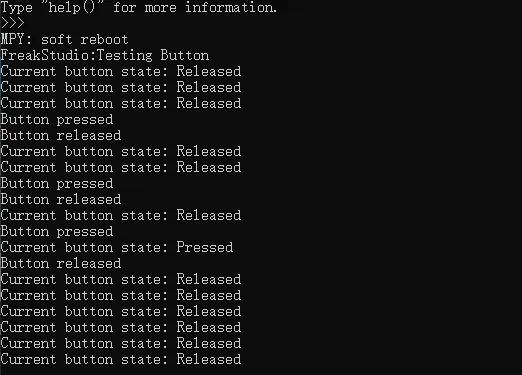
It can be seen that when we press or release a key, the terminal outputs the corresponding key status:
IV. Drivers
button_driver.zip 9 KB
5. BOM & Recommended Alternative Parts
None.
VI. Revision History
Document Version | Date of Revision | Modifier | Modified Content |
v1.0 | 2025-10-13 | Li Zisheng | Initialize the document The BOM sheet has not been finally checked, the driver has not been re-verified, and the 3.3 application experiment Not yet specified. |
v1.1 | 2025-12-29 | Li Zisheng | Added application experiments and production files |
v1.2 | 2025-12-31 | Xin Ruili | Create an open version of the document based on the internal document version v1.1. |
v1.3 | 2026-03-29 | Xin Ruili | Modified the application experiment section |
VII. Relevant Materials
7.1 Chip Datasheet
C398058_Tactile Switch_TS665WS_Datasheet_TS665WS+250GF.PDF 998 KB
7.1 Unique Icons for PCB Silk Screen