Contents
- I. Module Introduction
- 2. Introduction to Main Chips
- 2.1 Chip Overview
- 2.2 Pin Definition
- 2.3 Functional Block Diagram
- 2.4 Performance Parameters
- 2.5 Reference Circuit
- 2.6 Chip Configuration
- 2.7 Communication Interfaces and Related Protocols
- 2.8 PCB Routing Precautions
- III. Circuit Engineering
- 3.1 Circuit Source Engineering
- 3.2 Module Usage Instructions
- 3.3 Application Experiment
- 4. Drivers
- 5. BOM & Recommended Alternative Parts
- VI. Revision History
- VII. Relevant Materials
- 7.1 Chip Datasheet
- 7.2 Unique Icons for PCB Silk Screen
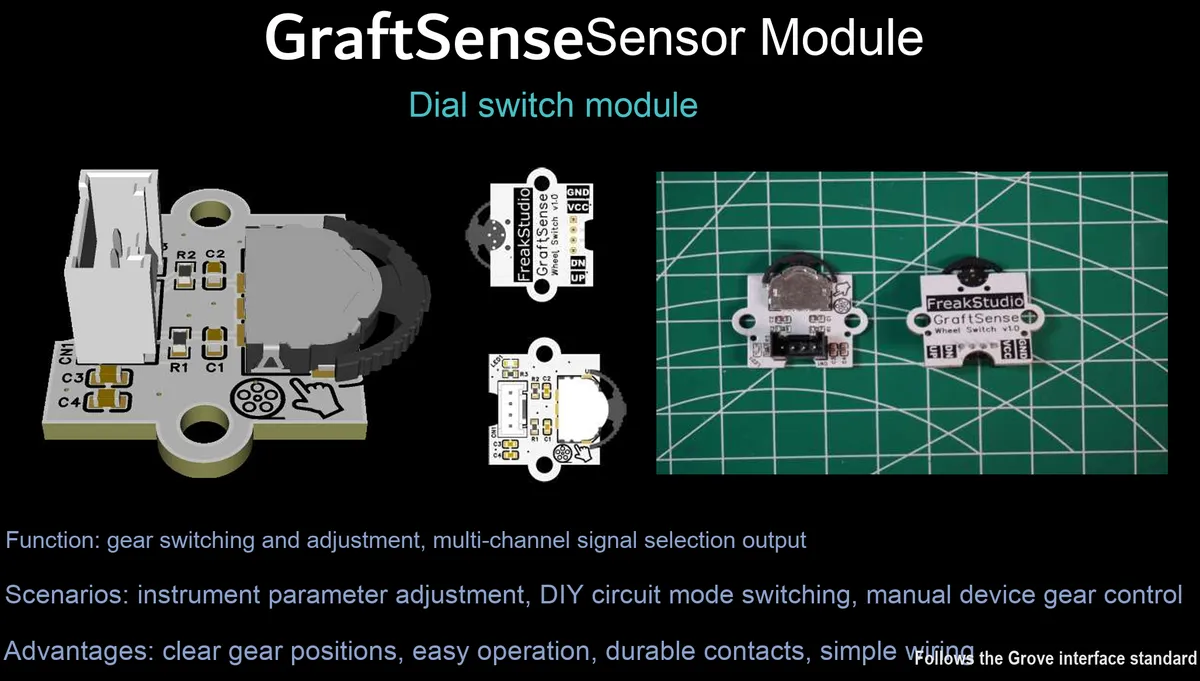
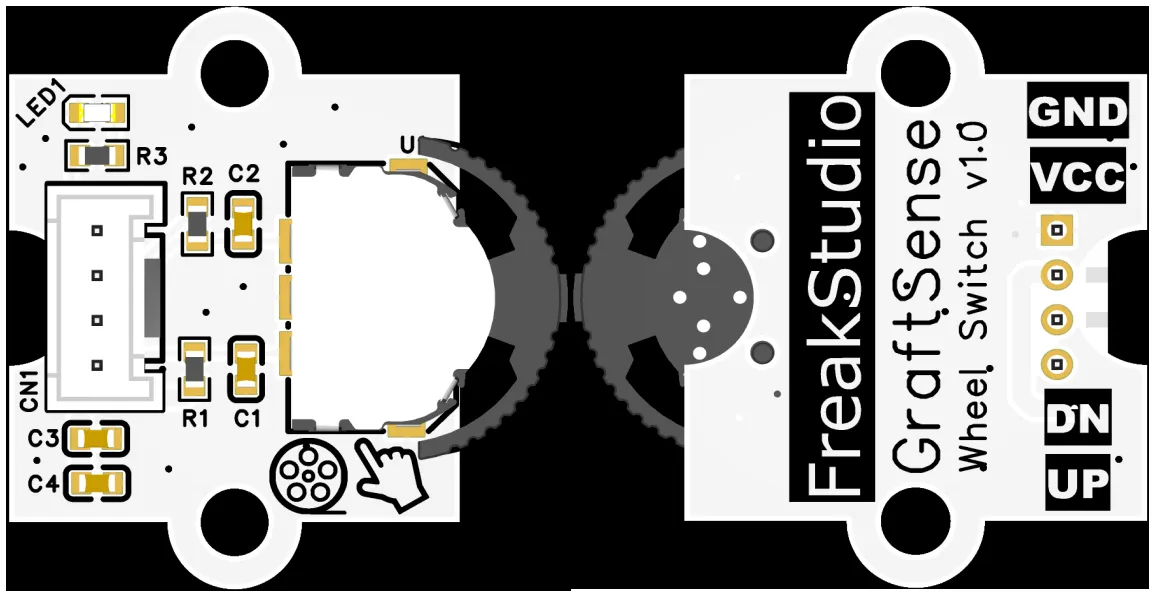
I. Module Introduction
The input control module based on the toggle wheel switch adopts the WS-001CB toggle wheel switch element, which realizes bidirectional signal input by toggling up and down. Equipped with a 10kΩ pull-up resistor and a 100nF filter capacitor, it is powered by 3.3V or 5V and can output stable level signals. With power filtering and indicator light circuits, it can realize direction selection and status indication, and is suitable for application scenarios such as user interaction control and parameter adjustment.
2. Introduction to Main Chips
WS-001CB is a scroll wheel switch component that supports bidirectional up-and-down toggle input and features stable mechanical contacts, which is commonly used in user interaction scenarios such as direction selection and parameter adjustment.
2.1 Chip Overview
None.
2.2 Pin Definition
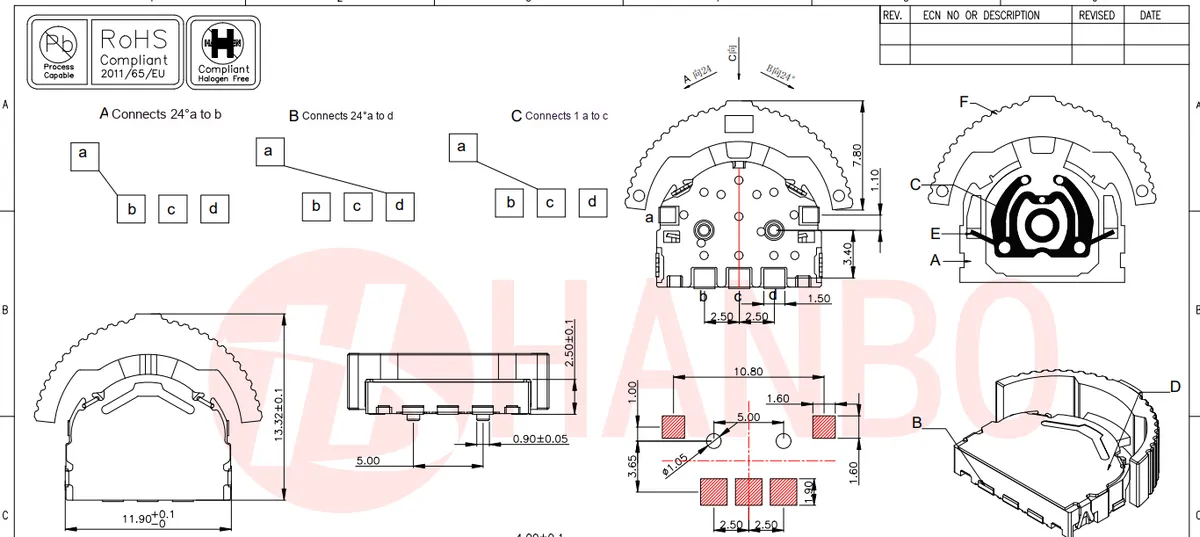
WS-001CB The toggle wheel switch is a 3-pin SMD component that supports two-way up-and-down toggling and vertical pressing. The common pin (COM) is connected to the input signal, and the upper and lower pins correspond to the on/off output of upward toggling and downward toggling respectively.
2.3 Functional Block Diagram
None.
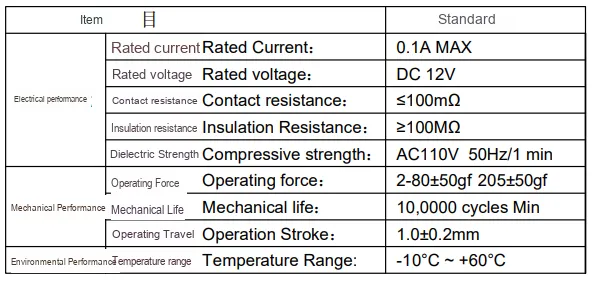
2.4 Performance Parameters
2.5 Reference Circuit
None.
2.6 Chip Configuration
None.
2.7 Communication Interfaces and Related Protocols
None.
2.8 PCB Routing Precautions
None.
III. Circuit Engineering
3.1 Circuit Source Engineering
To obtain the circuit source project, please follow the official account [Freak Embedded].
3.2 Module Usage Instructions
The schematic diagram of this module is shown below:
SCH_Scroll Wheel Switch Module-V1.0.0_2026-03-24.pdf 1.7 MB
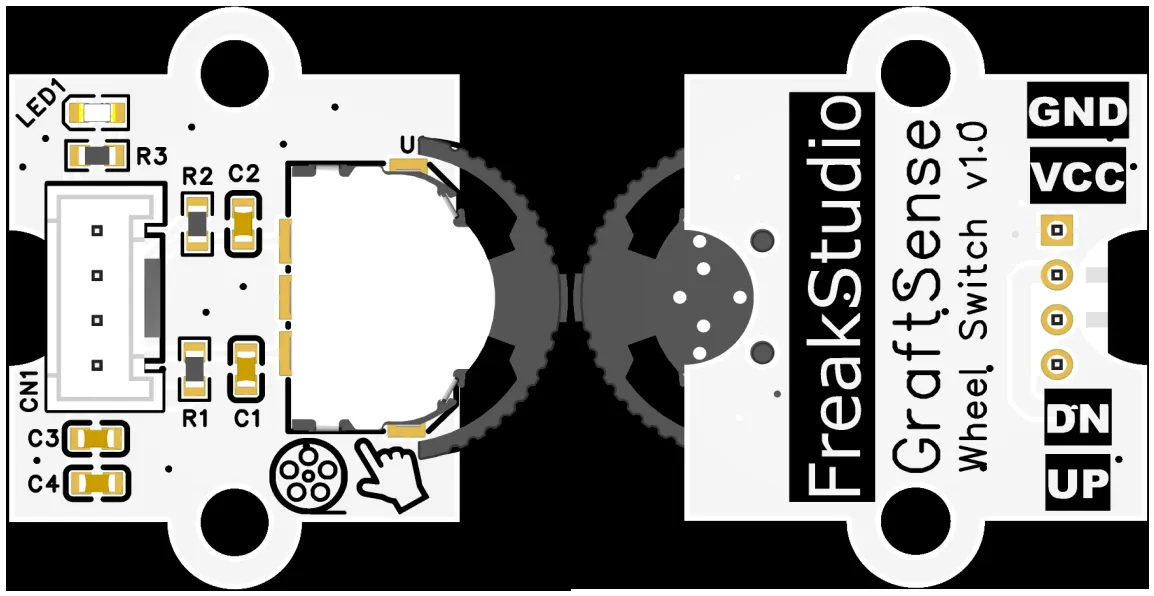
This module provides digital outputs DN and UP: both default to high level; when the toggle switch is flipped upward, the UP pin outputs a low level; when flipped downward, the DN pin outputs a low level. Both pins can be directly connected to the main control's GPIO port to output voltage signals corresponding to the toggle direction, which is suitable for interaction scenarios such as direction detection, parameter adjustment, and menu selection. Note during use: no corresponding signal is output when the switch is pressed at the center position!
3.3 Application Experiment
Here, we use the GraftPort-RP2040 development board for testing, and the scroll wheel switch module uses the DIO0 interface to communicate with the main controller.
Here, we first use the HY2.0-4P cable to connect the module to the GraftPort-RP2040 development board's DIO1 interface:
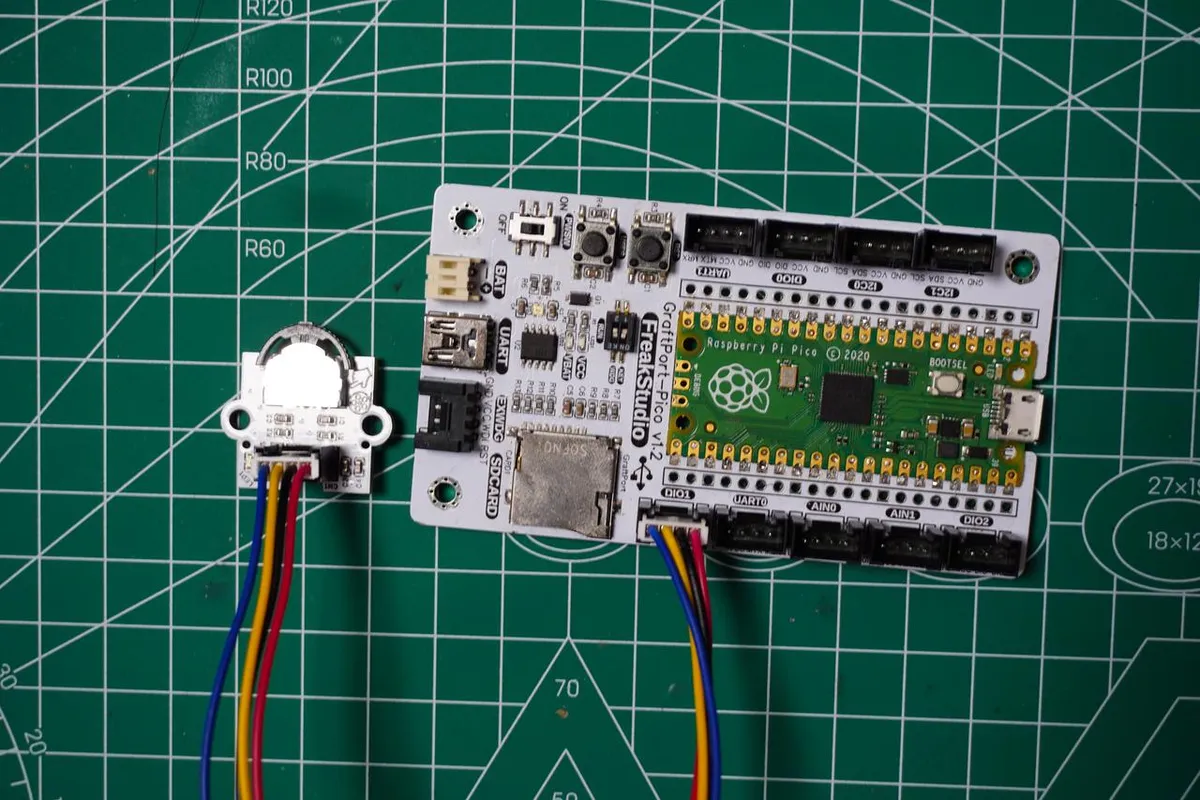
The module connections are shown in the following table:
Development Board Pins | Module Pins | Description |
Pin 14 |
| Trigger Switch Level Signal Input Pin |
Pin 15 |
| Trigger Switch Level Signal Input Pin |
Here, we need to search for the relevant driver packages on uPyPI: https://upypi.net/zh/
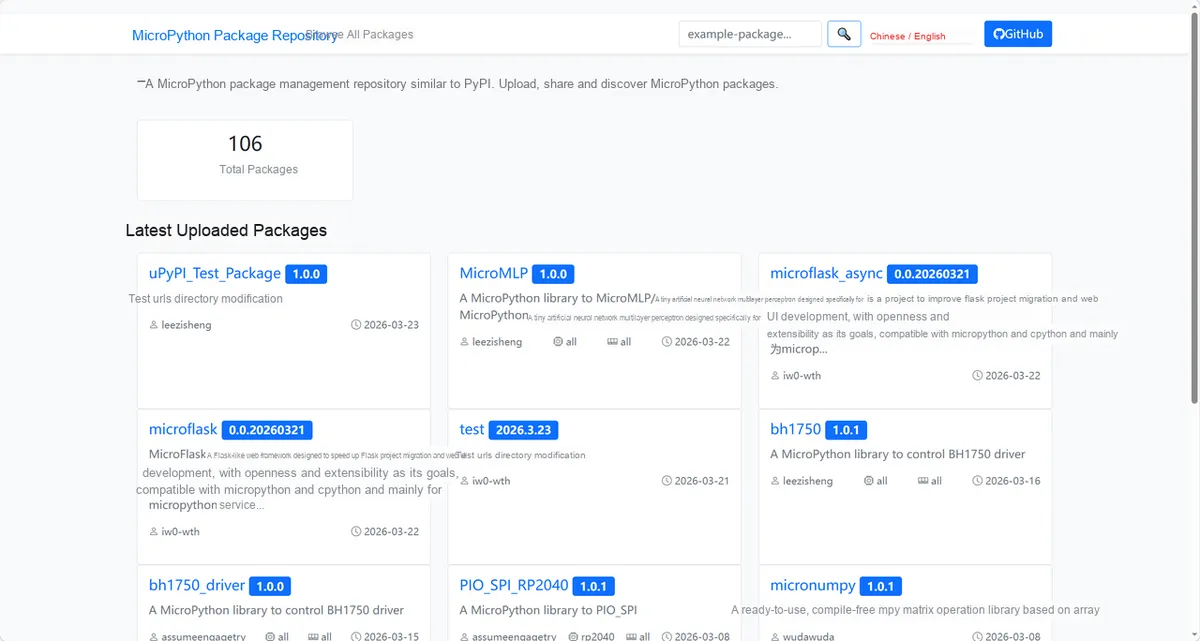
Enter wheelswitch_driver to search, and the following will be displayed:
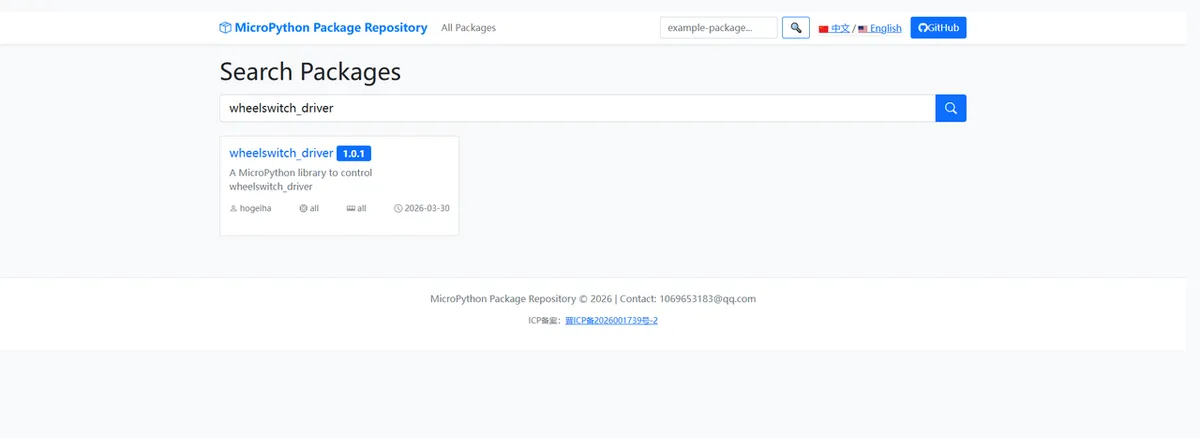
Click to copy the local installation command:
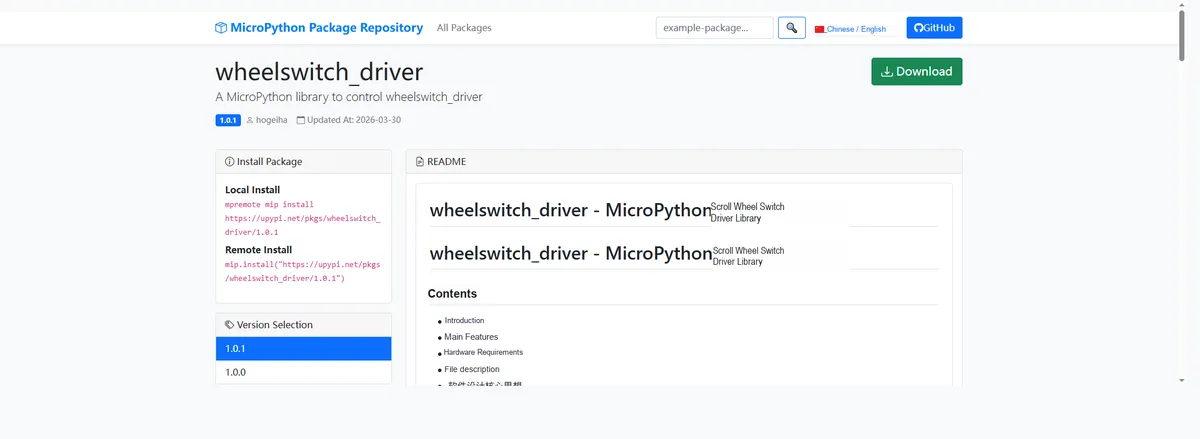
Import the module driver library code via the mip tool. Below are the usage commands for the mpremote tool:
mpremote mip install https://upypi.net/pkgs/wheelswitch_driver/1.0.0Import the dial wheel switch module - MicroPython driver code, then copy the following main.py code into our project:
# Python env   : MicroPython v1.23.0 on Raspberry Pi Pico
# -*- coding: utf-8 -*-
# @Time    : 2026/3/06
# @Author  : hogeiha
# @File    : main.py
# @Description : Dial switch library functions (adapted for Raspberry Pi Pico)

# ======================================== Import Modules ========================================

import time
from encoder_wheel_switch import EncoderWheelSwitch

# ======================================== Global Variables ============================================

# ======================================== Functions ============================================

# Test callback function
def on_up_trigger():
    print("UP wheel triggered!")

def on_down_trigger():
    print("DOWN wheel triggered!")

# ======================================== Custom Classes ============================================


# ======================================== Initialization ==========================================

# Initialize the dial switch (example pins: UP=16, DOWN=17, idle high level, 20 ms debounce)
encoder = EncoderWheelSwitch(
    pin_up=14,
    pin_down=15,
    debounce_ms=20,
    idle_state=EncoderWheelSwitch.high,
    callback_up=on_up_trigger,
    callback_down=on_down_trigger
)

# Read the raw state
raw_state = encoder.get_raw_state()
print(f"Raw state - UP: {raw_state[0]}, DOWN: {raw_state[1]}")

# Enable interrupts
if encoder.enable_irq():
    print("IRQ enabled, test encoder wheel...")
else:
    print("IRQ enable failed!")

# ========================================  Main Program  ============================================

# Keep the program running
try:
    while True:
        time.sleep(0.1)
except KeyboardInterrupt:
    # Disable interrupts
    encoder.disable_irq()
    print("\nProgram exited, IRQ disabled")
Burn the code, open the terminal, and toggle the dial switch at the same time; the output is as follows:
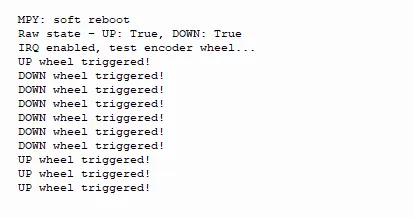
It can be seen that when the toggle switch is flipped, the corresponding trigger event will be printed by the terminal immediately.
4. Drivers
wheelswitch_driver-1.0.1.zip 8 KB
5. BOM & Recommended Alternative Parts
None.
VI. Revision History
Document Version | Date of Modification | Modifier | Revised Content |
v1.0 | 2026-03-24 | Zero Kōkō | Initialize Document |
v1.0.1 | 2026-04-05 | Li Zisheng | No photos for the homepage have been taken, the production files have not been exported yet, and all other items have been sorted out. |
v1.0.2 | 2026-04-21 | Li Zisheng | The production documents have not been exported yet, while all the rest have been sorted out. |
v1.1 | 2026-04-23 | Xin Ruili | Create an open version of the document, based on the internal document version v1.0.2. |
VII. Relevant Materials
7.1 Chip Datasheet
Scroll Wheel Switch.pdf 250 KB
7.2 Unique Icons for PCB Silk Screen