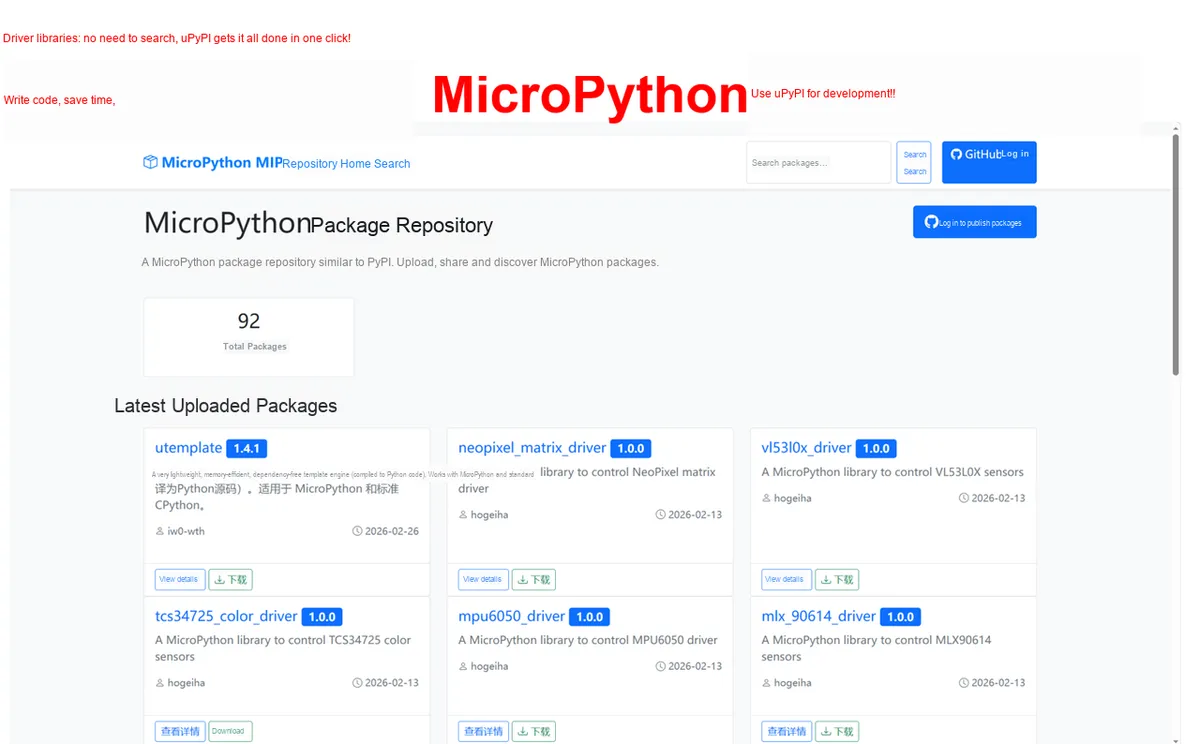
As a MicroPython embedded developer, are you tortured by these problems every day? Write a good code to run an error, turn over half a day found that less than installed a dependency file ; more collapse is that a library with several subsidiary files, missing a whole scrap. Here, we need to introduce the concept of dependency libraries . In MicroPython development, the official definition of dependency libraries is very clear:
Your main function code / main library cannot run independently and normally, and must call .py code files provided by other independent functions, classes, hardware interfaces, and algorithmic logic . These external code files being called are dependency libraries .
Let's take a real embedded case: using a microcontroller to drive the MAX30102 sensor to performheart rate and blood oxygen detection
Main function file:heart_rate.py (Responsible for: heart rate calculation, data display, and abnormal alarm)
Heart Rate Main Program → Must call Sensor Driver + Filtering Algorithm to run. Without these two dependent libraries, your heart rate code will directly report an error and won't run at all.
Extend to another real-world development scenario: using the Wiznet EVB-PICO development board, implement via the Wiznet network moduleTCP Client communication (the most commonly used network function, adapted to the core features of the development board):
Main Function File:\tcp_client.py\ (Responsible for: TCP connection establishment, data sending/receiving, connection status monitoring)
Dependency library file 1:\wiznet5k.py\ (Responsible for: low-level hardware read and write of the Wiznet network module, SPI interface configuration, and network chip initialization)
Dependency Library File 2: \socket\_utils.py\ (Responsible for: socket communication utility functions, data formatting, exception handling)
TCP Client Main Program → Must call Wiznet Network Driver + socket Tool Library to run. Without these two dependent libraries, your network communication code will directly report an error, the Wiznet module cannot be initialized, and it will not run at all.
Extend it to another real development scenario:
One of the \Wiznet Network Pass-through Libraries \ you installed may depend on \wiznet5k.py \ (low-level driver);
\wiznet5k.py\ driver, in turn, depends on \spi_utils.py\ (SPI communication low-level tool). This is multi-level nested dependency , and it is also the most common dependency scenario in Wiznet EVB-PICO development, which is completely consistent with the actual situation in your usual network function development.
Doubt
Xiaobai's soul-searching question:Why can't I copy and paste all the code and combine it into a single.py file?
This is a pitfall that 99% of beginners will fall into. I will combine the actual work of embedded development to tell you the 4 core reasons why you must never do this:
Dependencies version upgrade , after merging, it is completely unable to update
max30102.py Driver: The author will fix bugs, optimize reading accuracy, and upgrade hardware compatibility
filter_lib.py Algorithm: The author will optimize the filtering effect and reduce errors
If you merge all the code into a single file: Every time a dependent library is upgraded, you have to rewrite the entire large file, making it extremely easy to make mistakes in modifying or deleting code; while separating it into independent dependent libraries only requires upgrading a single file, and the main code remains completely unchanged.
Dependencies are general-purpose tools that can be reused in countless projects
max30102 Driver: Capable of not only heart rate monitoring but also blood oxygen and gesture detection
Filter Algorithm Library: Can be used not only for heart rate but also for temperature, humidity, and air pressure sensors
After merging into a single file, the code is completely "locked" within the heart rate project and cannot be reused; Independent dependency libraries allow all projects to directly call them, enabling one-time writing and countless uses.
Nested dependencies can cause code to completely spin out of control
A heart rate function may depend on 2 libraries; these 2 libraries, in turn, each depend on 2 underlying libraries; ultimately, the dependency relationship will become: main code → 4 dependent libraries. If all are merged into a single file, the code will reach thousands or tens of thousands of lines , and it will be impossible to find the problem when an error occurs.
Development and maintenanceCost explosion
Embedded development mostly involves multi-person collaboration: Engineer A writes sensor drivers, Engineer B writes algorithms, and Engineer C writes main functions. When the code is separated (in the dependent library mode), everyone works without interfering with each other; when merged into a single file, everyone modifies the same file, leading to direct conflicts and code becoming obsolete.
That's why we must implement it with the Wiznet Ethernet module: Online automatic installation + automatic dependency loading similar to Python pip : One line of code, automatically install the main library + all dependent libraries + nested dependencies, and automatically handle version upgrades!
Core solution: uPyPi + mip
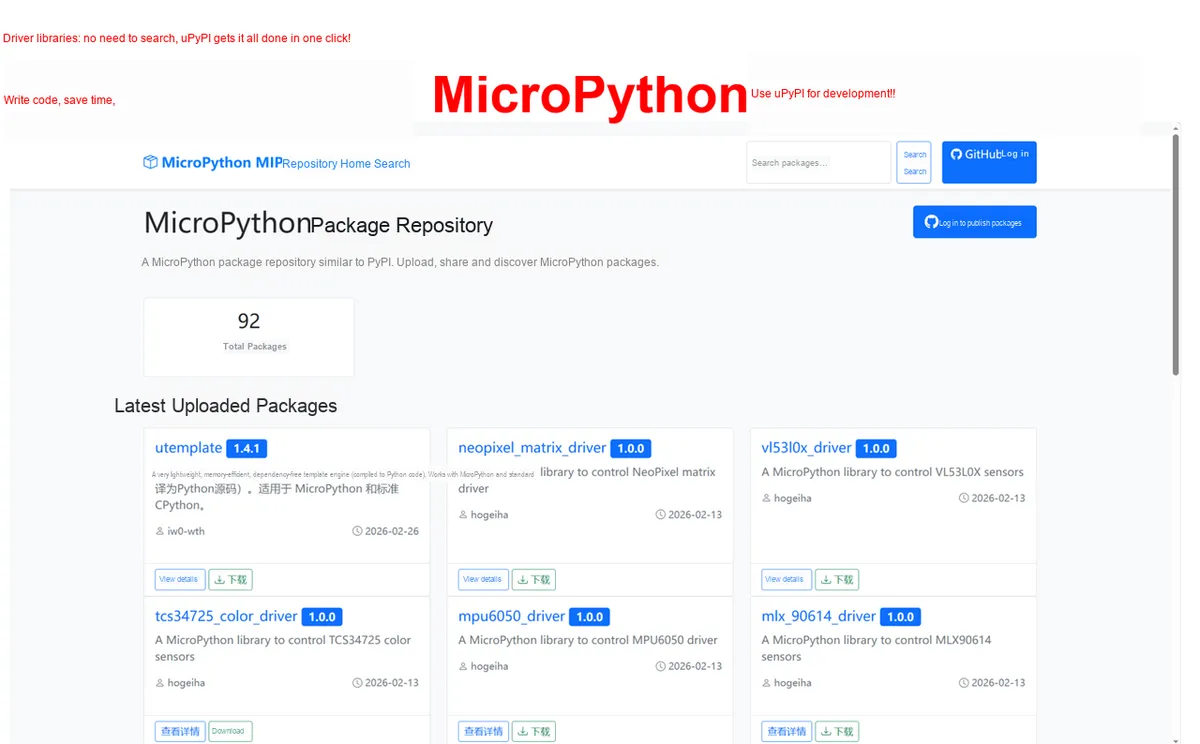
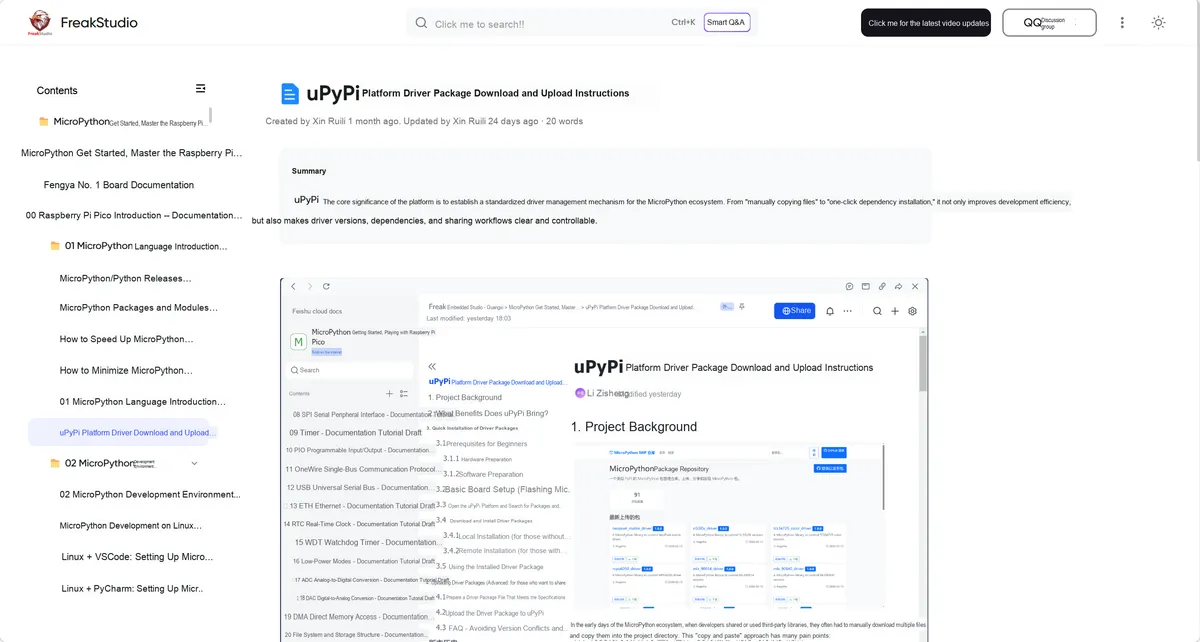
The uPyPi we developed is the **PyPI (Python official package repository)** for the MicroPython ecosystem, working in conjunction with the mip (mip installs packages) tool built into the MicroPython official distribution to achieve:
✅ Package Hosting: One-click upload of driver packages and toolkits to uPyPi, accessible to global developers
✅ One-click Installation: Connect the development board to the network, and install the main package + all dependencies with one line of code
✅ Automatic Dependency Management: mip automatically and recursively installs declared dependency packages without manual intervention
✅ Full-chip compatibility: Pure software package design, supporting all MicroPython development boards, with no hardware coupling
✅ Version Management: Semantic Versioning, completely avoiding version conflicts
Hands-on from Scratch: 3 Steps to Dynamically Install Dependencies via Wiznet Ethernet
Step 1: Create the third-party dependency package math_utils
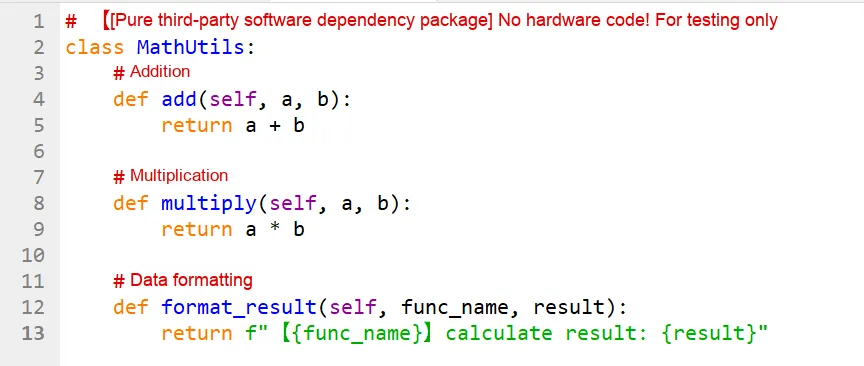
This is a pure software toolkit, without any hardware code, and serves as a dependency for the main package.
The folder structure is as follows:
code/math_utils.py The code is as follows:
The complete configuration of package.json is:
{
"name": "math_utils",
"version": "1.0.1",
"description": "Pure third-party software dependency package (no hardware, for testing)",
"author": "test",
"license": "MIT",
"chips": "all",
"fw": "all",
"_comments": {
"chips": "Chip models supported by this package; all means no chip restriction",
"fw": "Specific firmware this package depends on, such as ulab, lvgl; all means no firmware dependency"
},
"urls": [
[
"math_utils.py",
"code/math_utils.py"
]
]
}
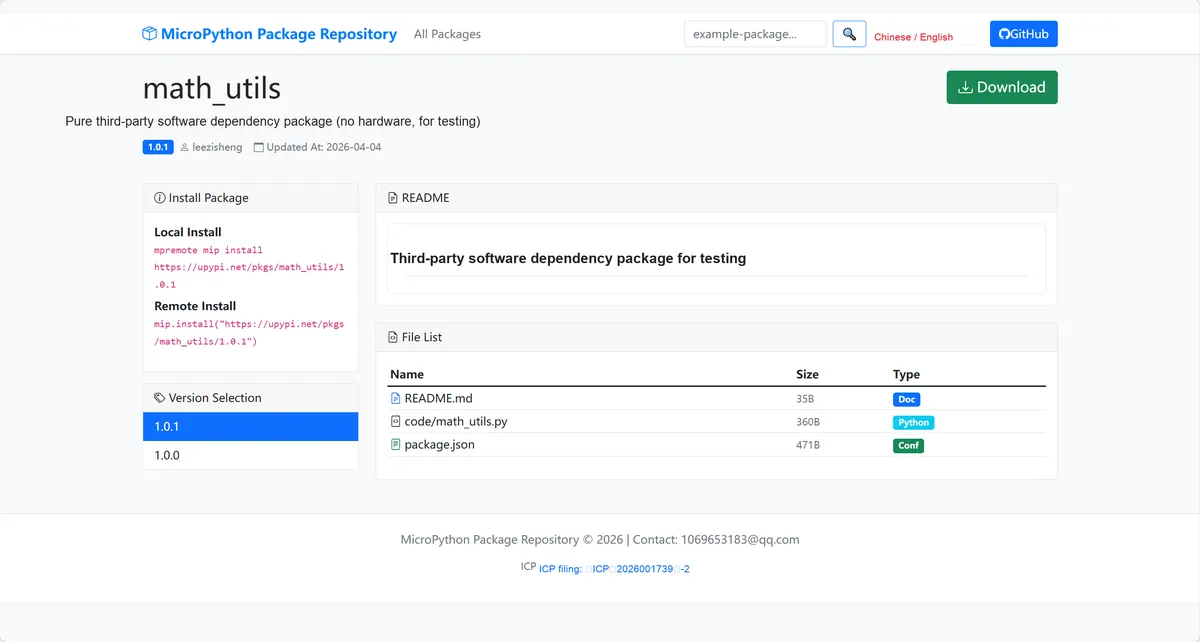
Package the folder, upload it to the uPyPi platform, and obtain the package address:
Step 2: Create the main test suitetest_core
The main package depends on the above math_utils , users only need to install the main package, mip automatically installs dependencies. Folder structure:
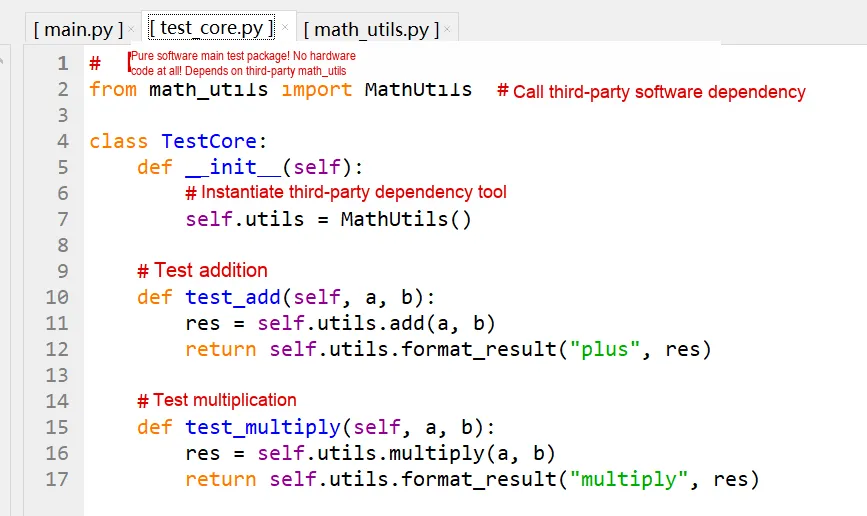
The code for code/test_core.py is as follows:
The complete configuration of package.json is:
"name": "test_core",
"version": "1.0.4",
"description": "Pure software test main package (no hardware, depends on third-party packages)",
"author": "test",
"license": "MIT",
"chips": "all",
"fw": "all",
"_comments": {
"chips": "Chip models supported by this package; all means no chip restriction",
"fw": "Specific firmware this package depends on, such as ulab, lvgl; all means no firmware dependency"
},
"urls": [
[
"test_core.py",
"code/test_core.py"
]
],
"deps": [
["https://upypi.net/pkgs/math_utils/1.0.1", "latest"]
]
}
Here, we declare the uPyPi address of the main package dependency math_utils in the deps field, mip automatically recursively installs the dependent packages when installing the main package , and users don't need to worry about it at all; Supports multiple dependencies, nested dependencies, and mip automatically handles all dependency chains.
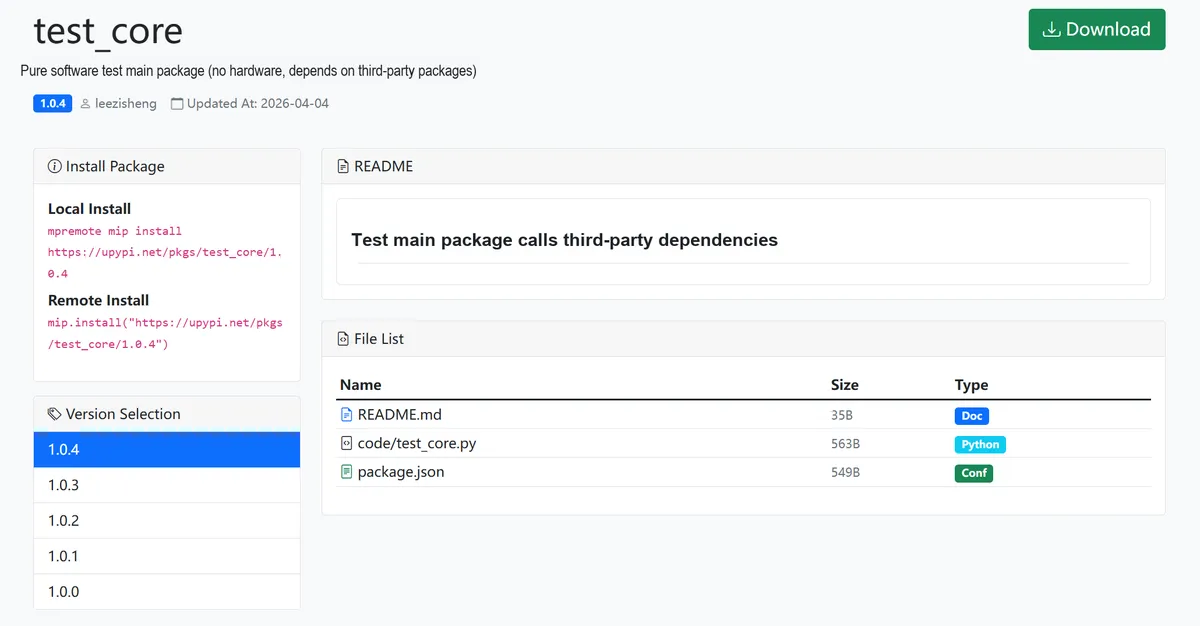
Package the folder, upload it to the uPyPi platform, and obtain the main package address:
Step 3: One-click Installation + Testing of Wiznet EVB-PICO
The complete code is as follows:
# ==================== Wiznet EVB-PICO Ethernet pure software test (no hardware coupling) ====================
# Python env : MicroPython v1.23.0 on Wiznet W5500
# -*- coding: utf-8 -*-
# @Time : 2024/8/7 9:12 PM
# @Author : Li Qingshui
# @File : main.py
# @Description : Wiznet Ethernet + uPyPi automatic dependency installation, pure test code
import time
import network
import mip
from machine import Pin, SPI
# ==================== Configuration ====================
# Ethernet static IP configuration (Wiznet EVB-PICO)
ETH_IP = '192.168.1.20'
ETH_SUBNET = '255.255.255.0'
ETH_GATEWAY = '192.168.1.1'
ETH_DNS = '8.8.8.8'
# uPyPi main test package address (replace with the upypi address)
MAIN_PACKAGE = "https://upypi.net/pkgs/test_core/1.0.4"
# ==================== Ethernet connection (only modify this part!) ====================
def connect():
try:
print("Initializing Wiznet Ethernet...")
# W5500 SPI initialization (EVB-PICO standard pins)
spi = SPI(0, 2000000, mosi=Pin(19), miso=Pin(16), sck=Pin(18))
nic = network.WIZNET5K(spi, Pin(17), Pin(20))
nic.active(True)
# Configure static IP
nic.ifconfig((ETH_IP, ETH_SUBNET, ETH_GATEWAY, ETH_DNS))
# Wait for the Ethernet connection
timeout = 10
while not nic.isconnected() and timeout > 0:
timeout -= 1
time.sleep(1)
if nic.isconnected():
print("Ethernet connected successfully! IP:", nic.ifconfig()[0])
return True
else:
print("Ethernet connection failed!")
return False
except Exception as e:
print("Ethernet initialization failed:", e)
return False
# ==================== Remote installation (automatically install third-party software dependencies) [completely unchanged] ====================
def install():
print("Starting installation: main package + third-party pure-software dependencies...")
mip.install(MAIN_PACKAGE)
print("✅ Installation complete! No hardware dependencies")
# ==================== Pure software test (no hardware) [completely unchanged] ====================
def test():
# Import the installed pure software package
from test_core import TestCore
test = TestCore()
# Run the test
print("\n===== Pure-software test results =====")
print(test.test_add(10, 20))
print(test.test_multiply(10, 20))
print("=========================\n")
print("🎉 Test passed! Dependencies installed correctly")
# ==================== Main program [completely unchanged] ====================
if __name__ == "__main__":
if connect():
install()
test()
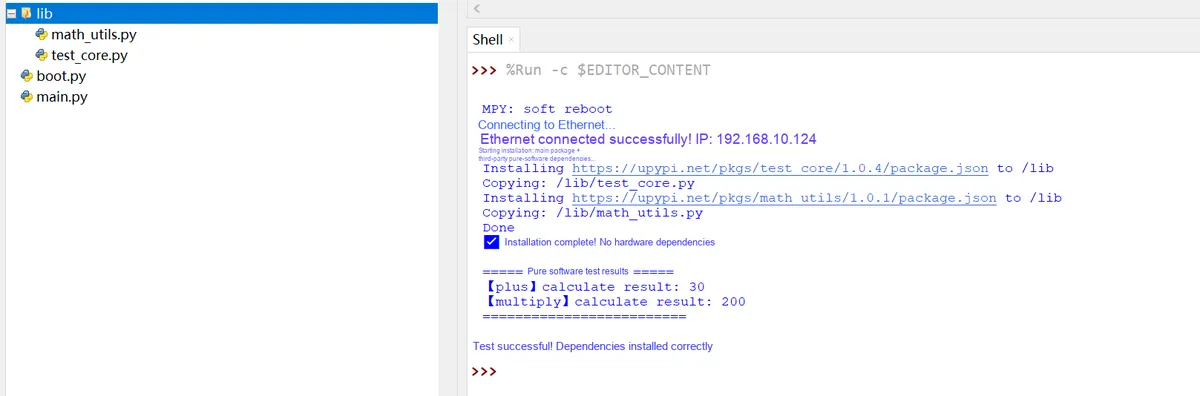
The running results are as follows:
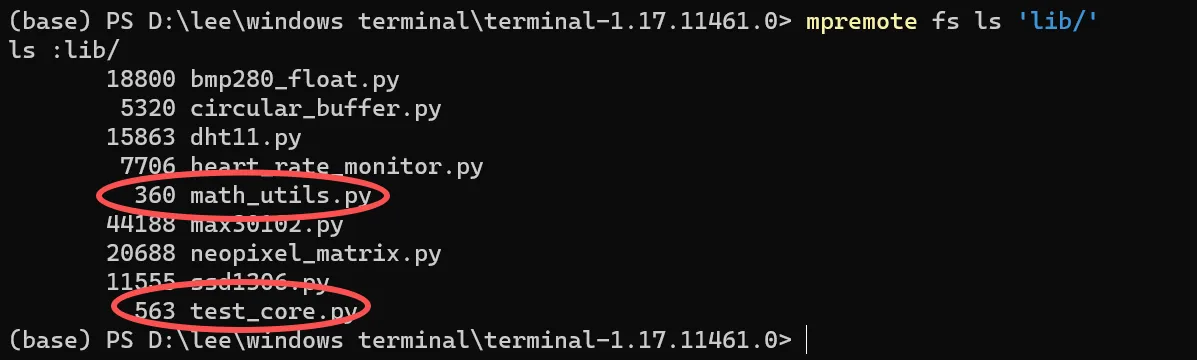
We can also use the local installation method:
It can be seen that: Wiznet successfully achieved the online dynamic installation capability similar to Python's pip through MicroPython's mip tool. After the device connected to WiFi, it automatically fetched and deployed the main test_core.py test suite and its third-party dependency package math_utils.py to the /lib directory. Subsequent pure software testing verified that the main package can normally call the dependent libraries, the results of addition and multiplication operations are completely correct, and the online library installation, automatic dependency management, and function verification on the embedded device side have been fully implemented, thoroughly resolving the development pain points of traditional manual file copying and missing dependency installations, and achieving a standardized package management experience consistent with Python development on the PC side.