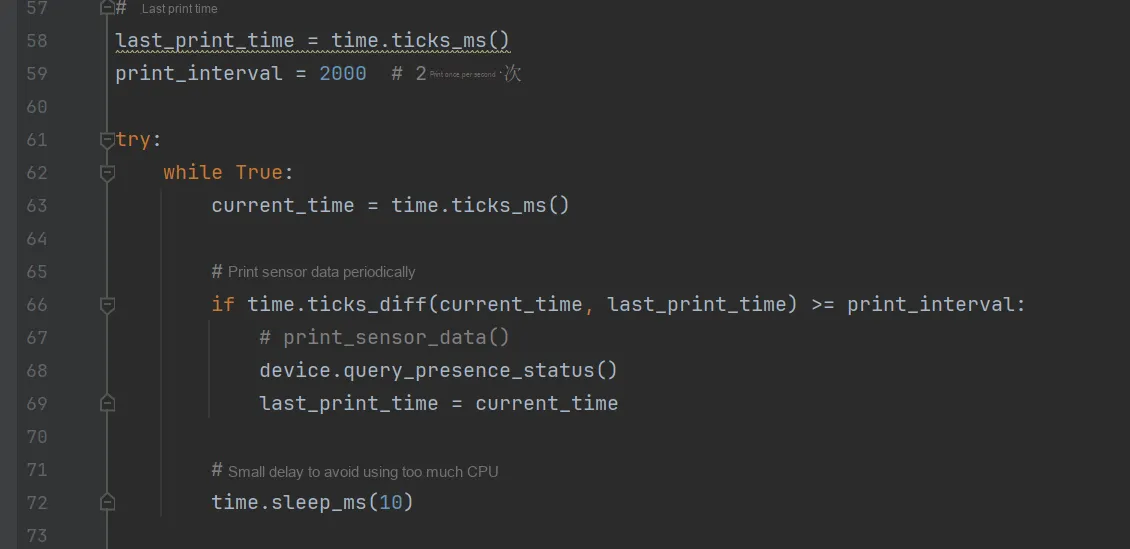
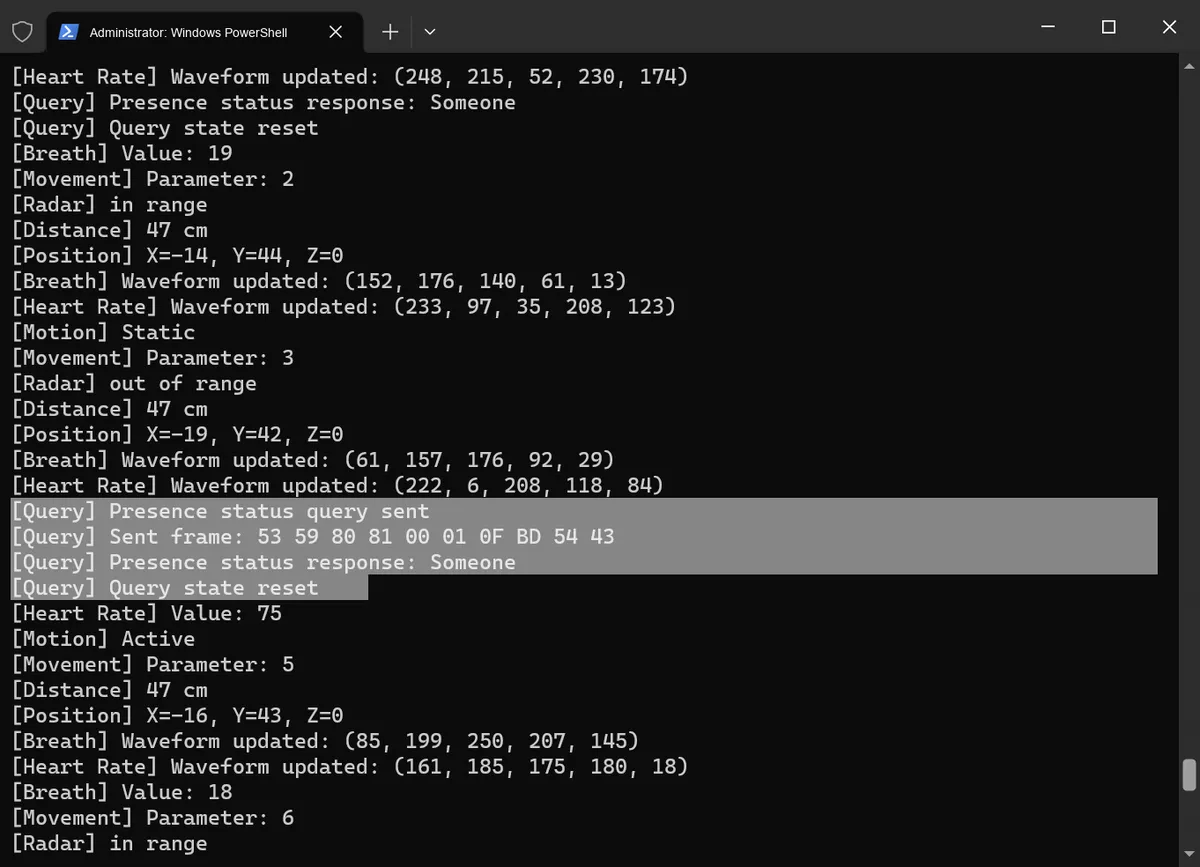
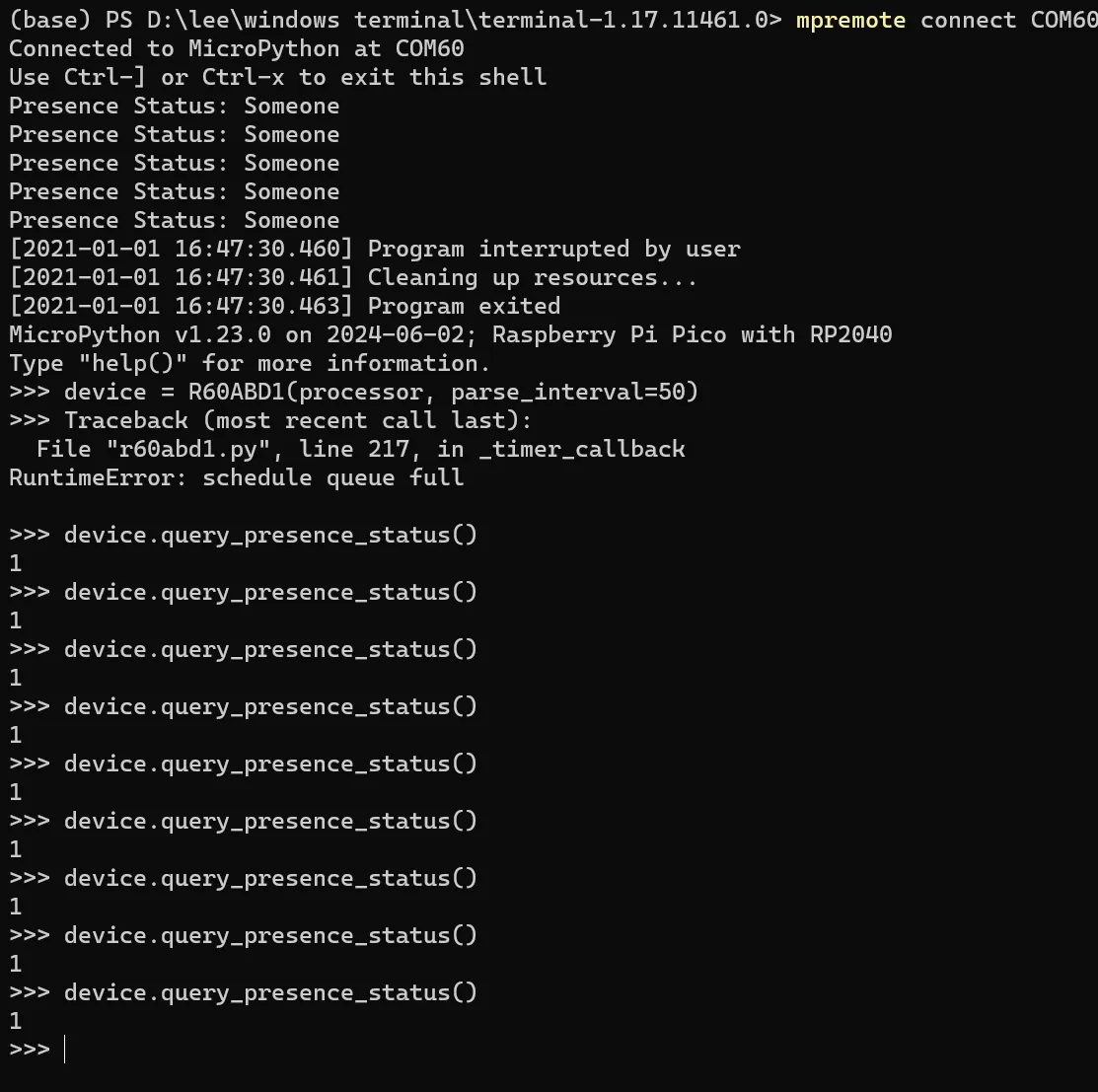
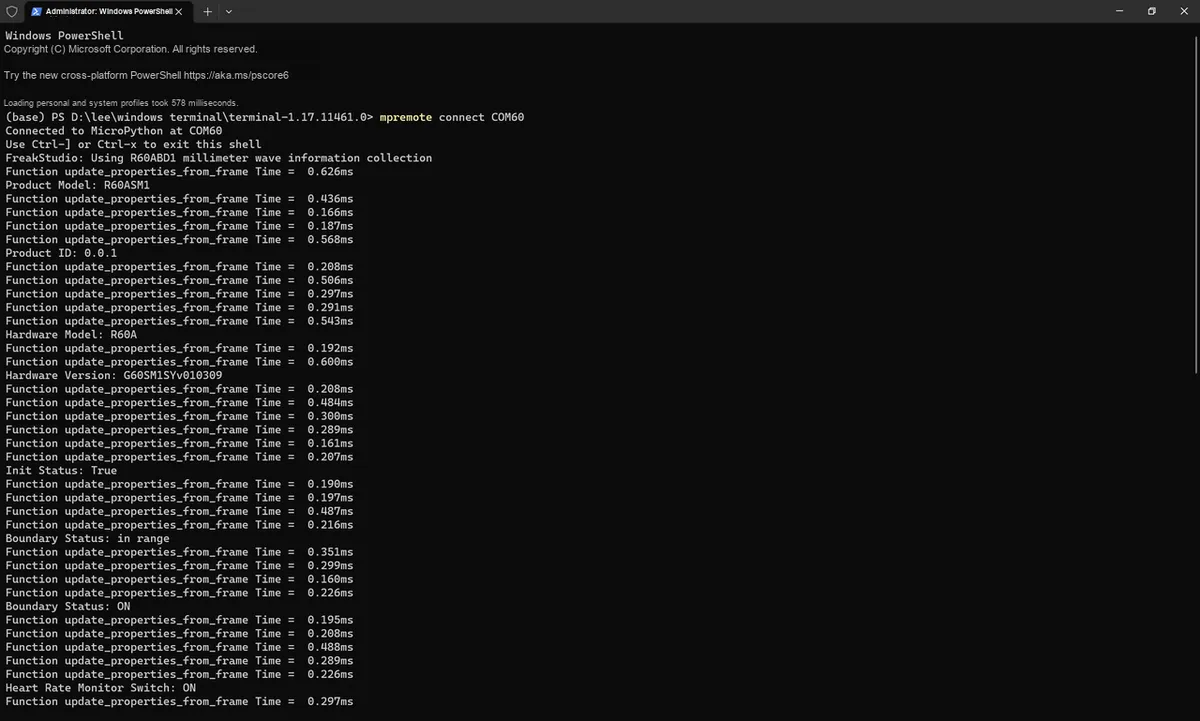
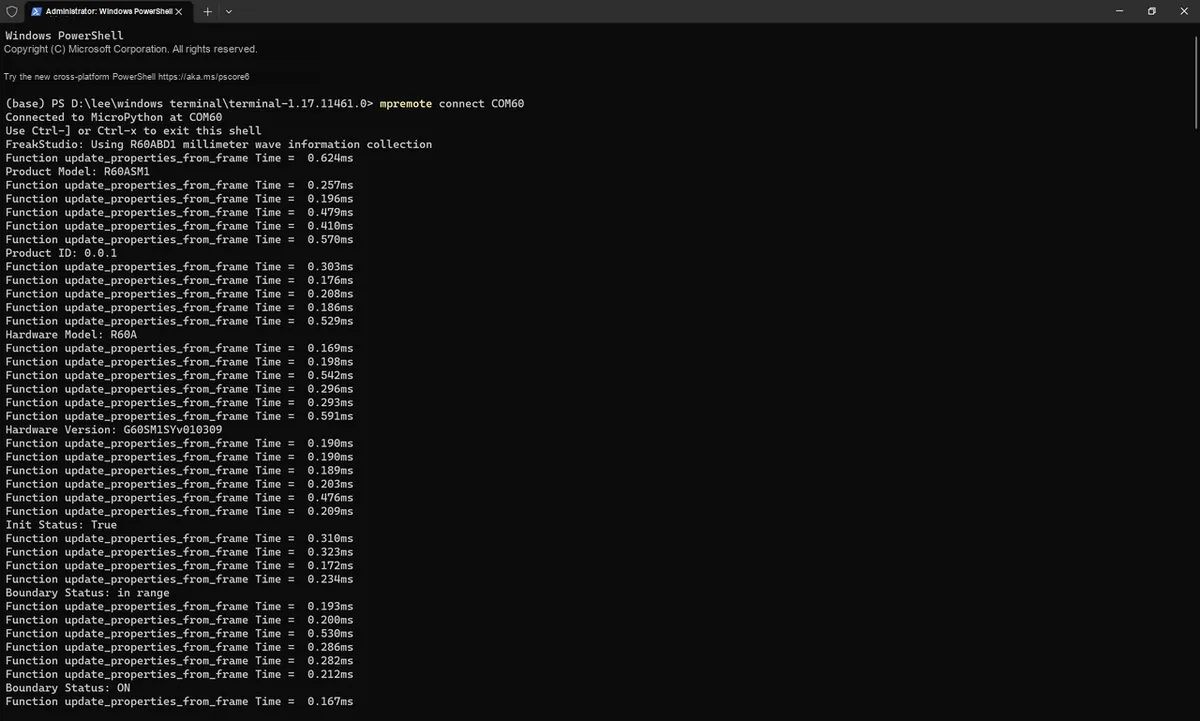
Serial Port Protocol Parsing Practice: Taking the R60ABD1 Radar as an Example, a Detailed Explanation of the Separation Design of Data and Business Logic in MicroPython Drivers
I. Analysis of Core Information in the R60ABD1 Datasheet
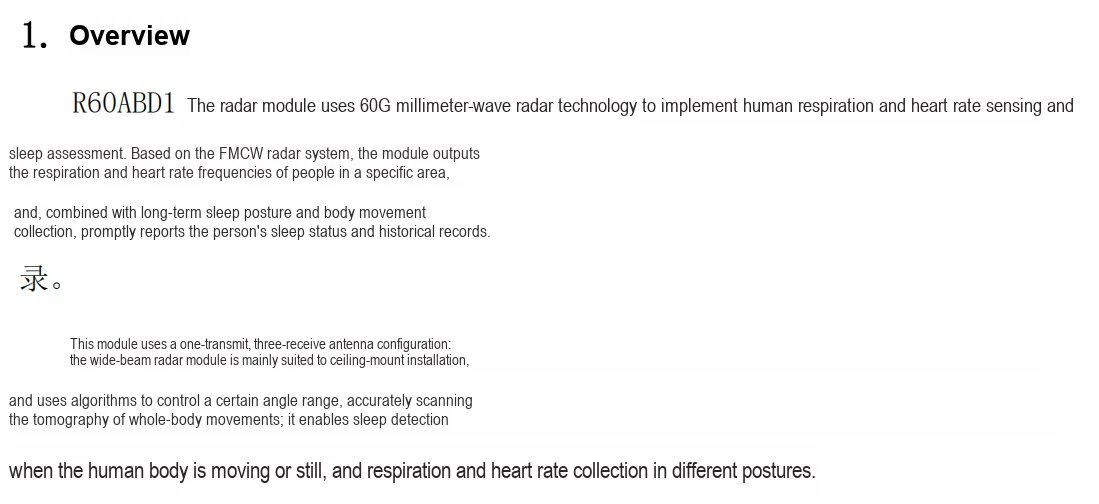
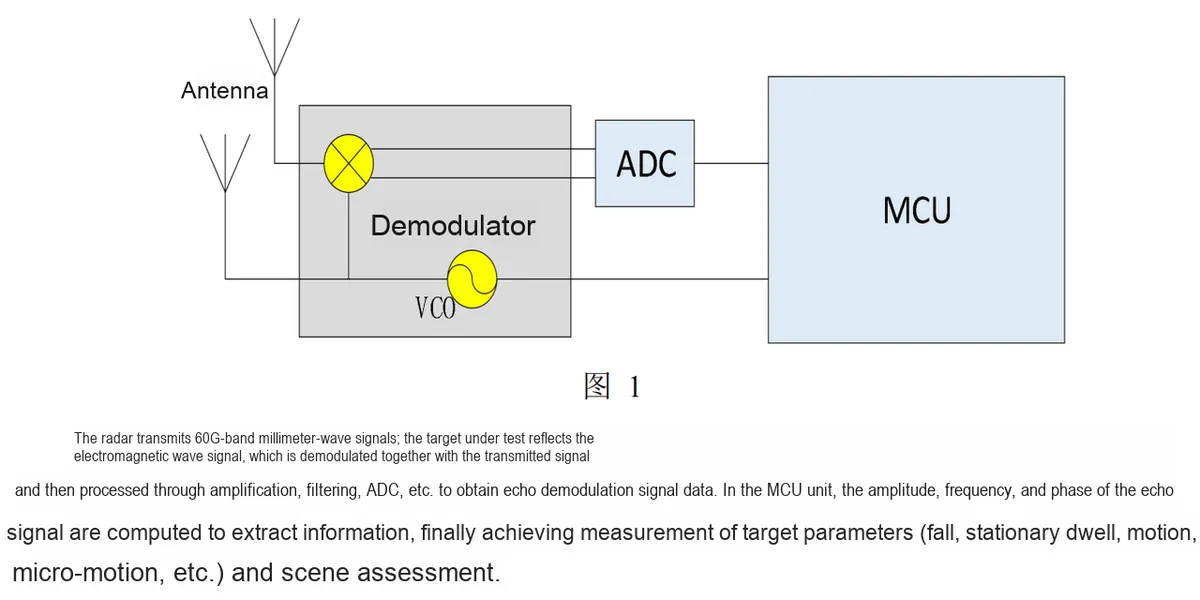
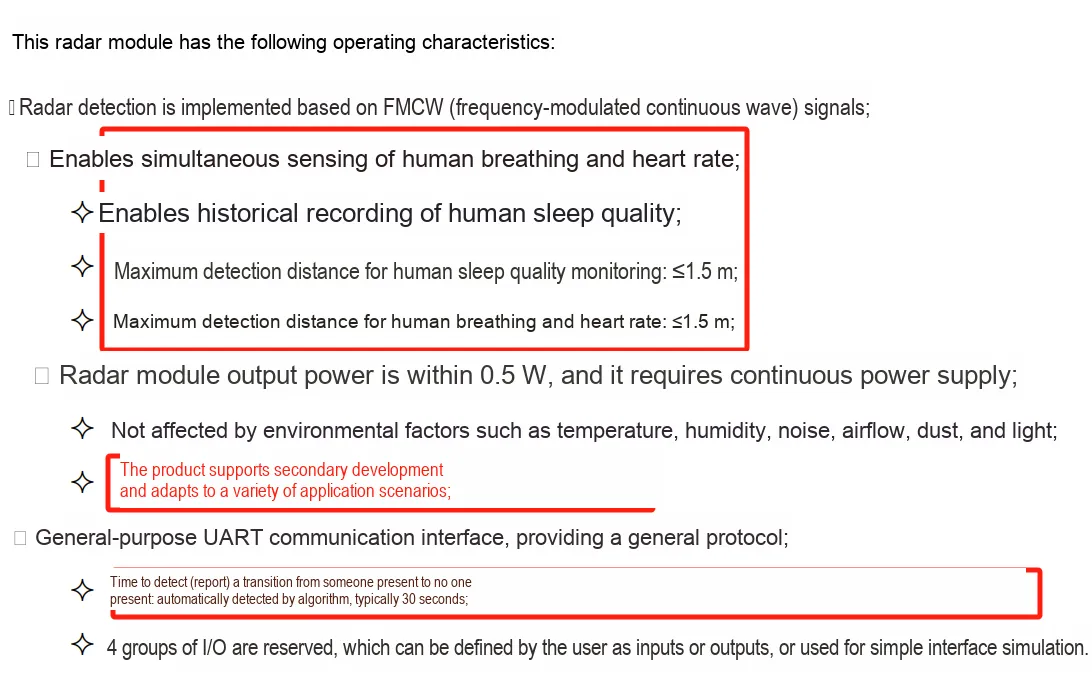
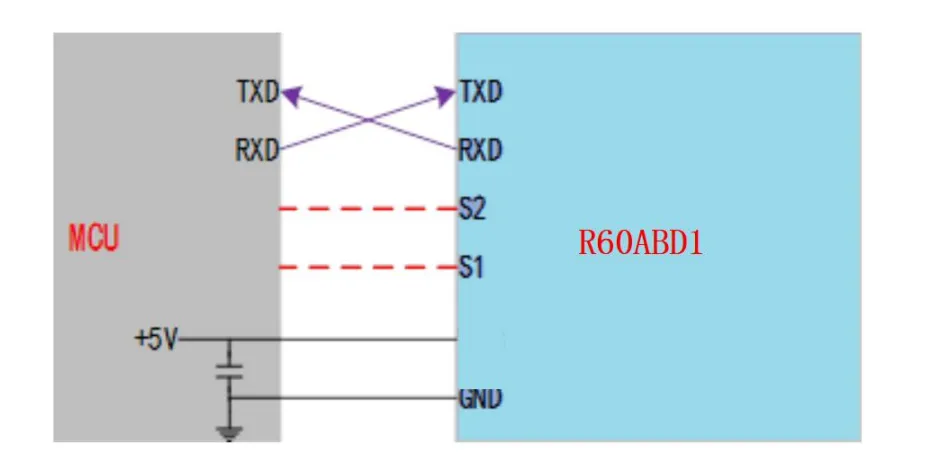
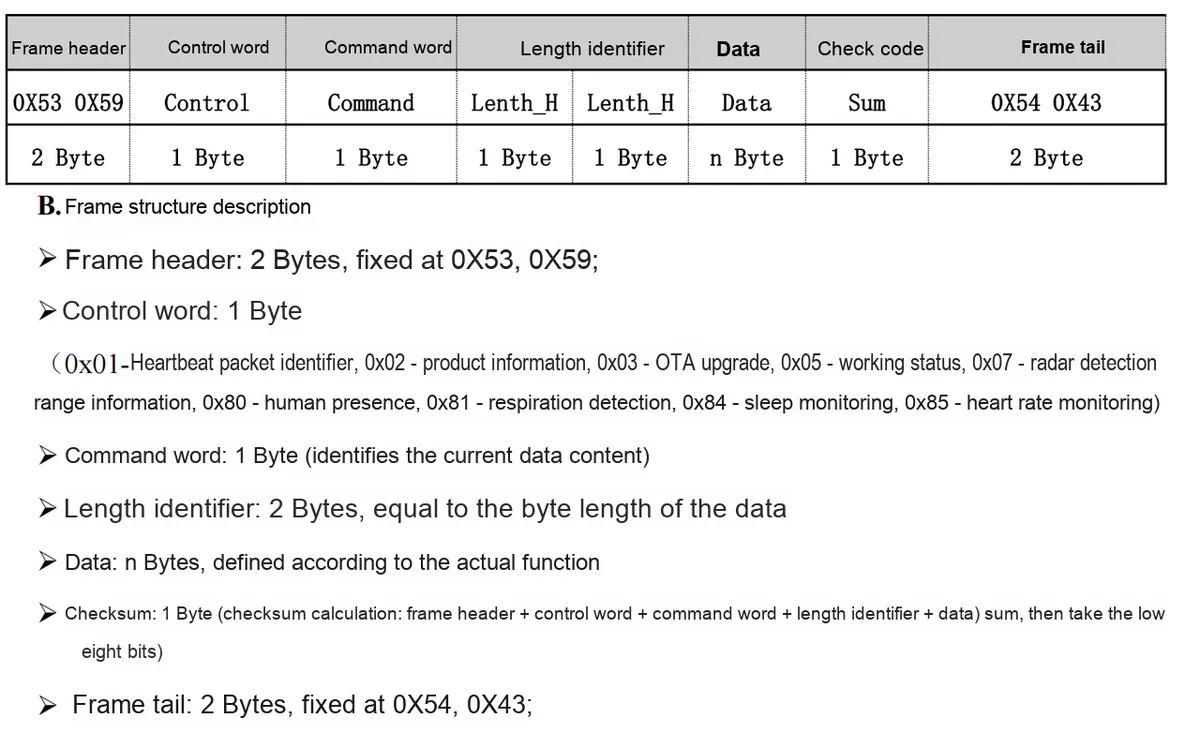
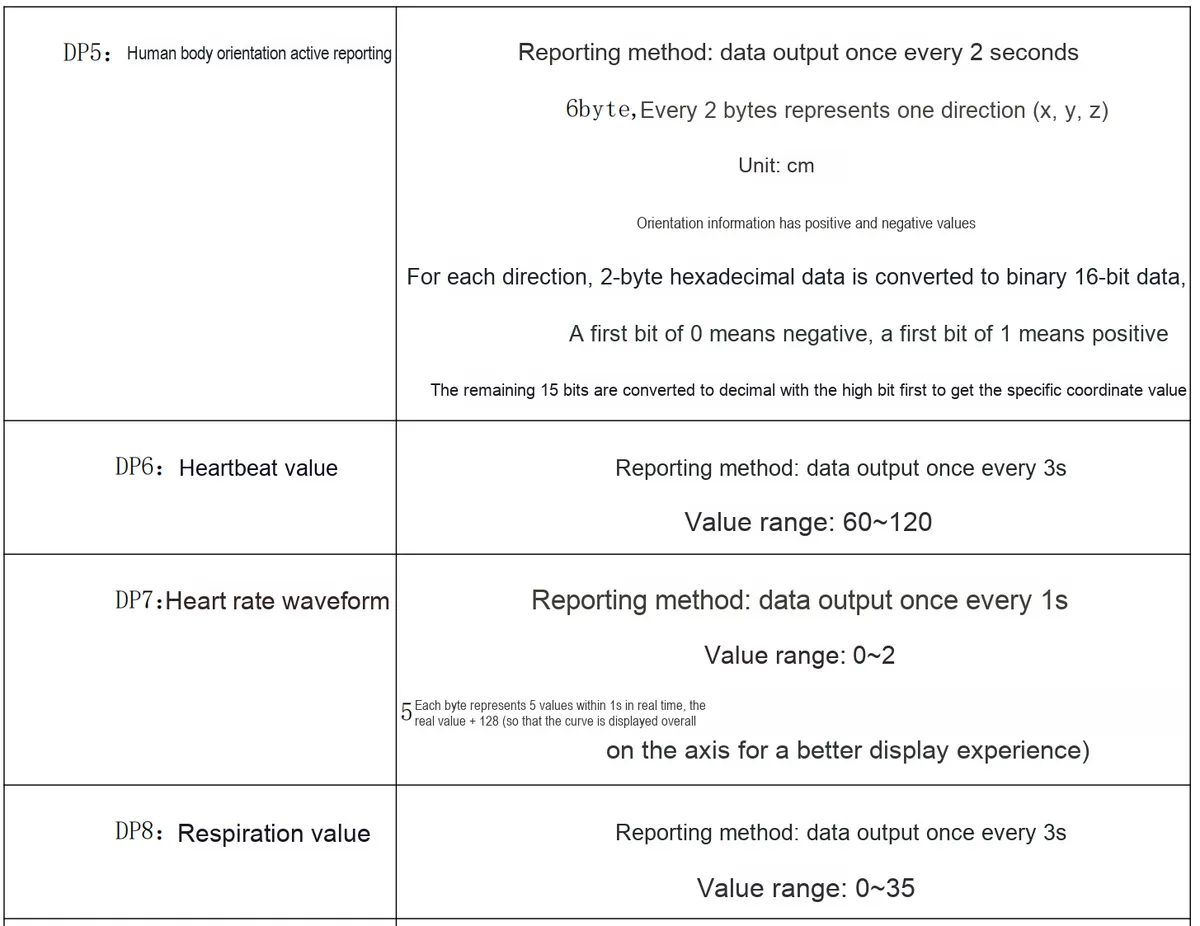
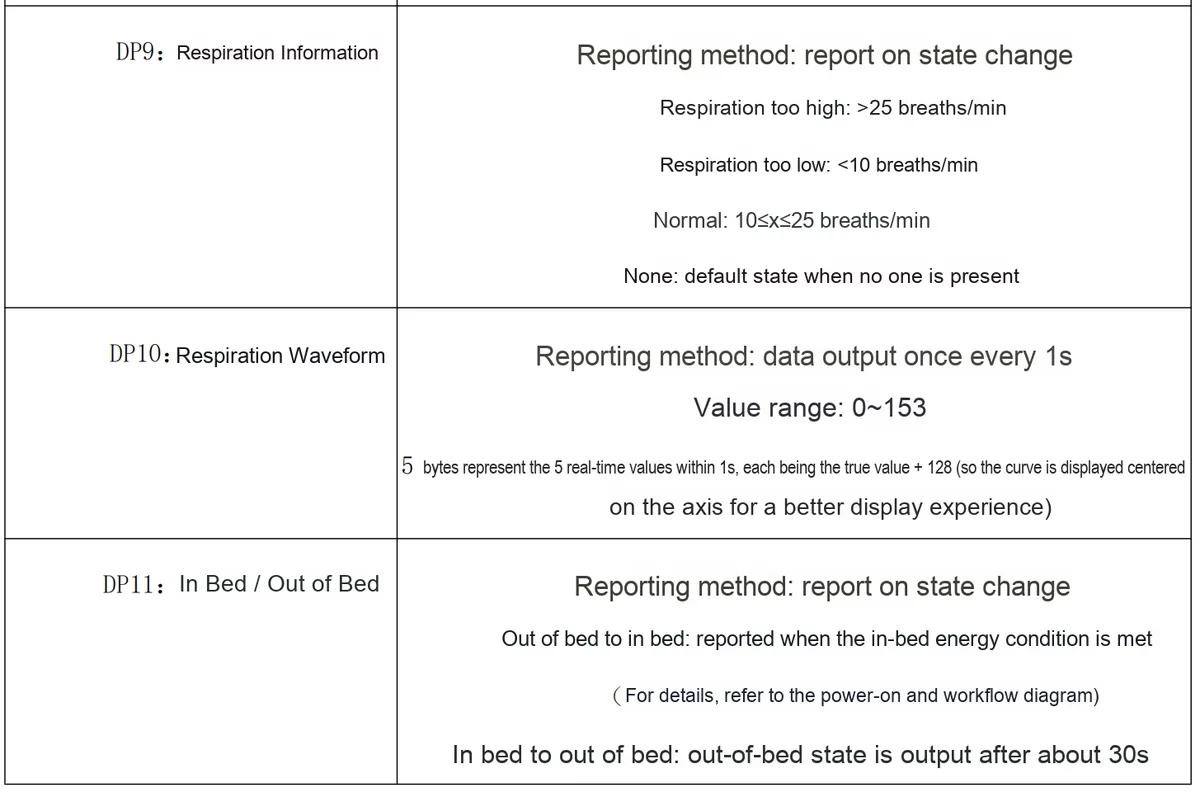
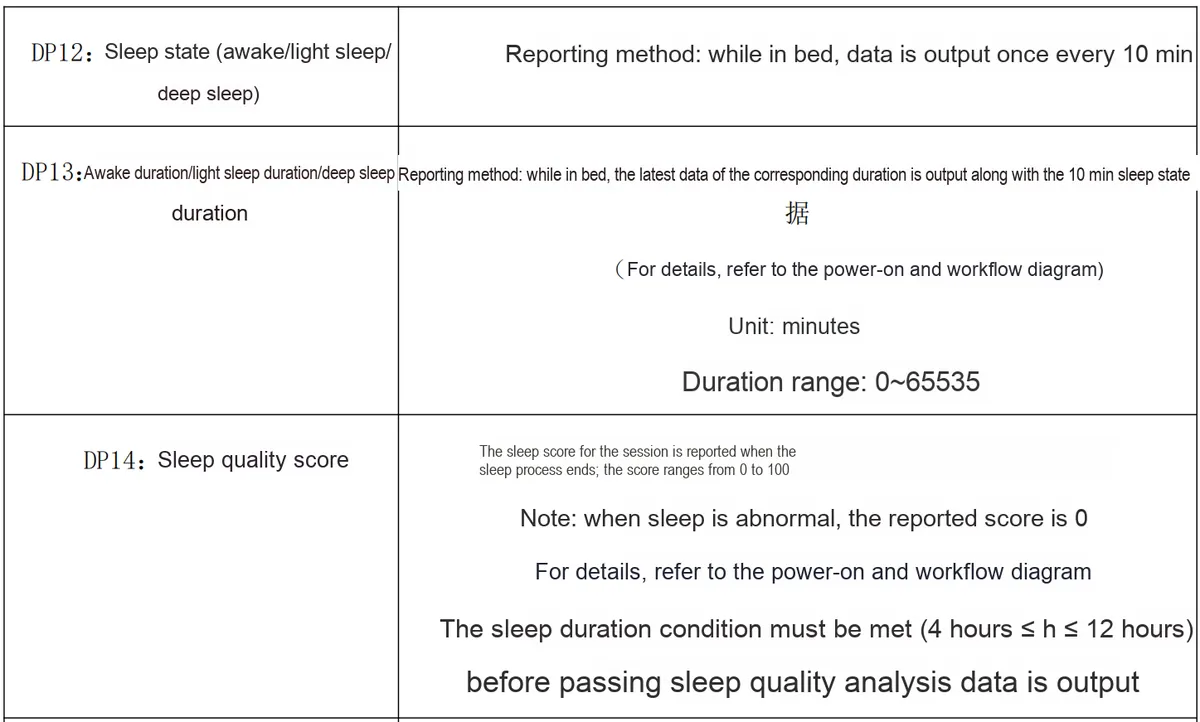
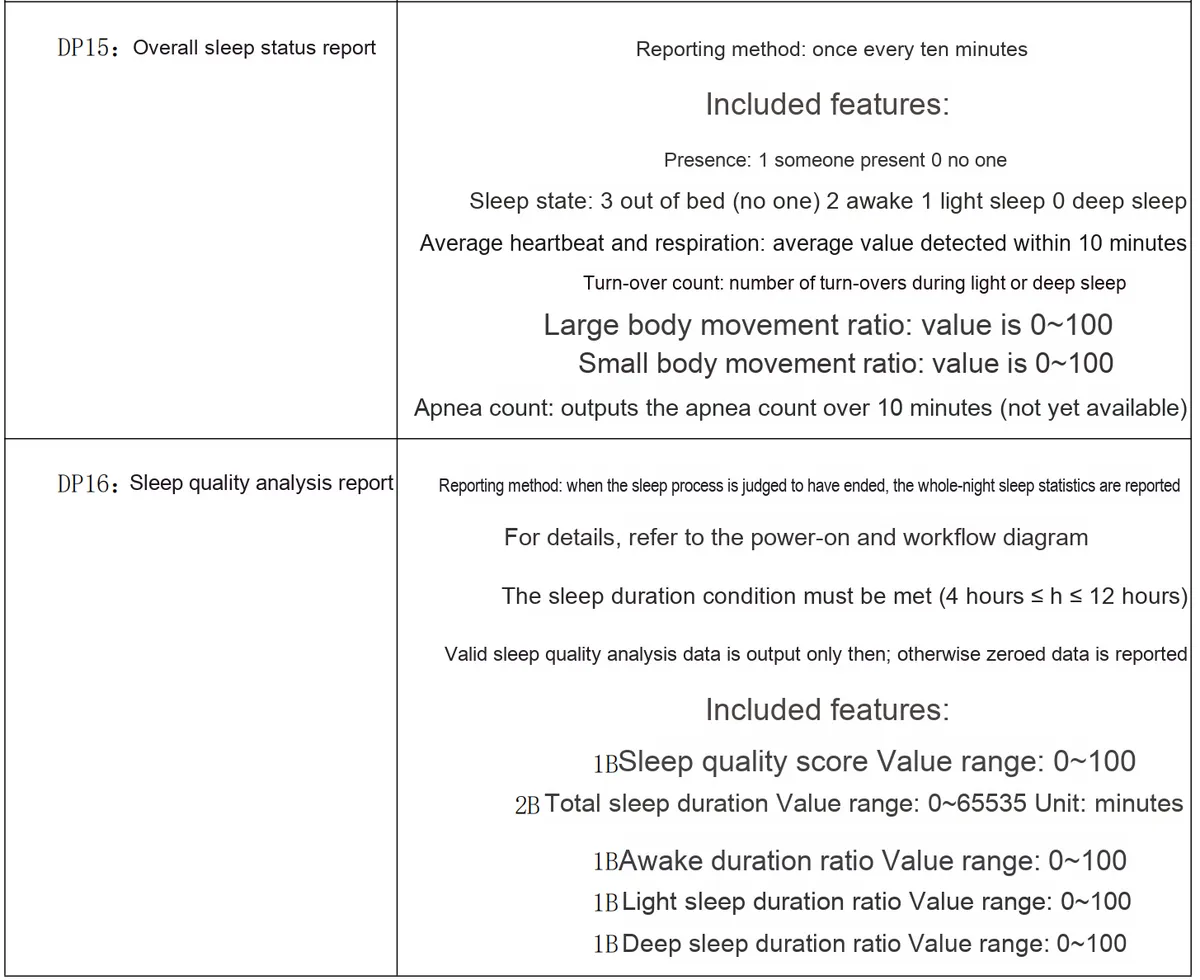
Here, first of all, we need to refer to the relevant manual, from which we can see that it provides a UART interface and adopts a custom serial port protocol:
Based on this protocol, we can perform a layered design from the protocol parsing layer and business logic layer to implement a MicroPython driver that supports Modularization and is easy to maintain:
At the protocol parsing layer, the frame extraction logic shall be implemented first as follows: locate the start of a frame by reading serial port data in a loop and matching the fixed frame header 0X53 0X59; then determine the number of bytes to be read subsequently according to the "length identifier" field (2 bytes, consisting of Lenth_H and Lenth_L, which represents the byte length of the data segment); finally verify the frame tail 0X54 0X43 to ensure the integrity of the entire frame data and avoid frame truncation and frame sticking problems.
At the Business Logic Layer, the control instructions of the device (such as sending instructions to "configure the respiratory monitoring mode" and "query the device status") and data application interfaces (such as acquiring the respiratory rate in real time, judging the human presence status, and analyzing the sleep monitoring results) are encapsulated, so that the upper-layer business code does not need to pay attention to the details of the underlying protocol, and only needs to call the encapsulated methods to complete device interaction and data application.
Relevant agreements are available at:
Next, based on this layered architecture, we will walk you through step by step how to implement the separation design of data and business logic in MicroPython drivers.
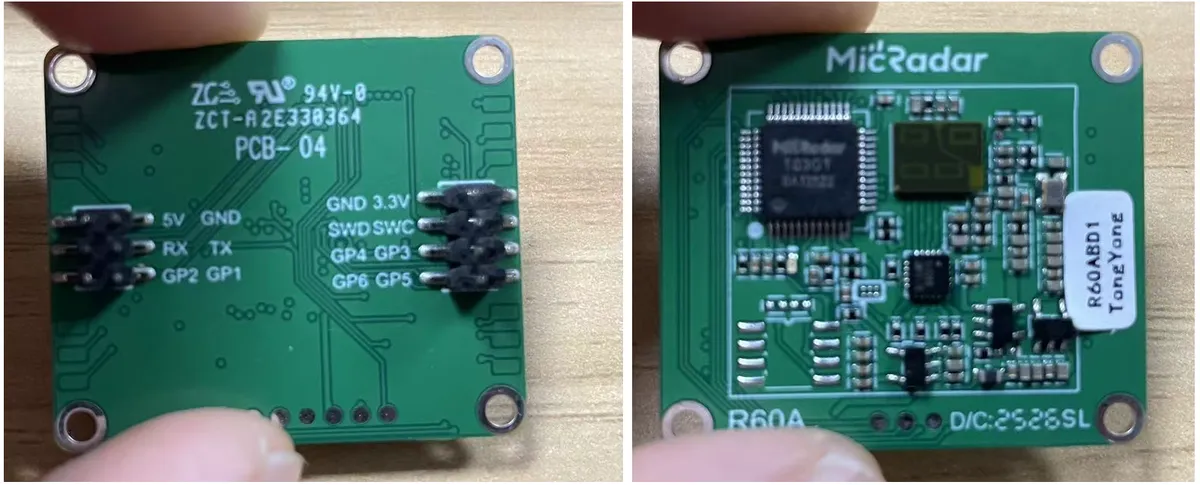
II. Hardware Connection and Setup of Debugging Environment (Necessary Preparatory Step)
When working with any device based on a custom serial port protocol (such as the R60ABD1 sleep-breathing monitoring radar), there are two "preliminary verification steps" that must be completed first before starting secondary development — these are not optional steps, but the key to avoiding the later predicament of "the code logic is correct but it just never works".
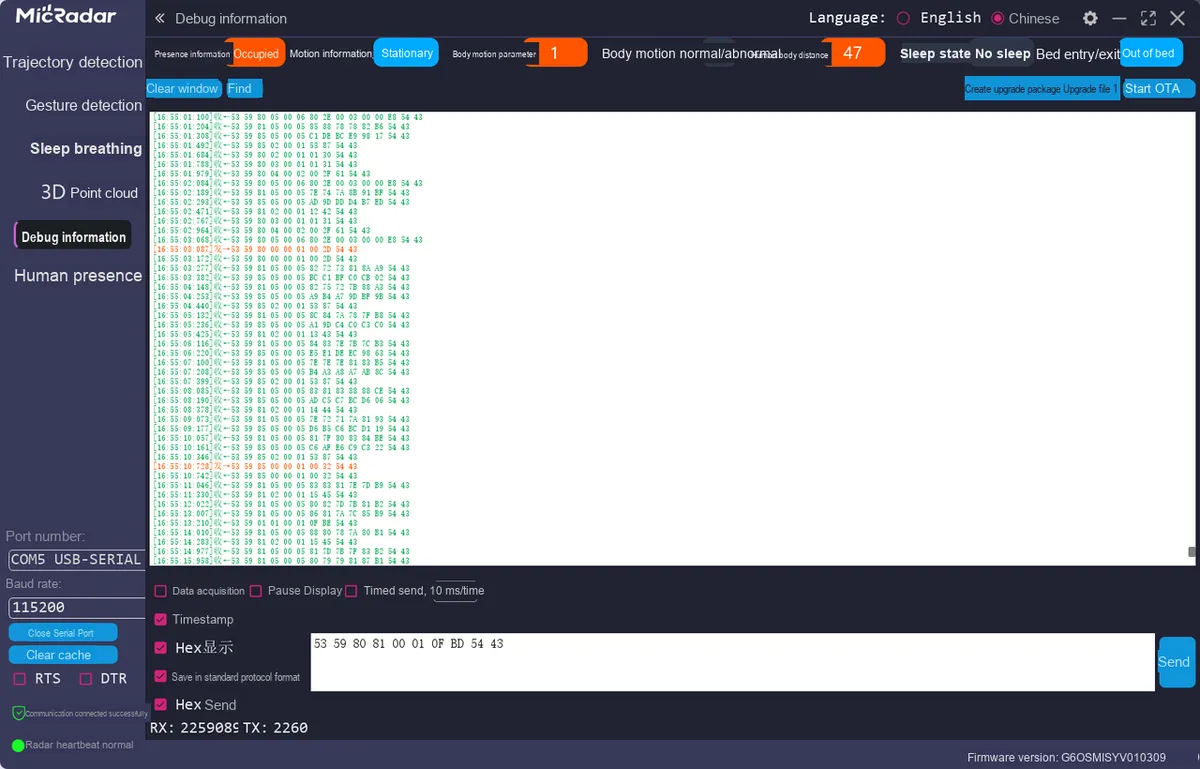
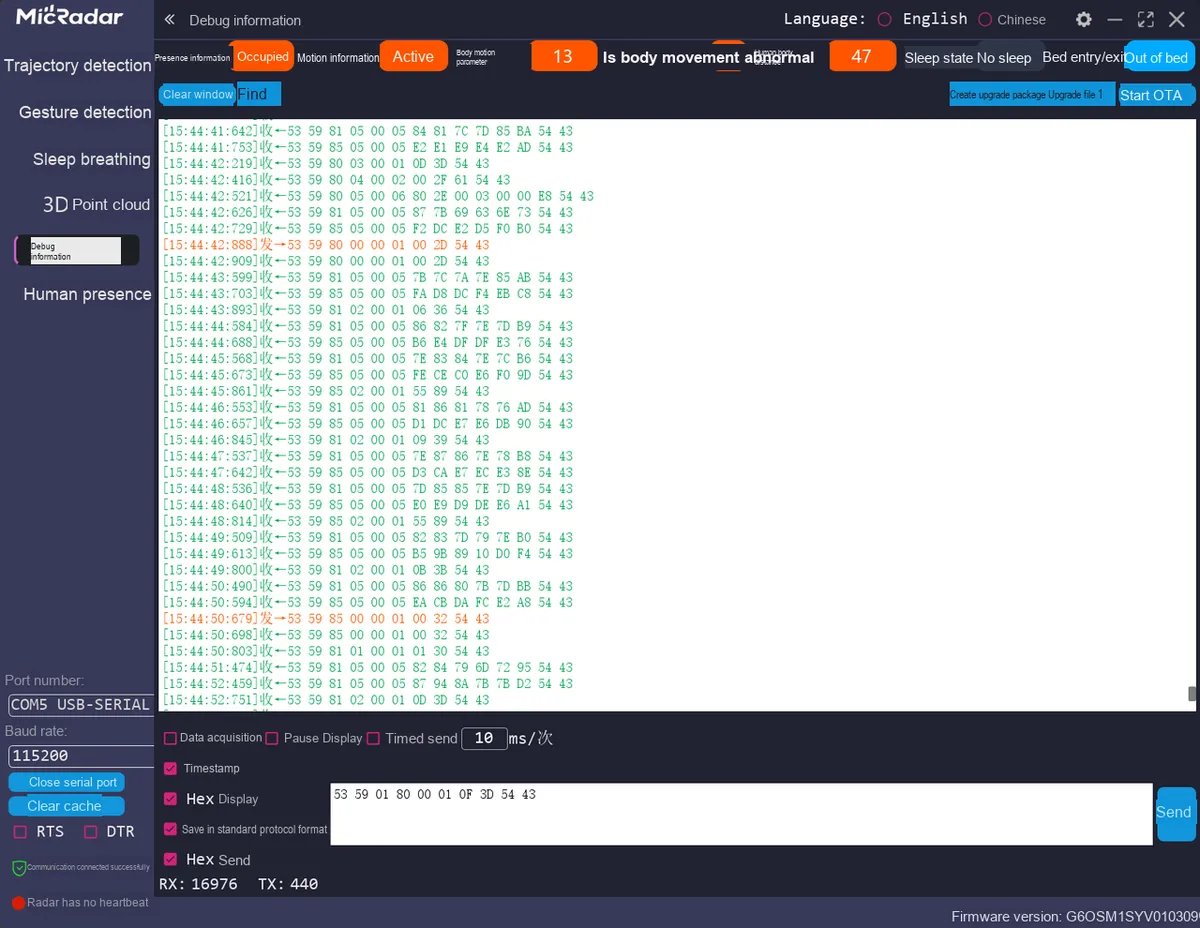
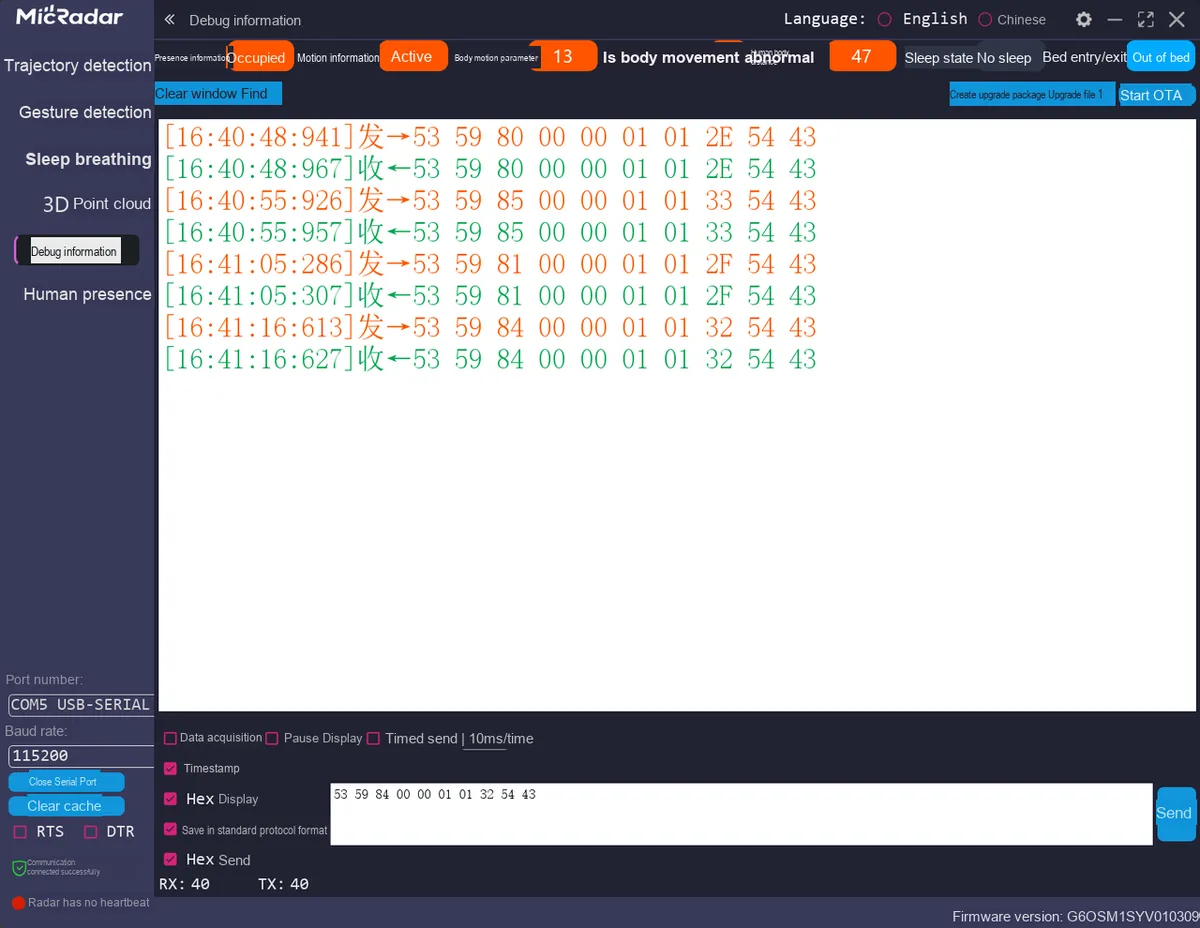
Actual measurement via serial port assistant instruction by instruction: The description of the serial port protocol in the device manual (such as instruction format, response rules, data frame structure) is essentially a "theoretical convention". However, in actual development, affected by firmware version iteration, production batch differences and even document typos, there may be deviations between the "manual description" and the "actual behavior of the device". The core value of the serial port assistant lies in verifying the authenticity of protocol details through the most direct "send-receive" interaction. The specific operations need to be carried out around three dimensions:
Instruction Integrity Verification: Manually assemble each instruction according to the format defined in the manual (frame header, control word, command word, parameters, check code, frame tail), for example, the "enable respiration monitoring" instruction for R60ABD1 0x53 0x59 0x01 0x01 0x00 0x00 [check code] 0x54 0x43). After sending it via a serial port assistant, focus on checking whether the returned frame meets expectations — verify if the frame header is correct (e. g. 0x53 0x59), if the frame tail matches (the manual specifies 0x54 0x43, but the actual measurement may return 0x54 0x44), and if the length field is consistent with the byte count of the data segment (to avoid frame loss in subsequent parsing caused by incorrect length calculation).
Response Logic Verification: Test whether the cause-and-effect relationship of "command-response" forms a closed loop. For example, after sending the command "configure the sampling rate to 10Hz", observe whether the frequency of the data output by the device actually changes to 10Hz; after sending the command "query the device version number", check whether the bytes in the returned data segment can resolve valid version information (such as the ASCII code corresponding to V1.2.3).If "no response to the sent command" or "response unrelated to the command" occurs, prioritize troubleshooting the wiring (check if TX/RX are reversed), baud rate (verify if it matches the device's default value; for example, R60ABD1 may use 115200), and checksum method (confirm if the check code is omitted or the calculation rule is incorrect).
Validation of Check Mechanism Effectiveness: Deliberately destroy the integrity of the command (e. g., modify the value of a certain byte, tamper with the check code), and observe whether the device rejects the response or returns an error frame after sending — this can verify whether the device's check logic takes effect. For example, the check rule of R60ABD1 is "the lower 8 bits of the cumulative sum of all bytes from the frame header to the data segment". If the device still responds normally after modifying a certain byte in the data segment, it indicates that the check mechanism may not be enabled or the manual description is incorrect, and the parsing logic needs to be adjusted according to the actual measurement results.
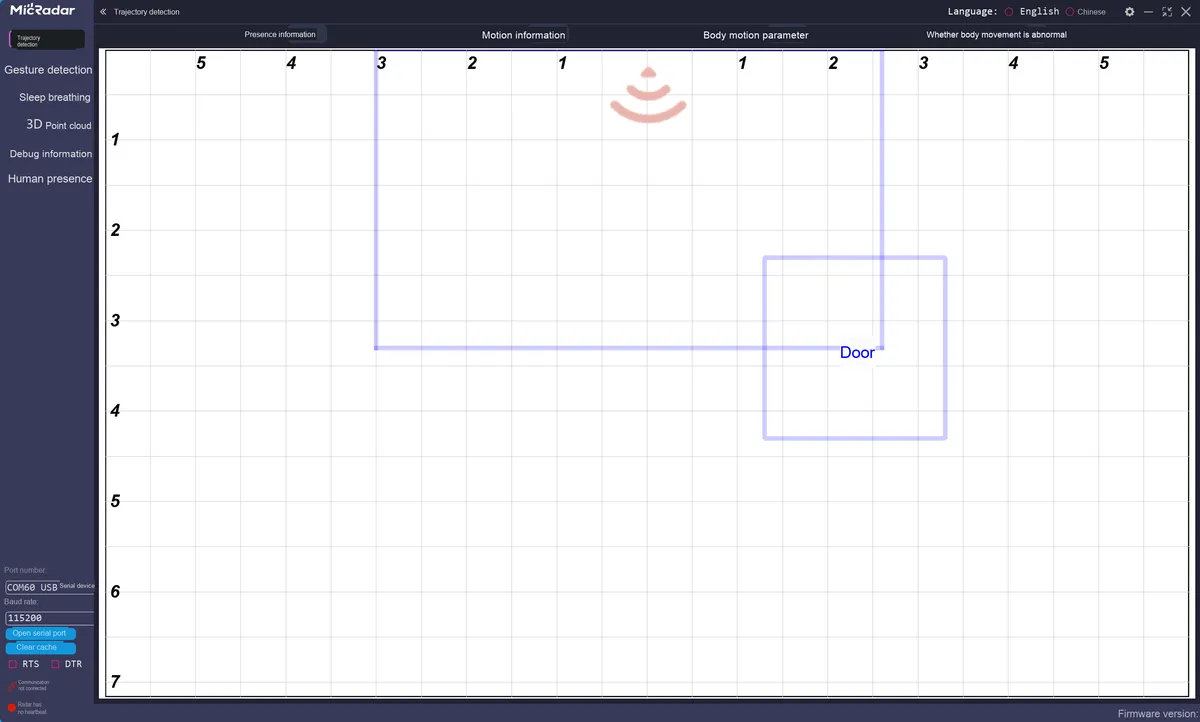
Exploit Official Host Tools: The host tools provided by device manufacturers are officially verified "standard interaction templates", whose value goes far beyond merely "visually displaying data" — they can also serve as an "anchor reference" for driver development. Specifically, host tools can be leveraged in three aspects:
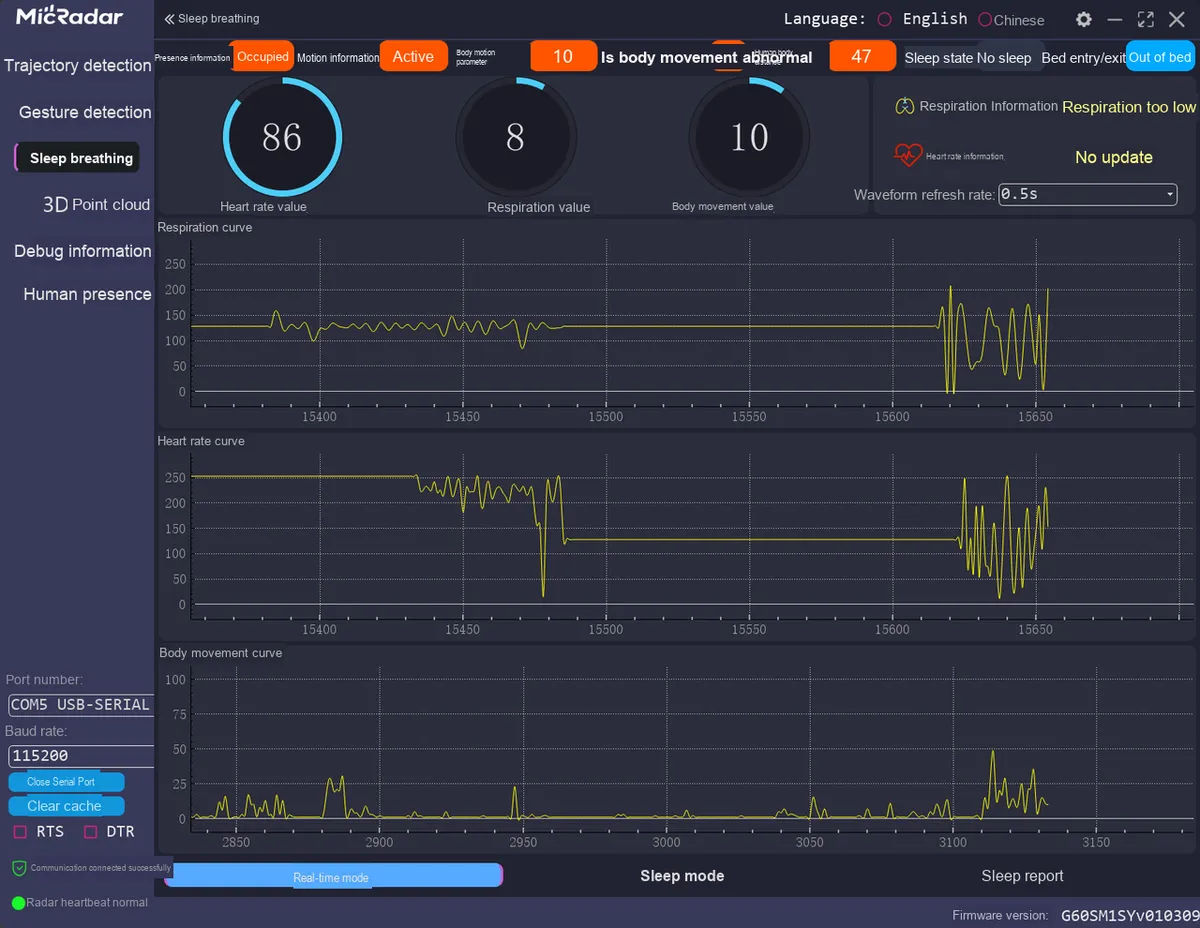
Device basic status confirmation: Check whether the upper computer can connect to the device normally and display real-time data (such as the respiratory rate and heart rate curve of R60ABD1), which can quickly eliminate hardware-level problems — if the upper computer works normally, it means that the power supply (whether the voltage is stable at 3.3V), the serial port wiring (whether the levels match, to avoid burning the 3.3V device due to connection to 5V), and the device itself (whether it is faulty) are all normal, and subsequent development can focus on software logic; on the contrary, if the upper computer also cannot communicate, the hardware connection needs to be checked first.
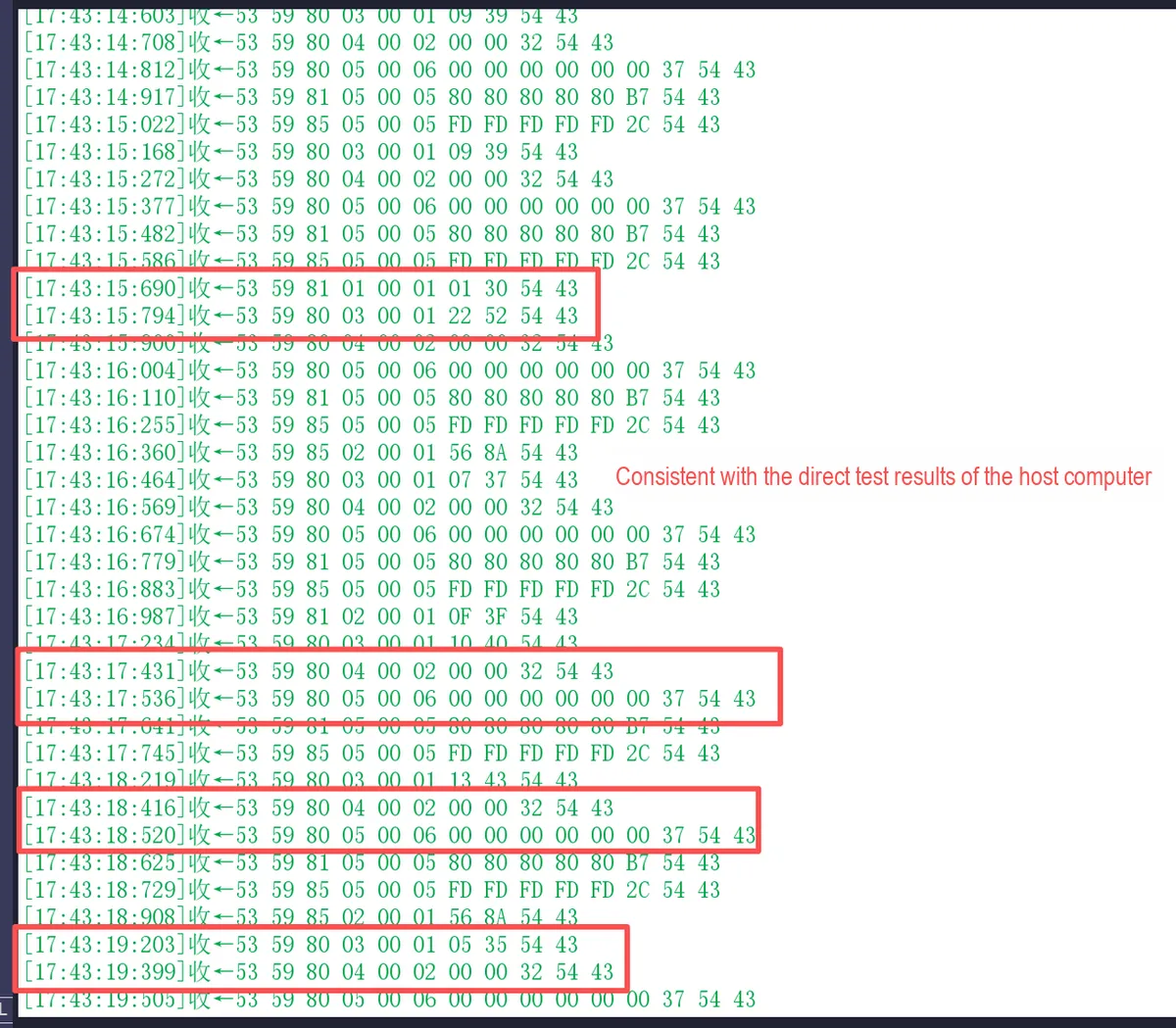
Raw Data Log Comparison: Some host computers support the "serial port data log" function, which can record every byte of raw data sent and received by the device. For example, after enabling the sleep monitoring mode of the R60ABD1, the complete sequence of data frames output by the device will be recorded in the host computer's log. Compare these raw frames with the frames you receive via a serial port assistant: if they match, the data receiving link is normal, and the parsing error is most likely a logic issue; if they do not match, you need to check the serial port parameters (e. g., whether the stop bit is 1 bit) or the caching mechanism (whether data loss is caused by slow receiving speed).
Inverse Deduction of Protocol Details: When the description of a certain field in the manual is ambiguous, you can perform this "phenomenon-to-data" deduction through reverse mapping based on the visualization results of the host computer, which is more efficient and accurate than relying solely on the manual.
Here, you can find its host computer at the following URL:
https://www.micradar.cn/technology-21-208-1.html
2.1 Summary of Actual Measurement of R60ABD1 Instructions
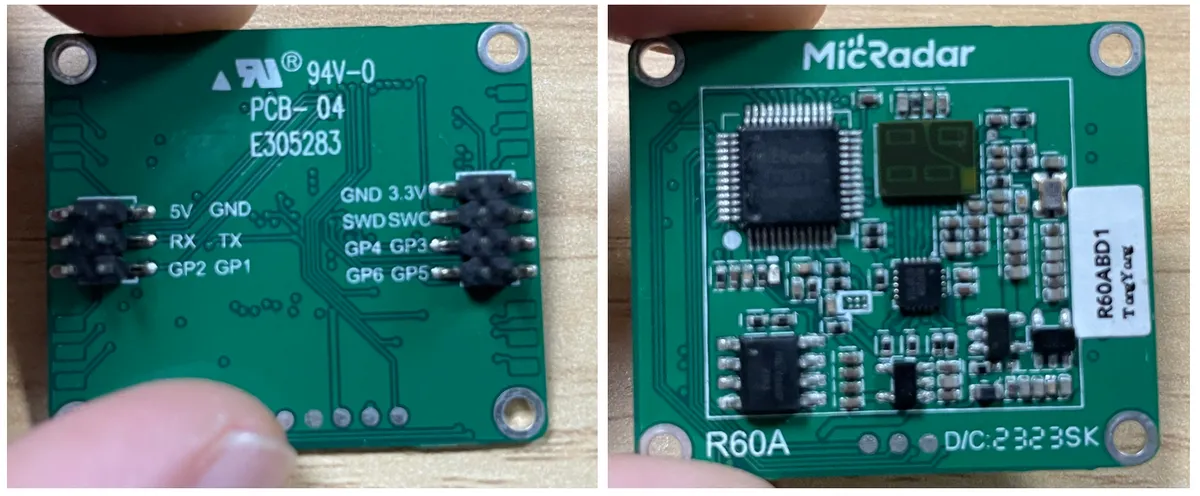
After connecting the module and the USB-to-TTL module, the relevant commands and their responses measured in practice are as follows:
2.1.1 Query and Setting of Basic Instruction Information
Shallow Breathing Interpretation Setting (Default Value 0x0A): Value range 10~20 (0x0A ~ 0x14). Other values can be used for the data field, and the checksum needs to be recalculated.
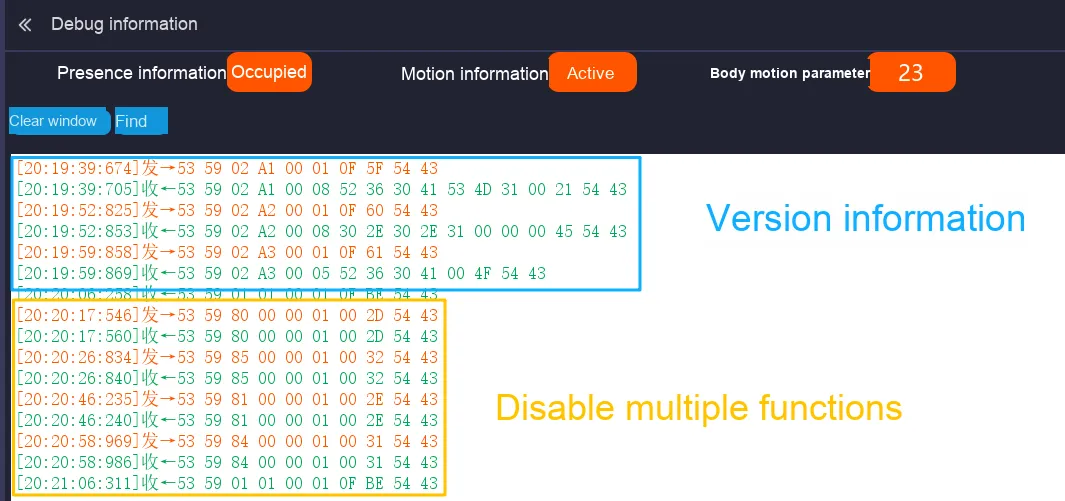
In the actual testing process, we have identified the following issues that require attention in the subsequent driver code development, and I have documented the details of these issues as well as the specific version numbers here.
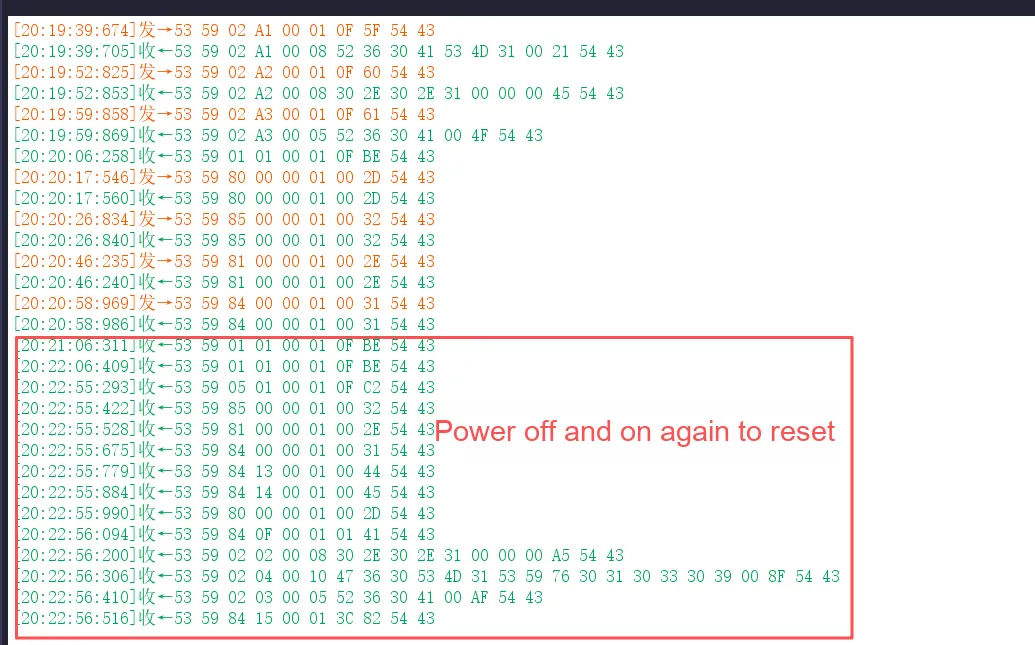
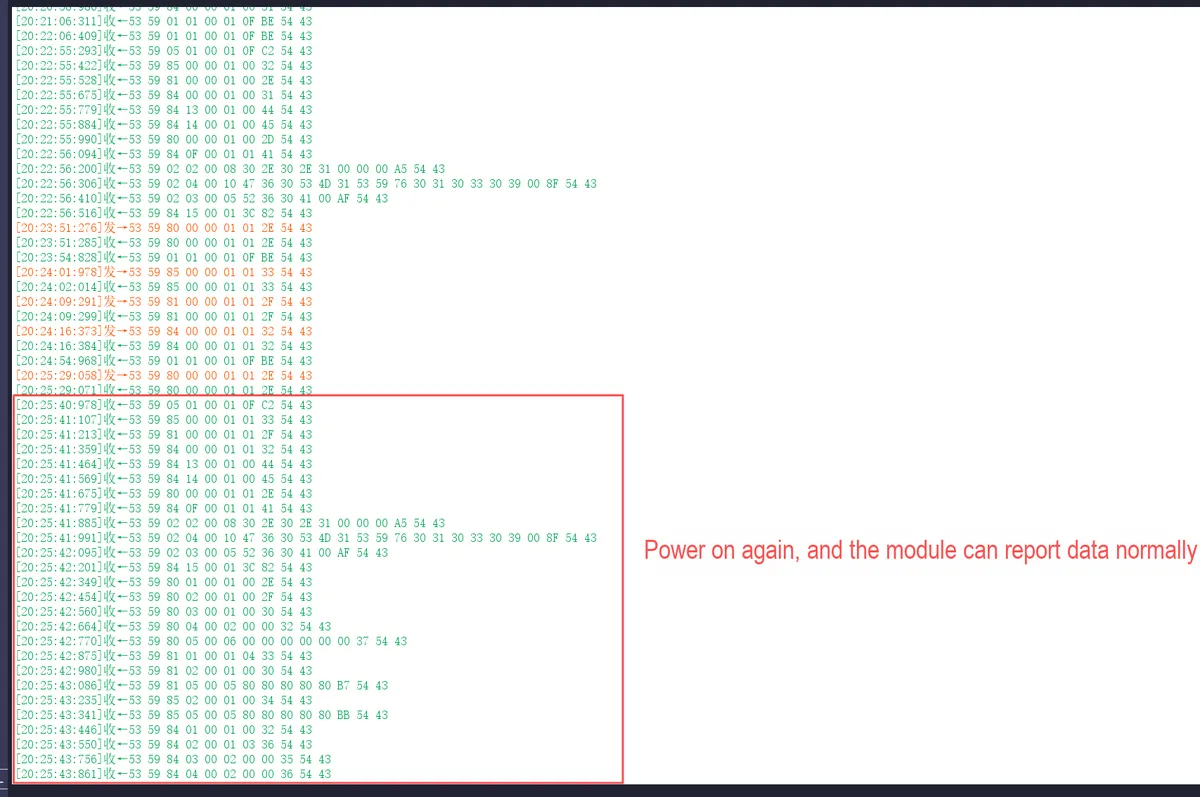
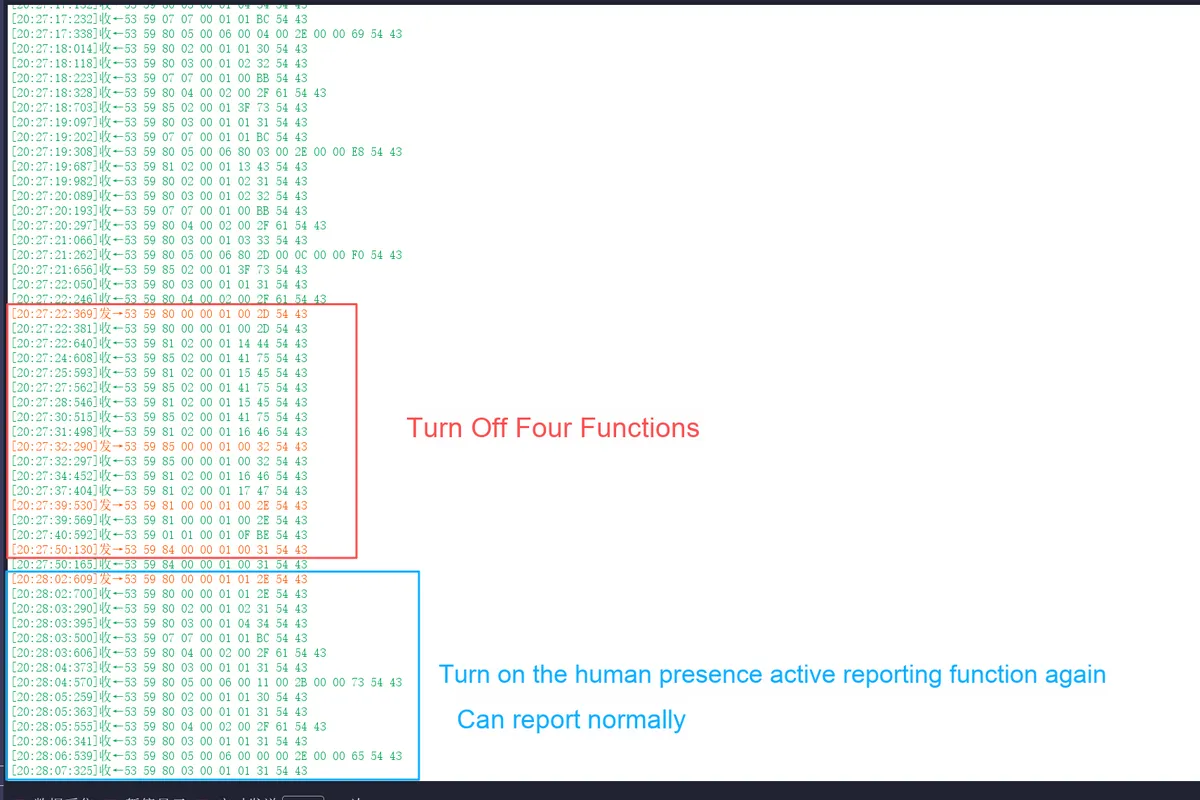
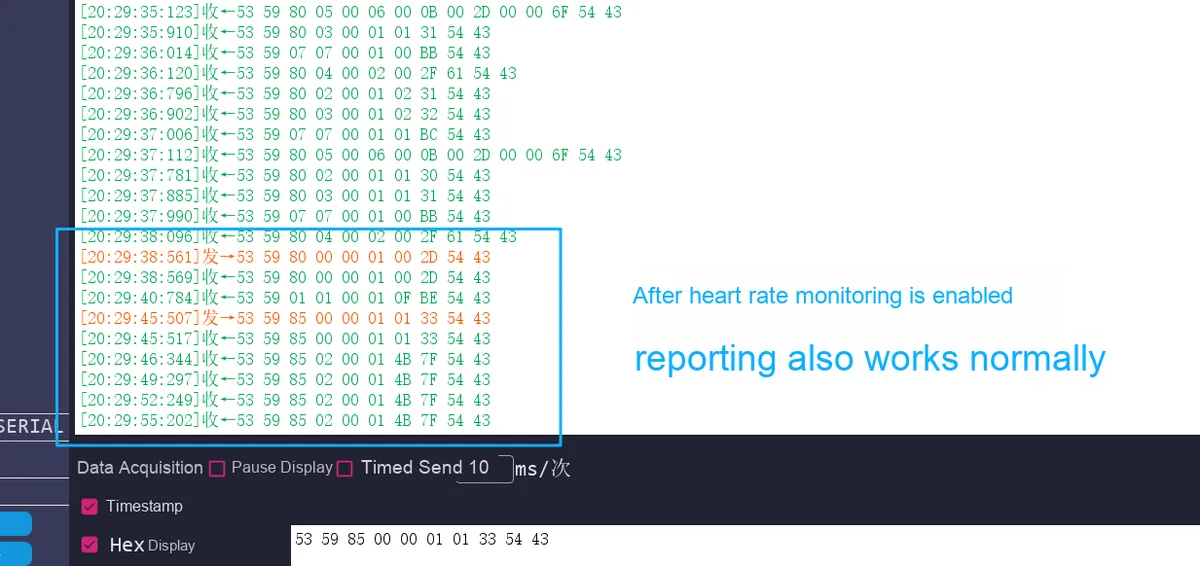
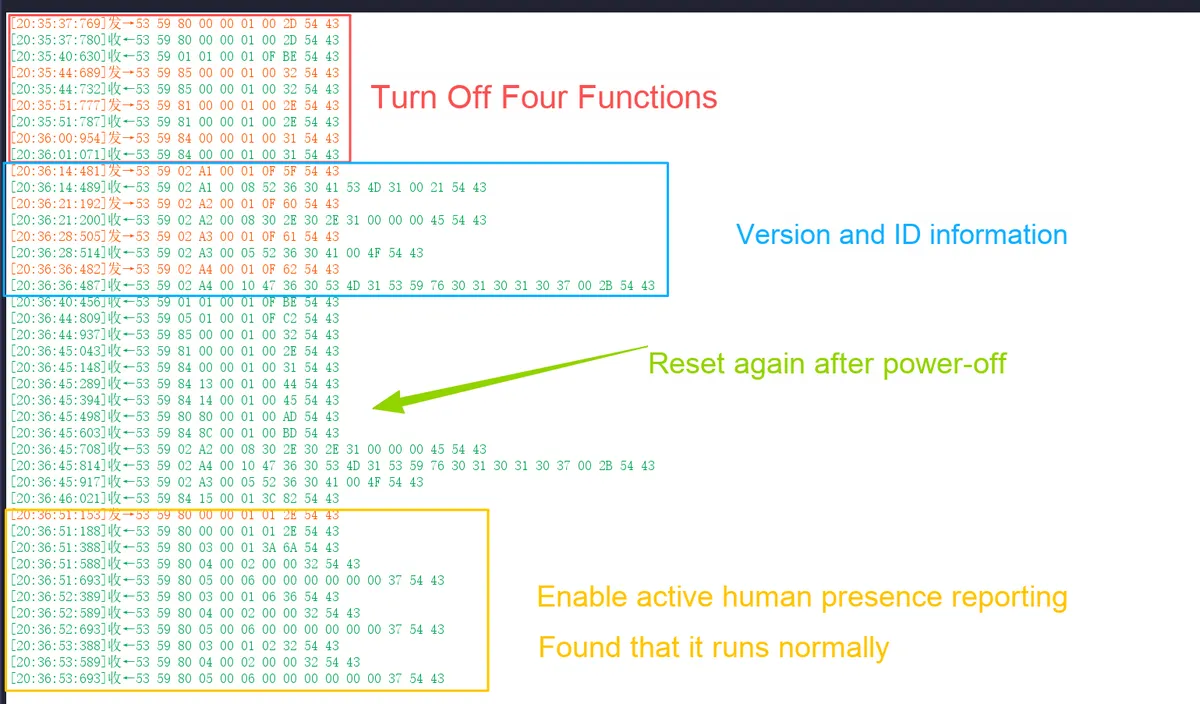
2.2.1 After disabling the four active reporting functions and restarting, enabling any single function individually results in no data response
An abnormal operation sequence has been identified on the new firmware version (G60SM1SYv010309):
The Nth operation: After sequentially disabling the active reporting of the four functions of human presence, heart rate, respiration and sleep, power off and then power on the millimeter-wave radar module.
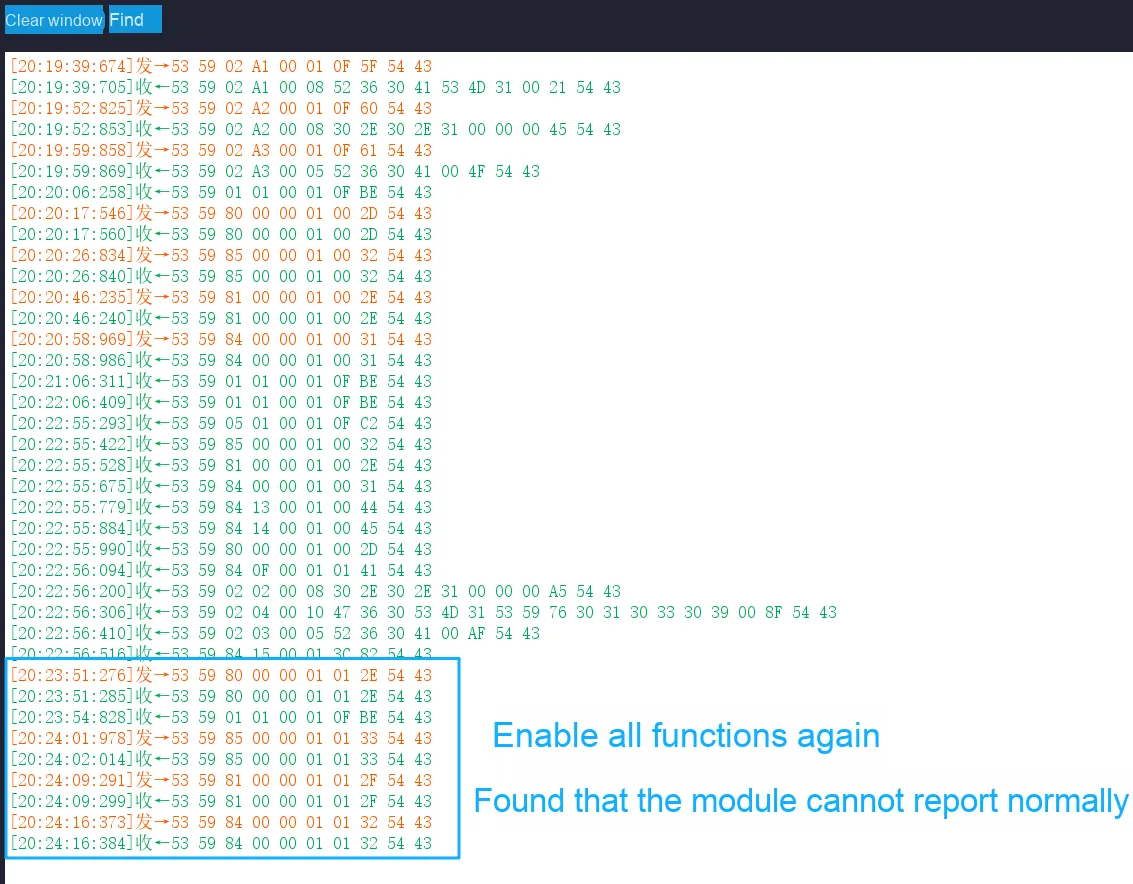
The (N+ 1)-th operation: After the module is restarted, if any one of the functions is enabled individually at this point, no corresponding active reported data can be received.
The (N+ 2)-th operation: Enable all the active reporting functions of the four features, and then power off and restart the module again. After that, all active reporting functions resume normal operation, and any enabling or disabling of a single function during this power-on cycle can yield the expected response.
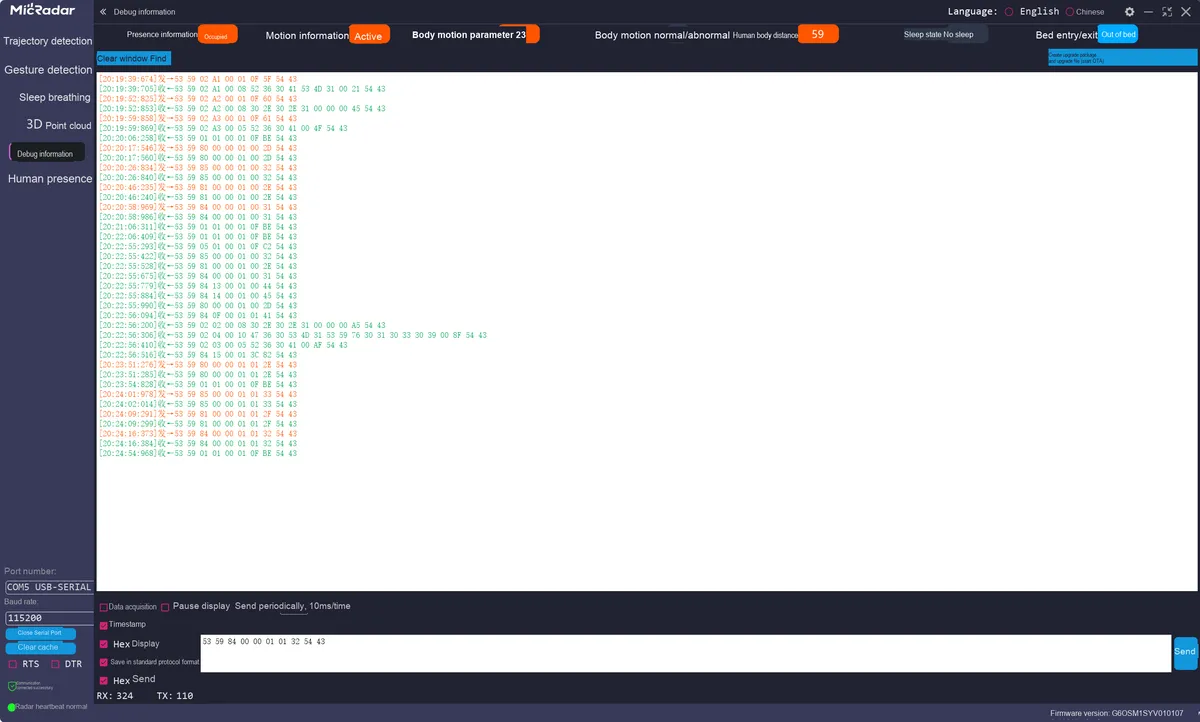
The following is the testing procedure conducted on the new firmware (G60SM1SYv010309):
Below are the same tests conducted on the old firmware version (G60SM1SYv010107):
It can be seen that when all active reporting functions are disabled, the module fails to properly initialize its functional finite-state machine or configuration registers during the power-off and restart process, causing the system to enter an abnormal "silent" state of functions.
Here, the author speculates that the root cause may stem from a flaw in the firmware's state management logic. The detailed analysis is as follows:
Configuration storage and loading exception:
Speculation: The enable status flag of the device may be stored in non-volatile memory. When all functions are turned off, what is stored might be a special "all-off" status value. When the module loads this configuration upon next startup, the firmware may incorrectly parse this status as "no reporting to be performed" instead of "waiting for user instructions", thus blocking all reporting channels.
Supporting evidence: Only after enabling all the options again and restarting the system will the stored status be updated and the system return to normal, which indicates that the correct configuration has been successfully loaded after the second restart.
Functional finite-state machine deadlock:
Speculation: Each reporting function may share a common enable logic or hardware resource. When all functions are disabled, this logic may erroneously enter a sleep or locked state. At this point, enabling a single function individually via instructions cannot effectively trigger the unlocking of the finite-state machine. However, enabling all functions simultaneously sends a sufficiently strong "global wake-up" signal that resets the entire finite-state machine.
Underlying driver or Middleware vulnerabilities:
Speculation: There may be a boundary condition vulnerability in the underlying driver or Middleware that manages the core functions of the radar sensor. When it detects that no active reporting function requires servicing, it may completely shut down Data Acquisition or interrupt service routines. Reactivating this acquisition process requires a higher-level initialization command (i. e., "enable all") rather than a switch command for a single function.
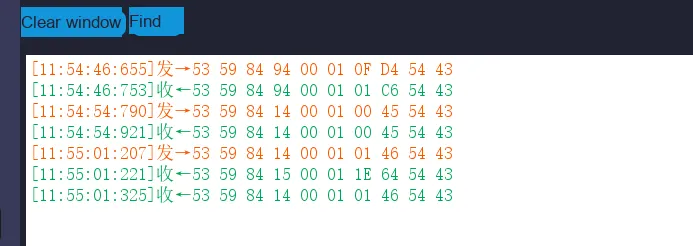
2.2.2 The response when the unattended timing function is enabled is inconsistent with the description in the manual
On the new firmware version (G60SM1SYv010309), an abnormal operation sequence was detected, with the version details as follows:
Setting command issued by the host: 53 59 84 14 00 01 01.. .
Slave device reply acknowledgment frame: 53 59 84 14 00 01 01.. .(returned as-is, serving as confirmation of successful operation)
Observed actual behaviors:
Setting command issued by the host: 53 59 84 14 00 01 01 46 54 43 (enable the unattended timing function)
The slave device has replied with two messages:
Article 1:53 59 84 15 00 01 1E 64 54 43 (This is a response to the command word 0x15 — "unattended duration query", and the data 1E indicates that the duration is 30 minutes)
Article 2:53 59 84 14 00 01 01 46 54 43 (This is the correct acknowledgment frame for the setting command as described in the manual)
This behavior does not conform to the typical "command-response" mode; when the unattended timing function is enabled, the firmware automatically triggers a query operation for the unattended timing duration internally.
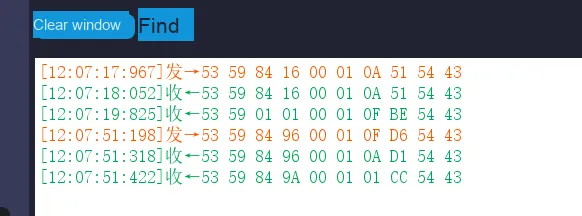
2.2.3 Set the sleep timeout duration the response does not match the description in the manual
On the new firmware (G60SM1SYv010309), an abnormal operation sequence was detected, with the version details as follows:
The problem is as follows: After setting the sleep timeout duration, an inconsistency is observed between the actual communication sequence during the query operation and the description in the manual:
First response: 53 59 84 96 00 01 0A D1 54 43 (Expected query response, the data 0A indicates that the sleep timeout duration is 10 minutes).
Second response: 53 59 84 9A 00 01 01 CC 54 43 (unexpected response, corresponding to command word 0x9A, i. e. the response to "struggle status interpretation query", the data 01 indicates medium sensitivity).
After the sleep deadline query, the device additionally returned a response frame of "struggle state interpretation", while the host did not send this query command.
III. Overall Architecture Design of MicroPython Driver
3.1 Overall Architecture Design
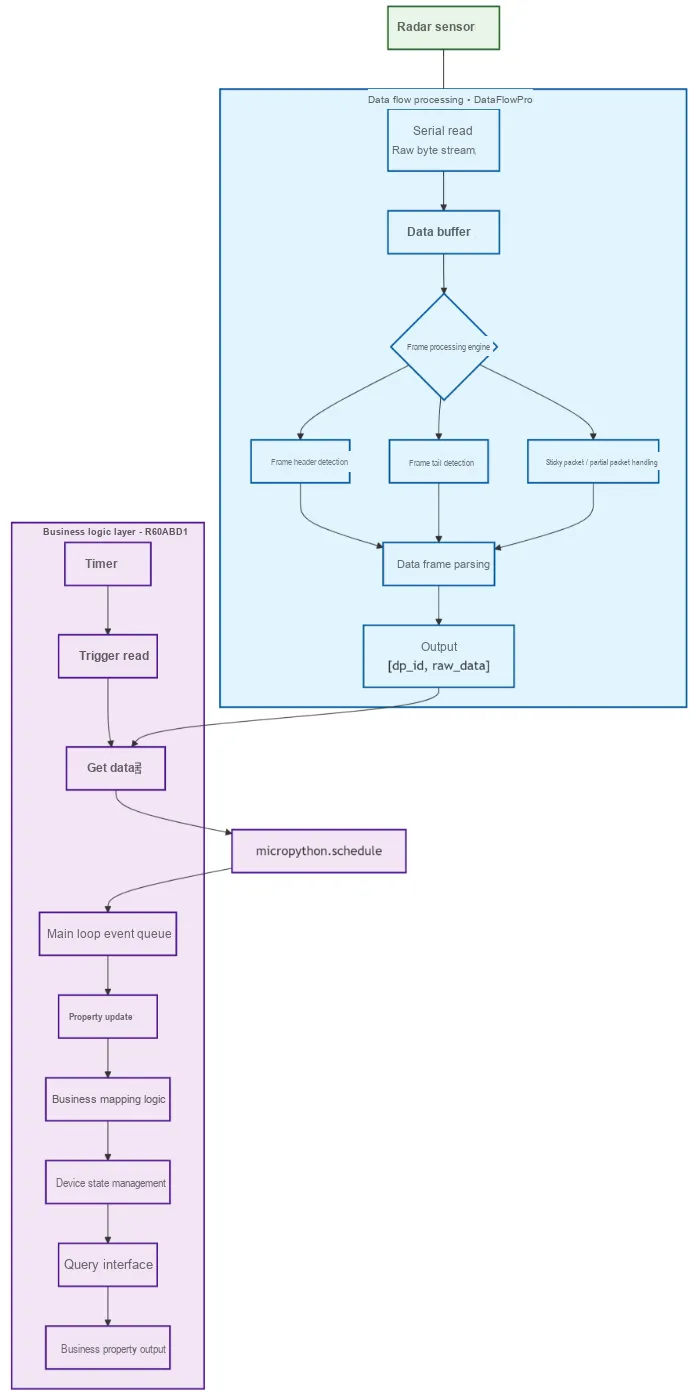
The overall architecture adopts the design concept of "separation of data parsing and business logic", and its core consists of two components: DataFlowProcessor and R60ABD1, which realize Modularization collaboration through clear division of responsibilities:
DataFlowProcessor focuses on the underlying processing of the "data pipeline": it is responsible for reading the original ByteFlow from the serial port, maintaining a buffer to handle packet sticking and packet splitting issues, splitting out complete data frames via the header and trailer identifiers, and parsing from the frames the DP identifier (Data Point ID) and corresponding raw data, and finally outputs a structure of (dp_id, raw_data).This component is completely decoupled from business logic: for instance, it does not handle mappings such as " dp_id = 1 corresponding to occupied/unoccupied status", and is only responsible for data transmission and format extraction, achieving thorough decoupling from business logic. This design delivers remarkable reusability — if replacing a sensor of the same series (with consistent basic protocols including frame header and frame trailer, only differing in DP definitions), this component can be reused directly, with only the upper-layer business logic requiring modification.
R60ABD1 component focuses on service attribute management: it holds an instance of DataFlowProcessor, triggers the data reading process via a timer, and after receiving the output tuple (dp_id, raw_data), it is responsible for converting the raw data into specific service attributes (for example, mapping raw_data= 0x01 to "occupied status"), and provides a concise attribute query interface (such as acquiring the current human presence status, heart rate value, etc.).The two cooperate through a combinatorial relationship, making the overall logic clearer and more streamlined, which is in line with the concept of "functional Modularization" in embedded development.
In addition, the design introduces the micropython.schedule mechanism to ensure system stability: timer callbacks run in interrupt context, and if property updates (_update_properties, which may involve memory operations or complex computations) are executed directly within them, issues such as interrupt nesting and resource contention are likely to occur, which may even lead to system crashes. Instead, schedule will place the update operation into the event queue of the main loop and execute it at an appropriate time, thus avoiding the risks associated with the interrupt context.
For the sticky packets or half packets appearing in the buffer, considering that the radar outputs real-time monitoring data, there is no need to retain historical incomplete frames, and they can be directly discarded. This processing method can simplify the buffer logic and avoid complex frame recovery mechanisms. Meanwhile, since real-time data will be continuously output, subsequent complete frames can be supplemented quickly, which will not affect the continuity of monitoring.
3.2 Design and Performance Verification of the DataFlowProcessor Class
In the MicroPython driver development of R60ABD1 respiratory sleep monitoring millimeter wave radar, the separation design of data parsing layer and business logic layer is the key to ensuring code maintainability and performance. The following explains its design and implementation logic from three dimensions: timing cycle determination , DataFlowProcessor functional architecture , and performance test verification .
3.2.1 Determination of Timer Call Cycle: Matching the Data Output Frequency of the Device
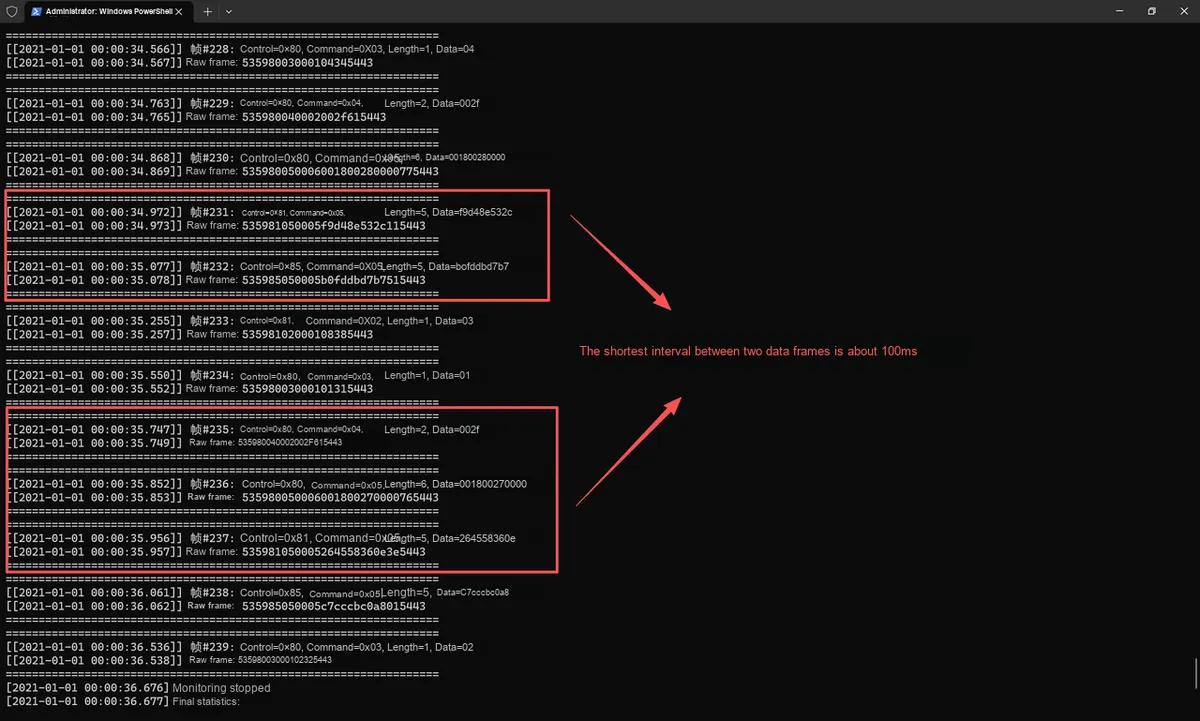
To ensure no loss or backlog of serial port data, it is necessary to first clarify the data frame output interval of the device. Through real-time data monitoring of R60ABD1 using a serial port assistant, it is found that the minimum interval between two data frames is approximately 100ms (in the active reporting scenario, the minimum interval is about 30ms in the command-response mode).
Based on this, the timer trigger cycle configured to work with the DataFlowProcessor instance should be set to less than 100ms (e. g., 50ms). This setup ensures that data in the serial port buffer can be read in a timely manner, while avoiding excessive system resource consumption caused by overly frequent triggers, thus achieving efficient and lossless data acquisition.
3.2.2 DataFlowProcessor Class: The Core Component for Decoupling Data Pipelines from Business Logic
DataFlowProcessor class is the core of the "data parsing layer", which focuses on the flow of serial port data and protocol parsing, and is completely decoupled from business logic (such as "mapping respiratory rate to specific values"). Its design follows the Modularization concept of "high cohesion and low coupling", and the following description will be expanded from attribute definition and method functions two aspects.
3.2.2.1 Core Attributes: Carrying Data and States
class DataFlowProcessor:
    def __init__(self, uart):
        self.uart = uart  # Serial communication instance, responsible for low-level send and receive
        self.buffer = bytearray()  # Data buffer, handles sticky/partial packets
        self.stats = {  # Statistics, used for debugging and anomaly analysis
            'total_bytes_received': 0,
            'total_frames_parsed': 0,
            'crc_errors': 0,
            'frame_errors': 0,
            'invalid_frames': 0
        }
        self.max_buffer_size = 128  # Buffer capacity limit, prevents memory overflow

        # Frame structure constants (tightly bound to the protocol)
        self.HEADER = bytes([0x53, 0x59])
        self.TRAILER = bytes([0x54, 0x43])
        # Field length definitions (frame header, control byte, command byte, etc.)
        self.HEADER_LEN = 2
        self.CONTROL_LEN = 1
        self.COMMAND_LEN = 1
        self.LENGTH_LEN = 2
        self.CRC_LEN = 1
        self.TRAILER_LEN = 2
        self.MIN_FRAME_LEN = self.HEADER_LEN + self.CONTROL_LEN + self.COMMAND_LEN + self.LENGTH_LEN + self.CRC_LEN + self.TRAILER_LEN
3.2.2.2 Core Method: The Complete Pipeline from "Data Reading" to "Frame Parsing"
3.2.2.2.1 read_and_parse Entry for Data Reading and Frame Parsing
This method serves as the "main workflow" for data processing and is responsible for the following:
Read data from the serial port (maximum 32 bytes per read to avoid blocking);
Manage buffers (to prevent overflow and clean up parsed data);
Loop to extract complete data frames and perform frame header identification, length parsing, frame footer verification, and CRC check;
Returns a list of successfully parsed frames for use by upper-layer business logic.
def read_and_parse(self):
    data = self.uart.read(32)  # Read 32 bytes at a time, balancing efficiency and blocking risk
    if not data:
        return []
    self.stats['total_bytes_received'] += len(data)
    self.buffer.extend(data)  # Store data in the buffer

    frames = []
    processed_bytes = 0
    while len(self.buffer) - processed_bytes >= self.MIN_FRAME_LEN:
        # Find the frame header (_find_header)
        header_pos = self._find_header(processed_bytes)
        if header_pos == -1:
            break

        # Parse the data length (_parse_data_length)
        length_pos = header_pos + self.HEADER_LEN + self.CONTROL_LEN + self.COMMAND_LEN
        data_len = self._parse_data_length(length_pos)
        total_frame_len = self.HEADER_LEN + self.CONTROL_LEN + self.COMMAND_LEN + self.LENGTH_LEN + data_len + self.CRC_LEN + self.TRAILER_LEN

        # Extract and validate the complete frame (frame trailer _validate_trailer, CRC _validate_crc)
        frame_data = self.buffer[header_pos:header_pos+total_frame_len]
        if not self._validate_trailer(frame_data):
            self.stats['frame_errors'] += 1
            processed_bytes = header_pos + 1
            continue
        if not self._validate_crc(frame_data):
            self.stats['crc_errors'] += 1
            processed_bytes = header_pos + total_frame_len
            continue

        # Parse a single frame (_parse_single_frame)
        parsed_frame = self._parse_single_frame(frame_data)
        if parsed_frame:
            frames.append(parsed_frame)
            self.stats['total_frames_parsed'] += 1
        else:
            self.stats['invalid_frames'] += 1
        processed_bytes = header_pos + total_frame_len

    # Clear the processed data
    if processed_bytes > 0:
        self.buffer = self.buffer[processed_bytes:]
    return frames
3.2.2.2.2 Auxiliary Parsing Method for Frame Header, Length, Frame Tail and CRC
The relevant methods are as follows:
_find_header (start_pos): Linearly search for the frame header in the buffer 0x53 0x59 to locate the start position of a frame;
_parse_data_length (length_pos): Parse the "data length" field in big-endian format to determine the number of bytes in the data segment;
_validate_trailer (frame_data): validate the frame trailer 0x54 0x43 to ensure the integrity of the frame structure;
_validate_crc (frame_data): Calculate the sum of all bytes from the frame header to the data segment, compare the lower 8 bits of the sum with the CRC field in the frame to filter out invalid frames;
_parse_single_frame (frame_data): Parses a complete frame into fields including "frame header, control word, command word, data, CRC, frame tail", and encapsulates them into a dictionary for return.
3.2.2.2.3 Instruction Sending and Tool Methods
The relevant methods are as follows:
build_and_send_frame (control_byte, command_byte, data): Assembles an instruction frame in compliance with the protocol format (including frame header, control word, command word, length, data, CRC, and frame tail) and sends it via the serial port, supporting device configuration (e. g., switching monitoring modes);
get_stats (): Returns statistics of data flow (number of received bytes, number of parsed frames, number of various errors) for debugging purposes;
clear_buffer (): Clears the buffer, used during exception recovery or reconnection.
3.2.2.2.4 Complete Code
As shown below:
# Python env   : MicroPython v1.23.0
# -*- coding: utf-8 -*-
# @Time    : 2025/11/4 6:38 PM
# @Author  : Li Qingshui
# @File    : data_flow_processor.py
# @Description : Code related to the data stream processor class for the R60ABD1 radar device serial communication protocol
# @License : CC BY-NC 4.0

# ======================================== Import Modules =========================================

# ======================================== Global Variables ============================================

# ======================================== Functions ============================================

# ======================================== Custom Classes ============================================

class DataFlowProcessor:
    """
    Data stream processor class for the R60ABD1 radar device serial communication protocol.
    Responsible for handling serial data communication with the radar device, including receiving, parsing, verifying, and sending data frames.

    Attributes:
        uart (UART): Serial communication instance, used for sending and receiving data.
        buffer (bytearray): Data buffer, used to store the received raw byte data.
        stats (dict): Dictionary of data flow and parsing statistics, including:
            total_bytes_received (int): Total number of bytes received
            total_frames_parsed (int): Total number of frames parsed
            crc_errors (int): Number of CRC check errors
            frame_errors (int): Number of frame structure errors
            invalid_frames (int): Number of invalid frames
        max_buffer_size (int): Maximum buffer capacity limit.

    Methods:
        __init__(uart): Initialize the data stream processor.
        read_and_parse(): Read serial data and parse complete frames.
        _find_header(start_pos=0): Find the frame header position in the buffer.
        _parse_data_length(length_pos): Parse the data length (big-endian format).
        _validate_trailer(frame_data): Validate the frame trailer.
        _validate_crc(frame_data): Validate the CRC check code.
        _parse_single_frame(frame_data): Parse a single data frame.
        get_stats(): Get data flow and parsing statistics.
        clear_buffer(): Clear the buffer.
        build_and_send_frame(control_byte, command_byte, data=b''): Build and send a data frame.
        _calculate_crc(data_bytes): Calculate the CRC check code.

    ==========================================
    Data flow processor class for R60ABD1 radar device UART communication protocol.
    Handles UART data communication for radar devices, including data frame reception,
    parsing, validation, and transmission.

    Attributes:
        uart (UART): UART communication instance for data transmission and reception.
        buffer (bytearray): Data buffer for storing received raw byte data.
        stats (dict): Data flow and parsing statistics dictionary containing:
            total_bytes_received (int): Total bytes received
            total_frames_parsed (int): Total frames parsed
            crc_errors (int): CRC validation error count
            frame_errors (int): Frame structure error count
            invalid_frames (int): Invalid frame count
        max_buffer_size (int): Maximum buffer capacity limit.

    Methods:
        __init__(uart): Initialize data flow processor.
        read_and_parse(): Read UART data and parse complete frames.
        _find_header(start_pos=0): Find frame header position in buffer.
        _parse_data_length(length_pos): Parse data length (big-endian format).
        _validate_trailer(frame_data): Validate frame trailer.
        _validate_crc(frame_data): Validate CRC checksum.
        _parse_single_frame(frame_data): Parse single data frame.
        get_stats(): Get data flow and parsing statistics.
        clear_buffer(): Clear buffer.
        build_and_send_frame(control_byte, command_byte, data=b''): Build and send data frame.
        _calculate_crc(data_bytes): Calculate CRC checksum.
    """
    def __init__(self, uart):
        """
        Initialize the data stream processor.

        Args:
            uart (UART): Initialized serial instance, used for sending and receiving data.

        Returns:
            None

        Note:
            - Creates an empty buffer and statistics dictionary on initialization.
            - Defines frame structure constants, including frame header, frame trailer, and field lengths.
            - Sets the maximum buffer capacity to 128 bytes to prevent memory overflow.

        ==========================================

        Initialize data flow processor.

        Args:
            uart (UART): Initialized UART instance for data transmission and reception.

        Returns:
            None

        Note:
            - Creates empty buffer and statistics dictionary during initialization.
            - Defines frame structure constants including header, trailer, field lengths, etc.
            - Sets maximum buffer capacity to 128 bytes to prevent memory overflow.
        """
        self.uart = uart
        self.buffer = bytearray()
        self.stats = {
            'total_bytes_received': 0,
            'total_frames_parsed': 0,
            'crc_errors': 0,
            'frame_errors': 0,
            'invalid_frames': 0
        }

        self.max_buffer_size = 128

        # Frame structure constant definitions
        self.HEADER = bytes([0x53, 0x59])
        self.TRAILER = bytes([0x54, 0x43])
        self.HEADER_LEN = 2
        self.CONTROL_LEN = 1
        self.COMMAND_LEN = 1
        self.LENGTH_LEN = 2
        self.CRC_LEN = 1
        self.TRAILER_LEN = 2
        self.MIN_FRAME_LEN = self.HEADER_LEN + self.CONTROL_LEN + self.COMMAND_LEN + self.LENGTH_LEN + self.CRC_LEN + self.TRAILER_LEN

    def read_and_parse(self):
        """
        Read serial data and parse complete frames.

        Args:
            None

        Returns:
            list: List of successfully parsed data frames, each element being a parsed frame dictionary.
            []: Returns an empty list when there is no complete frame or parsing fails.

        Raises:
            Exception: Exceptions that may be raised by the underlying serial operations are propagated upward.

        Note:
            - Reads at most 32 bytes each time to avoid blocking for too long.
            - Process the buffer with a sliding window, parsing complete frames step by step.
            - Automatically handles CRC verification and frame structure validation, and counts each type of error.
            - Statistics are updated while the method runs; call get_stats() to get the latest state.

        ==========================================

        Read UART data and parse complete frames.

        Args:
            None

        Returns:
            list: List of successfully parsed data frames, each element is a parsed frame dictionary.
            []: Returns empty list when no complete frames or parsing fails.

        Raises:
            Exception: Underlying UART operations may raise exceptions that propagate upward.

        Note:
            - Reads up to 32 bytes per call to avoid long blocking times.
            - Uses sliding window approach to process buffer and gradually parse complete frames.
            - Automatically handles CRC validation and frame structure verification, statistics various error types.
            - Updates statistics during execution, call get_stats() to get latest status.
        """
        # Read serial port data
        data = self.uart.read(32)
        if not data:
            return []

        # Update statistics
        self.stats['total_bytes_received'] += len(data)

        # Check buffer size
        if len(self.buffer) > self.max_buffer_size:
            self.clear_buffer()

        # Add the data to the buffer
        self.buffer.extend(data)

        frames = []
        processed_bytes = 0

        while len(self.buffer) - processed_bytes >= self.MIN_FRAME_LEN:
            # Find frame header
            header_pos = self._find_header(processed_bytes)
            if header_pos == -1:
                # No more frame headers found, break out of the loop
                break

            # Start from the position of the found frame header
            current_pos = header_pos

            # Check whether there is enough data to parse the length field
            if current_pos + self.HEADER_LEN + self.CONTROL_LEN + self.COMMAND_LEN + self.LENGTH_LEN > len(self.buffer):
                break

            # Parse data length (big-endian)
            length_pos = current_pos + self.HEADER_LEN + self.CONTROL_LEN + self.COMMAND_LEN
            data_len = self._parse_data_length(length_pos)

            # Calculate the full frame length
            total_frame_len = self.HEADER_LEN + self.CONTROL_LEN + self.COMMAND_LEN + self.LENGTH_LEN + data_len + self.CRC_LEN + self.TRAILER_LEN

            # Check whether a complete frame is available
            if current_pos + total_frame_len > len(self.buffer):
                break

            # Extract the complete frame data
            frame_end = current_pos + total_frame_len
            frame_data = self.buffer[current_pos:frame_end]

            # Verify frame tail
            if not self._validate_trailer(frame_data):
                self.stats['frame_errors'] += 1
                # Frame tail error, skip this frame header and continue looking for the next one
                processed_bytes = current_pos + 1
                continue

            # Verify CRC
            if not self._validate_crc(frame_data):
                self.stats['crc_errors'] += 1
                # CRC error, skip this frame and continue looking for the next one
                processed_bytes = current_pos + total_frame_len
                continue

            # Parse single frame
            parsed_frame = self._parse_single_frame(frame_data)
            if parsed_frame:
                frames.append(parsed_frame)
                self.stats['total_frames_parsed'] += 1
            else:
                self.stats['invalid_frames'] += 1

            # Move to the next frame
            processed_bytes = current_pos + total_frame_len

        # Clear processed data
        if processed_bytes > 0:
            self.buffer = self.buffer[processed_bytes:]

        return frames

    def _find_header(self, start_pos=0):
        """
        Find the frame header position in the buffer.

        Args:
            start_pos (int): Start search position, default is 0.

        Returns:
            int: Index of the found frame header position, or -1 if not found.

        Note:
            - The frame header is the fixed byte sequence [0x53, 0x59].
            - The search range is from start_pos to the end of the buffer minus 1 (two consecutive bytes are needed).
            - Uses a linear search algorithm with time complexity O(n).

        ==========================================

        Find frame header position in buffer.

        Args:
            start_pos (int): Starting search position, defaults to 0.

        Returns:
            int: Found header position index, returns -1 if not found.

        Note:
            - Frame header is fixed byte sequence [0x53, 0x59].
            - Search range from start_pos to buffer end-1 (requires two consecutive bytes).
            - Uses linear search algorithm with O(n) time complexity.
        """
        for i in range(start_pos, len(self.buffer) - 1):
            if self.buffer[i] == self.HEADER[0] and self.buffer[i + 1] == self.HEADER[1]:
                return i
        return -1

    def _parse_data_length(self, length_pos):
        """
        Parse data length (big-endian).

        Args:
            length_pos (int): Start position of the length field in the buffer.

        Returns:
            int: Parsed data length value, or 0 if parsing fails.

        Note:
            - The length field is stored in big-endian format: high byte first, low byte last.
            - Make sure length_pos+1 does not exceed the buffer range.
            - The return value is the actual byte length of the data section.

        ==========================================

        Parse data length (big-endian format).

        Args:
            length_pos (int): Starting position of length field in buffer.

        Returns:
            int: Parsed data length value, returns 0 if parsing fails.

        Note:
            - Length field uses big-endian format: high byte first, low byte last.
            - Ensures length_pos+1 does not exceed buffer bounds.
            - Return value is the actual byte length of data portion.
        """
        if length_pos + 1 >= len(self.buffer):
            return 0
        # Big-endian: high byte first, low byte last
        return (self.buffer[length_pos] << 8) | self.buffer[length_pos + 1]

    def _validate_trailer(self, frame_data):
        """
        Verify frame tail.

        Args:
            frame_data (bytes|bytearray): Complete frame data.

        Returns:
            bool: Returns True if frame tail verification passes, otherwise False.

        Note:
            - The frame tail is the fixed byte sequence [0x54, 0x43].
            - Check whether the last two bytes of the frame data match the frame tail.
            - A frame tail verification failure indicates an incomplete frame structure or corrupted data.

        ==========================================

        Validate frame trailer.

        Args:
            frame_data (bytes|bytearray): Complete frame data.

        Returns:
            bool: Returns True if trailer validation passes, False otherwise.

        Note:
            - Frame trailer is fixed byte sequence [0x54, 0x43].
            - Checks if last two bytes of frame data match trailer.
            - Trailer validation failure indicates incomplete frame structure or data corruption.
        """
        if len(frame_data) < 2:
            return False
        return (frame_data[-2] == self.TRAILER[0] and
                frame_data[-1] == self.TRAILER[1])

    def _validate_crc(self, frame_data):
        """
        Verify CRC checksum.

        Args:
            frame_data (bytes|bytearray): Complete frame data.

        Returns:
            bool: Returns True if CRC verification passes, otherwise False.

        Note:
            - CRC range: from the frame header to the data section (excluding the CRC byte and frame tail).
            - Calculation: sum the checked data and take the low 8 bits.
            - The CRC is located at the third-to-last byte of the frame data.

        ==========================================

        Validate CRC checksum.

        Args:
            frame_data (bytes|bytearray): Complete frame data.

        Returns:
            bool: Returns True if CRC validation passes, False otherwise.

        Note:
            - CRC check range: from header to data portion (excluding CRC byte and trailer).
            - Calculation method: sum check data and take lower 8 bits.
            - CRC is located at the third last byte of frame data.
        """
        if len(frame_data) < 3:
            return False

        # Calculate checksum (excluding the CRC byte and frame tail)
        data_to_check = frame_data[:-3]
        calculated_crc = sum(data_to_check) & 0xFF
        received_crc = frame_data[-3]

        return calculated_crc == received_crc

    def _parse_single_frame(self, frame_data):
        """
        Parse a single data frame.

        Args:
            frame_data (bytes|bytearray): Complete frame data.

        Returns:
            dict|None: Returns a frame information dict on success, or None on parse failure.

        Raises:
            Exception: Error information is logged when an exception occurs during parsing.

        Note:
            - Parse in protocol order: frame header → control word → command word → length field → data → CRC → frame tail.
            - The returned dict contains all parsed fields and the raw data.
            - Parse failures are recorded in the invalid_frames statistics.

        ==========================================

        Parse single data frame.

        Args:
            frame_data (bytes|bytearray): Complete frame data.

        Returns:
            dict|None: Returns frame information dictionary on success, None on failure.

        Raises:
            Exception: Records error information when exceptions occur during parsing.

        Note:
            - Parses sequentially according to protocol format: header→control→command→length→data→CRC→trailer.
            - Return dictionary contains all parsed fields and raw data.
            - Parsing failures are recorded in invalid_frames statistics.
        """
        try:
            pos = 0

            # Parse frame header (2 bytes)
            header = bytes(frame_data[pos:pos + 2])
            pos += 2

            # Control word (1 byte)
            control_byte = frame_data[pos]
            pos += 1

            # Command word (1 byte)
            command_byte = frame_data[pos]
            pos += 1

            # Length identifier (2 bytes)
            data_length = (frame_data[pos] << 8) | frame_data[pos + 1]
            pos += 2

            # Data (n bytes)
            data_end = pos + data_length
            if data_end > len(frame_data) - 3:  # -3 is CRC(1) + frame tail(2)
                return None
            data = bytes(frame_data[pos:data_end])
            pos = data_end

            # CRC (1 byte)
            crc = frame_data[pos]
            pos += 1

            # Frame tail (2 bytes)
            trailer = bytes(frame_data[pos:pos + 2])

            # Build parse result
            parsed_frame = {
                'header': header,
                'control_byte': control_byte,
                'command_byte': command_byte,
                'data_length': data_length,
                'data': data,
                'crc': crc,
                'trailer': trailer,
                'raw_data': bytes(frame_data)
            }

            return parsed_frame

        except Exception as e:
            print(f"Frame parsing error: {e}")
            return None

    def get_stats(self):
        """
        Get data flow and parsing statistics.

        Args:
            None

        Returns:
            dict: A copy of the dict containing all statistics.

        Note:
            - Returns a deep copy of the statistics to prevent external modification from affecting internal data.
            - Statistics include: bytes received, frames parsed, error counts by type, etc.

        ==========================================

        Get data flow and parsing statistics.

        Args:
            None

        Returns:
            dict: Dictionary containing all statistics information (copy).

        Note:
            - Returns deep copy of statistics to prevent external modifications affecting internal data.
            - Statistics include: received bytes, parsed frames, various error counts, etc.
        """
        return self.stats.copy()

    def clear_buffer(self):
        """
        Clear the buffer.

        Args:
            None

        Returns:
            None

        Note:
            - Resets the buffer to an empty bytearray.
            - Usually called when the buffer is too large or parsing needs to restart.

        ==========================================

        Clear buffer.

        Args:
            None

        Returns:
            None

        Note:
            - Resets buffer to empty bytearray.
            - Typically called when buffer is too large or need to restart parsing.
        """
        self.buffer = bytearray()

    def build_and_send_frame(self, control_byte, command_byte, data=b''):
        """
        Build and send a data frame.

        Args:
            control_byte (int): Control word, 1-byte unsigned integer.
            command_byte (int): Command word, 1-byte unsigned integer.
            data (bytes): Data section, empty bytes by default.

        Returns:
            bytes|None: The complete built frame data (for debugging), or None if sending fails.

        Raises:
            Exception: Error information is logged when an exception occurs during frame building or sending.

        Note:
            - Build the complete frame in protocol order: frame header → control word → command word → length → data → CRC → frame tail.
            - Automatically calculates the data length and CRC checksum.
            - Sends the built frame data through the serial port.

        ==========================================

        Build and send data frame.

        Args:
            control_byte (int): Control byte, 1-byte unsigned integer.
            command_byte (int): Command byte, 1-byte unsigned integer.
            data (bytes): Data portion, defaults to empty bytes.

        Returns:
            bytes|None: Built complete frame data (for debugging), returns None on send failure.

        Raises:
            Exception: Records error information when exceptions occur during frame building or sending.

        Note:
            - Builds complete frame according to protocol format: header→control→command→length→data→CRC→trailer.
            - Automatically calculates data length and CRC checksum.
            - Sends built frame data via UART.
        """
        try:
            # Frame header
            header = self.HEADER

            # Control word and command word
            control = bytes([control_byte])
            command = bytes([command_byte])

            # Data length (big-endian)
            data_length = len(data)
            length_bytes = bytes([(data_length >> 8) & 0xFF, data_length & 0xFF])

            # Assemble the part excluding CRC and frame tail
            frame_without_crc = header + control + command + length_bytes + data

            # Calculate CRC
            crc = self._calculate_crc(frame_without_crc)

            # Frame tail A
            trailer = self.TRAILER

            # Complete frame
            complete_frame = frame_without_crc + bytes([crc]) + trailer

            # Send frame
            self.uart.write(complete_frame)

            return complete_frame

        except Exception as e:
            print(f"Frame building and sending error: {e}")
            return None

    def _calculate_crc(self, data_bytes):
        """
        Calculate CRC checksum.

        Args:
            data_bytes (bytes): Data byte sequence to calculate the CRC over.

        Returns:
            int: Calculated CRC checksum (1 byte).

        Note:
            - Checksum calculation: sum all bytes of the input data and take the low 8 bits.
            - This CRC algorithm is a simple sum checksum, suitable for basic error detection.
            - The CRC range is usually from the frame header to the data section.

        ==========================================

        Calculate CRC checksum.

        Args:
            data_bytes (bytes): Data byte sequence for CRC calculation.

        Returns:
            int: Calculated CRC checksum (1 byte).

        Note:
            - Checksum calculation: sum all input data bytes and take lower 8 bits.
            - This CRC algorithm uses simple sum check, suitable for basic error detection.
            - CRC check range typically from header to data portion.
        """
        return sum(data_bytes) & 0xFF

# ======================================== Initialization ==========================================

# ========================================  Main Program  ===========================================
3.2.3 Performance Verification
To ensure the reliability of DataFlowProcessor in the MicroPython environment, verification from the aspect of parsing time consumption is required.
The relevant test code is as follows:
# Python env   :
# -*- coding: utf-8 -*-
# @Time    : 2025/11/4 5:33 PM
# @Author  : Li Qingshui
# @File    : main.py
# @Description :

from machine import UART, Pin, Timer
import time
from data_flow_processor import DataFlowProcessor

frame_count = 0

# Store parsed data frames
parsed_frames_buffer = []

# Initialize UART0: TX=16, RX=17, baud rate 115200
uart = UART(0, baudrate=115200, tx=Pin(16), rx=Pin(17), timeout=0)

# Create DataFlowProcessor instance
processor = DataFlowProcessor(uart)

# ======================================== Functions ============================================

# Timing decorator, used to measure function run time
def timed_function(f: callable, *args: tuple, **kwargs: dict) -> callable:
    """
    Timing decorator, used to measure and print function/method run time.

    Args:
        f (callable): The function/method to be passed in
        args (tuple): Any number of positional arguments passed to function/method f
        kwargs (dict): Any number of keyword arguments passed to function/method f

    Returns:
        callable: Returns the timed function
    """
    myname = str(f).split(' ')[1]

    def new_func(*args: tuple, **kwargs: dict) -> any:
        t: int = time.ticks_us()
        result = f(*args, **kwargs)
        delta: int = time.ticks_diff(time.ticks_us(), t)
        print('Function {} Time = {:6.3f}ms'.format(myname, delta / 1000))
        return result

    return new_func

def format_time():
    """Format the current time as [YYYY-MM-DD HH:MM:SS.sss]"""
    t = time.localtime()
    ms = time.ticks_ms() % 1000
    return f"[{t[0]}-{t[1]:02d}-{t[2]:02d} {t[3]:02d}:{t[4]:02d}:{t[5]:02d}.{ms:03d}]"

@timed_function
def timer_callback(timer):
    """Timer callback function, triggered every 50 ms, parses data frames directly"""
    global frame_count, parsed_frames_buffer

    # Call the parse method directly
    frames = processor.read_and_parse()

    # Add parsed frames to the buffer
    for frame in frames:
        frame_count += 1
        parsed_frames_buffer.append({
            'frame_number': frame_count,
            'control': frame['control_byte'],
            'command': frame['command_byte'],
            'data_length': frame['data_length'],
            'data_hex': frame['data'].hex() if frame['data'] else "",
            'raw_hex': frame['raw_data'].hex(),
            'timestamp': format_time()
        })

# Initialize 50 ms timer
timer = Timer(-1)
timer.init(period=50, mode=Timer.PERIODIC, callback=timer_callback)

try:
    while True:
        # Check whether the frames in the buffer need to be printed (print once every 10)
        if len(parsed_frames_buffer) >= 10:
            print("=====================================================")

            for frame_data in parsed_frames_buffer:
                print("[%s] Frame#%d: Control=0x%02X, Command=0x%02X, Length=%d, Data=%s" % (frame_data['timestamp'], frame_data['frame_number'], frame_data['control'], frame_data['command'], frame_data['data_length'], frame_data['data_hex']))
                print("[%s] Raw frame: %s" % (frame_data['timestamp'], frame_data['raw_hex']))
                print("-" * 60)

            print("=====================================================")

            # Clear the buffer
            parsed_frames_buffer = []

        # Small delay to avoid using too much CPU
        time.sleep(0.01)

except KeyboardInterrupt:
    # Stop the timer
    timer.deinit()

    # Print remaining frames not yet output
    if parsed_frames_buffer:
        print("=====================================================")
        print("[%s] Final output %d parsed frames:" % (format_time(), len(parsed_frames_buffer)))
        for frame_data in parsed_frames_buffer:
            print("[%s] Frame#%d: Control=0x%02X, Command=0x%02X, Length=%d, Data=%s" % (frame_data['timestamp'], frame_data['frame_number'], frame_data['control'], frame_data['command'], frame_data['data_length'], frame_data['data_hex']))
            print("[%s] Raw frame: %s" % (frame_data['timestamp'], frame_data['raw_hex']))
            print("-" * 60)

    # Output final statistics
    stats = processor.get_stats()
    print("[%s] Final statistics:" % format_time())
    print("  Total bytes received: %d" % stats['total_bytes_received'])
    print("  Total frames parsed: %d" % stats['total_frames_parsed'])
    print("  CRC errors: %d" % stats['crc_errors'])
    print("  Frame errors: %d" % stats['frame_errors'])
    print("  Invalid frames: %d" % stats['invalid_frames'])
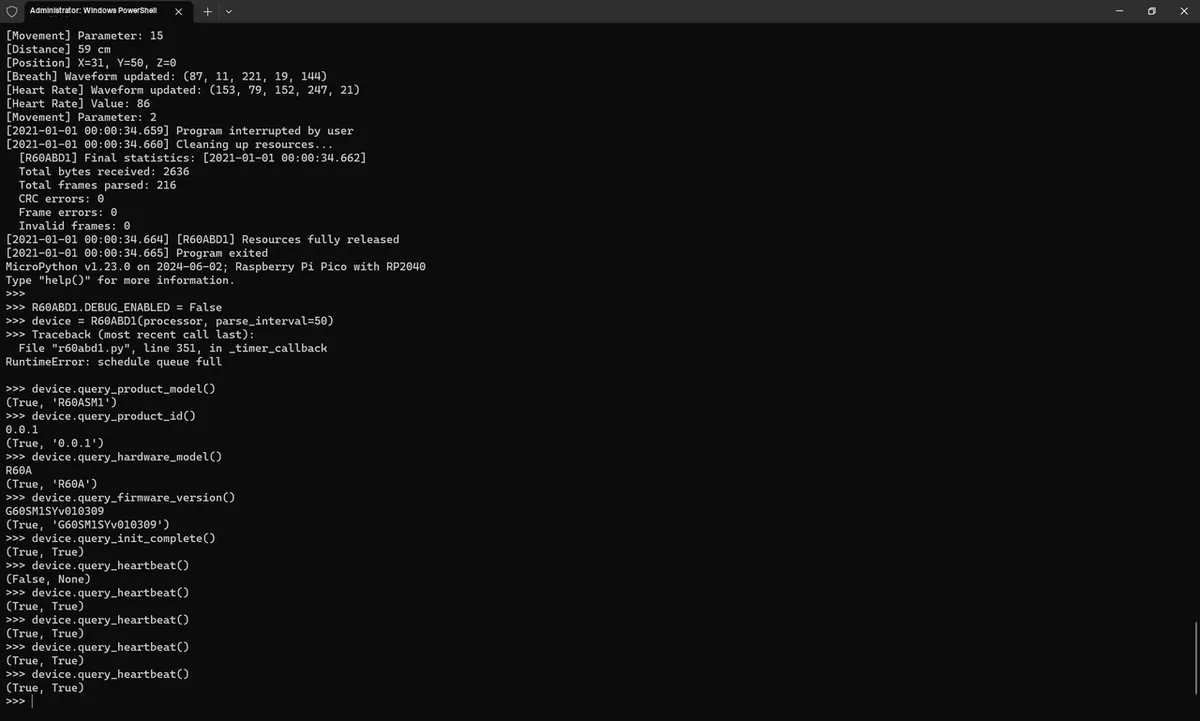
The test results are as follows:
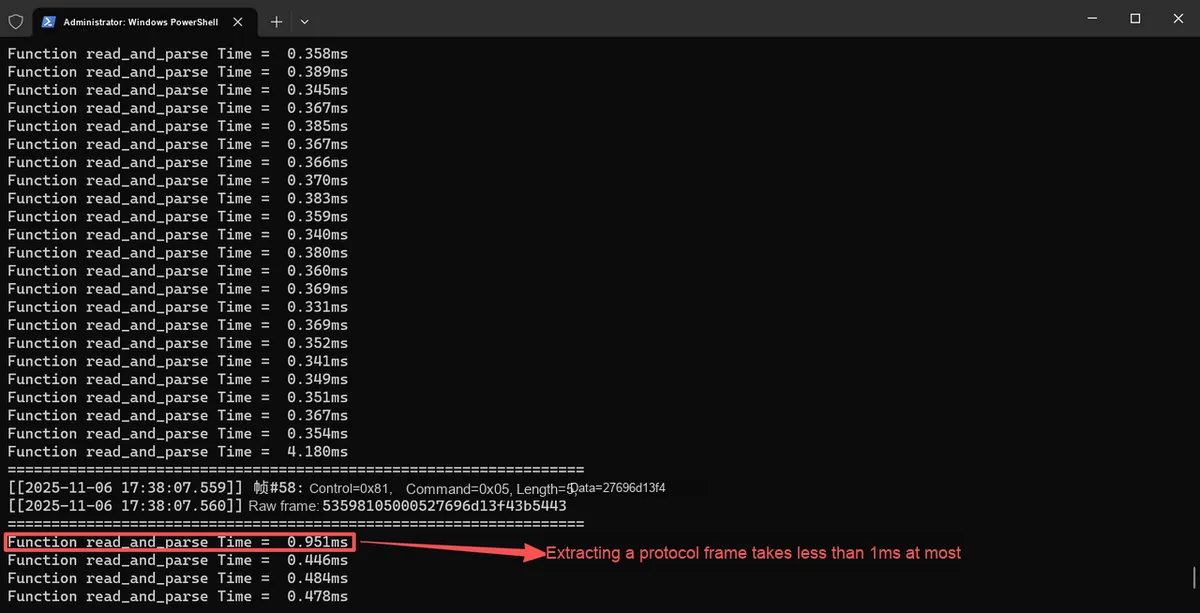
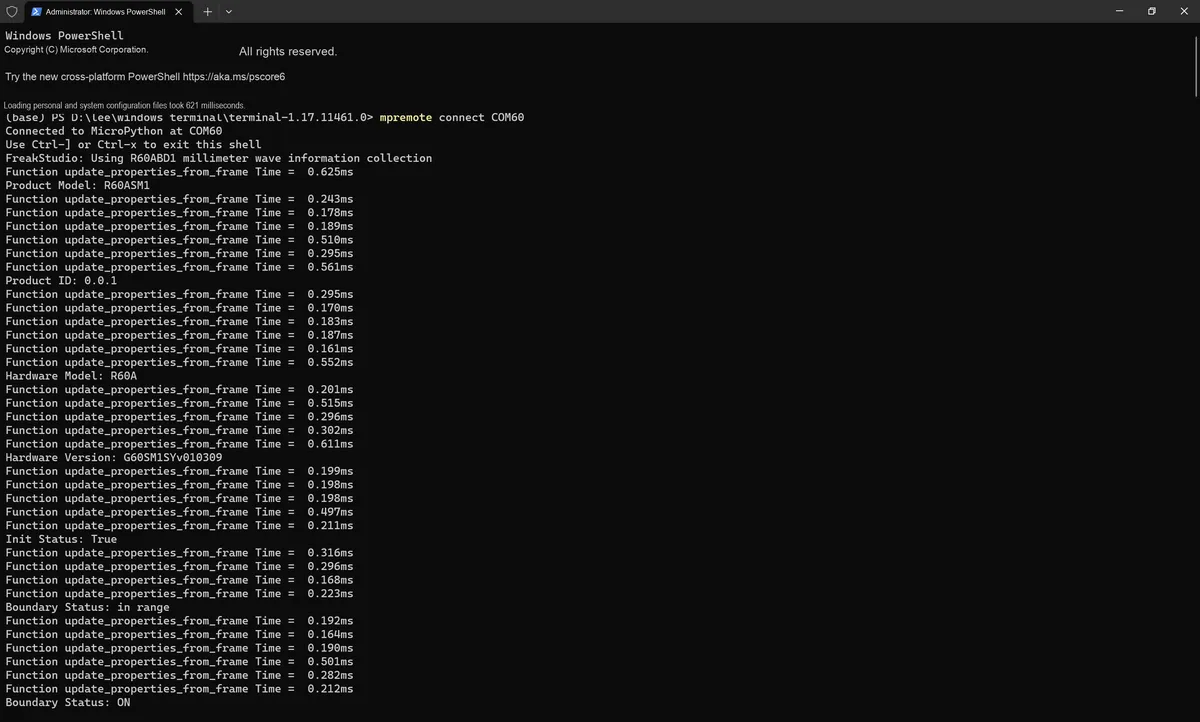
By inserting time statistics into the read_and_parse () method, it is found that the parsing time for a single frame is at most less than 1ms, which is far smaller than the minimum interval (100ms) between data frames. This means that even in the interpreted execution environment of MicroPython, this component can process data in a timely manner without data backlog or loss caused by parsing time consumption.
3.3 R60ABD1 Class Design: Modularization Encapsulation of the Business Logic Layer
R60ABD1 class, as the core of the business logic layer, is responsible for mapping the raw data parsed by DataFlowProcessor into readable business attributes (such as respiratory rate, heart rate, sleep status, etc.) and providing device control interfaces. Its design follows the principle of "functional Modularization and clear state", and the following description will be expanded from four dimensions: instance attributes, class attributes and constants, private parsing methods, and test verification.
3.3.1 Instance Attribute Design: Layered Isolation by Functional Module
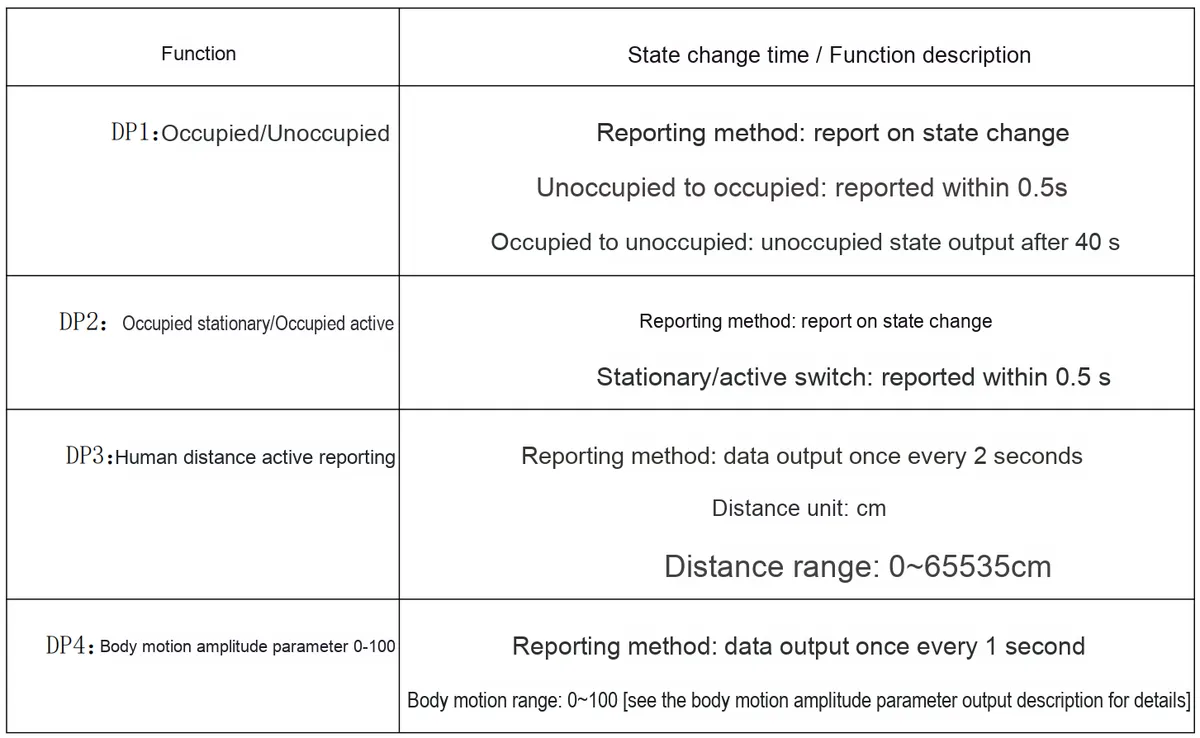
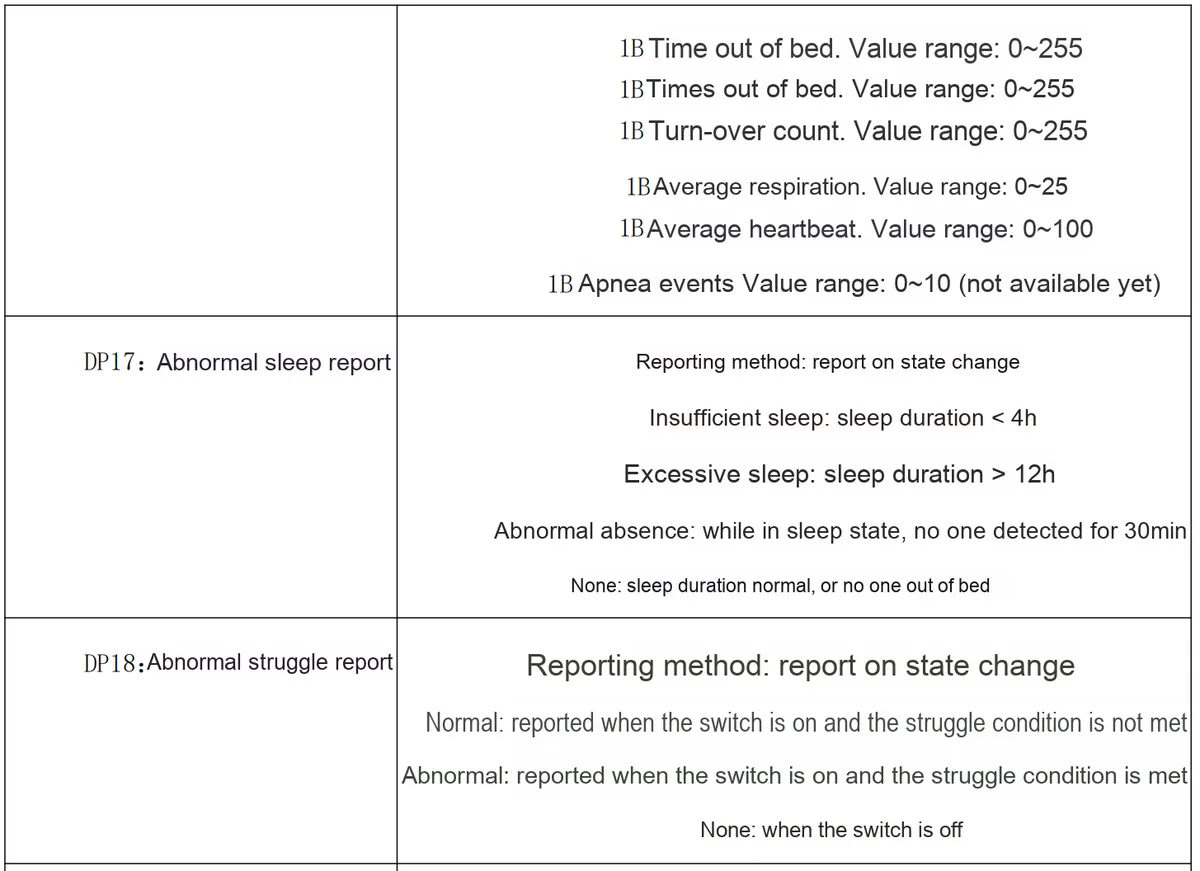
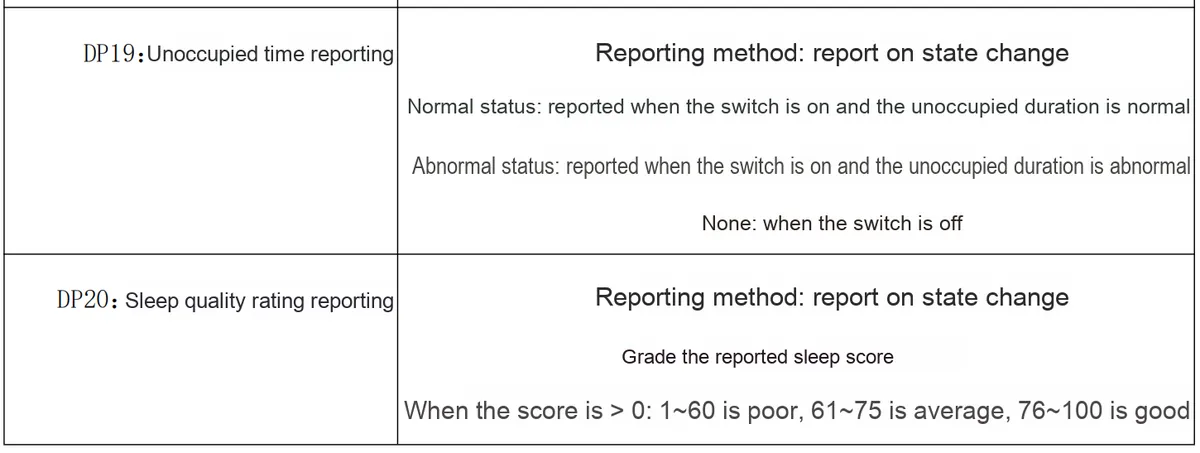
Based on the description in the manual below, we first summarize what the instance attributes include:
To make the business logic clearer and more maintainable, the instance attributes of R60ABD1 are designed in layers according to functional domains, and the attributes of each module focus on specific business scenarios:
3.3.1.1 System Control and Status Attributes
self.parse_interval = parse_interval  # Data parsing period, matched to the device data output frequency
self.max_retries = max_retries        # Command retry count, to ensure communication reliability
self.retry_delay = retry_delay        # Retry interval, to avoid excessive device load from frequent retries
self.init_timeout = init_timeout      # Initialization timeout, to prevent waiting forever when the device does not respond

# Running state flag
self._is_running = False              # Whether the device is running
self._initialization_complete = False # Whether initialization is complete
self._configuration_errors = []       # Configuration error record, for troubleshooting exceptions
Such attributes are used for global device control (e. g., initialization, retry policies) and serve as the foundation for ensuring stable device operation.
3.3.1.2 System-level Monitoring Attributes
# Heartbeat monitoring
self.heartbeat_last_received = 0      # Timestamp of the last received heartbeat (ms)
self.heartbeat_timeout_count = 0      # Cumulative heartbeat timeout count
self.heartbeat_interval = 0           # Actual heartbeat interval statistics (ms)

# System state
self.system_initialized = False       # Initialization complete state
self.system_initialized_timestamp = 0 # Initialization complete timestamp (ms)
self.module_reset_flag = False        # Module reset state flag
self.module_reset_timestamp = 0       # Module reset timestamp (ms)

# Product information
self.product_model = ""               # Product model (e.g., "R60ABD1")
self.product_id = ""                  # Product ID (unique identifier)
self.hardware_model = ""              # Hardware model
self.firmware_version = ""            # Firmware version (e.g., "G60SM1SYv010309")
These attributes are used for device health and identity verification to help developers quickly identify device status (e. g., whether the device is initialized, and whether the firmware version is compatible).
3.3.1.3 Radar Detection and Human Presence Attributes
# Position status
self.radar_in_range = False           # Whether within radar detection range

# Basic human presence status
self.presence_enabled = presence_enabled # Human presence function switch
self.presence_status = 0              # Presence status (0=nobody, 1=somebody)
self.motion_status = 0                # Motion status (0=none, 1=stationary, 2=active)

# Quantified data
self.movement_parameter = 0           # Body movement parameter (0-100)
self.human_distance = 0               # Human distance (0-65535 cm)
self.human_position_x = 0             # Human X coordinate (signed)
self.human_position_y = 0             # Human Y coordinate (signed)
self.human_position_z = 0             # Human Z coordinate (signed)
Such attributes focus on human presence and motion monitoring, which is a direct manifestation of the radar's "environment perception" capability.
Such attributes serve as the core carrier of sleep monitoring and characterize sleep health from multiple dimensions: status → duration → quality → abnormalities.
3.3.1.7 Query and Timer Management Attributes
# Query state management
self._query_in_progress = False       # Whether a query is in progress
self._query_response_received = False # Whether a query response has been received
self._query_result = None             # Query result
self._current_query_type = None       # Current query type
self._query_timeout = 200             # Default query timeout (ms)

# Internal timer
self._timer = Timer(-1)               # Used for periodic tasks (e.g., heartbeat detection, data parsing)
Such attributes are used for the underlying management of device interactions (such as process querying and timer scheduling), and are transparent to upper-layer services.
3.3.2 Class Attributes and Constants: Centralized Definition of Business Rules
To avoid hard-coding and improve code readability, the R60ABD1 encapsulates business rules, instruction types and status mappings via class attributes and constants:
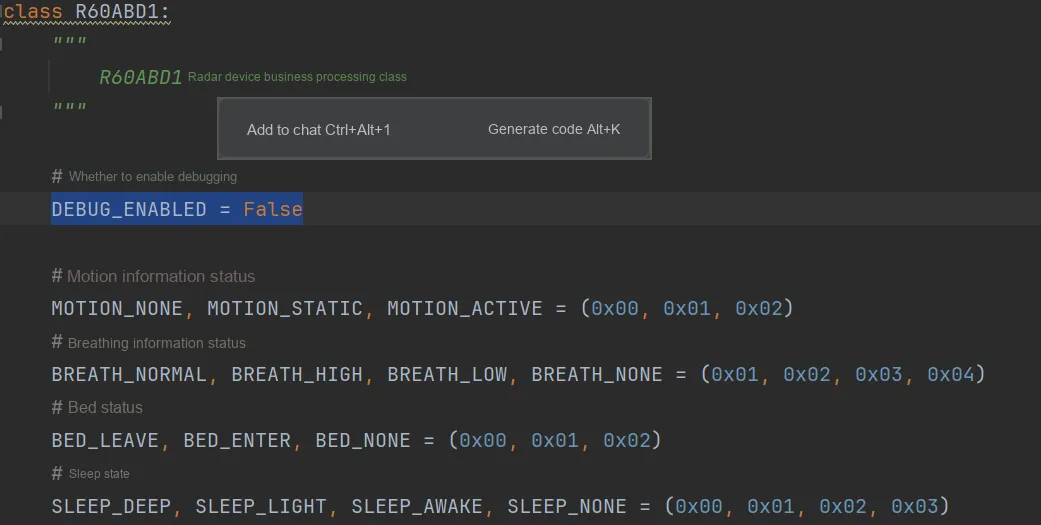
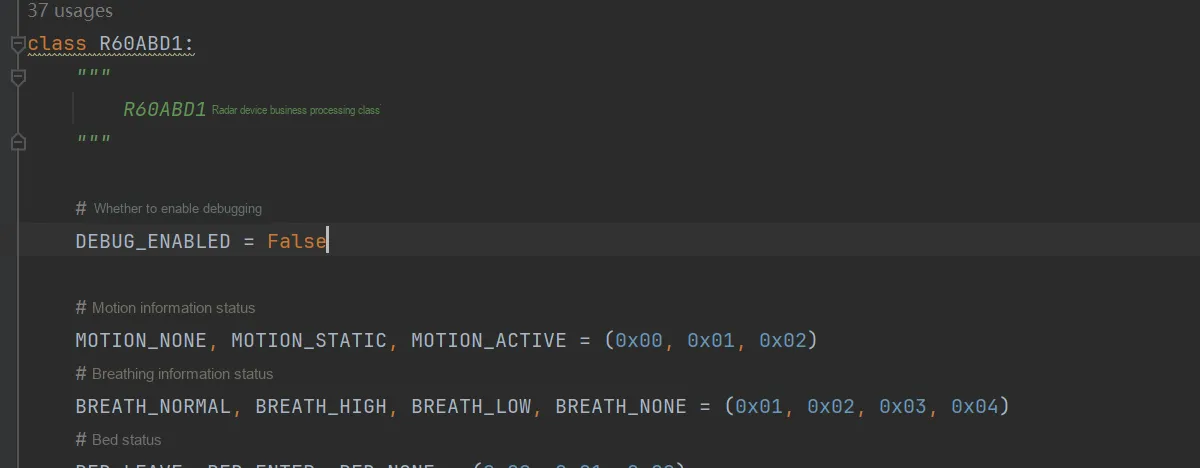
3.3.2.1 Debug and Status Constants
# Whether debugging is enabled (global switch, for log output and troubleshooting)
DEBUG_ENABLED = False

# Enum mappings for motion, respiration, sleep, and other states
MOTION_NONE, MOTION_STATIC, MOTION_ACTIVE = (0x00, 0x01, 0x02)
BREATH_NORMAL, BREATH_HIGH, BREATH_LOW, BREATH_NONE = (0x01, 0x02, 0x03, 0x04)
BED_LEAVE, BED_ENTER, BED_NONE = (0x00, 0x01, 0x02)
SLEEP_DEEP, SLEEP_LIGHT, SLEEP_AWAKE, SLEEP_NONE = (0x00, 0x01, 0x02, 0x03)
# ... Other status enums (e.g., sleep abnormality, quality rating, etc.)
These constants centralize the mapping from "values to business meanings", for example MOTION_ACTIVE directly corresponds to "human body active state", so as to avoid scattered literals in the code.
3.3.2.2 Instruction Types and Mapping Table
# Command type constants (distinguishing query, control, and setting operations)
TYPE_QUERY_HEARTBEAT = 0              # Heartbeat packet query
TYPE_MODULE_RESET = 1                 # Module reset
TYPE_QUERY_PRODUCT_MODEL = 2          # Product model query
# ... Command types for human presence, heart rate, respiration, sleep, and other modules (60+ in total)

# Command mapping table: maps command types to the protocol parameters "control word, command word, data"
COMMAND_MAP = {
    TYPE_QUERY_HEARTBEAT: {
        'control_byte': 0x01,
        'command_byte': 0x80,
        'data': bytes([0x0F])
    },
    # ... Protocol parameter mappings for other commands
}

# Mapping from query type to name (for debug output, improving log readability)
QUERY_NAME_MAP = {
    TYPE_QUERY_HEARTBEAT: "Heartbeat",
    TYPE_MODULE_RESET: "Module Reset",
    # ... Name mappings for other commands
}
This type of mapping table acts as a translation layer that maps "business instructions to underlying protocols"; for example, when the business layer invokes the "query product model" function, it can directly obtain the corresponding serial port frame parameters via COMMAND_MAP without needing to concern itself with protocol details.
3.3.3 Private Parsing Method: Conversion from Raw Data to Business Attributes
R60ABD1 converts the raw bytes parsed by DataFlowProcessor into business attributes through a set of private methods that focus exclusively on "data format parsing" and are decoupled from business logic:
3.3.3.1 Human Body Position Analysis (Signed 16-bit Special Format)
def _parse_human_position_data(self, data_bytes):
    """Parse human position data (6 bytes: X (2B), Y (2B), Z (2B)), supports special sign-bit format"""
    if len(data_bytes) != 6:
        return (0, 0, 0)
    x = self._parse_signed_16bit_special(data_bytes[0:2])
    y = self._parse_signed_16bit_special(data_bytes[2:4])
    z = self._parse_signed_16bit_special(data_bytes[4:6])
    return (x, y, z)

def _parse_signed_16bit_special(self, two_bytes):
    """Parse special signed 16-bit data (the first bit is the sign bit, the remaining 15 bits are the value)"""
    if len(two_bytes) != 2:
        return 0
    unsigned_value = (two_bytes[0] << 8) | two_bytes[1]
    sign_bit = (unsigned_value >> 15) & 0x1
    magnitude = unsigned_value & 0x7FFF
    return -magnitude if sign_bit else magnitude
For example, the original bytes 0x80 0x0F will be parsed as -32753 (with a sign bit of 1 and a mantissa of 0x000F), accurately restoring the sign and value of human body coordinates.
3.3.3.2 Waveform Data Analysis (General Logic for Heart Rate and Respiration)
def _parse_heart_rate_waveform_data(self, data_bytes):
    """Parse heart rate waveform data (5 bytes, restores real-time waveform values)"""
    if len(data_bytes) != 5:
        return (128, 128, 128, 128, 128)
    return (data_bytes[0], data_bytes[1], data_bytes[2], data_bytes[3], data_bytes[4])

def _parse_breath_waveform_data(self, data_bytes):
    """Parse respiration waveform data (5 bytes, same logic as the heart rate waveform)"""
    if len(data_bytes) != 5:
        return (128, 128, 128, 128, 128)
    return (data_bytes[0], data_bytes[1], data_bytes[2], data_bytes[3], data_bytes[4])
Such methods directly map raw bytes to waveform values (e. g., 0xC1 → 193), providing fundamental data for upper-layer functions such as "waveform visualization".
3.3.3.3 Sleep Data Analysis (Comprehensive Status and Statistical Information)
def _parse_sleep_comprehensive_data(self, data_bytes):
    """Parse comprehensive sleep status data (8 bytes, multi-dimensional sleep information)"""
    if len(data_bytes) != 8:
        return (0, 0, 0, 0, 0, 0, 0, 0)
    return (
        data_bytes[0],  # Presence status
        data_bytes[1],  # Sleep status
        data_bytes[2],  # Average respiration
        data_bytes[3],  # Average heart rate
        data_bytes[4],  # Number of turnovers
        data_bytes[5],  # Proportion of large body movements
        data_bytes[6],  # Proportion of small body movements
        data_bytes[7]   # Number of apnea events
    )

def _parse_sleep_statistics_data(self, data_bytes):
    """Parse sleep statistics data (12 bytes, summary of duration, quality, etc.)"""
    if len(data_bytes) != 12:
        return (0, 0, 0, 0, 0, 0, 0, 0, 0, 0, 0)
    total_sleep_duration = (data_bytes[1] << 8) | data_bytes[2]
    return (
        data_bytes[0],  # Sleep quality score
        total_sleep_duration,  # Total sleep duration
        data_bytes[3],  # Awake duration proportion
        data_bytes[4],  # Light sleep duration proportion
        data_bytes[5],  # Deep sleep duration proportion
        data_bytes[6],  # Out-of-bed duration
        data_bytes[7],  # Number of times out of bed
        data_bytes[8],  # Number of turnovers
        data_bytes[9],  # Average respiration
        data_bytes[10], # Average heart rate
        data_bytes[11]  # Number of apnea events
    )
Such methods decompose complex sleep data into readable business indicators; for example, "total sleep duration" is formed by concatenating two bytes of big-endian data.
3.3.3.4 Analysis of Product and Firmware Information (String Processing)
def _parse_product_info_data(self, data_bytes):
    """Parse product information (string handling with null bytes)"""
    try:
        if R60ABD1.DEBUG_ENABLED:
            print(f"[Parse] Raw product data: {data_bytes}, hex: {data_bytes.hex()}")
        # Extract the valid part before the null byte
        if b'\x00' in data_bytes:
            null_index = data_bytes.index(b'\x00')
            valid_data = data_bytes[:null_index]
        else:
            valid_data = data_bytes
        return (valid_data.decode('utf-8', errors='ignore').strip(),)
    except Exception as e:
        if R60ABD1.DEBUG_ENABLED:
            print(f"[Parse] Product info parse error: {e}, data: {data_bytes}")
        return ("",)

def _parse_firmware_version_data(self, data_bytes):
    """Parse firmware version (same logic as product information)"""
    try:
        if R60ABD1.DEBUG_ENABLED:
            print(f"[Parse] Raw firmware data: {data_bytes}, hex: {data_bytes.hex()}")
        if b'\x00' in data_bytes:
            null_index = data_bytes.index(b'\x00')
            valid_data = data_bytes[:null_index]
        else:
            valid_data = data_bytes
        return (valid_data.decode('utf-8', errors='ignore').strip(),)
    except Exception as e:
        if R60ABD1.DEBUG_ENABLED:
            print(f"[Parse] Firmware version parse error: {e}, data: {data_bytes}")
        return ("",)
Such methods handle the scenario of "strings with null bytes" to ensure that information such as product models and firmware versions can be correctly parsed as Python strings.
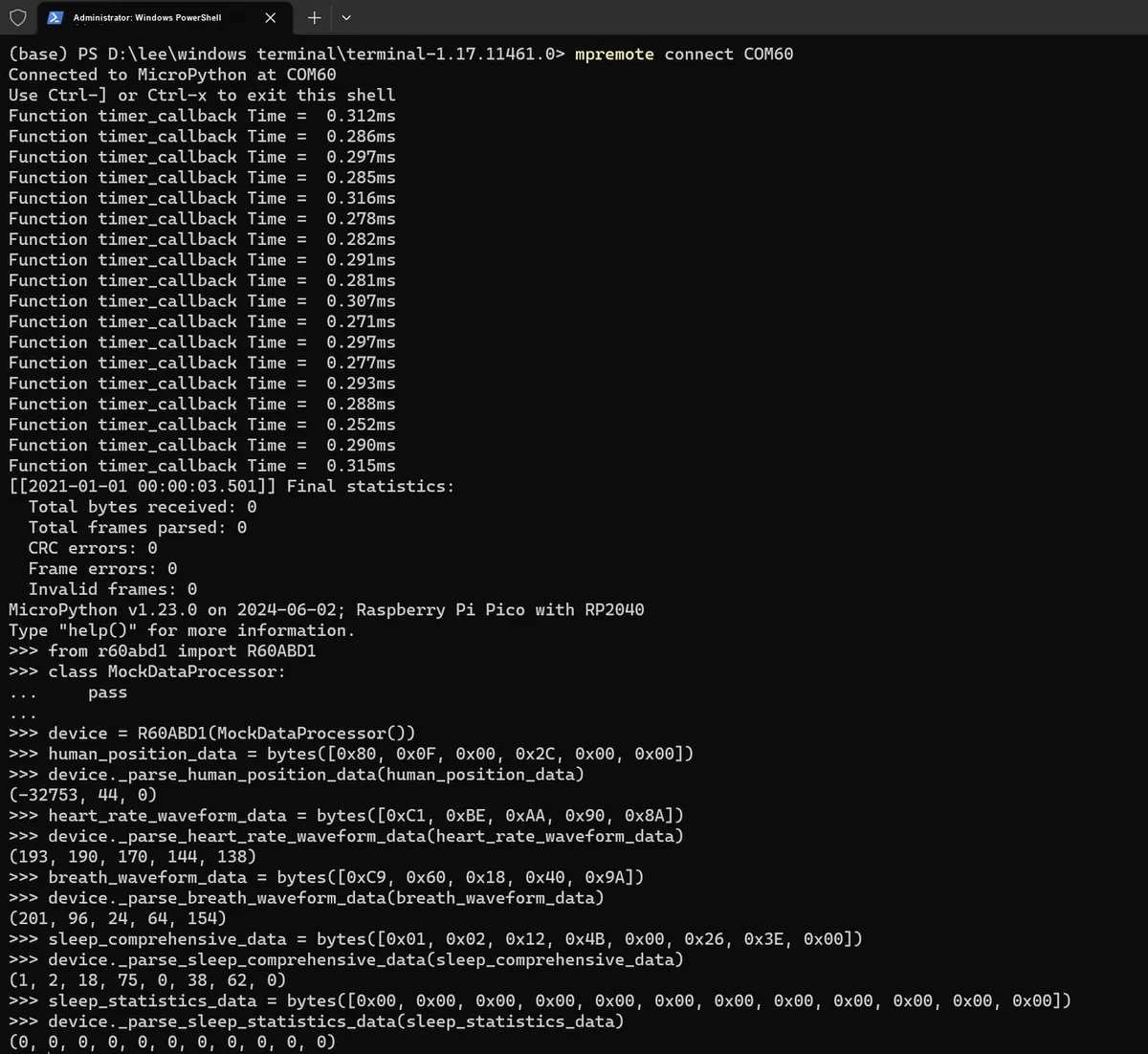
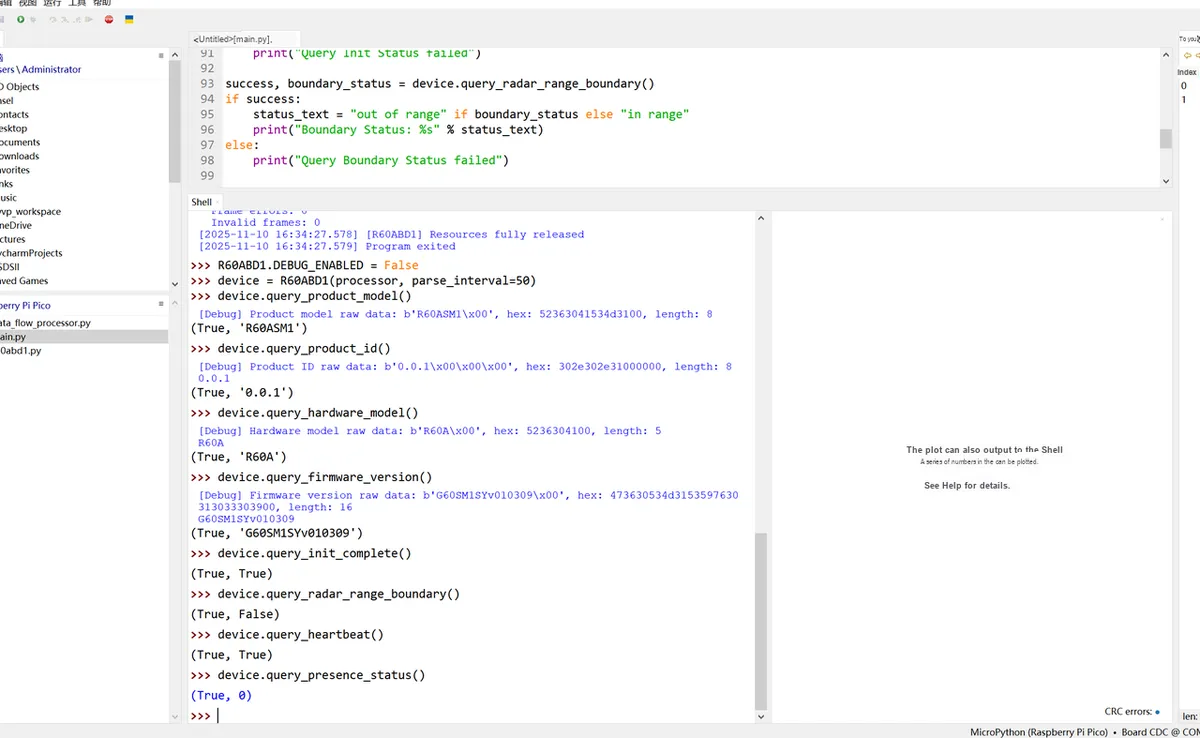
3.3.4 Test and Verification of Parsing Logic: Correctness Validation in the REPL Environment
To ensure the reliability of the parsing method, it is necessary to conduct the test in the REPL environment of MicroPython for data consistency, so as to verify whether the conversion from "raw bytes to business attributes" meets the expected requirements:
# Simulate DataFlowProcessor (for testing only)
class MockDataProcessor:
    pass

# Initialize R60ABD1 instance
device = R60ABD1(MockDataProcessor())

# Test case 1: human position data parsing
human_position_data = bytes([0x80, 0x0F, 0x00, 0x2C, 0x00, 0x00])
result = device._parse_human_position_data(human_position_data)
print("人体方位数据:", result)
# Expected output: (-32753, 44, 0) (verifies correct conversion of sign bit and value)

# Test case 2: heart rate waveform data parsing
heart_rate_waveform_data = bytes([0xC1, 0xBE, 0xAA, 0x90, 0x8A])
result = device._parse_heart_rate_waveform_data(heart_rate_waveform_data)
print("心率波形数据:", result)
# Expected output: (193, 190, 170, 144, 138) (verifies direct byte-to-value mapping)

# Test case 3: respiration waveform data parsing
breath_waveform_data = bytes([0xC9, 0x60, 0x18, 0x40, 0x9A])
result = device._parse_breath_waveform_data(breath_waveform_data)
print("呼吸波形数据:", result)
# Expected output: (201, 96, 24, 64, 154) (same logic as the heart rate waveform)

# Test case 4: comprehensive sleep status parsing
sleep_comprehensive_data = bytes([0x01, 0x02, 0x12, 0x4B, 0x00, 0x26, 0x3E, 0x00])
result = device._parse_sleep_comprehensive_data(sleep_comprehensive_data)
print("睡眠综合状态数据:", result)
# Expected output: (1, 2, 18, 75, 0, 38, 62, 0) (correct decomposition of multi-dimensional sleep information)

# Test case 5: sleep statistics parsing
sleep_statistics_data = bytes([0x00, 0x00, 0x00, 0x00, 0x00, 0x00, 0x00, 0x00, 0x00, 0x00, 0x00, 0x00])
result = device._parse_sleep_statistics_data(sleep_statistics_data)
print("睡眠统计信息数据:", result)
# Expected output: (0, 0, 0, 0, 0, 0, 0, 0, 0, 0, 0) (compatibility with the all-zero case)
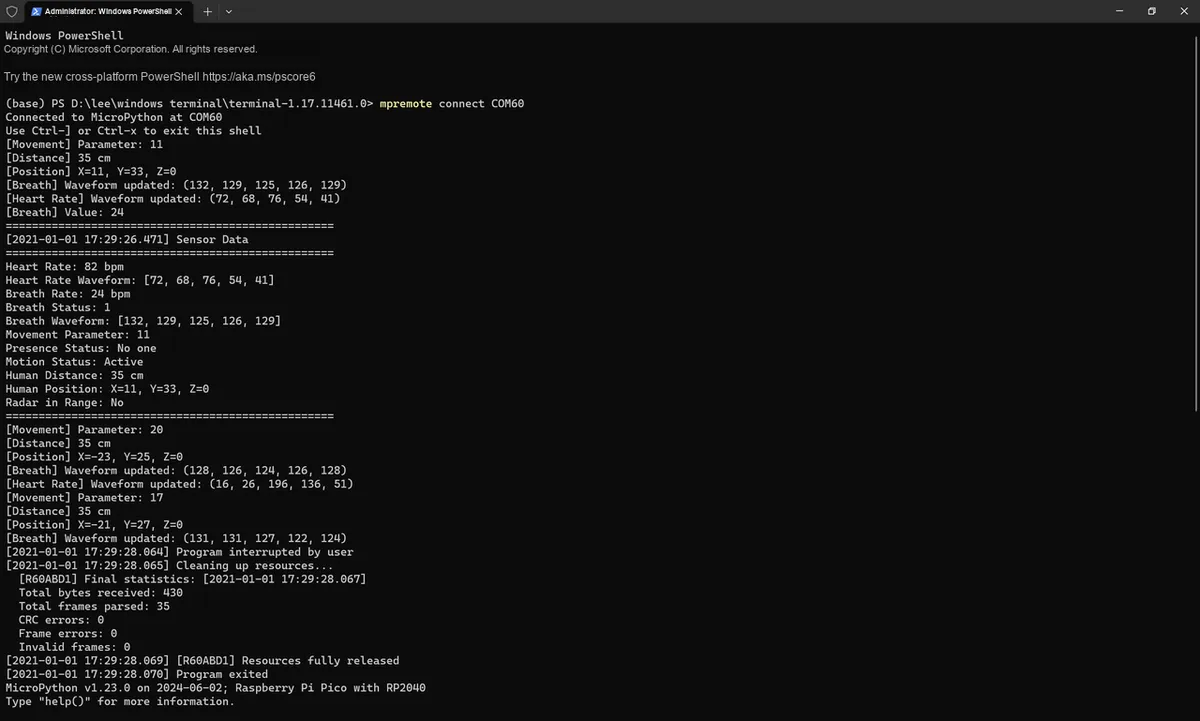
The test results are normal, as shown below:
Through the above tests, it can be verified that all parsing methods can accurately convert the original bytes into business attributes, which lays a reliable foundation for the subsequent update_properties_from_frame method implementation.
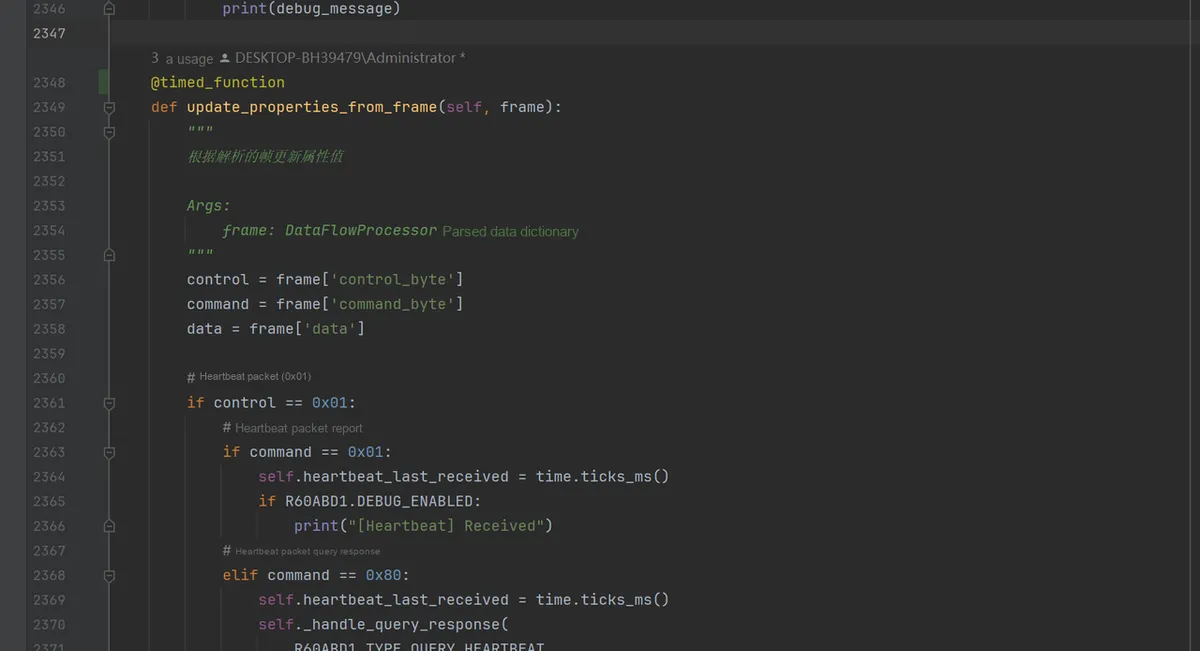
3.3.5 update_properties_from_frame Method: Entry for Service Property Update
update_properties_from_frame is R60ABD1 a core method of the class that connects the "data parsing layer" and the "business logic layer", which is responsible for mapping the raw frame data parsed by DataFlowProcessor into readable business attributes and implementing hierarchical, real-time updates of the attributes.
3.3.5.1 Objective of Method Design: The "Translator" Between Data and Business
This method undertakes the responsibility for translating and updating "raw frame data → service attributes", serving as the "bridge" for the business logic layer to perceive device status. It receives DataFlowProcessor -output frame dictionaries, and through the combined judgment of control words and command words, converts byte data into structured service attributes (such as respiration rate, heart rate, human presence status, etc.), ultimately supporting upper-layer applications including device health monitoring and status analysis.
3.3.5.2 Hierarchical Strategy for Attribute Update Timing: Matching Data Frequency
To balance "real-time performance" and "resource consumption", it is recommended that developers calling the driver library process attribute updates in layers according to the data output frequency:
High-frequency data (<100ms): e. g., human presence status, motion status. This type of data changes rapidly, requiring immediate attribute updates to ensure the business layer perceives environmental changes in real time.
Medium-frequency data (1–3s): such as respiration/heart rate waveforms and motion parameters. This type of data is used for trend analysis (e. g., waveform visualization), with a relatively slower update frequency but requiring guaranteed data integrity.
Low-frequency data (>10s): such as sleep status and quality score. This type of data is an aggregated indicator with a long update interval, which can be processed in one go upon receiving the frame.
3.3.5.3 Specific Implementation of the Method: Modularization Branch Parsing
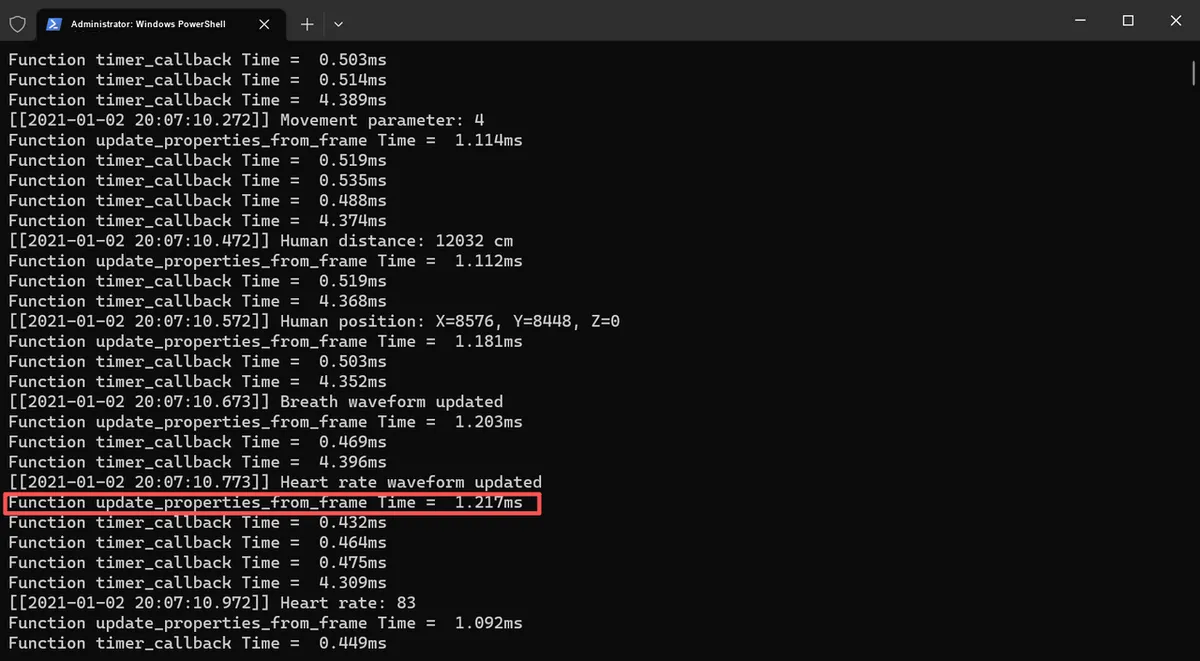
Here, to quickly test the feasibility, we conduct the test in mian.py, use global variables to simulate attribute values, and in the relevant functions, through the control word + command word combination judgment, route different types of frame data to the update logic of the corresponding attributes:
# Python env   :
# -*- coding: utf-8 -*-
# @Time    : 2025/11/4 5:33 PM
# @Author  : Li Qingshui
# @File    : main.py
# @Description :

from machine import UART, Pin, Timer
import time
from data_flow_processor import DataFlowProcessor
import micropython

frame_count = 0

# Store parsed data frames
parsed_frames_buffer = []

# Initialize UART0: TX=16, RX=17, baud rate 115200
uart = UART(0, baudrate=115200, tx=Pin(16), rx=Pin(17), timeout=0)

# Create DataFlowProcessor instance
processor = DataFlowProcessor(uart)

# ======================================== Functions ============================================

# Timing decorator, used to measure function run time
def timed_function(f: callable, *args: tuple, **kwargs: dict) -> callable:
    """
    Timing decorator, used to measure and print function/method run time.

    Args:
        f (callable): The function/method to be passed in
        args (tuple): Any number of positional arguments passed to function/method f
        kwargs (dict): Any number of keyword arguments passed to function/method f

    Returns:
        callable: Returns the timed function
    """
    myname = str(f).split(' ')[1]

    def new_func(*args: tuple, **kwargs: dict) -> any:
        t: int = time.ticks_us()
        result = f(*args, **kwargs)
        delta: int = time.ticks_diff(time.ticks_us(), t)
        print('Function {} Time = {:6.3f}ms'.format(myname, delta / 1000))
        return result

    return new_func

def format_time():
    """Format the current time as [YYYY-MM-DD HH:MM:SS.sss]"""
    t = time.localtime()
    ms = time.ticks_ms() % 1000
    return f"[{t[0]}-{t[1]:02d}-{t[2]:02d} {t[3]:02d}:{t[4]:02d}:{t[5]:02d}.{ms:03d}]"

@timed_function
def timer_callback(timer):
    """Timer callback function, triggered every 50 ms, parses data frames directly"""
    global frame_count, parsed_frames_buffer

    # Call the parse method directly
    frames = processor.read_and_parse()

    # Add parsed frames to the buffer
    for frame in frames:
        frame_count += 1
        parsed_frames_buffer.append({
            'frame_number': frame_count,
            'control': frame['control_byte'],
            'command': frame['command_byte'],
            'data_length': frame['data_length'],
            'data_hex': frame['data'].hex() if frame['data'] else "",
            'raw_hex': frame['raw_data'].hex(),
            'timestamp': format_time()
        })

        # Update attributes
        micropython.schedule(update_properties_from_frame, frame)

@timed_function
def update_properties_from_frame(frame):
    """Update attribute values based on the parsed frame"""
    global heartbeat_last_received, presence_status, motion_status, movement_parameter
    global human_distance, human_position_x, human_position_y, human_position_z
    global breath_status, breath_value, breath_waveform
    global heart_rate_value, heart_rate_waveform
    global radar_in_range, system_initialized

    control = frame['control_byte']
    command = frame['command_byte']
    data = frame['data']
    current_time = time.ticks_ms()

    # Heartbeat packet (0x01)
    if control == 0x01 and command == 0x01:
        heartbeat_last_received = current_time
        print("[%s] Heartbeat received" % format_time())

    # System initialization status (0x05)
    elif control == 0x05 and command == 0x01:
        if data and len(data) > 0:
            system_initialized = (data[0] == 0x01)
            print("[%s] System initialized: %s" % (format_time(), "Yes" if system_initialized else "No"))

    # Radar detection range (0x07)
    elif control == 0x07 and command == 0x07:
        if data and len(data) > 0:
            radar_in_range = (data[0] == 0x01)
            print("[%s] Radar in range: %s" % (format_time(), "Yes" if radar_in_range else "No"))

    # Human presence status (0x80)
    elif control == 0x80:
        if command == 0x01:  # Presence information
            if data and len(data) > 0:
                presence_status = data[0]
                status_text = "No one" if presence_status == 0 else "Someone"
                print("[%s] Presence status: %s" % (format_time(), status_text))

        elif command == 0x02:  # Motion information
            if data and len(data) > 0:
                motion_status = data[0]
                status_text = ["No motion", "Static", "Active"][motion_status] if motion_status < 3 else "Unknown"
                print("[%s] Motion status: %s" % (format_time(), status_text))

        elif command == 0x03:  # Body movement parameters
            if data and len(data) > 0:
                movement_parameter = data[0]
                print("[%s] Movement parameter: %d" % (format_time(), movement_parameter))

        elif command == 0x04:  # Human distance
            if data and len(data) >= 2:
                human_distance = data[0] | (data[1] << 8)
                print("[%s] Human distance: %d cm" % (format_time(), human_distance))

        elif command == 0x05:  # Human position
            if data and len(data) >= 6:
                human_position_x = data[0] | (data[1] << 8)
                human_position_y = data[2] | (data[3] << 8)
                human_position_z = data[4] | (data[5] << 8)
                print("[%s] Human position: X=%d, Y=%d, Z=%d" % (
                format_time(), human_position_x, human_position_y, human_position_z))

    # Respiration monitoring (0x81)
    elif control == 0x81:
        if command == 0x01:  # Respiration status
            if data and len(data) > 0:
                breath_status = data[0]
                status_text = ["Normal", "High", "Low", "None"][
                    breath_status - 1] if 1 <= breath_status <= 4 else "Unknown"
                print("[%s] Breath status: %s" % (format_time(), status_text))

        elif command == 0x02:  # Respiration value
            if data and len(data) > 0:
                breath_value = data[0]
                print("[%s] Breath value: %d" % (format_time(), breath_value))

        elif command == 0x05:  # Respiration waveform
            if data and len(data) >= 5:
                breath_waveform = list(data[:5])
                print("[%s] Breath waveform updated" % format_time())

    # Heart rate monitoring (0x85)
    elif control == 0x85:
        if command == 0x02:  # Heart rate value
            if data and len(data) > 0:
                heart_rate_value = data[0]
                print("[%s] Heart rate: %d" % (format_time(), heart_rate_value))

        elif command == 0x05:  # Heart rate waveform
            if data and len(data) >= 5:
                heart_rate_waveform = list(data[:5])
                print("[%s] Heart rate waveform updated" % format_time())

# ======================================== Global Attribute Variables ============================================

# 1. System-level attributes
heartbeat_last_received = 0
heartbeat_timeout_count = 0
heartbeat_interval = 0
system_initialized = False
system_initialized_timestamp = 0
module_reset_flag = False
module_reset_timestamp = 0
product_model = ""
product_id = ""
hardware_model = ""
firmware_version = ""

# 2. Radar detection attributes
radar_in_range = False
radar_in_range_timestamp = 0

# 3. Human presence detection attributes
presence_enabled = True
presence_status = 0
presence_status_timestamp = 0
motion_status = 0
motion_status_timestamp = 0
movement_parameter = 0
movement_parameter_timestamp = 0
human_distance = 0
human_distance_timestamp = 0
human_position_x = 0
human_position_y = 0
human_position_z = 0
human_position_timestamp = 0

# 4. Respiration monitoring attributes
breath_monitoring_enabled = True
breath_waveform_enabled = False
low_breath_threshold = 10
breath_status = 0
breath_status_timestamp = 0
breath_value = 0
breath_value_timestamp = 0
breath_waveform = [0, 0, 0, 0, 0]
breath_waveform_timestamp = 0

# 5. Heart rate monitoring attributes
heart_rate_enabled = True
heart_rate_waveform_enabled = False
heart_rate_value = 0
heart_rate_value_timestamp = 0
heart_rate_waveform = [0, 0, 0, 0, 0]
heart_rate_waveform_timestamp = 0

# 6. Sleep monitoring attributes
sleep_monitoring_enabled = True
bed_status = 0
bed_status_timestamp = 0
sleep_status = 0
sleep_status_timestamp = 0
awake_duration = 0
light_sleep_duration = 0
deep_sleep_duration = 0
sleep_quality_score = 0
sleep_quality_rating = 0
sleep_comprehensive_status = {}
sleep_anomaly = 0
abnormal_struggle_status = 0
no_person_timing_status = 0
abnormal_struggle_enabled = False
no_person_timing_enabled = False
no_person_timing_duration = 30
sleep_cutoff_duration = 120
struggle_sensitivity = 1

# ======================================== Main Program ============================================

# Initialize 50 ms timer
timer = Timer(-1)
timer.init(period=50, mode=Timer.PERIODIC, callback=timer_callback)

# Test counter
test_counter = 0
last_print_time = time.ticks_ms()

try:
    while True:
        current_time = time.ticks_ms()

        # Check whether the frames in the buffer need to be printed (print once every 10)
        if len(parsed_frames_buffer) >= 10:
            print("=====================================================")

            for frame_data in parsed_frames_buffer:
                print("[%s] Frame#%d: Control=0x%02X, Command=0x%02X, Length=%d, Data=%s" % (frame_data['timestamp'], frame_data['frame_number'], frame_data['control'], frame_data['command'], frame_data['data_length'], frame_data['data_hex']))
                print("[%s] Raw frame: %s" % (frame_data['timestamp'], frame_data['raw_hex']))
                print("-" * 60)

            print("=====================================================")

            # Clear the buffer
            parsed_frames_buffer = []

        # Print an attribute status summary every 5 seconds
        if time.ticks_diff(current_time, last_print_time) >= 5000:

            last_print_time = current_time
            test_counter += 1

            print("[%s] Property Status Summary (Test #%d)" % (format_time(), test_counter))

            print("******************************************************************************************")

            # System state
            print("System: Heartbeat=%d, Initialized=%s" % (
            heartbeat_last_received, "Yes" if system_initialized else "No"))

            # Radar status
            print("Radar: InRange=%s" % ("Yes" if radar_in_range else "No"))

            # Human presence
            presence_text = "No one" if presence_status == 0 else "Someone"
            motion_text = ["No motion", "Static", "Active"][motion_status] if motion_status < 3 else "Unknown"
            print("Presence: Status=%s, Motion=%s, Distance=%dcm" % (presence_text, motion_text, human_distance))

            # Respiration monitoring
            breath_status_text = ["Normal", "High", "Low", "None"][
                breath_status - 1] if 1 <= breath_status <= 4 else "Unknown"
            print("Breath: Status=%s, Value=%d" % (breath_status_text, breath_value))

            print("******************************************************************************************")

            # Heart rate monitoring
            print("Heart Rate: Value=%d" % heart_rate_value)

except KeyboardInterrupt:
    # Stop the timer
    timer.deinit()

    # Print remaining frames not yet output
    if parsed_frames_buffer:
        print("=====================================================")
        print("[%s] Final output %d parsed frames:" % (format_time(), len(parsed_frames_buffer)))
        for frame_data in parsed_frames_buffer:
            print("[%s] Frame#%d: Control=0x%02X, Command=0x%02X, Length=%d, Data=%s" % (frame_data['timestamp'], frame_data['frame_number'], frame_data['control'], frame_data['command'], frame_data['data_length'], frame_data['data_hex']))
            print("[%s] Raw frame: %s" % (frame_data['timestamp'], frame_data['raw_hex']))
            print("-" * 60)

    # Output final statistics
    stats = processor.get_stats()
    print("[%s] Final statistics:" % format_time())
    print("  Total bytes received: %d" % stats['total_bytes_received'])
    print("  Total frames parsed: %d" % stats['total_frames_parsed'])
    print("  CRC errors: %d" % stats['crc_errors'])
    print("  Frame errors: %d" % stats['frame_errors'])
    print("  Invalid frames: %d" % stats['invalid_frames'])
3.3.5.4 Performance Testing
To flash the code, open the terminal:
It can be seen that update_properties_from_frame function takes about 1.2ms for single-frame data, which leaves sufficient time margin.
Next, we start putting the update_properties_from_frame function into the R60ABD1 class, the code is as follows:
def update_properties_from_frame(self, frame):
    """
    Update attribute values from the parsed frame

    Args:
        frame: Frame data dictionary parsed by DataFlowProcessor
    """
    control = frame['control_byte']
    command = frame['command_byte']
    data = frame['data']

    # Heartbeat packet (0x01)
    if control == 0x01:
        # Heartbeat packet report
        if command == 0x01:
            self.heartbeat_last_received = time.ticks_ms()
            if R60ABD1.DEBUG_ENABLED:
                print("[Heartbeat] Received")

    # System initialization status (0x05)
    elif control == 0x05:
        if command == 0x01:  # Initialization complete message
            if data and len(data) > 0:
                self.system_initialized = (data[0] == 0x01)
                self.system_initialized_timestamp = time.ticks_ms()
                if R60ABD1.DEBUG_ENABLED:
                    status = "completed" if self.system_initialized else "not completed"
                    print(f"[System] Initialization {status}")

    # Radar detection range (0x07)
    elif control == 0x07:
        if command == 0x07:  # Position out-of-bounds status report
            if data and len(data) > 0:
                self.radar_in_range = (data[0] == 0x01)
                if R60ABD1.DEBUG_ENABLED:
                    status = "in range" if self.radar_in_range else "out of range"
                    print(f"[Radar] {status}")

    # Human presence detection (0x80)
    elif control == 0x80:
        if command == 0x01:  # Presence information
            if data and len(data) > 0:
                self.presence_status = data[0]
                if R60ABD1.DEBUG_ENABLED:
                    status_text = "No one" if self.presence_status == 0 else "Someone"
                    print(f"[Presence] {status_text}")

        elif command == 0x02:  # Motion information
            if data and len(data) > 0:
                self.motion_status = data[0]
                if R60ABD1.DEBUG_ENABLED:
                    status_text = ["No motion", "Static", "Active"][
                        self.motion_status] if self.motion_status < 3 else "Unknown"
                    print(f"[Motion] {status_text}")

        elif command == 0x03:  # Body movement parameters
            if data and len(data) > 0:
                self.movement_parameter = data[0]
                if R60ABD1.DEBUG_ENABLED:
                    print(f"[Movement] Parameter: {self.movement_parameter}")

        elif command == 0x04:  # Human distance
            if data and len(data) >= 2:
                self.human_distance = (data[0] << 8) | data[1]
                if R60ABD1.DEBUG_ENABLED:
                    print(f"[Distance] {self.human_distance} cm")

        elif command == 0x05:  # Human position
            if data and len(data) == 6:
                x, y, z = self._parse_human_position_data(data)
                self.human_position_x = x
                self.human_position_y = y
                self.human_position_z = z
                if R60ABD1.DEBUG_ENABLED:
                    print(f"[Position] X={x}, Y={y}, Z={z}")

    # Respiration monitoring (0x81)
    elif control == 0x81:
        if command == 0x01:  # Respiration status
            if data and len(data) > 0:
                self.breath_status = data[0]
                if R60ABD1.DEBUG_ENABLED:
                    status_text = ["Normal", "High", "Low", "None"][
                        self.breath_status - 1] if 1 <= self.breath_status <= 4 else "Unknown"
                    print(f"[Breath] Status: {status_text}")

        elif command == 0x02:  # Respiration value
            if data and len(data) > 0:
                self.breath_value = data[0]
                if R60ABD1.DEBUG_ENABLED:
                    print(f"[Breath] Value: {self.breath_value}")

        elif command == 0x05:  # Respiration waveform
            if data and len(data) == 5:
                waveform = self._parse_breath_waveform_data(data)
                self.breath_waveform = list(waveform)
                if R60ABD1.DEBUG_ENABLED:
                    print(f"[Breath] Waveform updated: {waveform}")

    # Heart rate monitoring (0x85)
    elif control == 0x85:
        if command == 0x02:  # Heart rate value
            if data and len(data) > 0:
                self.heart_rate_value = data[0]
                if R60ABD1.DEBUG_ENABLED:
                    print(f"[Heart Rate] Value: {self.heart_rate_value}")

        elif command == 0x05:  # Heart rate waveform
            if data and len(data) == 5:
                waveform = self._parse_heart_rate_waveform_data(data)
                self.heart_rate_waveform = list(waveform)
                if R60ABD1.DEBUG_ENABLED:
                    print(f"[Heart Rate] Waveform updated: {waveform}")

    # Sleep monitoring (0x84)
    elif control == 0x84:
        if command == 0x01:  # In-bed/out-of-bed status
            if data and len(data) > 0:
                self.bed_status = data[0]
                if R60ABD1.DEBUG_ENABLED:
                    status_text = ["Leave bed", "Enter bed", "None"][
                        self.bed_status] if self.bed_status < 3 else "Unknown"
                    print(f"[Bed] Status: {status_text}")

        elif command == 0x02:  # Sleep status
            if data and len(data) > 0:
                self.sleep_status = data[0]
                if R60ABD1.DEBUG_ENABLED:
                    status_text = ["Deep sleep", "Light sleep", "Awake", "None"][
                        self.sleep_status] if self.sleep_status < 4 else "Unknown"
                    print(f"[Sleep] Status: {status_text}")

        elif command == 0x03:  # Awake duration
            if data and len(data) >= 2:
                self.awake_duration = (data[0] << 8) | data[1]
                if R60ABD1.DEBUG_ENABLED:
                    print(f"[Sleep] Awake duration: {self.awake_duration} min")

        elif command == 0x04:  # Light sleep duration
            if data and len(data) >= 2:
                self.light_sleep_duration = (data[0] << 8) | data[1]
                if R60ABD1.DEBUG_ENABLED:
                    print(f"[Sleep] Light sleep duration: {self.light_sleep_duration} min")

        elif command == 0x05:  # Deep sleep duration
            if data and len(data) >= 2:
                self.deep_sleep_duration = (data[0] << 8) | data[1]
                if R60ABD1.DEBUG_ENABLED:
                    print(f"[Sleep] Deep sleep duration: {self.deep_sleep_duration} min")

        elif command == 0x06:  # Sleep quality score
            if data and len(data) > 0:
                self.sleep_quality_score = data[0]
                if R60ABD1.DEBUG_ENABLED:
                    print(f"[Sleep] Quality score: {self.sleep_quality_score}")

        elif command == 0x0C:  # Overall sleep status
            if data and len(data) == 8:
                comprehensive_data = self._parse_sleep_comprehensive_data(data)
                # Update the dictionary attributes
                self.sleep_comprehensive_status = {
                    'presence': comprehensive_data[0],
                    'sleep_status': comprehensive_data[1],
                    'avg_breath': comprehensive_data[2],
                    'avg_heart_rate': comprehensive_data[3],
                    'turnover_count': comprehensive_data[4],
                    'large_movement_ratio': comprehensive_data[5],
                    'small_movement_ratio': comprehensive_data[6],
                    'apnea_count': comprehensive_data[7]
                }
                if R60ABD1.DEBUG_ENABLED:
                    print(f"[Sleep] Comprehensive status updated")

        elif command == 0x0D:  # Sleep quality analysis/statistics
            if data and len(data) == 12:
                stats_data = self._parse_sleep_statistics_data(data)
                # Update the corresponding sleep statistics attributes
                self.sleep_quality_score = stats_data[0]
                if R60ABD1.DEBUG_ENABLED:
                    # Note: stats_data[1] is the total sleep duration; how to allocate it depends on the actual situation
                    print(f"[Sleep] Statistics updated")

        elif command == 0x0E:  # Sleep anomaly
            if data and len(data) > 0:
                self.sleep_anomaly = data[0]
                if R60ABD1.DEBUG_ENABLED:
                    status_text = ["Short sleep (<4h)", "Long sleep (>12h)", "No person anomaly", "Normal"][
                        self.sleep_anomaly] if self.sleep_anomaly < 4 else "Unknown"
                    print(f"[Sleep] Anomaly: {status_text}")

        elif command == 0x10:  # Sleep quality rating
            if data and len(data) > 0:
                self.sleep_quality_rating = data[0]
                if R60ABD1.DEBUG_ENABLED:
                    status_text = ["None", "Good", "Normal", "Poor"][
                        self.sleep_quality_rating] if self.sleep_quality_rating < 4 else "Unknown"
                    print(f"[Sleep] Quality rating: {status_text}")

        elif command == 0x11:  # Abnormal struggle status
            if data and len(data) > 0:
                self.abnormal_struggle_status = data[0]
                if R60ABD1.DEBUG_ENABLED:
                    status_text = ["None", "Normal", "Abnormal"][
                        self.abnormal_struggle_status] if self.abnormal_struggle_status < 3 else "Unknown"
                    print(f"[Sleep] Struggle status: {status_text}")

        elif command == 0x12:  # Nobody timing status
            if data and len(data) > 0:
                self.no_person_timing_status = data[0]
                if R60ABD1.DEBUG_ENABLED:
                    status_text = ["None", "Normal", "Abnormal"][
                        self.no_person_timing_status] if self.no_person_timing_status < 3 else "Unknown"
                    print(f"[Sleep] No person timing: {status_text}")
Next, let's modify main.py:
# Python env   :
# -*- coding: utf-8 -*-
# @Time    : 2025/11/4 5:33 PM
# @Author  : Li Qingshui
# @File    : main.py
# @Description :

from machine import UART, Pin, Timer
import time
from data_flow_processor import DataFlowProcessor
from r60abd1 import R60ABD1, format_time

# Initialize UART0: TX=16, RX=17, baud rate 115200
uart = UART(0, baudrate=115200, tx=Pin(16), rx=Pin(17), timeout=0)

# Create DataFlowProcessor instance
processor = DataFlowProcessor(uart)

# Create an R60ABD1 instance
device = R60ABD1(processor, parse_interval=50)

# ======================================== Functions ============================================

def print_sensor_data():
    """Print sensor data to the Thonny console"""
    print("=" * 50)
    print("%s Sensor Data" % format_time())
    print("=" * 50)

    # Heart rate data
    print("Heart Rate: %d bpm" % device.heart_rate_value)
    print("Heart Rate Waveform: %s" % str(device.heart_rate_waveform))

    # Respiration data
    print("Breath Rate: %d bpm" % device.breath_value)
    print("Breath Status: %d" % device.breath_status)
    print("Breath Waveform: %s" % str(device.breath_waveform))

    # Human presence data
    print("Movement Parameter: %d" % device.movement_parameter)
    print("Presence Status: %s" % ("Someone" if device.presence_status == 1 else "No one"))
    print("Motion Status: %s" % ["No motion", "Static", "Active"][
        device.motion_status] if device.motion_status < 3 else "Unknown")

    # Distance and position
    print("Human Distance: %d cm" % device.human_distance)
    print("Human Position: X=%d, Y=%d, Z=%d" % (
    device.human_position_x, device.human_position_y, device.human_position_z))

    # Radar status
    print("Radar in Range: %s" % ("Yes" if device.radar_in_range else "No"))

    print("=" * 50)

# ======================================== Main Program ============================================

# Last print time
last_print_time = time.ticks_ms()
print_interval = 2000  # Print every 2 seconds

try:
    while True:
        current_time = time.ticks_ms()

        # Print sensor data periodically
        if time.ticks_diff(current_time, last_print_time) >= print_interval:
            print_sensor_data()
            last_print_time = current_time

        # Small delay to avoid using too much CPU
        time.sleep_ms(10)

except KeyboardInterrupt:
    print("%s Program interrupted by user" % format_time())

finally:
    # Clean up resources
    print("%s Cleaning up resources..." % format_time())
    device.close()
    print("%s Program exited" % format_time())
It is found during runtime that normal parsing is achievable, and this also holds true when interrupting the code:
3.3.5.5 Actual Operation Verification: Data Consistency and Visualization
Next, let's take a look at the value change curve in Thonny (at this point, you need to set DEBUG_ENABLED = False):
At the same time, it should be noted that here we only output one type of value at a time for easier viewing:
3.3.6 Design and Implementation of Command Response Logic: Interactive Processing of Active Query/Set/Enable Commands
In the R60ABD1 class's business logic layer, the command response logic is responsible for handling the interaction process of "actively issuing a command → receiving the device's response → updating attributes / returning results", and serves as the core module for implementing functions such as "device control, information query, and parameter configuration".
3.3.6.1 Design Objectives and Core Concepts
Business scenarios addressed:
Device Information Query: such as obtaining the product model, firmware version, hardware model, etc. ;
Function switch control: such as enabling/disabling human presence monitoring, respiration monitoring, heart rate monitoring, etc. ;
Dynamic parameter configuration: such as setting slow and gentle breathing threshold, no-person timing duration, struggle sensitivity, etc. ;
Equipment status diagnosis: such as querying the status of heartbeat packets, initialization completion status, radar detection range, etc.
Core Design Concept:
The finite-state machine pattern manages the query lifecycle: it tracks the complete process of _query_in_progress, _query_response_received and other attributes through the following stages:"initiate query → wait for response → process result → clean up state";
Reuse of parsing logic: The structure of the query response frame is completely identical to that of the active report frame, therefore the update_properties_from_frame method is reused for parsing to avoid code redundancy;
Hardware FIFO ensures data reliability: The UART hardware FIFO (32 bytes) of the Raspberry Pi Pico automatically caches response data, and combined with the timer callback-based read_and_parse method, it ensures no data loss;
Timeout retry mechanism: Through the max_retries and retry_delay parameters, it addresses the unstable scenarios of serial communication and improves the reliability of command execution.
3.3.6.2 Return Parameter Design Specification: A Tuple Pattern of "Status + Result" Based on Device Response
The design of return parameters for command response logic shall strictly comply with the tuple specification of "response success status + actual result", and the "success status", "return value content" and "attribute update status" shall all be judged solely based on the actual response returned by the device — results shall not be deduced from non-device response information such as "instruction sent successfully" or "local logic prediction", so as to ensure that the returned data is completely consistent with the real status of the device.
3.3.6.2.1 Unified Format Requirements for Return Parameters
The return value of all active instruction interaction methods (query, setting, and control types) must be a tuple (success: bool, result: Any), and the definitions of each field are as follows:
success: Boolean value. True indicates that a valid response from the device has been received and parsed successfully (the response frame format is valid, and the control word/command word matches the instruction), False indicates abnormal scenarios such as timeout, response mismatch, or parsing failure;
result : Dynamic type, returns the corresponding result based on the instruction type:
Query commands (e. g. query_human_distance): return parsed device data (such as distance values, switch statuses, product model strings);
Control commands (e. g., enable_human_presence): return a boolean value indicating "whether the control takes effect" as the device response confirmation;
Configuration class commands (e. g., set_low_breath_threshold): return the parameter value after configuration confirmed in the device response;
Exception scenario: result is None.
3.3.6.2.2 Core Judgment Basis: Device Response is the Only Data Source
Whether it is the boolean status of success, the actual value of result, or the update of business attributes, all must be judged strictly based on the response frame data returned by the device, and any local logic prediction is prohibited:
Criterion
Correct basis (based on device response)
Incorrect basis (local prediction)
Whether success is true
1. A complete response frame is received; 2. The control word / command word of the response frame matches the sent command; 3. The response data format is valid (length and CRC check pass)
1. The command was sent successfully (uart.write returns a normal byte count); 2. No response received but the device is assumed to have executed it; 3. Local logic infers it "should have succeeded"
result value
Parsed directly from the device response data (e.g., distance computed from response bytes, switch state extracted from response bits)
Updated in sync after the response is parsed (e.g., human_distance = parsed distance value)
Modified directly after the command is sent successfully (e.g., presence_enabled = True)
3.3.6.2.3 Example of Return Parameters for Different Types of Instructions
Query command: return the "parsed device data"
Take query_human_distance as an example, the return value is strictly parsed based on the device response; if there is no response, then success= False, result= None:
def query_human_distance(self, timeout=200):
    """Query human distance (follows the "status + result" tuple convention)"""
    return self._execute_operation(R60ABD1.TYPE_QUERY_HUMAN_DISTANCE, timeout=timeout)

# Actual execution logic (inside _execute_operation):
# 1. After sending the query command, wait for the device response
# 2. If a response is received:
#    - Verify that the control word (0x80) and command word (0x84) match the command
#    - Parse the distance value from the response data ((data[0] << 8) | data[1])
#    - Return (True, parsed distance value) and update self.human_distance
# 3. If timeout/response mismatch:
#    - Return (False, None) and do not modify any attributes
Control command: Return the "valid status confirmed by the device"
Taking enable_human_presence as an example, the result is not the locally preset True, but the "whether the switch takes effect" status extracted from the device response:
def enable_human_presence(self, timeout=200):
    """Enable the human presence function (follows the "status + result" tuple convention)"""
    return self._execute_operation(R60ABD1.TYPE_CONTROL_HUMAN_PRESENCE_ON, timeout=timeout)

# Actual execution logic:
# 1. After sending the control command, wait for the device response
# 2. If a response is received:
#    - Verify that the control word (0x80) and command word (0x00) match the command
#    - Parse the switch state from the response data (data[0] == 0x01 means enabled)
#    - Return (True, True) and update self.presence_enabled = True
# 3. If the device responds "not enabled" (data[0] == 0x00):
#    - Return (True, False) and set self.presence_enabled = False
# 4. If timeout/abnormal response:
#    - Return (False, None) and do not modify attributes
Configuration Class Command: Return the "configuration parameters confirmed by the device"
Taking set_low_breath_threshold as an example, result is the post-configuration threshold confirmed in the device response, which ensures that the configuration has actually taken effect:
def set_low_breath_threshold(self, threshold, timeout=200):
    """Set the low-slow breathing threshold (follows the "status + result" tuple convention)"""
    # Pass in custom configuration data and send the command
    return self._execute_operation(
        R60ABD1.TYPE_SET_LOW_BREATH_THRESHOLD,
        data=bytes([threshold]),
        timeout=timeout
    )

# Actual execution logic:
# 1. After sending the configuration command (carrying the custom threshold), wait for the device response
# 2. If a response is received:
#    - Verify that the control word (0x81) and command word (0x0B) match the command
#    - Parse the confirmed threshold from the response data (data[0])
#    - Return (True, confirmed threshold) and update self.low_breath_threshold
# 3. If the threshold in the device response differs from the value sent:
#    - Return (True, threshold actually configured on the device) and update the attribute to the device-confirmed value
# 4. If timeout/abnormal response:
#    - Return (False, None) and do not modify attributes
3.3.6.2.4 Brief Overview
Consistency: All command response methods return data in a unified format, eliminating the need for upper-layer calls to adapt to the return logic of different types of instructions (e. g., uniformly determine validity via success and extract specific results via result);
Reliability: It serves as the only judgment basis based on device responses, so as to avoid hidden problems such as "commands are sent successfully but not executed by the device" and "inconsistency between local status and device status";
Debuggability: Enables quick identification of issues such as "command unresponsive" and "response mismatch" via the success status, and allows direct retrieval of the device's actual feedback through the result field to facilitate efficient troubleshooting;
Compatibility: The unified format provides standardized interfaces for subsequent function extensions (such as batch instruction execution and exception retry mechanism), reducing the integration cost of upper-layer systems.
3.3.6.3 Implementation of Blocking Query Method: Taking existence information query as an example
In the R60ABD1 class, add the following attributes to track the lifecycle of queries:
class R60ABD1:
    def __init__(self, data_processor, **kwargs):
        # ... other attribute initialization ...
        # Query state management
        self._query_in_progress = False  # Whether a query is in progress
        self._query_response_received = False  # Whether a response was received
        self._query_result = None  # Query result
        self._current_query_type = None  # Current query type
        self._query_timeout = 200  # Default query timeout (ms)
Next, we take existence query as an example to illustrate the design and implementation of the blocking query method:
    def query_presence_status(self, timeout=200):
        """
        Query presence status (blocking)

        Args:
            timeout: Timeout, in milliseconds

        Returns:
            tuple: (query status, presence status info)
                - Query status: True - query succeeded, False - query failed
                - Presence status info: 0 - nobody, 1 - someone (valid when the query succeeds)
        """
        if self._query_in_progress:
            if R60ABD1.DEBUG_ENABLED:
                print("[Query] Another query in progress, aborting")
            return False, None

        try:
            original_running = self._is_running
            self._is_running = False  # Temporarily disable the timer to avoid data races

            # Initialize query status
            self._query_in_progress = True
            self._query_response_received = False
            self._query_result = None
            self._current_query_type = R60ABD1.TYPE_QUERY_HUMAN_EXISTENCE_INFO

            # Build the query command frame
            header = bytes([0x53, 0x59])
            control = bytes([0x80])
            command = bytes([0x81])
            length = bytes([0x00, 0x01])
            data = bytes([0x0F])

            crc_data = header + control + command + length + data
            crc = self._calculate_crc(crc_data)
            query_frame = crc_data + bytes([crc]) + bytes([0x54, 0x43])

            # Send the command
            self.data_processor.uart.write(query_frame)
            if R60ABD1.DEBUG_ENABLED:
                print(f"[Query] Presence status query sent: {query_frame.hex()}")

            # Wait for the response
            start_time = time.ticks_ms()
            while not self._query_response_received:
                if time.ticks_diff(time.ticks_ms(), start_time) >= timeout:
                    if R60ABD1.DEBUG_ENABLED:
                        print("[Query] Presence status query timeout")
                    return False, None
                time.sleep_us(100)  # Microsecond-level delay to avoid CPU usage
                frames = self.data_processor.read_and_parse()
                for frame in frames:
                    self.update_properties_from_frame(frame)

            return True, self._query_result
        except Exception as e:
            if R60ABD1.DEBUG_ENABLED:
                print(f"[Query] Presence status query error: {e}")
            return False, None
        finally:
            # Clean up query status and restore the timer
            self._query_in_progress = False
            self._query_response_received = False
            self._query_result = None
            self._current_query_type = None
            try:
                self._is_running = original_running
            except NameError:
                pass
Based on the same design concept, methods including heartbeat query, product information query, initialization status query and others can be extended, for example:
    def query_heartbeat(self, timeout=200):
        """Query heartbeat packet status (blocking)"""
        # Logic is the same as query_presence_status; only the command type and parsing logic differ
        ...

    def query_product_model(self, timeout=200):
        """Query product model (blocking)"""
        ...
In the original active reporting parsing logic, add the identification and processing branch for query response frames to ensure that attribute updates are synchronized with query results:
def update_properties_from_frame(self, frame):
    control = frame['control_byte']
    command = frame['command_byte']
    data = frame['data']

    # ... existing active-report frame handling logic (system, presence, respiration, heart rate, etc.) ...

    # Human presence detection (query response branch)
    elif control == 0x80 and command == 0x81:
        if data and len(data) > 0:
            presence_value = data[0]
            self.presence_status = presence_value

            # Match the current query type and update the query result
            if (self._query_in_progress and
                    self._current_query_type == R60ABD1.TYPE_QUERY_HUMAN_EXISTENCE_INFO and
                    not self._query_response_received):
                self._query_result = presence_value
                self._query_response_received = True
                if R60ABD1.DEBUG_ENABLED:
                    print(f"[Query] Presence status response: {'Someone' if presence_value else 'No one'}")
In this way, the query response frame updates both the service attributes and the query results simultaneously, thus realizing the goal of "one parsing, dual purposes".
The overall process is shown in the following table and figure:
Step number
Operation / state
Description
1
Check for query conflict
If a query is already in progress (_query_in_progress=True), return None and terminate the flow
2
Temporarily disable the timer
Save the original running state (original_running), set _is_running=False to avoid contention
3
Initialize query state
Set _query_in_progress=True, _query_response_received=False, _current_query_type="presence", clear _query_result
4
Build and send the query command
Assemble a frame containing header, control (0x80), command (0x81), etc., compute the CRC, and send it via UART
5
Wait for response (loop)
Record the start time and loop waiting for a response: - If timed out (more than timeout milliseconds), return None - Short delay (100us) to avoid hogging the CPU - Parse the data stream and call update_properties_from_frame to process the frame
6
Process the response frame
When a frame with control=0x80, command=0x81 is received (query response): - If this is a presence query and no response has been received yet, update _query_result to the data value and set _query_response_received=True
7
Return the query result
After the response is received, exit the loop and return _query_result (0 = nobody, 1 = someone present)
8
Exception handling
If an exception occurs during the process, return None
9
Reset state (final step)
Whether successful, failed or timed out, reset _query_in_progress=False, _query_response_received=False, etc., and restore the timer to its original state
3.3.6.5 Test Verification: Compatibility of Query and Active Reporting
Next, we will first test whether this method can perform normal parsing when there is no reported information (excluding heartbeat packets):
Scenario 1: Disable active reporting, and only test the query function
Operation: Disable the active reporting functions of human presence, heart rate, respiration and sleep;
Test: Call query_presence_status in the REPL, and verify that the returned result is consistent with the actual device status (occupied / unoccupied).
Scenario 2: Enable active reporting to verify the parallelism between query and reporting
Operation: Enable all active reporting functions, and call the query method (such as query_firmware_version) at the same time;
Test: Observe main.py output, and verify that while the actively reported data is parsed correctly, the query command can return the correct result (e. g., firmware version string).
First, disable the functions of human presence active reporting, heart rate monitoring, respiration monitoring and sleep monitoring:
Next, we will fully enable the active data reporting function to check whether normal parsing can be achieved (and modify main.py at the same time):
It can be seen that normal parsing works without issues:
We disable the debug attribute, re-burn the code, and press Ctrl+ C in advance to exit the main loop. The test results in the REPL are as follows:
3.3.6.6 Design of Class Attribute Constants: The Mapping Bridge Between Protocols and Services
In the R60ABD1 class, a large number of class attributes (such as TYPE_QUERY_HEARTBEAT, MOTION_STATIC, etc.) are not defined out of thin air, but the abstraction and encapsulation of the device Communication Protocol. These constants are the key bridge connecting "underlying protocol values" and "upper-layer business logic", and their design purpose is to solve the core problems of "poor readability of protocol values and tight coupling between business logic and hardware" in embedded device communication:
Sources of Constants: The "Translation" of Device Protocols
The Communication Protocol of the millimeter-wave radar module (such as frame structure, status values, command types) is usually defined by hexadecimal values (for example, 0x01 indicates "person detected", 0x80 indicates "presence information query command"). Directly using these values in the code will lead to:
Poor readability: if status == 0x01 cannot intuitively express the "occupied status";
Low maintainability: when updating the protocol, all hard-coded values need to be modified globally;
High error-proneness: Duplicate or confused values may lead to logic errors.
Therefore, the essence of class attribute constants is to "translate" the values in the protocol into human-readable identifiers. For example:
In the protocol 0x00 indicates "no motion" and is mapped to MOTION_NONE;
In the protocol 0x81 indicates "an information query instruction exists", which is mapped to TYPE_QUERY_HUMAN_EXISTENCE_INFO.
Classification and Design Logic of Constants
By function, class attribute constants can be divided into two categories, both strictly following the principle of "one-to-one correspondence with protocols":
① Status value constants: Describe the service status of a device, and are used to define various statuses returned by the device (such as motion status, respiratory status, sleep status, etc.), for example:
# Motion information status: corresponds to values 0x00-0x02 in the protocol
MOTION_NONE, MOTION_STATIC, MOTION_ACTIVE = (0x00, 0x01, 0x02)

# Respiration information status: corresponds to values 0x01-0x04 in the protocol
BREATH_NORMAL, BREATH_HIGH, BREATH_LOW, BREATH_NONE = (0x01, 0x02, 0x03, 0x04)
These constants directly correspond to the status codes defined in the protocol, and are used in the update_properties_from_frame method for status judgment and text conversion (e. g., converting 0x01 to " MOTION_STATIC ").
② Instruction type constants: Identify instructions for active interaction, which are used to define the types of all active query/control instructions (such as querying product model, enabling heart rate monitoring, etc.), for example:
# Basic command types: correspond to different control word + command word combinations in the protocol
TYPE_QUERY_HEARTBEAT = 0  # Heartbeat packet query command
TYPE_MODULE_RESET = 1     # Module reset command

# Human presence related commands: correspond to commands under control word 0x80 in the protocol
TYPE_CONTROL_HUMAN_PRESENCE_ON = 8  # Enable human presence function
TYPE_QUERY_HUMAN_EXISTENCE_INFO = 11  # Presence information query
These constants, together with _current_query_type, are used to identify the current query type in the command response logic, ensuring that update_properties_from_frame can accurately match the response frame and update _query_result.
The core values of constants are as follows:
Decouple services from hardware: Isolate protocol details via constants, so that service logic does not need to directly process hexadecimal values, thus reducing the dependency on hardware protocols;
Improving code maintainability: when updating the protocol, you only need to modify the mapping relationship between constants and values, without adjusting the business logic code;
Enhancing Readability and Collaboration Efficiency: if status == MOTION_STATIC is more intuitive than if status == 0x01, facilitating team collaboration and later-stage debugging;
Reduce errors: avoid typos caused by hard-coded values (such as mistakenly writing 0x0F as 0xF0), and ensure logical correctness through the uniqueness of constant names.
3.3.6.7 Extension and Verification of Basic Instruction Query Methods
Within the overall framework of the command response logic, we have extended a series of query methods targeting basic instruction scenarios including heartbeat monitoring, module reset, product information query, system initialization detection, and radar range diagnosis. These methods follow the unified process of "status management → command construction → response waiting → attribute update", and realize the linkage between response frames and business attributes via update_properties_from_frame, so as to ensure the integrity and reliability of device interaction.
All basic instruction query methods are based on the architectural extension of query_presence_status, and the core differences are reflected in three dimensions: instruction type (control word + command word), response parsing logic, and attribute update target.
Method name
Instruction type
Response parsing logic
Property update target
query_heartbeat
0x01+0x80
Direct judgment of heartbeat packet status
heartbeat_last_received
reset_module
0x01+0x02
The device echoes the command back as confirmation
module_reset_flag, module_reset_timestamp
query_product_model
0x02+0xA1
Call _parse_product_info_data to parse the string
product_model
query_firmware_version
0x02+0xA4
Call _parse_firmware_version_data to parse the string
firmware_version
query_init_complete
0x05+0x81
Parse the initialization-complete flag (0x01 means complete)
system_initialized
query_radar_range_boundary
0x07+0x87
Parse the out-of-range flag (0x01 means out of range)
radar_in_range (False if out of range)
Taking query_heartbeat as an example, its core logic is "construct a heartbeat query command → wait for a response → update the heartbeat timestamp and query result", which avoids concurrent queries through state management and ensures the atomicity of command execution:
def query_heartbeat(self, timeout=200):
    if self._query_in_progress:
        return False, None
    try:
        # State initialization and command construction
        self._query_in_progress = True
        query_frame = bytes([0x53, 0x59, 0x01, 0x80, 0x00, 0x01, 0x0F, ...])  # Complete frame construction
        self.data_processor.uart.write(query_frame)
        # Response waiting and attribute update (implemented via update_properties_from_frame)
        start_time = time.ticks_ms()
        while not self._query_response_received:
            if time.ticks_diff(time.ticks_ms(), start_time) >= timeout:
                return False, None
            time.sleep_us(100)
            frames = self.data_processor.read_and_parse()
            for frame in frames:
                self.update_properties_from_frame(frame)
        return True, self._query_result
    finally:
        # State cleanup
        self._query_in_progress = False
To support the query response of basic commands, it is necessary to add update_properties_from_frame a command type matching and property update branch. Taking "heartbeat query response" and "product model query response" as examples, realize the linkage of "response frame → property → query result":
def update_properties_from_frame(self, frame):
    control = frame['control_byte']
    command = frame['command_byte']
    data = frame['data']

    # Heartbeat query response: update heartbeat timestamp and query result
    if control == 0x01 and command == 0x80:
        self.heartbeat_last_received = time.ticks_ms()
        if self._query_in_progress and self._current_query_type == self.TYPE_QUERY_HEARTBEAT:
            self._query_result = True
            self._query_response_received = True

    # Product model query response: parse the string and update the product model attribute
    elif control == 0x02 and command == 0xA1:
        product_info = self._parse_product_info_data(data)[0]
        self.product_model = product_info
        if self._query_in_progress and self._current_query_type == self.TYPE_QUERY_PRODUCT_MODEL:
            self._query_result = product_info
            self._query_response_received = True
    # ... other command response branches are extended in the same way ...
Currently the complete code for the R60ABD1 class is shown below:
# Python env :
# -*- coding: utf-8 -*-
# @Time : 2025/11/4 5:35 PM
# @Author : Li Qingshui
# @File : r60abd1.py
# @Description :
from machine import Timer
import time
import micropython
def format_time():
"""Format the current time as [YYYY-MM-DD HH:MM:SS.sss]"""
t = time.localtime()
ms = time.ticks_ms() % 1000
return f"[{t[0]}-{t[1]:02d}-{t[2]:02d} {t[3]:02d}:{t[4]:02d}:{t[5]:02d}.{ms:03d}]"
# Timing decorator, used to measure function run time
def timed_function(f: callable, *args: tuple, **kwargs: dict) -> callable:
"""
Timing decorator, used to measure and print function/method run time.
Args:
f (callable): The function/method to be passed in
args (tuple): Any number of positional arguments passed to function/method f
kwargs (dict): Any number of keyword arguments passed to function/method f
Returns:
callable: Returns the timed function
"""
myname = str(f).split(' ')[1]
def new_func(*args: tuple, **kwargs: dict) -> any:
t: int = time.ticks_us()
result = f(*args, **kwargs)
delta: int = time.ticks_diff(time.ticks_us(), t)
print('Function {} Time = {:6.3f}ms'.format(myname, delta / 1000))
return result
return new_func
class R60ABD1:
"""
R60ABD1 radar device business processing class
"""
# Whether to enable debugging
DEBUG_ENABLED = True
# Constants for the various status values and configuration options in the R60ABD1 radar device business processing class
# Motion information status
MOTION_NONE, MOTION_STATIC, MOTION_ACTIVE = (0x00, 0x01, 0x02)
# Respiration information status
BREATH_NORMAL, BREATH_HIGH, BREATH_LOW, BREATH_NONE = (0x01, 0x02, 0x03, 0x04)
# Bed status
BED_LEAVE, BED_ENTER, BED_NONE = (0x00, 0x01, 0x02)
# Sleep state
SLEEP_DEEP, SLEEP_LIGHT, SLEEP_AWAKE, SLEEP_NONE = (0x00, 0x01, 0x02, 0x03)
# Sleep anomaly information
SLEEP_ANOMALY_NONE, SLEEP_ANOMALY_SHORT, SLEEP_ANOMALY_LONG, SLEEP_ANOMALY_NO_PERSON = (0x03, 0x00, 0x01, 0x02)
# Sleep quality level
SLEEP_QUALITY_NONE, SLEEP_QUALITY_GOOD, SLEEP_QUALITY_NORMAL, SLEEP_QUALITY_POOR = (0x00, 0x01, 0x02, 0x03)
# Abnormal struggle state
STRUGGLE_NONE, STRUGGLE_NORMAL, STRUGGLE_ABNORMAL = (0x00, 0x01, 0x02)
# Unoccupied timing state
NO_PERSON_TIMING_NONE, NO_PERSON_TIMING_NORMAL, NO_PERSON_TIMING_ABNORMAL = (0x00, 0x01, 0x02)
# Struggle state judgment sensitivity
SENSITIVITY_LOW, SENSITIVITY_MEDIUM, SENSITIVITY_HIGH = (0x00, 0x01, 0x02)
# R60ABD1 radar device command type constants, used to identify different query and control operations
# Basic command information query and setting types
# Heartbeat packet query
TYPE_QUERY_HEARTBEAT = 0
# Module reset command
TYPE_MODULE_RESET = 1
# Product model query
TYPE_QUERY_PRODUCT_MODEL = 2
# Product ID query
TYPE_QUERY_PRODUCT_ID = 3
# Hardware model query
TYPE_QUERY_HARDWARE_MODEL = 4
# Firmware version query
TYPE_QUERY_FIRMWARE_VERSION = 5
# Initialization completion query
TYPE_QUERY_INIT_COMPLETE = 6
# Radar detection range out-of-bounds status query
TYPE_QUERY_RADAR_RANGE_BOUNDARY = 7
# Human presence command information query and setting types
# Turn on human presence function
TYPE_CONTROL_HUMAN_PRESENCE_ON = 8
# Turn off human presence function
TYPE_CONTROL_HUMAN_PRESENCE_OFF = 9
# Query human presence switch status
TYPE_QUERY_HUMAN_PRESENCE_SWITCH = 10
# Presence information query
TYPE_QUERY_HUMAN_EXISTENCE_INFO = 11
# Motion information query
TYPE_QUERY_HUMAN_MOTION_INFO = 12
# Body movement parameter query
TYPE_QUERY_HUMAN_BODY_MOTION_PARAM = 13
# Human distance query
TYPE_QUERY_HUMAN_DISTANCE = 14
# Human position query
TYPE_QUERY_HUMAN_DIRECTION = 15
# Heart rate monitoring command information query and setting types
# Turn on heart rate monitoring function
TYPE_CONTROL_HEART_RATE_MONITOR_ON = 16
# Turn off heart rate monitoring function
TYPE_CONTROL_HEART_RATE_MONITOR_OFF = 17
# Query heart rate monitoring switch status
TYPE_QUERY_HEART_RATE_MONITOR_SWITCH = 18
# Turn on heart rate waveform reporting switch
TYPE_CONTROL_HEART_RATE_WAVEFORM_REPORT_ON = 19
# Turn off heart rate waveform reporting switch
TYPE_CONTROL_HEART_RATE_WAVEFORM_REPORT_OFF = 20
# Query heart rate waveform reporting switch status
TYPE_QUERY_HEART_RATE_WAVEFORM_REPORT_SWITCH = 21
# Heart rate value query
TYPE_QUERY_HEART_RATE_VALUE = 22
# Heart rate waveform query
TYPE_QUERY_HEART_RATE_WAVEFORM = 23
# Respiration monitoring command information query and setting types
# Turn on respiration monitoring function
TYPE_CONTROL_BREATH_MONITOR_ON = 24
# Turn off respiration monitoring function
TYPE_CONTROL_BREATH_MONITOR_OFF = 25
# Query respiration monitoring switch status
TYPE_QUERY_BREATH_MONITOR_SWITCH = 26
# Set low-slow respiration judgment threshold
TYPE_SET_LOW_BREATH_THRESHOLD = 27
# Query low-slow respiration judgment threshold
TYPE_QUERY_LOW_BREATH_THRESHOLD = 28
# Respiration information query
TYPE_QUERY_BREATH_INFO = 29
# Respiration value query
TYPE_QUERY_BREATH_VALUE = 30
# Turn on respiration waveform reporting switch
TYPE_CONTROL_BREATH_WAVEFORM_REPORT_ON = 31
# Turn off respiration waveform reporting switch
TYPE_CONTROL_BREATH_WAVEFORM_REPORT_OFF = 32
# Query respiration waveform reporting switch status
TYPE_QUERY_BREATH_WAVEFORM_REPORT_SWITCH = 33
# Respiration waveform query
TYPE_QUERY_BREATH_WAVEFORM = 34
# Sleep monitoring command information query and setting types
# Turn on sleep monitoring function
TYPE_CONTROL_SLEEP_MONITOR_ON = 35
# Turn off sleep monitoring function
TYPE_CONTROL_SLEEP_MONITOR_OFF = 36
# Query sleep monitoring switch status
TYPE_QUERY_SLEEP_MONITOR_SWITCH = 37
# Turn on abnormal struggle state monitoring
TYPE_CONTROL_ABNORMAL_STRUGGLE_ON = 38
# Turn off abnormal struggle state monitoring
TYPE_CONTROL_ABNORMAL_STRUGGLE_OFF = 39
# Query abnormal struggle state switch
TYPE_QUERY_ABNORMAL_STRUGGLE_SWITCH = 40
# Query abnormal struggle state
TYPE_QUERY_ABNORMAL_STRUGGLE_STATUS = 41
# Set struggle state judgment sensitivity
TYPE_SET_STRUGGLE_SENSITIVITY = 42
# Query struggle state judgment sensitivity
TYPE_QUERY_STRUGGLE_SENSITIVITY = 43
# Turn on unoccupied timing function
TYPE_CONTROL_NO_PERSON_TIMING_ON = 44
# Turn off unoccupied timing function
TYPE_CONTROL_NO_PERSON_TIMING_OFF = 45
# Query unoccupied timing function switch
TYPE_QUERY_NO_PERSON_TIMING_SWITCH = 46
# Set unoccupied timing duration
TYPE_SET_NO_PERSON_TIMING_DURATION = 47
# Query unoccupied timing duration
TYPE_QUERY_NO_PERSON_TIMING_DURATION = 48
# Set sleep cutoff duration
TYPE_SET_SLEEP_END_DURATION = 49
# Query sleep cutoff duration
TYPE_QUERY_SLEEP_END_DURATION = 50
# In-bed/out-of-bed status query
TYPE_QUERY_BED_STATUS = 51
# Sleep state query
TYPE_QUERY_SLEEP_STATUS = 52
# Awake duration query
TYPE_QUERY_AWAKE_DURATION = 53
# Light sleep duration query
TYPE_QUERY_LIGHT_SLEEP_DURATION = 54
# Deep sleep duration query
TYPE_QUERY_DEEP_SLEEP_DURATION = 55
# Sleep quality score query
TYPE_QUERY_SLEEP_QUALITY_SCORE = 56
# Comprehensive sleep status query
TYPE_QUERY_SLEEP_COMPREHENSIVE_STATUS = 57
# Sleep anomaly query
TYPE_QUERY_SLEEP_ANOMALY = 58
# Sleep statistics query
TYPE_QUERY_SLEEP_STATISTICS = 59
# Sleep quality rating query
TYPE_QUERY_SLEEP_QUALITY_LEVEL = 60
def __init__(self, data_processor, parse_interval=50,presence_enabled=True, heart_rate_enabled=True,
breath_monitoring_enabled=True, sleep_monitoring_enabled=True):
"""
Initialize R60ABD1 instance
Args:
data_processor: DataFlowProcessor instance
presence_enabled: whether human presence monitoring is enabled
heart_rate_enabled: whether heart rate monitoring is enabled
breath_monitoring_enabled: whether respiration monitoring is enabled
sleep_monitoring_enabled: whether sleep monitoring is enabled
"""
if parse_interval > 200:
raise ValueError("parse_interval must be less than 200ms")
self.data_processor = data_processor
self.parse_interval = parse_interval
# Add running state flag
self._is_running = False
# ============================ 1. System-level attributes ============================
# Heartbeat monitoring
self.heartbeat_last_received = 0 # Timestamp of last received heartbeat packet (ms)
self.heartbeat_timeout_count = 0 # Cumulative heartbeat timeout count
self.heartbeat_interval = 0 # Actual heartbeat interval statistics (ms)
# System state
self.system_initialized = False # Initialization completion status (True/False)
self.system_initialized_timestamp = 0 # Initialization completion timestamp (ms)
self.module_reset_flag = False # Module reset state flag
self.module_reset_timestamp = 0 # Module reset timestamp (ms)
# Product information
self.product_model = "" # Product model (string)
self.product_id = "" # Product ID (string)
self.hardware_model = "" # Hardware model (string)
self.firmware_version = "" # Firmware version (string)
# ============================ 2. Radar detection attributes ============================
# Position status
self.radar_in_range = False # Whether within detection range
# ============================ 3. Human presence detection attributes ============================
# Basic status
self.presence_enabled = presence_enabled # Human presence function switch
# Presence status
self.presence_status = 0 # 0: nobody, 1: somebody
# Motion status
self.motion_status = 0 # 0: none, 1: stationary, 2: active
# Quantified data
self.movement_parameter = 0 # Body movement parameter (0-100)
self.human_distance = 0 # Human distance (0-65535 cm)
self.human_position_x = 0 # X coordinate (signed)
self.human_position_y = 0 # Y coordinate (signed)
self.human_position_z = 0 # Z coordinate (signed)
# ============================ 4. Respiration monitoring attributes ============================
# Function configuration
self.breath_monitoring_enabled = breath_monitoring_enabled # Respiration monitoring switch
self.breath_waveform_enabled = False # Respiration waveform reporting switch
self.low_breath_threshold = 10 # Low-slow respiration threshold (10-20 breaths/min)
# Monitoring data
self.breath_status = 0 # 1: normal, 2: too high, 3: too low, 4: none
self.breath_value = 0 # Respiration value (0-35 breaths/min)
self.breath_waveform = [0, 0, 0, 0, 0] # 5 bytes of waveform data
# ============================ 5. Heart rate monitoring attributes ============================
# Function configuration
self.heart_rate_enabled = heart_rate_enabled # Heart rate monitoring switch
self.heart_rate_waveform_enabled = False # Heart rate waveform reporting switch
# Monitoring data
self.heart_rate_value = 0 # Heart rate value (60-120)
self.heart_rate_waveform = [0, 0, 0, 0, 0] # 5 bytes of waveform data
# ============================ 6. Sleep monitoring attributes ============================
# Basic status
self.sleep_monitoring_enabled = sleep_monitoring_enabled # Sleep monitoring switch
self.bed_status = 0 # 0: out of bed, 1: in bed, 2: none
self.sleep_status = 0 # 0: deep sleep, 1: light sleep, 2: awake, 3: none
# Duration statistics
self.awake_duration = 0 # Awake duration (minutes)
self.light_sleep_duration = 0 # Light sleep duration (minutes)
self.deep_sleep_duration = 0 # Deep sleep duration (minutes)
# Sleep quality
self.sleep_quality_score = 0 # Sleep quality score (0-100)
self.sleep_quality_rating = 0 # Sleep quality rating
# Comprehensive status
self.sleep_comprehensive_status = {} # Dictionary containing 8 fields
self.sleep_anomaly = 0 # Sleep abnormality status
self.abnormal_struggle_status = 0 # Abnormal struggle status
self.no_person_timing_status = 0 # Nobody timing status
# Configuration parameters
self.abnormal_struggle_enabled = False # Abnormal struggle switch
self.no_person_timing_enabled = False # Nobody timing switch
self.no_person_timing_duration = 30 # Nobody timing duration
self.sleep_cutoff_duration = 120 # Sleep cutoff duration
self.struggle_sensitivity = 1 # Struggle sensitivity
# Query state management
self._query_in_progress = False # Whether a query is in progress
self._query_response_received = False # Whether a query response has been received
self._query_result = None # Query result
self._current_query_type = None # Current query type
self._query_timeout = 200 # Default query timeout (ms)
self.timer = Timer(-1)
self._start_timer()
def _start_timer(self):
"""Start the timer"""
self._is_running = True
self.timer.init(period=self.parse_interval, mode=Timer.PERIODIC, callback=self._timer_callback)
def _timer_callback(self, timer):
"""
Timer callback function; periodically parses data frames
Args:
timer: Timer instance
"""
if not self._is_running:
return
# Call the parsing method of DataFlowProcessor
frames = self.data_processor.read_and_parse()
# Use micropython.schedule to process each parsed frame asynchronously
for frame in frames:
# Use micropython.schedule to safely call the property update method
micropython.schedule(self.update_properties_from_frame, frame)
def _calculate_crc(self, data_bytes):
"""
Calculate the CRC checksum
Checksum calculation: sum of frame header + control word + command word + length identifier + data, then take the low eight bits
Args:
data_bytes: byte sequence or byte array
Returns:
int: CRC checksum
"""
return sum(data_bytes) & 0xFF
def _parse_human_position_data(self, data_bytes):
"""
Parse human body position data (6 bytes: X(2B), Y(2B), Z(2B))
Position values are signed: 16-bit data, the highest bit is the sign bit and the remaining 15 bits are data bits
Returns:
tuple: (x, y, z) coordinate values, in cm
"""
if len(data_bytes) != 6:
return (0, 0, 0)
x = self._parse_signed_16bit_special(data_bytes[0:2])
y = self._parse_signed_16bit_special(data_bytes[2:4])
z = self._parse_signed_16bit_special(data_bytes[4:6])
return (x, y, z)
def _parse_signed_16bit_special(self, two_bytes):
"""
Parse signed 16-bit data (special format: first bit is the sign bit + last 15 bits are the value bits)
The highest bit is the sign bit, 0 = positive, 1 = negative, and the remaining 15 bits are the value
Args:
two_bytes: 2-byte byte sequence (big-endian)
Returns:
int: signed 16-bit integer
"""
if len(two_bytes) != 2:
return 0
# Combine into a 16-bit unsigned integer (big-endian)
unsigned_value = (two_bytes[0] << 8) | two_bytes[1]
# Extract the sign bit and the value
sign_bit = (unsigned_value >> 15) & 0x1 # The highest bit is the sign bit
magnitude = unsigned_value & 0x7FFF # The low 15 bits are the value
# Determine positive or negative from the sign bit
if sign_bit == 1: # Negative number
return -magnitude
else: # Positive number
return magnitude
def _parse_heart_rate_waveform_data(self, data_bytes):
"""
Parse heart rate waveform data (5 bytes)
The 5 bytes represent 5 real-time values within 1 s; the waveform is sine wave data with a center axis of 128
Returns:
tuple: 5 waveform data values (v1, v2, v3, v4, v5), value range 0-255
"""
if len(data_bytes) != 5:
return (128, 128, 128, 128, 128)
return (
data_bytes[0],
data_bytes[1],
data_bytes[2],
data_bytes[3],
data_bytes[4]
)
def _parse_sleep_comprehensive_data(self, data_bytes):
"""
Parse comprehensive sleep status data (8 bytes)
Returns:
tuple: (presence, sleep state, average respiration, average heartbeat, number of turn-overs, large body movement ratio, small body movement ratio, number of apnea events)
"""
if len(data_bytes) != 8:
return (0, 0, 0, 0, 0, 0, 0, 0)
return (
data_bytes[0], # Presence: 1 = someone present, 0 = nobody
data_bytes[1], # Sleep state: 3 = out of bed, 2 = awake, 1 = light sleep, 0 = deep sleep
data_bytes[2], # Average respiration: average value detected within 10 minutes
data_bytes[3], # Average heartbeat: average value detected within 10 minutes
data_bytes[4], # Number of turn-overs: number of turn-overs during light or deep sleep
data_bytes[5], # Large body movement ratio: 0~100
data_bytes[6], # Small body movement ratio: 0~100
data_bytes[7] # Number of apnea events: number of apnea events in 10 minutes
)
def _parse_sleep_statistics_data(self, data_bytes):
"""
Parse sleep statistics data (12 bytes)
Returns:
tuple: (sleep quality score, total sleep duration, awake duration ratio, light sleep duration ratio, deep sleep duration ratio,
out-of-bed duration, number of times out of bed, number of turn-overs, average respiration, average heartbeat, number of apnea events)
"""
if len(data_bytes) != 12:
return (0, 0, 0, 0, 0, 0, 0, 0, 0, 0, 0)
# Parse the 2-byte total sleep duration
total_sleep_duration = (data_bytes[1] << 8) | data_bytes[2]
return (
data_bytes[0], # Sleep quality score: 0~100
total_sleep_duration, # Total sleep duration: 0~65535 minutes
data_bytes[3], # Awake duration ratio: 0~100
data_bytes[4], # Light sleep duration ratio: 0~100
data_bytes[5], # Deep sleep duration ratio: 0~100
data_bytes[6], # Out-of-bed duration: 0~255
data_bytes[7], # Number of times out of bed: 0~255
data_bytes[8], # Number of turn-overs: 0~255
data_bytes[9], # Average respiration: 0~25
data_bytes[10], # Average heartbeat: 0~100
data_bytes[11] # Number of apnea events: 0~10
)
def _parse_breath_waveform_data(self, data_bytes):
"""
Parse respiration waveform data (5 bytes)
The 5 bytes represent 5 real-time values within 1 s; the waveform is sine wave data with a center axis of 128
Returns:
tuple: 5 waveform data values (v1, v2, v3, v4, v5), value range 0-255
"""
if len(data_bytes) != 5:
return (128, 128, 128, 128, 128)
return (
data_bytes[0],
data_bytes[1],
data_bytes[2],
data_bytes[3],
data_bytes[4]
)
def _parse_product_info_data(self, data_bytes):
"""
Parse product information data (variable-length string)
Correctly handle strings containing null bytes
"""
try:
if R60ABD1.DEBUG_ENABLED:
print(f"[Parse] Raw product data: {data_bytes}, hex: {data_bytes.hex()}")
# Find the position of the first null byte and extract the valid part
if b'\x00' in data_bytes:
# Find the first null byte and extract the part before it
null_index = data_bytes.index(b'\x00')
valid_data = data_bytes[:null_index]
if R60ABD1.DEBUG_ENABLED:
print(f"[Parse] After null removal: {valid_data}, hex: {valid_data.hex()}")
else:
valid_data = data_bytes
# Decode to string - remove keyword arguments
# MicroPython's decode method does not support the errors='ignore' keyword argument
product_info = valid_data.decode('utf-8').strip()
if R60ABD1.DEBUG_ENABLED:
print(f"[Parse] Decoded product info: '{product_info}'")
return (product_info,)
except Exception as e:
# If decoding fails, try another way
if R60ABD1.DEBUG_ENABLED:
print(f"[Parse] Product info parse error: {e}, data: {data_bytes}")
# Try ascii decoding as a fallback
try:
product_info = valid_data.decode('ascii').strip()
if R60ABD1.DEBUG_ENABLED:
print(f"[Parse] ASCII decoded product info: '{product_info}'")
return (product_info,)
except:
return ("",)
def _parse_firmware_version_data(self, data_bytes):
"""
Parse firmware version data (variable-length string)
Correctly handle strings containing null bytes
"""
try:
if R60ABD1.DEBUG_ENABLED:
print(f"[Parse] Raw firmware data: {data_bytes}, hex: {data_bytes.hex()}")
# Find the position of the first null byte and extract the valid part
if b'\x00' in data_bytes:
# Find the first null byte and extract the part before it
null_index = data_bytes.index(b'\x00')
valid_data = data_bytes[:null_index]
if R60ABD1.DEBUG_ENABLED:
print(f"[Parse] After null removal: {valid_data}, hex: {valid_data.hex()}")
else:
valid_data = data_bytes
# Decode to string - remove keyword arguments
version = valid_data.decode('utf-8').strip()
if R60ABD1.DEBUG_ENABLED:
print(f"[Parse] Decoded firmware version: '{version}'")
return (version,)
except Exception as e:
# If decoding fails, try another way
if R60ABD1.DEBUG_ENABLED:
print(f"[Parse] Firmware version parse error: {e}, data: {data_bytes}")
# Try ascii decoding as a fallback
try:
version = valid_data.decode('ascii').strip()
if R60ABD1.DEBUG_ENABLED:
print(f"[Parse] ASCII decoded firmware version: '{version}'")
return (version,)
except:
return ("",)
def query_heartbeat(self, timeout=200):
"""
Query heartbeat packet (blocking)
Args:
timeout: Timeout, in milliseconds
Returns:
tuple: (query status, heartbeat status)
- Query status: True - query succeeded, False - query failed
- Heartbeat status: True = heartbeat normal, False = heartbeat abnormal (valid when the query succeeds)
"""
# Check the query status to avoid multiple queries at the same time
if self._query_in_progress:
if R60ABD1.DEBUG_ENABLED:
print("[Query] Another query in progress, aborting")
return False, None
try:
# Save the original timer state and temporarily disable the timer to avoid data races
original_running = self._is_running
self._is_running = False
# Set the query status flag
self._query_in_progress = True
self._query_response_received = False
self._query_result = None
self._current_query_type = R60ABD1.TYPE_QUERY_HEARTBEAT
# Build the heartbeat packet query command frame
header = bytes([0x53, 0x59]) # Frame header
control = bytes([0x01]) # Control word: system command
command = bytes([0x80]) # Command word: heartbeat packet query
length = bytes([0x00, 0x01]) # Data length: 1 byte
data = bytes([0x0F]) # Fixed data
# Calculate the CRC checksum
crc_data = header + control + command + length + data
crc = self._calculate_crc(crc_data)
trailer = bytes([0x54, 0x43]) # Frame tail
query_frame = crc_data + bytes([crc]) + trailer
# Send the query command
self.data_processor.uart.write(query_frame)
if R60ABD1.DEBUG_ENABLED:
print("[Query] Heartbeat query sent")
# Print the sent command frame for debugging
frame_hex = ' '.join(['{:02X}'.format(b) for b in query_frame])
print(f"[Query] Sent frame: {frame_hex}")
# Wait for the device response
start_time = time.ticks_ms()
while not self._query_response_received:
# Check for timeout
if time.ticks_diff(time.ticks_ms(), start_time) >= timeout:
if R60ABD1.DEBUG_ENABLED:
print("[Query] Heartbeat query timeout")
return False, None
# Short delay to avoid excessive CPU usage
time.sleep_us(100)
# Continue processing the data stream to make sure the response can be parsed
frames = self.data_processor.read_and_parse()
for frame in frames:
self.update_properties_from_frame(frame)
# Return the query result: success status and heartbeat status
return True, self._query_result
except Exception as e:
# Exception handling: print the error message and return a failure status
if R60ABD1.DEBUG_ENABLED:
print(f"[Query] Heartbeat query error: {e}")
return False, None
finally:
# Clean up the query status to make sure resources are released correctly
self._query_in_progress = False
self._query_response_received = False
self._query_result = None
self._current_query_type = None
# Restore the timer state
try:
self._is_running = original_running
except NameError:
pass # If original_running is not defined, keep the current state
if R60ABD1.DEBUG_ENABLED:
print("[Query] Heartbeat query state reset")
def reset_module(self, timeout=500):
"""
Module reset (blocking)
Args:
timeout: timeout in milliseconds (reset takes longer, default 500 ms)
Returns:
bool: True = reset succeeded, False = reset failed
"""
if self._query_in_progress:
if R60ABD1.DEBUG_ENABLED:
print("[Query] Another query in progress, aborting")
return False
try:
# Save the original timer state and temporarily disable the timer
original_running = self._is_running
self._is_running = False
# Set the reset query status
self._query_in_progress = True
self._query_response_received = False
self._query_result = None
self._current_query_type = R60ABD1.TYPE_MODULE_RESET
# Build the module reset command frame
header = bytes([0x53, 0x59]) # Frame header
control = bytes([0x01]) # Control word: system command
command = bytes([0x02]) # Command word: module reset
length = bytes([0x00, 0x01]) # Data length: 1 byte
data = bytes([0x0F]) # Fixed data
# Calculate the CRC checksum
crc_data = header + control + command + length + data
crc = self._calculate_crc(crc_data)
trailer = bytes([0x54, 0x43]) # Frame tail
query_frame = crc_data + bytes([crc]) + trailer
# Send the reset command
self.data_processor.uart.write(query_frame)
if R60ABD1.DEBUG_ENABLED:
print("[Query] Module reset command sent")
frame_hex = ' '.join(['{:02X}'.format(b) for b in query_frame])
print(f"[Query] Sent frame: {frame_hex}")
# Wait for the reset response (the device echoes the command back as confirmation)
start_time = time.ticks_ms()
while not self._query_response_received:
if time.ticks_diff(time.ticks_ms(), start_time) >= timeout:
if R60ABD1.DEBUG_ENABLED:
print("[Query] Module reset timeout")
return False
time.sleep_us(100)
frames = self.data_processor.read_and_parse()
for frame in frames:
self.update_properties_from_frame(frame)
# Return the reset result
return self._query_result
except Exception as e:
if R60ABD1.DEBUG_ENABLED:
print(f"[Query] Module reset error: {e}")
return False
finally:
# Clean up the query status
self._query_in_progress = False
self._query_response_received = False
self._query_result = None
self._current_query_type = None
# Restore the timer state
try:
self._is_running = original_running
except NameError:
pass
if R60ABD1.DEBUG_ENABLED:
print("[Query] Module reset state reset")
def query_product_model(self, timeout=200):
"""
Query product model (blocking)
Args:
timeout: Timeout, in milliseconds
Returns:
tuple: (query status, product model)
- Query status: True - query succeeded, False - query failed
- Product model: string (valid when the query succeeds)
"""
if self._query_in_progress:
if R60ABD1.DEBUG_ENABLED:
print("[Query] Another query in progress, aborting")
return False, None
try:
# Save the original timer state and temporarily disable the timer
original_running = self._is_running
self._is_running = False
# Set the product model query status
self._query_in_progress = True
self._query_response_received = False
self._query_result = None
self._current_query_type = R60ABD1.TYPE_QUERY_PRODUCT_MODEL
# Build the product model query command frame
header = bytes([0x53, 0x59]) # Frame header
control = bytes([0x02]) # Control word: product information
command = bytes([0xA1]) # Command word: product model query
length = bytes([0x00, 0x01]) # Data length: 1 byte
data = bytes([0x0F]) # Fixed data
# Calculate the CRC checksum
crc_data = header + control + command + length + data
crc = self._calculate_crc(crc_data)
trailer = bytes([0x54, 0x43]) # Frame tail
query_frame = crc_data + bytes([crc]) + trailer
# Send the query command
self.data_processor.uart.write(query_frame)
if R60ABD1.DEBUG_ENABLED:
print("[Query] Product model query sent")
frame_hex = ' '.join(['{:02X}'.format(b) for b in query_frame])
print(f"[Query] Sent frame: {frame_hex}")
# Wait for the product model response
start_time = time.ticks_ms()
while not self._query_response_received:
if time.ticks_diff(time.ticks_ms(), start_time) >= timeout:
if R60ABD1.DEBUG_ENABLED:
print("[Query] Product model query timeout")
return False, None
time.sleep_us(100)
frames = self.data_processor.read_and_parse()
for frame in frames:
self.update_properties_from_frame(frame)
# Return the query result: success status and product model string
return True, self._query_result
except Exception as e:
if R60ABD1.DEBUG_ENABLED:
print(f"[Query] Product model query error: {e}")
return False, None
finally:
# Clean up the query status
self._query_in_progress = False
self._query_response_received = False
self._query_result = None
self._current_query_type = None
# Restore the timer state
try:
self._is_running = original_running
except NameError:
pass
if R60ABD1.DEBUG_ENABLED:
print("[Query] Product model query state reset")
def query_product_id(self, timeout=200):
"""
Query product ID (blocking)
Args:
timeout: Timeout, in milliseconds
Returns:
tuple: (query status, product ID)
- Query status: True - query succeeded, False - query failed
- Product ID: string (valid when the query succeeds)
"""
if self._query_in_progress:
if R60ABD1.DEBUG_ENABLED:
print("[Query] Another query in progress, aborting")
return False, None
try:
original_running = self._is_running
self._is_running = False
self._query_in_progress = True
self._query_response_received = False
self._query_result = None
self._current_query_type = R60ABD1.TYPE_QUERY_PRODUCT_ID
# Build the product ID query command
header = bytes([0x53, 0x59])
control = bytes([0x02])
command = bytes([0xA2])
length = bytes([0x00, 0x01])
data = bytes([0x0F])
crc_data = header + control + command + length + data
crc = self._calculate_crc(crc_data)
trailer = bytes([0x54, 0x43])
query_frame = crc_data + bytes([crc]) + trailer
self.data_processor.uart.write(query_frame)
if R60ABD1.DEBUG_ENABLED:
print("[Query] Product ID query sent")
frame_hex = ' '.join(['{:02X}'.format(b) for b in query_frame])
print(f"[Query] Sent frame: {frame_hex}")
# Wait for the response
start_time = time.ticks_ms()
while not self._query_response_received:
if time.ticks_diff(time.ticks_ms(), start_time) >= timeout:
if R60ABD1.DEBUG_ENABLED:
print("[Query] Product ID query timeout")
return False, None
time.sleep_us(100)
frames = self.data_processor.read_and_parse()
for frame in frames:
self.update_properties_from_frame(frame)
return True, self._query_result
except Exception as e:
if R60ABD1.DEBUG_ENABLED:
print(f"[Query] Product ID query error: {e}")
return False, None
finally:
self._query_in_progress = False
self._query_response_received = False
self._query_result = None
self._current_query_type = None
try:
self._is_running = original_running
except NameError:
pass
if R60ABD1.DEBUG_ENABLED:
print("[Query] Product ID query state reset")
def query_hardware_model(self, timeout=200):
"""
Query hardware model (blocking)
Args:
timeout: Timeout, in milliseconds
Returns:
tuple: (query status, hardware model)
- Query status: True - query succeeded, False - query failed
- Hardware model: string (valid when the query succeeds)
"""
if self._query_in_progress:
if R60ABD1.DEBUG_ENABLED:
print("[Query] Another query in progress, aborting")
return False, None
try:
original_running = self._is_running
self._is_running = False
self._query_in_progress = True
self._query_response_received = False
self._query_result = None
self._current_query_type = R60ABD1.TYPE_QUERY_HARDWARE_MODEL
# Build the hardware model query command
header = bytes([0x53, 0x59])
control = bytes([0x02])
command = bytes([0xA3])
length = bytes([0x00, 0x01])
data = bytes([0x0F])
crc_data = header + control + command + length + data
crc = self._calculate_crc(crc_data)
trailer = bytes([0x54, 0x43])
query_frame = crc_data + bytes([crc]) + trailer
self.data_processor.uart.write(query_frame)
if R60ABD1.DEBUG_ENABLED:
print("[Query] Hardware model query sent")
frame_hex = ' '.join(['{:02X}'.format(b) for b in query_frame])
print(f"[Query] Sent frame: {frame_hex}")
# Wait for the response
start_time = time.ticks_ms()
while not self._query_response_received:
if time.ticks_diff(time.ticks_ms(), start_time) >= timeout:
if R60ABD1.DEBUG_ENABLED:
print("[Query] Hardware model query timeout")
return False, None
time.sleep_us(100)
frames = self.data_processor.read_and_parse()
for frame in frames:
self.update_properties_from_frame(frame)
return True, self._query_result
except Exception as e:
if R60ABD1.DEBUG_ENABLED:
print(f"[Query] Hardware model query error: {e}")
return False, None
finally:
self._query_in_progress = False
self._query_response_received = False
self._query_result = None
self._current_query_type = None
try:
self._is_running = original_running
except NameError:
pass
if R60ABD1.DEBUG_ENABLED:
print("[Query] Hardware model query state reset")
def query_firmware_version(self, timeout=200):
"""
Query firmware version (blocking)
Args:
timeout: Timeout, in milliseconds
Returns:
tuple: (query status, firmware version)
- Query status: True - query succeeded, False - query failed
- Firmware version: string (valid when the query succeeds)
"""
if self._query_in_progress:
if R60ABD1.DEBUG_ENABLED:
print("[Query] Another query in progress, aborting")
return False, None
try:
original_running = self._is_running
self._is_running = False
self._query_in_progress = True
self._query_response_received = False
self._query_result = None
self._current_query_type = R60ABD1.TYPE_QUERY_FIRMWARE_VERSION
# Build the firmware version query command
header = bytes([0x53, 0x59])
control = bytes([0x02])
command = bytes([0xA4])
length = bytes([0x00, 0x01])
data = bytes([0x0F])
crc_data = header + control + command + length + data
crc = self._calculate_crc(crc_data)
trailer = bytes([0x54, 0x43])
query_frame = crc_data + bytes([crc]) + trailer
self.data_processor.uart.write(query_frame)
if R60ABD1.DEBUG_ENABLED:
print("[Query] Firmware version query sent")
frame_hex = ' '.join(['{:02X}'.format(b) for b in query_frame])
print(f"[Query] Sent frame: {frame_hex}")
# Wait for the response
start_time = time.ticks_ms()
while not self._query_response_received:
if time.ticks_diff(time.ticks_ms(), start_time) >= timeout:
if R60ABD1.DEBUG_ENABLED:
print("[Query] Firmware version query timeout")
return False, None
time.sleep_us(100)
frames = self.data_processor.read_and_parse()
for frame in frames:
self.update_properties_from_frame(frame)
return True, self._query_result
except Exception as e:
if R60ABD1.DEBUG_ENABLED:
print(f"[Query] Firmware version query error: {e}")
return False, None
finally:
self._query_in_progress = False
self._query_response_received = False
self._query_result = None
self._current_query_type = None
try:
self._is_running = original_running
except NameError:
pass
if R60ABD1.DEBUG_ENABLED:
print("[Query] Firmware version query state reset")
def query_init_complete(self, timeout=200):
"""
Query whether initialization is complete (blocking)
Args:
timeout: Timeout, in milliseconds
Returns:
tuple: (query status, initialization status)
- Query status: True - query succeeded, False - query failed
- Initialization status: True - completed, False - not completed (valid when the query succeeds)
"""
if self._query_in_progress:
if R60ABD1.DEBUG_ENABLED:
print("[Query] Another query in progress, aborting")
return False, None
try:
original_running = self._is_running
self._is_running = False
self._query_in_progress = True
self._query_response_received = False
self._query_result = None
self._current_query_type = R60ABD1.TYPE_QUERY_INIT_COMPLETE
# Build the initialization-complete query command
header = bytes([0x53, 0x59])
control = bytes([0x05])
command = bytes([0x81])
length = bytes([0x00, 0x01])
data = bytes([0x0F])
crc_data = header + control + command + length + data
crc = self._calculate_crc(crc_data)
trailer = bytes([0x54, 0x43])
query_frame = crc_data + bytes([crc]) + trailer
self.data_processor.uart.write(query_frame)
if R60ABD1.DEBUG_ENABLED:
print("[Query] Init complete query sent")
frame_hex = ' '.join(['{:02X}'.format(b) for b in query_frame])
print(f"[Query] Sent frame: {frame_hex}")
# Wait for the response
start_time = time.ticks_ms()
while not self._query_response_received:
if time.ticks_diff(time.ticks_ms(), start_time) >= timeout:
if R60ABD1.DEBUG_ENABLED:
print("[Query] Init complete query timeout")
return False, None
time.sleep_us(100)
frames = self.data_processor.read_and_parse()
for frame in frames:
self.update_properties_from_frame(frame)
return True, self._query_result
except Exception as e:
if R60ABD1.DEBUG_ENABLED:
print(f"[Query] Init complete query error: {e}")
return False, None
finally:
self._query_in_progress = False
self._query_response_received = False
self._query_result = None
self._current_query_type = None
try:
self._is_running = original_running
except NameError:
pass
if R60ABD1.DEBUG_ENABLED:
print("[Query] Init complete query state reset")
def query_radar_range_boundary(self, timeout=200):
"""
Query the radar detection range out-of-bounds status (blocking)
Args:
timeout: Timeout, in milliseconds
Returns:
tuple: (query status, out-of-bounds status)
- Query status: True - query succeeded, False - query failed
- Out-of-bounds status: True - out of bounds, False - within normal range (valid when the query succeeds)
"""
if self._query_in_progress:
if R60ABD1.DEBUG_ENABLED:
print("[Query] Another query in progress, aborting")
return False, None
try:
original_running = self._is_running
self._is_running = False
self._query_in_progress = True
self._query_response_received = False
self._query_result = None
self._current_query_type = R60ABD1.TYPE_QUERY_RADAR_RANGE_BOUNDARY
# Build the radar detection range query command
header = bytes([0x53, 0x59])
control = bytes([0x07])
command = bytes([0x87])
length = bytes([0x00, 0x01])
data = bytes([0x0F])
crc_data = header + control + command + length + data
crc = self._calculate_crc(crc_data)
trailer = bytes([0x54, 0x43])
query_frame = crc_data + bytes([crc]) + trailer
self.data_processor.uart.write(query_frame)
if R60ABD1.DEBUG_ENABLED:
print("[Query] Radar range boundary query sent")
frame_hex = ' '.join(['{:02X}'.format(b) for b in query_frame])
print(f"[Query] Sent frame: {frame_hex}")
# Wait for the response
start_time = time.ticks_ms()
while not self._query_response_received:
if time.ticks_diff(time.ticks_ms(), start_time) >= timeout:
if R60ABD1.DEBUG_ENABLED:
print("[Query] Radar range boundary query timeout")
return False, None
time.sleep_us(100)
frames = self.data_processor.read_and_parse()
for frame in frames:
self.update_properties_from_frame(frame)
return True, self._query_result
except Exception as e:
if R60ABD1.DEBUG_ENABLED:
print(f"[Query] Radar range boundary query error: {e}")
return False, None
finally:
self._query_in_progress = False
self._query_response_received = False
self._query_result = None
self._current_query_type = None
try:
self._is_running = original_running
except NameError:
pass
if R60ABD1.DEBUG_ENABLED:
print("[Query] Radar range boundary query state reset")
def query_presence_status(self, timeout=200):
"""
Query presence status (blocking)
Args:
timeout: Timeout, in milliseconds
Returns:
tuple: (query status, presence status info)
- Query status: True - query succeeded, False - query failed
- Presence status info: 0 - nobody, 1 - someone (valid when the query succeeds)
"""
# Check whether a query is already in progress
if self._query_in_progress:
if R60ABD1.DEBUG_ENABLED:
print("[Query] Another query in progress, aborting")
return False, None
try:
# Temporarily disable the timer callback to avoid race conditions
original_running = self._is_running
self._is_running = False
# Set the query state
self._query_in_progress = True
self._query_response_received = False
self._query_result = None
self._current_query_type = R60ABD1.TYPE_QUERY_HUMAN_EXISTENCE_INFO
# Build and send the query command
header = bytes([0x53, 0x59])
control = bytes([0x80])
command = bytes([0x81])
length = bytes([0x00, 0x01])
data = bytes([0x0F])
crc_data = header + control + command + length + data
crc = self._calculate_crc(crc_data)
trailer = bytes([0x54, 0x43])
query_frame = crc_data + bytes([crc]) + trailer
self.data_processor.uart.write(query_frame)
if R60ABD1.DEBUG_ENABLED:
print("[Query] Presence status query sent")
# Debug info: print the command sent
frame_hex = ' '.join(['{:02X}'.format(b) for b in query_frame])
print(f"[Query] Sent frame: {frame_hex}")
# Wait for the response
start_time = time.ticks_ms()
while not self._query_response_received:
# Check for timeout
if time.ticks_diff(time.ticks_ms(), start_time) >= timeout:
if R60ABD1.DEBUG_ENABLED:
print("[Query] Presence status query timeout")
return False, None
# Short delay to avoid fully occupying the CPU
time.sleep_us(100)
# Continue processing the data stream (ensure the response can be parsed)
frames = self.data_processor.read_and_parse()
for frame in frames:
self.update_properties_from_frame(frame)
# Return the query result
return True, self._query_result
except Exception as e:
if R60ABD1.DEBUG_ENABLED:
print(f"[Query] Presence status query error: {e}")
return False, None
finally:
# Reset all query states
self._query_in_progress = False
self._query_response_received = False
self._query_result = None
self._current_query_type = None
# Safely restore the timer state
try:
self._is_running = original_running
except NameError:
# If original_running is undefined, leave the timer running state unchanged
pass
if R60ABD1.DEBUG_ENABLED:
print("[Query] Query state reset")
def update_properties_from_frame(self, frame):
"""
Update attribute values from the parsed frame
Args:
frame: Frame data dictionary parsed by DataFlowProcessor
"""
control = frame['control_byte']
command = frame['command_byte']
data = frame['data']
# Heartbeat packet (0x01)
if control == 0x01:
# Heartbeat packet report
if command == 0x01:
self.heartbeat_last_received = time.ticks_ms()
if R60ABD1.DEBUG_ENABLED:
print("[Heartbeat] Received")
# Heartbeat packet query response
elif command == 0x80:
# Update the last heartbeat packet receive time
self.heartbeat_last_received = time.ticks_ms()
# Handle the heartbeat packet query response
if (self._query_in_progress and
self._current_query_type == R60ABD1.TYPE_QUERY_HEARTBEAT and
not self._query_response_received):
# Set the query result to heartbeat normal
self._query_result = True
self._query_response_received = True
if R60ABD1.DEBUG_ENABLED:
print("[Query] Heartbeat response received")
# Another type of query is in progress, but a heartbeat packet response was received
elif self._query_in_progress and self._current_query_type != R60ABD1.TYPE_QUERY_HEARTBEAT:
if R60ABD1.DEBUG_ENABLED:
print(f"[Heartbeat] Unexpected query response during {self._current_query_type} query")
# No query is in progress, but a query response was received
elif not self._query_in_progress:
if R60ABD1.DEBUG_ENABLED:
print("[Heartbeat] Unsolicited query response")
# Module reset response
elif command == 0x02:
# Module reset succeeded; the device echoes the command back as confirmation
if (self._query_in_progress and
self._current_query_type == R60ABD1.TYPE_MODULE_RESET and
not self._query_response_received):
# Update the module reset status and timestamp
self.module_reset_flag = True
self.module_reset_timestamp = time.ticks_ms()
self._query_result = True # Reset succeeded
self._query_response_received = True
if R60ABD1.DEBUG_ENABLED:
print("[Query] Module reset response received")
# Another type of query is in progress, but a module reset response was received
elif self._query_in_progress and self._current_query_type != R60ABD1.TYPE_MODULE_RESET:
if R60ABD1.DEBUG_ENABLED:
print(f"[Reset] Unexpected query response during {self._current_query_type} query")
# No query is in progress, but a query response was received
elif not self._query_in_progress:
if R60ABD1.DEBUG_ENABLED:
print("[Reset] Unsolicited query response")
# Product information command (0x02)
elif control == 0x02:
# Product model query response
if command == 0xA1:
if data:
# Parse the product model data
product_info = self._parse_product_info_data(data)[0]
# Update the product model attribute
self.product_model = product_info
# Handle the product model query response
if (self._query_in_progress and
self._current_query_type == R60ABD1.TYPE_QUERY_PRODUCT_MODEL and
not self._query_response_received):
# Set the query result to the product model string
self._query_result = product_info
self._query_response_received = True
if R60ABD1.DEBUG_ENABLED:
print(f"[Query] Product model response: {product_info}")
# Another type of query is in progress, but a product model response was received
elif self._query_in_progress and self._current_query_type != R60ABD1.TYPE_QUERY_PRODUCT_MODEL:
if R60ABD1.DEBUG_ENABLED:
print(
f"[Product Model] Unexpected query response during {self._current_query_type} query: {product_info}")
# No query is in progress, but a query response was received
elif not self._query_in_progress:
if R60ABD1.DEBUG_ENABLED:
print(f"[Product Model] Unsolicited query response: {product_info}")
# Product ID query response
elif command == 0xA2:
if data:
# Parse the product ID data
product_id = self._parse_product_info_data(data)[0]
# Update the product ID attribute
self.product_id = product_id
print(product_id)
# Handle the product ID query response
if (self._query_in_progress and
self._current_query_type == R60ABD1.TYPE_QUERY_PRODUCT_ID and
not self._query_response_received):
# Set the query result to the product ID string
self._query_result = product_id
self._query_response_received = True
if R60ABD1.DEBUG_ENABLED:
print(f"[Query] Product ID response: {product_id}")
# Another type of query is in progress, but a product ID response was received
elif self._query_in_progress and self._current_query_type != R60ABD1.TYPE_QUERY_PRODUCT_ID:
if R60ABD1.DEBUG_ENABLED:
print(
f"[Product ID] Unexpected query response during {self._current_query_type} query: {product_id}")
# No query is in progress, but a query response was received
elif not self._query_in_progress:
if R60ABD1.DEBUG_ENABLED:
print(f"[Product ID] Unsolicited query response: {product_id}")
# Hardware model query response
elif command == 0xA3:
if data:
# Parse the hardware model data
hardware_model = self._parse_product_info_data(data)[0]
# Update the hardware model attribute
self.hardware_model = hardware_model
print(hardware_model)
# Handle the hardware model query response
if (self._query_in_progress and
self._current_query_type == R60ABD1.TYPE_QUERY_HARDWARE_MODEL and
not self._query_response_received):
# Set the query result to the hardware model string
self._query_result = hardware_model
self._query_response_received = True
if R60ABD1.DEBUG_ENABLED:
print(f"[Query] Hardware model response: {hardware_model}")
# Another type of query is in progress, but a hardware model response was received
elif self._query_in_progress and self._current_query_type != R60ABD1.TYPE_QUERY_HARDWARE_MODEL:
if R60ABD1.DEBUG_ENABLED:
print(
f"[Hardware Model] Unexpected query response during {self._current_query_type} query: {hardware_model}")
# No query is in progress, but a query response was received
elif not self._query_in_progress:
if R60ABD1.DEBUG_ENABLED:
print(f"[Hardware Model] Unsolicited query response: {hardware_model}")
# Firmware version query response
elif command == 0xA4:
if data:
# Parse the firmware version data
firmware_version = self._parse_firmware_version_data(data)[0]
# Update the firmware version attribute
self.firmware_version = firmware_version
print(firmware_version)
# Handle the firmware version query response
if (self._query_in_progress and
self._current_query_type == R60ABD1.TYPE_QUERY_FIRMWARE_VERSION and
not self._query_response_received):
# Set the query result to the firmware version string
self._query_result = firmware_version
self._query_response_received = True
if R60ABD1.DEBUG_ENABLED:
print(f"[Query] Firmware version response: {firmware_version}")
# Another type of query is in progress, but a firmware version response was received
elif self._query_in_progress and self._current_query_type != R60ABD1.TYPE_QUERY_FIRMWARE_VERSION:
if R60ABD1.DEBUG_ENABLED:
print(
f"[Firmware] Unexpected query response during {self._current_query_type} query: {firmware_version}")
# No query is in progress, but a query response was received
elif not self._query_in_progress:
if R60ABD1.DEBUG_ENABLED:
print(f"[Firmware] Unsolicited query response: {firmware_version}")
# System initialization status (0x05)
elif control == 0x05:
# Initialization complete information
if command == 0x01:
if data and len(data) > 0:
self.system_initialized = (data[0] == 0x01)
self.system_initialized_timestamp = time.ticks_ms()
if R60ABD1.DEBUG_ENABLED:
status = "completed" if self.system_initialized else "not completed"
print(f"[System] Initialization {status}")
# Initialization complete query response
elif command == 0x81:
if data and len(data) > 0:
# Parse the initialization status: 0x01 means completed
init_status = (data[0] == 0x01)
# Update the system initialization status
self.system_initialized = init_status
# Handle the initialization complete query response
if (self._query_in_progress and
self._current_query_type == R60ABD1.TYPE_QUERY_INIT_COMPLETE and
not self._query_response_received):
# Set the query result to the initialization status
self._query_result = init_status
self._query_response_received = True
if R60ABD1.DEBUG_ENABLED:
status_text = "completed" if init_status else "not completed"
print(f"[Query] Init complete response: {status_text}")
# Another type of query is in progress, but an initialization complete response was received
elif self._query_in_progress and self._current_query_type != R60ABD1.TYPE_QUERY_INIT_COMPLETE:
status_text = "completed" if init_status else "not completed"
if R60ABD1.DEBUG_ENABLED:
print(
f"[Init Complete] Unexpected query response during {self._current_query_type} query: {status_text}")
# No query is in progress, but a query response was received
elif not self._query_in_progress:
if R60ABD1.DEBUG_ENABLED:
status_text = "completed" if init_status else "not completed"
print(f"[Init Complete] Unsolicited query response: {status_text}")
# Radar detection range (0x07)
elif control == 0x07:
# Position out-of-bounds status report
if command == 0x07:
if data and len(data) > 0:
self.radar_in_range = (data[0] == 0x01)
if R60ABD1.DEBUG_ENABLED:
status = "in range" if self.radar_in_range else "out of range"
print(f"[Radar] {status}")
# Position out-of-bounds status query response
elif command == 0x87:
if data and len(data) > 0:
# Parse the out-of-bounds status: 0x01 means out of bounds
boundary_status = (data[0] == 0x01)
# Update the radar detection range status (out of bounds means not within range)
self.radar_in_range = not boundary_status
# Handle the radar detection range query response
if (self._query_in_progress and
self._current_query_type == R60ABD1.TYPE_QUERY_RADAR_RANGE_BOUNDARY and
not self._query_response_received):
# Set the query result to the out-of-bounds status (True means out of bounds)
self._query_result = boundary_status
self._query_response_received = True
if R60ABD1.DEBUG_ENABLED:
status_text = "out of range" if boundary_status else "in range"
print(f"[Query] Radar range boundary response: {status_text}")
# Another type of query is in progress, but a radar range response was received
elif self._query_in_progress and self._current_query_type != R60ABD1.TYPE_QUERY_RADAR_RANGE_BOUNDARY:
status_text = "out of range" if boundary_status else "in range"
if R60ABD1.DEBUG_ENABLED:
print(
f"[Radar Range] Unexpected query response during {self._current_query_type} query: {status_text}")
# No query is in progress, but a query response was received
elif not self._query_in_progress:
if R60ABD1.DEBUG_ENABLED:
status_text = "out of range" if boundary_status else "in range"
print(f"[Radar Range] Unsolicited query response: {status_text}")
# Human presence detection (0x80)
elif control == 0x80:
if command == 0x01: # Presence information
if data and len(data) > 0:
self.presence_status = data[0]
if R60ABD1.DEBUG_ENABLED:
status_text = "No one" if self.presence_status == 0 else "Someone"
print(f"[Presence] {status_text}")
elif command == 0x81: # Presence information (query response)
if data and len(data) > 0:
presence_value = data[0]
# Update attributes
self.presence_status = presence_value
# Handle the query response
# Case 1: A presence information query is in progress and no response has been received yet
if (self._query_in_progress and
self._current_query_type == R60ABD1.TYPE_QUERY_HUMAN_EXISTENCE_INFO and
not self._query_response_received):
self._query_result = presence_value
self._query_response_received = True
if R60ABD1.DEBUG_ENABLED:
status_text = "No one" if presence_value == 0 else "Someone"
print(f"[Query] Presence status response: {status_text}")
# Case 2: Another type of query is in progress, but a presence information response was received
elif self._query_in_progress and self._current_query_type != R60ABD1.TYPE_QUERY_HUMAN_EXISTENCE_INFO:
status_text = "No one" if presence_value == 0 else "Someone"
print(f"[Presence] Unexpected query response during {self._current_query_type} query: {status_text}")
# Case 3: No query is in progress, but a query response was received
elif not self._query_in_progress:
if R60ABD1.DEBUG_ENABLED:
status_text = "No one" if presence_value == 0 else "Someone"
print(f"[Presence] Unsolicited query response: {status_text}")
# Case 4: Other cases (should not theoretically reach here)
else:
if R60ABD1.DEBUG_ENABLED:
status_text = "No one" if presence_value == 0 else "Someone"
print(f"[Presence] Unexpected state in query response handling, query response: {status_text}")
elif command == 0x02: # Motion information
if data and len(data) > 0:
self.motion_status = data[0]
if R60ABD1.DEBUG_ENABLED:
status_text = ["No motion", "Static", "Active"][
self.motion_status] if self.motion_status < 3 else "Unknown"
print(f"[Motion] {status_text}")
elif command == 0x03: # Body movement parameters
if data and len(data) > 0:
self.movement_parameter = data[0]
if R60ABD1.DEBUG_ENABLED:
print(f"[Movement] Parameter: {self.movement_parameter}")
elif command == 0x04: # Human distance
if data and len(data) >= 2:
self.human_distance = (data[0] << 8) | data[1]
if R60ABD1.DEBUG_ENABLED:
print(f"[Distance] {self.human_distance} cm")
elif command == 0x05: # Human position
if data and len(data) == 6:
x, y, z = self._parse_human_position_data(data)
self.human_position_x = x
self.human_position_y = y
self.human_position_z = z
if R60ABD1.DEBUG_ENABLED:
print(f"[Position] X={x}, Y={y}, Z={z}")
# Respiration monitoring (0x81)
elif control == 0x81:
if command == 0x01: # Respiration status
if data and len(data) > 0:
self.breath_status = data[0]
if R60ABD1.DEBUG_ENABLED:
status_text = ["Normal", "High", "Low", "None"][
self.breath_status - 1] if 1 <= self.breath_status <= 4 else "Unknown"
print(f"[Breath] Status: {status_text}")
elif command == 0x02: # Respiration value
if data and len(data) > 0:
self.breath_value = data[0]
if R60ABD1.DEBUG_ENABLED:
print(f"[Breath] Value: {self.breath_value}")
elif command == 0x05: # Respiration waveform
if data and len(data) == 5:
waveform = self._parse_breath_waveform_data(data)
self.breath_waveform = list(waveform)
if R60ABD1.DEBUG_ENABLED:
print(f"[Breath] Waveform updated: {waveform}")
# Heart rate monitoring (0x85)
elif control == 0x85:
if command == 0x02: # Heart rate value
if data and len(data) > 0:
self.heart_rate_value = data[0]
if R60ABD1.DEBUG_ENABLED:
print(f"[Heart Rate] Value: {self.heart_rate_value}")
elif command == 0x05: # Heart rate waveform
if data and len(data) == 5:
waveform = self._parse_heart_rate_waveform_data(data)
self.heart_rate_waveform = list(waveform)
if R60ABD1.DEBUG_ENABLED:
print(f"[Heart Rate] Waveform updated: {waveform}")
# Sleep monitoring (0x84)
elif control == 0x84:
if command == 0x01: # In-bed/out-of-bed status
if data and len(data) > 0:
self.bed_status = data[0]
if R60ABD1.DEBUG_ENABLED:
status_text = ["Leave bed", "Enter bed", "None"][
self.bed_status] if self.bed_status < 3 else "Unknown"
print(f"[Bed] Status: {status_text}")
elif command == 0x02: # Sleep status
if data and len(data) > 0:
self.sleep_status = data[0]
if R60ABD1.DEBUG_ENABLED:
status_text = ["Deep sleep", "Light sleep", "Awake", "None"][
self.sleep_status] if self.sleep_status < 4 else "Unknown"
print(f"[Sleep] Status: {status_text}")
elif command == 0x03: # Awake duration
if data and len(data) >= 2:
self.awake_duration = (data[0] << 8) | data[1]
if R60ABD1.DEBUG_ENABLED:
print(f"[Sleep] Awake duration: {self.awake_duration} min")
elif command == 0x04: # Light sleep duration
if data and len(data) >= 2:
self.light_sleep_duration = (data[0] << 8) | data[1]
if R60ABD1.DEBUG_ENABLED:
print(f"[Sleep] Light sleep duration: {self.light_sleep_duration} min")
elif command == 0x05: # Deep sleep duration
if data and len(data) >= 2:
self.deep_sleep_duration = (data[0] << 8) | data[1]
if R60ABD1.DEBUG_ENABLED:
print(f"[Sleep] Deep sleep duration: {self.deep_sleep_duration} min")
elif command == 0x06: # Sleep quality score
if data and len(data) > 0:
self.sleep_quality_score = data[0]
if R60ABD1.DEBUG_ENABLED:
print(f"[Sleep] Quality score: {self.sleep_quality_score}")
elif command == 0x0C: # Overall sleep status
if data and len(data) == 8:
comprehensive_data = self._parse_sleep_comprehensive_data(data)
# Update the dictionary attributes
self.sleep_comprehensive_status = {
'presence': comprehensive_data[0],
'sleep_status': comprehensive_data[1],
'avg_breath': comprehensive_data[2],
'avg_heart_rate': comprehensive_data[3],
'turnover_count': comprehensive_data[4],
'large_movement_ratio': comprehensive_data[5],
'small_movement_ratio': comprehensive_data[6],
'apnea_count': comprehensive_data[7]
}
if R60ABD1.DEBUG_ENABLED:
print(f"[Sleep] Comprehensive status updated")
elif command == 0x0D: # Sleep quality analysis/statistics
if data and len(data) == 12:
stats_data = self._parse_sleep_statistics_data(data)
# Update the corresponding sleep statistics attributes
self.sleep_quality_score = stats_data[0]
if R60ABD1.DEBUG_ENABLED:
# Note: stats_data[1] is the total sleep duration; how to allocate it depends on the actual situation
print(f"[Sleep] Statistics updated")
elif command == 0x0E: # Sleep anomaly
if data and len(data) > 0:
self.sleep_anomaly = data[0]
if R60ABD1.DEBUG_ENABLED:
status_text = ["Short sleep (<4h)", "Long sleep (>12h)", "No person anomaly", "Normal"][
self.sleep_anomaly] if self.sleep_anomaly < 4 else "Unknown"
print(f"[Sleep] Anomaly: {status_text}")
elif command == 0x10: # Sleep quality rating
if data and len(data) > 0:
self.sleep_quality_rating = data[0]
if R60ABD1.DEBUG_ENABLED:
status_text = ["None", "Good", "Normal", "Poor"][
self.sleep_quality_rating] if self.sleep_quality_rating < 4 else "Unknown"
print(f"[Sleep] Quality rating: {status_text}")
elif command == 0x11: # Abnormal struggle status
if data and len(data) > 0:
self.abnormal_struggle_status = data[0]
if R60ABD1.DEBUG_ENABLED:
status_text = ["None", "Normal", "Abnormal"][
self.abnormal_struggle_status] if self.abnormal_struggle_status < 3 else "Unknown"
print(f"[Sleep] Struggle status: {status_text}")
elif command == 0x12: # Nobody timing status
if data and len(data) > 0:
self.no_person_timing_status = data[0]
if R60ABD1.DEBUG_ENABLED:
status_text = ["None", "Normal", "Abnormal"][
self.no_person_timing_status] if self.no_person_timing_status < 3 else "Unknown"
print(f"[Sleep] No person timing: {status_text}")
def close(self):
"""
Stop the timer, parse the remaining data frames, and output statistics
"""
# Stop the timer
self._is_running = False
self.timer.deinit()
# Whether a query is in progress
self._query_in_progress = False
# Whether a query response has been received
self._query_response_received = False
# Query result
self._query_result = None
# Current query type
self._current_query_type = None
# Parse the remaining data frames
try:
frames = self.data_processor.read_and_parse()
for frame in frames:
self.update_properties_from_frame(frame)
except Exception as e:
raise Exception(f"Failed to deinitialize timer: {str(e)}")
# Get and output the statistics
try:
stats = self.data_processor.get_stats()
if R60ABD1.DEBUG_ENABLED:
print(" [R60ABD1] Final statistics: %s" % format_time())
print(" Total bytes received: %d" % stats['total_bytes_received'])
print(" Total frames parsed: %d" % stats['total_frames_parsed'])
print(" CRC errors: %d" % stats['crc_errors'])
print(" Frame errors: %d" % stats['frame_errors'])
print(" Invalid frames: %d" % stats['invalid_frames'])
except Exception as e:
raise Exception(f"Failed to get statistics: {str(e)}")
# Clear the buffer
try:
self.data_processor.clear_buffer()
except Exception as e:
raise Exception(f"Failed to clear buffer: {str(e)}")
if R60ABD1.DEBUG_ENABLED:
print("%s [R60ABD1] Resources fully released" % format_time())
The code of the main.py file corresponding to the relevant tests is shown below:
# Python env   :
# -*- coding: utf-8 -*-
# @Time    : 2025/11/4 5:33 PM
# @Author  : Li Qingshui
# @File    : main.py
# @Description :

from machine import UART, Pin, Timer
import time
from data_flow_processor import DataFlowProcessor
from r60abd1 import R60ABD1, format_time

time.sleep(3)

# Initialize UART0: TX=16, RX=17, baud rate 115200
uart = UART(0, baudrate=115200, tx=Pin(16), rx=Pin(17), timeout=0)

# Create DataFlowProcessor instance
processor = DataFlowProcessor(uart)

# Create an R60ABD1 instance
device = R60ABD1(processor, parse_interval=50)

# ======================================== Functions ============================================

def print_sensor_data():
    """Print sensor data to the Thonny console"""
    print("=" * 50)
    print("%s Sensor Data" % format_time())
    print("=" * 50)

    # Heart rate data
    print("Heart Rate: %d bpm" % device.heart_rate_value)
    print("Heart Rate Waveform: %s" % str(device.heart_rate_waveform))

    # Respiration data
    print("Breath Rate: %d bpm" % device.breath_value)
    print("Breath Status: %d" % device.breath_status)
    print("Breath Waveform: %s" % str(device.breath_waveform))

    # Human presence data
    print("Movement Parameter: %d" % device.movement_parameter)
    print("Presence Status: %s" % ("Someone" if device.presence_status == 1 else "No one"))
    print("Motion Status: %s" % ["No motion", "Static", "Active"][
        device.motion_status] if device.motion_status < 3 else "Unknown")

    # Distance and position
    print("Human Distance: %d cm" % device.human_distance)
    print("Human Position: X=%d, Y=%d, Z=%d" % (
    device.human_position_x, device.human_position_y, device.human_position_z))

    # Radar status
    print("Radar in Range: %s" % ("Yes" if device.radar_in_range else "No"))

    print("=" * 50)

# ======================================== Main Program ============================================

# Last print time
last_print_time = time.ticks_ms()
print_interval = 2000  # Print every 2 seconds

success, product_model = device.query_product_model()
if success:
    print("Product Model: %s" % product_model)
else:
    print("Query Product Model failed")

success, product_id = device.query_product_id()
if success:
    print("Product ID: %s" % product_id)
else:
    print("Query Product ID failed")

success, hardware_model = device.query_hardware_model()
if success:
    print("Hardware Model: %s" % hardware_model)
else:
    print("Query Hardware Model failed")

success, firmware_version = device.query_firmware_version()
if success:
    print("Hardware Version: %s" % firmware_version)
else:
    print("Query Hardware Version failed")

success, init_status = device.query_init_complete()
if success:
    print("Init Status: %s" % init_status)
else:
    print("Query Init Status failed")

success, boundary_status = device.query_radar_range_boundary()
if success:
    status_text = "out of range" if boundary_status else "in range"
    print("Boundary Status: %s" % status_text)
else:
    print("Query Boundary Status failed")

try:
    while True:
        current_time = time.ticks_ms()

        # Print sensor data periodically
        if time.ticks_diff(current_time, last_print_time) >= print_interval:
            # print_sensor_data()
            success, presence_status = device.query_presence_status()
            if success:
                print("Presence Status: %s" % ("Someone" if presence_status == 1 else "No one"))
            else:
                print("Query Presence Status failed")
            last_print_time = current_time

            success, heartbeat_status = device.query_heartbeat()
            if success:
                print("Heartbeat Status: %s" % ("Normal" if heartbeat_status == 1 else "Abnormal"))
            else:
                print("Query Heartbeat failed")

        # Small delay to avoid using too much CPU
        time.sleep_ms(10)

except KeyboardInterrupt:
    print("%s Program interrupted by user" % format_time())

finally:
    # Clean up resources
    print("%s Cleaning up resources..." % format_time())
    # Stop the instance
    device.close()
    # Destroy the instance
    del device
    print("%s Program exited" % format_time())
To verify the usability of the function, we first disable the active reporting features for human presence, heart rate, respiration and sleep before conducting the test.
In the REPL, call the following methods in sequence: query_product_model, query_heartbeat, query_radar_range_boundary, etc. , and verify that the returned results are consistent with the actual device status (for example, query_product_model returns R60ASM1, and query_heartbeat returns (True, True)).
Then enable all active reporting functions, and call query_firmware_version and other query methods at the same time to verify whether the data frames of passive responses can be correctly processed when there are multiple active reporting data:
Observe main.py output, verify that the actively reported data (such as heart rate waveform, respiratory status) is parsed correctly, and meanwhile confirm that the query command can return correct results (e. g. firmware version G60SM1SYv010309).
3.3.7 Reconstruction of the Business-Driven Layer: Frame Encapsulation, Instruction Decoupling and Response Unification
As radar functions have been gradually enriched (from basic heartbeat monitoring to multi-dimensional monitoring of human presence, heart rate, respiration, sleep, etc.), the original business-driven code structure has gradually exposed its shortcomings: the frame construction logic is repeated in dozens of query/setting methods, the instruction types are strongly coupled with the underlying protocol values (control words, command words), and there is massive redundancy in the response processing logic of different instructions. These problems have led to a sharp increase in code maintenance costs — adding a new instruction requires repetitive coding of frame construction and response processing, and modifying protocol parameters requires global searching for hard-coded hexadecimal values, which is extremely prone to omissions or errors.
To address the above issues, we adopt a three-layer refactoring strategy of " unified frame encapsulation + instruction mapping decoupling + response logic normalization ", which upgrades the business-driven layer from "procedural piling" to "Modularization design, and significantly improves the maintainability, scalability and reliability of the code.
3.3.7.1 Unified Encapsulation of Frame Transmission
Before refactoring, each query/set method (such as query_heartbeat, reset_module) needed to construct data frames independently, involving repetitive logic such as frame header splicing, length calculation, CRC check, and frame tail appending. This decentralized implementation not only resulted in code redundancy (repetitive code accounted for over 40%), but also easily triggered protocol errors due to manual operations like length calculation and CRC computation (e. g., mismatch between length bytes and actual data length, device rejection caused by CRC check failure).
Encapsulate the entire frame construction process into the DataFlowProcessor class's build_and_send_frame method to realize automated processing from "parameter input" to "frame sending". The core logic of this method is as follows:
def build_and_send_frame(self, control_byte, command_byte, data=b''):
    # Frame header (fixed by the protocol as 0x53 0x59)
    header = self.HEADER  # Class constant, e.g. b'\x53\x59'
    # Convert the control word and command word to single bytes
    control = bytes([control_byte])
    command = bytes([command_byte])
    # Data length (big-endian per the protocol, 2 bytes)
    data_len = len(data)
    length_bytes = bytes([(data_len >> 8) & 0xFF, data_len & 0xFF])  # High byte first, low byte last
    # Assemble the frame body (frame header + control word + command word + length + data)
    frame_without_crc = header + control + command + length_bytes + data
    # Calculate the CRC checksum (per the protocol, the low 8 bits of the sum of all frame body bytes)
    crc = self._calculate_crc(frame_without_crc)  # Internally calls sum(frame_without_crc) & 0xFF
    # Frame tail (fixed by the protocol as 0x54 0x43)
    trailer = self.TRAILER  # Class constant, e.g. b'\x54\x43'
    # Concatenate the complete frame and send it
    complete_frame = frame_without_crc + bytes([crc]) + trailer
    self.uart.write(complete_frame)  # Send via serial port
    return complete_frame  # Return the complete frame for debugging
Before refactoring, instruction types (e. g., "query product model", "start heart rate monitoring") were directly coupled with underlying protocol values (control words, command words). For instance, the control word for "query product model" 0x02 and command word 0xA1 were directly hardcoded in the query_product_model method. This design leads to the following issues:
New instructions require the frame parameters to be rewritten repeatedly;
When the protocol is updated (e. g., command word changes), all associated methods need to be modified globally, which makes omissions extremely likely;
Poor code readability (hexadecimal values are difficult to understand intuitively).
Design the COMMAND_MAP dictionary to establish a mapping relationship between "instruction type constants" and "frame parameters (control word, command word, default data)", so as to decouple logic from values. The core structure is as follows:
# Command type constants (intuitively describe the operation)
TYPE_QUERY_HEARTBEAT = 0  # Heartbeat packet query
TYPE_QUERY_PRODUCT_MODEL = 2  # Product model query
TYPE_CONTROL_HEART_RATE_MONITOR_ON = 16  # Turn on heart rate monitoring

# Command mapping table (associates constants with protocol parameters)
COMMAND_MAP = {
    TYPE_QUERY_HEARTBEAT: {
        'control_byte': 0x01,  # Control word (system command)
        'command_byte': 0x80,  # Command word (heartbeat query)
        'data': bytes([0x0F])  # Default data (fixed by the protocol)
    },
    TYPE_QUERY_PRODUCT_MODEL: {
        'control_byte': 0x02,  # Control word (product information)
        'command_byte': 0xA1,  # Command word (model query)
        'data': bytes([0x0F])  # Default data
    },
    TYPE_CONTROL_HEART_RATE_MONITOR_ON: {
        'control_byte': 0x85,  # Control word (heart rate monitoring)
        'command_byte': 0x00,  # Command word (function switch)
        'data': bytes([0x01])  # Data (1 means on)
    },
    # ... other command mappings ...
}
3.3.7.3 Unification of Query Response Logic:_handle_query_response method
Before refactoring, the update_properties_from_frame method contained highly duplicated response processing logic for different instructions. For example, both the "heartbeat query response" and "product model query response" require checking three scenarios:
The response matches the current query;
The response does not match the current query (concurrency conflict);
Receives a response when no query is made (active reporting).
This repetition leads to verbose code (a single method exceeding 1000 lines), and the scenario judgment logic for different instructions may vary (e. g., some instructions omit exception response handling), which hides potential bugs.
Extract the _handle_query_response method, abstract the processing logic of the three response scenarios into general logic, and adapt to different instructions through parameterization. The core implementation is as follows:
def _handle_query_response(self, expected_type, response_data, response_name):
    # Scenario 1: The response matches the current query type (normal flow)
    if (self._query_in_progress and  # A query is in progress
        self._current_query_type == expected_type and  # The response type matches
        not self._query_response_received):  # No response received yet
        self._query_result = response_data  # Record the result
        self._query_response_received = True  # Mark response as received
        if R60ABD1.DEBUG_ENABLED:
            query_name = self.QUERY_NAME_MAP.get(expected_type, f"Unknown({expected_type})")
            print(f"[Query] {query_name} response received: {response_data}")

    # Scenario 2: The response does not match the current query type (concurrency conflict)
    elif self._query_in_progress and self._current_query_type != expected_type:
        if R60ABD1.DEBUG_ENABLED:
            current_query = self.QUERY_NAME_MAP.get(self._current_query_type, f"Unknown({self._current_query_type})")
            print(f"[Query] Unexpected {response_name} response during {current_query} query: {response_data}")

    # Scenario 3: A response is received when there is no query (device reports proactively)
    elif not self._query_in_progress:
        if R60ABD1.DEBUG_ENABLED:
            print(f"[Query] Unsolicited {response_name} response: {response_data}")
In update_properties_from_frame, you only need to call this method with one line of code to complete the response processing, for example:
# Product model query response handling (after refactoring)
if control == 0x02 and command == 0xA1 and data:
    product_model = self._parse_product_info_data(data)[0]
    self.product_model = product_model  # Update the attribute
    self._handle_query_response(
        expected_type=TYPE_QUERY_PRODUCT_MODEL,
        response_data=product_model,
        response_name="Product Model"
    )
3.3.7.4 Test Verification after Refactoring
Here, we need to verify whether the refactored code can properly process query instructions at the same time when the device actively reports data.
It can be seen that the test is correct.
3.3.7.5 Attribute updates at the business-driven layer strictly follow the principle of "single source of truth + response-driven"
The attribute update of the service-driven layer must adhere to the two core principles of "single source of truth" and "response-driven": the single source of truth is limited to the real response data returned by the radar device, and the response-driven mechanism requires all attribute modifications to be performed only when the update_properties_from_frame method parses the device response; upper-layer query/control methods (such as enable_human_presence, query_human_distance) are only responsible for sending commands, and must not predict results or modify attributes based on local logic such as "command sent successfully", so as to fundamentally avoid state inconsistency.
An incorrect example is as follows: the upper-layer control method will actively modify the attribute after the instruction is sent successfully without waiting for the device's response confirmation, for example:
def enable_human_presence(self, timeout=200):
    success, result = self._execute_operation(R60ABD1.TYPE_CONTROL_HUMAN_PRESENCE_ON, timeout=timeout)
    if success:  # Only determines that the command was sent successfully; does not wait for the device response confirmation
        self.presence_enabled = True  # Predicting and modifying the property is risky
    return success, result
The problem with this design is that "command sent successfully" does not mean the device has actually executed it (e. g. device hardware failure, command received successfully but execution failed), in which case presence_enabled= True the local status may be inconsistent with the actual device status, and will conflict with the attribute modification based on the device response in update_properties_from_frame, breaking data uniqueness.
For control-type methods, the upper-layer control methods completely strip off the attribute modification logic, only focus on instruction sending, and all status updates rely on device responses:
def enable_human_presence(self, timeout=200):
    # Only send the "turn on human presence" command; do not modify any property
    return self._execute_operation(R60ABD1.TYPE_CONTROL_HUMAN_PRESENCE_ON, timeout=timeout)

def disable_human_presence(self, timeout=200):
    # Only send the "turn off human presence" command; do not predict the result
    return self._execute_operation(R60ABD1.TYPE_CONTROL_HUMAN_PRESENCE_OFF, timeout=timeout)
The only entry point for attribute updates is update_properties_from_frame when parsing device responses:
# Parse the human presence switch control response (the only place a property is modified)
if control == 0x80 and command == 0x00 and data:
    switch_status = (data[0] == 0x01)  # Use the device response data as the only basis
    self.presence_enabled = switch_status  # Modify the property only here
    # Match the response to the operation type and update the query result
    if data[0] == 0x01:
        self._handle_query_response(R60ABD1.TYPE_CONTROL_HUMAN_PRESENCE_ON, True, "Human Presence ON")
    else:
        self._handle_query_response(R60ABD1.TYPE_CONTROL_HUMAN_PRESENCE_OFF, True, "Human Presence OFF")
Query methods also follow the principle of "not modifying attributes", and only send query instructions via _execute_operation, with attribute updates driven by parsing the device response, for example:
def query_human_distance(self, timeout=200):
    # Only send the "human distance query" command; do not handle property updates
    return self._execute_operation(R60ABD1.TYPE_QUERY_HUMAN_DISTANCE, timeout=timeout)
When the device returns a distance query response, update_properties_from_frame parses the data and updates the properties, and synchronizes the query results via _handle_query_response at the same time:
# Parse the human distance query response (the only place a property is modified)
if control == 0x80 and command == 0x84 and data and len(data) >= 2:
    distance = (data[0] << 8) | data[1]  # Parse the actual distance data from the device response
    self.human_distance = distance  # Modify the property only here
    self._handle_query_response(
        R60ABD1.TYPE_QUERY_HUMAN_DISTANCE,
        distance,
        "Human Distance"
    )
The core value of this principle lies in ensuring that the local attribute status is fully synchronized with the real status of the radar equipment, so as to avoid the deviation between "local prediction" and "actual equipment status". Meanwhile, through the unique entry for attribute modification, all status changes are traceable (each attribute update corresponds to a clear equipment response), which provides a reliable data foundation for subsequent functions such as status monitoring and exception alarms.
IV. Integration, Optimization and Related Testing of Driver Code
The core of driver code integration lies in realizing " configurable initialization, full-process fault tolerance, and traceable testing ". By optimizing the parameter design of initialization methods, strengthening the exception handling mechanism, and improving the coverage of test scripts, we ensure the reliability, ease of use, and low resource consumption of driver classes. The following elaboration will be carried out from three aspects: initialization optimization, test script implementation, and performance analysis.
4.1 Optimal Design of Initialization Method: Configuration, Fault Tolerance and Traceability
The original initialization method suffered from issues such as "fixed function configuration, weak exception handling, and difficult state tracing". The optimized initialization method takes " parameterized configuration, full-process retry, and traceable errors " as its core, supports flexible configuration of all radar functions, and improves the initialization success rate through an exception mechanism and retry logic.
4.1.1 Core Optimization Points and Design Principles
Here, we first need to add some configurable parameters to the initialization method to cover all core functions of the radar, allowing developers to flexibly enable or disable functions and adjust parameters according to business requirements without modifying the underlying code:
Function switch category: heart rate waveform reporting, respiratory waveform reporting, abnormal struggle monitoring, unattended timer, etc. ;
Strict validity checks have been added for all parameters (via the _validate_init_parameters method), examples are as follows:
The parsing interval is limited to 10-500ms to avoid excessively high CPU usage caused by an overly short interval;
The unattended duration shall range from 30 to 180 minutes with a step of 10 minutes, which complies with the requirements of the device protocol;
Sensitivity only supports three enumeration values: 0 (low), 1 (medium), and 2 (high), to prevent invalid configurations.
The sample code is as follows:
# Error example: struggle sensitivity set to 3 (only 0/1/2 supported)
try:
    device = R60ABD1(processor, struggle_sensitivity=3)
except ValueError as e:
    print(e)  # Output: struggle_sensitivity must be 0 (low), 1 (medium), or 2 (high)
Implement exception handling and fault-tolerant design simultaneously:
Custom Exception DeviceInitializationError: uniformly capture scenarios where initialization fails;
Configuration error log: passed _configuration_errors list to trace failed items;
Automatic Retry: Critical operations (such as device reset, function configuration) support automatic retry.
# Custom exception class
class DeviceInitializationError(Exception):
    """Device initialization error exception"""
    pass

# Application code example
try:
    device = R60ABD1(processor, parse_interval=300)
    # Get initialization status and error information
    init_status = device.get_configuration_status()
    if init_status['initialization_complete']:
        print("初始化成功!")
        print(f"设备型号:{init_status['device_info']['product_model']}")
    else:
        print(f"初始化部分失败,错误项:{init_status['configuration_errors']}")
except DeviceInitializationError as e:
    print(f"初始化失败:{e}")
    # Output: Device initialization failed: Failed to load Product Model
The optimized initialization process consists of 5 steps, forming a closed loop of "parameter verification → device information reading → initialization waiting → automatic configuration → configuration verification". The sample process is as follows:
def _complete_initialization(self):
    start_time = time.ticks_ms()
    # Step 1: Read device information (product model, ID, etc.)
    self._load_device_information()
    # Step 2: Wait for device initialization; reset if not completed
    if not self._wait_for_device_initialization():
        self._reset_and_wait_for_initialization()
    # Step 3: Automatically configure functions (based on __init__ parameters)
    self._auto_configure_device()
    # Step 4: Verify key configurations (such as function switch status)
    self._verify_critical_configuration()
    print(f"初始化耗时:{time.ticks_diff(time.ticks_ms(), start_time)}ms")
4.1.2 Analysis of Key Function Codes
4.1.2.1 Device Reset and Initialization Waiting
When the device fails to complete initialization, the reset process will be automatically triggered to ensure the driver returns to normal operation:
def _reset_and_wait_for_initialization(self):
    # Send reset command (with retries)
    reset_success = self._execute_with_retry(self.reset_module, "Reset Device", timeout=1000)
    if not reset_success:
        return False
    time.sleep(3)  # Wait for the device to restart
    return self._wait_for_device_initialization(timeout=10000)

# Call example: triggered automatically during initialization
if not self._wait_for_device_initialization():
    print("设备未初始化,尝试复位...")
    reset_success = self._reset_and_wait_for_initialization()
    print(f"复位后初始化:{'成功' if reset_success else '失败'}")
4.1.2.2 Configuration Error Traceability
Obtain the get_configuration_status method to retrieve the complete initialization status for convenient problem troubleshooting:
_execute_with_retry The method provides a retry mechanism for critical operations to improve the success rate:
def _execute_with_retry(self, operation, operation_name, timeout=200):
    for attempt in range(self.max_retries + 1):
        try:
            success, result = operation(timeout=timeout)
            if success:
                return True
            if attempt < self.max_retries:
                time.sleep_ms(self.retry_delay)
        except Exception as e:
            if attempt < self.max_retries:
                time.sleep_ms(self.retry_delay)
            else:
                print(f"{operation_name}重试{self.max_retries+1}次失败:{e}")
    return False

# Call example: read product model (automatically retry 3 times on failure)
success = self._execute_with_retry(self.query_product_model, "Load Product Model")
4.1.2 Complete Code Example for the Initialization Section
The complete code is as follows:
# Custom exception class
class DeviceInitializationError(Exception):
    """Device initialization error exception"""
    pass

def __init__(self, data_processor, parse_interval=200,
             presence_enabled=True,
             heart_rate_enabled=True, heart_rate_waveform_enabled=False,
             breath_monitoring_enabled=True, breath_waveform_enabled=False,
             sleep_monitoring_enabled=True,
             abnormal_struggle_enabled=False, struggle_sensitivity=1,
             no_person_timing_enabled=False, no_person_timing_duration=30,
             sleep_cutoff_duration=120,
             max_retries=3, retry_delay=100, init_timeout=5000):
    """
    Initialize R60ABD1 instance

    Args:
        data_processor: DataFlowProcessor instance
        parse_interval: Data parsing interval, in milliseconds (recommended 50-200ms)
        presence_enabled: whether human presence monitoring is enabled
        heart_rate_enabled: whether heart rate monitoring is enabled
        heart_rate_waveform_enabled: Whether to enable active heart rate waveform reporting
        breath_monitoring_enabled: whether respiration monitoring is enabled
        breath_waveform_enabled: Whether to enable active breathing waveform reporting
        sleep_monitoring_enabled: whether sleep monitoring is enabled
        abnormal_struggle_enabled: Whether to enable abnormal struggle monitoring
        struggle_sensitivity: Struggle sensitivity (0=low, 1=medium, 2=high)
        no_person_timing_enabled: Whether to enable the no-person timing function
        no_person_timing_duration: No-person timing duration (30-180 minutes)
        sleep_cutoff_duration: Sleep cutoff duration (5-120 minutes)
        max_retries: Maximum number of retries
        retry_delay: Retry delay time, in milliseconds
        init_timeout: Initialization timeout, in milliseconds

    Raises:
        ValueError: Parameter validation failed
        DeviceInitializationError: Device initialization failed
    """
    # Parameter validation
    self._validate_init_parameters(
        parse_interval, struggle_sensitivity, no_person_timing_duration,
        sleep_cutoff_duration, max_retries, retry_delay, init_timeout
    )

    if parse_interval > 500:
        raise ValueError("parse_interval must be less than 500ms")

    self.data_processor = data_processor
    self.parse_interval = parse_interval
    self.max_retries = max_retries
    self.retry_delay = retry_delay
    self.init_timeout = init_timeout

    # Add running state flag
    self._is_running = False
    self._initialization_complete = False
    self._configuration_errors = []

    # ============================= System-level properties ============================

    # Heartbeat monitoring
    # Timestamp of last received heartbeat packet (ms)
    self.heartbeat_last_received = 0
    # Cumulative heartbeat timeout count
    self.heartbeat_timeout_count = 0
    # Actual heartbeat interval statistics (ms)
    self.heartbeat_interval = 0

    # System state
    # Initialization complete status (True/False)
    self.system_initialized = False
    # Initialization complete timestamp (ms)
    self.system_initialized_timestamp = 0
    # Module reset status flag
    self.module_reset_flag = False
    # Module reset timestamp (ms)
    self.module_reset_timestamp = 0

    # Product information
    # Product model (string)
    self.product_model = ""
    # Product ID (string)
    self.product_id = ""
    # Hardware model (string)
    self.hardware_model = ""
    # Firmware version (string)
    self.firmware_version = ""

    # ============================ Radar detection properties ============================

    # Position status
    # Whether within detection range
    self.radar_in_range = False

    # =========================== Human presence detection properties ==========================

    # Basic status
    # Human presence function switch
    self.presence_enabled = presence_enabled
    # Presence status
    # 0: nobody, 1: someone present
    self.presence_status = 0
    # Motion status
    # 0: none, 1: stationary, 2: active
    self.motion_status = 0

    # Quantified data
    # Body movement parameter (0-100)
    self.movement_parameter = 0
    # Human distance (0-65535 cm)
    self.human_distance = 0
    # X coordinate (signed)
    self.human_position_x = 0
    # Y coordinate (signed)
    self.human_position_y = 0
    # Z coordinate (signed)
    self.human_position_z = 0

    # ============================= Breathing monitoring properties ===========================

    # Function configuration
    # Breathing monitoring switch
    self.breath_monitoring_enabled = breath_monitoring_enabled
    # Breathing waveform reporting switch
    self.breath_waveform_enabled = False
    # Slow breathing threshold (10-20 breaths/min)
    self.low_breath_threshold = 10

    # Monitoring data
    # 1: normal, 2: too high, 3: too low, 4: none
    self.breath_status = 0
    # Breathing value (0-35 breaths/min)
    self.breath_value = 0
    # 5 bytes of waveform data
    self.breath_waveform = [0, 0, 0, 0, 0]

    # ============================= Heart rate monitoring properties ============================

    # Function configuration
    # Heart rate monitoring switch
    self.heart_rate_enabled = heart_rate_enabled
    # Heart rate waveform reporting switch
    self.heart_rate_waveform_enabled = False

    # Monitoring data
    # Heart rate value (60-120)
    self.heart_rate_value = 0
    # 5 bytes of waveform data
    self.heart_rate_waveform = [0, 0, 0, 0, 0]

    # ============================ Sleep monitoring properties ============================

    # Basic status
    # Sleep monitoring switch
    self.sleep_monitoring_enabled = sleep_monitoring_enabled

    # In-bed/out-of-bed status
    # 0: out of bed, 1: in bed, 2: none
    self.bed_status = 0
    # Sleep state
    # 0: deep sleep, 1: light sleep, 2: awake, 3: none
    self.sleep_status = 0

    # Duration statistics
    # Awake duration (minutes)
    self.awake_duration = 0
    # Light sleep duration (minutes)
    self.light_sleep_duration = 0
    # Deep sleep duration (minutes)
    self.deep_sleep_duration = 0

    # Sleep quality
    # Sleep quality score (0-100)
    self.sleep_quality_score = 0
    # Sleep quality rating
    self.sleep_quality_rating = 0

    # Comprehensive status
    # Dictionary containing 8 fields
    self.sleep_comprehensive_status = {}
    # Sleep abnormal status
    self.sleep_anomaly = 0
    # Abnormal struggle state
    self.abnormal_struggle_status = 0
    # Unoccupied timing state
    self.no_person_timing_status = 0

    # Configuration parameters
    # Abnormal struggle switch
    self.abnormal_struggle_enabled = abnormal_struggle_enabled
    # No-person timing switch
    self.no_person_timing_enabled = no_person_timing_enabled
    # No-person timing duration
    self.no_person_timing_duration = no_person_timing_duration
    # Sleep cutoff duration
    self.sleep_cutoff_duration = sleep_cutoff_duration
    # Struggle sensitivity
    self.struggle_sensitivity = struggle_sensitivity

    # Query state management
    # Whether a query is in progress
    self._query_in_progress = False
    # Whether a query response has been received
    self._query_response_received = False
    # Query result
    self._query_result = None
    # Current query type
    self._current_query_type = None
    # Default query timeout (ms)
    self._query_timeout = 200

    # Internally used timer
    self._timer = Timer(-1)

    try:
        # Start the timer
        self._start_timer()

        # Run the full initialization procedure
        self._complete_initialization()

        self._initialization_complete = True

        if R60ABD1.DEBUG_ENABLED:
            print(f"[Init] R60ABD1 initialized successfully")
            status = self.get_configuration_status()
            print(f"[Init] Configuration errors: {len(status['configuration_errors'])}")
            print(f"[Init] Product: {self.product_model} v{self.firmware_version}")

    except Exception as e:
        # Initialization failed, stop the timer
        self._is_running = False
        if hasattr(self, '_timer'):
            self._timer.deinit()
        raise DeviceInitializationError(f"Device initialization failed: {str(e)}")

def _validate_init_parameters(self, parse_interval, struggle_sensitivity,
                              no_person_timing_duration, sleep_cutoff_duration,
                              max_retries, retry_delay, init_timeout):
    """Validate initialization parameters"""
    if parse_interval > 500 or parse_interval < 10:
        raise ValueError("parse_interval must be between 10ms and 500ms")

    if struggle_sensitivity not in [self.SENSITIVITY_LOW, self.SENSITIVITY_MEDIUM, self.SENSITIVITY_HIGH]:
        raise ValueError("struggle_sensitivity must be 0 (low), 1 (medium), or 2 (high)")

    if no_person_timing_duration < 30 or no_person_timing_duration > 180 or no_person_timing_duration % 10 != 0:
        raise ValueError("no_person_timing_duration must be between 30-180 minutes in steps of 10")

    if sleep_cutoff_duration < 5 or sleep_cutoff_duration > 120:
        raise ValueError("sleep_cutoff_duration must be between 5-120 minutes")

    if max_retries < 0 or max_retries > 10:
        raise ValueError("max_retries must be between 0 and 10")

    if retry_delay < 0 or retry_delay > 1000:
        raise ValueError("retry_delay must be between 0ms and 1000ms")

    if init_timeout < 1000 or init_timeout > 30000:
        raise ValueError("init_timeout must be between 1000ms and 30000ms")

def _complete_initialization(self):
    """
    Full initialization procedure

    Raises:
        DeviceInitializationError: Initialization failed
    """
    start_time = time.ticks_ms()

    # Step 1: Read basic device information
    device_info_loaded = self._load_device_information()
    if not device_info_loaded:
        raise DeviceInitializationError("Failed to load device information")

    # Step 2: Check and wait for device initialization to complete
    init_success = self._wait_for_device_initialization()
    if not init_success:
        # Try to restart the device
        if R60ABD1.DEBUG_ENABLED:
            print("[Init] Device not initialized, attempting reset...")
        reset_success = self._reset_and_wait_for_initialization()
        if not reset_success:
            raise DeviceInitializationError("Device initialization failed even after reset")

    # Step 3: Configure device features
    self._auto_configure_device()

    # Step 4: Verify key feature configuration
    self._verify_critical_configuration()

    elapsed_time = time.ticks_diff(time.ticks_ms(), start_time)
    if R60ABD1.DEBUG_ENABLED:
        print(f"[Init] Initialization completed in {elapsed_time}ms")

def _load_device_information(self):
    """
    Load basic device information

    Returns:
        bool: Whether all device information was loaded successfully
    """
    info_queries = [
        ("Product Model", self.query_product_model),
        ("Product ID", self.query_product_id),
        ("Hardware Model", self.query_hardware_model),
        ("Firmware Version", self.query_firmware_version)
    ]

    all_success = True
    for info_name, query_func in info_queries:
        success = self._execute_with_retry(query_func, f"Load {info_name}")
        if not success:
            all_success = False
            self._configuration_errors.append(f"Failed to load {info_name}")
            if R60ABD1.DEBUG_ENABLED:
                print(f"[Init] Warning: Failed to load {info_name}")

    return all_success

def _wait_for_device_initialization(self, timeout=None):
    """
    Wait for device initialization to complete

    Args:
        timeout: Timeout, in milliseconds

    Returns:
        bool: Whether the device has finished initializing
    """
    if timeout is None:
        timeout = self.init_timeout

    start_time = time.ticks_ms()

    while time.ticks_diff(time.ticks_ms(), start_time) < timeout:
        success, init_status = self.query_init_complete(timeout=500)
        if success and init_status:
            if R60ABD1.DEBUG_ENABLED:
                print("[Init] Device initialization confirmed")
            return True

        # Retry after a short delay
        time.sleep_ms(200)

    if R60ABD1.DEBUG_ENABLED:
        print("[Init] Device initialization timeout")
    return False

def _reset_and_wait_for_initialization(self):
    """
    Reset the device and wait for initialization to complete

    Returns:
        bool: Whether the reset and initialization succeeded
    """
    # Send the reset command
    reset_success = self._execute_with_retry(
        self.reset_module,
        "Reset Device",
        timeout=1000
    )

    if not reset_success:
        return False

    # Wait 3 seconds for the device to restart
    if R60ABD1.DEBUG_ENABLED:
        print("[Init] Waiting 3 seconds for device reset...")
    time.sleep(3)

    # Wait again for initialization to complete
    return self._wait_for_device_initialization(timeout=10000)  # 10 second timeout

def _auto_configure_device(self):
    """
    Automatically configure device features
    """
    configuration_steps = []

    # Basic feature configuration
    if self.presence_enabled:
        configuration_steps.append(("Enable Human Presence", self.enable_human_presence))
    else:
        configuration_steps.append(("Disable Human Presence", self.disable_human_presence))

    # Heart rate monitoring configuration
    if self.heart_rate_enabled:
        configuration_steps.append(("Enable Heart Rate Monitor", self.enable_heart_rate_monitor))
        if self.heart_rate_waveform_enabled:
            configuration_steps.append(
                ("Enable Heart Rate Waveform Report", self.enable_heart_rate_waveform_report))
        else:
            configuration_steps.append(
                ("Disable Heart Rate Waveform Report", self.disable_heart_rate_waveform_report))
    else:
        configuration_steps.append(("Disable Heart Rate Monitor", self.disable_heart_rate_monitor))

    # Respiration monitoring configuration
    if self.breath_monitoring_enabled:
        configuration_steps.append(("Enable Breath Monitor", self.enable_breath_monitor))
        if self.breath_waveform_enabled:
            configuration_steps.append(("Enable Breath Waveform Report", self.enable_breath_waveform_report))
        else:
            configuration_steps.append(("Disable Breath Waveform Report", self.disable_breath_waveform_report))
    else:
        configuration_steps.append(("Disable Breath Monitor", self.disable_breath_monitor))

    # Sleep monitoring configuration
    if self.sleep_monitoring_enabled:
        configuration_steps.append(("Enable Sleep Monitor", self.enable_sleep_monitor))

        # Abnormal struggle configuration
        if self.abnormal_struggle_enabled:
            configuration_steps.append(("Enable Abnormal Struggle Monitor", self.enable_abnormal_struggle_monitor))
            # Set struggle sensitivity
            configuration_steps.append(("Set Struggle Sensitivity",
                                        lambda: self.set_struggle_sensitivity(self.struggle_sensitivity)))
        else:
            configuration_steps.append(
                ("Disable Abnormal Struggle Monitor", self.disable_abnormal_struggle_monitor))

        # No-presence timing configuration
        if self.no_person_timing_enabled:
            configuration_steps.append(("Enable No Person Timing", self.enable_no_person_timing))
            # Set unoccupied timing duration
            configuration_steps.append(("Set No Person Timing Duration",
                                        lambda: self.set_no_person_timing_duration(self.no_person_timing_duration)))
        else:
            configuration_steps.append(("Disable No Person Timing", self.disable_no_person_timing))

        # Set sleep cutoff duration
        configuration_steps.append(("Set Sleep End Duration",
                                    lambda: self.set_sleep_end_duration(self.sleep_cutoff_duration)))
    else:
        configuration_steps.append(("Disable Sleep Monitor", self.disable_sleep_monitor))

    # Run the configuration steps
    for step_name, step_function in configuration_steps:
        success = self._execute_with_retry(step_function, step_name)
        if not success:
            self._configuration_errors.append(f"Failed to {step_name}")
            if R60ABD1.DEBUG_ENABLED:
                print(f"[Init] Warning: {step_name} failed")

def _verify_critical_configuration(self):
    """
    Verify whether the key configuration succeeded
    """
    critical_verifications = []

    # Verify device initialization status
    critical_verifications.append(("Device Initialization", self.query_init_complete))

    # Verify radar range status
    critical_verifications.append(("Radar Range", self.query_radar_range_boundary))

    # Add verification based on enabled features
    if self.presence_enabled:
        critical_verifications.append(("Presence Detection", self.query_human_presence_switch))

    if self.heart_rate_enabled:
        critical_verifications.append(("Heart Rate Monitor", self.query_heart_rate_monitor_switch))

    if self.breath_monitoring_enabled:
        critical_verifications.append(("Breath Monitor", self.query_breath_monitor_switch))

    if self.sleep_monitoring_enabled:
        critical_verifications.append(("Sleep Monitor", self.query_sleep_monitor_switch))

    # Run verification
    for verify_name, verify_func in critical_verifications:
        success, result = verify_func(timeout=500)
        if not success:
            self._configuration_errors.append(f"Verification failed: {verify_name}")
            if R60ABD1.DEBUG_ENABLED:
                print(f"[Init] Warning: {verify_name} verification failed")

def _execute_with_retry(self, operation, operation_name, timeout=200):
    """
    Run an operation with retries
    """
    for attempt in range(self.max_retries + 1):
        try:
            success, result = operation(timeout=timeout)
            if success:
                return True

            if attempt < self.max_retries:
                time.sleep_ms(self.retry_delay)

        except Exception as e:
            if attempt < self.max_retries:
                time.sleep_ms(self.retry_delay)
            else:
                if R60ABD1.DEBUG_ENABLED:
                    print(f"[Init] {operation_name} failed after {self.max_retries + 1} attempts: {e}")

    return False

def get_configuration_status(self):
    """
    Get device configuration status
    """
    return {
        'initialization_complete': self._initialization_complete,
        'configuration_errors': self._configuration_errors.copy(),
        'device_info': {
            'product_model': self.product_model,
            'product_id': self.product_id,
            'hardware_model': self.hardware_model,
            'firmware_version': self.firmware_version
        },
        'current_settings': {
            'presence_enabled': self.presence_enabled,
            'heart_rate_enabled': self.heart_rate_enabled,
            'heart_rate_waveform_enabled': self.heart_rate_waveform_enabled,
            'breath_monitoring_enabled': self.breath_monitoring_enabled,
            'breath_waveform_enabled': self.breath_waveform_enabled,
            'sleep_monitoring_enabled': self.sleep_monitoring_enabled,
            'abnormal_struggle_enabled': self.abnormal_struggle_enabled,
            'struggle_sensitivity': self.struggle_sensitivity,
            'no_person_timing_enabled': self.no_person_timing_enabled,
            'no_person_timing_duration': self.no_person_timing_duration,
            'sleep_cutoff_duration': self.sleep_cutoff_duration
        }
    }
The complete steps are as follows:
4.2 Test Script: Full-Feature Coverage and Rapid Verification
main.py, serving as the supporting test script, implements three core functions: initialization verification, function testing, and data monitoring. The sample code covers key test scenarios, making it easy for developers to quickly verify the reliability of the driver.
4.2.1 Core Dimensions and Implementation Methods of Test-Driven Libraries
The testing of the driver library shall cover the entire lifecycle of "Initialization → Function Call → Data Interaction → Resource Release", and in combination with the main.py code, the specific test dimensions and implementation are as follows:
4.2.2.1 Equipment Reset and Initialization Waiting
Initialization is the foundation for the driver library to operate, and it is necessary to verify "parameter validity check, normal device communication, and configuration item effectiveness".
# Initialization configuration snippet (from main.py)
uart = UART(0, baudrate=115200, tx=Pin(16), rx=Pin(17), timeout=0)
processor = DataFlowProcessor(uart)
# Try to create a driver instance (triggers parameter validation and initialization procedure)
try:
    device = R60ABD1(processor, parse_interval=200)
    print("驱动实例创建成功")
except ValueError as e:
    print(f"参数校验失败:{e}")  # Verify parameter validity (e.g. parse_interval out of range)
except DeviceInitializationError as e:
    print(f"初始化失败:{e}")  # Verify handling of device communication/configuration errors

# Verify reading of basic device information (key initialization step)
success, product_model = device.query_product_model()
assert success, "产品型号查询失败,初始化异常"
print(f"产品型号:{product_model}")  # Verify device information is read correctly
4.2.2.2 Functional interface test: covers all types of interfaces including query, control and configuration
The core value of the driver library lies in providing reliable functional interfaces, which shall be tested in the category of " Query Class → Control Class → Configuration Class " to ensure that the input and output of each interface meet the expectations.
Query-type interface testing (acquisition of device status / data)
Query-type interfaces (such as query_human_distance, query_heart_rate_value) need to verify "whether device data can be returned correctly" and whether (False, None) is returned upon failure.
# Active query data test (core logic of the print_active_query_data function from main.py)
def test_query_interfaces():
    # Test human body distance query
    success, distance = device.query_human_distance(timeout=200)
    if success:
        assert isinstance(distance, int) and 0 <= distance <= 65535, "距离值范围异常"
        print(f"人体距离查询成功:{distance}cm")
    else:
        print("人体距离查询失败(可能设备未检测到目标)")

    # Test heart rate query
    success, heart_rate = device.query_heart_rate_value(timeout=200)
    if success:
        assert isinstance(heart_rate, int) and 0 <= heart_rate <= 200, "心率值范围异常"
        print(f"心率查询成功:{heart_rate}bpm")
    else:
        print("心率查询失败(可能未开启心率监测)")

test_query_interfaces()
The key test points are as follows:
Check whether the return value type and range upon success comply with the documentation (e. g., a distance that is an integer ranging from 0 to 65535 cm);
On failure success is False, and whether result is None;
Whether the interface is compatible with timeout parameters (e. g., timeout= 200, which means that if there is no response after more than 200ms, a failure will be returned).
Control Interface Testing (Switch Function)
Control interfaces (such as enable_human_presence, enable_sleep_monitor) shall be verified to "correctly control device functions", and the status changes shall be confirmable via query interfaces.
def test_control_interfaces():
    # Test enabling human presence monitoring
    success, _ = device.enable_human_presence()
    assert success, "开启人体存在监测失败"

    # Verify the feature took effect (confirm via the query interface)
    success, status = device.query_human_presence_switch()
    assert success and status is True, "人体存在监测未实际开启"
    print("人体存在监测开启成功并验证通过")

    # Test disabling human presence monitoring
    success, _ = device.disable_human_presence()
    assert success, "关闭人体存在监测失败"

    success, status = device.query_human_presence_switch()
    assert success and status is False, "人体存在监测未实际关闭"
    print("人体存在监测关闭成功并验证通过")

test_control_interfaces()
The key test points are as follows:
After the control command is sent successfully, verify whether the status is actually changed through the corresponding query interface (for example, query_human_presence_switch) ;
When control fails (e. g., the device does not support this function), success is False.
Configuration Class Interface Test (Parameter Adjustment)
Configuration class interfaces (such as set_struggle_sensitivity, set_no_person_timing_duration) need to verify that "parameters can be correctly written to the device", and the configured value shall be returned when querying.
def test_config_interfaces():
    # Test setting struggle sensitivity to medium (1)
    target_sensitivity = 1
    success, _ = device.set_struggle_sensitivity(target_sensitivity)
    assert success, "设置挣扎灵敏度失败"

    # Verify the configuration took effect
    success, sensitivity = device.query_struggle_sensitivity()
    assert success and sensitivity == target_sensitivity, "挣扎灵敏度配置未生效"
    print(f"挣扎灵敏度设置为{target_sensitivity}(中等)并验证通过")

    # Test setting no-presence timing duration to 60 minutes
    target_duration = 60
    success, _ = device.set_no_person_timing_duration(target_duration)
    assert success, "设置无人计时时长失败"

    success, duration = device.query_no_person_timing_duration()
    assert success and duration == target_duration, "无人计时时长配置未生效"
    print(f"无人计时时长设置为{target_duration}分钟并验证通过")

test_config_interfaces()
The key test points are as follows:
The configuration parameters must be within the valid range (e. g., struggle sensitivity only supports 0/1/2), and whether to return a failure when the value is out of range;
After successful configuration, verify that the return value via the query interface is consistent with the configured value.
4.2.2.3 Real-time Data Monitoring Test: Verify Active Reporting and Attribute Synchronization
The device actively reports real-time data (such as heart rate waveform and respiratory status), and it is necessary to verify whether the update_properties_from_frame method of the driver library can correctly parse and update the properties.
# Real-time reported data monitoring (core logic from main.py)
def test_realtime_data():
    last_print = time.ticks_ms()
    print_interval = 2000  # Print real-time properties every 2 seconds
    try:
        while time.ticks_diff(time.ticks_ms(), last_print) < 10000:  # Monitor for 10 seconds
            current = time.ticks_ms()
            if time.ticks_diff(current, last_print) >= print_interval:
                # Print driver class properties (verify that actively reported data is synchronized)
                print(f"\n实时属性({time.strftime('%H:%M:%S')}):")
                print(f"存在状态:{'有人' if device.presence_status == 1 else '无人'}")
                print(f"呼吸频率:{device.breath_value}bpm")
                print(f"心率波形:{device.heart_rate_waveform}")
                last_print = current
            time.sleep_ms(10)
    except KeyboardInterrupt:
        pass

test_realtime_data()
The key test points are as follows:
Whether driver-type attributes (such as presence_status, breath_value) are updated in real time with the data reported by the device;
Check whether the length and format of waveform data (such as heart_rate_waveform) comply with the protocol (e. g., 5-byte list).
4.2.2 Complete Code Example of Test Script
# Python env   : MicroPython v1.23.0
# -*- coding: utf-8 -*-
# @Time    : 2025/11/4 5:33 PM
# @Author  : Li Qingshui
# @File    : main.py
# @Description : Code for testing the R60ABD1 radar device driver class
# @License : CC BY-NC 4.0

# ======================================== Import Modules =========================================

from machine import UART, Pin, Timer
import time
from data_flow_processor import DataFlowProcessor
from r60abd1 import R60ABD1, format_time

# ======================================== Global Variables ============================================

# Last print time
last_print_time = time.ticks_ms()
# Periodic print interval: print once every 2 seconds
print_interval = 2000

# ======================================== Functions ============================================

def print_report_sensor_data():
    """Print sensor data to the Thonny console"""

    # Declare global variables
    global device

    print("=" * 50)
    print("%s Sensor Data" % format_time())
    print("=" * 50)

    # Heart rate data
    print("Report Heart Rate: %d bpm" % device.heart_rate_value)
    print("Report Heart Rate Waveform: %s" % str(device.heart_rate_waveform))

    # Respiration data
    print("Report Breath Rate: %d bpm" % device.breath_value)
    print("Report Breath Status: %d" % device.breath_status)
    print("Report Breath Waveform: %s" % str(device.breath_waveform))

    # Human presence data
    print("Report Movement Parameter: %d" % device.movement_parameter)
    print("Report Presence Status: %s" % ("Someone" if device.presence_status == 1 else "No one"))
    print("Report Motion Status: %s" % ["No motion", "Static", "Active"][
        device.motion_status] if device.motion_status < 3 else "Unknown")

    # Distance and position
    print("Report Human Distance: %d cm" % device.human_distance)
    print("Report Human Position: X=%d, Y=%d, Z=%d" % (
    device.human_position_x, device.human_position_y, device.human_position_z))

    # Radar status
    print("Report Radar in Range: %s" % ("Yes" if device.radar_in_range else "No"))

    print("=" * 50)

def print_active_query_data(timeout=200):
    """
    Actively query and print sensor data (blocking query)
    """
    # Declare global variables
    global device

    print("=" * 50)
    print("%s Active Query Sensor Data" % format_time())
    print("=" * 50)

    # Query human body orientation
    success, direction_data = device.query_human_direction(timeout)
    if success:
        x, y, z = direction_data
        print("Query Human Position: X=%d, Y=%d, Z=%d" % (x, y, z))
    else:
        print("Query Human Position: Failed")

    time.sleep(0.5)

    # Query human body distance
    success, distance = device.query_human_distance(timeout)
    if success:
        print("Query Human Distance: %d cm" % distance)
    else:
        print("Query Human Distance: Failed")

    time.sleep(0.5)

    # Query motion information
    success, motion_status = device.query_human_motion_info(timeout)
    if success:
        motion_text = ["No motion", "Static", "Active"][motion_status] if motion_status < 3 else "Unknown"
        print("Query Motion Status: %s" % motion_text)
    else:
        print("Query Motion Status: Failed")

    time.sleep(0.5)

    # Query body movement parameters
    success, motion_param = device.query_human_body_motion_param(timeout)
    if success:
        print("Query Movement Parameter: %d" % motion_param)
    else:
        print("Query Movement Parameter: Failed")

    time.sleep(0.5)

    # Query presence status
    success, presence_status = device.query_presence_status(timeout)
    if success:
        status_text = "Someone" if presence_status == 1 else "No one"
        print("Query Presence Status: %s" % status_text)
    else:
        print("Query Presence Status: Failed")

    time.sleep(0.5)

    # Query heart rate value
    success, heart_rate = device.query_heart_rate_value(timeout)
    if success:
        print("Query Heart Rate: %d bpm" % heart_rate)
    else:
        print("Query Heart Rate: Failed")

    time.sleep(0.5)

    # Query heart rate waveform
    success, heart_rate_waveform = device.query_heart_rate_waveform(timeout)
    if success:
        print("Query Heart Rate Waveform: %s" % str(heart_rate_waveform))
    else:
        print("Query Heart Rate Waveform: Failed")

    time.sleep(0.5)

    # Query respiration value
    success, breath_rate = device.query_breath_value(timeout)
    if success:
        print("Query Breath Rate: %d bpm" % breath_rate)
    else:
        print("Query Breath Rate: Failed")

    time.sleep(0.5)

    # Query respiration waveform
    success, breath_waveform = device.query_breath_waveform(timeout)
    if success:
        print("Query Breath Waveform: %s" % str(breath_waveform))
    else:
        print("Query Breath Waveform: Failed")

    time.sleep(0.5)

    # Query respiration information
    success, breath_info = device.query_breath_info(timeout)
    if success:
        status_text = ["Normal", "High", "Low", "None"][breath_info - 1] if 1 <= breath_info <= 4 else "Unknown"
        print("Query Breath Info: %d - %s" % (breath_info, status_text))
    else:
        print("Query Breath Info: Failed")

    time.sleep(0.5)

    # Query bed status
    success, bed_status = device.query_bed_status(timeout)
    if success:
        status_text = ["Leave bed", "Enter bed", "None"][bed_status] if bed_status < 3 else "Unknown"
        print("Query Bed Status: %d - %s" % (bed_status, status_text))
    else:
        print("Query Bed Status: Failed")

    time.sleep(0.5)

    # Query no-presence timing status
    success, no_person_timing_status = device.query_no_person_timing_status(timeout)
    if success:
        status_text = ["None", "Normal", "Abnormal"][
            no_person_timing_status] if no_person_timing_status < 3 else "Unknown"
        print("Query No Person Timing Status: %d - %s" % (no_person_timing_status, status_text))
    else:
        print("Query No Person Timing Status: Failed")

    time.sleep(0.5)

    # Query sleep status
    success, sleep_status = device.query_sleep_status(timeout)
    if success:
        status_text = ["Deep sleep", "Light sleep", "Awake", "None"][sleep_status] if sleep_status < 4 else "Unknown"
        print("Query Sleep Status: %d - %s" % (sleep_status, status_text))
    else:
        print("Query Sleep Status: Failed")

    time.sleep(0.5)

    # Query awake duration
    success, awake_duration = device.query_awake_duration(timeout)
    if success:
        print("Query Awake Duration: %d min" % awake_duration)
    else:
        print("Query Awake Duration: Failed")

    time.sleep(0.5)

    # Query light sleep duration
    success, light_sleep_duration = device.query_light_sleep_duration(timeout)
    if success:
        print("Query Light Sleep Duration: %d min" % light_sleep_duration)
    else:
        print("Query Light Sleep Duration: Failed")

    time.sleep(0.5)

    # Query deep sleep duration
    success, deep_sleep_duration = device.query_deep_sleep_duration(timeout)
    if success:
        print("Query Deep Sleep Duration: %d min" % deep_sleep_duration)
    else:
        print("Query Deep Sleep Duration: Failed")

    time.sleep(0.5)

    # Query sleep quality score
    success, sleep_quality_score = device.query_sleep_quality_score(timeout)
    if success:
        print("Query Sleep Quality Score: %d/100" % sleep_quality_score)
    else:
        print("Query Sleep Quality Score: Failed")

    time.sleep(0.5)

    # Query overall sleep status
    success, sleep_comprehensive_status = device.query_sleep_comprehensive_status(timeout)
    if success:
        print("Query Sleep Comprehensive Status: Success")
        # Detailed data can be parsed and displayed further
        if len(sleep_comprehensive_status) >= 8:
            print("  - Presence: %s" % ("Someone" if sleep_comprehensive_status[0] == 1 else "No one"))
            print("  - Sleep Status: %s" % ["Deep sleep", "Light sleep", "Awake", "None"][sleep_comprehensive_status[1]] if sleep_comprehensive_status[1] < 4 else "Unknown")
            print("  - Avg Breath: %d bpm" % sleep_comprehensive_status[2])
            print("  - Avg Heart Rate: %d bpm" % sleep_comprehensive_status[3])
            print("  - Turnover Count: %d" % sleep_comprehensive_status[4])
            print("  - Large Movement Ratio: %d%%" % sleep_comprehensive_status[5])
            print("  - Small Movement Ratio: %d%%" % sleep_comprehensive_status[6])
            print("  - Apnea Count: %d" % sleep_comprehensive_status[7])
    else:
        print("Query Sleep Comprehensive Status: Failed")

    time.sleep(0.5)

    # Query sleep abnormalities
    success, sleep_anomaly = device.query_sleep_anomaly(timeout)
    if success:
        status_text = ["Short sleep (<4h)", "Long sleep (>12h)", "No person anomaly", "Normal"][sleep_anomaly] if sleep_anomaly < 4 else "Unknown"
        print("Query Sleep Anomaly: %d - %s" % (sleep_anomaly, status_text))
    else:
        print("Query Sleep Anomaly: Failed")

    time.sleep(0.5)

    # Query sleep statistics
    success, sleep_statistics = device.query_sleep_statistics(timeout)
    if success:
        print("Query Sleep Statistics: Success")
        # Detailed data can be parsed and displayed further
        if len(sleep_statistics) >= 11:
            print("  - Quality Score: %d/100" % sleep_statistics[0])
            print("  - Total Sleep Duration: %d min" % sleep_statistics[1])
            print("  - Awake Ratio: %d%%" % sleep_statistics[2])
            print("  - Light Sleep Ratio: %d%%" % sleep_statistics[3])
            print("  - Deep Sleep Ratio: %d%%" % sleep_statistics[4])
            print("  - Leave Bed Duration: %d min" % sleep_statistics[5])
            print("  - Leave Bed Count: %d" % sleep_statistics[6])
            print("  - Turnover Count: %d" % sleep_statistics[7])
            print("  - Avg Breath: %d bpm" % sleep_statistics[8])
            print("  - Avg Heart Rate: %d bpm" % sleep_statistics[9])
            print("  - Apnea Count: %d" % sleep_statistics[10])
    else:
        print("Query Sleep Statistics: Failed")

    time.sleep(0.5)

    # Query sleep quality rating
    success, sleep_quality_level = device.query_sleep_quality_level(timeout)
    if success:
        status_text = ["None", "Good", "Normal", "Poor"][sleep_quality_level] if sleep_quality_level < 4 else "Unknown"
        print("Query Sleep Quality Level: %d - %s" % (sleep_quality_level, status_text))
    else:
        print("Query Sleep Quality Level: Failed")

    print("=" * 50)

# ======================================== Custom Classes ============================================

# ======================================== Initialization ==========================================

# Power-on delay
time.sleep(3)
# Print debug information
print("FreakStudio: Using R60ABD1 millimeter wave information collection")

# Initialize UART0: TX=16, RX=17, baud rate 115200
uart = UART(0, baudrate=115200, tx=Pin(16), rx=Pin(17), timeout=0)

# Create DataFlowProcessor instance
processor = DataFlowProcessor(uart)

# Create an R60ABD1 instance
device = R60ABD1(processor, parse_interval=200)

success, product_model = device.query_product_model()
if success:
    print("Product Model: %s" % product_model)
else:
    print("Query Product Model failed")

time.sleep(0.5)

success, product_id = device.query_product_id()
if success:
    print("Product ID: %s" % product_id)
else:
    print("Query Product ID failed")

time.sleep(0.5)

success, hardware_model = device.query_hardware_model()
if success:
    print("Hardware Model: %s" % hardware_model)
else:
    print("Query Hardware Model failed")

time.sleep(0.5)

success, firmware_version = device.query_firmware_version()
if success:
    print("Hardware Version: %s" % firmware_version)
else:
    print("Query Hardware Version failed")

time.sleep(0.5)

success, init_status = device.query_init_complete()
if success:
    print("Init Status: %s" % init_status)
else:
    print("Query Init Status failed")

time.sleep(0.5)

success, boundary_status = device.query_radar_range_boundary()
if success:
    status_text = "out of range" if boundary_status else "in range"
    print("Boundary Status: %s" % status_text)
else:
    print("Query Boundary Status failed")

time.sleep(0.5)

success, presence_switch_status = device.query_human_presence_switch()
if success:
    status_text = "ON" if presence_switch_status else "OFF"
    print("Boundary Status: %s" % status_text)
else:
    print("Query Boundary Status failed")

time.sleep(0.5)

success, heart_rate_monitor_switch_status = device.query_heart_rate_monitor_switch()
if success:
    status_text = "ON" if heart_rate_monitor_switch_status else "OFF"
    print("Heart Rate Monitor Switch: %s" % status_text)
else:
    print("Query Heart Rate Monitor Switch failed")

time.sleep(0.5)

success, heart_rate_waveform_report_switch_status = device.query_heart_rate_waveform_report_switch()
if success:
    status_text = "ON" if heart_rate_waveform_report_switch_status else "OFF"
    print("Heart Rate Waveform Report Switch: %s" % status_text)
else:
    print("Query Heart Rate Waveform Report Switch failed")

time.sleep(0.5)

# Query respiration monitoring switch status
success, breath_monitor_switch_status = device.query_breath_monitor_switch()
if success:
    status_text = "ON" if breath_monitor_switch_status else "OFF"
    print("Breath Monitor Switch: %s" % status_text)
else:
    print("Query Breath Monitor Switch failed")

time.sleep(0.5)

# Set the low-slow respiration threshold to 15 breaths/min
success, set_result = device.set_low_breath_threshold(15)
if success:
    print("Set Low Breath Threshold: Success (15 bpm)")
else:
    print("Set Low Breath Threshold failed")

time.sleep(0.5)

# Query the current low-slow respiration threshold
success, low_breath_threshold = device.query_low_breath_threshold()
if success:
    print("Query Low Breath Threshold: %d bpm" % low_breath_threshold)
else:
    print("Query Low Breath Threshold failed")

time.sleep(0.5)

# Query respiration waveform reporting switch status
success, breath_waveform_report_switch_status = device.query_breath_waveform_report_switch()
if success:
    status_text = "ON" if breath_waveform_report_switch_status else "OFF"
    print("Breath Waveform Report Switch: %s" % status_text)
else:
    print("Query Breath Waveform Report Switch failed")

# Query sleep monitoring switch status
success, sleep_monitor_switch_status = device.query_sleep_monitor_switch()
if success:
    status_text = "ON" if sleep_monitor_switch_status else "OFF"
    print("Sleep Monitor Switch: %s" % status_text)
else:
    print("Query Sleep Monitor Switch failed")

time.sleep(0.5)

# Turn on sleep monitoring function
success, result = device.enable_sleep_monitor()
if success:
    print("Enable Sleep Monitor: Success")
else:
    print("Enable Sleep Monitor failed")

time.sleep(0.5)

# Query the abnormal struggle monitoring switch status
success, abnormal_struggle_switch_status = device.query_abnormal_struggle_switch()
if success:
    status_text = "ON" if abnormal_struggle_switch_status else "OFF"
    print("Abnormal Struggle Monitor Switch: %s" % status_text)
else:
    print("Query Abnormal Struggle Monitor Switch failed")

time.sleep(0.5)

# Enable the abnormal struggle monitoring feature
success, result = device.enable_abnormal_struggle_monitor()
if success:
    print("Enable Abnormal Struggle Monitor: Success")
else:
    print("Enable Abnormal Struggle Monitor failed")

time.sleep(0.5)

# Query struggle sensitivity
success, struggle_sensitivity = device.query_struggle_sensitivity()
if success:
    sensitivity_text = ["Low", "Medium", "High"][struggle_sensitivity] if struggle_sensitivity < 3 else "Unknown"
    print("Struggle Sensitivity: %d - %s" % (struggle_sensitivity, sensitivity_text))
else:
    print("Query Struggle Sensitivity failed")

time.sleep(0.5)

# Set struggle sensitivity to medium
success, result = device.set_struggle_sensitivity(1)  # 1 = medium sensitivity
if success:
    print("Set Struggle Sensitivity: Success (Medium)")
else:
    print("Set Struggle Sensitivity failed")

time.sleep(0.5)

# Query the no-presence timing feature switch status
success, no_person_timing_switch_status = device.query_no_person_timing_switch()
if success:
    status_text = "ON" if no_person_timing_switch_status else "OFF"
    print("No Person Timing Switch: %s" % status_text)
else:
    print("Query No Person Timing Switch failed")

time.sleep(0.5)

# Turn on unoccupied timing function
success, result = device.enable_no_person_timing()
if success:
    print("Enable No Person Timing: Success")
else:
    print("Enable No Person Timing failed")

time.sleep(0.5)

# Query unoccupied timing duration
success, no_person_timing_duration = device.query_no_person_timing_duration()
if success:
    print("No Person Timing Duration: %d minutes" % no_person_timing_duration)
else:
    print("Query No Person Timing Duration failed")

time.sleep(0.5)

# Set the no-presence timing duration to 30 minutes
success, result = device.set_no_person_timing_duration(30)
if success:
    print("Set No Person Timing Duration: Success (30 minutes)")
else:
    print("Set No Person Timing Duration failed")

time.sleep(0.5)

# Query sleep cutoff duration
success, sleep_end_duration = device.query_sleep_end_duration()
if success:
    print("Sleep End Duration: %d minutes" % sleep_end_duration)
else:
    print("Query Sleep End Duration failed")

time.sleep(0.5)

# Set the sleep cutoff duration to 10 minutes
success, result = device.set_sleep_end_duration(10)
if success:
    print("Set Sleep End Duration: Success (10 minutes)")
else:
    print("Set Sleep End Duration failed")

time.sleep(0.5)

# ========================================  Main Program  ===========================================

try:
    while True:
        current_time = time.ticks_ms()

        # Print sensor data periodically
        if time.ticks_diff(current_time, last_print_time) >= print_interval:

            # print_report_sensor_data()

            success, presence_status = device.query_presence_status()
            if success:
                print("Presence Status: %s" % ("Someone" if presence_status == 1 else "No one"))
            else:
                print("Query Presence Status failed")
            last_print_time = current_time

            time.sleep(0.2)

            success, heartbeat_status = device.query_heartbeat()
            if success:
                print("Heartbeat Status: %s" % ("Normal" if heartbeat_status == 1 else "Abnormal"))
            else:
                print("Query Heartbeat failed")

        # Small delay to avoid using too much CPU
        time.sleep_ms(10)

except KeyboardInterrupt:
    print("%s Program interrupted by user" % format_time())

finally:
    # Clean up resources
    print("%s Cleaning up resources..." % format_time())
    # Stop the instance
    device.close()
    # Destroy the instance
    del device
    print("%s Program exited" % format_time())
4.3 Performance Testing and System Resource Analysis
The core objective of performance testing is to verify that the driver library in embedded environments (such as Raspberry Pi Pico) features reasonable resource usage, real-time performance and stability, so as to ensure that it can operate reliably for a long time without affecting other functions of the system.
Embedded systems (such as Raspberry Pi Pico) have limited CPU and memory resources, and performance defects in driver libraries may lead to the following issues:
System laggy: excessively high CPU usage, which causes delayed responses for other tasks (such as network communication and user interaction);
Data loss: Unreasonable parsing interval or excessively long processing time results in the failure to process the data reported by the device in a timely manner;
Reduced stability: Prolonged operation under high load may lead to issues such as memory leaks and timer abnormalities;
Insufficient real-time performance: Scenarios such as health monitoring and anomaly alerting are sensitive to data update delays, and substandard performance will undermine the effectiveness of relevant functions.
Based on the features of the driver library, the following indicators require key attention:
Core method execution time: update_properties_from_frame is the core method for the driver library to parse device data, and its execution time directly affects CPU usage.
Metric Definition: The time taken to parse a single data frame from a device (unit: ms);
Key Value:
Average value: Reflects the average load during long-term operation;
Maximum value: reflects the load peak in the worst-case scenario;
Distribution range: Whether frequent long-tail latency exists (e. g., occasionally exceeding 1ms).
Real-time Performance: The update latency of device data shall meet the requirements of the business scenario.
Metric Definition: The time difference from when the device reports data to when the driver library properties are updated;
Influencing factors: analysis interval (parse_interval) and the execution time of update_properties_from_frame.
Stability (Long-term Runtime Performance): The driver library shall be capable of stable operation for at least 24 hours without issues such as memory leaks or functional degradation.
Indicator Definition:
Memory usage change: whether it continues to grow over time;
Functional validity: Check whether the query/control interface can still work properly after long-time operation;
Number of abnormal restarts: Whether the system restart is caused by performance issues.
Here, we mainly test the parsing time of the update_properties_from_frame method under different data parsing cycles. Adjusting the data parsing cycle here is equivalent to adjusting the "timer interval", which is the parse_interval parameter (unit: milliseconds): the driver library will automatically call the parse_interval milliseconds via a timer to invoke the update_properties_from_frame method, read the latest sensor data (such as heart rate, respiratory waveform, human presence status, etc.) from the device, parse it and update it to the properties.
For example:
parse_interval= 50 indicates that data is parsed every 50 milliseconds;
parse_interval= 200 indicates that data is parsed every 200 milliseconds.
Sensor data (such as heart rate fluctuations and human motion states) changes dynamically, and the timer interval determines the sensitivity of the driver library to capture these changes:
Too short interval (e. g., 50ms): Data is updated every 50ms, which can quickly capture subtle changes (such as a sudden spike in heart rate or slight body movement), making it suitable for scenarios with high real-time requirements (e. g., abnormal struggle monitoring);
Excessively long interval (e. g., 200ms): This increases data update latency, which may cause you to miss critical short-term changes such as sudden apnea, but it can reduce resource consumption.
At the same time, the device continuously sends data frames to the driver library, and these data will be temporarily stored in the buffer first:
Too short an interval (e. g., 50ms): The buffer data is processed before sufficient data is accumulated, resulting in a small amount of data per processing (possibly only 1-2 frames), while frequent calls may lead to an inefficient "processing-waiting" loop;
Excessively long intervals (e. g., 200ms) may cause the buffer to accumulate multiple frames of data (e. g., 4-5 frames). While the increased data volume per processing operation may lead to longer single-execution time (e. g., from 0.2ms to 0.6ms), the reduced call frequency results in better overall resource utilization.
To accurately quantify update_properties_from_frame the execution time consumption of the method, we applied a timing decorator to this method:
# Timing decorator, used to measure function run time
def timed_function(f: callable, *args: tuple, **kwargs: dict) -> callable:
    """
    Timing decorator, used to measure and print function/method run time.

    Args:
        f (callable): The function/method to be passed in
        args (tuple): Any number of positional arguments passed to function/method f
        kwargs (dict): Any number of keyword arguments passed to function/method f

    Returns:
        callable: Returns the timed function
    """
    myname = str(f).split(' ')[1]

    def new_func(*args: tuple, **kwargs: dict) -> any:
        t: int = time.ticks_us()
        result = f(*args, **kwargs)
        delta: int = time.ticks_diff(time.ticks_us(), t)
        print('Function {} Time = {:6.3f}ms'.format(myname, delta / 1000))
        return result

    return new_func
timed_function decorator’s core logic is to record timestamps before and after a method invocation, calculate the difference and convert it to milliseconds for printing. After applying it to update_properties_from_frame, a time consumption log similar to the following will be output each time a device data frame is parsed:
Function update_properties_from_frame Time = 0.287ms
Function update_properties_from_frame Time = 0.164ms
Function update_properties_from_frame Time = 0.625ms
...
By collecting a large amount of log data, we have conducted a statistical analysis on the performance metrics at three typical parsing intervals of 50ms, 100ms, and 200ms.
The test results when the timer interval is 50 ms are as follows:
The test results when the timer interval is 100 ms are as follows:
The test results when the timer interval is 200 ms are as follows:
The test results of different data parsing are as follows:
50ms interval: In high real-time scenarios, the minimum execution time of the method is 0.164ms, the maximum is 0.625ms, and the average is 0.3ms; the average CPU usage is 0.6%, the worst-case value is 1.25%, and the system time margin ranges from 98.75% to 99.4%.
100ms interval: In a balanced scenario, the minimum execution time is 0.161ms, the maximum is 0.529ms, and the average is 0.26ms; the average CPU usage is 0.26%, the worst-case CPU usage is 0.529%, and the time margin increases to 99.74%.
200ms interval: In low-power scenarios, the minimum execution time is 0.155ms, the maximum is 0.624ms, and the average is 0.27ms; the average CPU usage is 0.135%, with the worst case reaching 0.312%, and the time margin amounts to 99.865%, which falls into the "ultra-light load" category.