
Contents
I. Core Positioning and Overview
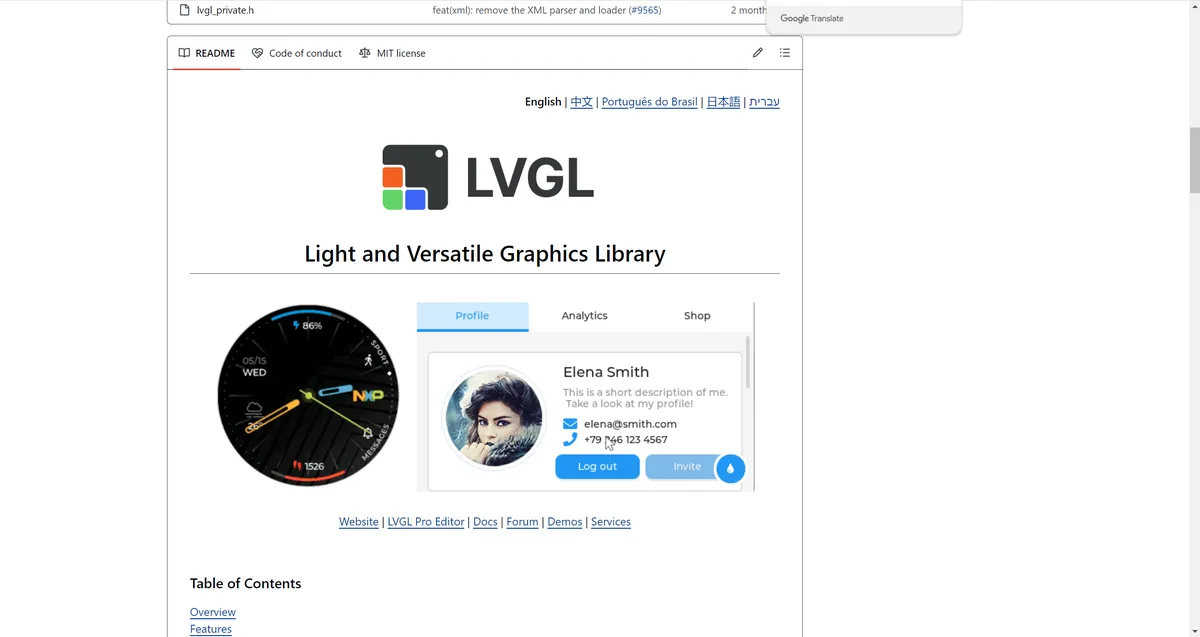
LVGL (Light and Versatile Graphics Library) is a free and open-source embedded graphics library designed for resource-constrained embedded devices. It provides a full set of tools required for building embedded GUIs: user-friendly graphical components, beautiful visual effects, while maintaining extremely low memory footprint.
- Language: Written in pure C, compatible with C++, and supports binding to MicroPython.
- Protocol: Adopts the MIT License, which can be freely used in commercial projects without mandatory open-source constraints.
II. Key Features
LVGL is designed to balance feature richness and resource efficiency, with its core features including:
- Rich basic components: Built-in common UI elements such as buttons, charts, lists, sliders and images, enabling quick interface construction.
- Advanced Visual Effects: Support for animation, anti-aliasing, transparency, smooth scrolling and more to enhance the aesthetic appeal of the interface.
- Multi-input / Multi-display Support: Compatible with input devices such as touchpads, mice, keyboards, and encoders; capable of driving multiple TFT and monochrome displays simultaneously.
- Highly customizable: A CSS-like styling system that allows free customization of the appearance and interaction logic of graphical elements.
- Hardware Independence: It does not rely on a specific microcontroller or display hardware and can run on any platform capable of driving a display.
- Ultra-lightweight: requires as little as 64KB Flash + 16KB RAM to run core functions, with excellent scalability.
- No mandatory dependencies: It does not require an operating system, external memory or GPU, while these components can also be integrated on demand.
- Single-frame buffer optimization: Even when implementing complex visual effects, only a single-frame buffer is required, reducing hardware requirements.
- PC Simulator: Supports GUI development and debugging on a PC via a simulator without the need for embedded hardware, significantly improving development efficiency.
- Improve the ecosystem: provide tutorials, examples, theme templates, and the documentation supports both online browsing and PDF download.
III. Operational Requirements (Requirements)
LVGL has extremely low requirements for hardware resources and is suitable for various embedded platforms, with the core requirements as follows:
- hardware requirements
- Processor: 16/32/64-bit microcontroller or processor, recommended clock speed > 16MHz.
- Storage resources:
- Flash/ROM: Minimum 64KB (core components only), > 180KB recommended.
- RAM:
- Static RAM: ~2KB (varies depending on the functions in use and object types)
- Stack: > 2KB, recommended > 8KB
- Dynamic heap memory: > 2KB, recommended > 48KB (multi-object scenario), configured via
LV_MEM_SIZEinlv_conf.h - Display Buffer: > Number of horizontal resolution pixels, recommended > 10 times the horizontal resolution
- Only one frame buffer is required (which can be located in the MCU or an external display controller)
- Development Environment
- Compiler: Supports C99 or later standards.
- Knowledge Requirements
- Master the basics of C/C++(pointers, structs, callback functions).
IV. Repository and Version Management
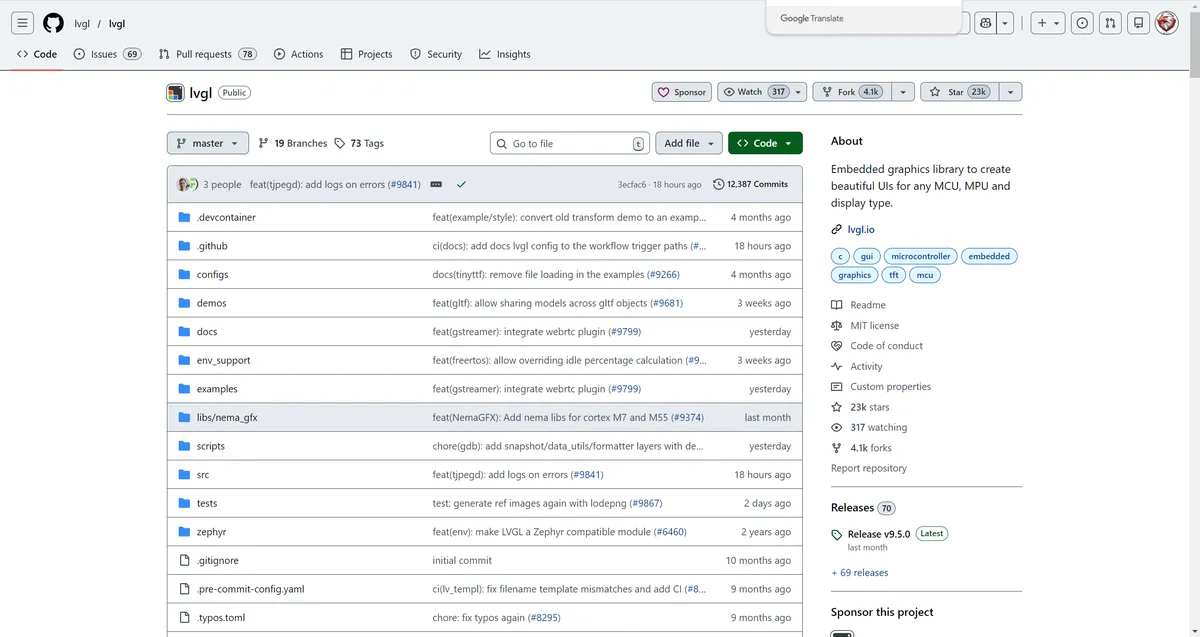
https://github.com/lvgl/lvgl
Repository Layout
All codes are hosted on GitHub, and the core repositories include:
LVGL: the library itself, plus a large number of examples and demo projects.lv_drivers: Driver implementations for display and input devices.lv_port_*: Porting layer code for different development boards / environments.lv_binding_*: Language bindings for other languages (e. g. MicroPython).sim: Source code for the online simulator.
Semantic Versioning
Follow the Semantic Versioning Specification:
- Major version: incompatible API changes (e. g. v5.0 → v6.0).
- Minor Version: New features are added while maintaining backward compatibility (e. g. v6.1 → v6.2).
- Patch Release: Bug fixes with backward compatibility (e. g. v6.1.1 → v6.1.2).
Release cycle
- Bug fixes: Released on an as-needed basis or even weekly.
- Minor version: Released every 3 to 4 months.
- Major version: Released approximately once a year.
Version Support
- v8 and later: Each minor version comes with 1 year of technical support.
- Prior to v8: The last minor version of each major series is provided with 1 year of support.
- Current active version: v8.3 (supported until 2025-01-01), v9.0 is under development.
V. Frequently Asked Questions and Optimization Solutions (FAQ)
- Hardware and Display Support:
- MCU / hardware Support: LVGL is supported on all platforms that can drive displays (via interfaces such as parallel port, SPI, RGB, etc.) and meet the resource requirements, including STM32, ESP32, Raspberry Pi and other devices.
- Display Support: LVGL can be adapted as long as there is a driver that implements "copying the pixel array to the display area", and it supports TFT, HDMI displays, monochrome/phased rollout screens, LED matrices, etc.
- Troubleshooting:
- Startup failure / no display: Increase
LV_MEM_SIZE, ensure key structures are global/static, first verify that the display works on bare-metal, enable logs and assertions; in RTOS scenarios, adjust the task stack size and use mutexes. - Display driver not invoked: Need to call
lv_tick_inc (x)in the interrupt, and callwhile (1)in the main looplv_timer_handler (). - Garbled screen / abnormal colors: Troubleshoot display driver bugs (verify with gradient test code), or check
lv_conf.hto see ifLV_COLOR_DEPTHmatches the color format of the display device.
- Startup failure / no display: Increase
- Performance optimization:
- UI Acceleration: Enable compiler optimization, increase display buffer size, adopt double buffering + DMA background refresh, boost interface clock, switch to parallel interface, and place the display buffer in internal RAM.
- Reduce Flash/ROM usage: Disable unused features and object types in
lv_conf.h, and add compiler/linker options (such as-ffunction-sections,--gc-sections) to remove unused code. - Reduce RAM usage: shrink the display buffer, lower the value of
LV_MEM_SIZE, and create/destroy GUI objects on demand.
VI. Ecosystem and Application Scenarios
- Development Advantages
- Efficient Prototyping: PC simulators enable rapid interface iteration without the need for hardware.
- Excellent portability: Pure C + hardware-agnostic design, with a large number of ready-made porting solutions available to quickly adapt to new platforms.
- Community Support: Active technical support is provided via the forum ( https://forum.lvgl.io/ ) and GitHub Issues, with documentation being continuously updated.
- Typical application scenarios
- IoT devices (smart speakers, thermostats)
- Smart Home Panel
- Industrial Control HMI
- Automotive electronic instrument cluster
- Consumer electronics (smart bands, game consoles)
VII. Getting Started Guide
Please refer to the relevant documentation: https://docs.lvgl.io/9.0
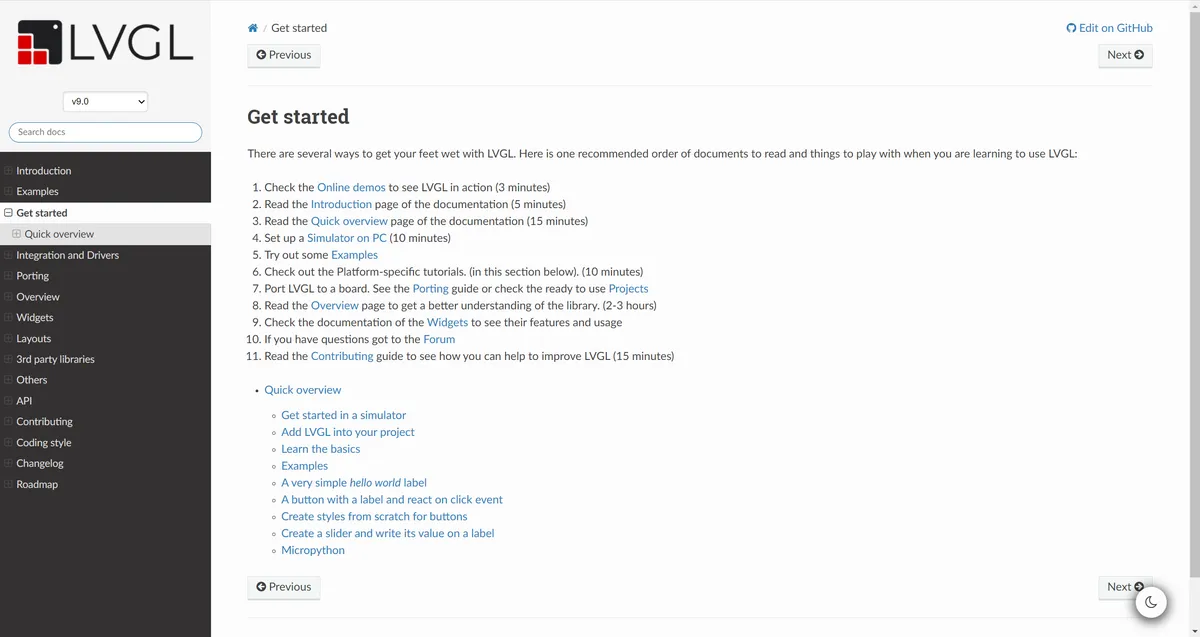
LVGL offers multiple ways for beginners to get started. When learning to use LVGL, it is recommended to read the documentation and practice hands-on in the following order:
- Try the online demo to intuitively experience how LVGL works (takes about 3 minutes)
- Read the "Introduction" section of the document (it takes about 5 minutes)
- Read the "Quick Overview" section of the document (takes about 15 minutes)
- Set up an emulator environment on a computer (takes about 10 minutes)
- Try running some sample code
- Check the platform-specific tutorial (see the section below)(takes about 10 minutes)
- Port LVGL to the development board: refer to the "Porting Guide" or directly use the ready-to-use out-of-the-box projects
- Read the "Overview" chapter to gain an in-depth understanding of the core logic of this graphics library (it takes about 2-3 hours)
- Refer to the documentation related to "Widgets" to learn about the functions and usage methods of various components
- If you encounter any issues, you can go to the official forum for help
- Read the [Contribution Guide] to learn how to participate in the optimization and improvement of the LVGL project (it takes about 15 minutes)
Version Record
Version Number | Modifier | Time | Content |
v1.0 | Li Zisheng | 2026/03/18 | Initialize the document. |
v1.0.1 | Li Zisheng | 2026/03/18 | Initialize the document. |