
Contents
Young makers, today let's unlock a tiny electronic screen that can display numbers and text 📟!
The numbers we usually see on digital clocks and calculators are all displayed by nixie tubes. Today, we are going to get to know the 4-digit nixie tube driver module based on the TM1637 chip ✨, which enables the development board to display numbers, letters and even scrolling text on the tiny nixie tube. It's super cool to make a "mini digital clock" or a "temperature display" with it!
1. Module Introduction
Want to make your development board display data in an intuitive and visible way? This digital tube module is your perfect helper!
It is a digital tube driving display module with the TM1637 driver chip as its core: a 4-digit digital tube can only turn individual segment codes on or off by itself, and the TM1637 chip acts like an "interpreter" that converts the signals from the development board into instructions the digital tube can recognize, enabling it to display numbers, letters, and even achieve text scrolling effects.
Compared with ordinary LEDs, it has the following features:
- 📟 Intuitive information: It can directly display numbers and letters, eliminating the need to guess the status based on whether the LED is on or off;
- 🎨 Rich features: supports static display of a single character, and also supports dynamic text scrolling;
- 🔌 Simple wiring: Communication can be achieved with only two wires, namely CLK (clock) and DIO (data);
- 🧩 Versatile gameplay: Suitable for projects such as digital clocks, temperature displays, scoreboards, etc.
In graphical programming, these blocks are commonly used for 4-digit seven-segment displays:
Init TM1637 4 Digit DisplayBlock: Initialize the digital tube and configure the clock and data pins;Write a Single Character to DisplayBlock: Display a single character at the specified position;Scroll Text to DisplayBlocks: Make text scroll and display on the digital tube;delayblock: controls the display duration.
In practical projects, it is often used for the following purposes:
- Digital clock (displays time and countdown)
- Data display (displays sensor data such as temperature and distance)
- Interactive scoreboard (e. g., the score display for mini-games)
Popular Science: What is a 4-digit Nixie Tube?
A 4-digit nixie tube consists of 4 independent "8-segment" small displays, each of which can display numbers from 0 to 9 or letters from A to F. The TM1637 chip is responsible for controlling the on/off state of each segment, so as to make the nixie tube display the characters we expect.
2. Wiring Instructions
To make the digital tube "light up", the first step is still —— to connect the wires correctly!
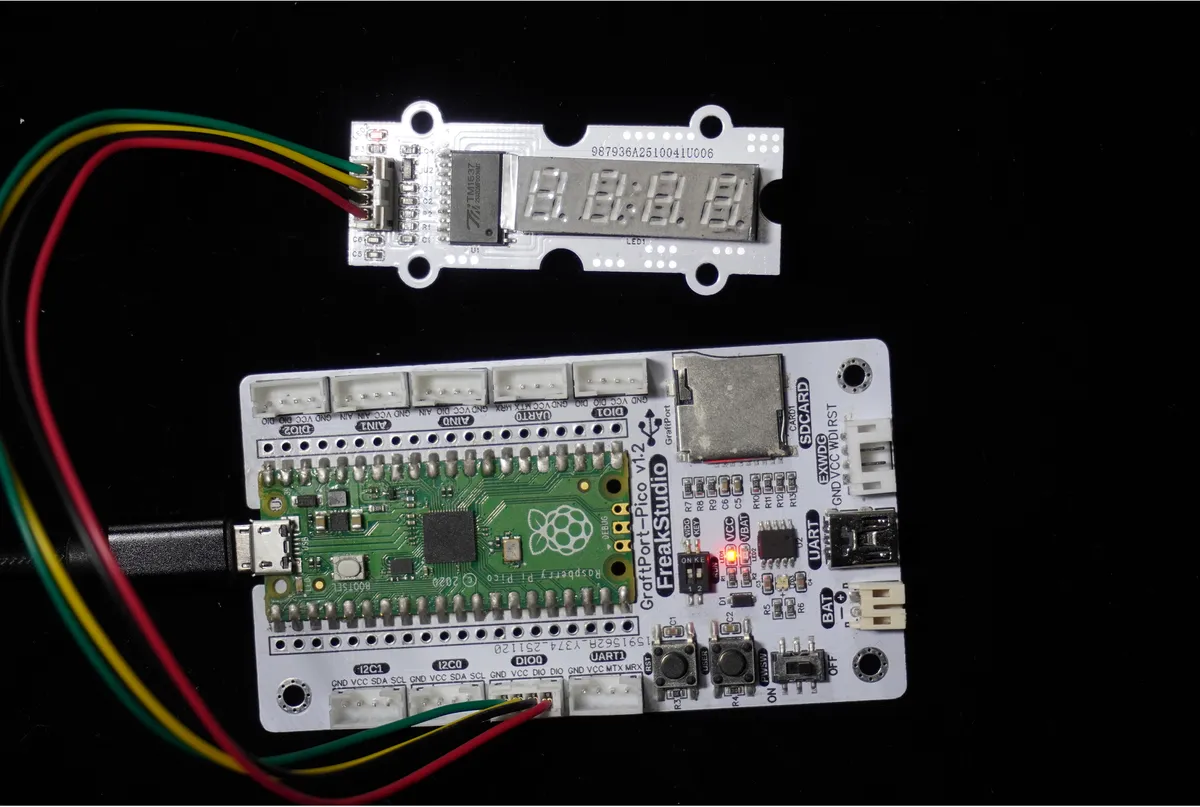
We will connect the TM1637-based 4-digit digital tube module to the digital interface DIO0 of the development board, and the corresponding relationship is as follows:
Development Board Pins | Module Pins | Description |
Pin 4 |
|
|
Pin 5 |
|
|
📌 Note
- CLK and DIO are the communication pins of the module, which must be connected correctly; otherwise, the digital tube will not be able to display content.
- The module comes with built-in power pins, requiring no additional wiring (power supply verification is required for some versions).
3. Install the TM1637 library function
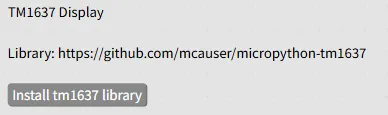
Before using graphical building blocks, you need to install the driver library first; click the "Install tm1637 library" button to complete the installation.
4. Example: Display a single character + scrolling text
Experiment Objective: First, display the character "E" on the 2nd digit (positions 0-3, counted from the left) of the nixie tube, then scroll and display "HELLO WORLD" after 1 second to intuitively experience the display effect of the nixie tube.
Everyday Life Inspiration: The scrolling information boards in subway stations and the digital displays on electronic clocks work on a similar principle — let's make our own "mini scrolling display" now!
The graphical program is as follows:
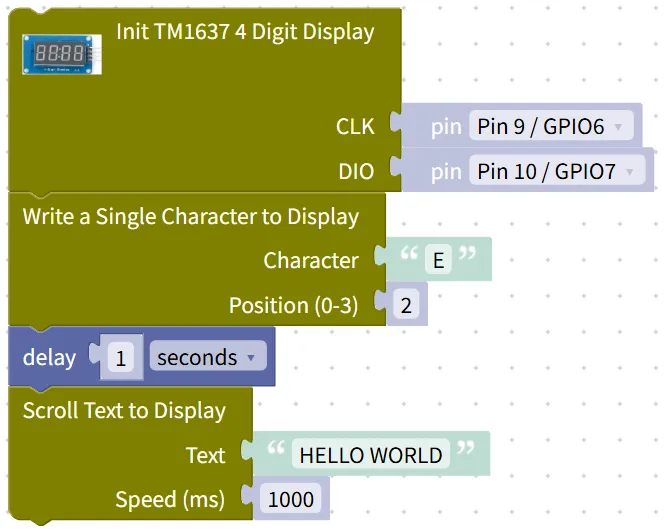
Building Block Assembly Steps:
- Initialize the digital tube
- Drag in the
Init TM1637 4 Digit Displayblock; - Set
CLKtoPin 9 / GPIO6,DIOtoPin 10 / GPIO7, to match the wiring.
- Drag in the
- Display the single character "E"
- Drag in the
Write a Single Character to Displayblock; - Set the
Characterto"E", and set thePosition (0-3)to2(the 3rd position, counting from the left); - Add the
delayblock and set it to1second → to make the character "E" display for 1 second.
- Drag in the
- Scroll to display the text "HELLO WORLD"
- Drag the
Scroll Text to Displayblock here; - Set the
Textto"HELLO WORLD", and set theSpeed (ms)to1000(one character moves every 1 second).
- Drag the
Experimental Effect:
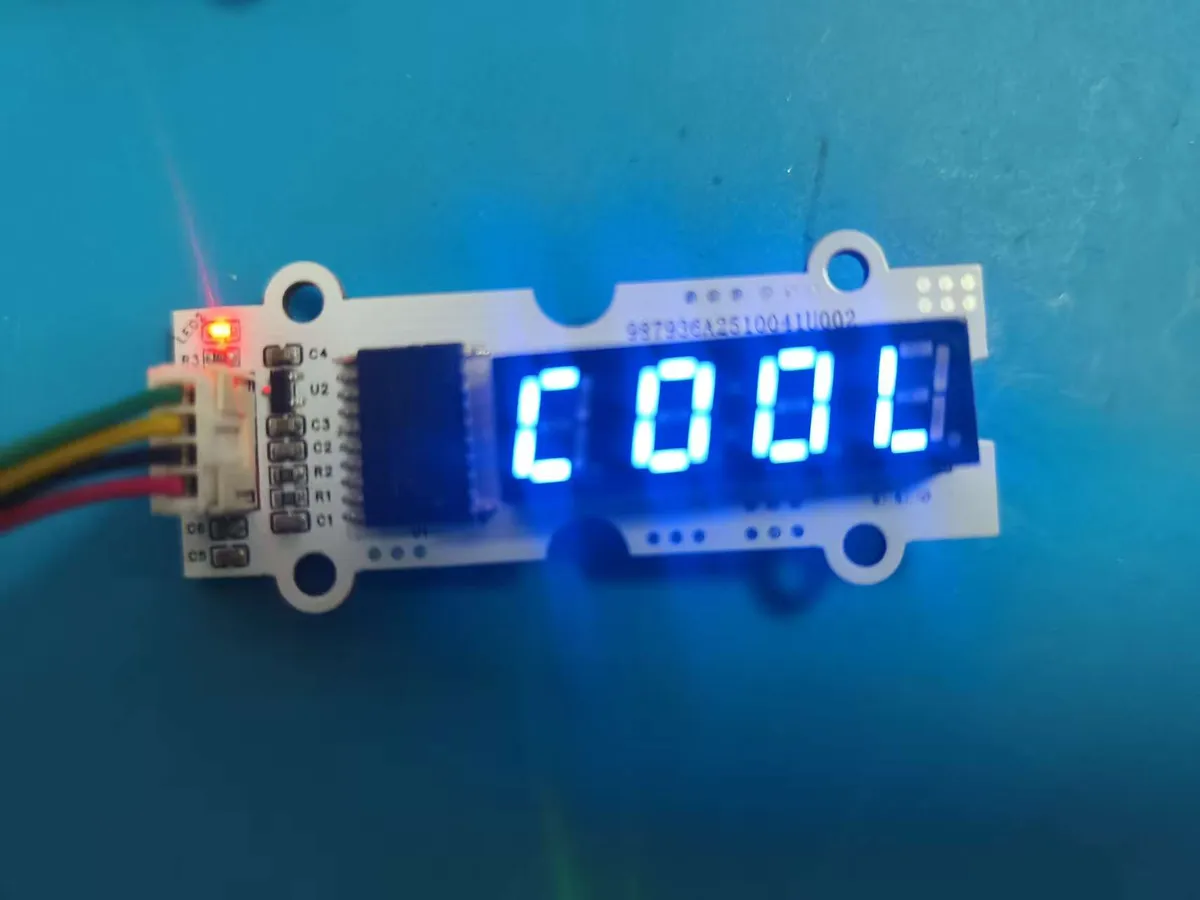
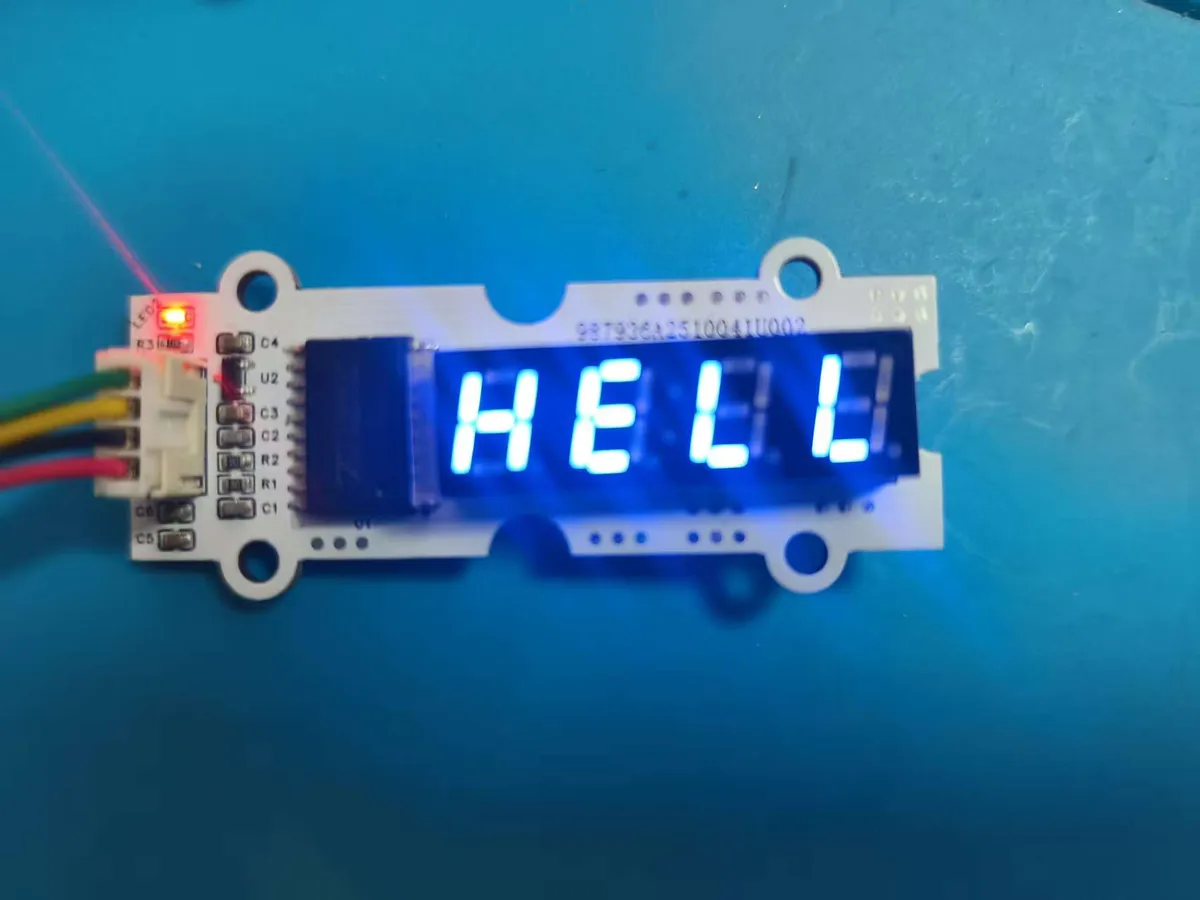
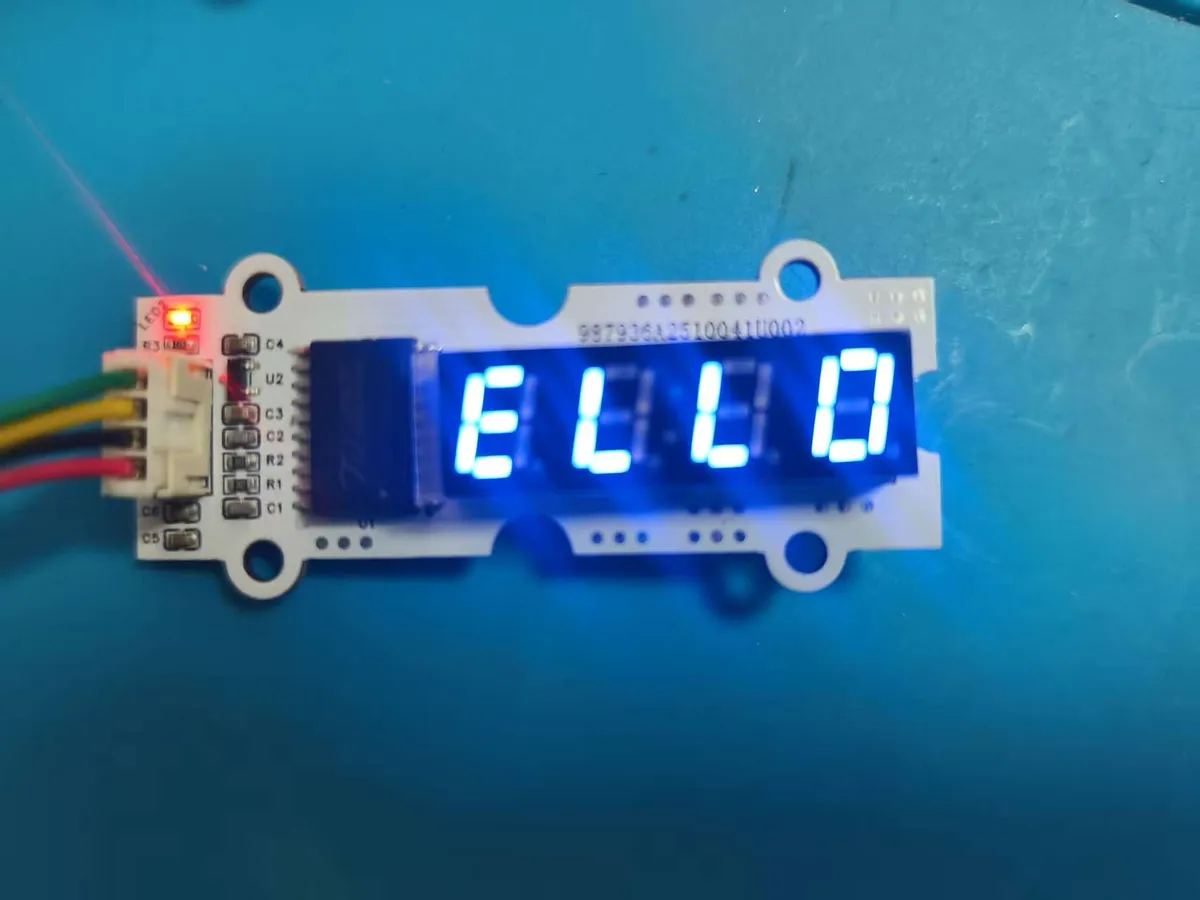
- After the program runs, the second digit of the nixie tube first lights up to display the character "E", which lasts for 1 second;
- Subsequently, "HELLO WORLD" will scroll across the nixie tube from right to left, with each character staying displayed for 1 second;
- The entire process features clear characters and smooth scrolling.
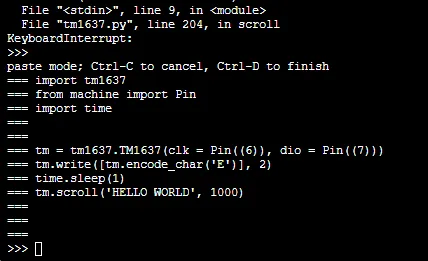
Graphical blocks will be automatically converted into MicroPython code, and the running result will be displayed:
Directly importable building blocks:
Tips
- If the digital tube does not display:
- Check whether the CLK and DIO pins are connected correctly (Pin9/GPIO6, Pin10/GPIO7) and whether the wiring is secure;
- Confirm that the TM1637 library has been installed correctly, then restart the editor and try again;
- Check whether the module power supply is normal and whether the digital tube is inserted reversely.
- What should I do if the scrolling text is incomplete?
- A 4-digit nixie tube can only display 4 characters at a time, and long text will scroll automatically. Please ensure that the
Speedsetting is appropriate (e. g., 1000ms is suitable for reading the text clearly);
- A 4-digit nixie tube can only display 4 characters at a time, and long text will scroll automatically. Please ensure that the
- Advanced Gameplay:
- Paired with a temperature and humidity sensor, it displays temperature values in real time;
- Build a countdown timer that displays the remaining time on a digital tube.
✨ Interactive Quick Question
- Think about it: Why do we need to initialize the TM1637 at the beginning of the program? If we skip the initialization, can the nixie tube display any content?
- Try it out: Change the scrolling speed from 1000ms to 500ms and see if the text scrolls faster or slower. Then change it to 2000ms to experience different scrolling rhythms.
Summary:
- The 4-digit digital tube module based on TM1637 is a display-type output module that can drive the digital tube to display characters and scrolling text;
- Before use, you need to complete wiring and library installation — these two preparation steps to ensure normal communication;
- It boasts the advantages of intuitive display and rich functions, making it an essential module for data visualization and interactive projects.
- The basic usage is to display a single character and scrolling text, while the advanced usage is to combine with sensors to display real-time data.