
If a person cannot tell whether a prototype accepted an action, they will often repeat it. In a user trial that can look like a sensor fault or a software bug, when the missing piece is feedback. A short vibration, a tone and a number each tell the user something different, and each brings its own constraints into the enclosure and the firmware.
For an interactive exhibit or a handheld demonstrator, decide the message first: did the action register, what result did it produce, or what should happen next? A discussion about rebuilding a children's museum game shows how much of such a design depends on players understanding the state of play.
On our bench we ran three separate output experiments on Graft modules driven by a Raspberry Pi Pico, programmed with BIPES blocks that generate MicroPython: a vibration motor, an amplified speaker and a four-digit TM1637 display. They show what each output path does electrically. They do not compare the three outputs with real users; that comparison is still a test to run.
Vibration confirms an event through touch
The vibration motor sits behind a switching interface on its module, so the GPIO pin only commands it; it does not supply the motor current. The motor is an output, not to be confused with the vibration switches used elsewhere as inputs.
The test program sets GPIO6 high, prints a start message, waits five seconds, sets GPIO6 low and prints a stop message. That confirms the command sequence and that the module responds to it. We did not measure vibration strength or how it feels to a person.
Five seconds is a demonstration length, not a validated feedback pattern. An acknowledgement in a handheld object usually wants something much shorter. The next trial we would run is to mount the motor inside the intended case and compare a few short patterns with people holding it. The housing changes what the person feels, and a bare module on the bench says nothing about that.
A tone can mark a different event
The speaker module uses an LM386 amplifier and takes a PWM signal from GPIO6. Our sequence plays 800 Hz for one second, then 400 Hz for one second, then sets the duty to zero. The duty setting in the generated code is 32768. This produces two distinct pitches through an amplified output path. It is not speech or music playback.
Two pitches could separate two states, such as "accepted" and "try again". Whether they are audible in a busy room, and acceptable to people nearby, needs testing in that room. Do not infer loudness from the duty value alone: frequency sets the pitch, duty is a separate waveform parameter, and the speaker, amplifier gain and enclosure all affect what the user hears.
A display adds information, and reading work
The TM1637 module uses its own two-wire clock and data interface, not ordinary I2C addressing. We connected CLK to GPIO6 and DIO to GPIO7 and used the micropython-tm1637 driver by mcauser. One version of the program writes "E" at position 2, pauses one second and scrolls "HELLOWORLD". Another version writes "COOL". The hardware showed both the four-letter word and fragments of the scrolling text, such as "HELL" and "ELLO", as the message moved across. These were related program versions, not one synchronized record, so keep them distinct if you reproduce the test.
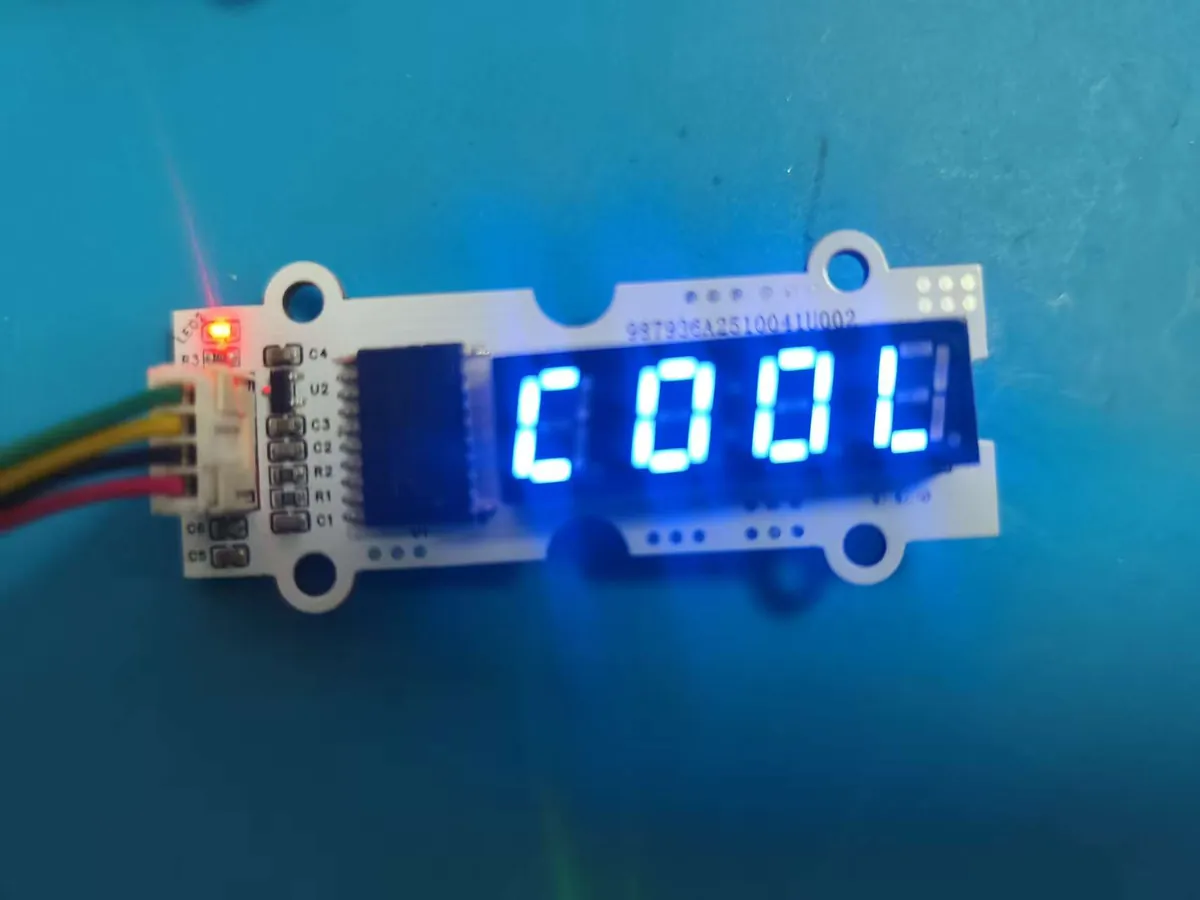
Four character positions are enough for some scores and compact readings. They are not enough for arbitrary numbers with labels and units. Scrolling makes longer text possible, but the user has to wait and watch to read it. During a quick interaction, a stable short state is usually easier to take in than a moving word. When more explanation is needed, a small graphic display such as an OLED is another option, with its own wiring and power cost.
Pick one primary response, then test it in place
Each output has a different cost in a product:
- Vibration needs a mounting that transfers the motion to the hand and a switching stage sized for the motor.
- A tone needs an amplifier, a speaker opening in the enclosure and a check of the sound level in the real environment.
- A display needs a window, a viewing angle that works for the user and text short enough to read at a glance.
Return to the user's question and choose one clear primary response for each event. Adding a second channel can help, for example a tone plus a stable number, but it also adds parts, firmware states and things to test. Then test the chosen feedback in the intended setting, inside the intended housing, with people who have not seen the prototype before. Our bench runs established that each output path can be driven; they did not establish which one your users will understand.