This paper mainly elaborates on how to implement scheduled tasks in Python, which are mainly realized in four approaches: via the threading.Timer class, via the sched module, via the threading.Event event mechanism, and via the third-party library APScheduler. It also analyzes the respective application scenarios and basic methods in combination with sample codes.
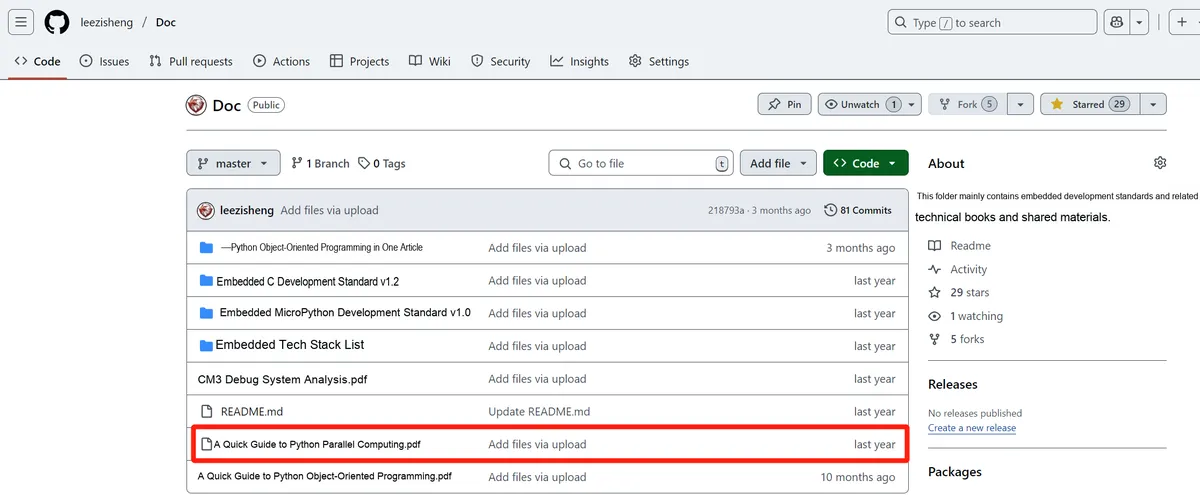
For more information about us, you can refer to the cloud document: Freak Embedded Studio Cloud Docs, or visit our wiki:https://github.com/leezisheng/Doc/wik
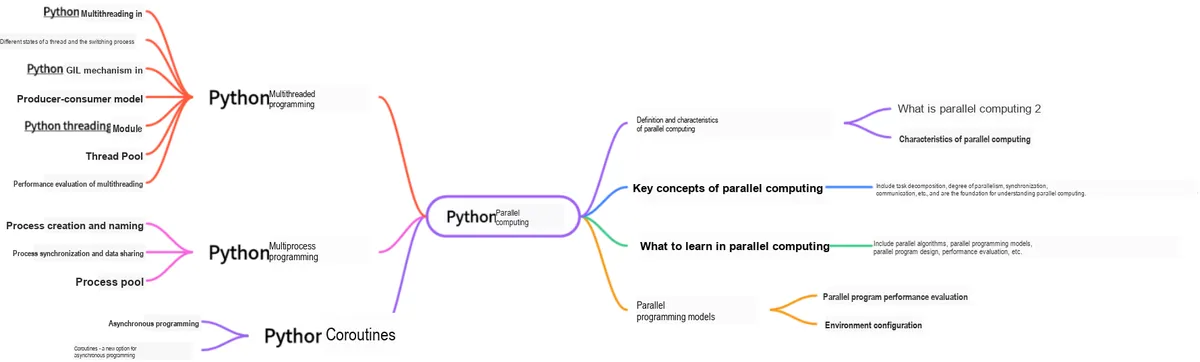
This document is a learning guide on parallel computing and Python concurrent programming, which covers the core knowledge points including the basic concepts of parallel computing, Python multi-threaded programming, multi-process programming and coroutine programming:
Body Text
1. Using the threading.Timer class
Timer inherits from the Thread class, which is a subclass of Thread and also a thread class with the capabilities and features of a thread. This class is used to define how often to execute a function. Its instance is a thread that can delay the execution of the target function, and you can cancel it before the target function is actually executed.
Create a timer that, after an interval of interval seconds, will call args and keyword arguments kwargs to invoke function. If args is None, an empty list will be used. If kwargs is None, an empty dictionary will be used.
Just like threads, timers are also started by calling their Timer.start method. A timer can be stopped (before its action begins) by calling the cancel () method. The time interval that a timer waits before executing its action may not be exactly the same as the interval specified by the user.
The following is the sample code for a scheduled alarm clock:
import threading
def thread_Timer():
    print("该起床啦...5秒之后再次呼叫你起床...")
    # Declare global variables
    global t1
    # Create and initialize the thread
    t1 = threading.Timer(5, thread_Timer)
    # Start the threads
    t1.start()
if __name__ == "__main__":
    # Create and initialize the thread
    t1 = threading.Timer(5, thread_Timer)
    # Start the threads
    t1.start()
A thread timer is created in the main thread, which executes the thread_Timer thread function after 5 seconds, and when the thread_Timer function finishes, the timer thread thread_Timer is set again, which completes a recursion operation to repeat the timed task at 5-second intervals!
sched is a scheduling module in the Python standard library, suitable for one-off task scheduling, and executes tasks based on time.sleep.
import sched
import time

# Create the scheduler
scheduler = sched.scheduler(time.time, time.sleep)

def task():
    print(f"任务执行了!当前时间:{time.strftime('%X')}")

# Run task after 5 seconds
scheduler.enter(5, 1, task, ())

print("任务已安排,主线程继续运行...")
scheduler.run()  # Start scheduling
In the above code, scheduler.enter (5,1, task, ()) runs the task function after 5 seconds, scheduler.run () starts the scheduler and will block the main thread until the task is completed.
It is applicable to one-off tasks, does not support periodic tasks, will not create new threads, and will block the main thread during task execution; the scheduling accuracy is limited by time.sleep, and may not be very accurate.
3. Using the threading.Event class
threading.Event is a kind of thread synchronization mechanism that is applicable to periodic tasks and enables dynamic task termination while the task is running.
import threading
import time

def periodic_task(interval, stop_event):
    while not stop_event.is_set():  # Keep looping as long as stop_event is not set
        print(f"执行周期性任务... 当前时间:{time.strftime('%X')}")
        stop_event.wait(interval)  # Wait for the specified time interval

# Create a stop event
stop_event = threading.Event()

# Start the scheduled task, running every 5 seconds
thread = threading.Thread(target=periodic_task, args=(5, stop_event))
thread.start()

# Run for a while, then stop
time.sleep(20)
stop_event.set()  # Trigger the stop event
thread.join()  # Wait for the thread to finish
print("定时任务已停止。")
threading.Thread starts an independent thread to run periodic_task without blocking the main thread. stop_event.wait (interval) controls the interval and allows the task to be stopped at any time. stop_event.set () terminates the task, and thread.join () waits for the task to finish.
It is suitable for periodic tasks and more flexible than sched. Meanwhile, tasks can be terminated at any time to avoid the infinite loop of while True, and it does not block the main thread, making it ideal for scheduled background tasks; however, since threading is affected by the GIL (Global Interpreter Lock), it is not suitable for CPU-intensive tasks.
4. Using the APScheduler Library
APScheduler is a powerful scheduled task library for Python, supporting one-time tasks, fixed-interval tasks, scheduled (Cron) tasks, etc. It is suitable for complex scheduled tasks that require precise scheduling (such as running at 8:00 every day), and supports multiple scheduling methods including interval execution, specific-time execution, and Cron expressions.
First, install the APScheduler library via the pip tool:
pip install apscheduler
The following is a routine for scheduled task execution:
from apscheduler.schedulers.background import BackgroundScheduler
import time

def job():
    print(f"定时任务执行了!当前时间:{time.strftime('%X')}")

scheduler = BackgroundScheduler()
scheduler.add_job(job, 'interval', seconds=5)  # Run every 5 seconds
scheduler.start()

try:
    while True:
        time.sleep(1)  # Keep the main thread running, otherwise the task will terminate
except (KeyboardInterrupt, SystemExit):
    scheduler.shutdown()  # Shut down the scheduler
Here is a routine for executing a task at a specific time:
from apscheduler.schedulers.blocking import BlockingScheduler
import datetime

scheduler = BlockingScheduler()

def job():
    print("特定时间任务执行!")

# Run at 2025-03-30 18:30:00
run_time = datetime.datetime(2025, 3, 30, 18, 30, 0)
scheduler.add_job(job, 'date', run_date=run_time)

print("任务已安排...")
scheduler.start()  # Block the main thread