
Contents
- I. Basic Concepts and Methods of Timers
- 1.1 Core Understanding of Timers
- 1.2 Basic Principles
- 1.3 Creation of Timer
- 1.4 Core Operation API
- II. Relevant Cases
- 2.1 Periodic Task (Refresh Label Text Every Second)
- 2.2 Delayed Tasks
- 2.3 Finite Execution (3-Second Countdown)
- 2.4 Timer Pause / Resume
- 2.5 Dynamically Modify Timer Period
- 2.6 Auto-delete Timer
- 2.7 Detect Timer Status
- 2.8 Forced Immediate Trigger
- Version Record
I. Basic Concepts and Methods of Timers
1.1 Core Understanding of Timers
The LVGL timer is a task scheduling tool at the software level, which is specifically designed to implement:
- Periodic tasks: for example, "refresh the clock display every second"
- Delayed Task: For example, "after clicking the button, a prompt box pops up after a delay of 500ms"
- Fixed-number tasks: e. g. "automatically stop after a countdown of 3 times"
✅ Core Advantages: Non-preemptive → When the callback of one timer is being executed, the callbacks of other timers will not be interrupted, so you can safely call any LVGL API (create widgets, modify styles, delete objects, etc.) within the callback, without worrying about thread/interrupt safety issues at all, which is especially suitable for MicroPython embedded scenarios.
1.2 Basic Principles
- Dependency:
lv_timer_handler (): the callback function for all timers, which will only be executed whenlv_timer_handler ()is called. - The Essence of Period: The "period (period_ms)" of a timer refers to the interval between two consecutive calls to
lv_timer_handler (), and the callback function will be executed only after this duration elapses. - You must call
lv_timer_handler ()periodically: usually place it in the main loop (or an RTOS task) and call it every few milliseconds, otherwise the timers will never be triggered. - Non-preemptive: Only one timer callback is executed at a time, which ensures the atomicity of LVGL operations.
1.3 Creation of Timer
LVGL provides two ways to create timers. Beginners can start with the parameterized creation method, which is more intuitive:
1.3.1 Creation with Parameters
Key parameters are directly specified when created via the core function, and will take effect immediately after creation:
- callback function: The business logic to be executed when the timer is triggered. The callback receives the timer object itself as an input parameter, through which the timer attributes can be obtained or modified;
- Period (period_ms): The execution interval of the callback (unit: milliseconds; for example, 500ms means the callback is executed once every 500 milliseconds);
- User Data (user_data): Any type of data (e. g., control pointers, state variables) can be passed to the callback; it is necessary to ensure that the data remains "valid" throughout the lifecycle of the timer (e. g., global variables, Static Variables, dynamically allocated memory, to avoid exceptions caused by the destruction of local variables).
1.3.2 Basic Creation
Create a "blank timer via lv_timer_create_basic ()", then dynamically configure parameters such as callback, period, and user data after creation. This approach is suitable for scenarios where you need to create the object first and then adjust the parameters according to subsequent business logic.
1.4 Core Operation API
The list of common APIs is as follows:
| Method name | Core function | One-sentence summary (beginner version) |
|---|---|---|
| set_cb(cb) | Set / modify the callback function | Tell the timer "what to do when time is up" |
| set_period(ms) | Modify the timer period (milliseconds) | Adjust "how often it runs" |
| set_repeat_count(n) | Set the number of repeat executions | -1 = loop forever; 1 = run only once; 5 = automatically deleted after running 5 times |
| ready() | Force the callback to run once on the next lv_timer_handler() call | Trigger the task once immediately, without waiting for the period to end |
| reset() | Reset the timer's period progress and clear the current elapsed time | For example, restart the countdown after the user enters new content |
| pause() | Pause the timer (keeping the current elapsed time) | The timer is "paused" but remembers how long it has already run |
| resume() | Resume a paused timer | Continue timing from the paused position instead of starting over |
| get_paused() | Check whether the timer is paused | Returns True/False to indicate the current state |
| get_user_data() | Get the custom data passed in at binding | Get the parameter / widget / variable you passed in within the callback |
| delete() | Permanently delete the timer | Delete it when no longer needed, to avoid memory leaks |
The methods for lifecycle control (start/stop, pause, deletion) of timers are as follows:
| Operation scenario | Corresponding API | Description |
|---|---|---|
| Start / resume | timer.resume() | Continue running from the paused position, or start running (starts by default after first creation) |
| Pause | timer.pause() | Stop running but keep the current elapsed time (e.g., pause a countdown) |
| Force a single trigger | timer.ready() | Run the callback once immediately, without affecting subsequent periods |
| Reset period | timer.reset() | Clear the current elapsed time and restart the period count |
| Permanently stop / delete | timer.delete() | Destroy the timer so that no more callbacks run |
II. Relevant Cases
2.1 Periodic Task (Refresh Label Text Every Second)
import display_driver
import lvgl as lv
lv.init()
scr = lv.screen_active()

# 1. Create the label
label = lv.label(scr)
label.set_pos(100, 100)
label.set_text("run")

count = 0

# 2. Timer callback (fixed parameters: timer, user_data)
def timer_cb(timer):
    global count
    count += 1
    print("count:", count)
    label.set_text(f"run {count} /s")

# 3. ✅ Create the timer correctly (core!)
# Parameters: callback function, period (ms), user data (None)
timer = lv.timer_create(timer_cb, 1000, None)

lv.screen_load(scr)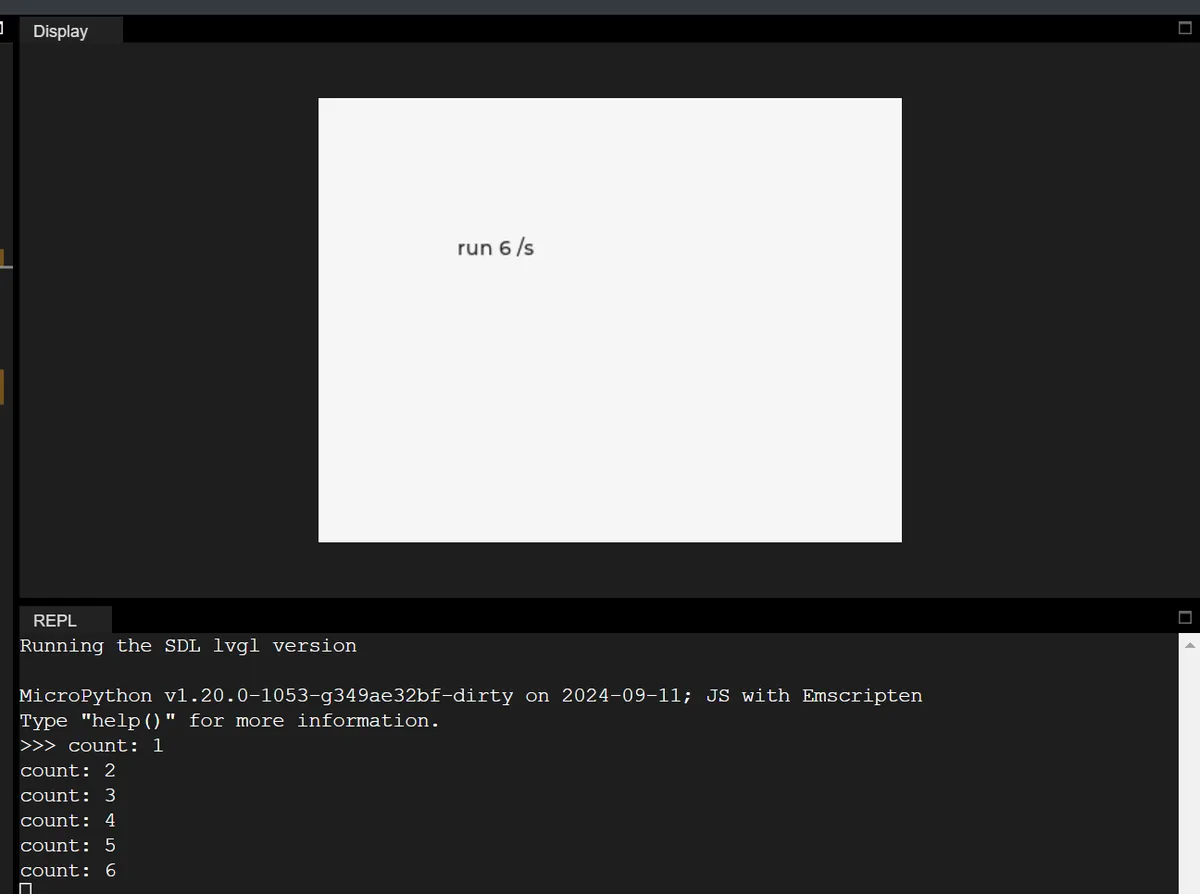
2.2 Delayed Tasks
Click the button, and a prompt will be printed / the text will be modified after a 0.5-second delay (the most commonly used delay operation):
import display_driver
import lvgl as lv
lv.init()
scr = lv.screen_active()

label = lv.label(scr)
label.set_pos(100, 100)
label.set_text("Waiting for click...")

def delay_task(timer):
    label.set_text("500ms Delay Executed")
    print("Delay task triggered")

def btn_cb(e):
    label.set_text("Waiting 500ms...")
    # Create timer
    timer = lv.timer_create(delay_task, 500, None)
    # Run only once
    timer.set_repeat_count(1)

btn = lv.button(scr)
btn.set_pos(100, 150)
lv.label(btn).set_text("Start Delay")
btn.add_event_cb(btn_cb, lv.EVENT.CLICKED, None)

lv.screen_load(scr)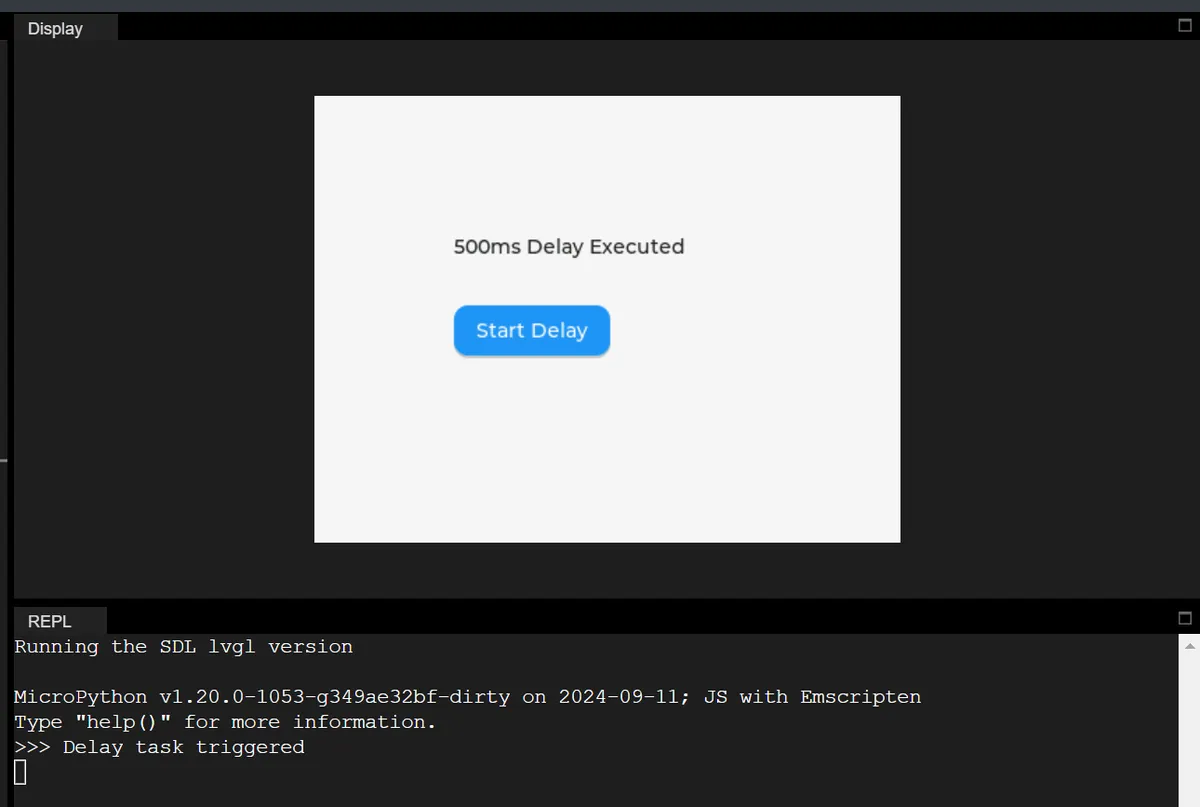
2.3 Finite Execution (3-Second Countdown)
import display_driver
import lvgl as lv
lv.init()
scr = lv.screen_active()

label = lv.label(scr)
label.set_pos(100, 100)
count = 3

def countdown(timer):
    global count
    label.set_text(f"Countdown: {count}")
    count -= 1
    if count < 0:
        label.set_text("Countdown Finished!")
        timer.delete()
    print("count:",count)

timer = lv.timer_create(countdown, 1000, None)
timer.set_repeat_count(3)

lv.screen_load(scr)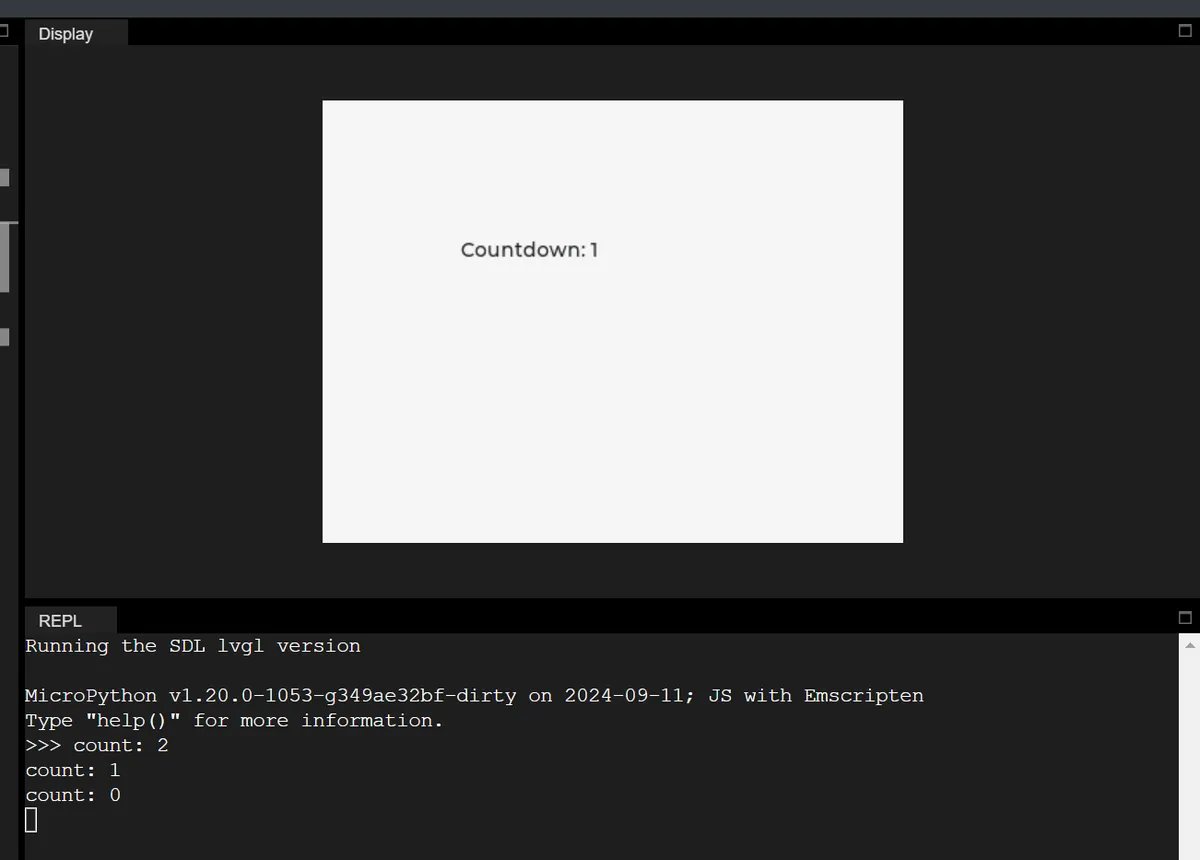
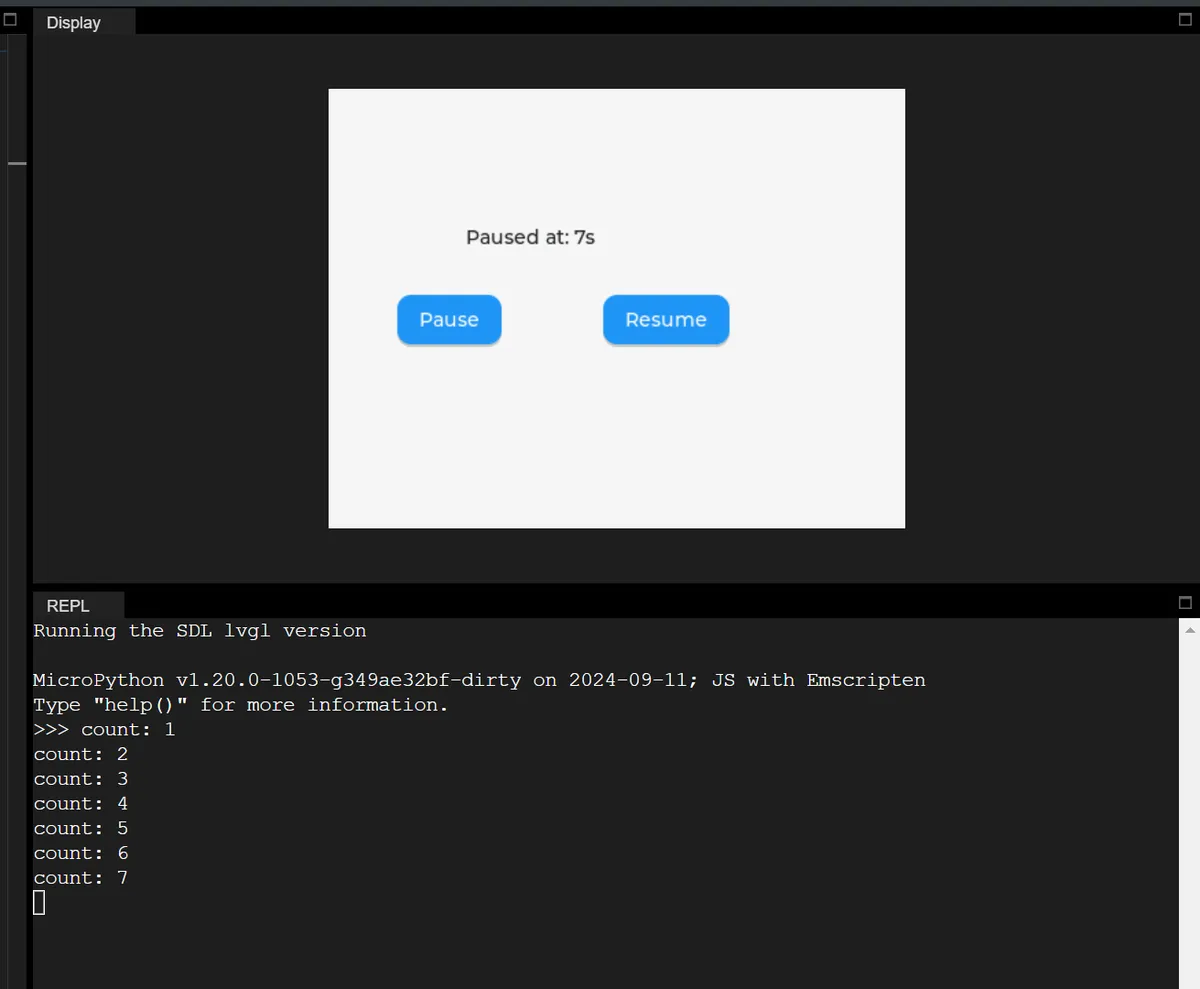
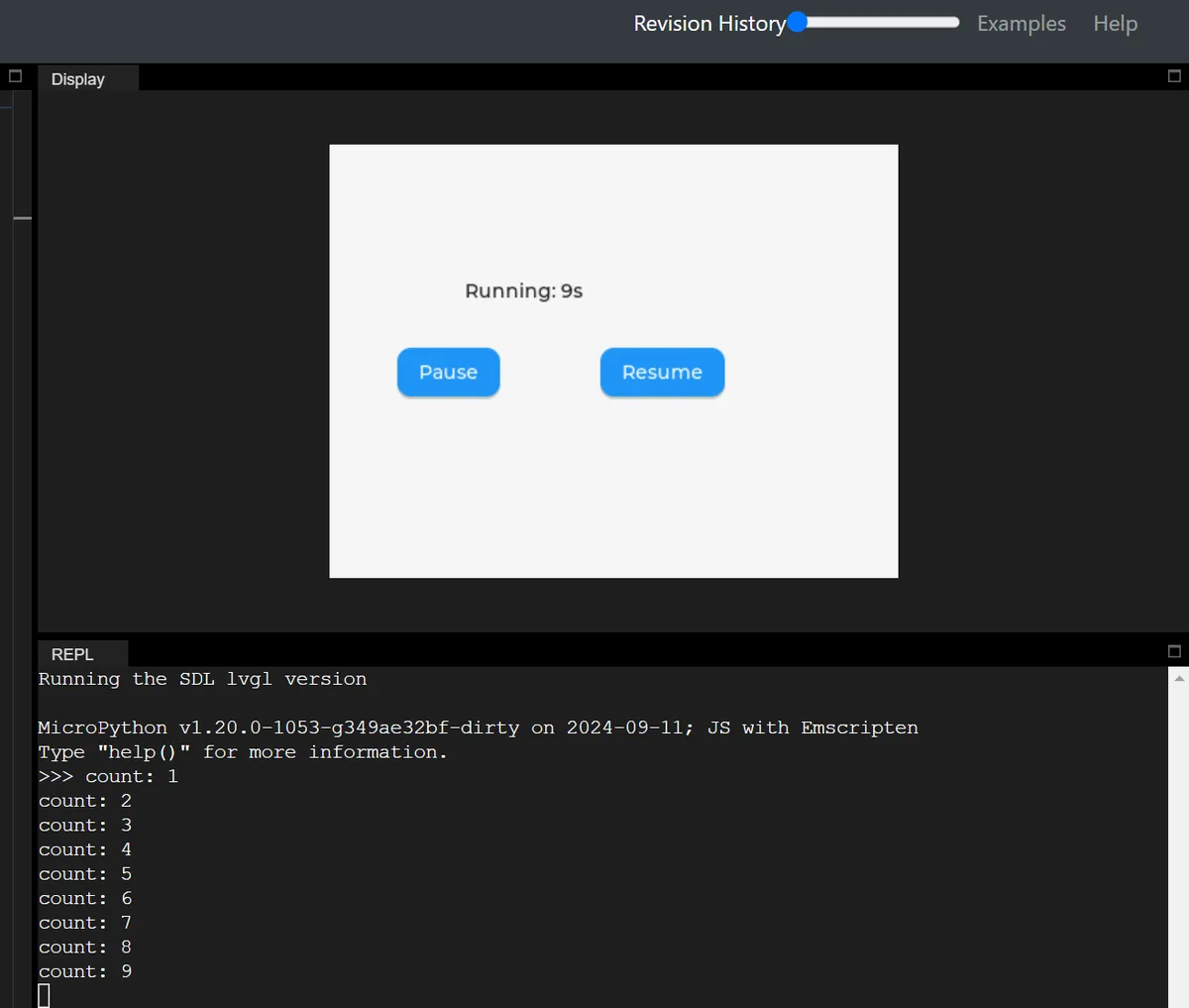
2.4 Timer Pause / Resume
Two buttons, which control pause and resume of the timer respectively:
import display_driver
import lvgl as lv
lv.init()
scr = lv.screen_active()

label = lv.label(scr)
label.set_pos(100, 100)
count = 0

def run_timer(timer):
    global count
    count += 1
    print("count:", count)
    label.set_text(f"Running: {count}s")

timer = lv.timer_create(run_timer, 1000, None)

def pause_cb(e):
    timer.pause()
    label.set_text(f"Paused at: {count}s")

def resume_cb(e):
    timer.resume()
    label.set_text(f"Resumed at: {count}s")

btn1 = lv.button(scr)
btn1.set_pos(50, 150)
lv.label(btn1).set_text("Pause")
btn1.add_event_cb(pause_cb, lv.EVENT.CLICKED, None)

btn2 = lv.button(scr)
btn2.set_pos(200, 150)
lv.label(btn2).set_text("Resume")
btn2.add_event_cb(resume_cb, lv.EVENT.CLICKED, None)

lv.screen_load(scr)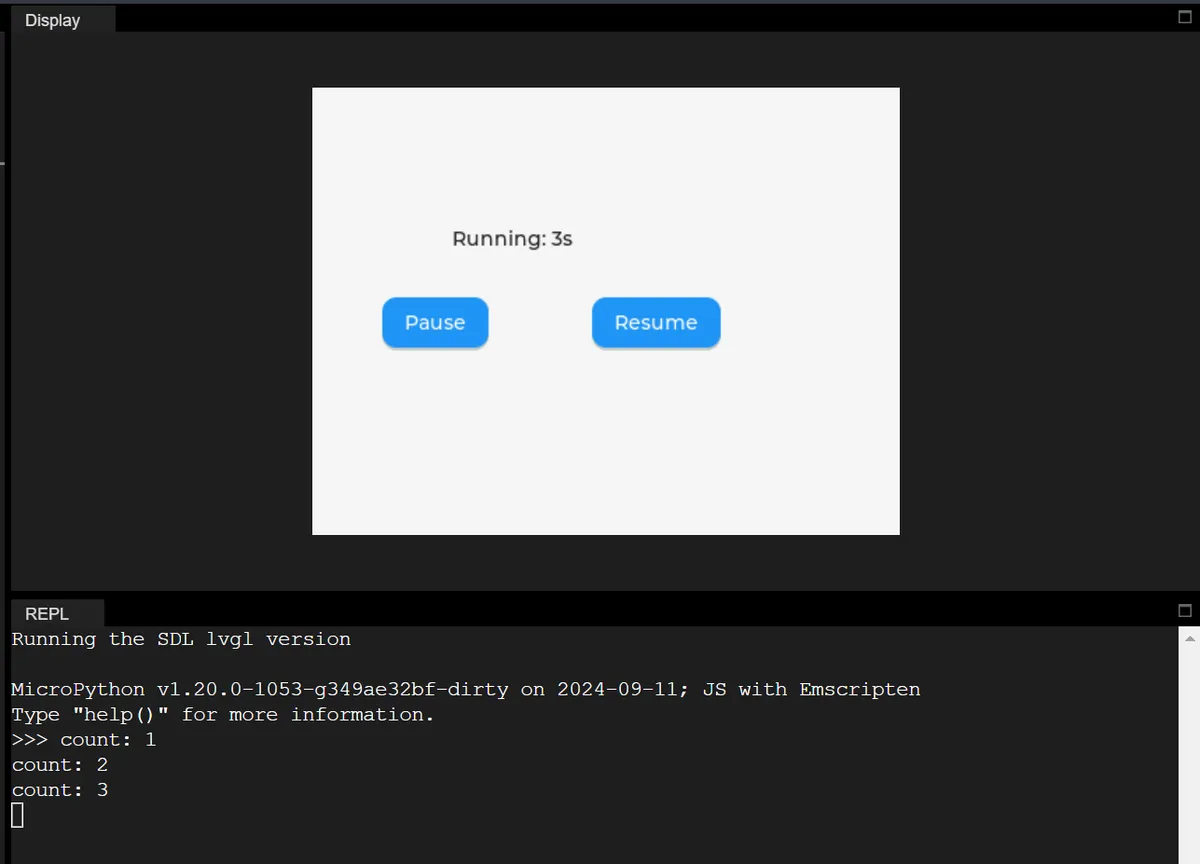
2.5 Dynamically Modify Timer Period
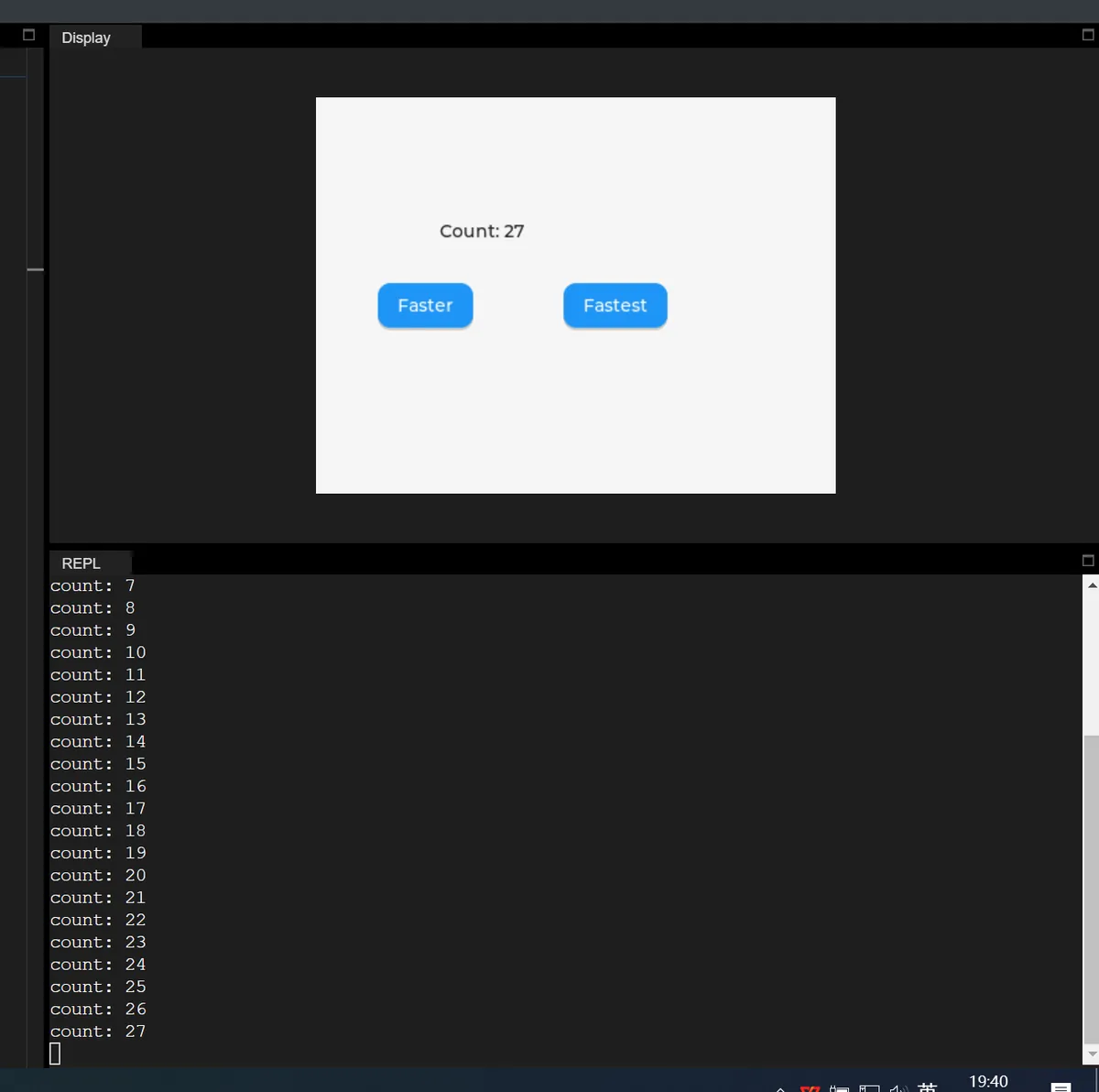
Click the button to modify the execution interval of the timer (1 second → 0.5 seconds → 0.2 seconds):
import display_driver
import lvgl as lv
lv.init()
scr = lv.screen_active()

label = lv.label(scr)
label.set_pos(100, 100)
count = 0

def timer_cb(timer):
    global count
    count += 1
    label.set_text(f"Count: {count}")
    print("count:", count)

timer = lv.timer_create(timer_cb, 1000, None)

def fast_cb(e):
    timer.set_period(500)
    label.set_text("Speed: 500ms")

def super_fast_cb(e):
    timer.set_period(200)
    label.set_text("Speed: 200ms")

btn1 = lv.button(scr)
btn1.set_pos(50, 150)
lv.label(btn1).set_text("Faster")
btn1.add_event_cb(fast_cb, lv.EVENT.CLICKED, None)

btn2 = lv.button(scr)
btn2.set_pos(200, 150)
lv.label(btn2).set_text("Fastest")
btn2.add_event_cb(super_fast_cb, lv.EVENT.CLICKED, None)

lv.screen_load(scr)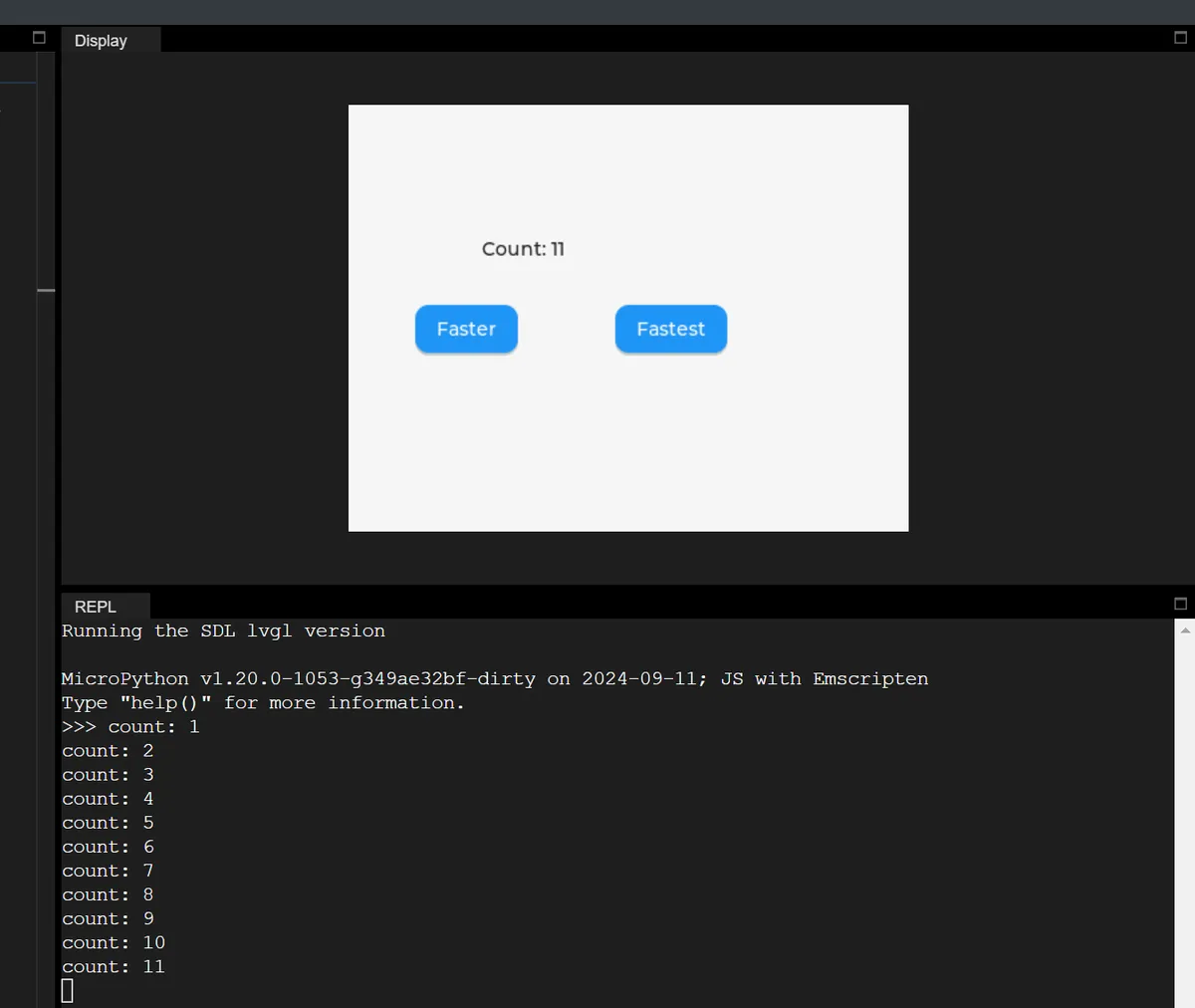
2.6 Auto-delete Timer
After the timer executes the specified number of times, it will be automatically deleted without the need to manually call delete:
import display_driver
import lvgl as lv
lv.init()
scr = lv.screen_active()

label = lv.label(scr)
label.set_pos(100, 100)

def auto_del_cb(timer):
    label.set_text("Timer Auto-deleted")

timer = lv.timer_create(auto_del_cb, 2000, None)
timer.set_repeat_count(1)

lv.screen_load(scr)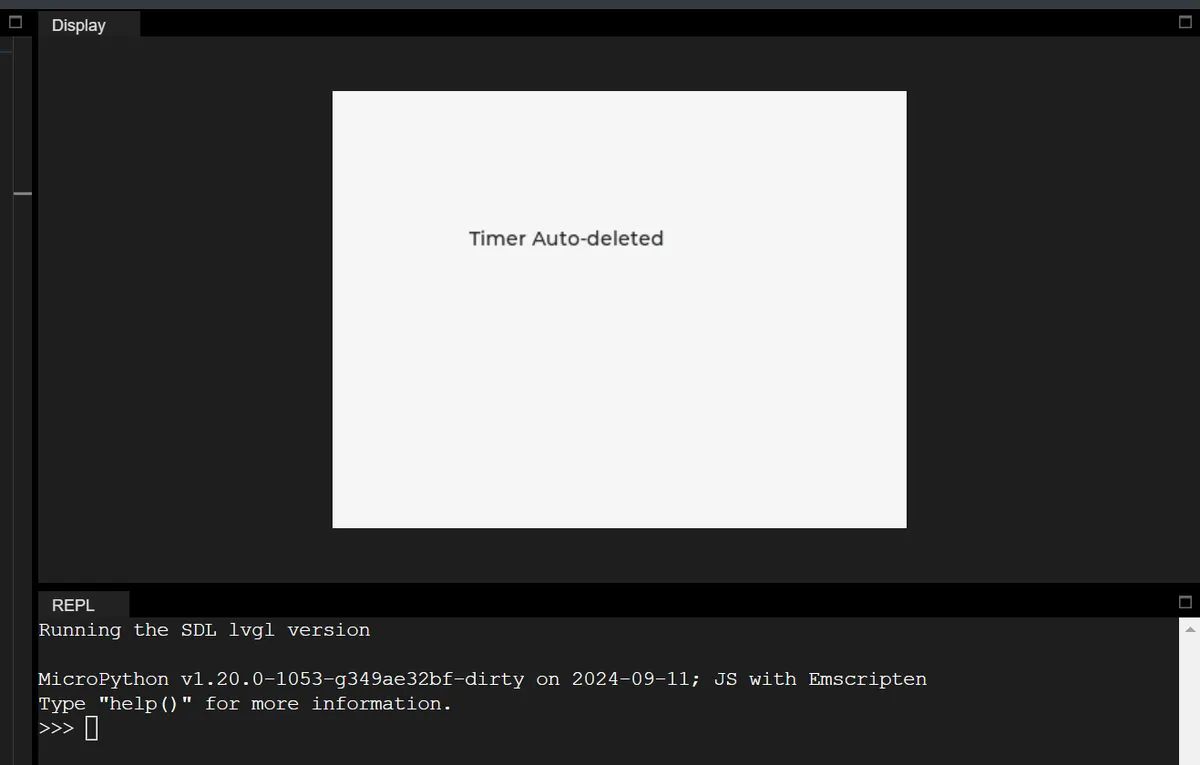
2.7 Detect Timer Status
Check in real time whether the timer is in a paused state:
import display_driver
import lvgl as lv
lv.init()
scr = lv.screen_active()

label = lv.label(scr)
label.set_pos(100, 100)
timer = lv.timer_create(None, 1000, None)

def check_cb(e):
    if timer.get_paused():
        label.set_text("Timer: Paused")
    else:
        label.set_text("Timer: Running")

btn = lv.button(scr)
btn.set_pos(100, 150)
lv.label(btn).set_text("Check Status")
btn.add_event_cb(check_cb, lv.EVENT.CLICKED, None)

lv.screen_load(scr)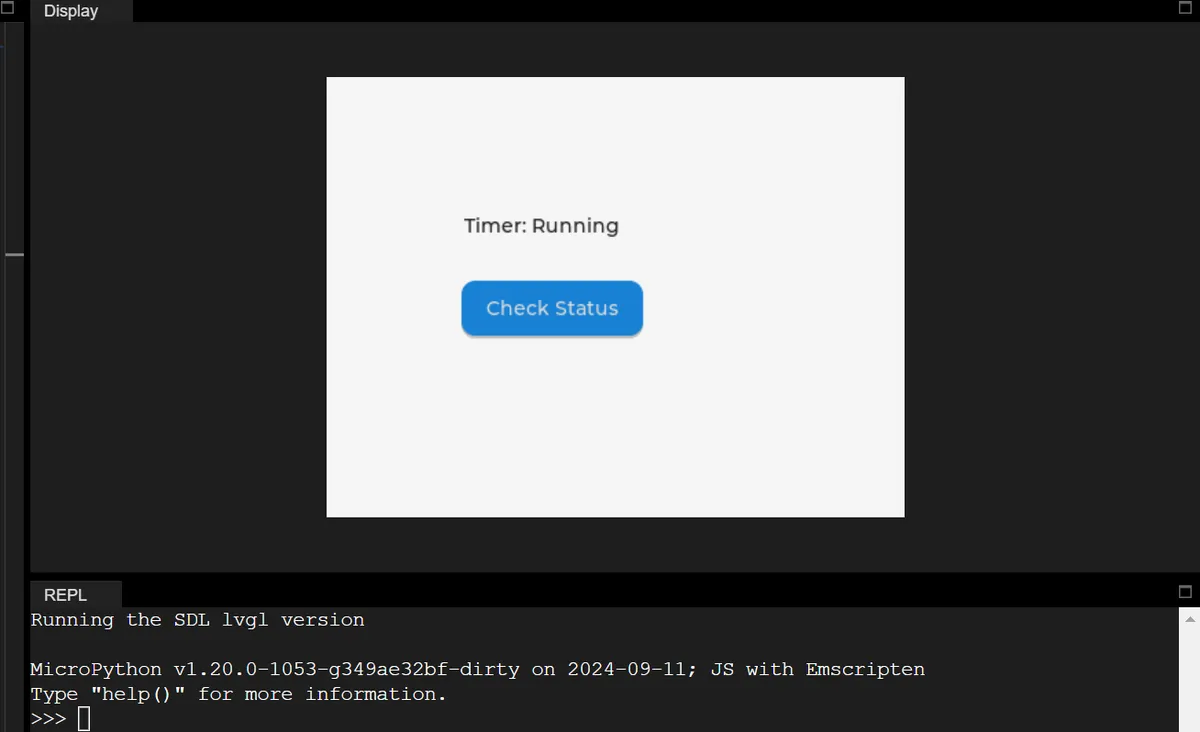
2.8 Forced Immediate Trigger
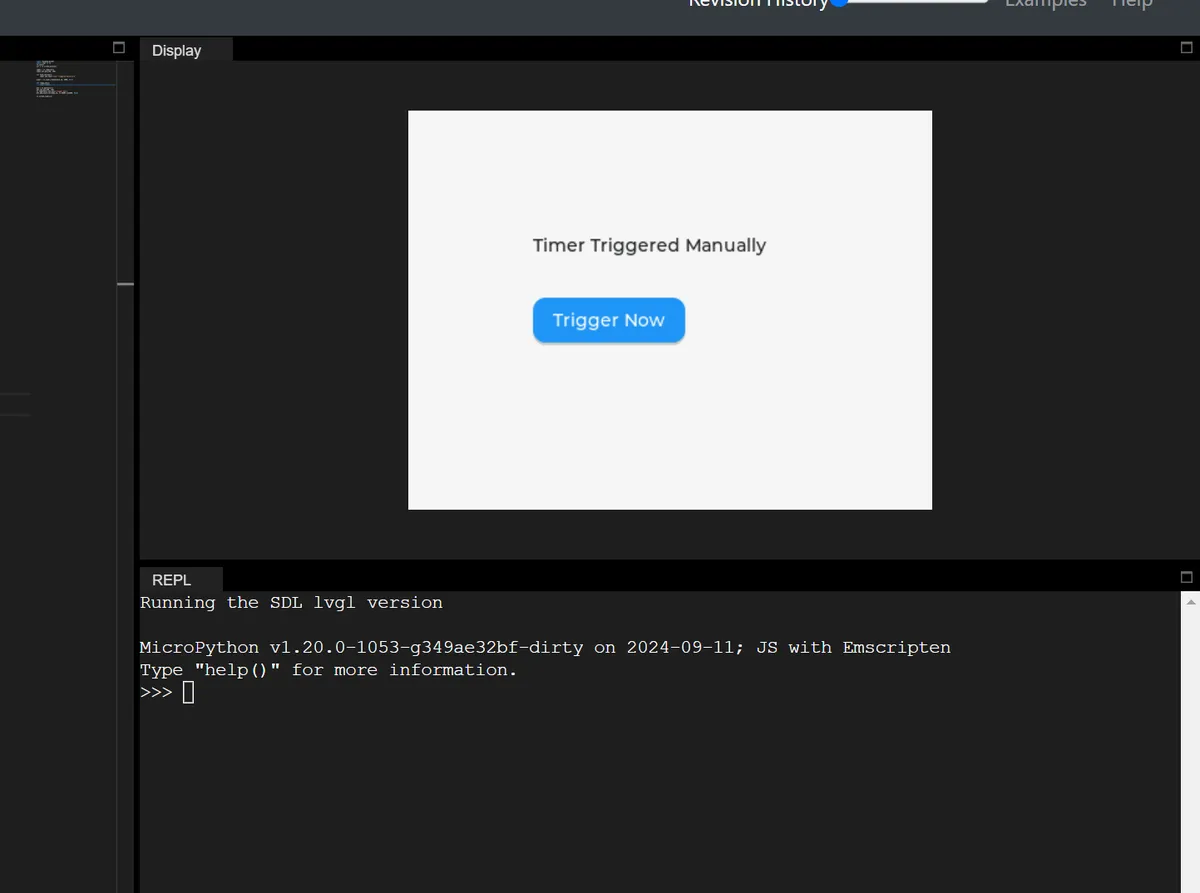
Click the button, to immediately execute the timer callback without waiting for the cycle to end:
import display_driver
import lvgl as lv
lv.init()
scr = lv.screen_active()

label = lv.label(scr)
label.set_pos(100, 100)

def task_cb(timer, data):
    label.set_text("Timer Triggered Manually")

timer = lv.timer_create(task_cb, 5000, None)

def ready_cb(e):
    timer.ready()

btn = lv.button(scr)
btn.set_pos(100, 150)
lv.label(btn).set_text("Trigger Now")
btn.add_event_cb(ready_cb, lv.EVENT.CLICKED, None)

lv.screen_load(scr)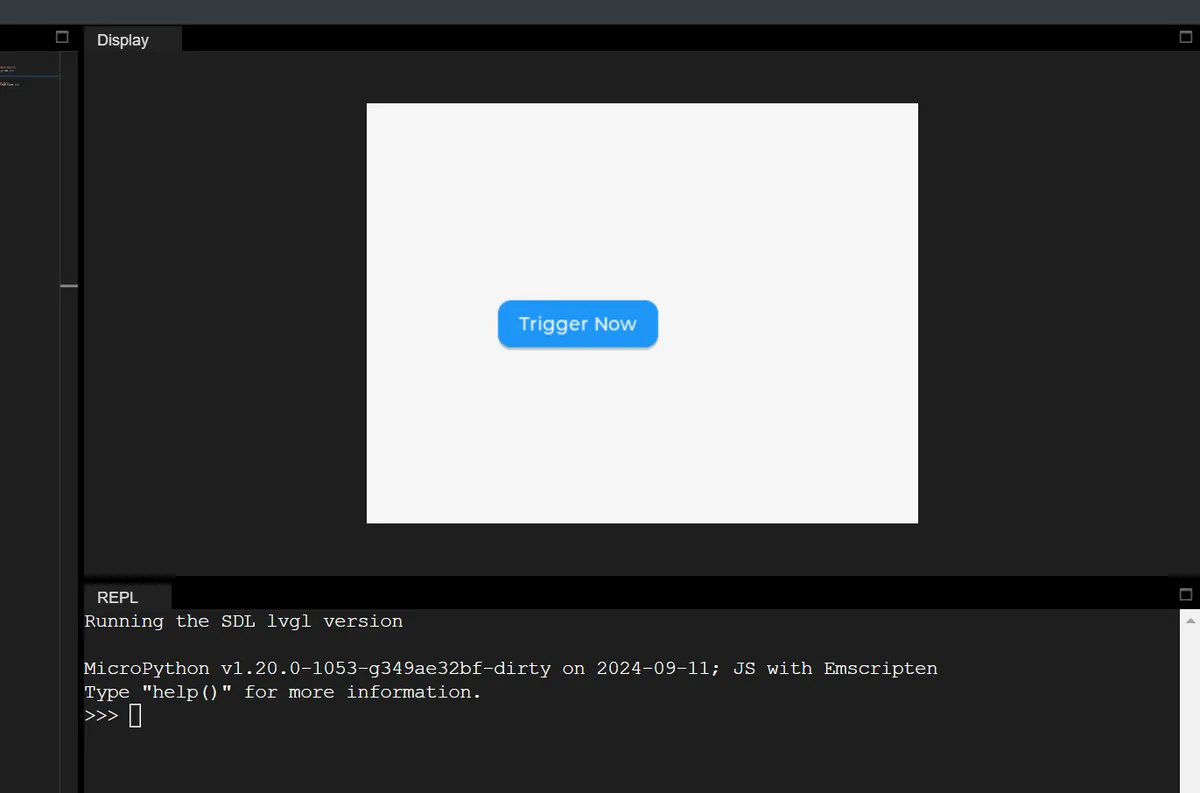
Version Record
Version Number | Modifier | Time | Content |
v1.0 | Li Zisheng | 2026/03/24 | Initialize the document. |