
Contents
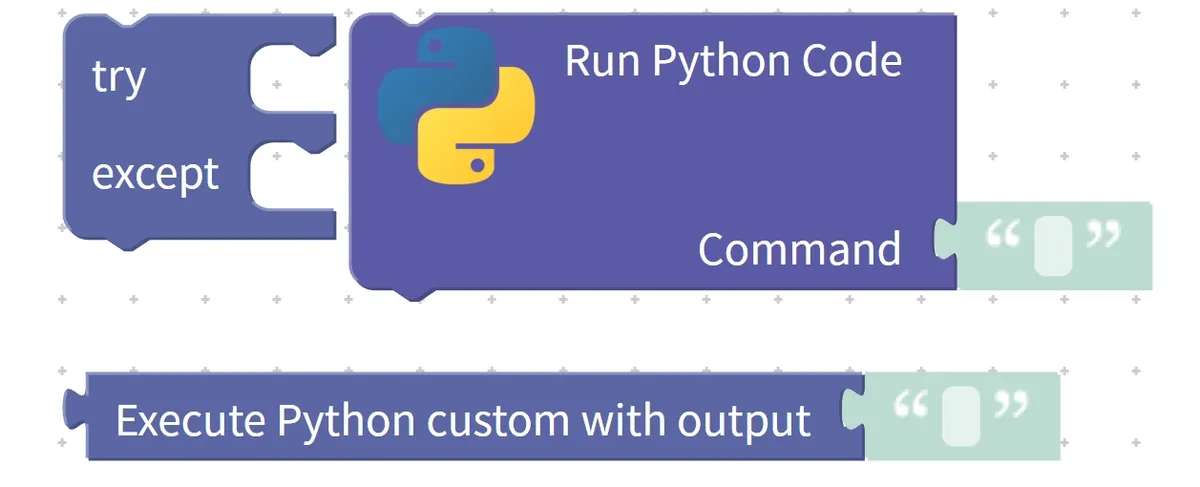
1. Exception catching block (try… except…)
The exception capture block is designed during program execution to prevent the program from stopping abruptly due to errors. When certain operations in the program are prone to issues — such as division by zero, missing data, or invalid input — you can place these operations within the try section to "attempt execution". If an error occurs during the attempt, the program will not terminate; instead, it will automatically jump to the except section to run the preconfigured handling operations.

During the execution of the program, the blocks in the try section will be executed first;if no problem occurs during execution, the except section will not be executed;if an exception occurs, the program will skip the unfinished operations in the try section and directly execute the blocks in the except section, so as to ensure that the program can continue running.
Chinese meaning: first attempt to (try) execute a piece of code that may have errors; if an exception occurs during execution, execute the preset handling operations in (except), instead of letting the program directly report an error and stop.
Specific example: Perform division operation on two numbers and prevent the divisor from being 0.
尝试
    设置 结果 为 10 ÷ 0
    执行 显示 结果
否则
    执行 显示 "除数不能为 0"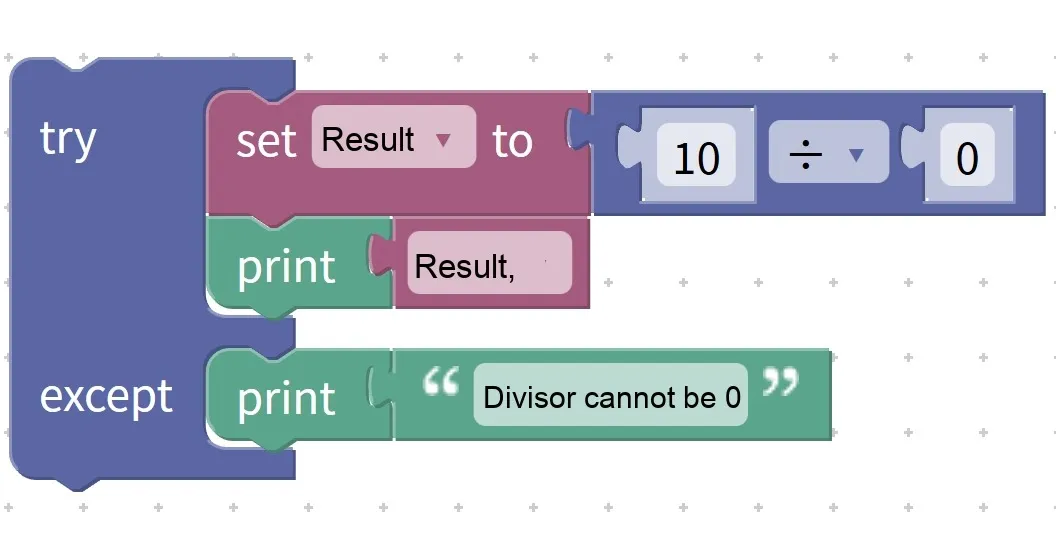
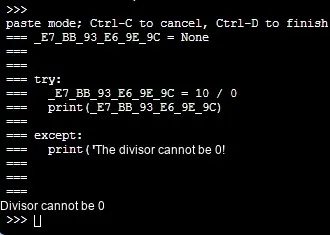
Execution result: The program will not stop with an error, but will display the prompt message: "The divisor cannot be 0."
2. Python Command Running Block (Run Python Code: Command…)
The Python instruction running block is designed for graphical programming, to directly execute a segment of Python instruction code. With this block, you can assign functions that are inconvenient to implement with blocks to Python instructions, thereby expanding the capabilities of the program.

During the running of the program, the Python instructions written in the Command will be executed in sequence. This block is usually used for advanced calculation, special function invocation, or interacting with underlying system and device functions. Even if you do not fully understand Python syntax, you can use this block to complete specified tasks with the help of teachers or sample code.
Chinese meaning: Run a piece of Python code and perform corresponding operations in accordance with the instructions.
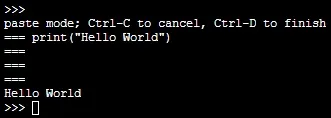
Specific example: Use a Python command to output the line of text "Hello World".
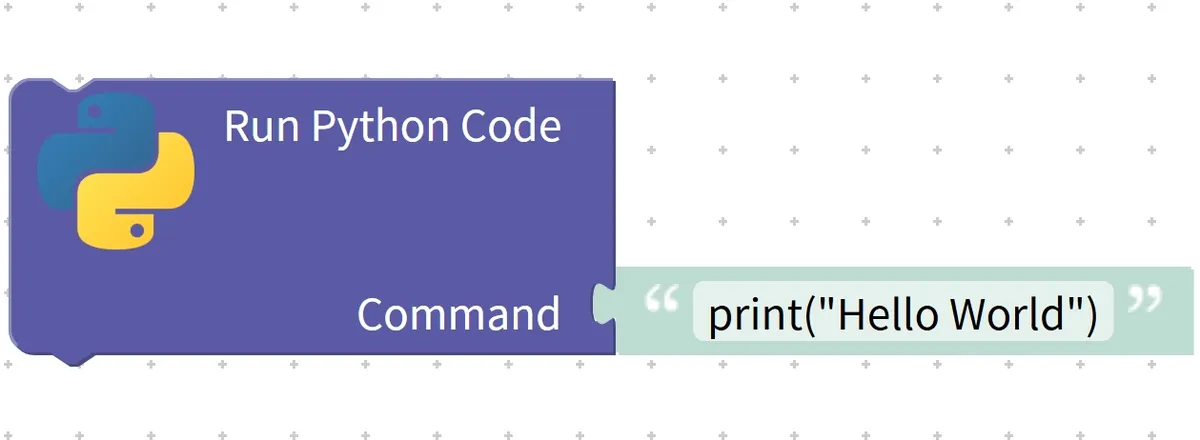
3. Python Code Output Block (Execute Python custom with output:…)
The Python custom code (with output) block is designed for use in graphical programming to execute a piece of custom Python code and retrieve the output generated after the code runs. Unlike regular Python instruction execution, this block returns the execution result as a "value" for subsequent blocks to utilize.

During the running of the program, the Python code inside the block will be executed, and the output generated in the code will be returned, which can be directly used for operations such as variable assignment, condition judgment or display. This block is often used in scenarios that require "calculation results".
Chinese meaning: execute (Execute) a piece of custom (custom) Python code; this Python code comes with output (with output), and after execution completes, the output obtained from running the code (with output with output) will be returned for subsequent use by the program.
Specific example: Use Python code to calculate the sum of two numbers and return the result.
设 结果 为 Execute Python custom with output
显示 结果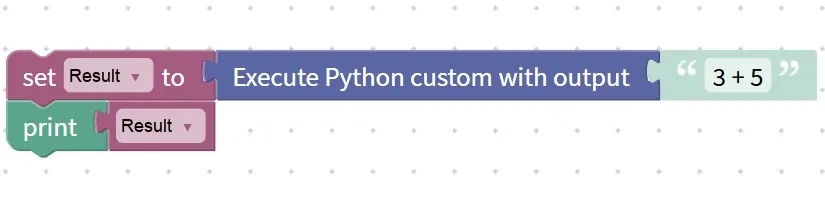
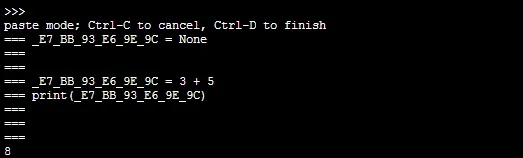
Execution result:"8" is displayed.