Contents
1. Project Information Configuration Building Block (Project info: Author…, IOT ID…, Description…)
The project information configuration block is used to fill in and display the basic description information of the current project. This block does not participate in program operations nor affect the program running logic. It is mainly used for project description, annotation and management, to facilitate others to understand the project content or identify the project.
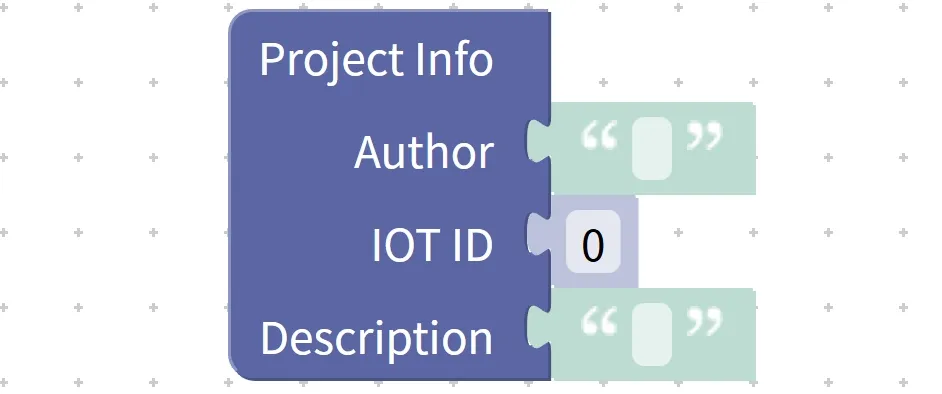
This block is typically used at the start of a project to record information such as the project author, project number, and project purpose description.
Chinese meaning: Fill in the project description information (Project info) for the current project, including author information (Author), Internet of Things ID (IOT ID) and project description (Description), which is used to label and describe the project and does not participate in program operation.
Specific example:
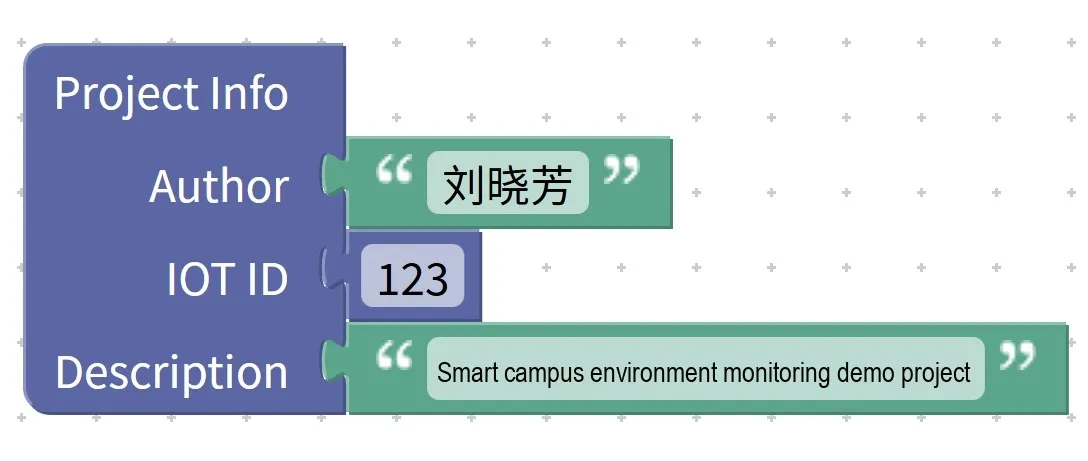
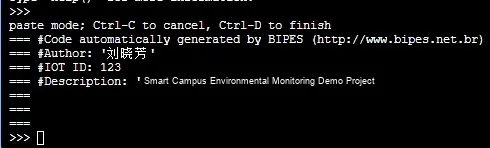
This block is only used to illustrate project information, and the execution result of the program will not change even if the content in it is deleted or modified.
2. IoT Tab Display Block (show on IOT tab: ID. .., value. ..)
IoT data display block is used to present the data in the program on the IoT page. When the program runs to this block, it will display the specified value on the IoT interface with the corresponding number, making it convenient to view data changes in real time.
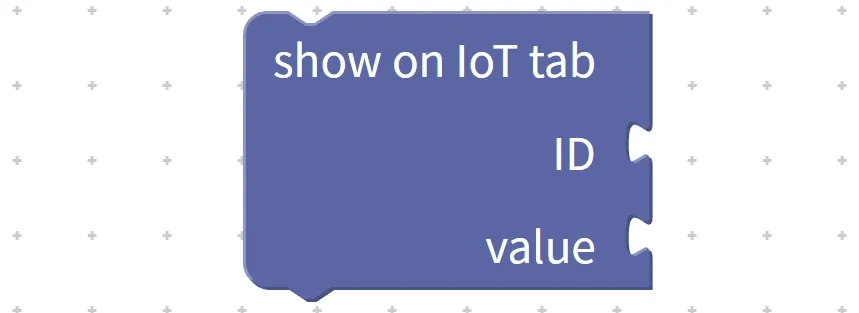
This block is only responsible for displaying data — it does not change the value of variables, nor does it affect the execution flow of the program, and is mainly used for data visualization and debugging.
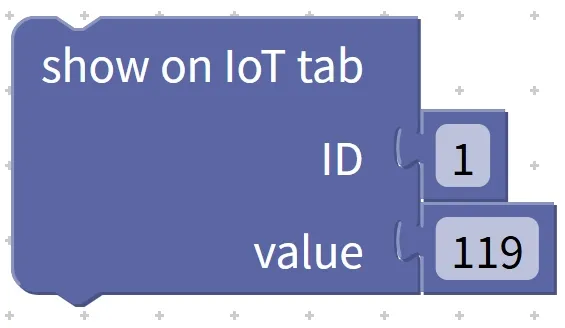
Chinese meaning: In the IoT tag (IOT tab), display the corresponding value (ID) according to the specified number (value).
Specific examples:
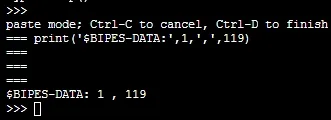
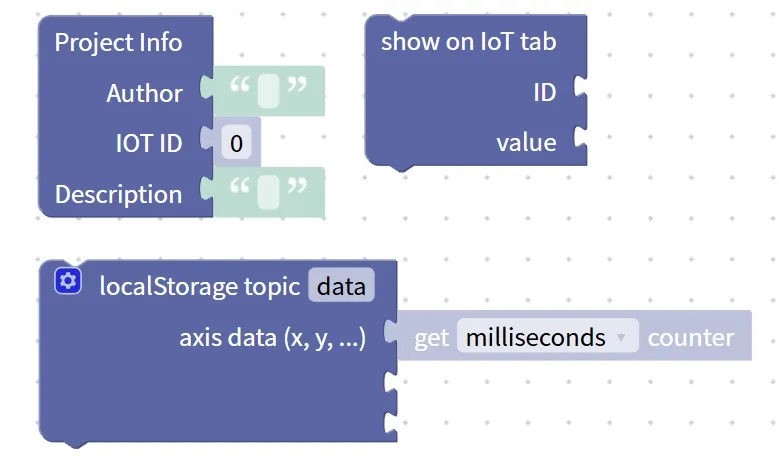
3. Local Data Recording Block (localStorage topic …: axis data (x, y, . .) get milliseconds counter)
The local data recording block is used to save the data generated during program operation to localStorage according to the specified topic.
This block is commonly used to record coordinate changes, sensor data or time-series data to facilitate subsequent viewing, analysis or curve plotting. When the program runs to this block, it will obtain the current time count and store the corresponding data in the format of "time + value".
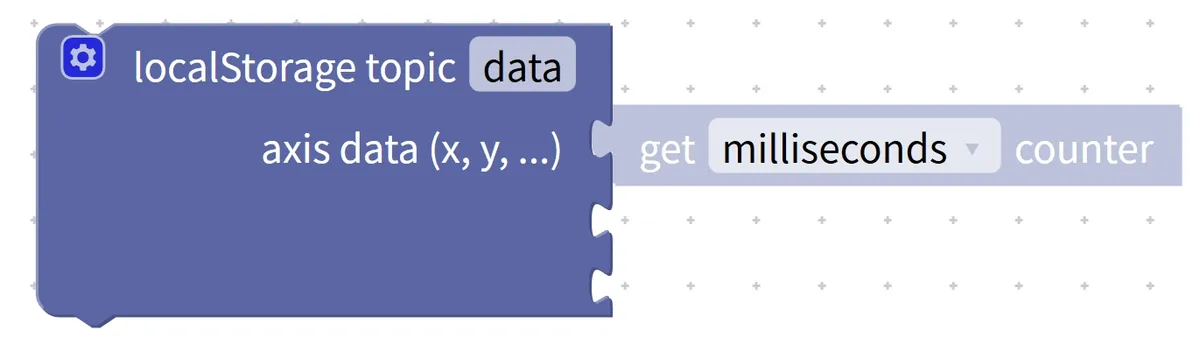
Chinese meaning: In local storage (localStorage), under the specified topic (topic). .., record the data of a certain axis (axis data, such as x, y, etc.), and use (get) the current seconds (seconds), milliseconds (milliseconds), microseconds (microseconds), nanoseconds (nanoseconds) counter (counter) as the timestamp to save.
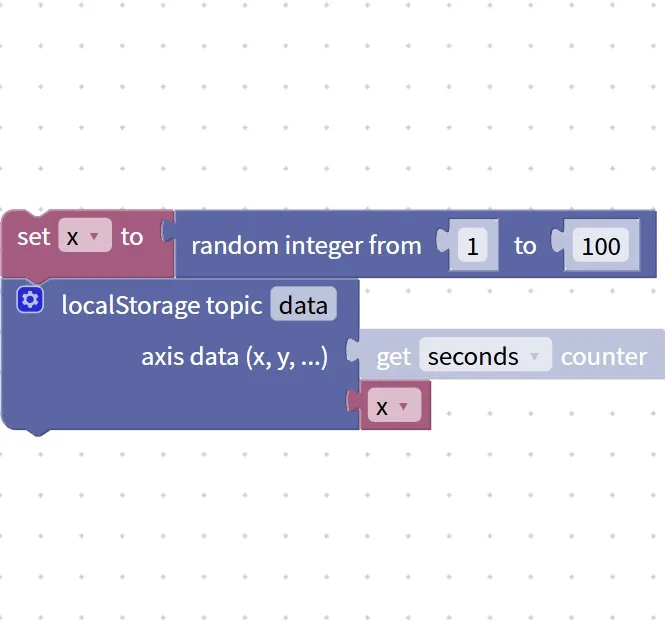
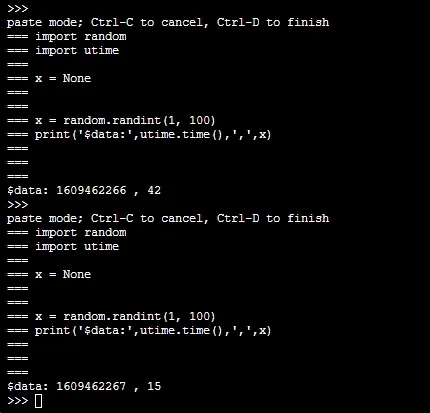
Specific example: create a random value x, and record the value of each x data and the counter time.