
Contents
Young creators, every development board has a "core brain" — the CPU (Central Processing Unit), which acts as the "commander-in-chief" of the development board. All programs and all hardware operations rely on it for scheduling. The CPU-related blocks are the tools for us to "understand and control this brain"; they let us know how fast it runs and whether its status is good, which is the foundation for the normal operation of programs~
Most CPU-related blocks are used for program initialization (such as checking the status during boot-up) or debugging (such as verifying whether the device is operating properly). Beginners can start with "reading information" first, and there's no need to rush into modifying settings!
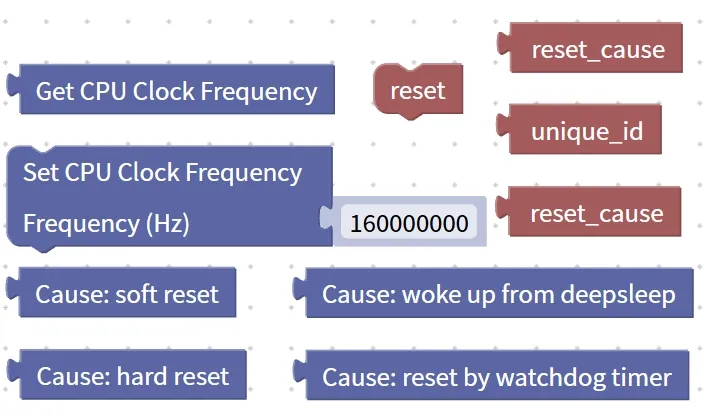
1. Get the CPU clock frequency block (Get CPU Clock Frequency)
The human brain thinks at varying speeds, and the CPU of a development board is no different — its "thinking speed" is the clock frequency, just like the "stride frequency" when running: the higher the stride frequency, the faster you run (perform operations)! The block for getting the CPU clock frequency is a dedicated tool to "measure how fast the 'brain' of the development board runs".

The clock frequency of a CPU is measured in hertz (Hz), with megahertz (MHz) also in common use — 1 MHz = 1000000 Hz (one million hertz). The higher this value is, the faster the CPU operates, and the more responsive the development board will be when processing programs and controlling hardware.
For example, the CPU frequency of a common development board is 125 MHz, which means it can complete 125,000,000 basic operations per second — isn’t that amazing?
Chinese Meaning: Get the current clock frequency of the CPU and return this frequency value as the result.
Specific example: The program first reads the current clock frequency of the CPU, then displays this value to observe or debug the operating status of the device.
获取 CPU 时钟频率
显示 获取到的频率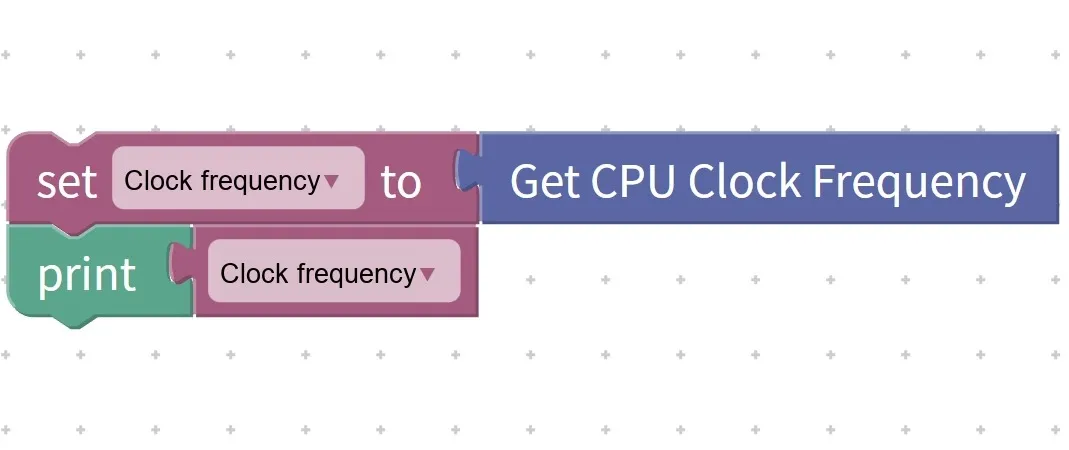
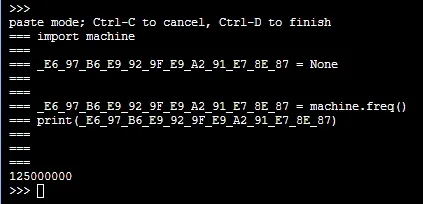
Execution Result: The screen will first display "Current CPU Frequency: 125000000 Hz", followed by "Converted: 125 MHz" — this indicates that the CPU of your development board is currently operating at a speed of 125 megahertz~
At first glance, this block only focuses on numerical values, but it is actually extremely useful.
- Debugging the program: If the program runs laggy, check whether the CPU frequency is too low or has been lowered;
- Get to know the device: Different development boards have different CPU frequencies, and knowing the frequency helps you determine what it is suitable for (for example, a high-frequency CPU can run more complex programs, while a low-frequency one is more power-efficient);
- Teaching Cognition: Intuitively understand that "the CPU is the brain of the development board, and its frequency represents the computing speed".
Tips
- Do not modify the CPU frequency arbitrarily! Beginners only need to "read" the frequency, and do not try to modify it with other blocks — setting it too high will cause the development board to overheat and consume power quickly, while setting it too low will make the program run laggy;
- Since the frequency value is very large, it can be converted to MHz for display: divide the frequency value by 1000000 to get the value in megahertz, which is more in line with our reading habits;
- The frequency of the same development board may vary: for example, the CPU frequency will decrease in low-power mode and resume during normal operation, which is the power-saving strategy of the development board~
✨ Interactive Quick Question
- Think about it: If the CPU frequency of the development board is 250000000 Hz, what is it when converted to MHz? (Answer: 250000000 ÷ 1000000 = 250 MHz~)
- Quick Quiz: Will the block for getting the CPU clock frequency modify the operating state of the CPU? (Answer: No! It only reads the value and does not make any modifications at all~)
- Try it: Write a program yourself to read the CPU frequency, first display the raw value in Hz, then convert it to MHz for display, and see how fast the "brain" of your development board is running~
2. The block for setting CPU clock frequency (Set CPU Clock Frequency)
Young creators, in the last lesson we learned how to "test the brain speed", and in this lesson we are going to unlock a more advanced operation — adjusting the CPU clock frequency! Just like we can "run fast" or "jog" when running, the CPU can also adjust its operating frequency through this block: if you raise the frequency, the computation will be faster (stronger performance), but it will consume more power and generate more heat; if you lower the frequency, the computation will be slower (weaker performance), but it will save more power and run cooler. However, this block directly controls the hardware core, so be sure to use it with great care~
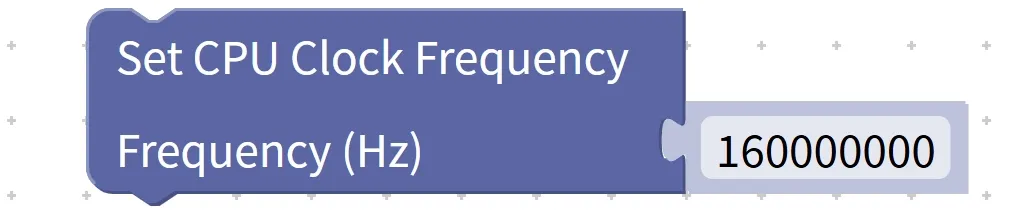
CPU frequency does not necessarily mean better performance at higher values, and we can make trade-offs based on actual needs:
- High-frequency operation: When running complex programs (such as processing large amounts of sensor data or playing complex music), increase the frequency to keep the program from being laggy;
- Low-frequency operation: When performing simple tasks such as scheduled flashing or temperature sampling, you can lower the operating frequency to save power, which is suitable for battery-powered projects.
Important Reminder: Every development board has a "safe frequency range"(e. g., 80MHz~240MHz). Settings beyond this range may cause the development board to crash or restart. Beginners must set the frequency according to the recommended values in the development board's manual!
Chinese meaning: Set (Set) the CPU's clock frequency (Clock Frequency) to a specified value, so that the CPU operates at the new frequency.
Specific example: The program first sets the CPU clock frequency to 125000000, then reads and displays the current CPU clock frequency to verify whether the setting takes effect.
获取 CPU 时钟频率
显示 获取到的频率
设置 CPU 时钟频率 为 160000000
显示 获取到的 CPU 时钟频率
获取 CPU 时钟频率
显示 获取到的频率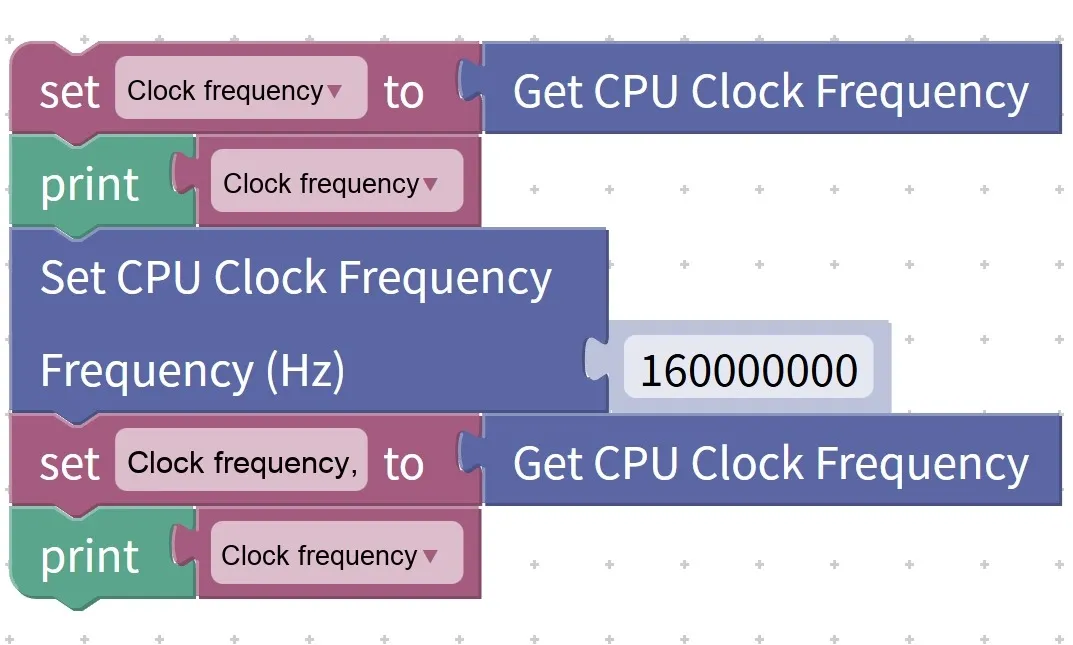
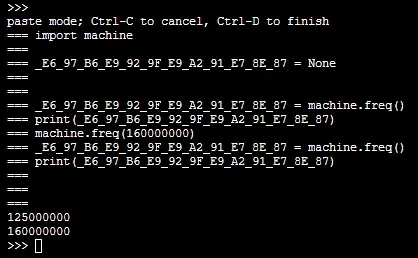
Execution Result: The original frequency "125000000" and the modified frequency "160000000" are displayed, indicating that the frequency setting has taken effect~
Tips
- Novices, use with caution! Do not modify the CPU frequency unless necessary, as the default frequency is the most stable and balanced setting for the development board;
- Wait for a while after configuration: add a short delay (0.5~1 second) after modifying the frequency to allow the system to complete the switchover, then read the frequency for verification, so as to avoid reading the "old value that has not taken effect";
- The frequency value must be valid! For example, if the development board supports a maximum of 240MHz, do not set it to 300MHz, otherwise the system will crash and you will have to power it off and restart it~
✨ Interactive Quick Question
- Think about this: when making a "battery-powered outdoor temperature and humidity collector", should we increase or decrease the CPU frequency? And why? (Answer: Decrease it! Lower frequency consumes less power, which can extend the battery runtime~)
- True or False: After setting the CPU frequency and restarting the development board, the frequency will remain at the modified value. (Answer: No! It will revert to the factory default frequency after reboot~)
3. Device Restart Block (reset)
Young creators, sometimes when your program goes haywire or you mess up the settings, you’ll need to "restart" your development board — that’s exactly what the device restart block is for! Just like pressing the "restart button" on your phone, it makes the development board reboot immediately, clears all messy states, and reverts it to its original state~

When do you need to use the restart block?
- Program exception: For example, the program freezes, buttons do not respond, and the issue can be restored to normal after a restart;
- Configuration Take Effect: If you have modified important settings (e. g., CPU frequency, pin mode), restart the device to make the settings fully take effect;
- System initialization: When temporary data needs to be cleared and the program reloaded.
Chinese meaning: Make the device restart immediately (reset), clear the current operating state, and resume execution from the start of the program.
Specific example: When an abnormal program operation is detected, execute the device restart block to restart the device and restore it to its initial state.
Tips
- Save important data before rebooting! If you have collected data such as temperature readings and keystroke logs, be sure to save them to a file or external storage first, otherwise all data will be lost after the reboot.
- Do not use the restart block casually! For example, if you place the restart block in the main loop, it will cause the development board to restart infinitely and become completely unusable;
- All statuses will be cleared after a restart: variables, timers, and CPU frequency (non-permanently modified ones) will all revert to defaults, which is equivalent to a "one-click restore"~
✨ Interactive Quick Question
- Just think: What should you do if you accidentally write a "timer-controlled infinite loop for flashing an LED" in your program and want to stop it? (Answer: You can add a "button-triggered restart" function to the program, or simply cut off the power, then modify the program after restarting~)
- Quick Quiz: Will the previously set high CPU frequency be retained after the development board restarts? (Answer: No! It will revert to the default frequency after reboot~)
4. Get the device unique identifier block (unique_id)
Young creators, everyone has a unique ID number, and so does every development board! The "Get Device Unique ID" block reads the "ID number" of the development board — this number is fixed, and different development boards have different numbers, making it easy to tell "your board" apart from "my board"~

What can this "ID number" be used for?
- Device Management: For example, if there are 10 development boards collecting temperature at different locations, a unique identifier is used to distinguish the data of each board;
- Authentication: Only development boards with specified IDs are allowed to connect to the server to prevent access from unknown devices;
- Project Traceability: When working on batches of small projects, locate the corresponding development board via the identifier.
Chinese meaning: obtain the unique identifier (unique_id) of the current device, and output this identifier as the result.
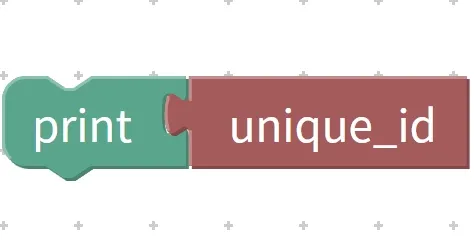
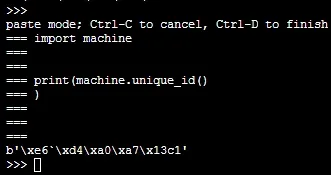
Execution Result: The screen displays the unique identification number of the current device. When different devices run this program, the displayed identification content varies from one device to another.
Tips
- The unique identifier cannot be modified! It is solidified in the hardware at the factory, just like an ID number that cannot be changed, which can guarantee the uniqueness of each board;
- The identifier format is not fixed: development boards from different brands have identifiers of varying lengths and formats (some are 16-character strings, others are numeric), but all can uniquely distinguish devices;
- Keep the label properly: If you are in charge of equipment management, you can save the label in a file for easy subsequent verification~
✨ Interactive Quick Question
- Just think: The school has 5 identical development boards. How can you quickly tell which one is yours? (Answer: Read the unique_id of each board and note down which one corresponds to yours~)
- Judge: Will the unique identifier change after flashing the program to the development board? (Answer: No! The identifier is bound to the hardware and has nothing to do with the program~)
- Try it: Read the unique ID of your own development board, write it down, and compare it with your classmates' to see if they are completely different.
5. Get the reset cause block (reset_cause)
Young makers, have you ever noticed that your development board sometimes restarts out of the blue, just like your toy car suddenly stops and then starts moving again? Wondering what causes those restarts? The "get reset reason" block acts as a "restart detective" for your development board — it can tell you whether the last restart was triggered by "power-on boot", "pressing the reset button", "system-forced restart due to program freeze", or "waking up from sleep", helping you quickly pinpoint the issue~
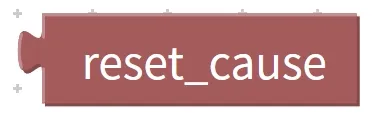
Chinese meaning: obtain the reason for the most recent reset of the device (reset cause), and return this reason as the result.
Every time the development board restarts, it comes with a clear "cause code", and different codes correspond to different causes. We need to keep these 5 core causes in mind:
Return Value | Reset Cause Name | Description of Meaning |
|---|---|---|
1 | Power-on Reset (POR) | The device is just powered on and started, for example, when the power plug is connected or the power supply is restored |
2 | hardware reset (Hard Reset) | Press the reset key, or an external hardware triggers a restart |
3 | Watchdog Reset | The program froze for too long, and the system forcibly restarted the device. |
4 | Wake from Deep Sleep | The device is woken up from the deep sleep mode |
5 | Software Reset (Soft Reset) | actively execute "restart device" in the program |
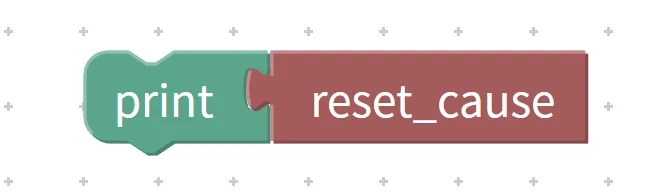
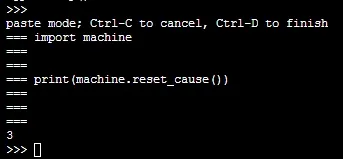
Execution Result: The screen displays "3", indicating that a watchdog reset has occurred on the device.
Tips
- The reset reason only records the "most recent occurrence"! If the development board restarts multiple times, only the reason for the last restart will be retained, and the previous ones will be overwritten;
- Pay attention to watchdog reset! If it occurs frequently, it indicates that there is a problem with the program (such as an infinite loop), so check the code~
✨ Interactive Quick Question
- Think about it: Right after you plug the power supply into the development board, what number will this program display when it runs? (Answer: 1, power-on reset~)
- Quick Quiz: After restarting by running the "reset" block in the program, what is the reset cause number? (Answer: 5, software reset~)