
Your prototype does its job, but a first-time user still has questions. Did it start? Is it waiting for something? Should they press the button again? A small screen can answer those questions, if you choose it around the message rather than the pixel count on the listing.
On our bench we drove three small displays on GraftSense carriers from a Raspberry Pi Pico running MicroPython: a two-line LCM1602A-14 character LCD, a 1.3-inch SH1106 OLED and a 0.96-inch SSD1306 OLED. Their differences are a good basis for deciding what to try in a product prototype.
Write the message before choosing the screen
Start with one moment when the user needs an answer, for example confirming that a setting was saved, or a short instruction when something is missing. Write the actual words on paper. If the message is hard to shorten, finding that out now is much cheaper than after the front panel is designed.
A Reddit thread about choosing a display for an early product describes this exact problem: the device had to show action success, battery state and connectivity, and the proposed text ran to 120 to 180 characters. Software can scroll more text, but a person may not want to wait for a long message to pass.
For a first version, compare a short status-and-action message with a layout that needs an icon, a large number or a small graph.
Two lines give you a clear constraint
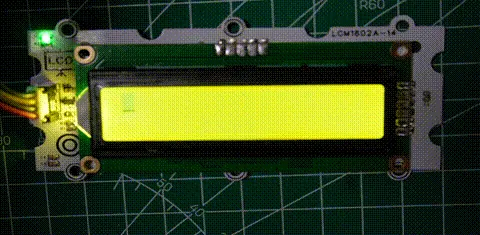
The LCM1602A-14 offers two rows of sixteen character positions. We connected it to I2C0 (GP4 SDA, GP5 SCL), set the cursor to the top-left position and wrote a greeting. The test also switched display content off and on and cleared it. Those are good first checks: prove that text reaches the screen before adding the rest of the product.
A visible backlight is not the same as visible text. Switching the content off did not show that the backlight or the carrier stopped drawing power. For a battery device, measure the whole assembly instead of treating a blank screen as sleep.
A two-line layout could show a state on one row and an action on the other, such as "Ready" and "Press to start." Try your longest real message as well as the easiest. The LCD driver we used (credited to bhavi-thiran, MIT) is not a page-layout system: it advances the cursor as it writes, and running past the end of the second row requests a third row that does not exist. Long text needs deliberate handling.
There is a controller detail behind the familiar "1602" name too. Our driver sends commands directly to address 0x3E. The example scanned for both 0x27 and 0x3E but did not pass the detected address to the driver. A different 1602 module with an I/O-expander backpack cannot be assumed to work with this driver just because it also uses I2C.
A graphic OLED lets you place the message
The SSD1306 treats its 128 × 64 display as a grid of pixels. Before connecting it to the same GP4/GP5 pins, we set the carrier's address solder bridge.
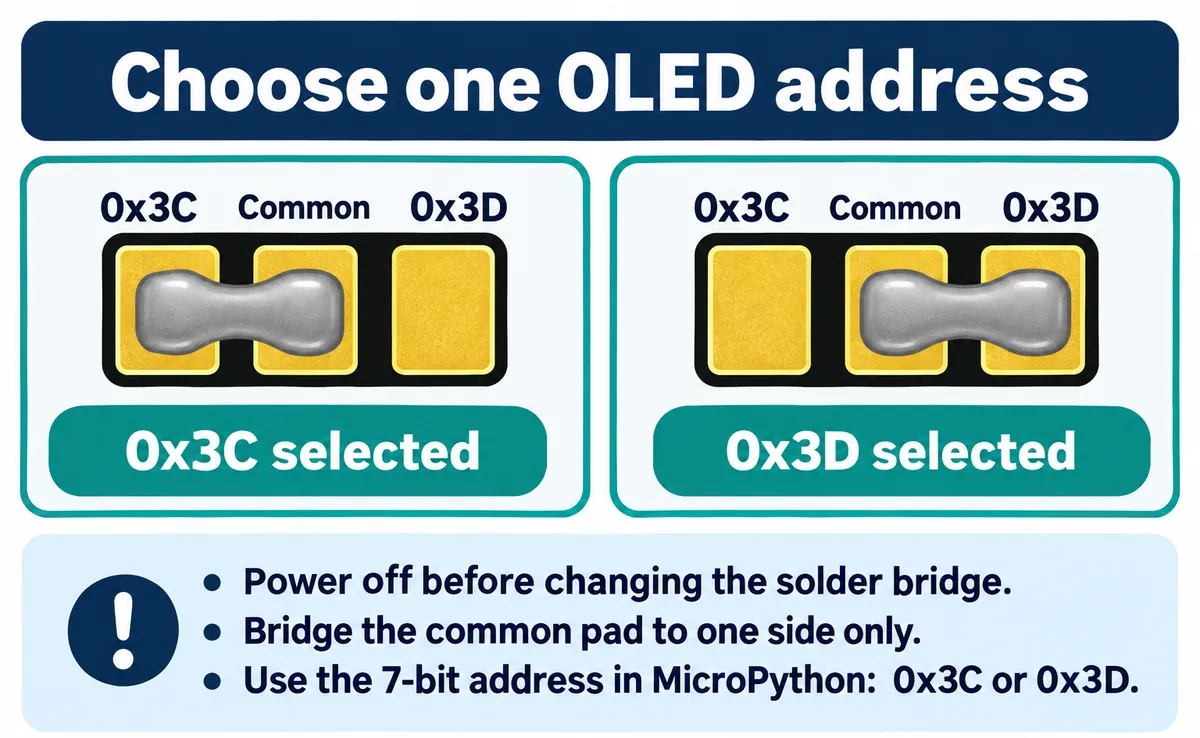
After a scan reported 0x3C, our program cleared the frame buffer, drew a rectangle and two lines of text, and called show() to send the image to the panel. With MicroPython's standard frame-buffer calls the pattern looks like this:
oled.fill(0)
oled.rect(0, 0, 64, 32, 1)
oled.text("Ready", 10, 5)
oled.show()
fill(0) clears the software image, the drawing calls change it, and show() transfers it to the display. That control over placement does not make every layout readable. The standard framebuf.text() in this MicroPython version draws fixed 8 × 8 pixel characters, so a 128-pixel row fits sixteen of them with no margin. Larger text needs another rendering approach or prepared graphics, and leaves less room for everything else. The MicroPython v1.23.0 framebuf documentation describes these operations.
The monochrome image is stored as bits, each byte covering eight vertical pixels, so a 128 × 64 picture needs a 1,024-byte buffer. That is the image size, not the full memory cost of the application.
Test more than a static greeting
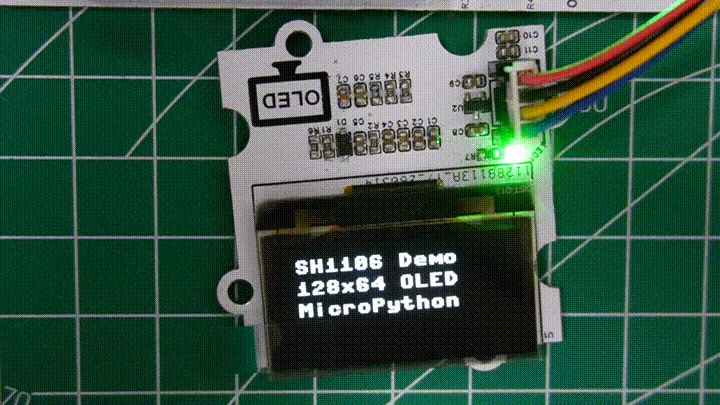
The SH1106 is also 128 × 64, on GP4/GP5 using software I2C. Our program scanned for 0x3C or 0x3D and passed the detected address to the driver. It wrote "SH1106 Demo," "128x64 OLED" and "MicroPython," then worked through pixels, lines, a rectangle, contrast, inversion, orientation changes, scrolling and display off and on. That is a useful sequence for a prospective layout, because the screen has to do more than show one image. It is not a measured comparison of brightness, viewing angle or battery life against the other two modules.
For your prototype, keep the operations that answer a user question. An orientation change might let the cable exit in a better direction. A larger state label may matter more than an animated transition. Scrolling can reveal extra information, but the essential action should be clear without waiting for a full cycle.
The SH1106 and SSD1306 share drawing ideas but handle the controller differently. The SH1106 driver we used, robert-hh's SH1106 (MIT), writes display pages with a column offset; the SSD1306 driver uses a different addressing sequence. Match the driver to the controller and panel: the same bus address does not tell you which controller is fitted.
Separate display setup from message design
When a screen stays blank, go back to the known greeting test before debugging the full application. Check the board supply, the actual SDA and SCL connections, the detected address and the controller-specific driver. These carriers regulate to 3.3 V and pull the signals up to that rail; a 5 V carrier supply does not mean 5 V is safe on an RP2040 signal pin. An I2C scan only shows that something acknowledges; the panel still needs the right commands and data.
If a few columns are missing or the image is shifted, compare the controller and addressing setup before changing the font. Hardware can also be the cause: in a Home Assistant SH1106 thread from 2023, apparently corrupted text was traced to damaged display glass.
Once the known test works, replace the demo text with your real messages. Show a short value right after a long one to make sure no old characters remain. Try the error, waiting and recovery states as well as the happy path; our demos did not include a product state machine.
Choose with the screen in someone's hands
Use the two-line LCD when short text in fixed positions explains the task. Try a graphic OLED when placement, a simple symbol or a visual relationship adds something. A close-up photo settles neither choice. Compare the actual message at the expected viewing distance, through the proposed window and under the expected lighting.
For an early user trial, hand the prototype to someone who did not write the program and ask what it is doing and what they would do next. If they can read the words but still cannot answer, revise the message. If the wording works on paper but not on the device, revise the display, the type size or the physical arrangement.