
Your motion sensor can produce readings faster than your prototype can send them to a computer. Before replacing the board or rewriting the software, work out the size of one complete record. Three numbers on a screen can become a much longer message once you add a timestamp, separators, a sequence number and error checking.
For a team building a motion controller or a data logger, this is worth calculating before choosing the final interface. Two ideas do most of the work: the difference between the signaling rate and useful data, and the time lost while software waits between messages. The figures below are calculations and concept diagrams, not throughput measurements.
A July 2022 Arduino discussion shows why the complete message matters. The developer first asked how many characters could be sent, then explained that a Bluetooth module required a text command containing a handle and the data. Those extra characters came out of the same serial budget. A fast controller-to-module link also would not, on its own, set the wireless delivery rate.
Start with bytes per record, then add framing
For ordinary binary UART, the baud setting is the rate of line bits. With 8N1 (eight data bits, no parity, one stop bit), each byte occupies ten bit periods: one start, eight data and one stop. Analog Devices' UART timing explanation describes that frame. At 115200 baud, the continuous ceiling is 11,520 bytes per second in each direction. Gaps and application work reduce what the whole system achieves.
Take a proposed record, for calculation only. Three 16-bit values take six bytes. A four-byte timestamp and a two-byte sequence number take six more. Allow six for a header, length and checksum: eighteen bytes in all.
- 18-byte records at 500 per second need 9,000 bytes per second, about 78% of a 115200-baud 8N1 line.
- 18-byte records at 1,000 per second need 18,000 bytes per second, about 156% of the line. That cannot fit continuously.
The first case fits the arithmetic ceiling but still needs testing for pauses and bursts. The second cannot be made sustainable with a larger buffer. At that format and rate something has to change: send less, use a faster supported link, or store data locally instead of streaming everything.
Count the pauses as well as the bytes
A request-and-reply protocol adds another limit. The host sends a request, the device processes it, and the host waits for the reply before asking again. That may be the right protocol, but an idle wire during processing still costs time.
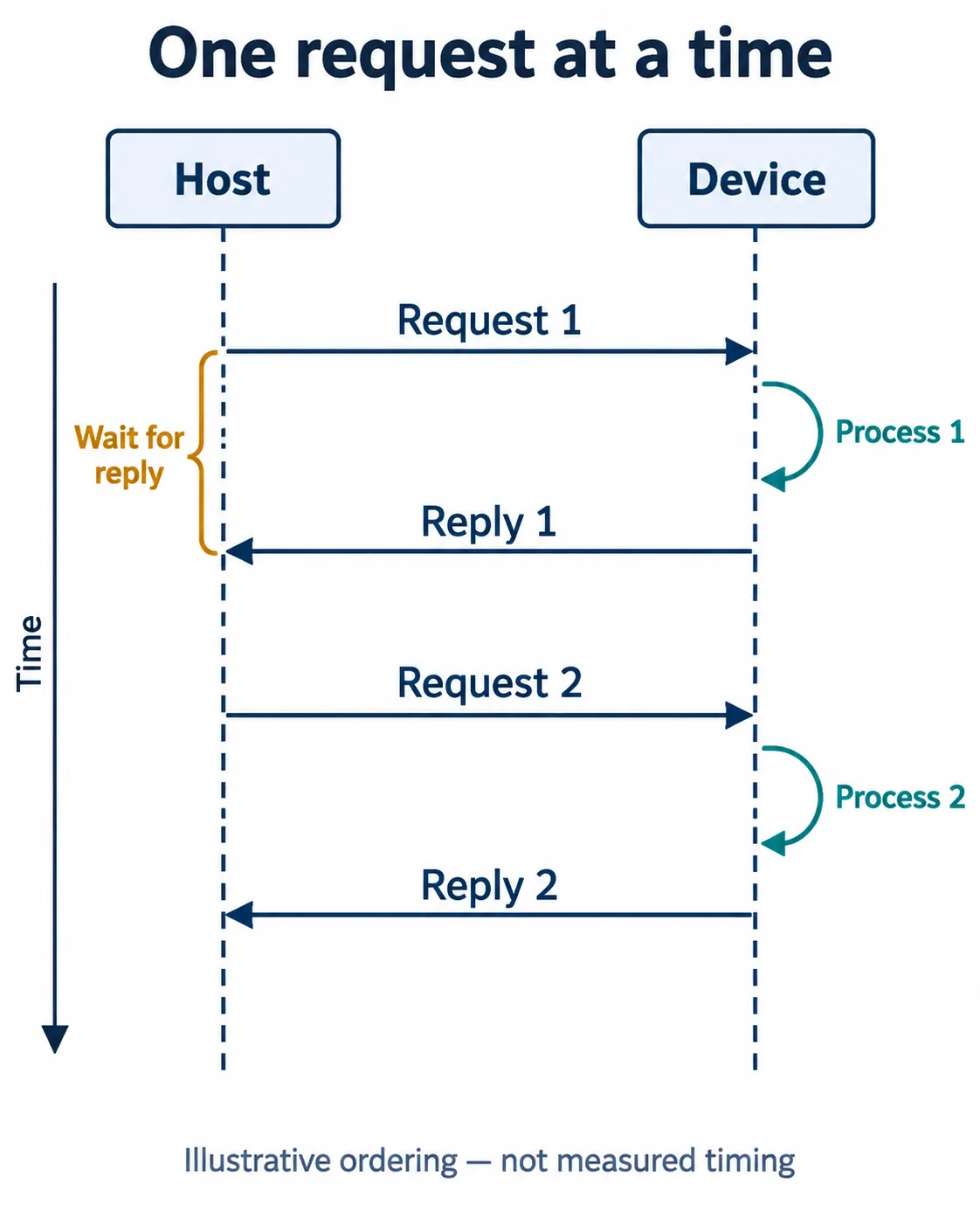
Another illustration: say the request is six bytes and the reply eighteen. At 115200 baud and 8N1 their combined wire time is about 2.08 ms. Add a hypothetical 3 ms of device processing and each cycle takes about 5.08 ms, roughly 197 cycles per second before any other delay. A higher baud rate shortens the wire time; it does not remove the processing delay.
A streamed sensor may not need a request for every record, and a protocol you control might allow several requests to be outstanding. But a module that expects one command at a time does not get faster because you send the next command early. Check the module's documented behavior before changing the sequence.
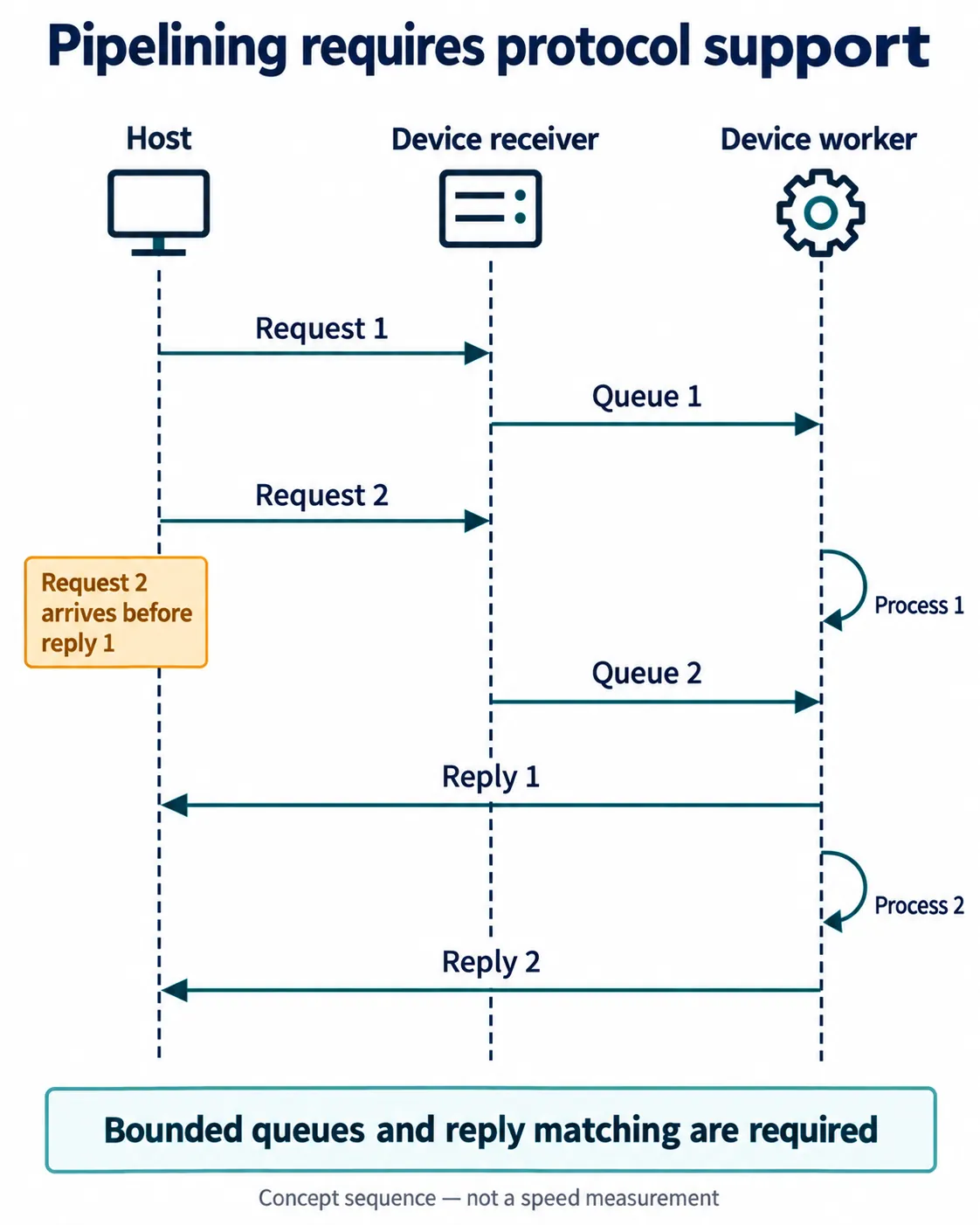
Pipelining receives later work while earlier work is processed. It improves utilization where the protocol and implementation allow it. It cannot raise the line's bit rate or let a slow consumer absorb unlimited incoming data.
Choose the representation the application actually needs
Text is convenient during development because a terminal can show it directly, but its cost varies: -123.45 is seven ASCII bytes before any delimiter, while a defined binary field can be shorter. Count the longest valid text record, including line endings and labels. Do not estimate from a short example such as 0,0,0.
Binary data needs an agreed format: field sizes, signedness, byte order, scaling and a way to recognize complete records. It only helps if both ends decode the same thing. If an existing module requires a text command, you cannot drop its command syntax to improve the calculation.
Separate acquisition from presentation too. A display may need only occasional updates while a recorder needs every sample. Updating the display less often can free processing time without losing stored measurements. Averaging or lowering the transmitted sample rate, on the other hand, changes what the receiver gets; make that an explicit product decision.
Verify the budget across the whole path
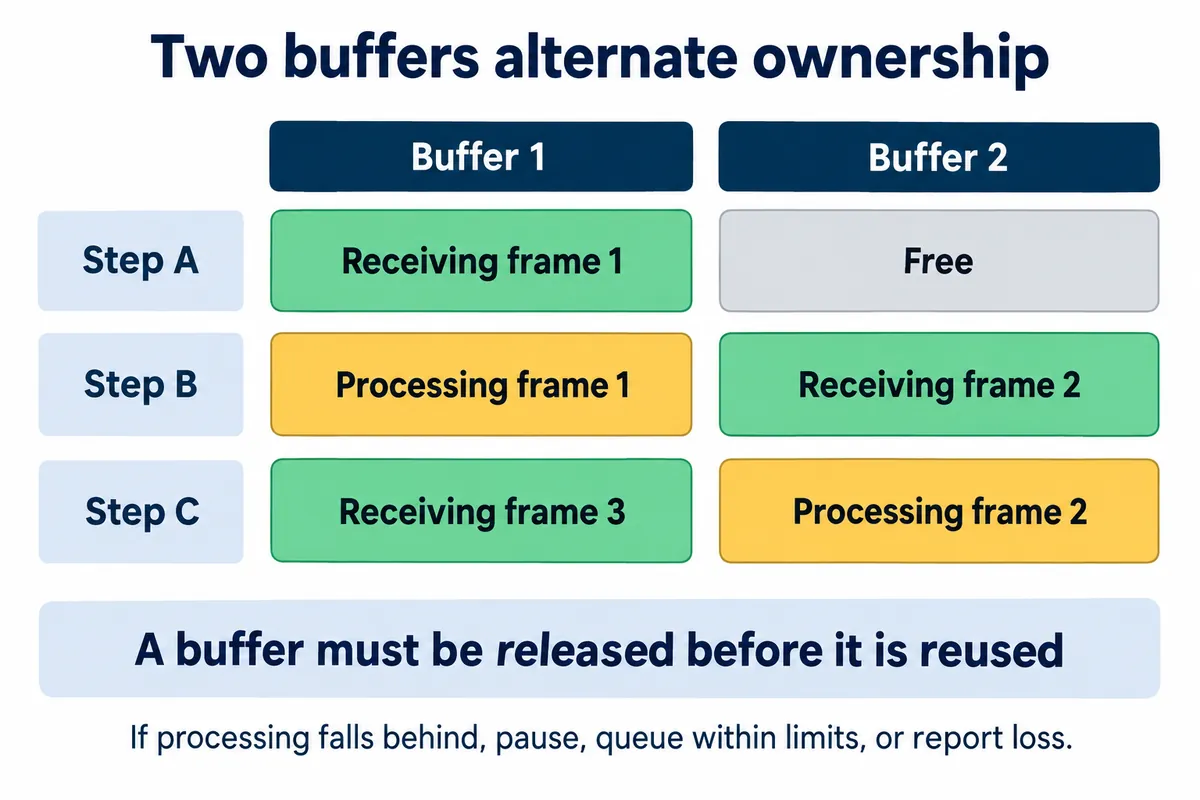
Alternating two buffers between receiving and processing is one implementation approach, not a promise that two buffers are enough. The receiving side must not overwrite memory still being processed, and the system needs a defined response when all available space is taken. Buffers absorb temporary delays; they do not create sustained capacity.
Measure complete records received over a known interval while the display, storage and other intended work are running. Use sequence numbers to reveal missing records and timestamps to tell a fresh measurement from a delayed one. A call that accepts bytes into a transmit buffer is not the same event as their arrival at the destination. Run the test well past the period in which buffers are first filling.
Then look at the busiest interval, not only the average. If the budget fails, compare a smaller record, fewer transmitted records, a supported higher baud rate or another interface against what the user actually needs. Record your own test conditions and results before claiming a working data rate.