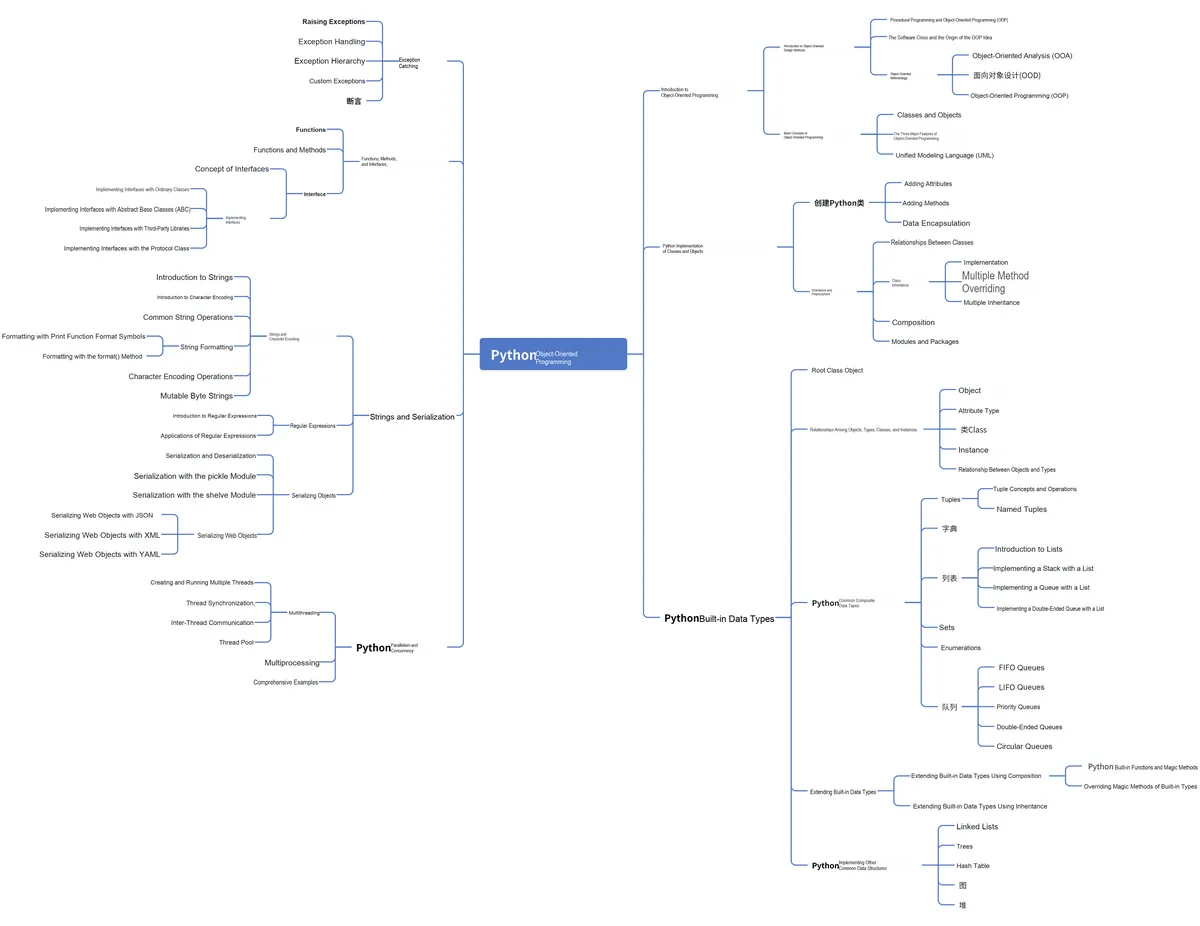
Contents
Abstract:
A function is a first-class citizen in Python and is a reusable Code Block used to encapsulate specific logic; an event-driven framework is a programming paradigm that transfers the control flow of a program to external events such as user input and system messages, and this event-driven framework can use functions as the processing logic for events.
Original Link:
Previous Recommendations:
You who are learning embedded systems, don’t you even know Object Oriented yet? ?!
For more exciting content, you can check out:
Speed Up Your Python: A Quick Guide to Python Parallel Computing
Understand the Debugging Principle of CM3 Microcontroller in One Article
The "Martial Arts Manual" for Computer Science Competitions
Avnet ZUBoard 1CG Development Board — A New Choice for Deep learning
SenseCraft deploys models to the Grove Vision AI V2 image processing module
Document and Code Acquisition:
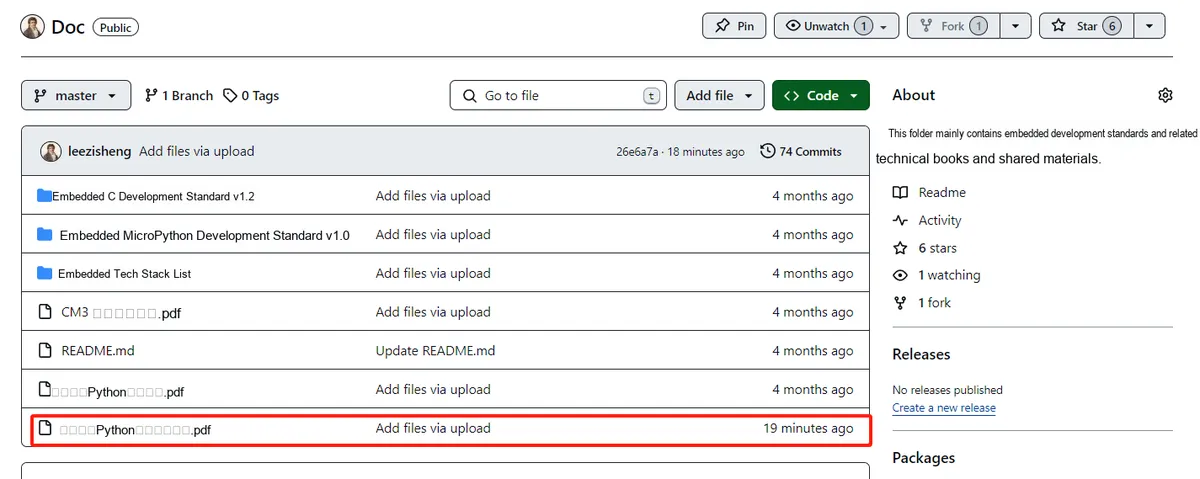
You can download the document via the following link:
https://github.com/leezisheng/Doc
This document mainly introduces how to use Python for Object Oriented programming, which requires readers to have a basic understanding of Python syntax and microcontroller development. Compared with other blogs or books that explain Python Object Oriented programming, this document is more detailed and focuses on embedded host computer applications, taking the common serial port data transmission and reception, data processing, dynamic graph drawing and other functions between the host computer and the slave computer as application examples. Meanwhile, it uses the Sourcetrail code software to visualize the code for reading to facilitate readers' understanding.
The link to obtain the relevant sample code is as follows:
https://github.com/leezisheng/Python-OOP-Demo
Body Text
function
A function is a named Code Block that takes zero or more input parameters and returns an output value after execution. In Python, a function is not only an object but also a First-Class Object, which is a major feature of Python functions. As objects, functions can be assigned to a variable, added as an element to a collection object, passed as a parameter value to another function, and used as the return value of a function — these features are unique to First-Class Objects.
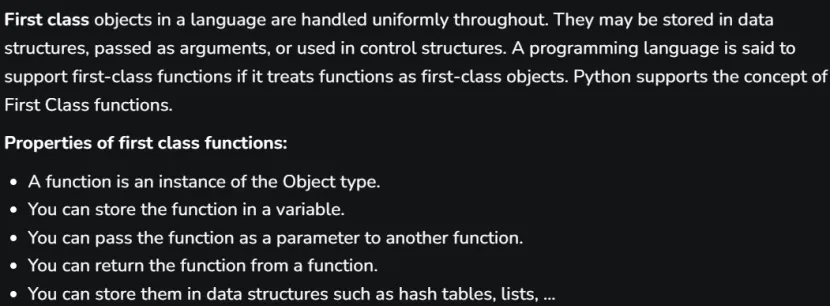
Simply put, in Python, a function can be used arbitrarily just like an ordinary variable, including being assigned, passed as an argument to another function, and returned as a value from another function. This makes it easy to write code for higher-order functions and closures. In other languages that apply Object Oriented design (such as C++), implementing similar operations requires the use of function pointers.
In many cases, we need to pass a function as an argument to another function. The most typical example is the event-driven programming paradigm, which, different from the original programming paradigm that executes each function in sequence, has a basic processing logic of pre-designing a program formed by an event loop. This event loop program constantly checks the information to be processed at present, and executes a trigger function to carry out necessary processing according to the information to be processed. The external information here may come from files in a directory, actions of the keyboard or mouse, or a time event.
From the perspective of events, the basic structure of an event-driven program consists of an event collector, an event dispatcher and an event processor. The event collector is specifically responsible for collecting all events, including those from users (such as mouse and keyboard events), those from hardware (such as clock events) and those from software (such as operating systems and applications themselves). The event dispatcher is responsible for distributing the events collected by the collector to the target objects. The event processor handles the specific event response work, which is often not fully determined until the implementation stage.Generally, a registered callback function needs to be passed in advance in an event handler. After the callback function is registered, the program will continue to execute the subsequent statements, and the callback function will be invoked asynchronously once the corresponding event occurs.
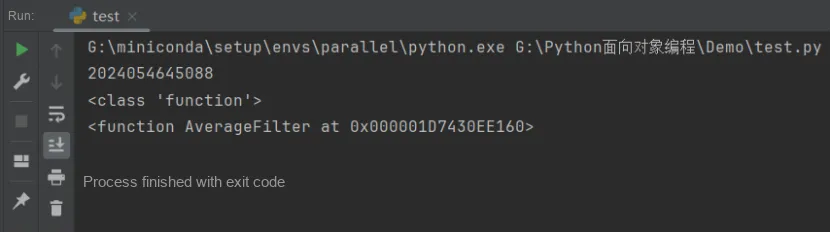
A function, as an object, has three general attributes of the object model: id, type, and value.In the code below, we create an average filtering function to calculate the average of sensor sampling values over three cycles. In the code, DataList is a global variable used to record the sampling values of FileterLength cycles; AverageFilter (value) is the filtering function whose input is the newly collected data. Inside the function, we first shift the data in DataList[], save the newly collected data to the last element of DataList[], meanwhile calculate the sum of the 10 data entries in DataList[], and finally return the average of the sum of the FileterLength data entries.The sample code is as follows:
# Global variable, records the sampled values of three cycles
FileterLength   = 3
DataList        = [0] * FileterLength
def AverageFilter(value):
    '''
    Average filter function, calculates the average of the sensor sampled values over three cycles
    :param value: Current sampled value
    :return: Filtered sensor value
    '''
    global DataList
    # Temporary variable, stores the sum of the data in the list
    sum = 0
    for i in range(FileterLength-1):
        # Implement the list shift operation
        DataList[i] = DataList[i+1]
        # Implement the list sum
        sum += DataList[i]
    DataList[FileterLength-1] = value
    sum += DataList[FileterLength-1]
    average = sum / len(DataList)
    return average
First, let's take a look at the basic properties of this function:
print(id(AverageFilter))
print(type(AverageFilter))
print(AverageFilter)
The running results are as follows:
We can add custom properties to a function and access those custom properties:
AverageFilter.description = ("The average value filter function realizes the calculation of the average value "
                             "of the sensor sample value for three periods")
print(AverageFilter.description)
The running results are as follows:

Event-driven framework timer
Next, we will use an example of an event-driven framework timer to further illustrate the relevant application where a function can be passed as an argument to another function. The sample code is as follows:
import datetime
import time

# Define the timer event class
class TimedEvent:

    def __init__(self, endtime, callback):
        '''
        Initialization method, stores endtime and callback
        :param endtime:  Time to wait before callback is executed
        :param callback: Callback function, i.e. the function called once the execution time is reached
        '''
        self.endtime = endtime
        self.callback = callback

    def ready(self):
        '''
        Determine whether the event has reached the time it should be executed
        :return:
        '''
        return self.endtime <= datetime.datetime.now()

# Define the timer class, which implements task scheduling by polling
class Timer:
    def __init__(self):
        '''
        Initialization method, defines an events list to store events
        '''
        self.events = []

    def call_after(self, delay, callback):
        '''
        Add a new event
        :param delay: Number of seconds to wait before executing the callback method
        :param callback: Callback method
                         The callback function should accept one parameter: the timer that made the call
        :return:
        '''
        end_time = (datetime.datetime.now() +
                    datetime.timedelta(seconds=delay))
        self.events.append(TimedEvent(end_time, callback))

    def run(self):
        '''
        Poll and execute the callback functions whose execution time has been reached
        :return:
        '''
        # Poll and execute the callback functions whose execution time has been reached
        while True:
            # Use a generator expression to filter out the events whose time has arrived
            ready_events = (e for e in self.events if e.ready())
            # Execute in order
            for event in ready_events:
                event.callback(self)
                # After execution, remove the tasks that have completed
                self.events.remove(event)
            # Sleep for 0.5 seconds in each iteration to prevent the system from freezing
            time.sleep(0.5)
Next, let's write a few callback functions to test:
def format_time(message, *args):
    '''
    Use the string format method to add the current time to the message, and describe the variable parameters
    :param message: Accepts any number of positional arguments
    :param args:    Sequence used in the function to handle the passed positional arguments
    :return: None
    '''
    # Current time, in the format: hour-minute-second
    now = datetime.datetime.now().strftime("%I:%M:%S")
    # Print the parameters in formatted form
    print(message.format(*args, now=now))

# Callback function: task 1
def Task_One(timer):
    format_time("{now}: Called Task One")

# Callback function: task 2
def Task_Two(timer):
    format_time("{now}: Called Task Two")

# Callback function: task 3
def Task_Three(timer):
    format_time("{now}: Called Task Three")

# Create a timer object
timer = Timer()
# Add the callback function
timer.call_after(1, Task_One)
timer.call_after(2, Task_One)
timer.call_after(2, Task_Two)
timer.call_after(4, Task_Two)
timer.call_after(3, Task_Three)
timer.call_after(6, Task_Three)
# Start running the timer
format_time("{now}: Starting")
timer.run()
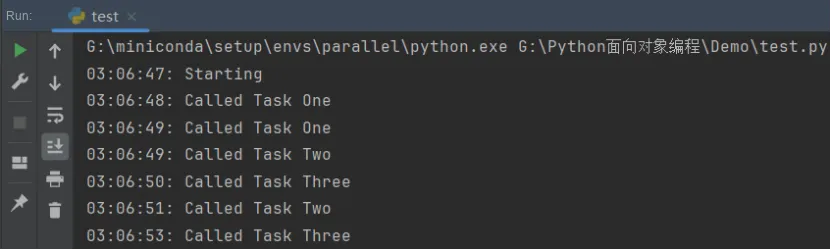
The running results are as follows. It can be seen that after reaching their respective execution times, each event simply outputs the current time and a brief message, telling us which callback method is being invoked.
In fact, methods of a class can also be used as callback functions, the sample code is as follows
 # Define the class
class Repeater:
    def __init__(self):
        self.count = 0
    def repeater(self, timer):
        '''
        Create a timed task inside the function
        :param timer: Timer
        :return: None
        '''
        format_time("{now}: repeat {0}", self.count)
        self.count += 1
        # A class method can also be used as a callback function
        timer.call_after(5, self.repeater)

# Create a timer object
timer = Timer()
repeater = Repeater()
# Add the callback function, a class method
timer.call_after(5, repeater.repeater)
# Start running the timer
format_time("{now}: Starting")
timer.run()
The running results are as follows:
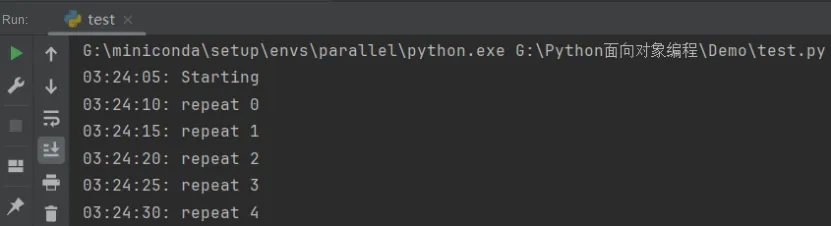
From the running results, we can see that we can add new events to the timer from the currently running callback function. Then create a timer and add several events to be called after different periods of time.
Format function
In Python, format () is a built-in function used to format strings. The format () function provides a flexible way to insert variables into strings and control their display format.
Its syntax is as follows:
format(value, format_spec)The parameters are described as follows:
- value: the value to be formatted; format_spec: the formatting specification, which is used to specify how the value is displayed.
- The format () function returns a formatted string.
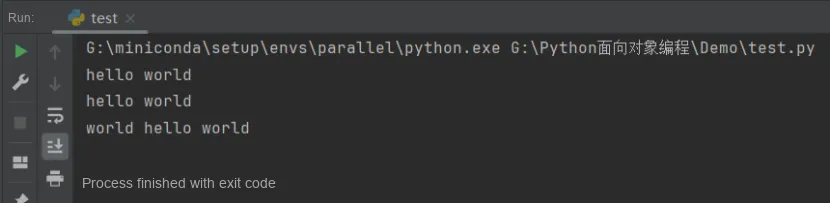
It uses {} and : to replace the previous %. The format function can accept any number of parameters, and their positions do not need to follow a specific order. The sample code is as follows:
# No position specified, use the default order
print("{} {}".format("hello", "world"))
# Set the specified position
print("{0} {1}".format("hello", "world"))
# Set the specified position
print("{1} {0} {1}".format("hello", "world"))
Output is as follows: