Contents
Abstract:
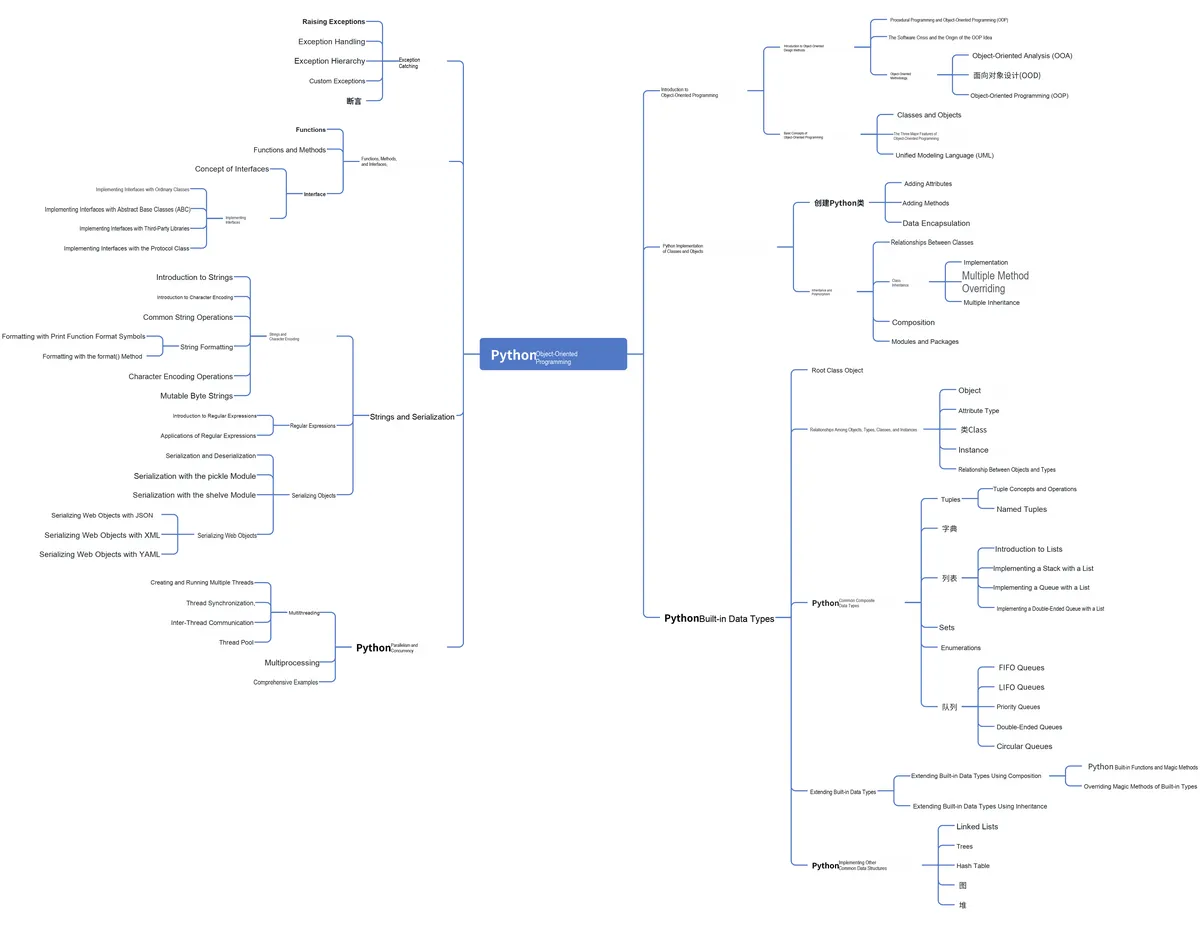
This paper mainly introduces the hierarchy of exceptions when using Python for Object Oriented programming, how to use inheritance relationships to implement custom exception classes in your own projects, and gives an explanation by taking sensor Data Acquisition as an example.
Original Link:
Previous Recommendations:
You who study embedded systems still don't know Object Oriented? ?!
More exciting content is available here:
Speed Up Your Python: A Quick Guide to Python Parallel Computing
Mastering the Debugging Principles of CM3 Microcontrollers in One Article
The "Secret Martial Arts Manual" for Computer Science Competitions
Document and Code Acquisition:
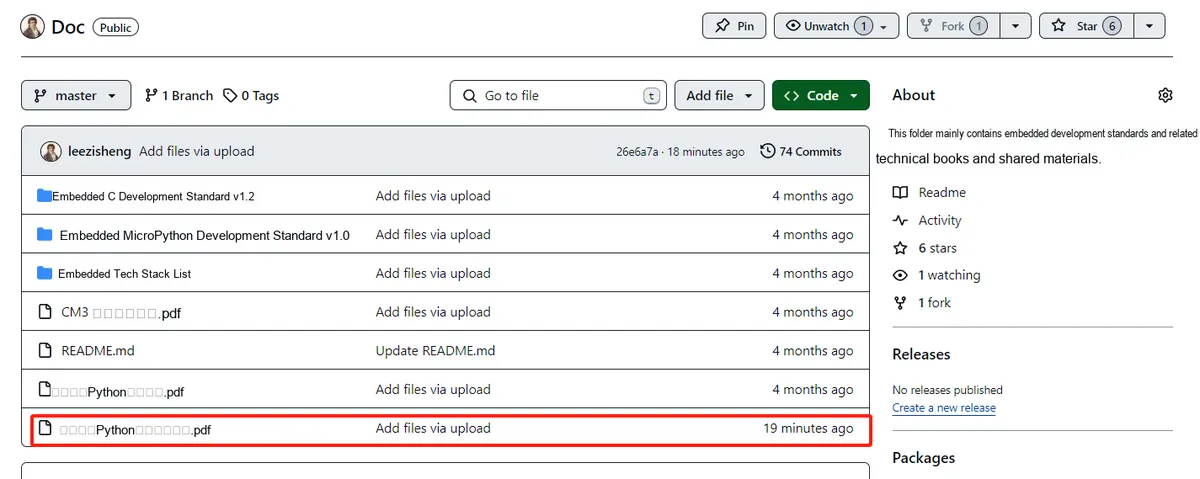
You can download the document via the following link:
https://github.com/leezisheng/Doc
This document mainly introduces how to conduct Object Oriented programming with Python, and it requires readers to have a basic understanding of Python syntax and single-chip microcomputer development. Compared with other blogs or books that explain Python Object Oriented programming, this document is more detailed and focuses on embedded host computer applications. It takes the common serial port data transmission and reception, data processing, dynamic graph drawing and other functions between the host computer and the slave computer as application examples, and uses the Sourcetrail code software to visually read the code to facilitate readers' understanding.
The link to obtain the relevant sample code is as follows:
https://github.com/leezisheng/Python-OOP-Demo
Body Text
Exception Level
Most exceptions are subclasses of the Exception class, but not all exceptions are. The Exception class itself actually inherits from BaseException. In fact, all exceptions must inherit from the BaseException class or its subclasses.
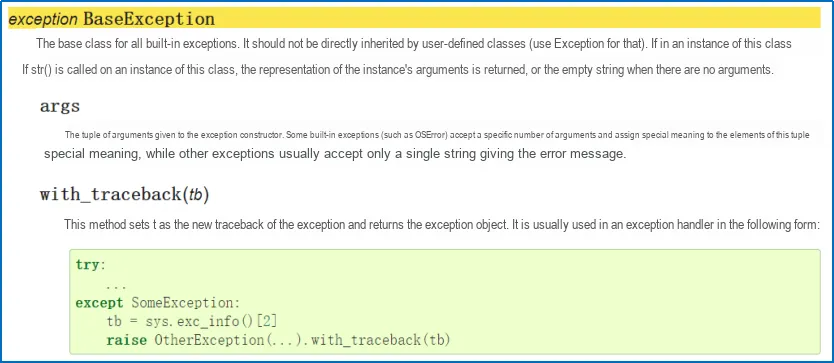
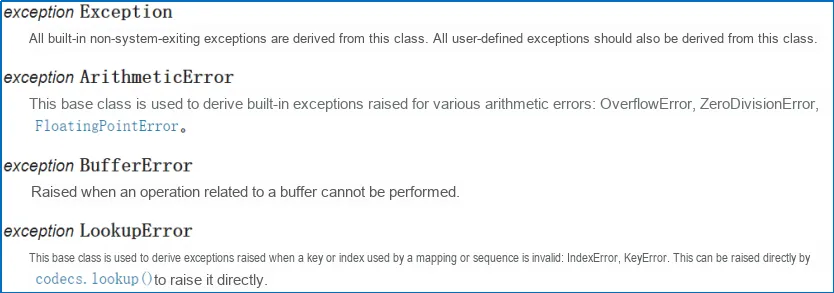
There are two key exceptions, SystemExit and KeyboardInterrupt, that inherit directly from BaseException rather than Exception:
- The SystemExit exception is raised when a program exits naturally, typically because we have called the sys.exit function somewhere in the code (for example, when the user selects the exit option in a menu, clicks the "close" button in a window, or enters a command to shut down the server). This exception is designed to enable the completion of cleanup tasks before the program finally exits without requiring explicit handling (since the cleanup code resides in a finally clause).
- The KeyboardInterrupt exception is commonly encountered in command-line programs. It is raised when a user interrupts the program via a system-dependent key combination (typically Ctrl+ C). This serves as the standard method for users to intentionally terminate a running program; similar to SystemExit, the appropriate response to it is to exit the program. Meanwhile, just like SystemExit, handling this exception should be done within a finally block to carry out cleanup tasks.
The class hierarchy of built-in exceptions is as follows:
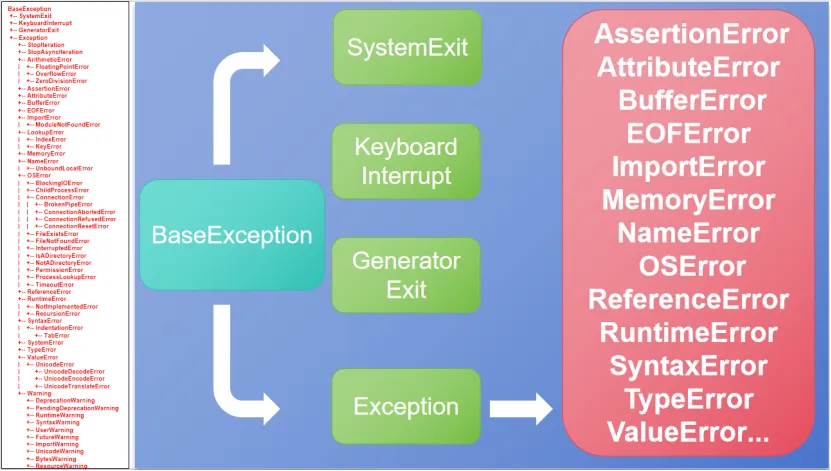
When we use only an `except:` clause without specifying any type of exception, it will catch all
A subclass of BaseException; this means it will catch all exceptions, including the two special exception objects mentioned above. If you want to catch all exceptions except SystemExit and KeyboardInterrupt, you should explicitly specify to catch Exception. Furthermore, if you really intend to catch all exceptions, I recommend that you use the except BaseException: syntax instead of except:. This signals to others that you are deliberately doing this to handle special exceptions.
Custom Exception Class
Typically, when we need to trigger an exception in a specific scenario, we may find that there is no existing built-in exception object that meets our needs. Fortunately, however, creating our own exception class is quite straightforward. Exception classes are usually named to convey what kind of error has occurred, and we can also add any required parameters in the initialization function to provide more detailed information.
Whether directly or indirectly, exceptions should all derive from the Exception class. Exception classes can be defined to do anything that other classes can do, but they should generally be kept simple; they usually only provide a few properties to allow the corresponding exception handler to extract information about the error. Most exception names end with "Error", following the naming pattern of standard exceptions.
Here, we define an InvalidIDError to indicate that the incoming sensor ID is invalid.
Meanwhile, in the try block, the except block statement is executed after a user-defined exception occurs, and the variable e is used to create an instance of the InvalidIDError class. The sample code is as follows:
# Define an exception for an illegal ID
class InvalidIDError(Exception):
    pass

class SensorClass(SerialClass):
    # Class variables:
    #   RESPOND_MODE - respond mode - 0
    #   LOOP_MODE    - loop mode - 1
    RESPOND_MODE,LOOP_MODE = (0,1)
    # Class variables:
    #   START_CMD       - start command      -0
    #   STOP_CMD        - stop command      -1
    #   SENDID_CMD      - send ID command    -2
    #   SENDVALUE_CMD   - send data command   -3
    START_CMD,STOP_CMD,SENDID_CMD,SENDVALUE_CMD = (0,1,2,3)

    # Class initialization
    def __init__(self,port:str = "COM11",id:int = 0,state:int = RESPOND_MODE):
        try:
            # Check whether the input port number is of type str
            if type(port) is not str:
                raise TypeError("InvalidPortError:",port)
            # Check whether the ID is between 0 and 99
            if id <= 0 or id >= 99:
                # After an exception is raised, the code after it will not be executed
                # This exception is raised when the type of an argument passed to a function or method is incorrect or the value of the argument is invalid.
                raise InvalidIDError("InvalidIDError:",id)
            # Call the parent class initialization method; the super() function connects the parent class and the child class
            super().__init__(port)
            self.sensorvalue = 0
            self.sensorid    = id
            self.sensorstate = state
            print("Sensor Init")
            logging.info("Sensor Init")
        except TypeError:
            # When an exception occurs, output the following statement to remind the user to re-enter the port number
            print("Input error com, Please try new com number")
        except InvalidIDError as e:
            # When an exception occurs, output the following statement to remind the user to re-enter the ID
            print("Input error ID, Please try id : 0~99")
            print(e.args)
The results of running the code are as follows:
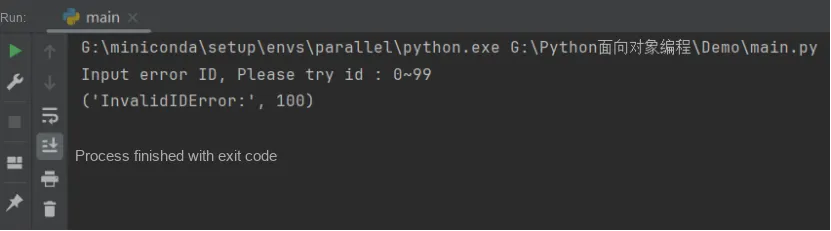
For the InvalidIDError class, we can pass any number of arguments to the exception; typically a string message is used, but any object that may be used for subsequent exception handling is acceptable.
The Exception.__init__ method is designed to accept arbitrary parameters and store them as a tuple in an attribute named args. This makes it easier for us to define new exceptions without needing to override the __init__ method.
Of course, if you need to customize the initialization function, this is a completely feasible approach, and we can do it as follows.
For example, when receiving sensor data, the sensor data may sometimes deviate significantly from the actual value. In the RecvSensorValue method of the MasterClass host class for receiving sensor data, we can design an InvalidSensorValueError exception class, and in the initialization function of this exception class, receive the currently obtained sensor value and the set sensor data threshold as parameters. In addition, it also has a method for calculating the difference between the current sensor value and the set threshold. The sample code is as follows:
# Exception indicating that the sensor data is too high
class InvalidSensorValueError(Exception):
    def __init__(self,recvvalue,setvalue):
        super().__init__("Receive Sensor Value is too high")
        self.recvvalue = recvvalue
        self.setvalue = setvalue
    # Calculate the error between the received data and the set data
    def cal_offset(self):
        offset = self.setvalue - self.recvvalue
        return offset

class MasterClass(SerialClass,PlotClass):
    ...
    # Receive the sensor data
    def RecvSensorValue(self):

        try:
            # Set threshold
            setvalue = 99
            data = super().ReadSerial()

            # If the received sensor data is greater than the threshold
            if data >= setvalue:
                raise InvalidSensorValueError(data,setvalue)

            print("MASTER RECIEVE DATA : " + str(data))
            logging.info("MASTER RECIEVE DATA : " + str(data))
            self.valuequeue.put(data)
        except InvalidSensorValueError as e:
            print("invalid sensor value",e.args)
            print("value offset is : ",e.cal_offset())
        return data
    ...
if __name__ == "__main__":
    # Create the master class
    m = MasterClass()
    m.StartMaster()
    m.RecvSensorValue()
Run the code, and the results are as follows:
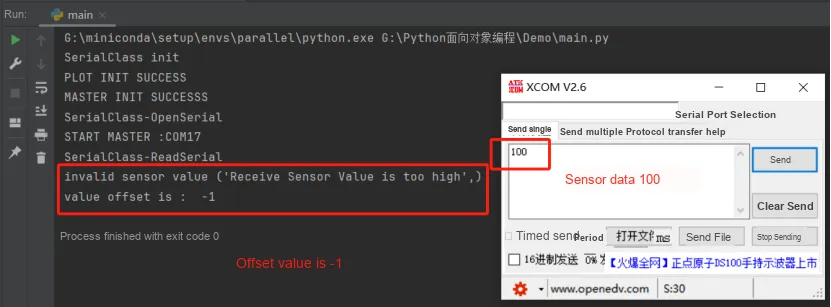
There are many reasons why it is worth considering how to define our own exceptions. Doing so helps add information to exceptions or log them in other forms. However, the real advantage of custom exceptions is that they enable the creation of frameworks, libraries, or APIs for others to use. In this process, we must take care to ensure that the exceptions thrown by the code we write are reasonable for Client programmers. They should be able to handle these exceptions easily and have a clear description of the current situation.At the same time, Client programmers should be able to easily figure out how to fix these errors (if they cause bugs in their code) or handle these exceptions (if it is a situation they need to be aware of). This not only requires us to ensure the clarity and consistency of exception handling, but also to take into account the overall readability and maintainability of the program.