Contents
Abstract:
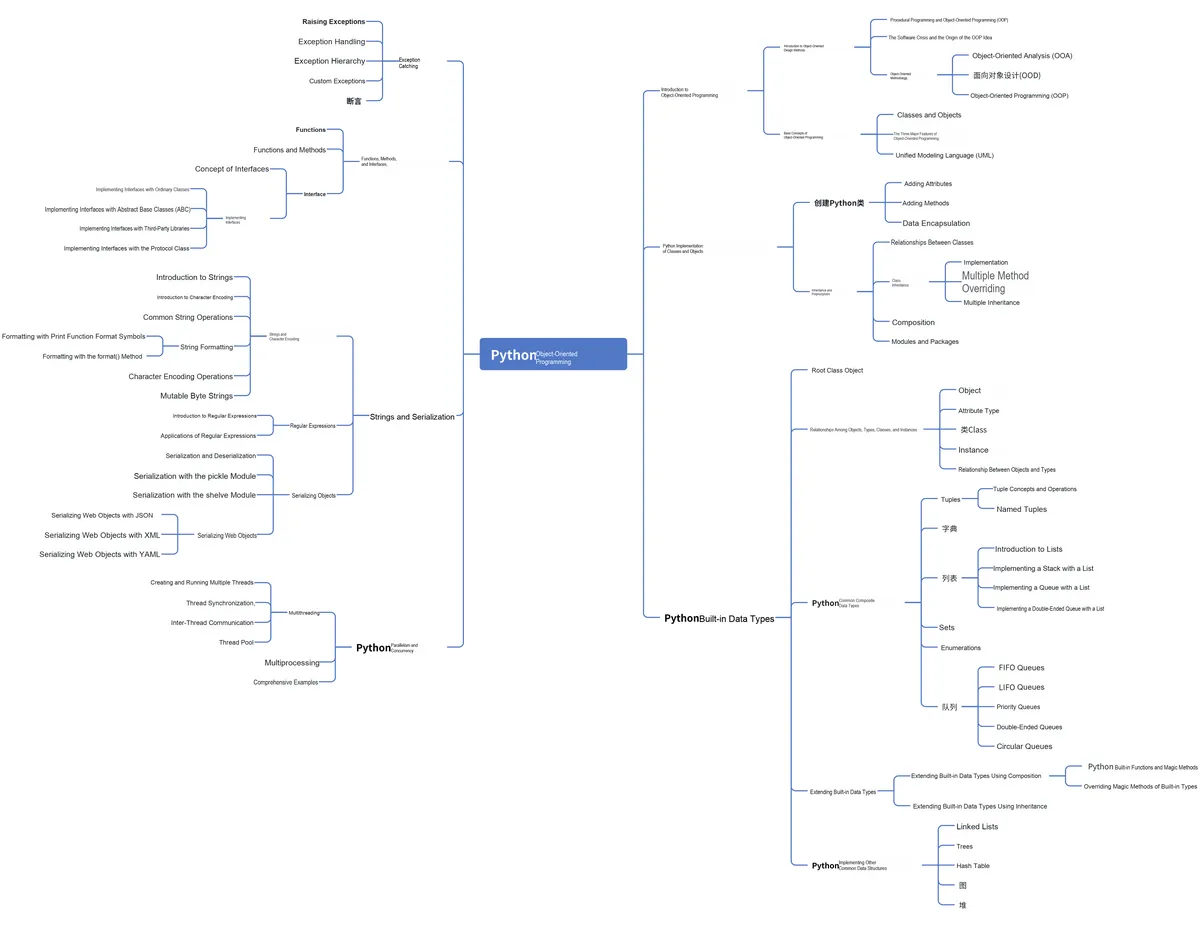
This article mainly introduces how to use the try/except statement to catch and handle exceptions when using Python Object Oriented programming, illustrates it with examples of reading and writing CSV files, and also explains how to reference Exception objects.
Original Link:
Recommended from previous issues:
You who study embedded systems still don't know Object Oriented? ?!
More exciting content is available here:
Speed Up Your Python: A Quick Guide to Python Parallel Computing
Mastering the Debugging Principles of CM3 Microcontrollers in One Article
The "Secret Martial Arts Manual" for Computer Science Competitions
Document and Code Acquisition:
You can download the document via the following link:
https://github.com/leezisheng/Doc
This document mainly introduces how to use Python for Object Oriented programming, and requires readers to have a basic understanding of Python syntax and microcontroller development. Compared with other blogs or books that explain Python Object Oriented programming, this document is more detailed and focuses on embedded host computer applications, taking the common serial port data transmission and reception, data processing, dynamic graph drawing of host computer and slave computer as application examples, and uses Sourcetrail code software for visual code reading to facilitate readers' understanding.
The link to obtain the relevant sample code is as follows:
https://github.com/leezisheng/Python-OOP-Demo
Body Text
When an exception occurs in a Python script, we need to catch and handle it, otherwise the program will terminate execution. To catch exceptions, you can use the try/except statement. The try/except statement is used to detect errors in the try block, so that the except statement can catch the exception information and handle it.
If you don't want your program to terminate when an exception occurs, you just need to catch it within a try block. Below is the syntax for the basic try. .. except. .. else structure:
try:
<statement>
except <name>:
<statement>
The working principle of the try statement is as follows:
(1) First, execute the try clause (the (multi-line) statement between the try and except keywords).
(2) If no exception is triggered, the except clause is skipped, and the try statement completes execution.
(3) If an exception occurs during the execution of the try clause, the rest of the clause is skipped. If the exception type matches the exception specified after the except keyword, the except clause is executed, and execution then continues after the try/except Code Block.
(4) If an exception that occurs does not match the exception specified in the except clause, it will be passed to the outer try statement; if no handler is found, it will be an unhandled exception and execution will stop with an error message output.
The sample code is as follows:
class SensorClass(SerialClass):
    ...
    # Class initialization
    def __init__(self,port:str = "COM11",id:int = 0,state:int = RESPOND_MODE):
        try:
            if id <= 0 or id >= 99:
                # After an exception is raised, the code after it will not be executed
                raise Exception("InvalidIDError:", id)
            # Call the parent class initialization method; the super() function connects the parent class and the child class
            super().__init__(port)
            self.sensorvalue = 0
            self.sensorid    = id
            self.sensorstate = state
            print("Sensor Init")
            logging.info("Sensor Init")
        except:
            # When an exception occurs, output the following statement to remind the user to re-enter the ID
            print("Input error ID, Please try id : 0~99")
         ...
if __name__ == "__main__":
    # Create a sensor class with ID 100
    s = SensorClass(port  = "COM11",id = 100,state = SensorClass.RESPOND_MODE)
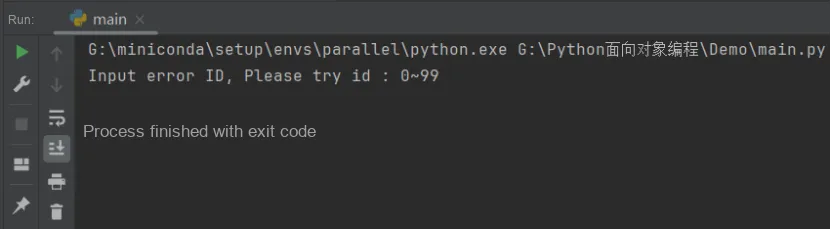
The following are the operation results:
The try-except statement in the above approach catches all exceptions that occur, but this is not a good practice, as we cannot identify the specific exception information through this program, since it catches every single exception.
You can also use the same except statement to handle multiple exceptions, as shown below:
try:
    Normal operation
   ......................
except(Exception1[, Exception2[,...ExceptionN]]):
   If one of the above exceptions occurs, execute this block of code
   ......................
else:
    If no exception occurs, execute this block of code
A try statement may have multiple except clauses to specify handlers for different exceptions. However, at most one handler will be executed. A handler only handles exceptions that occur in the corresponding try clause, not exceptions that occur in other handlers within the same try statement. An except clause may specify multiple exceptions using a tuple in parentheses, for example:
... except (RuntimeError, TypeError, NameError):
...     pass
The sample code is shown below. In the initialization method of the SensorClass sensor class, we add a check on the data type of the input port Port Number data; if it is not of type str, a TypeError exception will be thrown:
 def __init__(self,port:str = "COM11",id:int = 0,state:int = RESPOND_MODE):
        try:
            # Check whether the input port number is of type str
            if type(port) is not str:
                raise TypeError("InvalidPortError:",port)
            # Check whether the ID is between 0 and 99
            if id <= 0 or id >= 99:
                # After an exception is raised, the code after it will not be executed
                # This exception is raised when the type of an argument passed to a function or method is incorrect or the value of the argument is invalid.
                raise ValueError("InvalidIDError:",id)

            # Call the parent class initialization method; the super() function connects the parent class and the child class
            super().__init__(port)
            self.sensorvalue = 0
            self.sensorid    = id
            self.sensorstate = state
            print("Sensor Init")
            logging.info("Sensor Init")
        except TypeError:
            # When an exception occurs, output the following statement to remind the user to re-enter the port number
            print("Input error com, Please try new com number")
        except ValueError:
            # When an exception occurs, output the following statement to remind the user to re-enter the ID
            print("Input error ID, Please try id : 0~99")
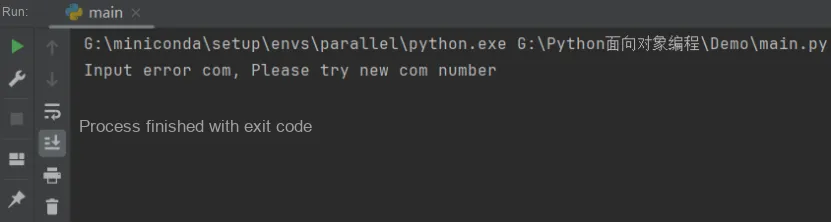
The following are the running results. It can be seen that only the exception of inputting an incorrect port type is caught and handled, while the exception of inputting an ID number with an incorrect range is not caught or handled:
Besides using except blocks to handle exceptions, we can also use finally blocks to perform necessary cleanup operations. The code in a finally block will always execute, regardless of whether an exception occurs. This is extremely useful when we need to run specific tasks after code execution completes, even if an exception is encountered. Some common examples include: closing open database connections; shutting down open files; sending a shutdown handshake over the network. The finally statement is also critical when we execute a return statement inside a try block.The code in finally will still execute before the return value is returned.
For example, in the FileIOClass class, when it is necessary to read and write csc files, the basic process is to open a csc file, then perform read and write operations, and finally close the file object. This is a conventional process. If I want to catch exceptions during the code execution, and ensure that the file must be closed in the end regardless of whether an exception occurs, then the finally clause will be used, and the sample code is as follows:
class FileIOClass:
    def __init__(self,path:str="G:\\Python面向对象编程\\Demo\\file.csv"):
        '''
        Initialize the csv file and the column titles
        :param path: file path and file name
        '''
        self.path   = path
        try:
            # path is the output path and file name; newline='' avoids blank lines
            self.csvFile = open(path, "w+", newline='')
            # rowname is the column name, index - index, data - data
            self.rowname = ['index', 'data']
            # Return a writer object that converts the user's data into delimited strings on the given file-like object
            self.writer = csv.writer(self.csvFile)
            # Write the column titles of the csv file
            self.writer.writerow(self.rowname)
        except (FileNotFoundError, IOError):
            print("Could not open file")
            logging.info("Could not open file")
        except KeyboardInterrupt:
            print("Cancell the file operation")
            logging.info("Cancell the file operation")
        finally:
                self.CloseFile()
We change the file path to a non-existent one and initialize the FileIOClass instance object.
The code is as follows:
f = FileIOClass(path = "H:\\Python面向对象编程\\Demo\\file.csv")It can be seen from the running result that when an IOError occurs, the statement in the except block is executed:
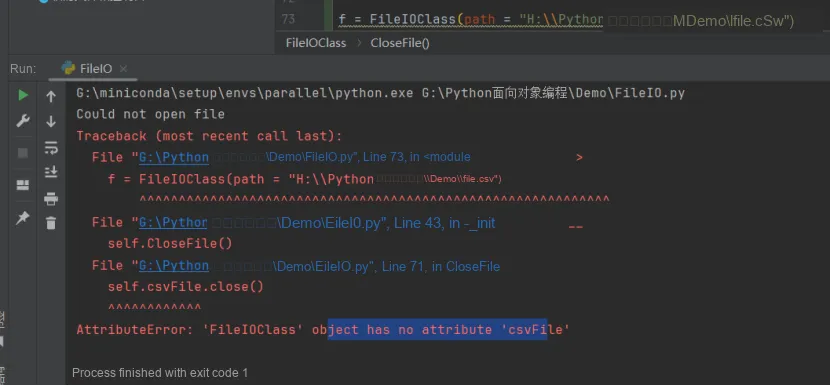
In line 16:
16 except (FileNotFoundError, IOError):This means that this block of code will be executed as soon as either a FileNotFoundError or an IOError occurs.
Actually, we can use the same code to handle two or more different exceptions at once. The specific format is as follows:
except(Exception1[, Exception2[,...ExceptionN]]):
   # If one of the above exceptions occurs, execute this block of code
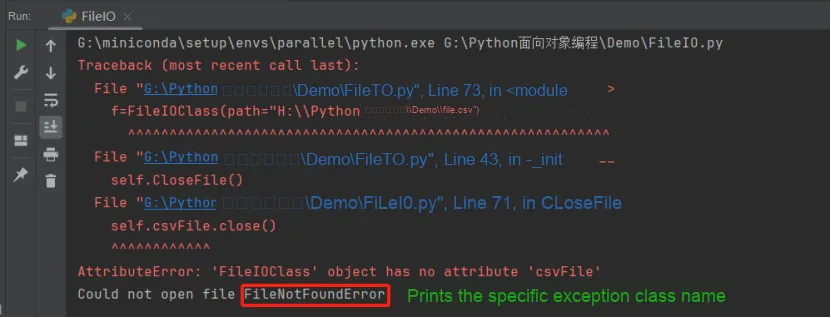
When multiple exceptions occur simultaneously, we can use the following method to print the class names of the corresponding exceptions:
        except (FileNotFoundError, IOError) as e:
            print("Could not open file",e.__class__.__name__)
            logging.info("Could not open file")
We run the code again:
Sometimes, when we catch an exception, we need to use a reference to the Exception object. This usually occurs when we define our own exceptions with specific parameters, in which case we can use the as statement with a parameter as the exception information parameter for output. The sample code is as follows:
        except (FileNotFoundError, IOError) as e:
            print("Could not open file",e.__class__.__name__)
            print("The exception arguments were", e.args)
            logging.info("Could not open file")
The running result is as follows. It can be seen that in this example, the output parameter is an error code (which is 2), indicating that there is no such file or directory.

Actually, the exception values received by variables are usually contained in exception statements. Variables can receive one or more values in the form of a tuple, which typically consists of an error string, an error number, and an error location.