
You have an Ethernet development board, a cable and a program that waits for a connection. When nothing seems to happen, it is tempting to change the application code. Before doing that, establish a smaller fact: can the computer reach the board at the address the board says it is using?
On our bench we ran that check with a W5500-based board running MicroPython. The sequence was: identify the computer's active network interface, configure the board, print its network settings, and ping it from a second terminal. For a team preparing to hand a connected prototype to someone else, those checkpoints are also the start of a usable setup procedure.
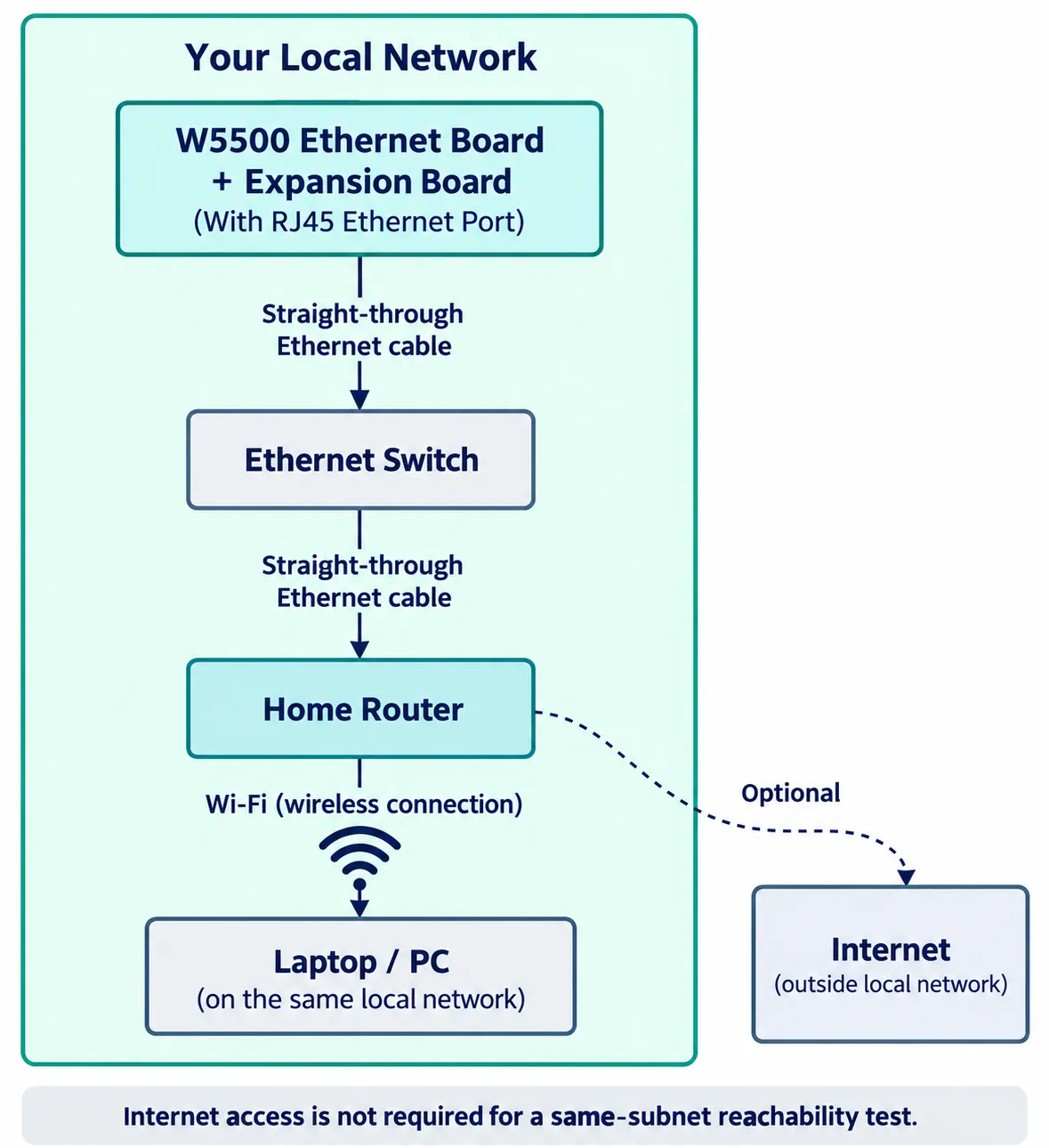
Draw the network you actually have
We connected the board through a switch and a router, with the computer on the same local network over Wi-Fi. A direct cable from computer to board is a different case with different addressing; do not switch between the two arrangements halfway through a test.
On Windows, ipconfig shows the computer's addresses. The important choice is which adapter carries traffic to the prototype. A disconnected Ethernet port or an unrelated virtual adapter can display a plausible-looking address that has nothing to do with your cable.
In our static-address test the computer was at 192.168.1.6 and the board at 192.168.1.20, both with subnet mask 255.255.255.0: two devices in the same subnet. Use addresses suited to your own network and avoid conflicts. A device missing from one scan is not proof that its address is free.
Bring up the board and inspect what it reports
We used the WIZNET5K network interface in a MicroPython build that includes it. The SPI connection used GPIO19 for MOSI, GPIO16 for MISO and GPIO18 for clock, with GPIO17 as chip select and GPIO20 as reset. Those assignments belong to our board arrangement, not to every W5500 board.
from machine import Pin, SPI
import network

spi = SPI(0, 2_000_000, mosi=Pin(19), miso=Pin(16), sck=Pin(18))
nic = network.WIZNET5K(spi, Pin(17), Pin(20))
nic.active(True)
nic.ifconfig(('192.168.1.20', '255.255.255.0', '192.168.1.1', '8.8.8.8'))
The MicroPython WIZNET5K documentation is the reference for this interface; firmware support and board wiring still have to match. Our program then waited for connectivity, printed its configuration, and blinked an LED while asking the operator to ping the reported address.
At startup the driver also dumped the W5500's common and socket registers. That dump is a useful checkpoint: if it is all zeros or the program stops before it, the problem is SPI wiring, reset or firmware, not the network.

A gateway or public DNS address in a configuration does not prove the device has reached the internet. It only records what the board was told.
Ping the board, not the computer
It is easy to ping the wrong machine. Pinging the computer's own address (192.168.1.6 here) tests nothing about the board. The board test is:
ping 192.168.1.20
We got replies from 192.168.1.20 and a clean packet summary for that short run. Ping uses ICMP, so a reply establishes reachability along that path. It does not establish that a TCP server is listening, that an MQTT message arrived, or that the application recovers after a connection failure. Those are separate tests.
If you get no reply, compare the board's printed address with the command, then check the active adapter, the link state of the cable and the subnet settings. On a controlled test network, inspect the relevant firewall rule if needed. Turning off the computer's firewall entirely should not be a default setup step.
Explain what changes at the next location
We later moved the setup to a different router on a 192.168.2.x network. The computer's address, mask and gateway all changed, and the 192.168.1.20 static address from the first test no longer fit. That is the practical warning: do not hard-code the first lab's settings into an installation guide.
For the handoff, write down how the device gets an address, how a tester finds it, and what the indicator means while setup is incomplete. An August 2025 Arduino forum question came from a builder wanting a W5500 board to talk directly to a PC application. The useful distinction is the same: establish the network path first, then test the application protocol. That forum's hardware is different, so it does not replace your board's wiring.
Our test program waited indefinitely for a connection. A trial-ready product needs a deliberate response to that state: a clear message, a bounded retry strategy, or a way to reconfigure the network settings. The ping result is a first network checkpoint, not an unattended-deployment test. TCP, HTTP and MQTT behavior each need their own checks after this one passes.