
Your controller's buttons and knobs work, and you want a musician to try it with a laptop. They need a MIDI connection to their software. You still need a way to inspect what the firmware is doing. Adding another connector would complicate the enclosure, but hiding the diagnostic connection would make failures harder to investigate.
A suitable USB device can offer both functions through one cable. The work is deciding what the computer should recognize, keeping the functions distinct, and checking what happens when the firmware or host reconnects. Two working examples do not automatically combine into one working product.
For a first trial, define two separate outcomes: the music application receives the intended MIDI messages, and the engineer can use the service connection without disrupting normal operation.
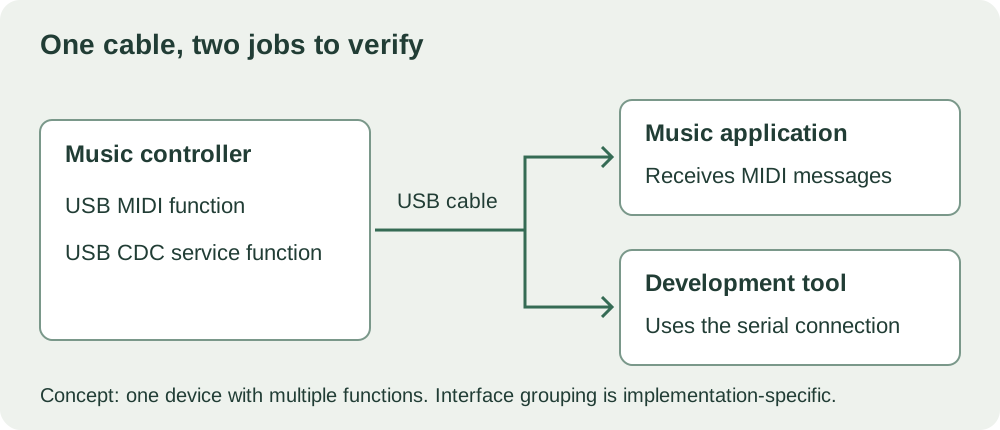
One connector can expose more than one function
When a USB device connects, it supplies descriptors: information the host uses to discover its capabilities. A configuration can contain several interfaces. For this project, those could support MIDI communication and a CDC serial connection used for development.
This is the idea behind a composite USB device. As Microsoft's generic parent-driver documentation explains, Windows can manage different interfaces, or related collections of interfaces, through appropriate drivers. A function may need more than one interface, so "two functions" does not guarantee a count of two descriptors or endpoints.
The useful question is whether the selected board and firmware can present the required functions together. A connector shape or an existing USB serial port does not answer it.
Use a relevant example, then define what it must prove
This need shows up in real music-controller work. In an April 2023 MicroPython discussion, a builder described a Pico control surface with working physical controls but difficulty providing USB MIDI. That discussion reflected USB support at the time; it is not evidence that today's MicroPython lacks MIDI support.
The official micropython-lib repository now provides a USB MIDI example that keeps the built-in driver with builtin_driver=True. Its comment explains that this preserves the MicroPython serial REPL, the interactive development console, alongside the MIDI interface. The linked revision is pinned, so it stays inspectable.
That is a good starting point, not proof that an arbitrary board or firmware build will support the combination. MIDI control messages also do not make the device a USB audio interface. If the product must send recorded sound as well, that is a separate requirement to investigate.
Expect the computer to rediscover the device
USB startup has distinct stages: attachment, power, addressing and configuration. That matters during development because changing what a USB device exposes can require it to disconnect and enumerate again. The computer may briefly lose the serial port even though the board stays powered.
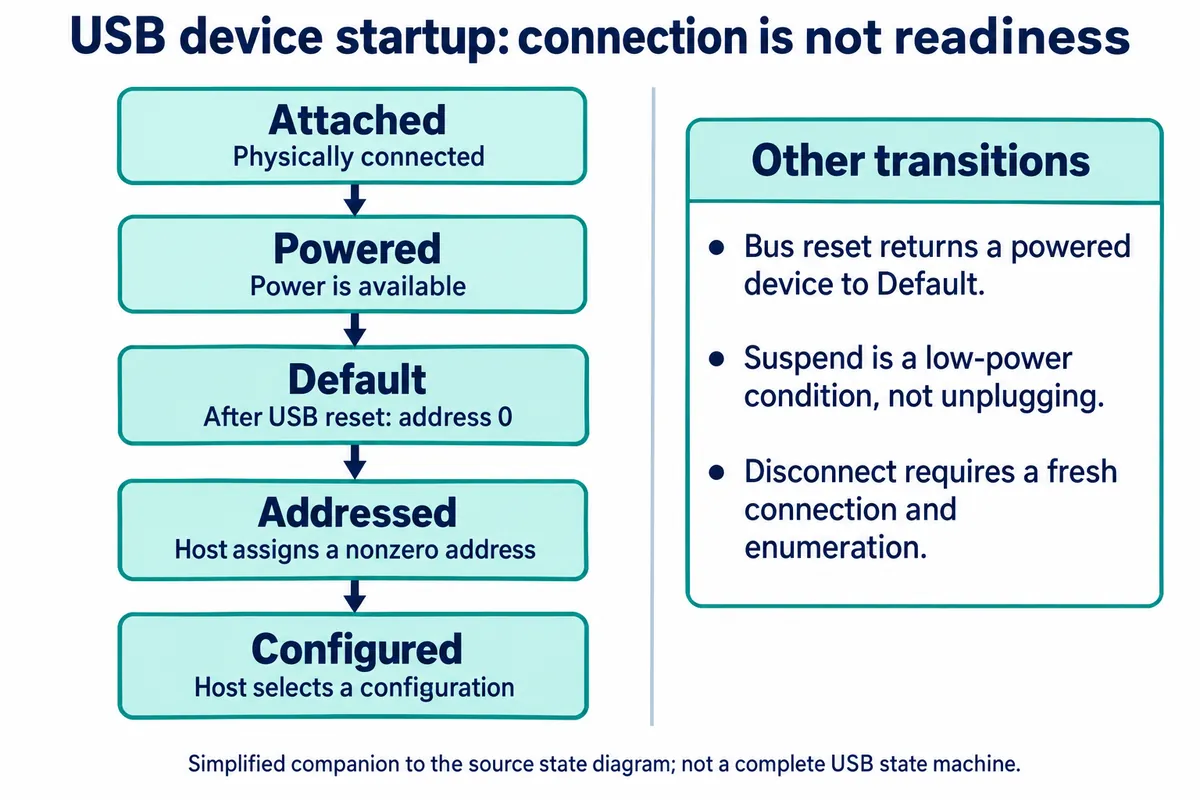
The MIDI example warns that launching it can disconnect the existing USB connection, so the launching tool may report an error while the example keeps running. Its instructions then reconnect to inspect the output. In that documented case, a disappearing port is part of the transition, not a sign of a crashed board.
There is another transition to plan for. MicroPython 1.29's USBDevice lifecycle documentation says a soft reset clears runtime USB interfaces and disconnects the device; a built-in CDC port can then reappear. For a configuration that must return on every boot, it recommends setting up the runtime interfaces in boot.py. The right setup still depends on native USB support and the actual firmware build.
Put that lifecycle in the test instructions. A musician should not have to guess whether a missing MIDI port means "wait," "reselect the device" or "restart the application." Find out what the intended host software does and write down the recovery that actually works.
Check both functions together on the intended laptop
First confirm that the operating system detects the expected functions, then that the intended applications can use them. A device listing is an intermediate result. It does not show that a button sends the correct note, that a release sends its matching message, or that the service tool receives useful diagnostics.
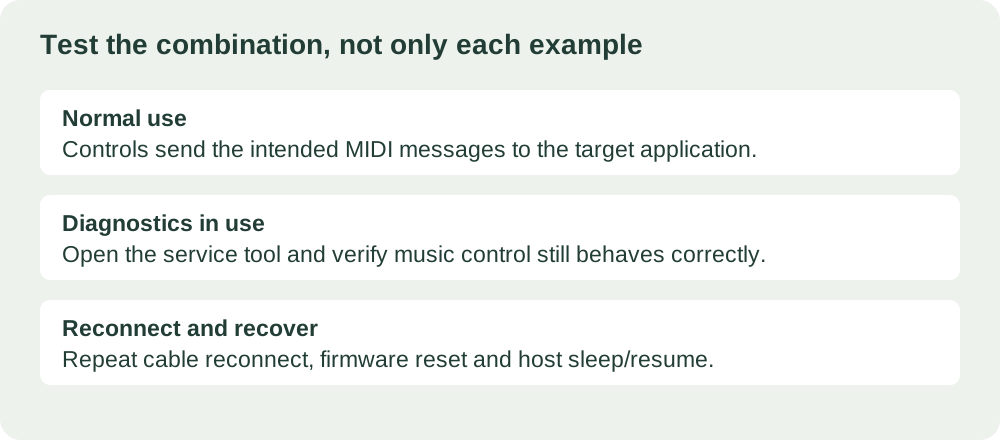
Next, use the musical controls while the service connection is open, with the amount of logging you expect during a trial. Check whether opening or closing the service tool changes the music application's connection or response. Keep the board, firmware, USB library revision, operating system and application version with the observations.
Finally, repeat unplug and replug, firmware reset and the host's supported sleep and resume sequence. These are distinct events. Microsoft's USB power-state guidance describes suspend as a low-power state; do not treat it as equivalent to removing the cable. Verify that each application recovers the functions it needs.
Keep the service function useful without making it the user interface
A REPL is convenient during development, but it is an interactive Python console, not a finished settings protocol. Decide whether trial users should see it, whether it stays a development-only feature, or whether the product needs a separate, limited configuration interface. That decision affects the firmware and the support instructions even when the physical cable stays the same.
Before committing to the enclosure, ask for a demonstration of the complete combination on the intended host: MIDI operation, diagnostic access and recovery after the agreed transitions. If the chosen build cannot do that cleanly, an accessible alternative service route may be worth keeping while the design matures.