
If you are designing a handheld game, an interactive exhibit or a playful controller, tilting the object may feel more natural than adding another button. But a motion sensor reporting angles does not tell you whether the response will feel right in someone's hands. You need to see movement and feedback together, in something that can actually be held.
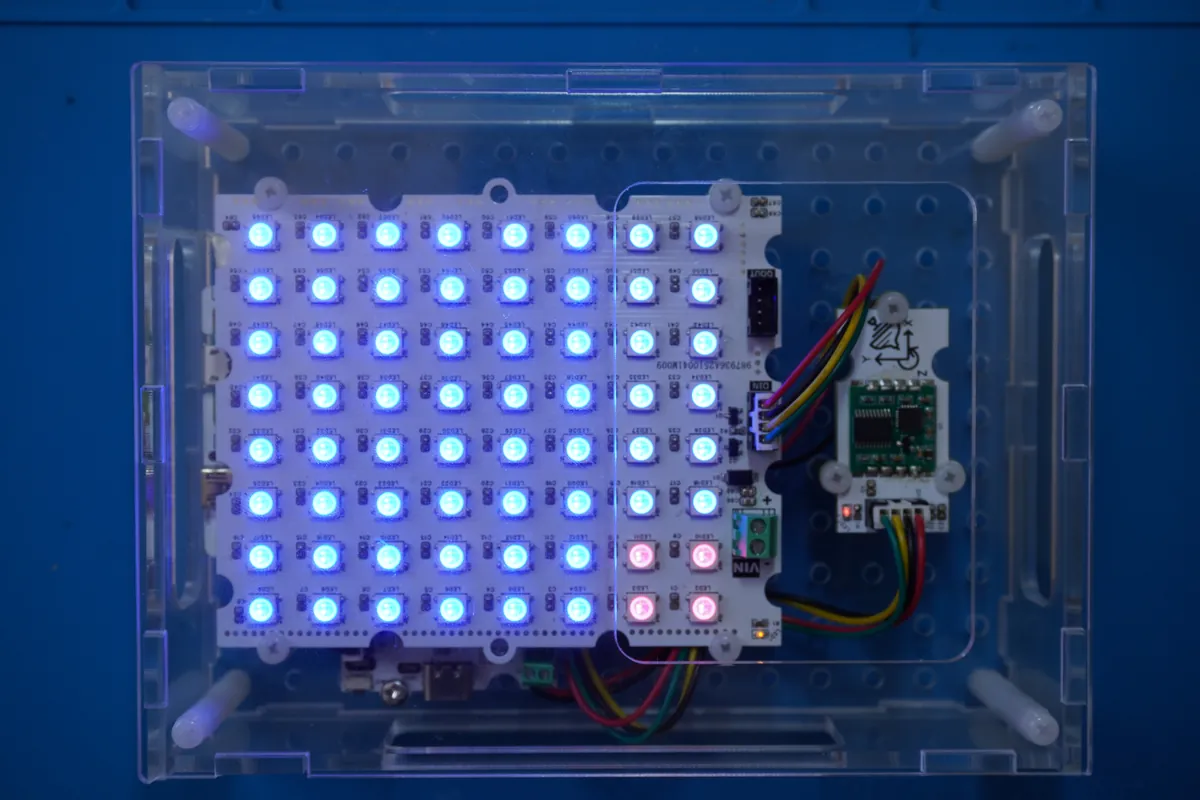
On our bench we built that intermediate step. A JY60 serial motion module supplies orientation data, and an 8 × 8 WS2812 LED matrix moves a small colored pattern in response. The controller, battery module, sensor and display are mounted together in a clear acrylic case, so a physical gesture connects directly to a visible result.
Give one gesture one visible consequence
The application task reads the motion module and moves a 2 × 2 red block across the matrix. That keeps the experiment small enough to reason about: tilt the assembly, watch the direction, return it toward level and repeat. A detailed game or animated interface would make it harder to tell whether a problem comes from sensing, mapping or presentation.
For a product team, the first decision is what the gesture means. Should tilting move something one step, move it continuously, or change its speed? Our build demonstrates an angle-driven position update. The other behaviors are design alternatives to test, not capabilities this prototype has shown.
Fix the sensor and display in a meaningful relationship
The JY60 connects to the controller's UART0 connector at 115200 baud, and the LED matrix to DIO0 as a separate digital output. UART is the serial link carrying the motion readings; the matrix needs only one data line.
Mounting matters because the sensor's axes need a stable relationship to the object the user holds. If the sensor can rotate inside the enclosure, a gesture stops matching the visible direction even though communication still works. Define the intended "front" of the prototype before adjusting the software mapping, and make the sensor mounting explicit in the enclosure design so its orientation stays fixed when someone picks the case up.
Read the software in the order a gesture travels
The firmware initializes the serial sensor and the matrix, creates the motion task and schedules it every 50 ms. Inside the task, the driver reads the module, two angle values come out, the application computes a new position, and the matrix driver draws the block.
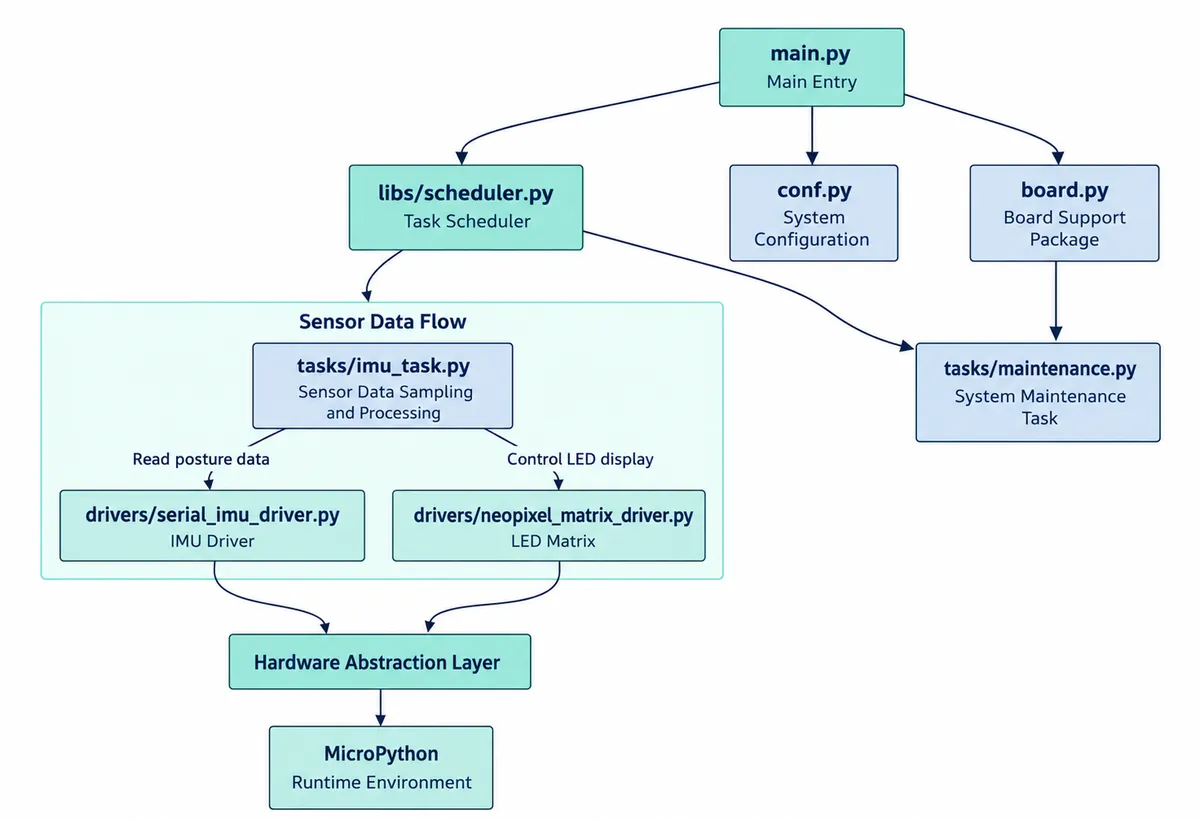
That separation is the practical place to make changes. Reversing the visible direction should be an explicit mapping decision, not an accidental side effect of swapping unrelated wiring. The controller's onboard button pauses and resumes the task.
Leave debug output on while comparing what your hand does with what the program reports. Our console printed the two orientation readings as left/right and front/back, along with timing lines for the read call. Those timing lines measure one diagnostic operation in that run; they are not the end-to-end response time of the device and should not be quoted as one.
Find the neutral position before choosing a threshold
Our firmware notes refer to a 180-degree threshold, while the recorded output includes readings near 360 degrees and near zero. That makes the angle convention important. Do not copy "180 degrees" as a sensitivity setting without checking how the driver represents a full rotation and where the intended neutral position lies. A reading that wraps from 359 to 0 can look like a huge jump to a naive mapping.
A useful follow-up is to log the values while the object is level, tilted gently in each direction, and held still near the point where the block starts moving. Then relate those states to the intended hand position. A resting zone and explicit wraparound handling may be appropriate, but we have not yet run a tuning study for a finished controller.
Use the first version to make a shape decision
Once the basic response is understandable, try the prototype in the posture you expect people to use. Check whether the display stays visible, whether cables or buttons get in the way, and whether picking it up triggers a movement by accident. Those observations should guide the next enclosure and firmware revision before anyone commissions a polished case.
Our build supports a motion-to-light demonstration. Whether the gesture is comfortable, and whether people read the response the way you intend, are the questions for the next round with real users.