
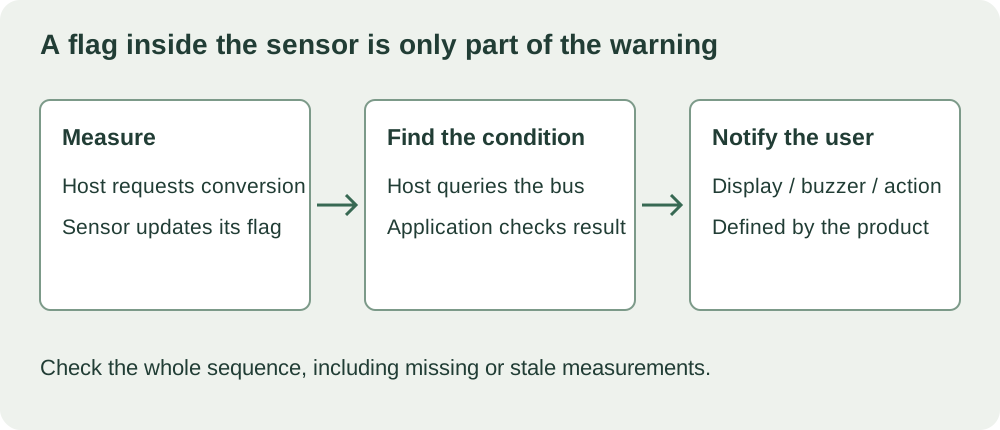
You are adding a temperature warning to a prototype. The sensor already lists high and low alarm thresholds, so it is tempting to treat the alert feature as mostly finished: set a limit, attach a buzzer and wait.
With a sensor such as the MY18E20, the missing part is the controller's work. The sensor can mark a completed measurement as outside its configured range. Your program must still request measurements, find that condition and decide how to tell the user. An internal alarm flag is not a separate wire that wakes the processor or sounds the buzzer.
This distinction helps a small team write a useful requirement. "Warn the user when the temperature is too high" needs a response time, a clear notification and a defined outcome when the sensor cannot be read, not just a threshold value.
What the alarm registers actually compare
The MY18E20 has two alarm registers: TH for the upper threshold and TL for the lower threshold. After a temperature conversion, the device compares part of its temperature result with those limits and updates an internal flag. A later measurement can clear the flag when the condition no longer applies.
The manufacturer's data sheet (revision 202411-V3.9, section 7.2) describes the comparison: it uses temperature bits 11 to 4 and signed eight-bit thresholds. The fractional part of the reported temperature is not included. A display showing decimal places therefore does not imply equally fine built-in alarm settings.
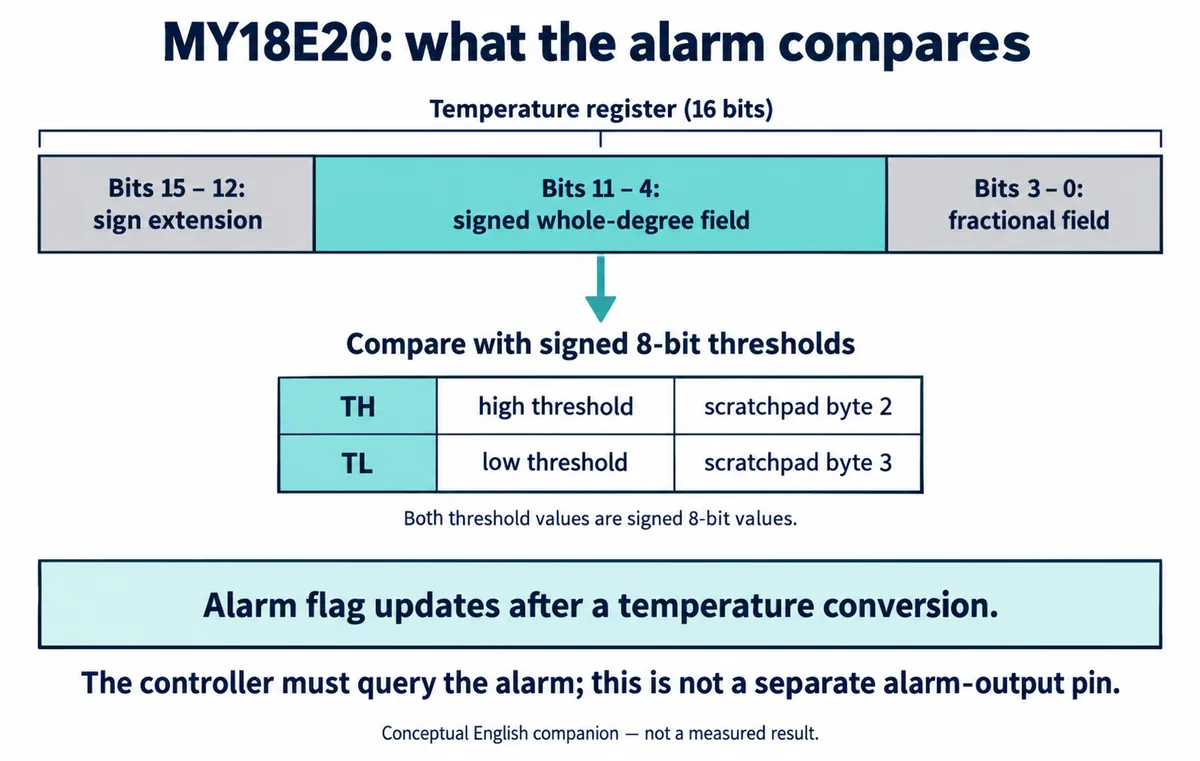
This is an explanation of a chip feature, not a record of an alarm being triggered on a finished prototype. We have not run a buzzer test, a wake-up test or a measured notification delay for it. Those belong in the product's validation work.
The data sheet also separates writing the working registers from saving their contents into nonvolatile memory. Section 9.2 describes a separate copy command for retaining settings across power loss. A threshold change that appears to work now should be checked again after a power cycle if the product is supposed to remember it.
"Alarm search" still means the controller asks
The MY18E20 supports an Alarm Search command, 0xEC. Devices whose alarm flags are set take part in that search, so the host can discover which sensors need attention. That can be useful on a shared bus. It is not a background notification sent to an otherwise inactive host.
Think of it as asking "which sensors have an out-of-range result?" rather than waiting for a sensor to call. The result refers to a completed conversion. If the application has not requested another measurement, asking again does not make the physical temperature sample newer. Section 10.5 of the data sheet describes a conversion command followed by a return to idle.
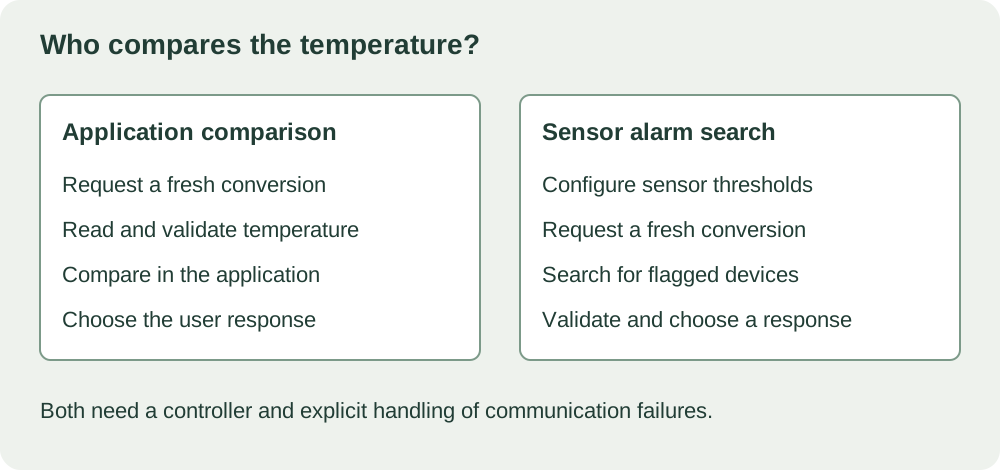
That leaves two application approaches: read temperatures and compare them in the controller, or use the sensor's alarm search as part of the measurement cycle. The second still needs driver support, bus handling and user-notification logic. For a single sensor, checking the returned temperature in the application may be easier to understand and test.
Test the delay people will experience
The interval from a temperature change to a visible warning includes more than the sensor's conversion time. Consider when the next measurement starts, how the sensor is thermally coupled to the object, when the program reads the result and when the interface or buzzer responds. These are questions for the assembled prototype, not numbers you can infer from a register diagram.
A September 2021 Arduino forum discussion shows the software side. A builder reported that adding a DS18B20 temperature read disrupted a two-stage buzzer sequence. Their posted code waited for conversion to finish. Replies proposed separating the conversion request from the later read so other work could continue. That is a different sensor and an untested suggestion for the MY18E20, but the pattern is common.
For your own prototype, write the desired behavior before changing the driver: how soon should the warning appear, should it stay on until acknowledged, and what happens near the threshold? Then test the complete measurement-and-notification sequence under the intended conditions. Do not borrow a conversion delay from another compatible-looking sensor, and do not mistake a responsive buzzer animation for a timely measurement.
Decide what "no alarm" actually tells the user
An empty alarm search is not proof that every expected probe is present and healthy. It answers only the question that operation was designed to ask. The application needs a separate way to detect a missing device, a failed transaction or a result that has become too old.
Make that condition visible. A prototype could, for example, distinguish "within range" from "measurement unavailable." Likewise, if a warning must stay on after a brief excursion, specify that in the application: a sensor flag that updates after each conversion is not an event history.
Before handing the device to testers, check a limit crossing, a return into range, a disconnected probe, a restart and any supported sleep state. Record the actual time to notification and which settings survive power loss. If the requirement is a protective shutdown, the complete sensing and response design needs its own engineering assessment; an alarm register does not establish that capability.