
Your prototype keeps drawing its display, but its speed reading no longer changes. Restarting brings it back. That can look like a broken sensor, yet the failure may be in the small piece of software that reacts to the sensor's signal.
For a team preparing a prototype for user testing, the useful question is: which part stopped? A moving interface proves that some code is running. It does not prove that new input is reaching the measurement code. Separating those observations can save a round of unnecessary hardware changes.
This note uses MicroPython's interrupt behavior to explain one possible failure path. It is not a diagnosis of every frozen reading, or a substitute for checking the signal at the input pin.
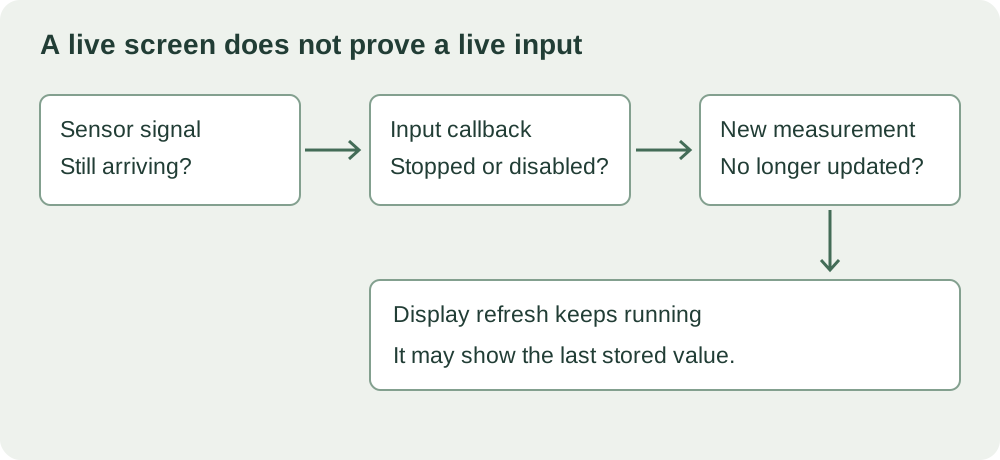
A small callback can fail without stopping everything
An interrupt callback is a function invoked in response to an event, such as an input edge. In a physical controller it might record the time of a pulse and leave the main program to calculate speed or update the display. It runs under different constraints from an ordinary function called by the main loop.
An exception raised in an interrupt handler does not simply arrive at the main loop's try block. MicroPython 1.29.0 has a concrete example: its shared IRQ handler disables a callback when an uncaught exception comes back from the hard-interrupt dispatch path. The RP2 pin implementation uses this handler for pin interrupts.
That is a specific mechanism, not a rule that every MicroPython timer or deferred callback stops in the same way. In the same shared implementation, soft callbacks are scheduled through another path. Record the board, firmware version, peripheral and whether the callback is hard or soft before drawing conclusions about what an exception will do.
Preserve the error before trying another restart
The most useful first step is short:
import micropython
micropython.alloc_emergency_exception_buf(100)
The MicroPython interrupt guide gives this call to reserve space for exception information where normal allocation is unavailable. Put it in the startup path before the interrupt is enabled. It helps diagnosis; it does not make an unsafe callback safe, prevent exceptions or repair the input.
The buffer holds one traceback, not a history of failures. A later exception while handling an earlier one can replace the first information. Capture the console output during a controlled reproduction, then keep the first useful error with the matching firmware revision. The buffer is not a persistent crash log you can retrieve after unplugging the board.
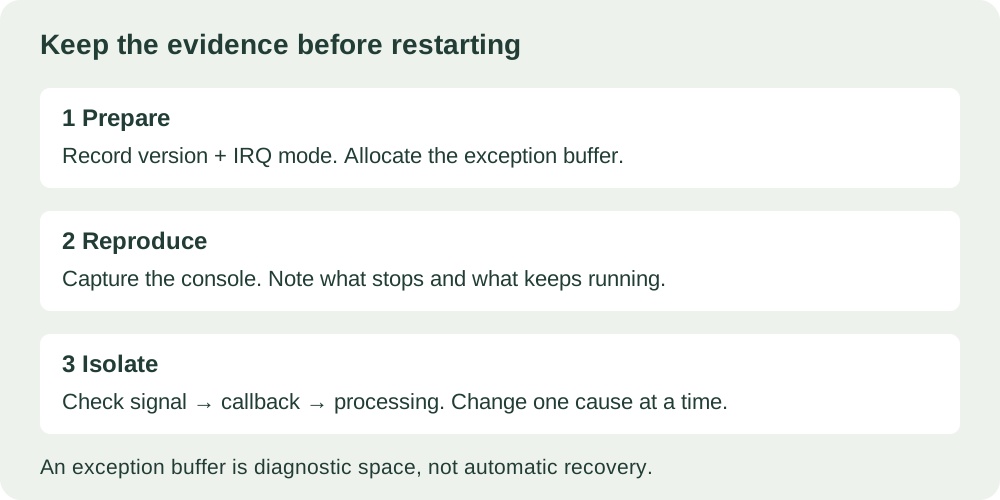
The symptom is real; the cause still needs evidence
In a March 2021 MicroPython forum discussion, someone building an ergometer reported that RPM interrupts stopped after several minutes while other work continued. The author already had an emergency exception buffer and saw no exception. They later reported improvement after changing interrupt protection; the discussion considered re-entrancy without establishing the precise timing cause.
That account resembles what a tester sees: part of the product stays alive while an input stops. It does not prove that the cause was an uncaught exception, nor that copying the reported change would fix your prototype. Missing electrical edges, a disabled callback and a failure in downstream processing can look the same from the screen.
During reproduction, separate three observations: does the physical signal still arrive; does the callback still record activity; and does the main program consume that activity? Add only bounded, low-overhead instrumentation inside the callback. Read or display its results from normal program code, and compare behavior with and without the instrumentation.
Keep recovery work out of the urgent path
A handler that reads a device, processes its data and prints an exception is a fine way to explain try and except. It is not a ready-to-run repair for an RP2 hard interrupt, and examples written around pyb.Timer belong to a different board API.
The MicroPython handler-design guidance recommends short, predictable handlers. Formatting a detailed report, writing a file or repeatedly retrying a peripheral adds work exactly where execution needs to stay bounded. Where possible, the callback should record a small event or fault flag in preallocated state; ordinary application code can then report it and decide what to do.
Do not replace the error with an empty except block just to keep the demo running. If a measurement is no longer trustworthy, the application needs an explicit outcome: an unavailable reading, a visible fault, or another response chosen for that product. Quietly displaying the last number makes a failed input harder for a tester to recognize.
What to include in the next test handoff
Send the smallest reproduction, the firmware version, the callback configuration, the time and action that preceded the failure, and any captured traceback. Include what kept working and what you checked at the physical input. That is more useful than "the board froze," especially when the board did not actually stop.
After correcting the identified cause, repeat the triggering sequence and verify that input processing continues. Also check that the application reports a deliberately unavailable input the intended way. Passing those checks improves this part of the prototype; it does not establish general reliability or production readiness.