
A visitor flexes their forearm and a light changes. For an interactive exhibit, a performance prop or an experimental controller, that can be a memorable way to operate something. The hard part is making the response happen when the person intends it, and keeping it quiet when they move a cable, shift their posture or relax.
That is a better first question than how many gestures a sensor can recognize. Start with one deliberate action and one harmless response. If that interaction is unreliable, a larger gesture vocabulary only makes the demonstration harder to understand and debug.
On our bench we connected a GraftSense surface muscle-signal (EMG) module to a GraftPort-RP2040 board, recorded forearm activity in MicroPython and plotted it. The traces were noisy and affected by movement, so they support an exploratory interaction study, not a claim of accurate muscle measurement.
Decide what the person should be able to do
Collecting a signal and making it useful are different jobs. In an October 2026 r/BiomedicalEngineers thread about a wireless EMG kit, the builder said after a gym trial that they wanted a more useful interface than the EMG trace itself. For a design team that suggests a practical milestone: can a person understand and repeat the interaction without watching a diagnostic graph?
A proposed exhibit might change a light once per deliberate contraction, then wait for release. A sound controller might trigger one short note. These are candidate uses, not results we have shown. Medical assessment, assistive-device reliability and multi-gesture recognition need evidence our bench session does not provide.
What we connected
The module is an analog amplifier and filter chain. The electrode lead plugs into a round socket; the controller reads a voltage on the AIN pin of a four-pin connector. There is no I2C address and no digital gesture command.
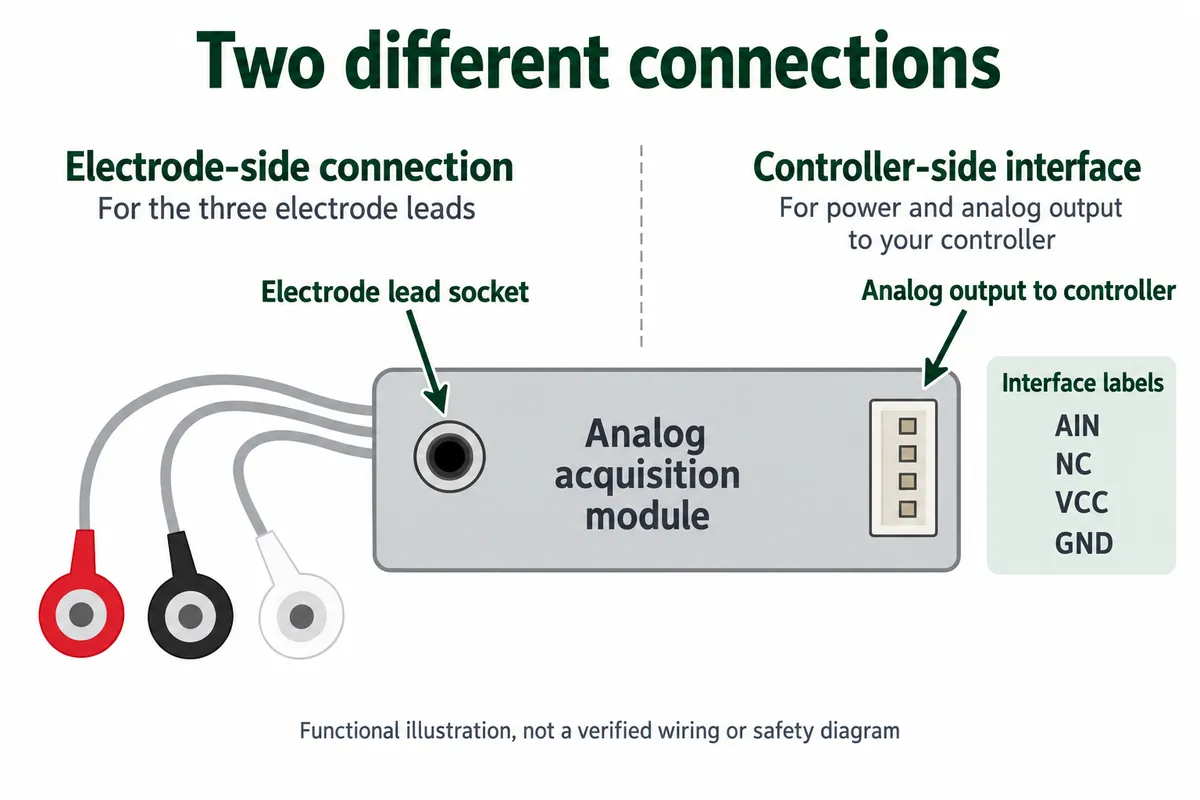
The schematic shows input conditioning, an instrumentation amplifier, analog filtering and an output offset stage. Those explain why a small signal becomes visible to an ADC. They do not prove the output is a calibrated measure of effort, or that it stays inside every controller's input limits. Measure the assembled output range before connecting an ADC.
We read the signal on the controller's AIN0 connector (GP26) and powered the setup from a lithium battery module to reduce interference associated with USB power. We used three electrodes on the forearm: two signal leads and a reference.
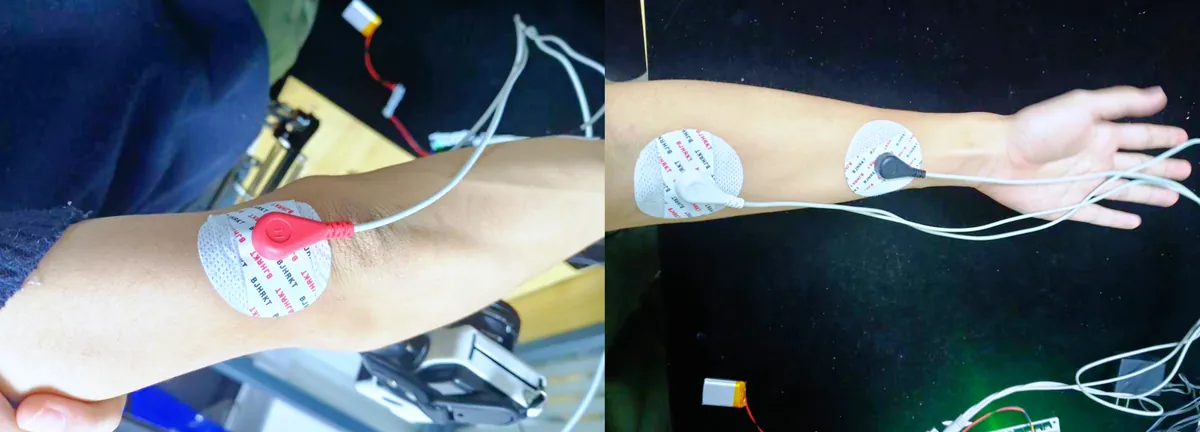
Body-connected electronics need a separate safety review before anyone repeats this. A battery on the sensor does not make the setup isolated if a UART cable, USB connection, charger or instrument still links it to powered equipment. SparkFun's MyoWare 2.0 getting-started guide discusses this for its own system, including USB isolation and fully battery-powered laptop setups. That guidance does not certify a different board, and our bench setup was not reviewed for participant testing.
Follow the signal all the way to the plot
Our program ran on MicroPython 1.24 with the ulab numerical library. It read GP26 at a requested 100 samples per second and converted the 16-bit reading to volts against a 3.3 V reference:
adc_raw = adc.read_u16()
raw_val = adc_raw * 3.3 / 65535
It then subtracted a moving baseline, passed the result through three digital filter stages, and sent two comma-separated values over UART0 at 115200 baud to SerialPlot, with some diagnostic text mixed in.
Name those two columns carefully. The first is already baseline-subtracted, so it is not an untouched ADC reading, whatever the column header says. The second is filtered and multiplied by 1.5. We called that multiplication calibration, but no experiment backs a physical muscle-strength scale. Keep the processing steps with any plot you interpret; changing the software can change the picture without any change in muscle activity. In SerialPlot, configure two channels and treat startup text as text, not samples.
We captured a contraction view, a rest view and a longer trace with two marked activity periods. The rest capture still showed a prominent changing signal: a quiet subject does not guarantee a quiet acquisition chain.
A moving trace is not yet a dependable button
In the longer trace we marked two forearm contractions, but much of the visible signal came from movement artifacts and noise. An artifact is a change caused by the measurement setup, such as movement at the skin or cable, rather than the signal you meant to measure. If the interaction responds to both, it will look convincing in a staged demo and trigger unexpectedly in normal use.
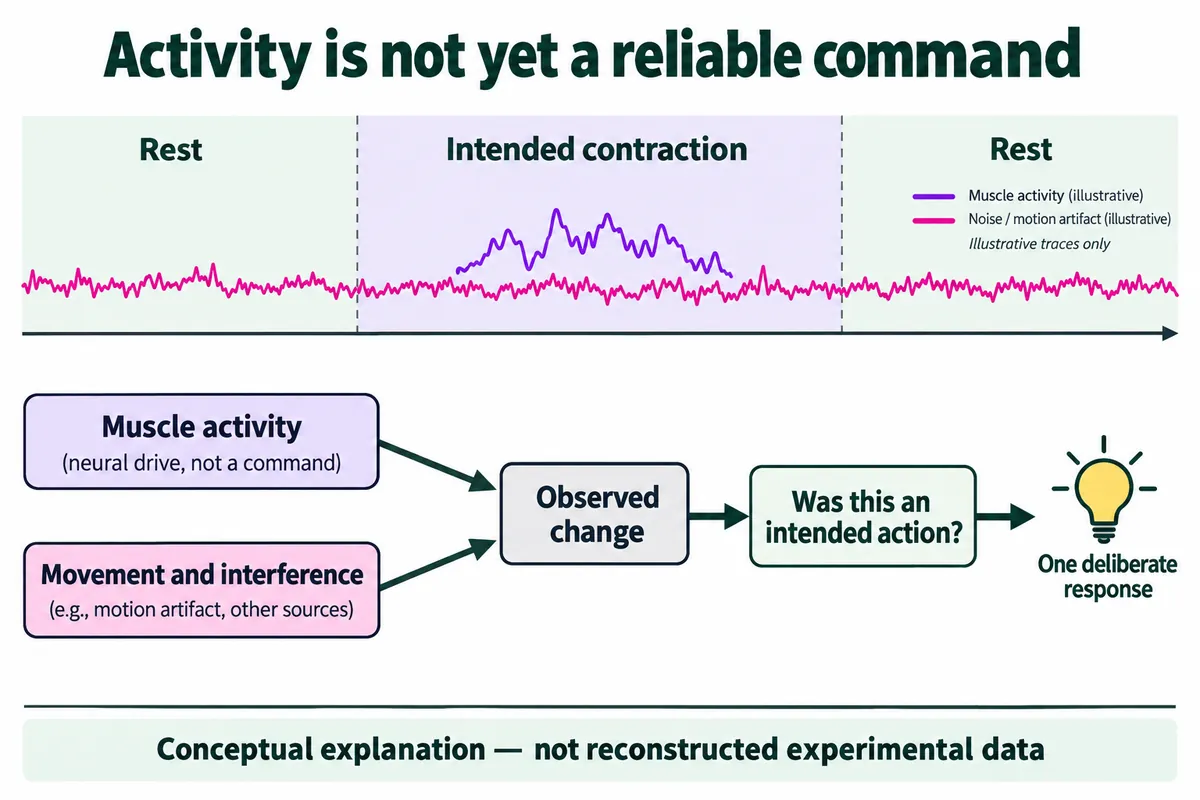
There is also a sampling mismatch. A requested 100 samples per second cannot capture an unfiltered signal that extends to 500 Hz. Filtering after sampling cannot recover what aliasing has already folded into misleading slower changes. A board that outputs a slow, already-processed activity envelope is a different case, and this one should not be assumed to provide that just because its output is analog.
One software detail makes the point. Our code labeled one filter a 50 Hz notch, but its coefficients at the stated 100 Hz sample rate put the zeros at about 16.7 Hz. The label is not proof that mains interference was removed. A revised acquisition design needs its own timing and filter validation.
For a simple controller, the decision is narrower: can a suitably acquired and processed activity signal separate an intentional action from ordinary movement? Measure that before committing to a custom enclosure or a sensing method.
Turn activity into one event, then count the mistakes
A good next software step is a small state machine: wait for activity to rise, emit one event, then wait for it to fall before rearming. Use separate activation and release thresholds so a value hovering near one boundary does not toggle repeatedly, and a minimum hold time to reject brief spikes. These improve event behavior; they cannot tell muscle activity from an artifact that looks the same at the input.
Work on a defined, non-negative activity score rather than the signed waveform, and replay labeled recordings offline before touching hardware. Count both kinds of error, missed intended actions and unwanted actions, and record response time. A detector that avoids every false trigger by waiting several seconds may still be useless for an instrument or exhibit.
| Proposed check | What it helps you decide |
|---|---|
| Deliberate action, then a held contraction | Does one intention give one event, not a stream? |
| Rest, posture changes, cable movement | Does the input stay quiet when nobody is operating it? |
| Removing and refitting the sensor | Does the interaction need recalibration each time? |
| The intended wearer and enclosure | Do comfort, cable restraint or electrode contact change results? |
| Changing one acquisition or filter setting | Did event accuracy improve, or did the graph just get smoother? |
These are proposed tests, not completed results. Start with recorded data and a harmless on-screen indicator. Any body-connected trial should follow review of the complete hardware setup, informed consent and a clear stopping procedure. Do not use an exploratory chain like this to control machinery or anything a person's safety depends on.
Put the interaction question in the prototype brief
Keep the brief simple: the intended action, the response it should produce, acceptable delay, expected wear time, and the situations that must not trigger it. Include a short annotated recording with the acquisition settings and note whether refitting changes the behavior. That is far more useful than a screenshot of the best contraction.
If a button, pressure input or motion sensor delivers the same experience more reliably, compare it before committing to body-contact sensing.