
A tester says your device is stuck on the wrong screen. You ask for a screenshot, but the saved image leaves out the warning they can still see. Now you have two different accounts of the same problem, and neither tells the developer exactly what happened.
For a small team handing a screen-based prototype to people outside the workshop, a good capture feature can shorten that conversation. It has to record the relevant interface, produce a file the recipient can open, and keep enough context to reproduce the fault. A button labeled "Save screenshot" is only the beginning.
LVGL offers snapshots: a way to capture an object and its children. This note turns that into a capture plan, checked against the LVGL 9.0.0 code. It is a plan, not a tested product feature; we have not run a screenshot experiment for it.
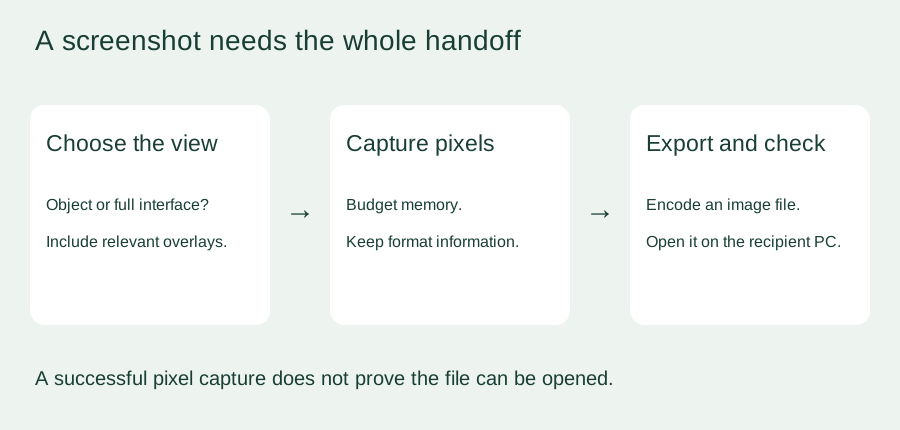
Decide what the reviewer needs to see
An object snapshot suits a question about one control: a chart, a settings panel or a label that wraps incorrectly. The LVGL snapshot reference describes capturing an object together with its children. That is a defined part of the interface, not automatically every layer visible on the display.
This matters when a warning, keyboard or cursor lives outside the captured object's tree. In an April 2024 LVGL forum exchange, a developer wanted one image containing all visible layers and reported a quick custom implementation after finding that their snapshot approach did not provide it. That illustrates the requirement; it is not a portable implementation for every firmware version.
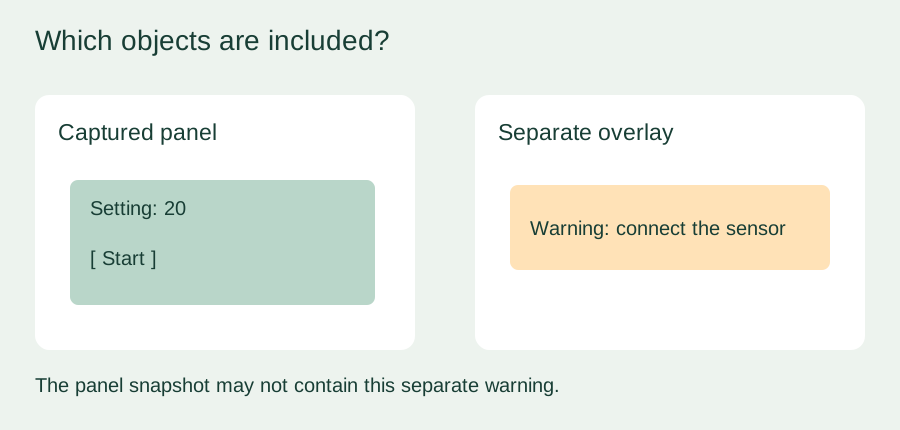
Write down which view the feature must capture. If the report concerns an obscured button, a clean snapshot of that button alone could hide the cause, so test with the real popup or overlay visible. If the report concerns flicker, dimness or touch alignment on the physical panel, ask for a photo or short video as well: a software-rendered image cannot show those physical effects.
Pixels in memory are not yet a PNG
The missing step is usually encoding. In the LVGL 9.0.0 snapshot interface, lv_snapshot_take() returns an image descriptor backed by pixel data. It does not take an output filename or write a PNG or BMP file. Renaming dumped pixel bytes to capture.png does not convert anything.
A project therefore needs a compatible encoder or export routine, storage or a transfer path, and error handling for each stage. Keep the pixel format, dimensions and row layout with the captured data. The export routine has to interpret those correctly; a filename extension cannot tell it how the bytes are arranged.
This has caused real confusion. In an August 2024 report using LVGL 8.3.11, a screenshot looked different on the device and on the PC. The author later reported fixing the BMP problem by correcting its header information. That supports testing the exported file in the intended viewer; it does not prove the same fix applies to every screenshot problem.
Budget for the extra image before promising the feature
A screen can work normally even when there is not enough spare memory for a full snapshot. Normal rendering and an additional capture buffer are different allocations. An April 2022 ESP32 and LVGL 8.2 report describes exactly this: capturing the deployed interface failed when the snapshot allocation exceeded what the application could provide. The visible thread does not reach a final solution.
As a planning figure, 320 × 240 pixels at two bytes per pixel is 153,600 bytes, or 150 KiB. Four bytes per pixel doubles that to 300 KiB. These cover tightly packed pixels only. They exclude encoder workspace, other running tasks and allocation overhead, and row alignment can add more; the 9.0.0 implementation calculates its buffer from the drawing size and row stride.
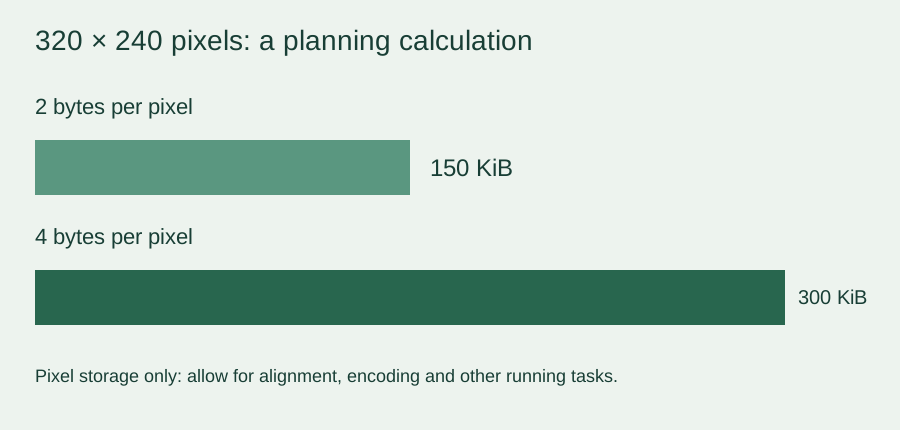
If a full capture is too expensive, a smaller object capture may still answer the question. A more involved option is to collect rendered regions and assemble or encode them elsewhere. That needs its own design for region placement, frame completion and changing content; saving one partial rendering buffer does not save the whole screen.
A failed capture should leave the prototype usable and tell the tester that no valid file was created. Also define when the image memory is released: an encoder or transfer still reading the pixels must finish first. Check the exact API in your firmware, since a C-level reference does not show that a particular MicroPython build exposes every function.
Make the capture useful in a test report
Try the complete handoff before sending devices out. Reproduce a known screen state, capture it on the device, transfer the file and open it on the same kind of computer the reviewer will use. Include an overlay, colored areas and text near the screen edges so missing layers, format mistakes and clipping are easy to spot. Repeat captures while the application is busy, and check both responsiveness and memory recovery.
Alongside the image, record the firmware version, the page or operation, the user's last action and a short report identifier. Let the tester say what they expected and what actually happened. Those details connect a picture to a reproducible sequence instead of leaving the developer to guess which build produced it. Keep user-sensitive values out of shared captures where the trial requires that.
A screenshot feature earns its place when it makes feedback more actionable. If a phone photo plus clear steps already answers an early trial's questions, start there, and add automated capture when its benefit justifies the memory and integration work.