
The English demo works. You replace a few labels with the language your next users speak, and some words turn into empty boxes. Other labels appear correctly but no longer fit their buttons. The translation is ready; the device is not ready to show it.
This matters when a small team takes an interactive exhibit, controller or connected product to a new audience. Before promising another language, identify what people will read and what they can enter themselves. A fixed set of menu labels is a smaller job than displaying arbitrary names imported from a file.
LVGL, a common embedded graphics library, treats text encoding, fonts and rendering features as separate concerns. This note turns those distinctions into a small, reviewable prototype task. It is a plan, not a record of a tested multilingual product.
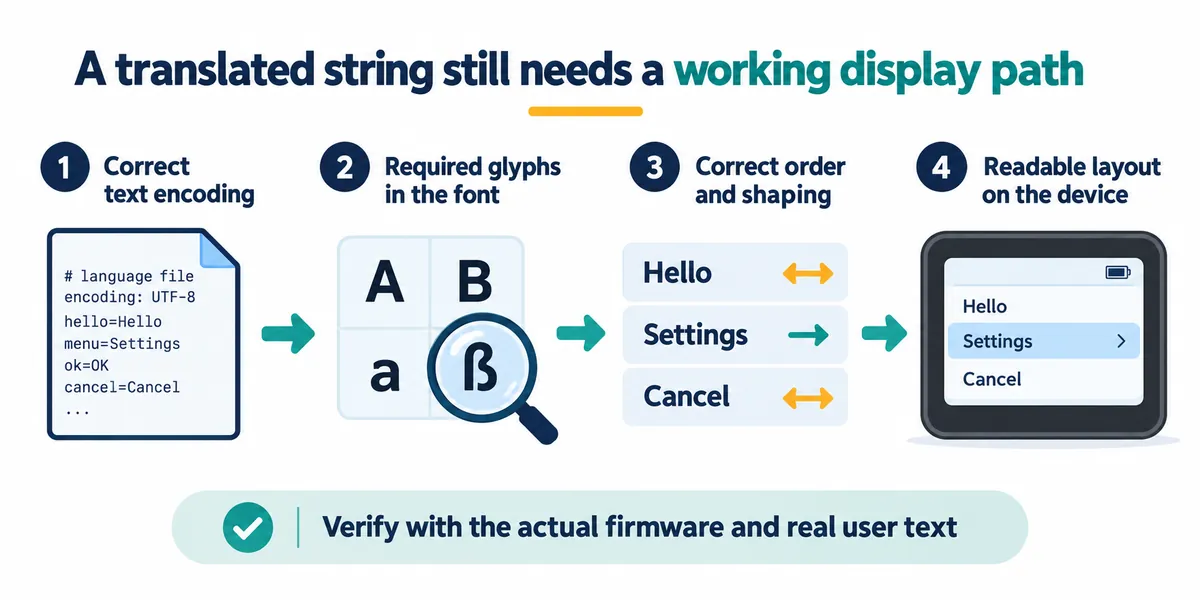
First decide which text the device must support
List the actual screen content: navigation, settings, units, error messages and confirmation prompts. Include messages that appear only during a failed connection or an unfinished operation. Otherwise the main screen gets translated while the difficult moments stay unreadable.
Then separate fixed text from text supplied later by users or connected systems. If someone can name a device, load a filename or receive a message, the possible characters go beyond today's menu. Decide which languages and input sources the product supports, and what it does with unsupported text. Do not quietly discard characters that distinguish two names.
A common way this goes wrong: a developer collects only the words already in the interface editor into the font, then needs to display text read from an SD card, which can contain anything. Missing characters can also come from a font assigned to the wrong widget, so one empty box does not always have one cause.
Check encoding and font coverage separately
Encoding is how the text is represented as bytes. A font supplies the shapes, or glyphs, used to draw it. Correct UTF-8 text can still contain a character missing from the selected font. A font with the right shape cannot repair incorrectly decoded input either.
The LVGL 9.0 font documentation describes UTF-8 support, built-in font ranges and fallback fonts. Its ordinary Montserrat fonts do not cover every language, and its supplied CJK font covers only a subset. A fallback font can fill a missing glyph only if the fallback actually contains it.
LVGL's built-in symbols, such as a check mark or a Wi-Fi icon, are a separate matter. Seeing them render does not show that the configured font can draw a user's name. Font names also change across LVGL versions, so check the fonts present in your exact firmware rather than copying a name from an answer written for a different release.
Build the font around the supported content
LVGL's official font converter can select character ranges or explicit characters and merge font sources. That makes a small fixed interface manageable: collect its approved text, include the required glyphs and keep the conversion settings with the project. Confirm that the source font's license permits the intended use, and keep its notices.
For user-supplied names, the same small subset may be inadequate. Broader coverage needs a deliberate storage and rendering plan. Compare the generated font size in the real build, then check available memory while the interface and other device functions are running. Do not approve the design from the source font's desktop file size.
A recent r/esp32 tool announcement, posted in October 2026, describes finding font size and format problems only after flashing. It is the author's account and a tool promotion, not a measured trend, and we have not tested the tool. The useful question it raises is whether you can inspect the chosen characters and build output before repeating a hardware test.
A complete alphabet still needs the right rendering
Some languages need more than isolated letter shapes. LVGL 9.0 documents bidirectional text and Arabic and Persian processing separately, with restrictions for text entry and static-text APIs. Supporting a display-only label does not establish the same support in an editable field. Verify the operation you need in the selected version and binding.
For your acceptance sample, include the real combinations users will see: text beside a number, a unit, punctuation and an identifier. Have someone who reads the language review the result. Reversing a line, or seeing no empty boxes, does not establish correct order or meaning.
Layout is another check. Use the longest realistic labels, not only the shortest translated menu. Look at line breaks, clipped endings and whether the whole touch target stays obvious. If a button cannot hold the wording, revise the layout or agree on a shorter translation; shrinking every label until it is hard to read hides the problem rather than solving it.
Validate one real task in the target language
Choose one complete path, such as naming a sensor, starting a recording and interpreting a storage error. Run it with the actual font configuration and firmware on the intended display. Check the normal path and the failure message, then switch back to the first language and confirm no old labels were left behind.
Keep a compact test set with the project: approved translations, representative user names, expected units and the matching screenshots. Repeat that set whenever wording or a font changes. These are proposed acceptance checks; we have not yet run them on a multilingual build.